

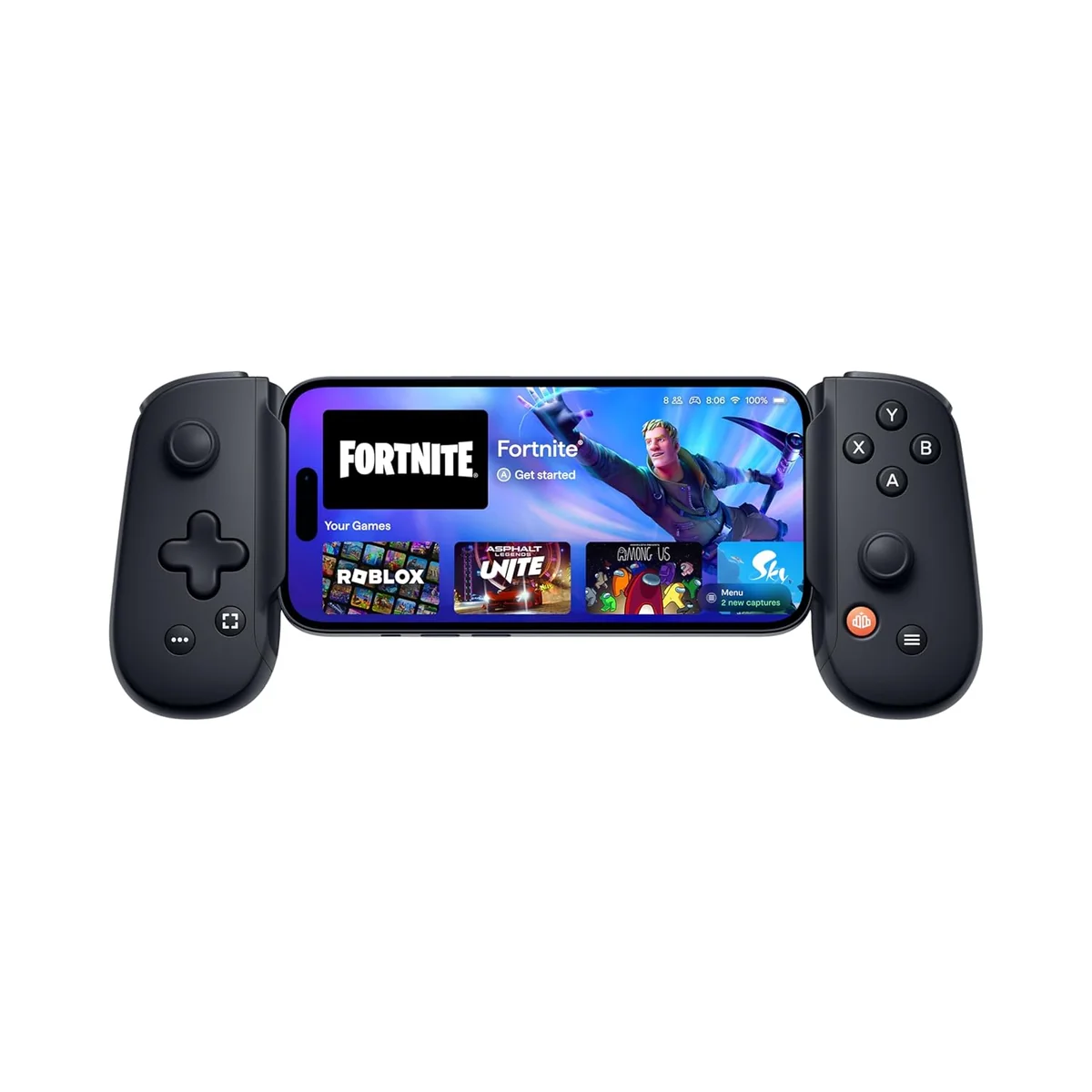
Razer Kishi V2 Mobile Gaming Controller
Console-quality controls and low-latency USB-C connection deliver great gameplay, with some fit and app quirks.
The Razer Kishi V2 is a wired mobile gaming controller designed to turn your phone into a mini console powerhouse, perfect for gamers chasing ultra-low latency and tactile microswitch buttons. Its extendable bridge clamp fits most Android phones, though bulky cases often demand removal—a common gripe despite the sleek design. Experts laud its ergonomic grip and passthrough charging, while users praise broad emulator and cloud game support but note some app quirks and occasional connectivity hiccups. Priced mid-tier, it offers solid value with premium feel, making it a savvy pick for serious mobile players who prioritize precision over wireless freedom.


Find Yours
What form factor do you prefer for your cellphone gaming controller?
Answer to find your best matches.

The Field
Browse top contenders, or compare all options ranked by score and key attributes.
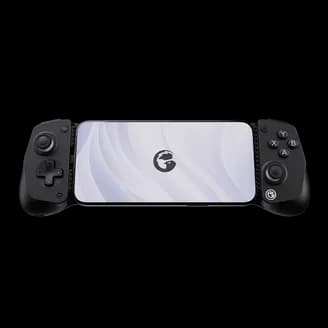
4 Options
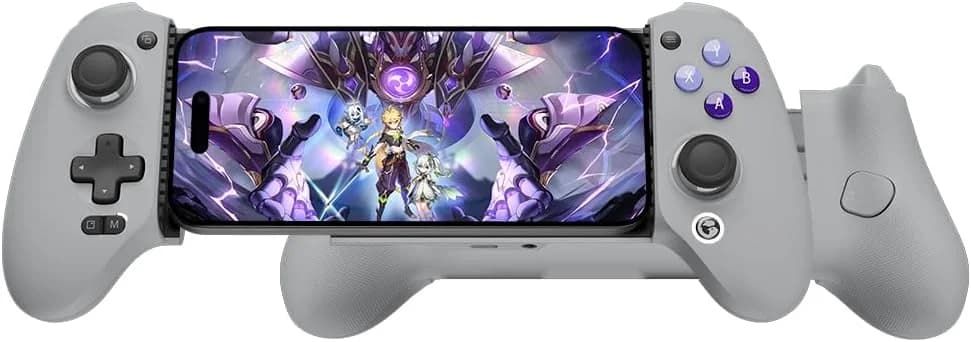
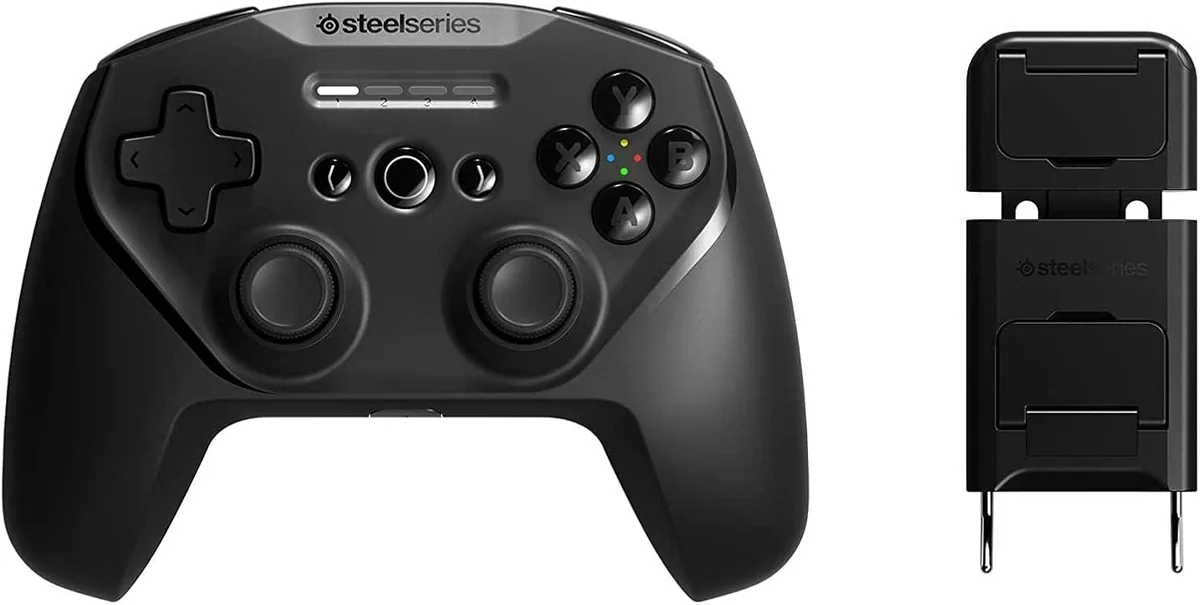

The Scoreboard
Does this improve your life? Considers, health, habits, and environmental impact.
Benefits
USB‑C wired connection cuts Bluetooth lag, reducing frustration and improving reaction-based performance.
Extendable bridge with textured grips reduces wrist strain over holding phone alone.
Virtual Controller Mode maps touchscreen inputs to buttons, easing awkward finger positions and accessibility.
USB‑C passthrough keeps phone powered during play, reducing battery anxiety on long sessions.
GRS‑certified 50% recycled materials lower material footprint versus typical all‑new plastic controllers.
Trade-Offs
Plastic housing plus electronics add to e‑waste and resource use compared with modular eco‑leaders.
Wired USB‑C connection limits movement and posture options, potentially increasing sedentary strain.
Flexible ribbon, fixed connector and non‑collapsible parts may fail sooner, increasing replacements.
Microswitch clickiness can be socially disruptive in shared spaces, creating stress or embarrassment.
Fixed USB‑C length often forces slim case removal, exposing phone to drop and dust risk.
 Alternatives


Join the Circle
Where real meets deal
Know what's worth buying-and when.
Tips, special offers, and rewards for buying and sharing.

Publications
7 LEADING PUBLICATION REVIEWS

Digital Trends highlights the Razer Kishi V2 as a significant upgrade over its predecessor and a top contender in the mobile gaming controller market. Praising its innovative extendable bridge design—borrowed from the Backbone One—the review emphasizes how this change greatly simplifies phone insertion and encourages more frequent use. The controller’s microswitch face buttons, improved D-pad, and reprogrammable buttons enhance gameplay, especially for first-person shooters and accessibility needs. The reviewer notes minimal latency across native and cloud gaming platforms, making it ideal for services like Xbox Game Pass and Google Stadia. However, the Razer Kishi V2 loses some uniqueness by closely mimicking Backbone’s design, and the awkward placement of the Razer Nexus button above the menu button causes occasional accidental presses. Despite these minor flaws, the controller’s sturdy build quality and thoughtful features make it a highly recommended choice for serious mobile gamers seeking console-quality experiences on Android devices.
By Tomas Franzese
Taylor Lyles from IGN highlights the Razer Kishi V2 as a significant hardware upgrade over its predecessor, praising its ergonomic design, lightweight build, and satisfying microswitch buttons that enhance mobile gaming comfort and responsiveness. The controller’s extendable bridge design improves compatibility with a wider range of Android phones, including those with bulky camera bumps, though it sacrifices some portability. Lyles appreciates the thoughtful button layout and added programmable macro buttons but notes the lack of Xbox-style color coding as a minor aesthetic drawback. However, the review is tempered by criticism of the bundled Nexus software, which is described as sluggish, feature-poor, and less polished compared to competitors like Backbone’s app. Compatibility issues with popular games like Call of Duty: Mobile and the absence of a headphone jack—important for mitigating Android audio lag—are also noted. Overall, the Kishi V2 is recommended as a solid Android controller alternative, especially for those unwilling to wait for a Backbone USB-C version, despite its software shortcomings.
By Taylor Lyles
Tom’s Guide highlights the Razer Kishi V2 as a significant upgrade over its predecessor, praising its improved ergonomics, tactile button switches, and enhanced phone compatibility—especially with devices that have large camera bumps. The reviewer enthusiastically recommends it as the best Android mobile gaming controller currently available, noting the new spring-loaded clamping mechanism and textured grips for comfortable, secure use during extended sessions. The inclusion of Razer’s Nexus app adds useful features like button remapping, firmware updates, and streaming integration, though its utility may vary depending on the user’s phone ecosystem. Criticisms include the controller’s fixed USB-C connector, which requires careful handling, and its somewhat small size for large-handed gamers. The lack of an iPhone version is also a downside, though one is expected soon. Overall, the review conveys a confident, positive tone, emphasizing that the Kishi V2 refines and expands on the original’s strengths, making it a top choice for Android gamers seeking a premium mobile controller.
By Jordan Palmer
Windows Central’s Jez Corden highlights the Razer Kishi V2 as a significant evolution in mobile gaming controllers, particularly excelling for Xbox Cloud Gaming and Android gaming. He praises its lightweight, balanced design, refined Xbox-grade buttons, and broad device compatibility, noting the improved clamp mechanism and tactile triggers that enhance comfort and usability. The controller’s USB-C pass-through charging and dedicated Nexus app button add thoughtful convenience. However, Corden points out software shortcomings, such as the Nexus app’s clunky activation process and limited customization, as well as inconsistent performance of the screen capture button across devices. He also expresses mild concern about the clamp’s durability despite its flexible design. Compared to competitors like the GameSir X2, the Kishi V2 offers superior ergonomics and input quality, though at a higher price. Overall, Corden regards the Kishi V2 as the best Android phone gamepad currently available, ideal for first-time buyers seeking a premium, Xbox-like mobile gaming experience despite some software quirks.
By Jez Corden
Adam Conway from XDA Developers highlights the Razer Kishi v2 as a significant improvement over its predecessor, delivering an excellent mobile gaming experience especially suited for cloud gaming and emulation. He praises its comfortable design, broad compatibility with top Android phones, and responsive, tactile controls that closely mimic a console feel. The controller’s plug-and-play USB-C connection and lightweight build make it convenient for extended play sessions. However, Conway points out notable drawbacks, including the bulky form factor when not in use, lack of a headphone jack or USB-C audio passthrough causing frustrating audio latency, and limited usefulness with popular mobile games that disable controller input. The included Razer Nexus app is seen as underwhelming and largely unnecessary. Despite its $99 price tag and some ergonomic and connectivity compromises, Conway recommends the Kishi v2 primarily for gamers focused on emulation or cloud streaming, emphasizing its ability to transform smartphone gaming into a near-console experience.
By Adam Conway
Mikhail Madnani from TouchArcade highlights the Razer Kishi V2 as a strong contender to the Backbone One for iPhone gaming controllers, praising its thoughtful design and unique features. He appreciates the textured grip and comfortable analog sticks, though notes the buttons feel a bit cramped compared to traditional console controllers. Key advantages include customizable multi-function buttons via the Razer Nexus app and the ability to use the controller without removing an iPhone case—something the Backbone One lacks. While the Nexus app is functional but minimalistic, the absence of a 3.5mm headphone jack is a minor drawback for some users. Overall, Madnani finds the Kishi V2 nearly perfect in hand feel and usability, especially valuing its case compatibility and customization options. He sees great potential for a future Kishi V3 to refine these strengths further, making it possibly one of the best mobile gaming controllers available.
By Mikhail Madnani
Haroon Sultan, Esports Editor and Columnist at PCMag, highlights the Razer Kishi V2 as one of the best mobile gaming controllers currently available for Android devices. Praising its redesigned, comfortable, and durable build, Sultan emphasizes the improved tactile buttons and balanced feel that support extended gaming sessions. The controller’s USB-C pass-through charging and extensive button remapping via the Razer Nexus app add to its appeal, though the app itself is described as somewhat lackluster. Sultan notes minor drawbacks such as limited audio options due to lack of USB-C audio support and potential fit issues with phones that have thick cases or prominent camera bumps. Compatibility is broad, but some popular games like Genshin Impact still lack controller support on Android. Overall, Sultan enthusiastically recommends the Kishi V2 for mobile gamers seeking a premium, reliable controller experience, while acknowledging some regional and software limitations. An iOS version is expected later, expanding its reach.
By Haroon Sultan

YouTube
11 LEADING EXPERT & INFLUENCER REVIEWS
 ETA PRIME
ETA Prime praises the Razer Kishi V2 for its solid build, ergonomic design, and ultra-low latency USB-C connection, highlighting improvements like microswitch buttons, analog triggers, and customizable back buttons. While he appreciates its broad emulator and cloud gaming support, he notes drawbacks including lack of fast charging, no data passthrough, and a high launch price.
EngadgetEngadget highlights the Razer Kishi V2 Pro’s responsive microswitch buttons, ergonomic design, and passthrough charging as strong points, especially for cloud gaming and touchscreen remapping via the Nexus app. However, they note limitations like the wired connection, beta-stage virtual controller mode, and niche appeal compared to using the controller with a recent smartphone.
AppleInsiderAndrew from AppleInsider praises the Razer Kishi V2 for iPhone’s improved micro switch buttons, ergonomic design, and unique programmable macro buttons, highlighting its superior tactile feel and compatibility with large iPhones. However, he finds the Razer Nexus app underwhelming compared to competitors and notes the controller’s less compact form factor, making it a strong but not flawless choice.
Jerry SchulzeJerry Schulze offers a measured yet positive take on the Razer Kishi V2, praising its tactile microswitch buttons and reliable responsiveness compared to the Backbone One. He notes the convenient passthrough charging and removable pads for cases but criticizes the placement of customizable buttons and limited case compatibility, making it a solid but imperfect portable iPhone controller.
Tech By LeonTech By Leon praises the Razer Kishi V2’s improved button feel and added customizable M1/M2 buttons, highlighting its solid, clicky microswitch design. However, he expresses reservations about the new non-collapsible form factor and smaller thumbsticks, finding V1 better for FPS games due to greater joystick movement and comfort.
TKsTechCornerTK from TK’s Tech Corner praises the Razer Kishi V2 for its smooth extendable bridge, comfortable button placement, and responsive microswitch buttons, favoring it over the Backbone One for Android. He highlights its passthrough charging and solid grip, though he finds the macro buttons unnecessary. Overall, he offers a balanced, firsthand comparison with practical insights.
Cloud Gaming XtremeCloud Gaming Xtreme finds the Razer Kishi V2 functional but limited, noting it doesn’t fit the Razer Edge tablet without modification and lacks vibration and seamless game compatibility. While USB-C passthrough works well, the reviewer favors alternatives like the Backbone controller for better fit, native game support, and overall comfort.
Complete Geek TVComplete Geek TV praises the Razer Kishi V2’s ergonomic design, passthrough charging, and customizable bumpers for phone cases, highlighting its comfort and practical app integration. However, they express disappointment with the new analog sticks, describing them as inferior to the original’s, and find the clicky buttons too light. Overall, it’s a solid device but not a clear upgrade over the original.
That_New_GuyThat_New_Guy praises the Razer Kishi V2 for its comfortable, PlayStation-style grip, tactile microswitch triggers, and versatile remappable buttons (M1/M2). He highlights the useful Virtual Controller Mode for non-optimized games via the Razer Nexus app, though setup can be time-consuming. The controller’s light weight and universal fit impress, with minor notes on potential hand fatigue during extended use.
AdrienAdrien praises the Razer Kishi V2 for enhancing mobile gaming on the Samsung Galaxy S24 Ultra, highlighting its low-latency USB-C connection, customizable button mapping via the Razer Nexus app, and passthrough charging for extended play. He notes improved game compatibility after firmware updates but mentions some setup complexity and sensitivity tweaks.
Tech LabTech Lab praises the Razer Kishi V2 for its solid build, tactile microswitch buttons, and zero-latency USB-C connection, highlighting its ergonomic design and passthrough charging as major conveniences. The customizable control overlay and broad cloud gaming support impress, though the reviewer humorously notes it won’t improve actual gaming skill.

Social
2 INFLUENCER REVIEWS
 Nghien.Setups
Nghien.Setups highlights their positive experience with the Razer Kishi V2 after six months of use, praising its responsive buttons, zero input delay due to direct phone connection, and durable build quality despite heavy use. They also appreciate the excellent battery life when paired with their iPhone 13 Pro Max and broad game compatibility, especially with Apple Arcade. Overall, Nghien.Setups enthusiastically recommends the Razer Kishi V2 as a mobile gaming controller that effectively transforms a smartphone into a professional gaming device. They prefer it over dedicated handheld consoles like the Steam Deck or ROG Ally, citing better battery life and existing PC setup, making it a practical and satisfying choice for mobile gamers.
Urban TecnoUrban Tecno highlights the Razer Kishi V2 as a thoughtfully improved mobile gaming controller, praising its rigid design for better comfort and compatibility with larger phones, enhanced button responsiveness, and added rear triggers that expand gameplay options. The reviewer notes enjoyable gaming experiences and broad game support. Overall, Urban Tecno recommends the Kishi V2 as a solid upgrade over the original, emphasizing its practical enhancements and versatility for both iPhone and Android users, making it a compelling choice for serious mobile gamers seeking improved control and comfort.

Store Reviews
CUSTOMER REVIEWS FROM 1 STORE
Amazon users consistently praise the Razer Kishi V2 Mobile Gaming Controller for its solid build quality and comfortable, ergonomic design that enhances mobile gaming experiences. Many highlight its responsive buttons and triggers, noting the satisfying clicky feel that rivals traditional console controllers. Reviewers appreciate the controller’s passthrough USB-C charging and the convenience of a direct wired connection that eliminates battery concerns and Bluetooth pairing. Gamers frequently commend the Kishi V2’s compatibility with emulators like Dolphin and RetroArch, as well as its smooth performance on devices such as the Xiaomi Mi 10T Pro and various iPhones. Several users emphasize how the controller transforms phones into portable gaming consoles, especially for playing classic titles with physical controls. However, some point out that the Razer Nexus app’s virtual touch emulation, while adaptable, remains a secondary option to native controller support and can struggle with dynamic on-screen button layouts. Fit receives mixed reactions: Android users with slim cases often find a perfect grip, but others report challenges fitting phones with thicker cases or certain models like the Pixel 6 and iPhone 16 Pro due to camera bumps or USB-C connector length. A few reviewers wish Razer had included longer or additional rubber inserts to better accommodate cases. Connectivity experiences vary as well; while many connect instantly and enjoy stable gameplay, some encounter intermittent disconnections or initial recognition delays. Users also note differences between the Android and iPhone versions, with the latter being less compact due to a rigid back design, which affects portability. Despite occasional quirks such as unexpected app exits on iOS or the controller’s slight flex when fully extended, Amazon reviewers largely agree that the Kishi V2 delivers a console-like feel and significantly improves mobile gaming quality of life.
4.2 Stars / Many verified reviews

Forum Reviews
CUSTOMER REVIEWS FROM 1 FORUM
Reddit users generally appreciate the Razer Kishi V2 for its compact design, comfortable fit, and solid performance, particularly praising its button feel and compatibility with various devices. However, critiques focus on build quality issues, especially concerning the durability of the ribbon cable and the need to remove phone cases for proper fit. Some users find the controller less comfortable compared to alternatives, noting wrist strain during extended use. While new shoppers often weigh its price against perceived value, those upgrading express mixed feelings, with some hesitant to switch due to minor improvements and lingering design flaws. Overall, the Kishi V2 is seen as a reliable option but not without notable drawbacks.
Many comments

In-Depth Review

Highlights
- •Ultra-low latency wired connectionDirect USB-C reduces input lag
- •Microswitch tactile buttonsClicky, responsive face-button feedback
- •Extendable bridge clamp designSecure fit for many phones
- •Passthrough charging supportCharges phone while gaming
- •Broad streaming and emulator supportWorks with cloud services and emulators
- •Virtual Controller Mode (touch mapping)Maps physical buttons to touchscreen

Considerations
- •Phone fit and case constraintsFixed connector may require case removal
- •Durability concerns around flex and ribbonReports of fragile ribbon cable and clamp
- •Analog stick size and drift issuesSmaller sticks; some report drift
- •Intermittent phantom presses or disconnectionsUsers report sporadic button or connection faults
- •Polarizing button clickinessButtons can be loud or overly sensitive
- •Companion software limitationsNexus app and virtual mode feel underdeveloped
Real-world feedback on this controller is still unfolding, but early impressions from both experts and users highlight its bold attempt to blend console-grade precision with mobile convenience. Crafted by a brand known for pushing gaming boundaries, it targets serious Android gamers craving ultra-low input lag through a wired USB-C connection—a savvy move that sidelines Bluetooth’s notorious delays. Its standout microswitch buttons promise tactile satisfaction, while the clever extendable bridge aims to snugly fit an array of phones without sacrificing comfort. Though some quirks linger around analog stick size and case compatibility, passthrough charging keeps marathon sessions powered up without missing a beat. Whether you’re streaming AAA titles or diving into emulators, this controller stakes its claim as a near-console experience in your pocket. Ready to see how it stacks up on latency, controls, build quality—and if it really fits your phone (and hands)? Let’s unpack what makes this gadget tick before you commit to the gamepad grind.
Wired Connectivity and Input Latency
Cutting the Bluetooth cord, this controller leans into a wired USB-C connection to deliver ultra-low input lag—a boon for competitive gamers craving precision. The direct link practically eliminates latency hiccups common in wireless setups, promising buttery-smooth control during intense play. While this tethered approach might cramp mobility compared to wireless rivals, it delivers on Razer's promise of near-instant response times that enhance reaction speed and gameplay fluidity—making latency a non-issue rather than an afterthought.
Phone Fit and Case Compatibility
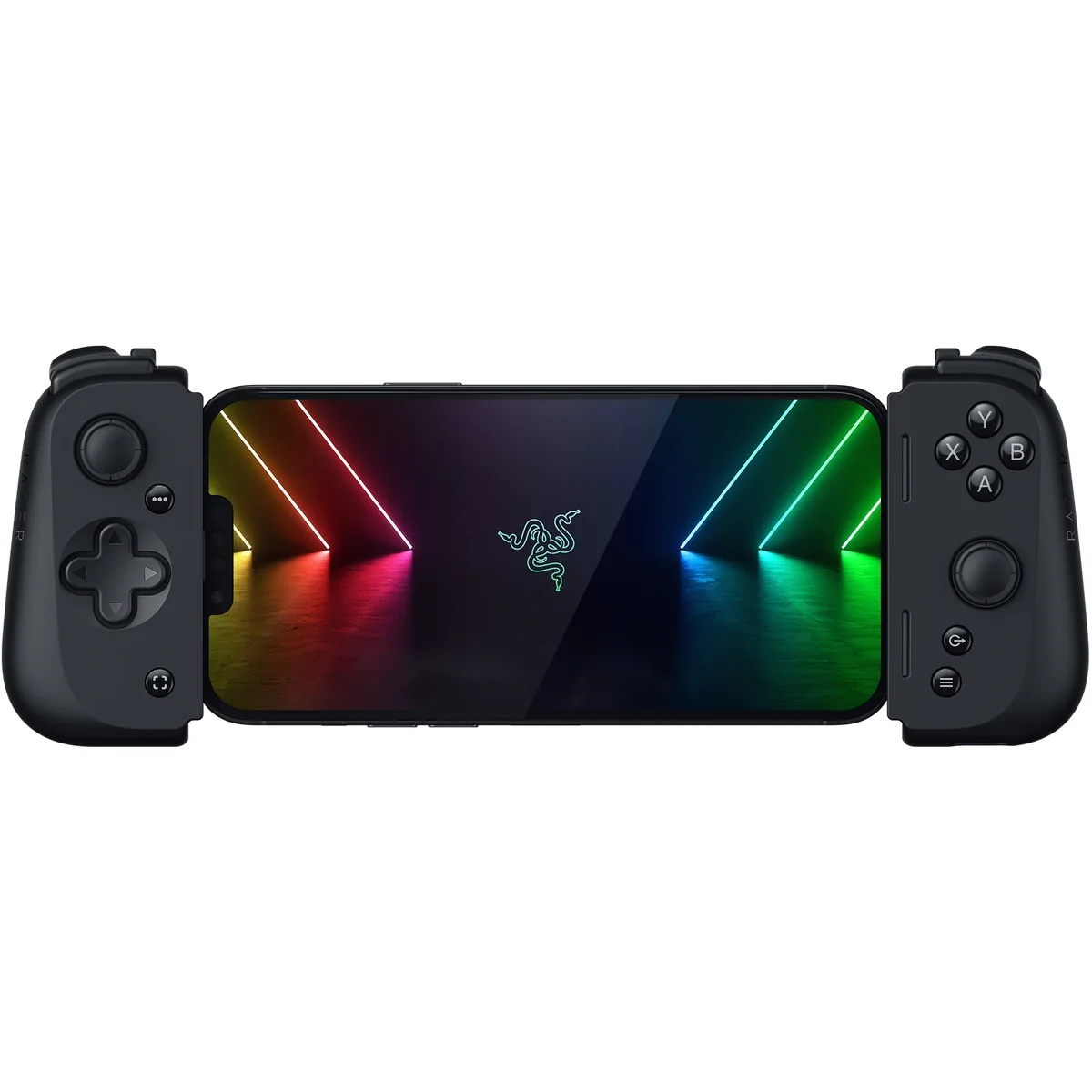
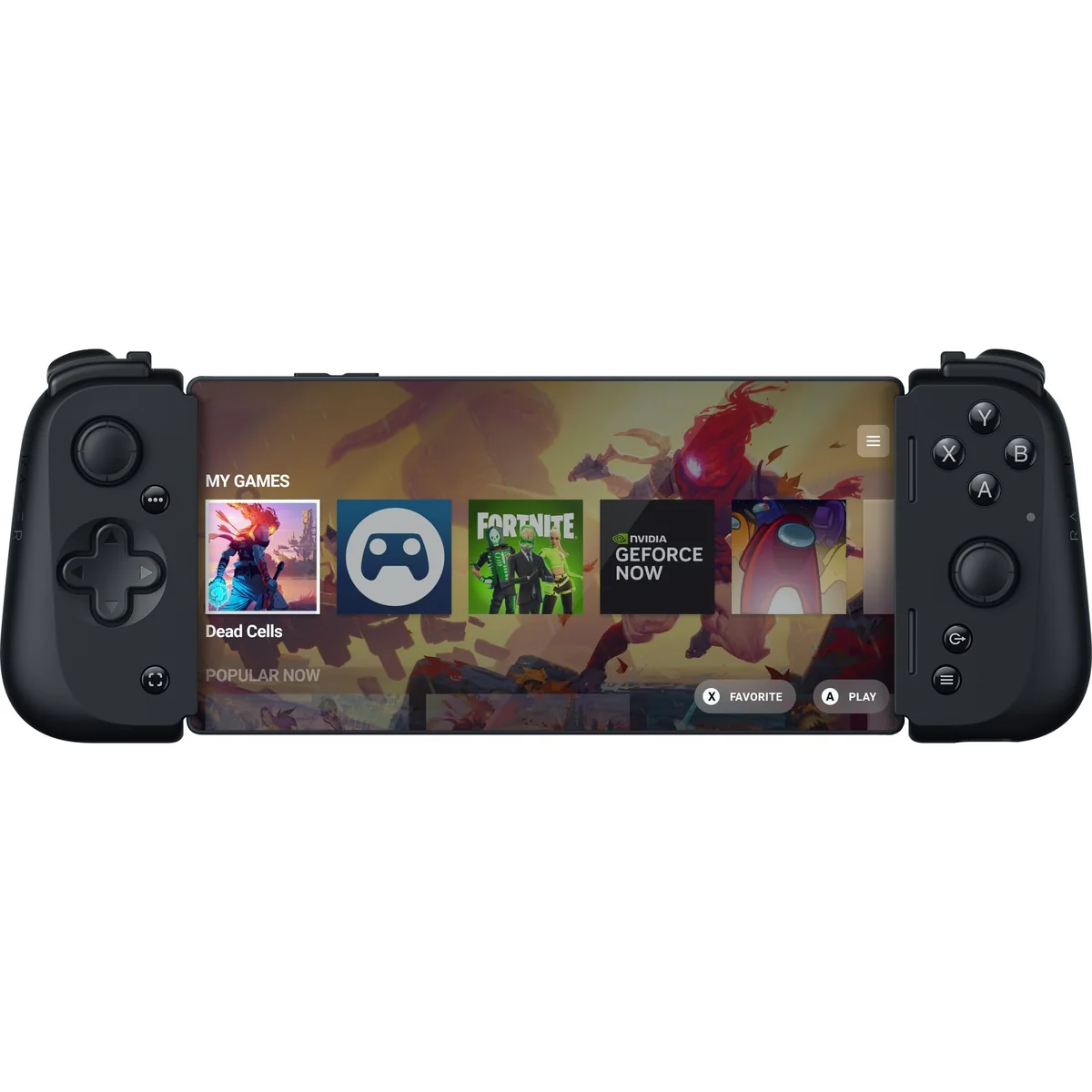
With an extendable bridge designed for phones up to 11.5mm thick (case included), the Kishi V2 aims for universal embrace but stumbles slightly on fit nuances—especially when bulky cases enter the picture requiring removal due to fixed USB-C connector length constraints. While many Android devices slide in snugly thanks to clever clamping mechanisms borrowed from competitors like Backbone One, real-world use reveals occasional frustrations with phone compatibility quirks—the kind that remind you this controller fits most well... just not all perfectly.
Build Quality and Materials
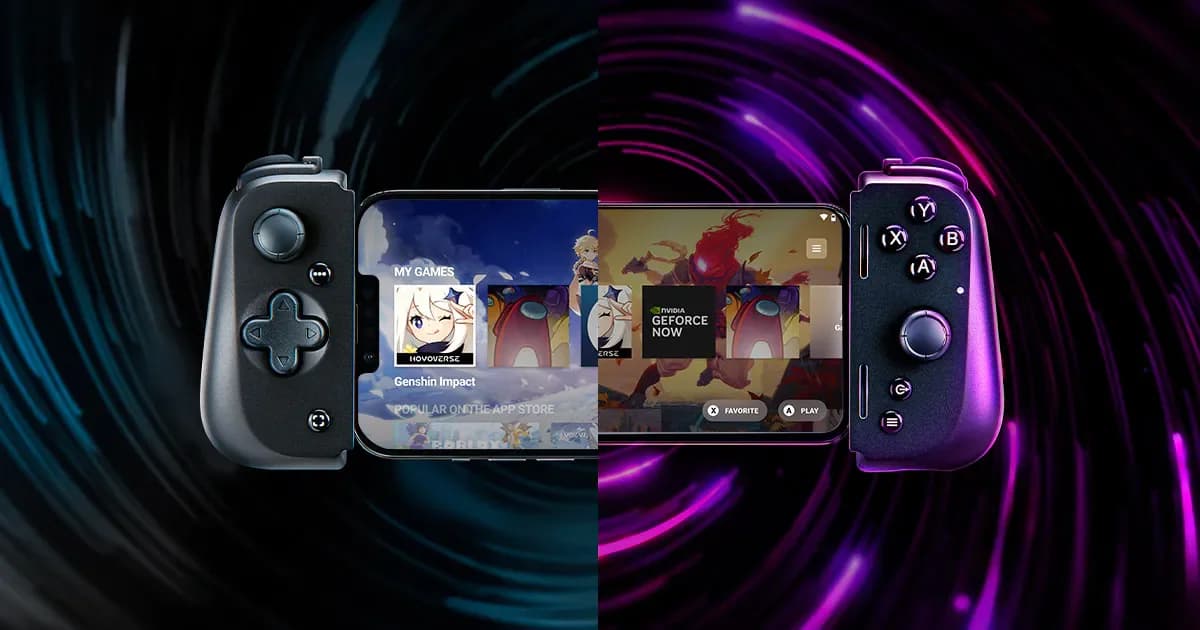
Razer strikes a balance between premium feel and eco-consciousness by employing plastic housing certified with over 50% recycled content under GRS standards—a nod toward sustainability without sacrificing sturdiness. Users praise its solid construction but whisper about fragile ribbon cables undermining longevity prospects; durability is thus a bit of a gamble here. The textured back enhances grip comfortably during marathon sessions while maintaining portability through lightweight design features—all combining into an aesthetic where form meets function amid whispers of occasional fragility.
Button and Trigger Performance
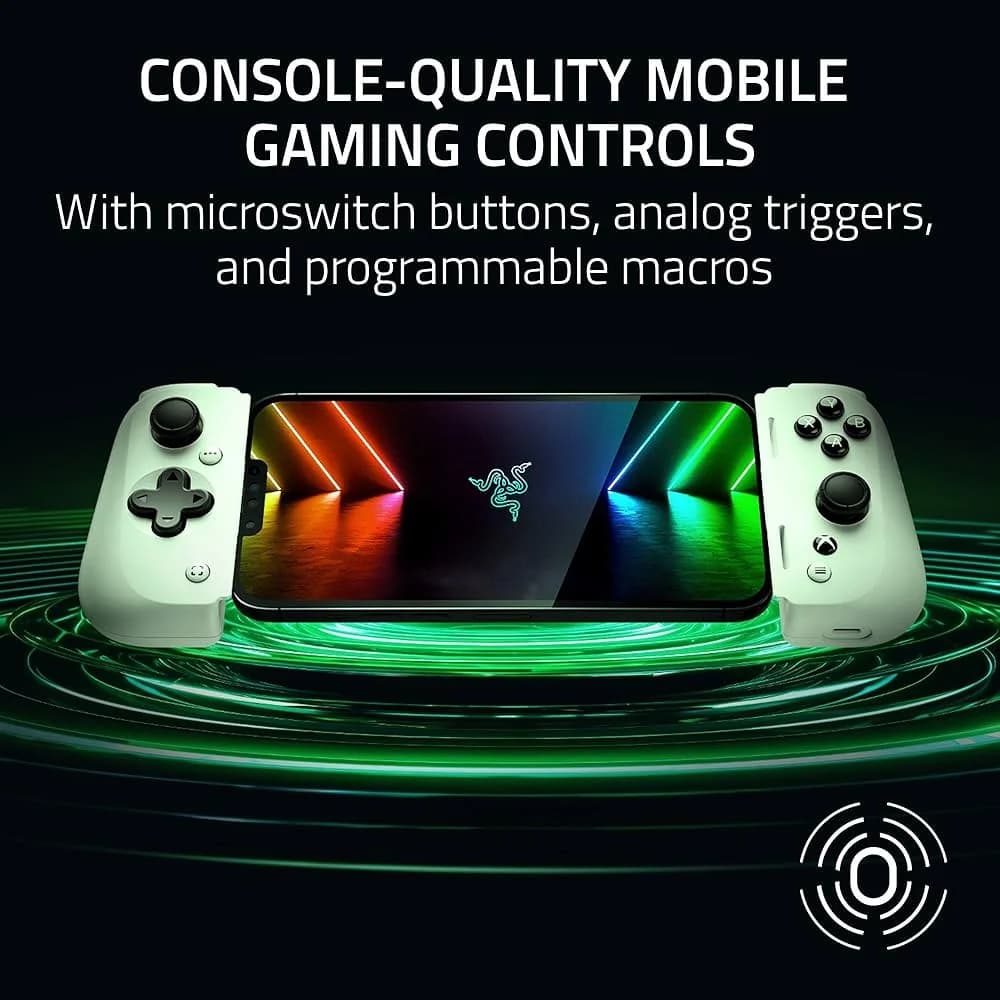
The tactile joy of microswitch buttons shines here with crisp feedback that satisfies every press, contrasting membrane pads' mushy feel. Analog triggers respond smoothly, offering nuanced control essential for shooters or racing games. However, some users find the button clickiness polarizing—loud yet precise—which may not suit casual environments. Programmable M1/M2 buttons add customization flair but their placement invites mixed reviews. Overall, these controls underscore Razer’s commitment to delivering console-grade responsiveness that elevates mobile gaming from finger taps to pro moves.
Conclusion
While feedback is still gathering steam, the Razer Kishi V2 stakes its claim with a wired connection that slashes input latency, delivering gameplay as responsive as your reflexes demand. Its microswitch buttons and analog triggers offer tactile precision, though their clickiness may spark debate among quieter crowds. The controller’s build quality walks a fine line between sturdy and fragile, especially around the ribbon cable—a cautionary tale for longevity seekers. Phone fit shines with an extendable bridge but stumbles on case compatibility, nudging some users toward removing bulky covers to achieve that snug embrace. Analog sticks impress initially but face whispers of drift and limited travel, hinting at compromises in extended play comfort. Meanwhile, passthrough charging keeps your device fueled without missing a beat, albeit not at breakneck speeds. This controller suits gamers who prize low-latency wired control over wireless freedom—offering solid performance wrapped in thoughtful design quirks that keep it from perfection but well within reach of excellence.

Feature Scores
This reflects reviews and ratings from established critics, journalists, and users who have evaluated the item. Their opinions provide a comprehensive assessment.
Performance
Input Latency
5/5
Wireless Connectivity Stability
1/5
Input Accuracy
4/5
Battery Life
TBD
Build Durability
4/5
Compatibility Range
4/5
Trigger Durability
4/5
Value
Price Affordability
4/5
Warranty and Support
3/5
Feature Richness for Price
4/5
Design
Ergonomics Comfort
4/5
Portability
4/5
Phone Fit Adaptability
4/5
Button Layout Intuitiveness
4/5
Aesthetic Quality
4/5
Health
Skin Contact Material Safety
3/5
Ergonomic Strain Risk
4/5
Device Heat Emissions
3/5
Safety
Electrical Safety Compliance
3/5
Choking Risk
5/5
Phone Mounting Security
4/5
Sustainability
Recyclable Materials Use
5/5
Packaging Sustainability
3/5
Energy Efficiency
4/5
Repairability
2/5
Experience Style
Ease of Setup
4/5
Software Support and Updates
4/5
Customization Options
4/5
Feature Simplicity
4/5

Specifications
This section outlines the product's key facts, covering essential features, details, dimensions, materials, and any unique characteristics that define its functionality and usability.
Performance
Value
Design
Safety
Sustainability
Experience Style

Frequently Asked Questions
4 Questions
Find Yours
What form factor do you prefer for your cellphone gaming controller?
Answer to find your best matches.