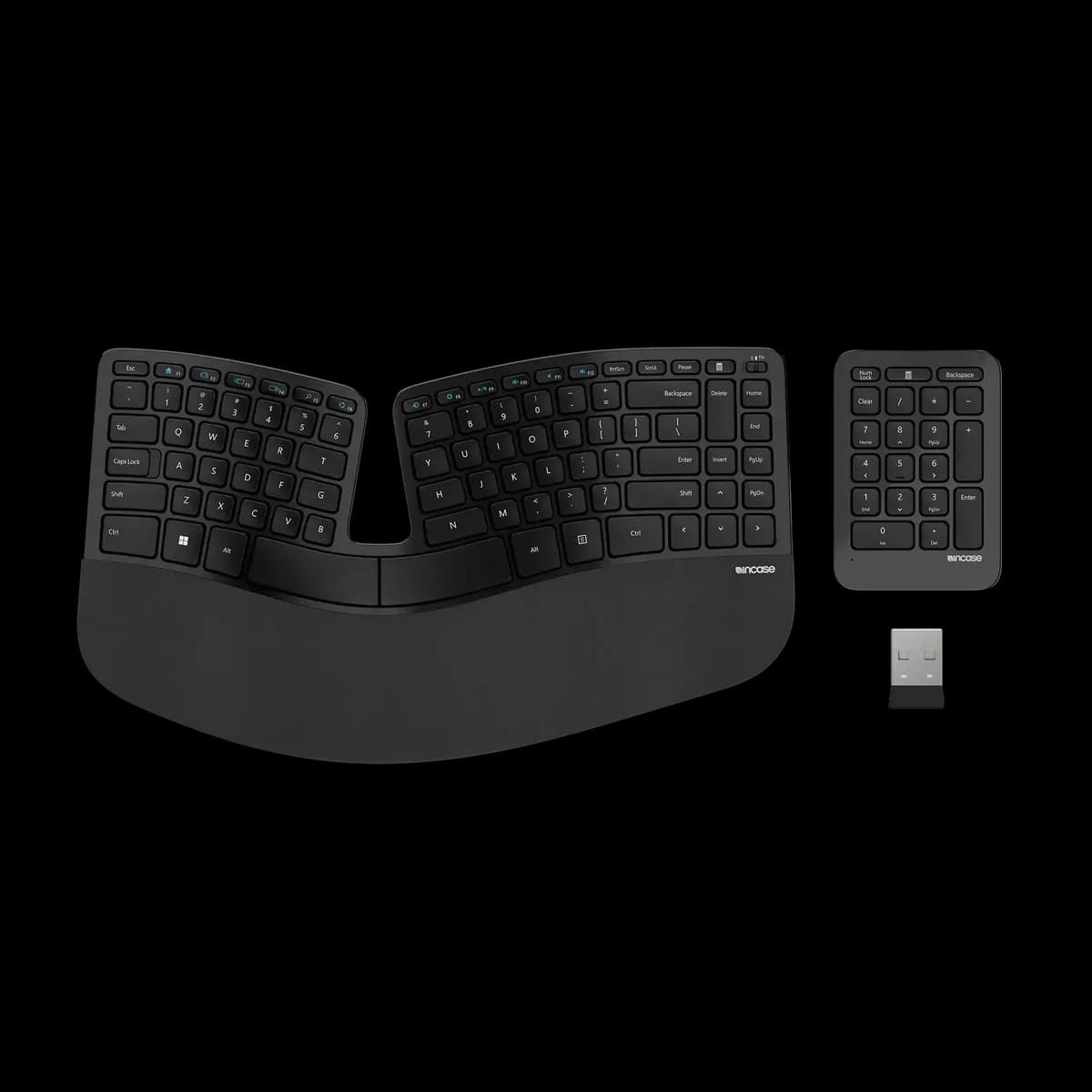
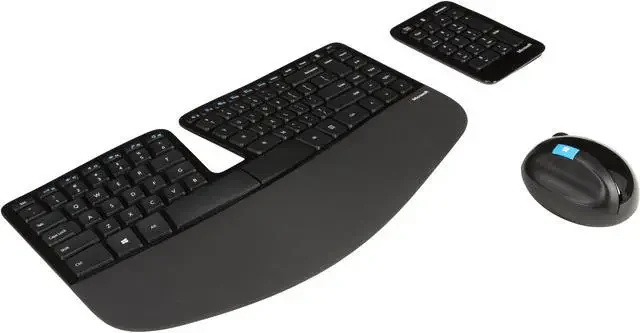
Microsoft Sculpt Ergonomic Keyboard
Thoughtful ergonomic design eases wrist strain with quiet keys and flexible layout, but wireless quirks persist.
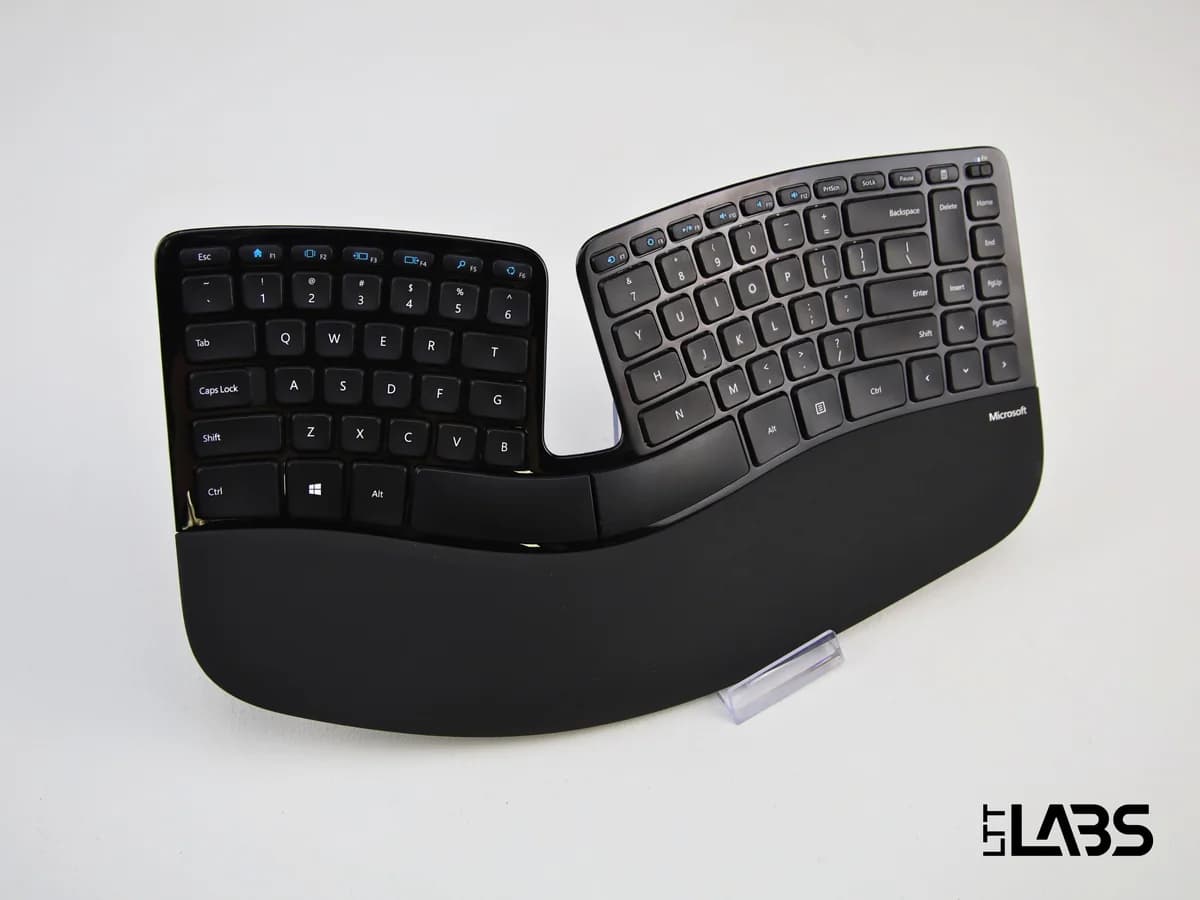
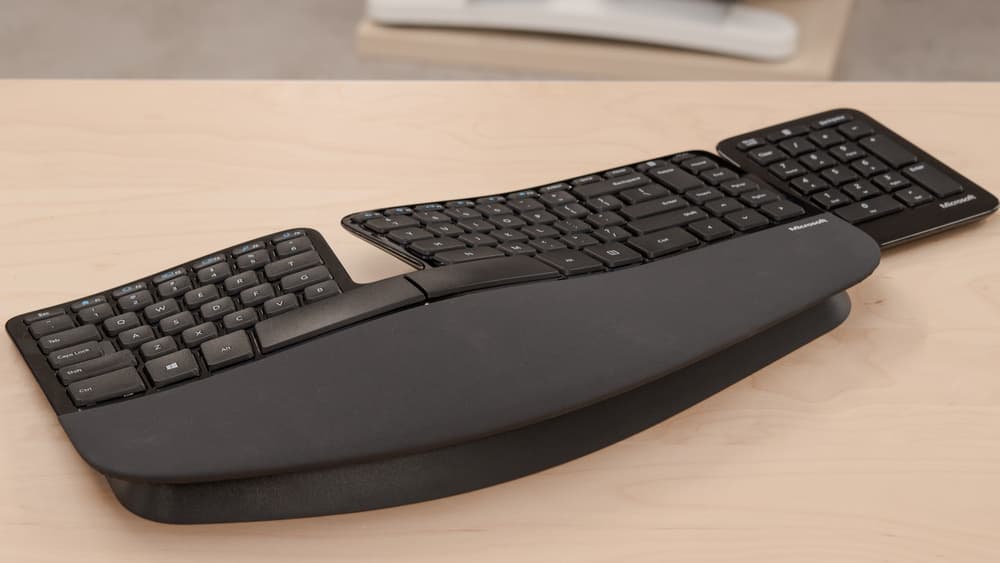
The Microsoft Sculpt Ergonomic Keyboard is a wrist-saving wizard designed for office warriors battling repetitive strain. Its split layout and negative-tilt riser deliver genuine comfort, backed by user praise for the quiet, tactile scissor switches that make typing a soft symphony. Experts admire its thoughtful design but flag the quirky proprietary wireless receiver, which sometimes drops calls like an awkward party guest. The detachable numeric keypad adds desk flexibility, though durability varies—expect some wear on key legends and wrist rests over time. Priced mid-tier with solid ergonomic perks, this keyboard rewards patience and prioritizes comfort over flashy extras in your daily grind.
Find Yours
What is your primary use for the combo?
Answer to find your best matches.

The Scoreboard
Does this improve your life? Considers, health, habits, and environmental impact.
Benefits
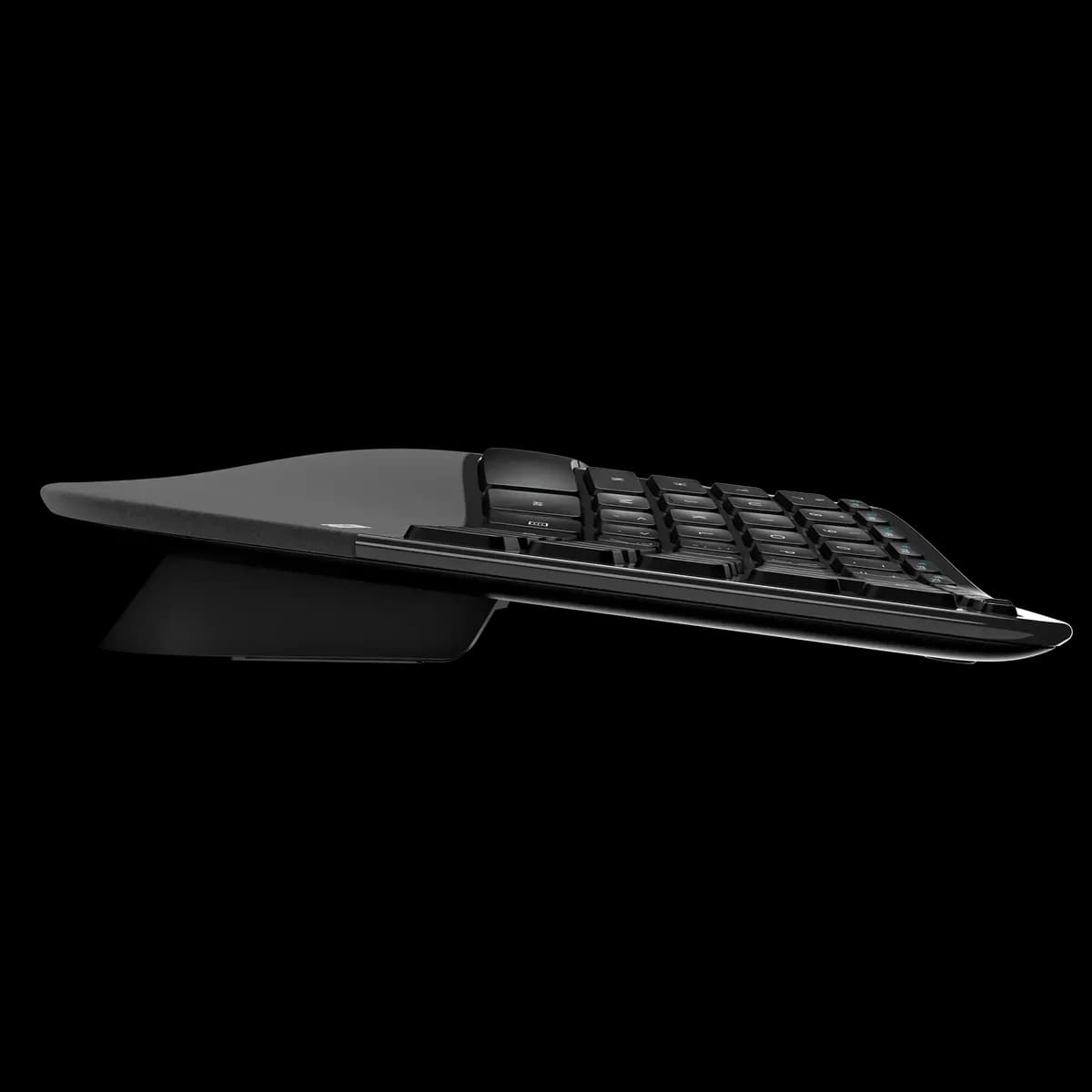
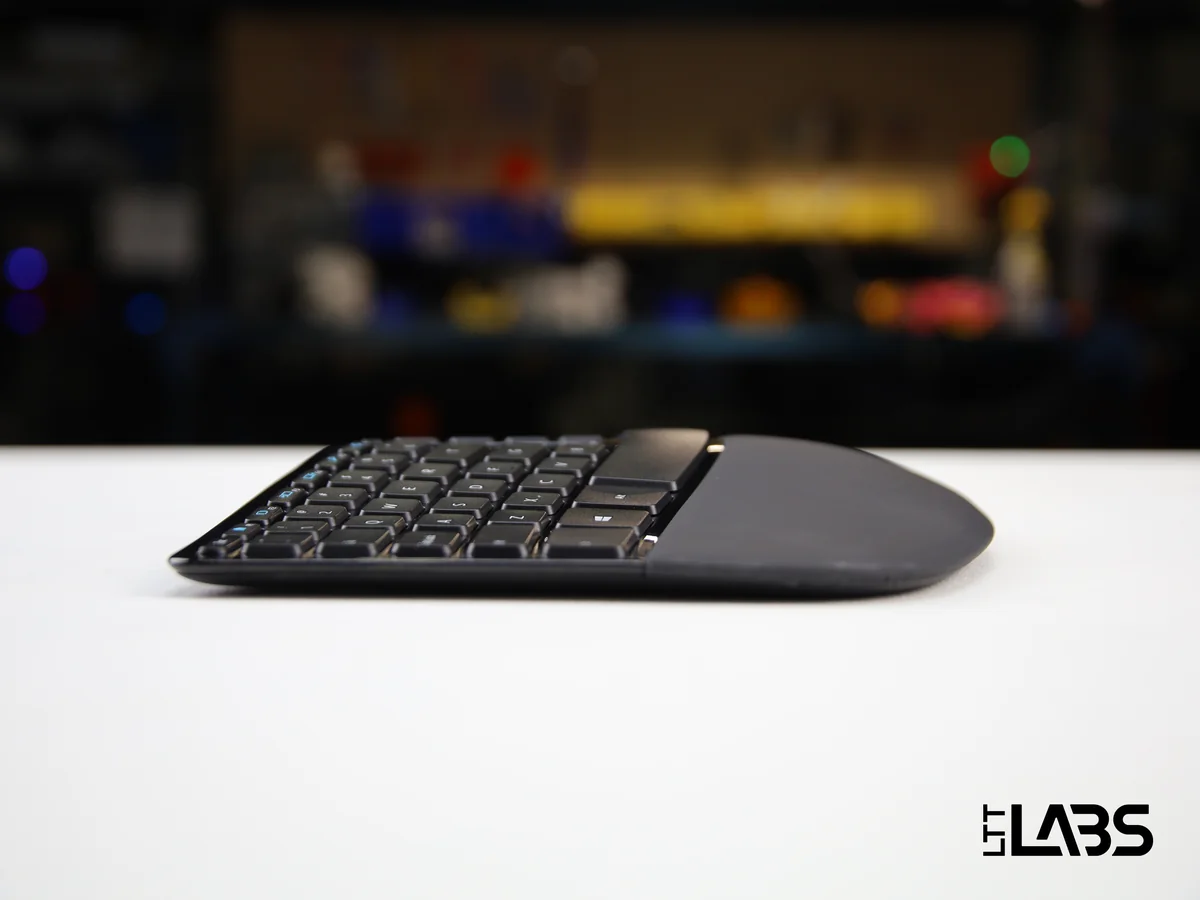
Split layout, reverse incline and cushioned palm rest reduce wrist extension and strain.
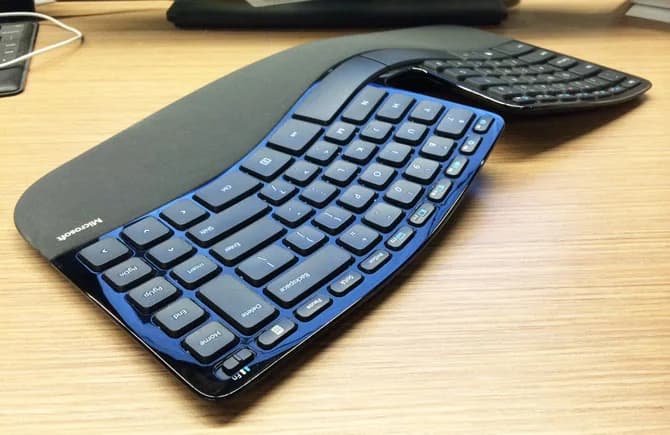
Curved manta-ray shape and key doming encourage relaxed forearm alignment over flat keyboards.
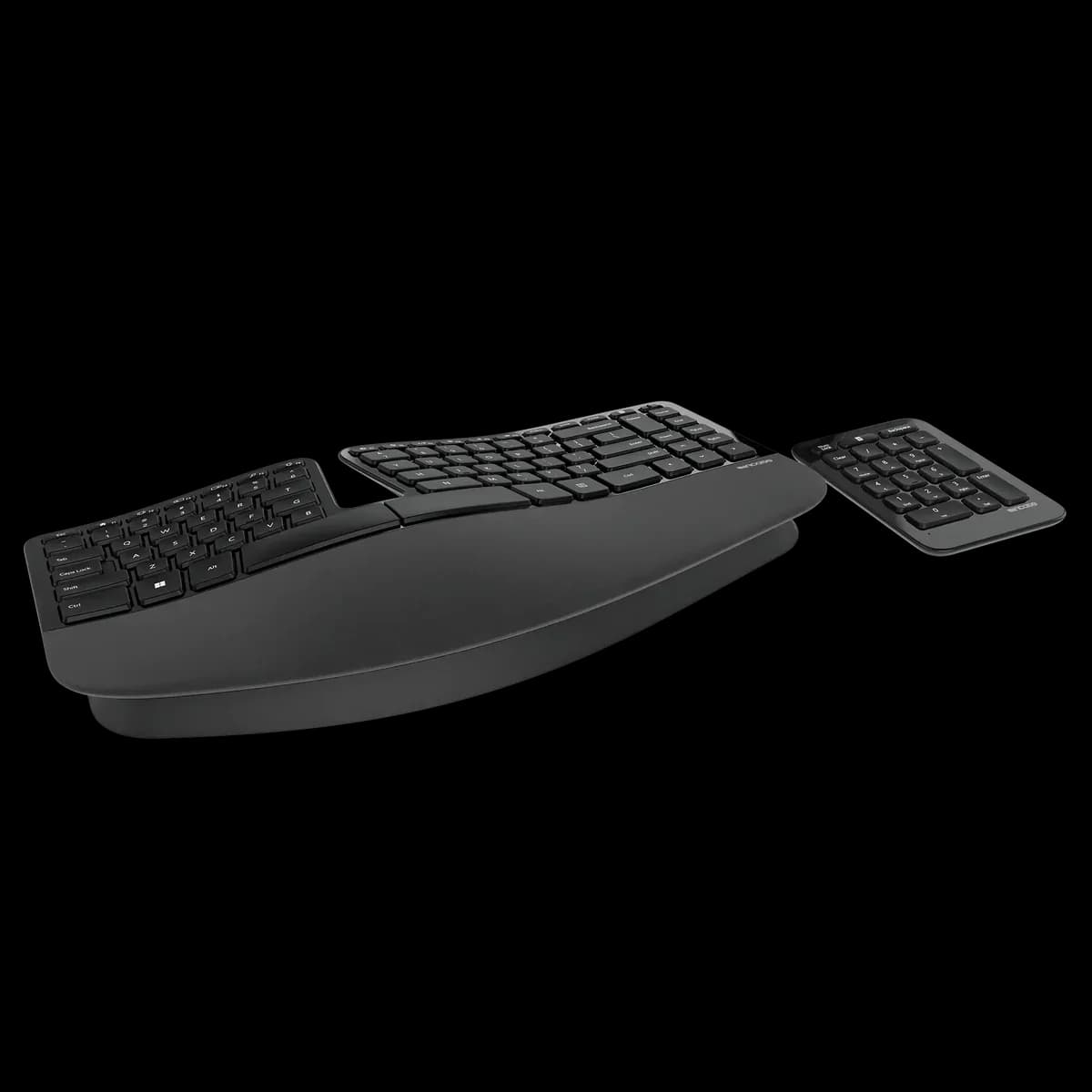
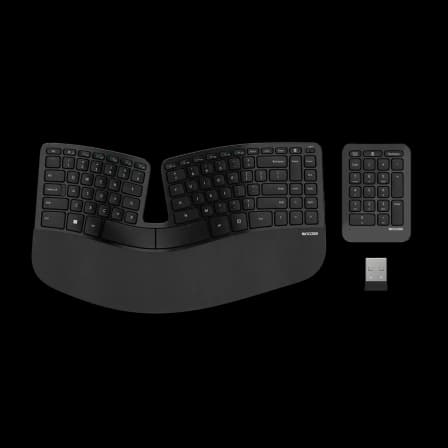
Detachable numeric keypad and compact footprint let you position mouse closer, reducing reach.
Mushy scissor switches produce muted clicks suitable for quiet offices and shared spaces.
Right-handed sculpted mouse complements keyboard ergonomics, supporting wrist comfort during use.
Trade-Offs
Uses AAA disposable batteries rather than rechargeable cells, increasing battery waste and environmental footprint.
Proprietary USB receiver limits mobile compatibility and reuse, creating extra e‑waste versus Bluetooth.
Windows-only software prevents custom mapping for other OSes, reducing long-term usability flexibility.
Wrist-rest peeling and fading key legends reflect material choices that shorten aesthetic lifespan.
Unconventional split layout causes typing errors and adjustment fatigue, especially for touch typists initially.
 Alternatives


Join the Circle
Where real meets deal
Know what's worth buying-and when.
Tips, special offers, and rewards for buying and sharing.

Publications
3 LEADING PUBLICATION REVIEWS

RTINGS highlights the Microsoft Sculpt Ergonomic Keyboard as a solid choice for office users seeking outstanding ergonomics and a comfortable typing experience that helps reduce wrist strain. The split layout and reverse incline promote a natural hand position, though the keyboard requires an adjustment period due to its unique design and slightly mushy scissor switches. While the typing noise is minimal and suitable for quiet environments, the keyboard’s build quality is decent but shows some wear issues, such as fading key legends and a peeling wrist rest. Criticisms include its reliance on disposable batteries, limited software support restricted to Windows, and lack of backlighting or dedicated macro keys, which make it less suitable for gaming or programming. The wireless connection via a proprietary USB receiver limits compatibility, especially with mobile devices. Overall, RTINGS presents the Sculpt as a well-designed ergonomic keyboard primarily for office use, with notable trade-offs in software, portability, and gaming performance.
By Shaqil Hossain; Ryan Lim; Yannick Khong
Michael Ansaldo from PCWorld highlights the Microsoft Sculpt Ergonomic Keyboard as a thoughtfully designed device aimed at reducing repetitive strain injuries, with a distinctive “manta ray” shape that encourages a more natural hand position. While the keyboard’s split layout and raised keys offer ergonomic benefits, Ansaldo notes a steep learning curve, especially for touch typists, citing difficulties with certain keys like “B,” “T,” and “Y” that require more stretching or adjustment. The detachable number pad is praised for saving space without sacrificing functionality. The included mouse receives positive remarks for comfort and smooth tracking, though it favors right-handed users. Overall, Ansaldo appreciates the keyboard’s durable and smart design but acknowledges that adapting to its unconventional layout demands patience and time. He suggests that users suffering from or at risk of RSI will find the effort worthwhile, while those without such needs may struggle to justify the adjustment.
By Michael Ansaldo
Andy Weir from Neowin highlights the Microsoft Sculpt Ergonomic Keyboard as a visually striking and thoughtfully designed device that offers significant ergonomic benefits, especially after an initial adjustment period. He praises the keyboard’s split layout, large keys, and comfortable wrist rest, noting that typing becomes a pleasure once accustomed to the unique design. However, Weir expresses frustration with the unconventional function key implementation, which uses a toggle switch instead of a traditional Fn key, causing frequent usability issues. He also points out awkward placement of secondary directional keys and a problematic small left Shift key on the UK version. The accompanying mouse impresses with its ergonomic shape and comfort, though it is right-hand only and takes some getting used to. While the numeric keypad is less remarkable, its modularity is appreciated. Despite some quirks and a somewhat steep price, Weir ultimately recommends the set for those willing to invest time adapting, emphasizing the long-term wrist comfort it provides.
By Andy Weir

YouTube
7 LEADING EXPERT & INFLUENCER REVIEWS
 Ergonomic Trends
Ergonomic Trends praises the Microsoft Sculpt Ergonomic Keyboard for its plush wrist pad, dome-shaped design, and unique negative tilt feature, all promoting a natural hand and wrist posture that reduces fatigue and strain. The reviewer highlights its low key resistance as a major comfort factor, making it one of the best ergonomic keyboards available.
Michael J Long (mjustinlong)Michael J Long finds the Microsoft Sculpt Ergonomic Keyboard comfortable with good wrist support and a flexible, separate numeric keypad. However, he criticizes its limited connectivity (single USB receiver only), frequent missed keystrokes, and poor wake-from-sleep behavior, ultimately deeming it unreliable and not recommending it.
Christopher PecoraroChristopher Pecoraro praises the Microsoft Sculpt Ergonomic Keyboard for its thoughtful ergonomic design, including the magnetic riser and natural key curvature, which support comfortable arm positioning. After a year of heavy daily use, he finds it generally worth the price but notes issues like the bulky size, wear on the wrist padding, tricky function key layout, and a recurring rubber strip problem. The separate numeric keypad and efficient battery life also stand out, while the included mouse’s ergonomic shape earns positive mention.
iHandy ReviewsiHandy Reviews praises the Microsoft Sculpt Ergonomic Keyboard and Mouse Desktop Set for its classy design, comfortable typing experience, and practical features like the detachable numeric keypad and easy function key toggle switch. The reviewer highlights the ergonomic mouse shape and seamless plug-and-play setup, noting quick adaptation and solid performance, while mentioning minor quirks like thinner numpad keys. Overall, they find it a worthwhile investment for office use.
Eric W. SuEric Su praises the Microsoft Sculpt Ergonomic Keyboard for its compact size, ergonomic design, and flexible numeric keypad placement, which improved his wrist comfort and desk setup. He notes the magnetic angle riser and secure wireless connection as highlights. Though still adjusting to the layout, he finds it a worthwhile, comfortable upgrade from his previous keyboard.
305TechWill from 305Tech praises the Microsoft Sculpt Ergonomic Keyboard for its thoughtful design, including the strong magnetic palm rest and split layout that supports natural typing. He appreciates the quiet, comfortable Chiclet keys with decent travel and the included Duracell AAA batteries. While noting the lack of a power button and minimal controls, he recommends it for users accustomed to ergonomic keyboards seeking comfort and quality.
Tech KingdomTech Kingdom finds the Microsoft Sculpt Ergonomic Keyboard uniquely comfortable with its curved design and soft, cushioned palm rest. The magnetic riser enhances wrist support, and the satisfying key clicks add to the typing experience. While the separate numeric keypad is simple, the included ergonomic mouse (not shown) complements the set well.

Store Reviews
CUSTOMER REVIEWS FROM 1 STORE
Amazon reviewers praise the Microsoft Sculpt Ergonomic Keyboard for its thoughtful design that significantly eases wrist and shoulder discomfort during long typing sessions. Users highlight the keyboard’s natural, ergonomic shape and separate numeric keypad, which allows them to position the mouse more comfortably and reduce strain. Many find the keyboard’s keys quiet, soft, and responsive, making it suitable for home offices—even those with sleeping children nearby. Reviewers appreciate the included magnetic keyboard riser, though some prefer a front elevation and create custom solutions to achieve their ideal typing angle. The mouse receives mixed but generally positive feedback; users note its comfortable, natural hand position despite its larger size and occasional grip challenges. Several customers applaud Microsoft’s Mouse and Keyboard Center software for easy customization across multiple Windows versions. However, some users express frustration that each device requires its own USB dongle, unlike Logitech’s unifying receivers, which could free up USB ports. While many report lasting relief from wrist pain and improved typing comfort, a portion of users encounter issues with keyboard or mouse functionality over time, including unresponsive keys or device failures. Overall, Amazon customers value the Sculpt Ergonomic Keyboard and mouse set for its blend of comfort, design, and performance, especially for those seeking an ergonomic upgrade that fits a smaller desktop footprint.
4.2 Stars / Many verified reviews

Forum Reviews
CUSTOMER REVIEWS FROM 1 FORUM
Reddit users generally appreciate the Microsoft Sculpt Ergonomic Keyboard for its unique split design, detachable number pad, and ergonomic benefits, particularly for those with repetitive stress injuries. Many praise its comfortable key feel and compact layout that allows closer mouse placement, enhancing usability for smaller users. However, some express frustration over its discontinuation, limited availability, and occasional performance issues like key lag or hardware failures. While longtime users remain loyal, new shoppers often struggle to find suitable replacements, noting that alternatives rarely match the Sculpt’s design and comfort. Overall, the sentiment balances admiration for its ergonomic advantages with disappointment over its scarcity and durability concerns.
Many comments

In-Depth Review

Highlights
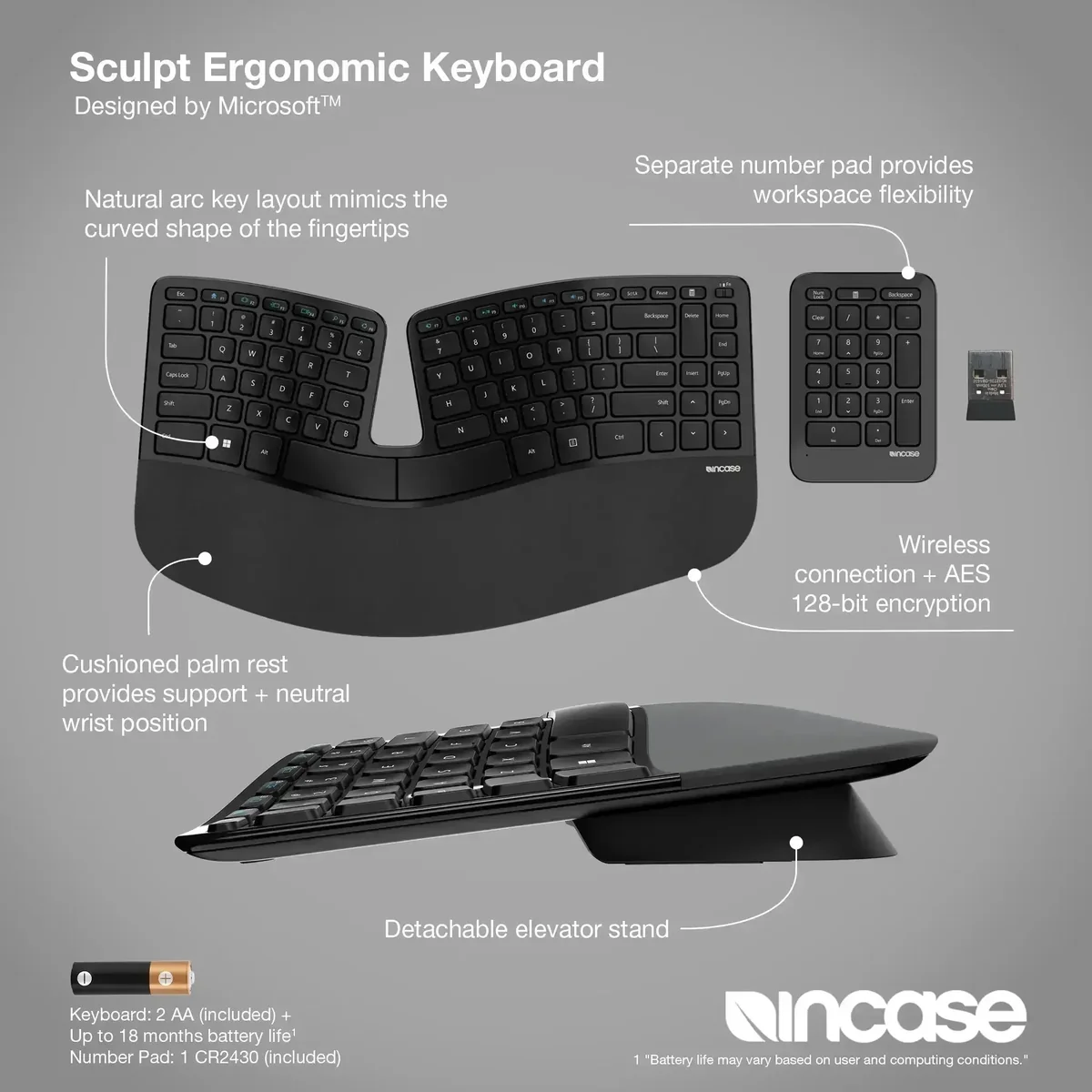
- •Ergonomic split layoutReduces wrist and forearm strain
- •Cushioned palm restIntegrated padded wrist support
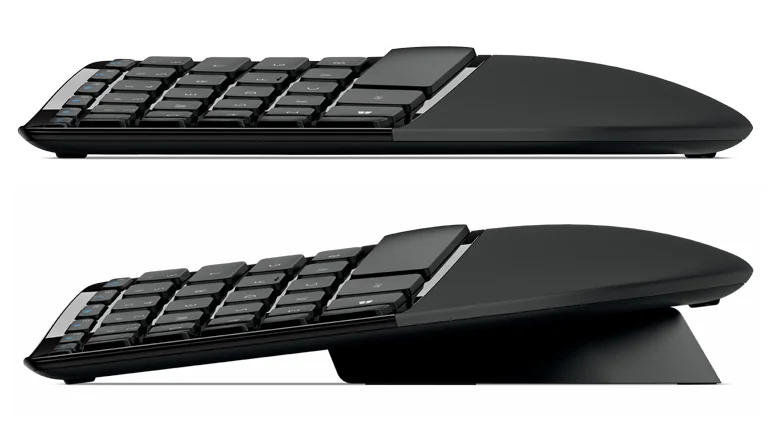
- •Negative-tilt magnetic riserSupports reverse tilt for neutral wrists
- •Detachable numeric keypadSeparate wireless numpad for flexible placement
- •Quiet tactile keysLow‑profile scissor switches with subdued feedback
- •AES-encrypted transmissionAdvertised to encrypt keystrokes for security

Considerations
- •Wireless connectivity reliabilityDropouts and range issues reported
- •Input responsiveness failuresInstances of lost or unregistered keystrokes
- •Variable long‑term durabilitySome units fail within months of use
- •Function‑key implementationSlide toggle causes unexpected function behavior
- •Limited connectivity optionsNo Bluetooth or multi‑host pairing support
- •Battery and fulfillment quirksUses AAA/CR2430 cells; parts sometimes missing
Microsoft brings its legacy of ergonomic innovation to the Sculpt Ergonomic Keyboard, a device crafted primarily for office warriors and anyone seeking relief from repetitive strain. Marketed as promoting natural wrist positioning, it features a split keyboard layout paired with a magnetic negative-tilt riser designed to reduce forearm pronation. Its wireless connection relies on a proprietary 2.4 GHz receiver—a choice that sparks mixed feedback about reliability but offers simplicity in setup. Typists will appreciate the low-profile scissor switches, praised for their quiet yet tactile feel, while the detachable numeric keypad provides flexible desk real estate management uncommon in this category. Durability shows variance across user experiences, with some units standing strong over years and others facing early hiccups; battery life benefits from efficient sleep modes powered by AAA cells. This product suits those who prioritize ergonomic comfort without sacrificing practicality—read on to see how these features stack up under scrutiny and if they justify its place among top-tier keyboards.
Battery Performance
Powered by two AAA batteries (keyboard) plus coin-cell in the keypad, battery life earns praise for lasting many weeks under typical workloads thanks to efficient sleep modes. However, replacement costs add up long term compared with rechargeable options common elsewhere; still users appreciate how energy-saving features minimize hassle during daily operation.
Ergonomic Design
The keyboard’s split layout and domed shape invite your wrists to relax into a natural posture, reducing strain during marathon typing sessions. Its negative tilt riser, magnetically attached, further encourages neutral wrist alignment—a boon for comfort seekers. Reviewers highlight the cushioned palm rest as a key ally in preventing fatigue. While it demands an adjustment period due to its unique form factor, this design truly delivers on ergonomic promise with practical benefits that are hard to ignore.
Wireless Reliability
Wireless freedom is slightly tempered by reports of intermittent dropouts and connectivity quirks tied to the proprietary 2.4 GHz USB receiver. Users often resort to USB extension cords or manual OS tweaks like disabling power-saving modes for stability. Despite these hurdles, once optimized, the connection remains solid enough for typical office tasks though not ideal for latency-sensitive applications like gaming.
Key Switch Quality
Low-profile scissor switches provide a quiet yet tactile experience praised by users who enjoy crisp feedback without clackety noise pollution. Some report occasional mushiness or sticky keys but overall find them comfortable over extended use—striking a balance between laptop-like travel and desktop firmness that supports accuracy without finger fatigue.
Build Durability
Mixed durability tales emerge: some units boast decade-long resilience while others succumb prematurely to radio failures or sticky keys after moderate use. The plastic chassis feels sturdy at first glance but reveals wear signs such as peeling foam on wrist rests over time; magnetic risers may crack if mishandled — pointing toward average longevity with care advised.
Conclusion
Wrapping up the essentials, this keyboard’s ergonomic design truly champions wrist comfort with its split layout and negative-tilt riser, making long hours less taxing. Yet, its charm dims slightly under the spotlight of wireless reliability, where connection hiccups invite patience or workarounds. The key switch quality delights with quiet tactility but isn’t immune to occasional sticky keys reported by users. Durability presents a mixed bag—some units endure while others falter prematurely—casting a shadow on consistent build confidence. Battery life impresses through efficient management of power from standard AAA cells, complementing practical longevity needs. Finally, the detachable numeric keypad earns applause for flexible desk setups but may challenge those accustomed to integrated layouts. This keyboard suits ergonomic enthusiasts willing to embrace quirks in exchange for thoughtful design; it’s an intriguing blend that balances innovation against real-world trade-offs without losing sight of comfort as king.

Feature Scores
This reflects reviews and ratings from established critics, journalists, and users who have evaluated the item. Their opinions provide a comprehensive assessment.
Performance
Input Responsiveness
4/5
Wireless Reliability
3/5
Battery Life
4/5
Build Durability
3/5
Tracking Accuracy
4/5
Key Switch Quality
4/5
Connection Versatility
3/5
Value
Price to Performance
4/5
Included Accessories
4/5
Warranty and Support
4/5
Design
Ergonomics
5/5
Aesthetic Design
4/5
Compactness
3/5
Mouse Shape Fit
4/5
Health
Wrist Support
5/5
Low Force Key Travel
4/5
Material Safety
TBD
Noise Level
4/5
Safety
Electrical Safety
TBD
Battery Safety
TBD
RF Compliance
TBD
Sustainability
Recyclability
TBD
Recycled Materials Use
TBD
Repairability
2/5
Energy Efficiency
4/5
Experience Style
Customizability
3/5
Plug and Play Simplicity
4/5
Software Complexity
3/5

Specifications
This section outlines the product's key facts, covering essential features, details, dimensions, materials, and any unique characteristics that define its functionality and usability.
Performance
Value
Design
Safety
Sustainability
Experience Style

Frequently Asked Questions
5 Questions
Find Yours
What is your primary use for the combo?
Answer to find your best matches.