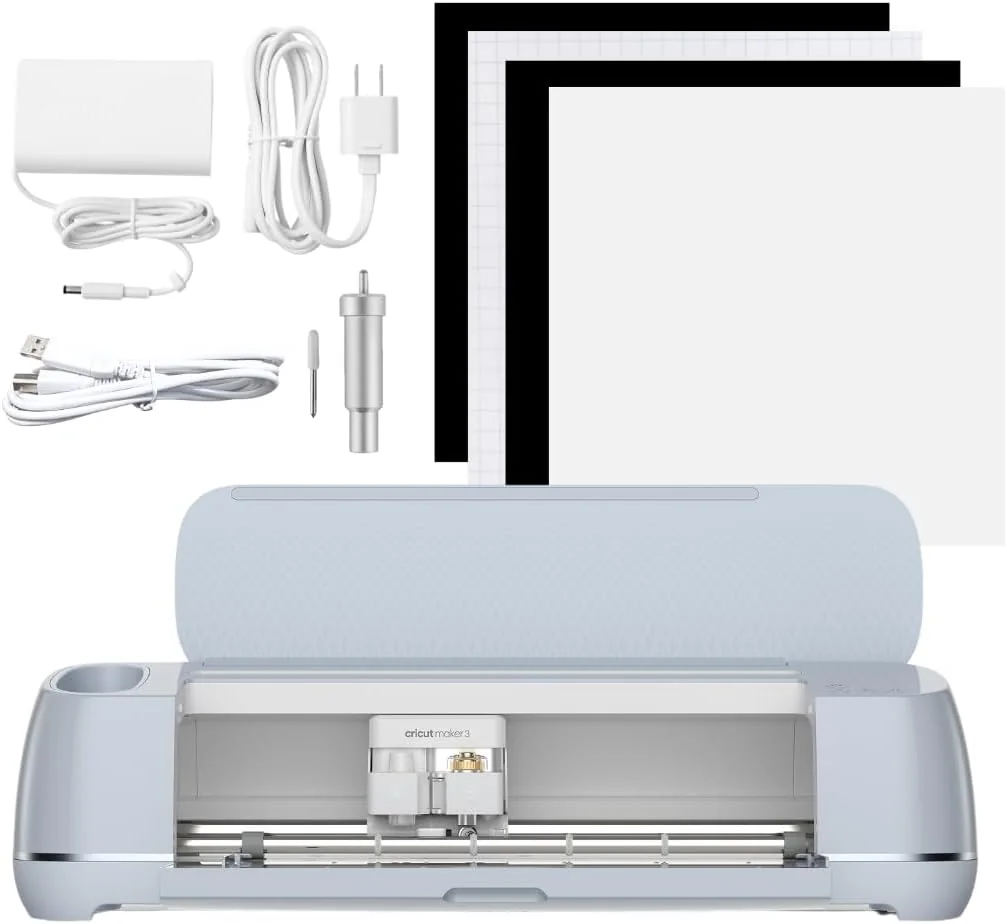
Cricut Maker 3
Versatile, fast, and precise cutting machine praised for quality and ease, with some software limits.
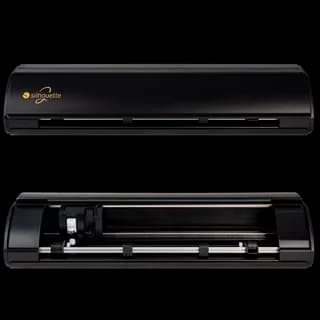
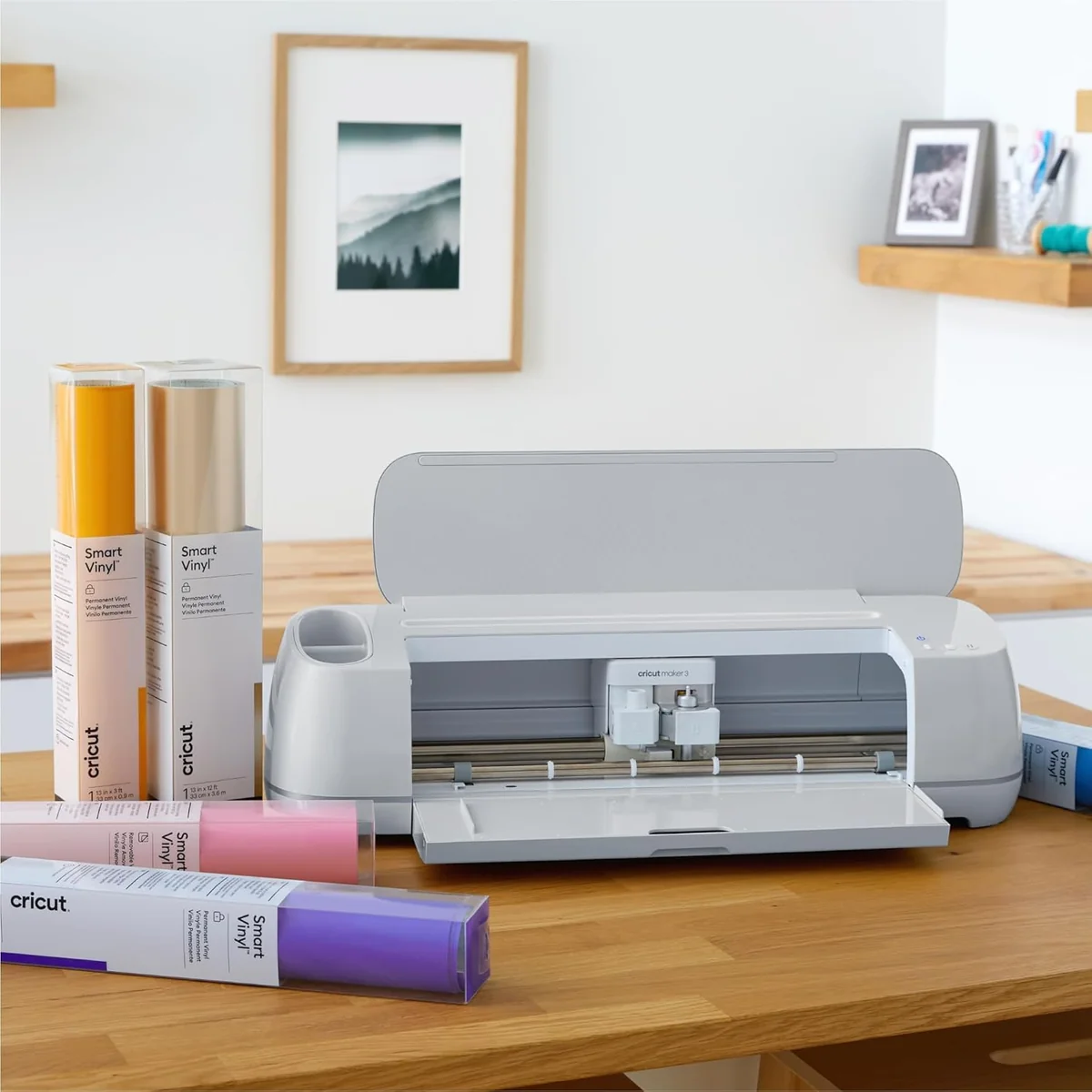
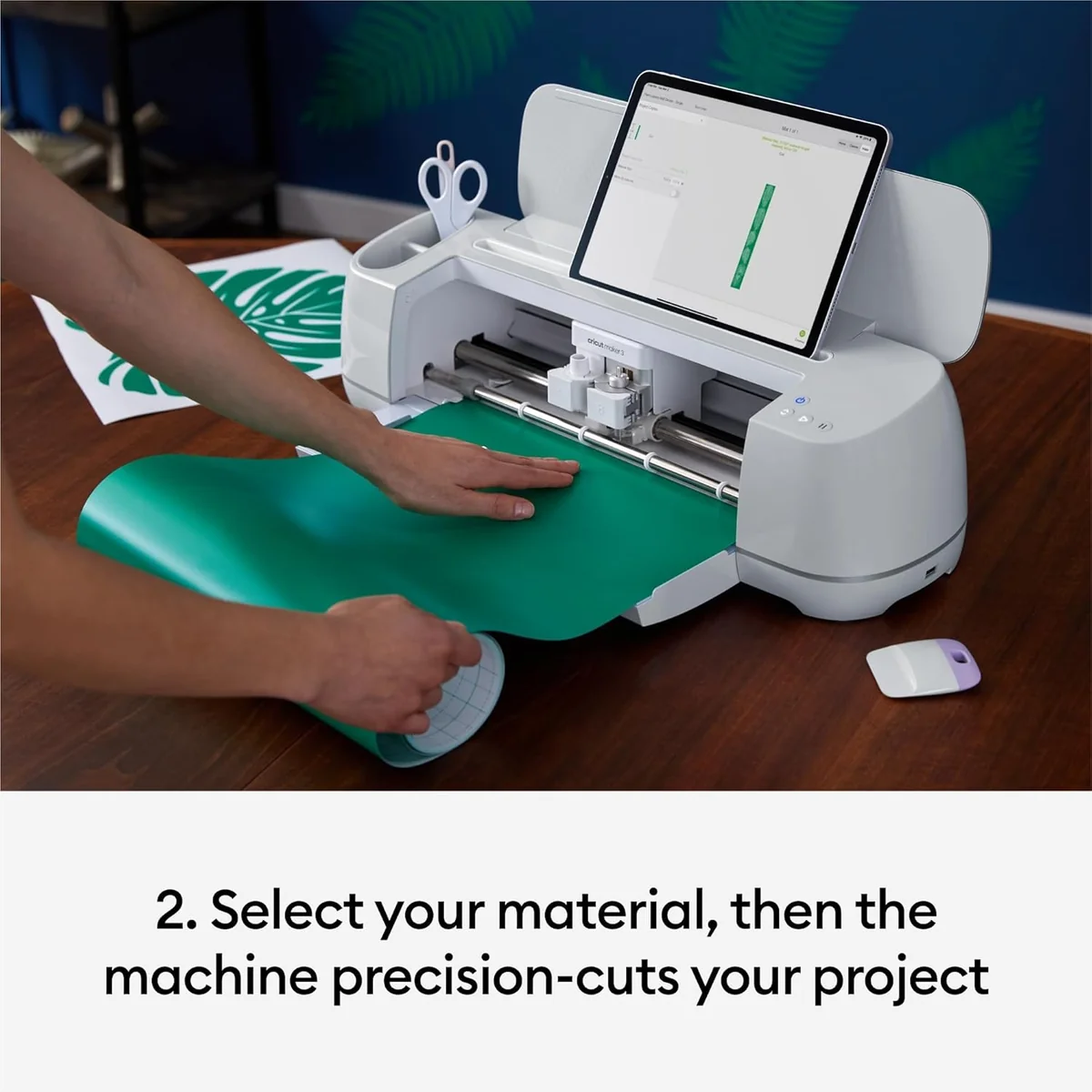
The Cricut Maker 3 is a versatile smart cutting powerhouse designed for serious crafters and small businesses craving precision without the fuss. It tackles 300+ materials with up to 4 kg of cutting force, slicing through leather, basswood, and more at 2x faster speeds on Smart Materials—no mats needed for projects up to 12 feet long. Experts love its adaptability and quiet build, though some users wrestle with the clunky Design Space software and connectivity quirks. Priced at a premium but packing professional-grade punch, it’s an investment that balances power, speed, and creative freedom—making it hard to resist for those ready to elevate their craft game.




Find Yours
What will you mostly use a die-cut machine for?
Answer to find your best matches.

The Field
Browse top contenders, or compare all options ranked by score and key attributes.
1 Option

The Scoreboard
Does this improve your life? Considers, health, habits, and environmental impact.
Benefits
Fast, precise motorized cuts replace fiddly handwork, easing stress and improving craft satisfaction.
Automation cuts, scores, and writes, reducing repetitive hand strain during long craft sessions.
Matless Smart Materials plus roll holder enable long runs, easing small-business production fatigue.
Free workshops and large Design Space ecosystem support creativity, social connection and confidence.
Automated enclosed blades reduce risky manual cutting, lowering accidental nicks and hand injuries.
Trade-Offs
Heavy motors, plastic housings, and electronics increase manufacturing emissions versus minimalistic cutters.
Smart Materials' plastic-backed rolls create persistent, non-biodegradable waste compared with recyclable papers.
Complex proprietary parts and dense electronics can be harder to repair, raising electronic waste risks.
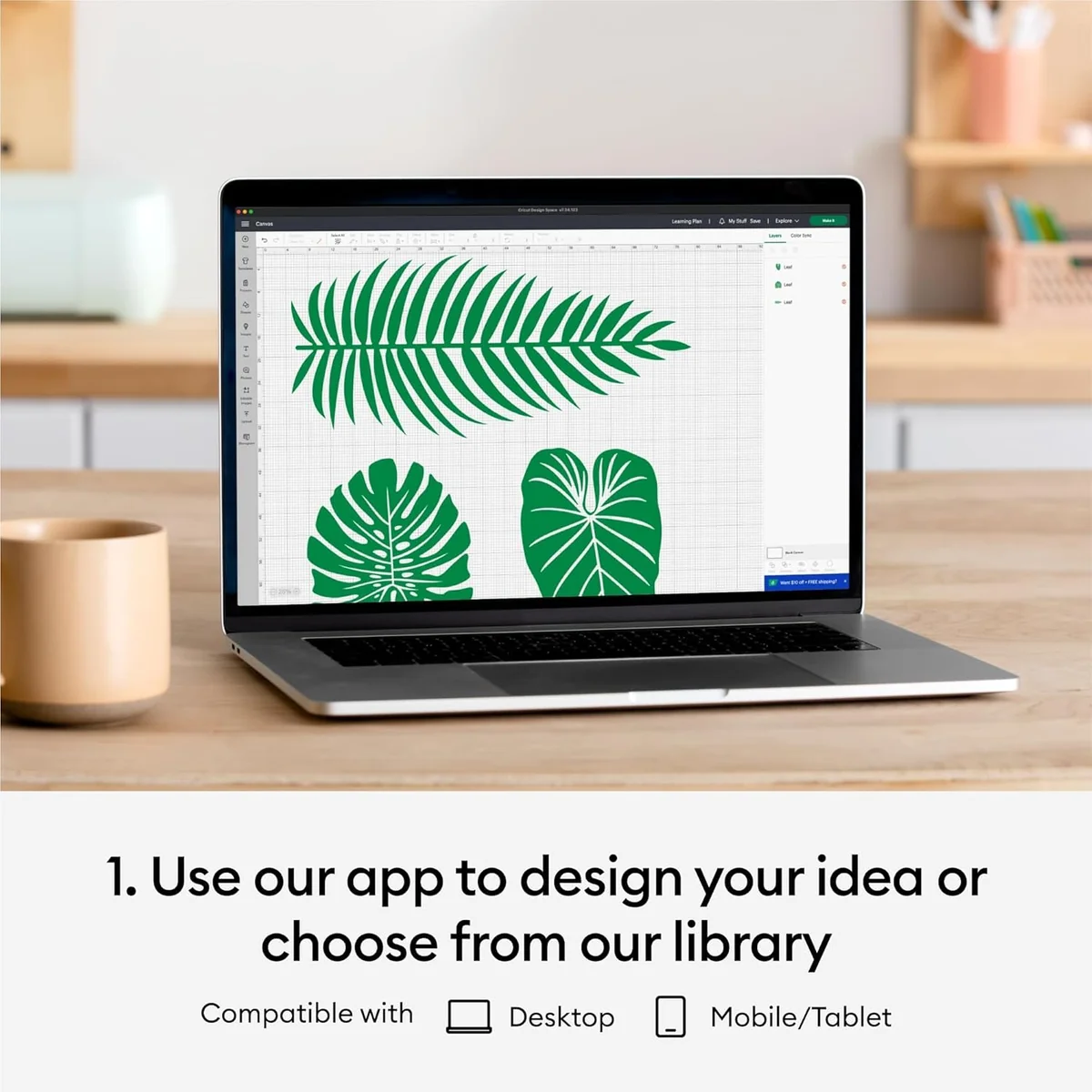
Design Space dependence and cloud features reduce offline control and may frustrate privacy-focused users.
 Alternatives


Join the Circle
Where real meets deal
Know what's worth buying-and when.
Tips, special offers, and rewards for buying and sharing.

Publications
8 LEADING PUBLICATION REVIEWS

Will Greenwald from PCMag highlights the Cricut Maker 3 as a versatile and powerful crafting machine capable of cutting, drawing, embossing, engraving, perforating, and scoring a wide range of materials, from fabric and leather to wood and aluminum. Praising its expanded tool compatibility, wider material feed, and ability to handle long Smart Materials up to 12 feet, he emphasizes the machine’s appeal for serious crafters and aspiring Etsy sellers. While the $400 price tag and additional costs for tools and materials can add up, the Maker 3’s flexibility and precision justify the investment. Greenwald notes the software’s steep learning curve and occasional clunkiness, especially when uploading custom designs, but finds the included Cricut Design Space library and subscription service helpful for beginners. His hands-on testing with diverse projects—from chipboard birdhouses to intricate kirigami and large vinyl banners—demonstrates the machine’s capabilities and limitations, ultimately awarding it Editors’ Choice for its robust performance and creative potential.
By Will Greenwald
Rachael Penn from Creative Bloq highlights the Cricut Maker 3 as a powerful and versatile smart cutting machine that excels in speed, cutting force, and material compatibility. She emphasizes the standout feature of compatibility with Cricut Smart Materials, enabling mat-free cuts up to 12 feet long, which significantly streamlines large or business-oriented projects. The review praises the machine’s quiet operation, broad tool support, and thoughtful design touches like a tablet holder and dual tool clamps. However, Penn notes the high price point and the fact that the base package lacks essential accessories such as mats and additional tools, which may require extra purchases. While the Cricut Maker 3 closely resembles its predecessor in appearance and many capabilities, the faster cutting speed and Smart Materials support justify the upgrade for serious users. Overall, the review conveys strong enthusiasm for the Maker 3’s performance and versatility, recommending it especially for business users or those seeking the latest features.
By Rachael Penn
Josh Hendrickson from How-To Geek highlights the Cricut Maker 3 as the best crafting machine from the company to date, praising its ease of setup, versatile tool options, and especially the introduction of smart materials that enable cutting projects up to 12 feet long—an impressive leap beyond previous size limitations. He enthusiastically notes how this feature opens creative possibilities for large signs, custom apparel, and intricate designs that were previously impossible. However, he tempers his praise with practical caveats: smart materials are currently limited to vinyl, iron-on, and paper, and they come at a higher cost with some material waste. Additionally, traditional mats remain necessary for many materials and larger formats beyond smart material compatibility. While the Maker 3 offers significant upgrades, Hendrickson advises that existing Cricut owners may not find the upgrade essential unless they frequently need large-scale cuts. Overall, he regards the Maker 3 as a powerful, well-designed machine ideal for new buyers seeking advanced crafting capabilities.
By Josh Hendrickson
Alice Clarke from GadgetGuy highlights the Cricut Maker 3 as a powerhouse crafting machine that impresses with its versatility, precision, and thoughtful design. Praising its ability to handle over 300 materials and wield two tools simultaneously, Clarke emphasizes how the Maker 3 transforms complex projects—like perfectly cut iron-on patches—into surprisingly easy and enjoyable experiences. While the machine’s size and occasional loudness are minor drawbacks, the main criticism centers on the Design Space software, which she finds unintuitive, inconsistent across platforms, and burdened by a subscription model. Despite these software frustrations, Clarke views the Maker 3 as ideal for dedicated crafters and small business owners who demand professional-grade capabilities. She notes its addictive nature and potential to elevate crafting from a hobby to a creative lifestyle, making it a compelling choice for those ready to invest in a high-end, multi-functional die-cutting tool.
By Alice Clarke
Holly Spanner from Gathered (Our Media Ltd) highlights the Cricut Maker 3 as the most versatile and powerful machine in the Cricut lineup, capable of cutting over 300 materials—including thick and tough ones like leather and balsa wood—making it ideal for serious crafters and small business owners. She praises its fast cutting speed, metal blade housing, built-in tool storage, and compatibility with Smart Materials that eliminate the need for cutting mats. However, Spanner also notes several drawbacks: the machine’s heavy weight, large footprint, relatively high price, and the fact that it is not standalone, requiring connection to a computer or mobile device. The included fine-point blade limits immediate use for diverse materials, necessitating additional purchases. While the subscription-based Cricut Access software unlocks a vast design library, it adds ongoing cost. Overall, Spanner recommends the Maker 3 enthusiastically for those ready to invest time and money, especially as an upgrade, but suggests more casual users consider less expensive models.
By Holly Spanner
Russell Holly highlights the Cricut Maker 3 as a versatile and creatively empowering die-cut machine that significantly expands on its predecessor’s capabilities. Praising its broad tool compatibility, including the innovative QuickSwap system and Smart Materials, he emphasizes how the Maker 3 enables users—from beginners to serious creators—to explore complex projects like fabric cutting, metal engraving, and acid-etching glass. Holly appreciates the machine’s premium build quality and the seamless integration with the evolving Design Space software, which enhances design flexibility across devices. However, he notes a key limitation: the single QuickSwap tool slot restricts workflow efficiency, especially when multiple tools are needed in one project. Despite this, Holly conveys genuine enthusiasm for the Maker 3’s potential to unlock new creative avenues and even support small business ventures, positioning it as the ideal choice for users ready to push beyond basic vinyl cutting. The review balances excitement with thoughtful critique, offering unique insights into both hardware and software strengths.
By Russell Holly
Angela Tricarico from Business Insider highlights the Cricut Explore 3 as a thoughtfully redesigned smart cutting machine that builds on the strengths of its predecessor, the Explore Air 2, while introducing notable improvements. She praises the new matless cutting technology enabled by Smart Materials, which simplifies crafting and allows for longer cuts up to 12 feet—ideal for larger projects. The Explore 3’s faster cutting speed and streamlined setup, including the removal of the material dial in favor of app-based material selection, are seen as positive changes, though they may increase the learning curve for beginners. While the Explore 3 excels with thinner materials like vinyl and cardstock, Tricarico notes it lacks the versatility of the Maker 3 for thicker materials such as balsa wood and leather. Overall, she regards the Explore 3 as the best mid-range smart cutter available and expresses enthusiasm about upgrading from her previous model, emphasizing its value for crafters seeking efficiency and ease with smart materials.
By Angela Tricarico
Zubi Khan from CGMagazine highlights the Cricut Maker 3 as a versatile and user-friendly die-cutting machine well-suited for designers and crafters who want to bring digital art into the physical world. Praising its ease of setup and intuitive Cricut Design Space software, Khan emphasizes the device’s ability to handle a variety of materials like vinyl and cardstock with precision, including custom designs and imported fonts. The review notes the convenience of the cutting process and the quality of results, especially for creating stickers and intricate cutouts. However, Khan points out that the machine’s value is best realized by users who already have their own designs, as the subscription fees for Cricut’s extensive asset library add to the overall cost. Additionally, the need to purchase adhesive mats separately when using non-Cricut materials is a minor drawback. Overall, the Cricut Maker 3 is recommended as an essential, reliable tool for creative projects, balancing ease of use with professional-grade results.
By Zubi Khan

YouTube
8 LEADING EXPERT & INFLUENCER REVIEWS
 Angie Holden
Angie Holden praises the Cricut Maker 3 for its versatility and ability to cut thick materials like fabric, leather, and wood with precision, highlighting its Adaptive Tool System and matless cutting with Smart Materials. She notes it’s ideal for advanced crafters but may overwhelm beginners due to its many features, recommending simpler models for newcomers.
Cricut TimeCricut Time enthusiastically guides new users through unboxing and setting up the Cricut Maker 3, emphasizing its user-friendly design and helpful tool kit. The tutorial offers clear, hands-on instructions for using Design Space and making the first cut, balancing encouragement with practical tips for beginners to confidently start crafting.
Craft With FeliciaFelicia praises the Cricut Maker 3 as a powerful, versatile machine ideal for advanced crafters, highlighting its ability to cut over 300 materials—including smart vinyl with matless cutting—and its faster speeds compared to earlier models. She provides clear comparisons across Cricut’s lineup, emphasizing the Maker 3’s suitability for demanding projects while noting the importance of matching machine choice to personal crafting needs and budget.
Kim CoffinKim Coffin from Sweet Red Poppy enthusiastically highlights the Cricut Maker 3’s key upgrades, especially its matless cutting with Smart Materials and twice-faster speeds. She offers detailed comparisons with the original Maker, praising the Adaptive Tool System and new roll holder, while noting the Maker 3’s limited color options and lack of included rotary blade. Overall, she recommends the Maker 3 for users wanting speed and matless convenience, but suggests the original Maker remains a strong, more affordable choice for others.
Haze LongHaze Long enthusiastically unboxes and tests the Cricut Maker 3, praising its premium build, fast cutting speed, and versatile Adaptive Tool System, especially the Knife Blade for thick materials. She shares detailed setup insights and candidly discusses software registration frustrations and challenges with intricate cuts, offering practical tips for success.
Christina ElizabethChristina Elizabeth praises the Cricut Maker 3 for its significant time-saving matless cutting with Smart Materials and the convenient roll holder enabling cuts up to 12 feet. She highlights the 2x faster cutting speed over the original Maker, while noting writing speed remains similar. Her review balances enthusiasm for new features with practical comparisons.
ShortCircuitYvonne from ShortCircuit enthusiastically praises the Cricut Maker 3 for its versatility, ease of use, and ability to handle diverse materials like leather and vinyl with various quick-swap tools. She highlights its suitability for hobbyists and small business projects, while noting the proprietary Design Space software and premium price as minor drawbacks.
MicroBusinessOwner with JadedMicroBusinessOwner with Jaded praises the Cricut Maker 3 for its ease of use, versatile Design Space software, and reliable vinyl cutting, especially for small-scale sticker businesses. However, they highlight significant drawbacks: slow print-then-cut speed, frequent Design Space lag, and inconsistent registration mark accuracy causing waste. Ultimately, they do not recommend it for high-volume sticker production.

Social
7 INFLUENCER REVIEWS
 amymakesthat | cricut crafts
amymakesthat | cricut crafts highlights the Cricut Maker 3’s impressive versatility, praising its ability to cut over 300 materials and handle wide, long projects up to 12 feet. She contrasts it with smaller models, noting the Maker 3’s advanced features like engraving and multiple blade options, making it ideal for serious crafters. While she recommends the smaller Cricut Joy Xtra for beginners or smaller projects, her enthusiasm for the Maker 3 is clear, calling it a “10 out of 10” for those needing power and variety. Overall, amymakesthat strongly recommends the Cricut Maker 3 for users who want maximum capability and efficiency, especially for larger or more complex crafts. She positions it as the top choice for experienced makers, while acknowledging smaller machines suit beginners or simpler needs, offering a balanced yet enthusiastic endorsement.
 arfsandcrafts
arfsandcrafts highlights the Cricut Maker 3 as a powerful, heavy-duty machine ideal for serious crafters and small businesses, capable of cutting over 300 materials including leather and wood, plus engraving and debossing. They contrast it with the compact, user-friendly Cricut Joy Xtra, better suited for casual hobbyists or those with limited space. Overall, arfsandcrafts recommends the Maker 3 for users needing versatility and strength, while suggesting the Joy Xtra for portability and budget-conscious buyers. Their balanced comparison offers clear guidance based on crafting needs and experience level.
Susie • Party Decor, DIY and CraftingSusie • Party Decor, DIY and Crafting raves about the Cricut Maker 4’s impressive cutting speed, noting it outperforms the Maker 3 by a wide margin. She enthusiastically highlights how much faster the Maker 4 completes projects, even joking about trading in all her older machines. While she doesn’t delve into many drawbacks, her excitement centers on the clear performance boost. Overall, Susie strongly recommends upgrading to the Maker 4 for those valuing speed and efficiency in crafting. Her upbeat tone and willingness to replace all previous Cricut machines suggest a confident endorsement, especially for users who prioritize faster cutting times despite the implied higher cost.
Laura LambertLaura Lambert highlights the Cricut Maker 3’s key improvements over the Explorer Air 2, including faster, quieter cutting, no manual knob, and the ability to cut without a mat. She appreciates its versatility with materials but notes the upgrade may not justify the extra cost for beginners. Overall, Laura recommends the Maker 3 as a “fab upgrade” for users who want to explore diverse projects and materials, but suggests newcomers might be better off starting with the more affordable Explorer Air 2. Her balanced, personal take offers practical guidance without overselling.
Carmen R | Houston InfluencerCarmen R | Houston Influencer highlights her initial intimidation with the Cricut Maker 3 but quickly emphasizes how easy and fun it is to use, even for beginners and kids. She enthusiastically showcases a festive DIY linen backdrop project, sharing practical tips like using iron-on vinyl for fabric and linking materials, making crafting accessible and enjoyable. Overall, Carmen strongly recommends the Cricut Maker 3 for creative party and home decor projects, praising its user-friendly design and versatility. Her genuine excitement and clear instructions make this a confident, heartfelt endorsement for anyone looking to start or expand their DIY crafting journey.
Misfit PrintingMisfit Printing highlights the surprisingly user-friendly experience of the Cricut Maker 3, praising its fully assembled setup, intuitive software, and helpful step-by-step guidance. Despite a minor initial struggle with vinyl application, the reviewer found the machine accessible enough for beginners and appreciated the included transfer tape. Overall, Misfit Printing gives the Cricut Maker 3 a glowing 10/10 first impression, enthusiastically recommending it for easy, minimalist crafting projects and inviting followers to suggest future uses.
Lukie Pookie CraftsLukie Pookie Crafts highlights the Cricut Maker 3’s significantly faster cutting speed compared to the original Maker, demonstrating a clear performance improvement with a side-by-side test using identical materials and settings. The enthusiasm is focused on this standout upgrade, with a straightforward, hands-on comparison. Overall, Lukie Pookie Crafts conveys a positive impression of the Maker 3’s efficiency boost, implicitly recommending it for users seeking quicker project completion. While the review is brief and focused mainly on speed, the clear demonstration offers useful insight for potential buyers considering an upgrade.

Store Reviews
CUSTOMER REVIEWS FROM 1 STORE
Amazon users praise the Cricut Maker 3 for its versatility and precision, highlighting how it effortlessly handles a wide range of materials—from delicate washi tape to sturdy card stock and even engraving projects. Many celebrate its ability to streamline crafting tasks, replacing traditional tools like stamps, die-cutters, and scoring boards, which saves significant time and reduces clutter. Reviewers emphasize the machine’s ease of use, noting that beginners and non-tech-savvy crafters quickly adapt to its intuitive setup and Bluetooth connectivity. Several users share unique insights about customizing gifts, creating intricate vinyl labels, and producing personalized apparel, often pairing the Maker 3 with heat presses for professional-quality results. While some mention a learning curve in dialing in material settings or occasional connectivity hiccups, most find the cutting speed impressively fast and the machine’s quiet operation ideal for home use. The solid build and sleek design also receive frequent compliments, though a few caution about its weight when moving or storing it. Overall, Amazon customers regard the Cricut Maker 3 as a powerful, creative tool that elevates crafting projects and small business production alike.
4.7 Stars / Many verified reviews

Forum Reviews
CUSTOMER REVIEWS FROM 1 FORUM
Reddit users express mixed feelings about the Cricut Maker 3, acknowledging its faster speed and improved hardware but criticizing its limited new features and inconsistent cutting precision, especially with small vinyls and print-then-cut projects. Many find the Design Space software cumbersome and restrictive, with frequent connectivity issues, particularly on Windows 11 and iPad. While some appreciate the machine’s ease of use for basic cuts, others highlight frustrations with calibration and material handling. Upgraders often feel the improvements over previous models are minimal, whereas new users are cautioned about the machine’s reliance on internet connectivity and software limitations. Overall, the sentiment leans slightly negative due to performance and software concerns despite some praise for its core functionality.
Many comments

In-Depth Review

Highlights
- •Matless Smart Materials workflowEnables long, mat-free cuts
- •High cutting force for thick materialsHandles leather, basswood, chipboard
- •Extensive material compatibilityCuts 300+ materials
- •Faster Smart Materials cuttingAdvertised to cut up to 2x faster
- •Adaptive Tool System and tool rangeDesigned to support 13+ tools
- •Durable, quiet operationSturdy build and quiet motors

Considerations
- •Design Space software limitationsClunky interface and platform inconsistencies
- •Connectivity reliability issuesBluetooth/Wi‑Fi pairing and lag
- •Inconsistent precision for some jobsOccasional pressure, calibration, registration errors
- •Additional tools and consumables requiredEssential blades and materials sold separately
- •Learning curve and setup frictionInitial registration and workflow hurdles
- •Large size and weightHeavy, bulky footprint limits portability
Renowned for crafting precision tools that spark creativity, Cricut steps up its game with a machine designed to wow serious crafters and small business makers alike. This powerhouse doesn’t just cut—it slices through over 300 materials with up to 4 kg of cutting force, effortlessly handling everything from delicate fabric to thick leather and basswood. The headline act? Its matless cutting using Smart Materials, letting you craft uninterrupted projects up to 12 feet long, trimming prep time like a pro. Compared to earlier models, it boasts 2x faster speeds on Smart Materials and an adaptive tool system compatible with 13+ blades—offering unmatched versatility without sacrificing finesse. While the machine’s size hints at commitment rather than casual use, those seeking quiet durability will find their match here. Whether you're scaling your Etsy shop or elevating weekend DIYs, this cutter promises precision meets power in one sleek package. Ready for some serious creative muscle? Let’s unpack what makes this device a standout performer across every key dimension.
Matless Cutting and Maximum Cut Area
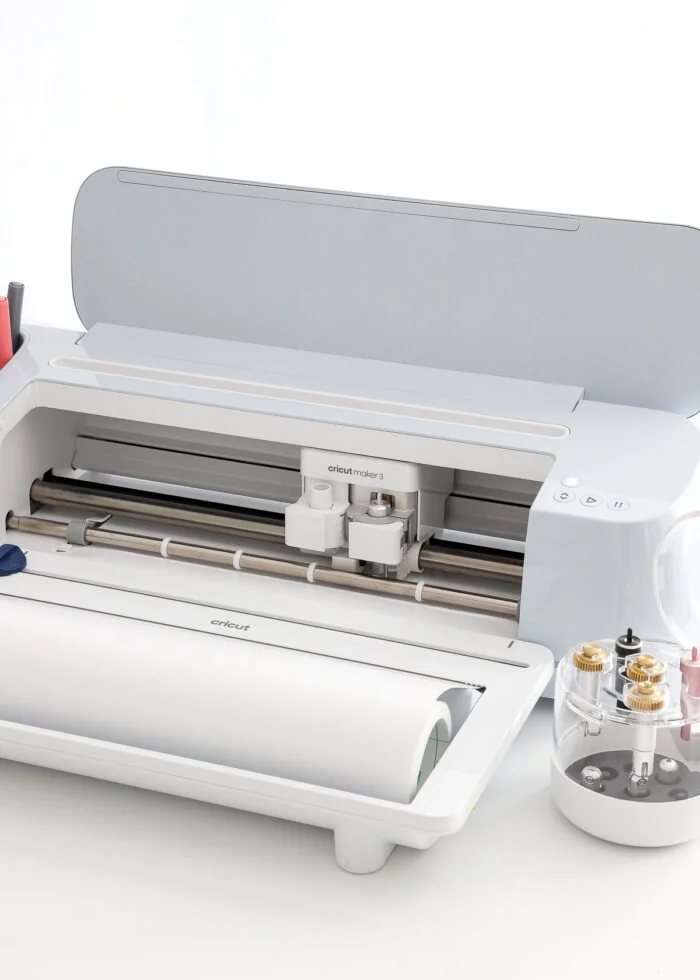
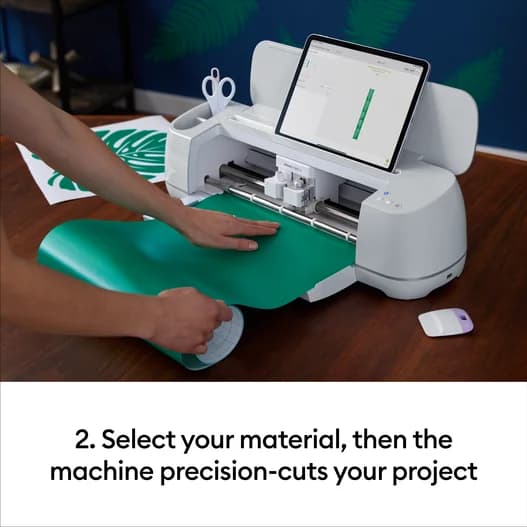
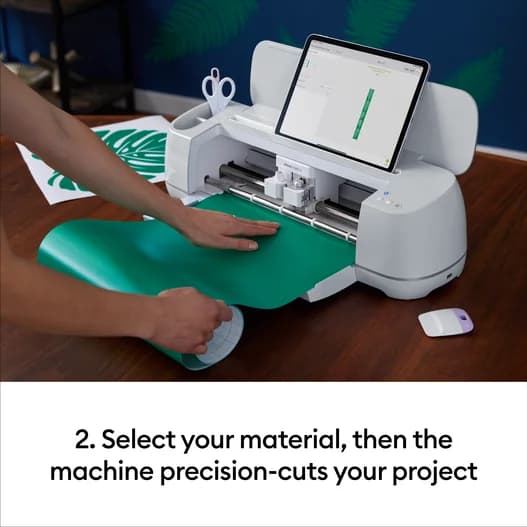
Say goodbye to mats with the Cricut Maker 3’s matless cutting using Smart Materials, a game-changer for crafters craving efficiency. This feature lets you slice through projects up to 12 feet long, perfect for banners or continuous vinyl designs. Users applaud how this innovation slashes prep time and material waste, aligning well with brand promises of seamless crafting flow. While some nuances exist around single-image length limits, the overall consensus celebrates this as a major leap in creative freedom and workspace cleanliness.
Materials Supported and Max Cut Depth
Versatility reigns supreme as this cutter confidently handles over 300 materials ranging from delicate paper to rugged leather and wood up to 2.4 mm deep cuts. Such breadth empowers creators pushing boundaries beyond vinyl stickers into mixed-media art or small business production lines needing multi-material support. Reviewers appreciate compatibility with prior Maker tools boosting accessory longevity too—though users should note some premium blades require separate purchase for optimal depth performance across all mediums.
Cutting Force
With an impressive 4 kg maximum cutting force, the Cricut Maker 3 flexes serious muscle compared to its siblings. This strength means tackling thick materials like leather, basswood, and chipboard becomes child's play rather than trial-and-error frustration. Experts laud the Adaptive Tool System that harnesses this power precisely without sacrificing finesse—a boon for professional-quality results on tough substrates. Despite occasional user grumbles about inconsistent pressure on certain jobs, most find it reliably robust enough to handle diverse craft ambitions.
Cutting Speed and Acceleration
Speed demons rejoice: boasting up to 8 inches per second on Smart Materials paired with rapid acceleration ensures your crafty visions manifest quickly without compromise on precision or quiet operation during late-night marathons. The machine doubles down here versus predecessors while maintaining accuracy praised by experts who value both pace and polish in execution; however, typical mat-based cuts run slower so manage expectations accordingly if not using proprietary rolls.
Conclusion
When it comes to matless cutting and maximum cut area, this machine truly liberates creativity, letting you craft banners or vinyl runs without the usual prep hassle. Its cutting force punches well above its weight class, breezing through leather and basswood with confident precision. Supporting over 300 materials with a max depth of 2.4 mm means versatility isn’t just talk—it’s built in. The double-speed boost on Smart Materials pairs perfectly with crisp acceleration, turning complex projects into quick wins. The Adaptive Tool System expands your toolkit beyond expectation, though juggling multiple tools requires some patience due to single-slot limits. Built like a tank yet surprisingly quiet, its physical design demands commitment but rewards users who value durability and finesse alike. This is a cutter for those who want serious power wrapped in smart engineering—creative pros ready to invest time and skill will find it hard to resist this blend of strength and subtlety that elevates every project from ordinary to remarkable.

Feature Scores
This reflects reviews and ratings from established critics, journalists, and users who have evaluated the item. Their opinions provide a comprehensive assessment.
Performance
Cutting Precision
4/5
Cutting Speed
5/5
Material Compatibility
5/5
Repeatability
4/5
Durability
4/5
Maintenance Requirements
4/5
Power and Force
5/5
Value
Price to Quality Ratio
4/5
Consumable Costs
3/5
Total Cost of Ownership
3/5
Warranty and Support
4/5
Design
Ergonomics
4/5
Build Quality
4/5
Footprint and Portability
2/5
Aesthetic Design
4/5
Health
Noise Emissions
4/5
Particulate and Dust Emissions
3/5
Chemical Emissions
3/5
Safety
Blade and Tool Guards
4/5
Electrical Safety Compliance
4/5
Emergency Stop and Fail-safes
3/5
Pinch Point Protection
3/5
Sustainability
Energy Efficiency
3/5
Recyclability of Materials
3/5
Packaging Sustainability
3/5
Consumable Waste
3/5
Experience Style
Ease of Use
4/5
Software and Connectivity
3/5
Customization and Feature Richness
5/5
Setup and Installation Simplicity
4/5

Specifications
This section outlines the product's key facts, covering essential features, details, dimensions, materials, and any unique characteristics that define its functionality and usability.
Performance
Value
Design
Safety
Sustainability
Experience Style

Frequently Asked Questions
8 Questions
Find Yours
What will you mostly use a die-cut machine for?
Answer to find your best matches.