
Supernote Manta (A5 X2)
Exceptional paper-like writing and modular design impress, though software quirks and high price remain.
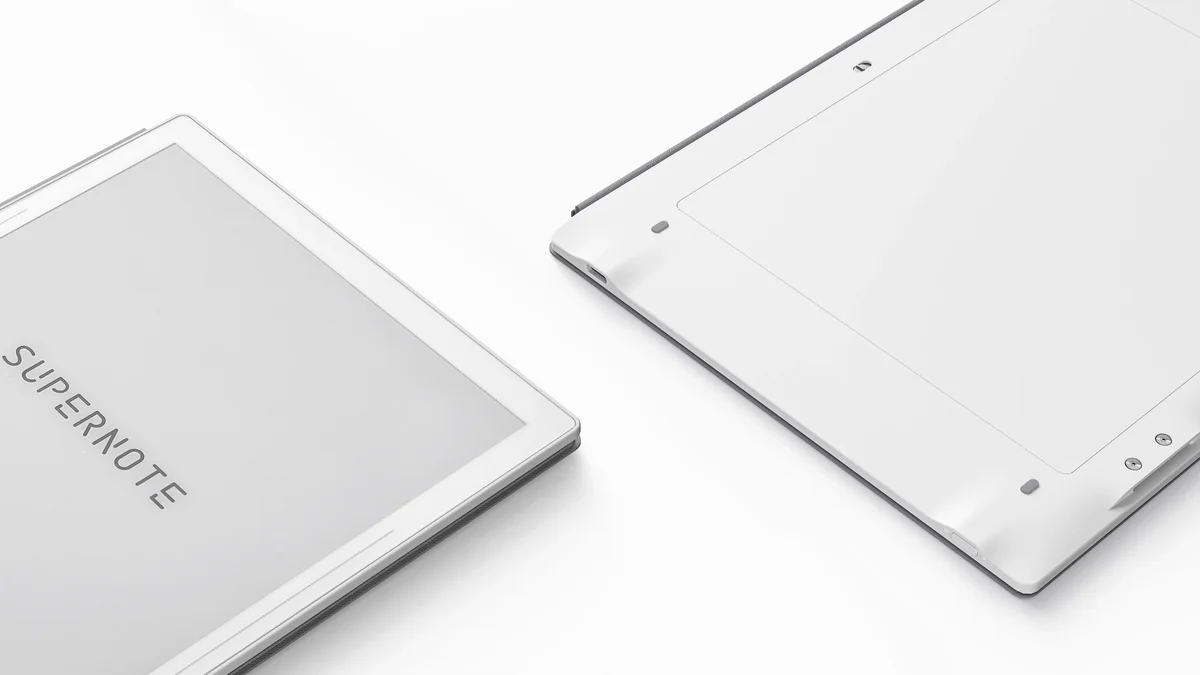
The Supernote Manta (A5 X2) is a sleek digital notebook designed for the pen-obsessed who crave exceptional paper-like writing and a distraction-free workflow. Tailored for serious note-takers and creatives, it shines with its 10.7-inch flexible E Ink Carta 1300 display, Ceramic NeverReplace nib, and an impressively modular design featuring replaceable battery and motherboard—a rarity in e-ink tech. Experts applaud its tactile precision, but users flag some stubborn software quirks and a premium price tag. Its charm lies in durability over dazzle, making it perfect for those who value craftsmanship; ongoing updates will shape its lasting appeal.

Find Yours
What display feature is most important for your reading comfort?
Answer to find your best matches.

The Field
Browse top contenders, or compare all options ranked by score and key attributes.
3 Options

The Scoreboard
Does this improve your life? Considers, health, habits, and environmental impact.
Benefits
Feels like real pen-on-paper—reduces friction and keeps thinking focused during long sessions.
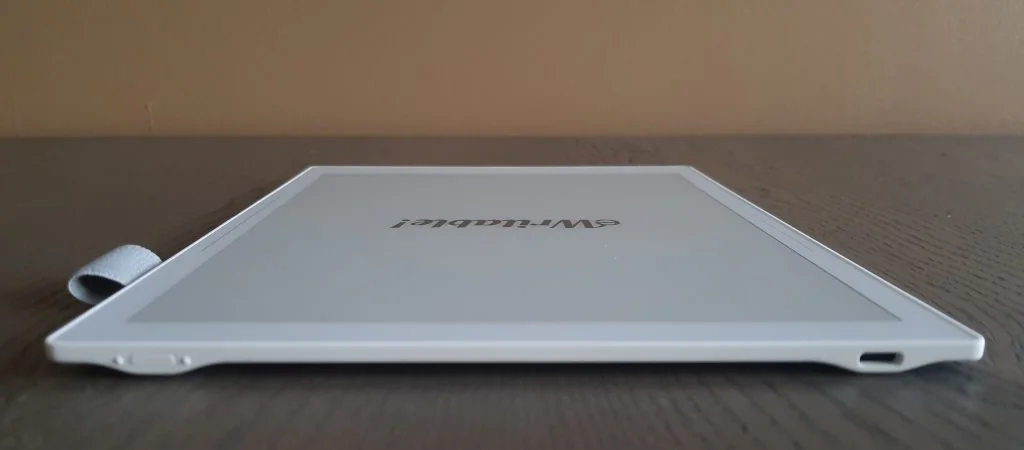
Easy to hold for hours and slips into bags without feeling bulky or heavy.
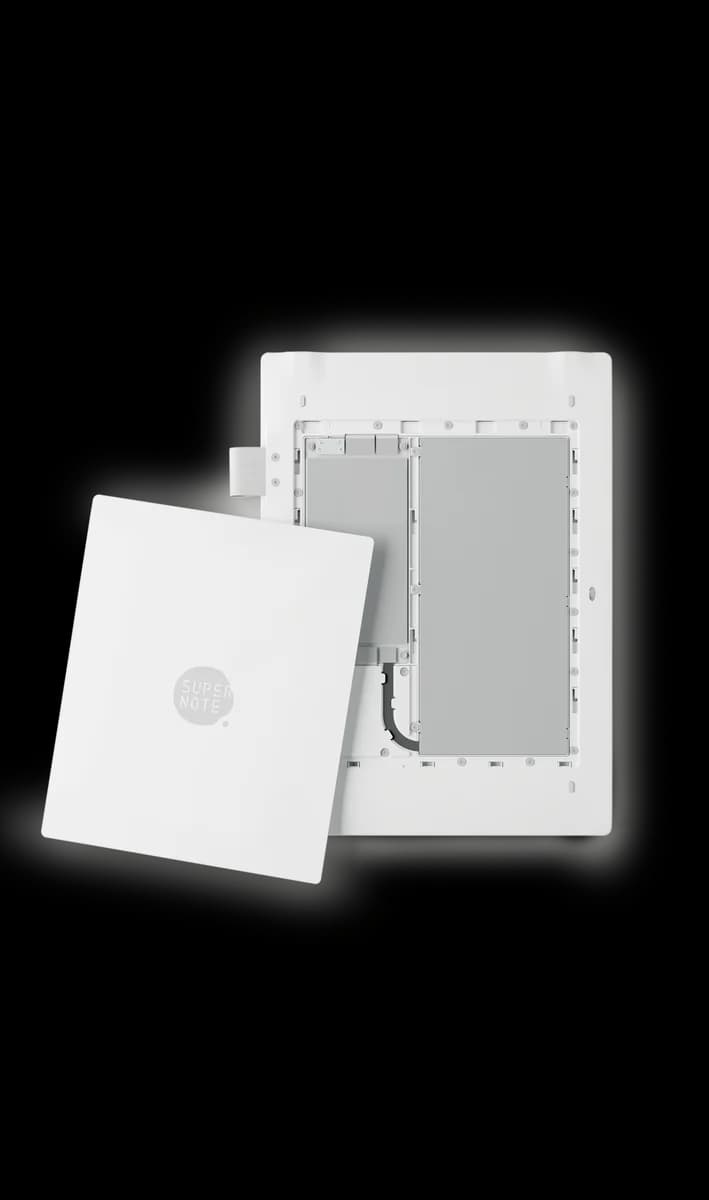
Replaceable battery and motherboard mean fewer replacements and less e-waste over years.
Durable pen feel that never needs charging or nib swaps—always ready to write.
Handwriting search, links and templates keep projects tidy and reduce cognitive clutter.
Trade-Offs
In low light you must use external lighting, interrupting late-night reading or journaling.
Quick text entry or switching tools often stalls, breaking flow during short note edits.
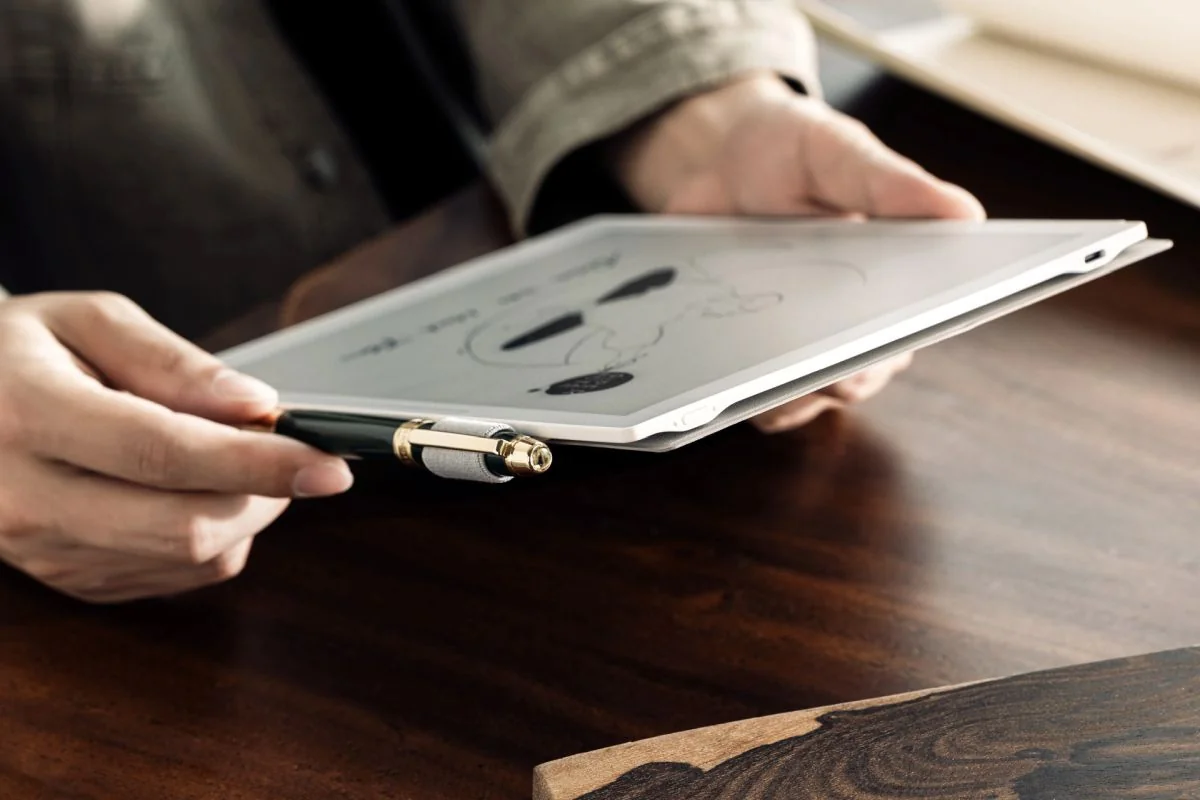
Thick pens don't sit securely, so you fumble or stash the pen somewhere else.
 Alternatives


Join the Circle
Where real meets deal
Know what's worth buying-and when.
Tips, special offers, and rewards for buying and sharing.

Publications
8 LEADING PUBLICATION REVIEWS

WIRED’s Nena Farrell praises the Supernote A5 X2 Manta for delivering a highly satisfying digital writing experience, especially highlighting its standout range of pens that appeal to stationery enthusiasts. The review emphasizes the device’s paper-like FeelWrite 2 screen cover, modular design for easy repairs, and lightweight build, all contributing to long-term usability and comfort. Farrell appreciates the intuitive software, diverse templates, and real-time handwriting recognition, though she notes some interface quirks like the slow keyboard and finicky slider. The Manta’s lack of a front light and eraser functionality are clear drawbacks, as is its higher price compared to competitors like the ReMarkable 2. However, the modularity and pen quality justify the premium for users who prioritize writing feel and durability. The review offers a balanced view, recognizing the Manta’s niche appeal to dedicated note-takers and artists who value pen variety and a realistic writing sensation over flashy features like color or built-in lighting.
By Nena Farrell
Daniel Allen from Android Police highlights the Supernote Manta (A5 X2) as a refined, niche-focused E Ink writing tablet that excels in delivering an exceptional handwriting experience. Praising its unique FeelWrite 2 display, Allen emphasizes the tactile, paper-like writing surface and the longevity of its stylus nibs, setting it apart from competitors. The Manta’s powerful hardware and mature custom OS contribute to a responsive, feature-rich device, especially in note-taking and drawing apps. However, Allen also points out significant drawbacks: its high price, costly accessories, lack of frontlight, and cumbersome app sideloading process. The device’s limited multimedia features and awkward virtual keyboard interactions further restrict its appeal. While not an all-purpose e-reader, the Manta stands out for users prioritizing writing and drawing quality over versatility. Allen concludes that despite its premium cost and niche focus, the Manta offers a uniquely satisfying digital stationery experience unmatched by other E Ink tablets.
By Daniel Allen
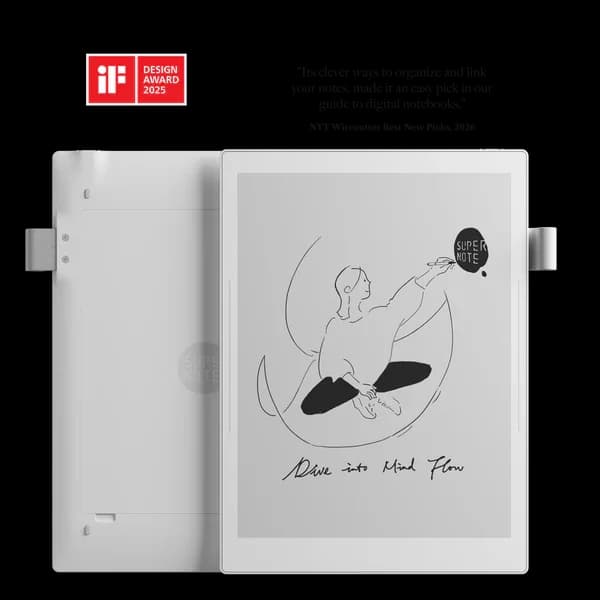
Dan’s review of the Supernote Manta (A5 X2) highlights it as an exceptionally well-designed, lightweight, and durable e-ink tablet focused on pure note-taking. He praises its innovative modular design, including a replaceable battery and motherboard, which could extend the device’s longevity and reduce waste—an uncommon feature in this category. The unique half-folio case and touch-sensitive side-swipe bars add to its usability and sleek aesthetic. The Mobius Carta plastic screen offers a subtle “springy” writing feel with excellent sharpness and low glare, while the native apps run smoothly on the ARM Cortex processor, though third-party app support is limited. Dan’s main criticism centers on the default stylus and pen loop combination: the pen is too bulky for the elastic loop, causing instability and frustration. Despite this, he finds the writing experience highly satisfying and the overall package compelling for users seeking a dedicated digital paper replacement rather than a multi-purpose tablet.
By Dan
Joel Cunningham from Lifehacker highlights the Supernote Manta as a thoughtfully designed, distraction-free digital notebook that excels in replicating the tactile feel of pen and paper while offering versatile digital functionality. Praising its large 10.7-inch e-ink screen, paper-like writing surface, and responsive stylus options, Cunningham appreciates the device’s clarity for handwriting and PDF annotation, as well as its modular design and frequent software updates that signal strong future-proofing. He values the simple, focused user interface and useful workflow integrations like email, calendar sync, and to-do lists, which enhance productivity without overwhelming the user. While noting the Manta’s higher price compared to the smaller Nomad and its lack of front lighting, he frames these as intentional trade-offs for a superior writing experience. Cunningham’s review balances enthusiasm for the device’s unique niche with measured acknowledgment of its limitations, ultimately recommending the Manta for those seeking a premium, focused digital notebook experience.
By Joel Cunningham
Austin from Gear43 praises the Supernote Manta (A5 X2) as a transformative digital notebook, highlighting its ideal 10.7" screen size that closely mimics standard paper and delivers an exceptional pen-like writing experience. He appreciates the lightweight, thin design and the improved half-folio case, which enhances usability without adding bulk. The inclusion of high-quality LAMY styluses and the distraction-free, minimalist OS further elevate the device’s appeal. However, Austin notes some drawbacks: the screen’s glare and darker tone compared to paper can hinder reading comfort, especially under artificial light or dim conditions. Its large size makes it less portable and more prone to damage than smaller models like the Nomad, which he recommends for primarily reading-focused users. The Manta’s premium price, especially when factoring in accessories, positions it as a niche, high-end tool for serious note-takers seeking to replace paper and reduce screen distractions. Overall, Austin finds the Manta life-changing for productivity despite its trade-offs.
By Austin
Rory Bathgate from IT Pro highlights the Supernote A5 X2 Manta as a premium e-ink tablet that excels in delivering an incredibly realistic pen-on-paper experience, thanks largely to its well-designed LAMY Safari Vista EMR pen and smooth, lag-free performance. The device’s strengths include long battery life, user-upgradable hardware, expandable storage, and robust organizational features like handwriting recognition and deep note-linking capabilities. However, Bathgate notes the absence of a backlight as a significant drawback, limiting usability in low-light conditions and potentially causing eye strain. The pen’s lack of customizable function buttons and the device’s monochrome display also temper enthusiasm, especially compared to competitors offering color e-ink or more feature-rich styluses. While the Supernote’s premium build and thoughtful software make it ideal for power users and executives seeking distraction-free productivity, its high price and some fiddly gesture controls may deter broader adoption. Overall, Bathgate presents a balanced view, praising the device’s core strengths while candidly addressing its Spartan aspects.
By Rory Bathgate
Matt Keith assesses the Supernote Manta (A5 X2) as a uniquely impressive e-ink notebook that excels in delivering a paper-like writing experience unmatched by typical tablets. He highlights its lightweight, modular design with upgradable components, and a highly responsive 10.7-inch 300 PPI display paired with a ceramic-nib pen that requires no charging or replacement. The Manta’s software offers useful organizational tools and cloud syncing, enhancing its appeal for traditional note-takers transitioning to digital. However, Keith expresses reservations about the steep overall price, especially given the separate costs for essential accessories like the pen and folio cover, which push the total cost beyond comparable tablets like the iPad. He also notes the lack of backlighting and color features as drawbacks. Despite these criticisms, Keith concludes that the Manta’s tactile writing quality and thoughtful design make it an excellent, if niche, choice for users prioritizing a natural handwriting experience over general tablet versatility.
By Matt Keith
Dan Seifert from blog.systmadeinc.com highlights the Supernote Manta (A5 X2) as a standout digital notebook, particularly praising its robust pen options and realistic writing experience. Unlike many competitors, the Manta supports four distinct pens with multiple color choices, including the impressive Heart of Metal Pen 2 and a digital version of the Lamy Safari pen, both noted for their comfort and lifelike feel without requiring charging. The review emphasizes the device’s unique art mode, accessible via a downloadable Atelier app, which offers versatile drawing tools such as multiple pen styles, layers, and a grayscale palette. However, the reviewer points out a notable limitation: the absence of an eraser function, which may deter users who rely heavily on erasing or keyboard input. Overall, the Manta is recommended for those who prioritize penmanship and sketching, delivering a premium, tactile digital note-taking experience despite some usability trade-offs.

YouTube
9 LEADING EXPERT & INFLUENCER REVIEWS
 My Deep Guide
Voya from My Deep Guide praises the Supernote Manta (A5 X2) for its exceptional writing experience, low latency, and modular, durable design, highlighting the 10.7" 300 PPI flexible E Ink screen and ceramic pen. He notes some drawbacks like pen loop ergonomics, limited keyboard functionality, and high price, but sees it as a powerful, future-proof tool for serious writers.
Kit Betts-MastersKit Betts-Masters praises the Supernote Manta for its focused, minimalist design, exceptional pen feel, and superior note organization, calling it ideal for long-term use and deep thinking. While he acknowledges the Boox Note Air5C’s broader app ecosystem and color display advantages, he ultimately favors the Manta’s flow and writing experience despite some minor software quirks.
ShortCircuitRiley from ShortCircuit praises the Supernote Manta’s modular, repairable design and ceramic nib for a true paper-like writing feel. He highlights its flexible E Ink Carta 1300 display, advanced note organization, and open Android OS, while noting some quirks in UI and side-loading complexity. Overall, he values its sustainability and versatility.
Vladimir KostekVladimir Kostek praises the Supernote A5 X2 Manta for its crisp black-and-white E Ink Carta 1300 display, superior file format support, modular repairability, and natural pen feel with ceramic nibs and FeelWrite 2 film. He notes its lighter weight and advanced organization tools but mentions the lack of frontlight and slower app syncing as trade-offs.
paperthinkerpaperthinker praises the Supernote Manta (A5 X2) for its sleek, thinner design, larger 10.7-inch 300 PPI FeelWrite 2 film display, and modular features like replaceable battery and upgradable motherboard. They note a slightly increased writing resistance but appreciate the sharper text, improved port placement, and versatile half folio, promising a deeper review after more use.
Paper LessPaper Less praises the Supernote Manta (A5 X2) as a near-perfect writing device that transformed their note-taking, appreciating its durable design and cloud syncing despite some syncing issues between multiple devices. They value Ratta’s ongoing software support and recommend it especially for dedicated writers, while noting its high price and limited appeal beyond writing.
Data Driven Biblical Studies: Research & TeachingA professor at Andrews University praises the Supernote Manta’s lightweight design, paper-like FeelWrite 2 writing experience, and eye-friendly e-ink display but finds its PDF annotation system a major flaw. The proprietary layered annotations don’t sync well across devices, limiting cross-platform editing and making it unsuitable for his academic workflow.
JuneLowJuneLow praises the Supernote Manta’s seamless integration of Canva templates for journaling, highlighting its smooth drawing experience, versatile pen options, and efficient note organization. While she finds it less ideal for reading or calendar use, she enthusiastically recommends it for users who value digital journaling, planning, and creative expression in one device.
Prestigious LabsChris Beane praises the Supernote Manta for its authentic pen-like writing experience, modular design with replaceable battery and motherboard, and seamless integration with Google Calendar. He highlights the device’s smooth note-taking, intuitive gestures, and durable ceramic nib, while noting a slight learning curve with some touch gestures. Overall, he finds it a transformative tool for digital-to-physical planning.

Social
1 INFLUENCER REVIEW
 Anh Bui
dumpli.n.g highlights the Supernote Manta’s exceptional thinness, lightweight design, and remarkably natural pen sensitivity, praising its fountain-pen feel and seamless sketching experience that has replaced their iPad for live figure drawing. They also note the innovative Inkflow feature, which integrates well with desktop art software, enhancing creative flexibility. Overall, dumpli.n.g expresses genuine enthusiasm and recommends the Supernote Manta as a valuable tool for artists seeking a natural drawing experience on the go, emphasizing its unique blend of portability, precision, and software compatibility as standout benefits.

Forum Reviews
CUSTOMER REVIEWS FROM 1 FORUM
Reddit users generally view the Supernote Manta (A5 X2) positively, praising its lightweight design, durable plastic build, and superior note-taking capabilities, especially its organizational features like hyperlinks, headings, and stars. The writing experience is often described as smooth and precise, with many appreciating the ceramic pen and screen feel. However, users express frustration with software stability, slow responsiveness, and inconsistent gesture controls. PDF handling is a common pain point, particularly the inability to insert blank pages or add layers, limiting its functionality for document annotation. While some upgrading users highlight improvements over previous models, new shoppers are cautious due to these software limitations and missing features like front lighting and color display. Overall, the Manta is favored for focused note-taking and reading but requires software refinements to fully meet user expectations.
Many comments

In-Depth Review

Highlights
- •Paper-like writing surfaceFeelWrite 2 film with ceramic nib.
- •Modular, repairable hardwareReplaceable battery and upgradable motherboard.
- •High-resolution e‑ink display10.7-inch Carta 1300 at 300 PPI.
- •Durable, no-charge stylus optionsMultiple pens available; ceramic nibs last indefinitely.
- •Responsive performance for pen toolsRK3566 and 4GB RAM enable low-latency tools.
- •Advanced organization and handwriting searchDeep note linking, templates, and recognition.

Considerations
- •No frontlight for low-light useRequires external light at night.
- •PDF annotation limitationsCannot reliably insert blank pages or layers.
- •Software stability and gesture quirksOccasional sluggish UI and inconsistent gestures.
- •High total costPremium price and pricey accessories required.
- •Pen storage and ergonomicsBulky pen often won’t sit securely in loop.
- •Syncing and cross-device inconsistenciesSlow or unreliable cloud and multi-device sync.
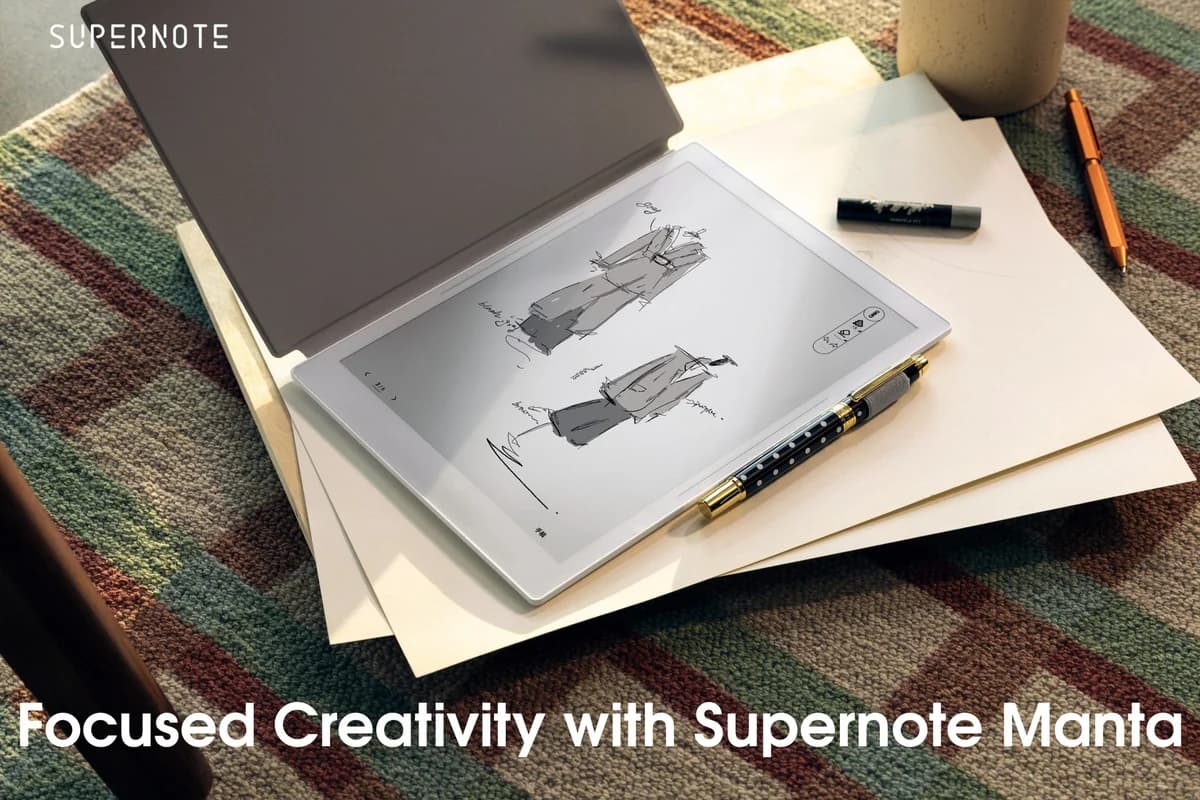
Real-world impressions of this premium e-ink notebook remain limited, but early insights suggest it’s a standout for serious note-takers and creatives who crave an authentic pen-on-paper feel. Crafted with a 10.7-inch flexible E Ink Carta 1300 display at 300 PPI, it offers sharp, natural visuals without the glare or eye strain typical of backlit screens. Its FeelWrite 2 self-recovery film paired with a Ceramic NeverReplace nib promises writing so smooth you might forget you’re digital—though the pen’s bulk can be fiddly in its loop. Under the hood, a modular design featuring a replaceable battery and upgradable motherboard speaks to longevity rarely seen in this space. Powered by an RK3566 processor and 4GB RAM, performance balances speed with occasional software quirks. Weighing just around 370 grams and slim enough to slip into most bags comfortably, it targets professionals valuing durability over distractions. If tactile precision and repairability spark your interest, keep reading—this device isn’t your average tablet; it’s built for those who write to think out loud.
Performance and input responsiveness
Powered by a RK3566 quad-core processor backed with 4GB RAM, this notebook handles intensive lasso-tool maneuvers without flinching—delighting power users craving lag-free interactions amid dense note clusters or detailed sketches. Yet whispers of occasional sluggish UI gestures remind us software polish hasn’t fully caught up to hardware prowess; rapid tool switching may trip novices mid-flow while seasoned scribblers grin at mostly seamless execution across native apps designed around focused workflows—the fine balance between robust horsepower meeting real-world responsiveness challenges.
Modularity and repairability
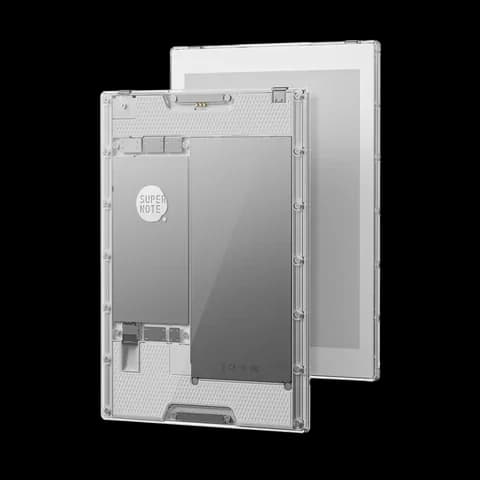
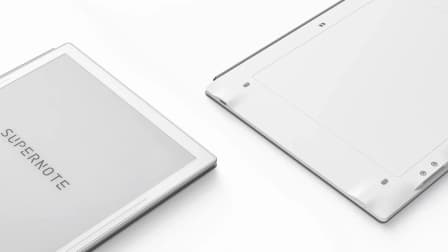
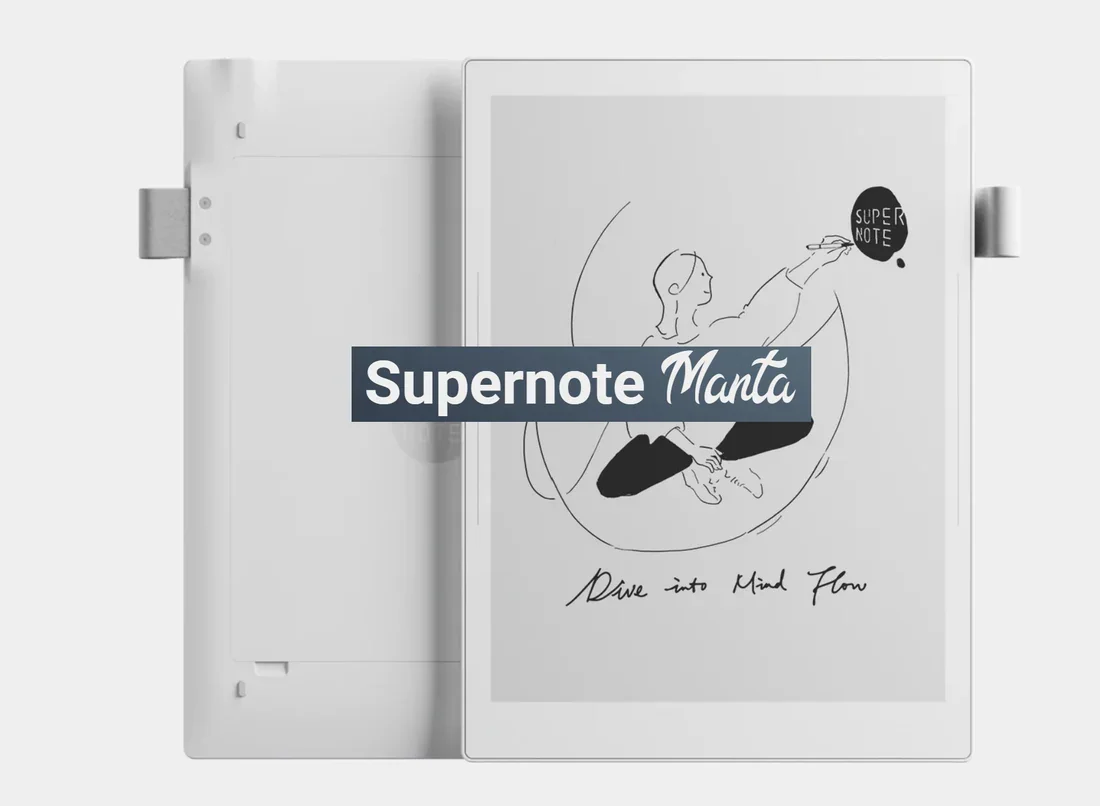
Sustainability meets savvy engineering through replaceable batteries and upgradable motherboards tucked behind an accessible back plate—a rarity in e-ink devices striving to escape planned obsolescence traps. This modular approach invites long-term ownership by enabling hardware refreshes rather than full replacements; a bold statement against disposable tech culture echoed enthusiastically by reviewers who prize durability over fleeting features. Though parts availability awaits wider confirmation, this repair-friendly ethos undeniably sets it apart from sealed competitors stuck in their non-upgrade lanes.
E Ink display quality and readability
The 10.7-inch flexible E Ink Carta 1300 screen dazzles with crispness at 300 PPI resolution, delivering sharp text and fluid ink rendering that’s easy on tired eyes. Its frontlight-free design favors natural light to reduce strain but can leave night owls scrambling for external lamps during late-night scribbles—a trade-off between eye comfort and ambient lighting needs. While experts laud its paper-like clarity and anti-glare properties under daylight conditions, dim environments expose limitations in usability that might temper expectations for round-the-clock reading.
Writing surface and stylus interaction
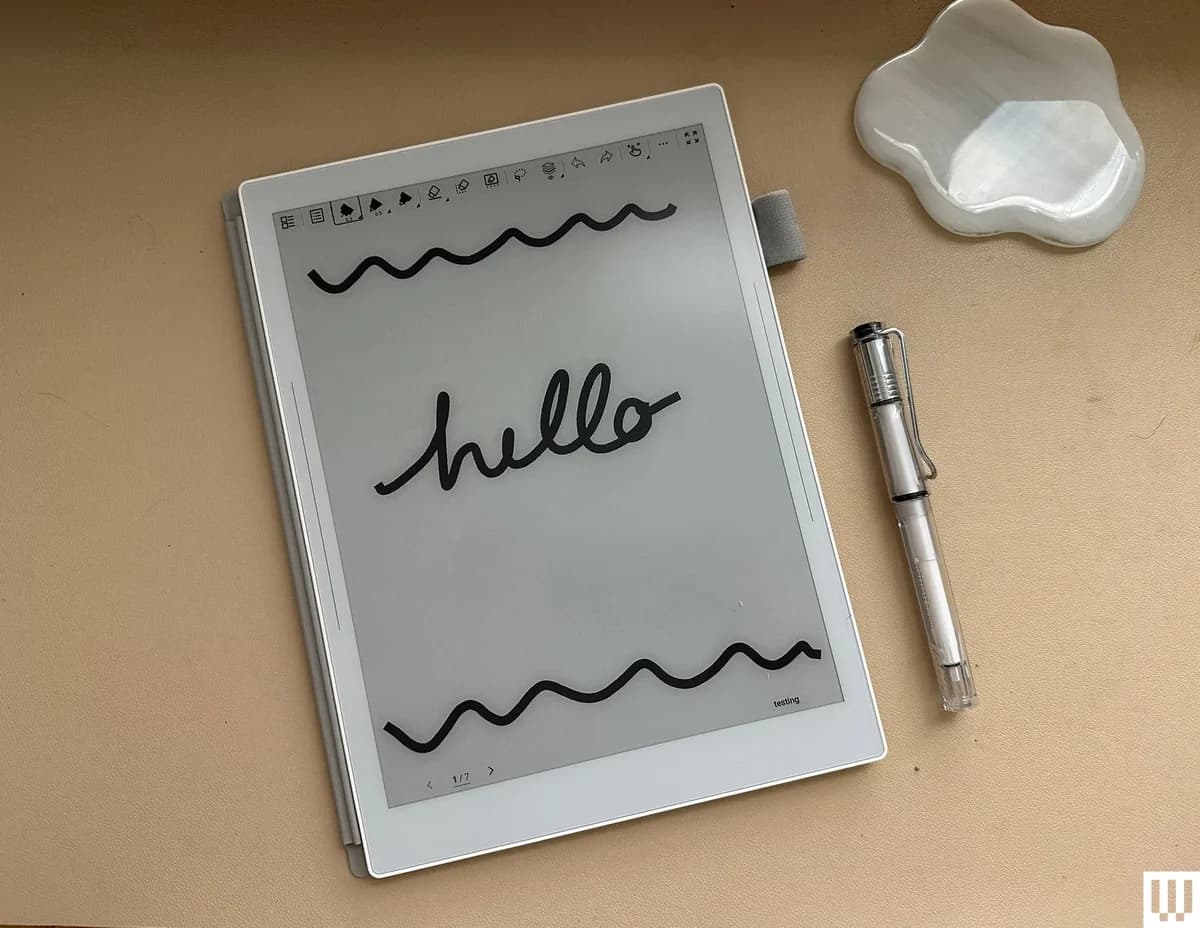
If pen-on-paper bliss had a digital avatar, it would be this device's FeelWrite 2 self-recovery film paired with the Ceramic NeverReplace nib. The writing experience is widely hailed as remarkably smooth and natural, mimicking analog precision without the wear-and-tear fuss. This combo minimizes friction for those marathon note-taking sessions or sketching sprees, truly elevating tactile satisfaction. However, some users flag the bulkiness of included pens versus pen loops as a slight ergonomic hiccup in an otherwise impeccable stylus dance—proof that even perfection has its quirks.
Conclusion
This notebook stakes its claim on a writing surface and stylus interaction that genuinely echoes pen on paper—courtesy of the FeelWrite 2 film and ceramic nib combo. Its E Ink display quality dazzles in daylight, though the absence of frontlighting nudges night owls to seek external lamps. The modularity and repairability promise an uncommon longevity, making it a rare gem amid sealed devices. Underneath, solid horsepower delivers mostly smooth performance, but occasional software hiccups remind you this isn’t your average tablet experience. Battery life holds steady with replaceable power cells ready for years ahead. Slim and featherlight at around 370 grams, its portability invites long sessions without fatigue—yet the pen’s bulk may disrupt flow for some users. This device suits focused note-takers who prize tactile precision over flashy extras; it’s a thoughtful companion designed less for versatility than devoted craftsmanship wrapped in durability, flexibility, and quiet efficiency that rewards patience as much as intent.

Feature Scores
This reflects reviews and ratings from established critics, journalists, and users who have evaluated the item. Their opinions provide a comprehensive assessment.
Performance
Display Readability
4/5
Battery Life
5/5
Software Stability
4/5
Value
Price-to-Performance Ratio
4/5
Content Ecosystem Access
3/5
Accessories Availability
3/5
Design
Ergonomics
4/5
Weight and Portability
4/5
Build Durability
5/5
Health
Long-Term Eye Comfort
5/5
Blue Light and Night Modes
2/5
Material Safety
3/5
Safety
Battery Safety
4/5
Water Resistance
1/5
Regulatory Compliance
4/5
Sustainability
Energy Efficiency
4/5
Repairability and Serviceability
4/5
Recyclability and Packaging
3/5
Experience Style
Feature Richness
4/5
Sync and Cross-Device Continuity
4/5
Format and File Compatibility
5/5

Specifications
This section outlines the product's key facts, covering essential features, details, dimensions, materials, and any unique characteristics that define its functionality and usability.
Performance
Value
Design
Safety
Sustainability
Experience Style

Frequently Asked Questions
9 Questions
Find Yours
What display feature is most important for your reading comfort?
Answer to find your best matches.


