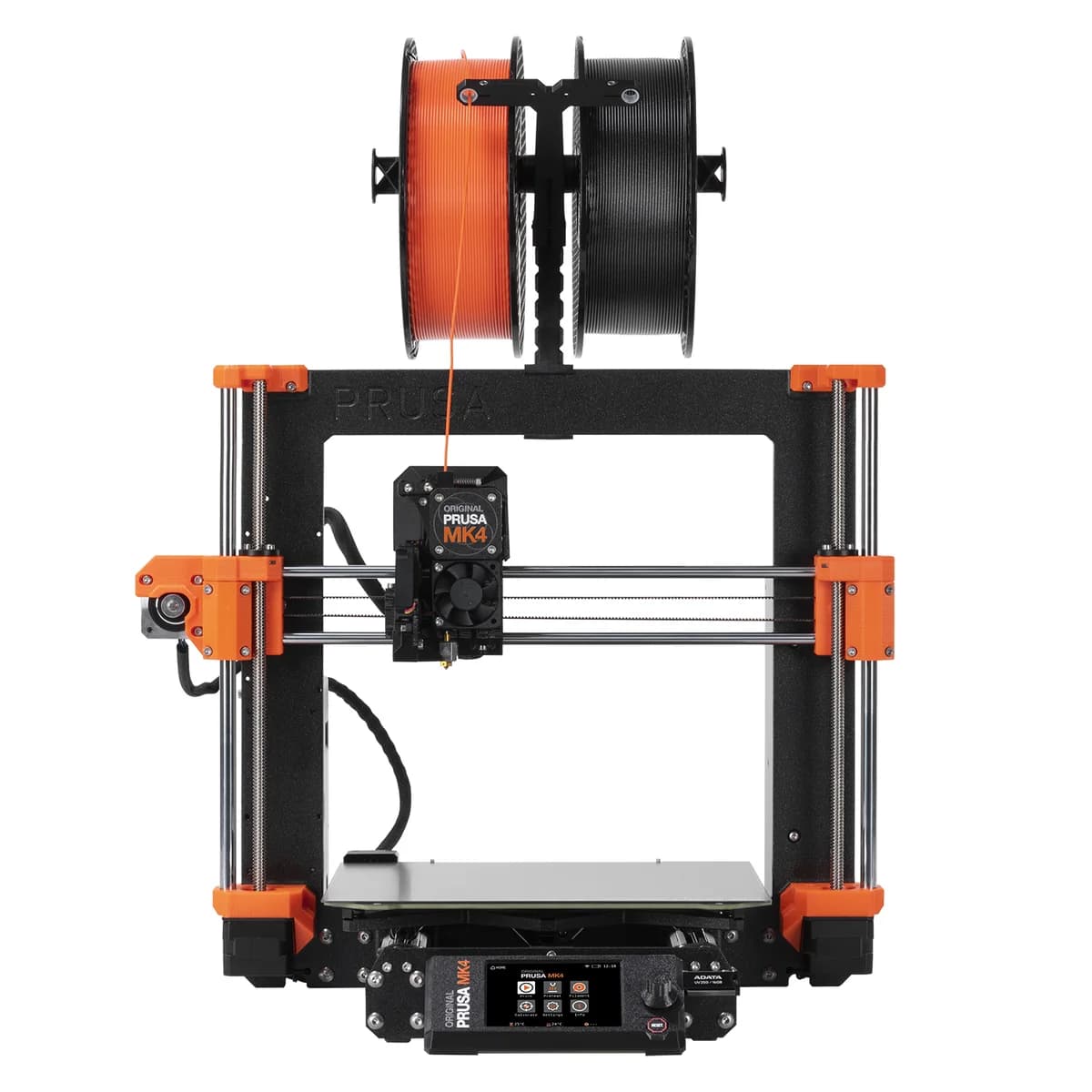
Prusa Original Prusa MK4
Reliable, precise 3D printing with smart automation and strong community support, despite minor quirks.
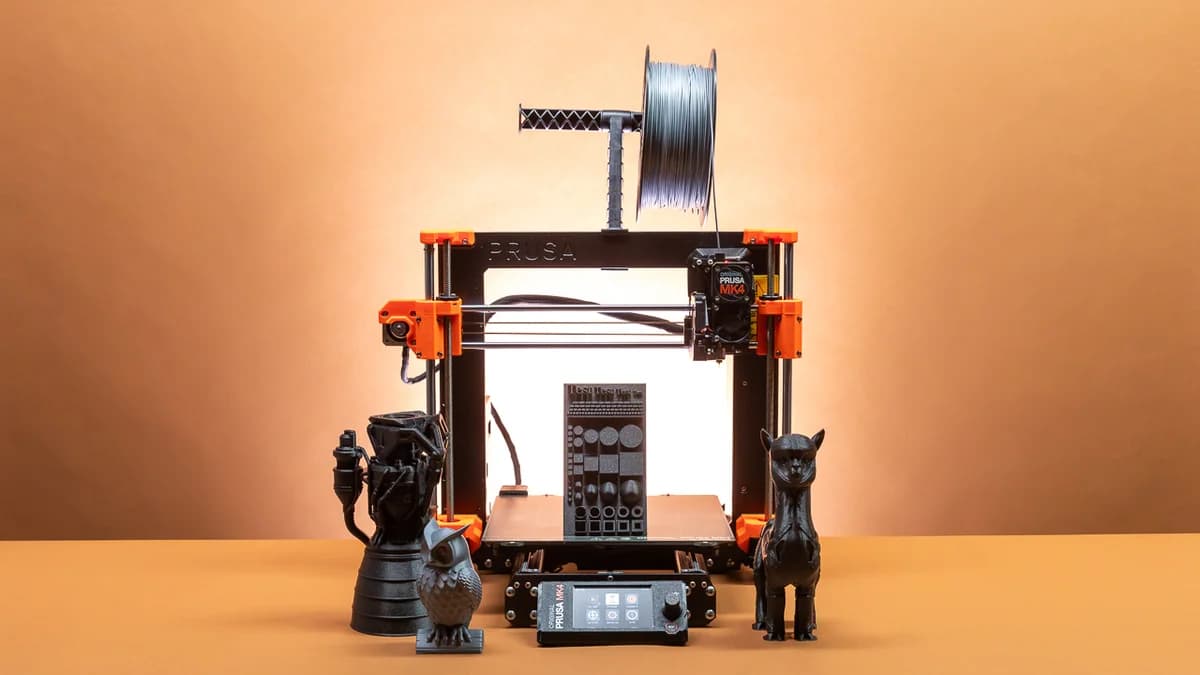
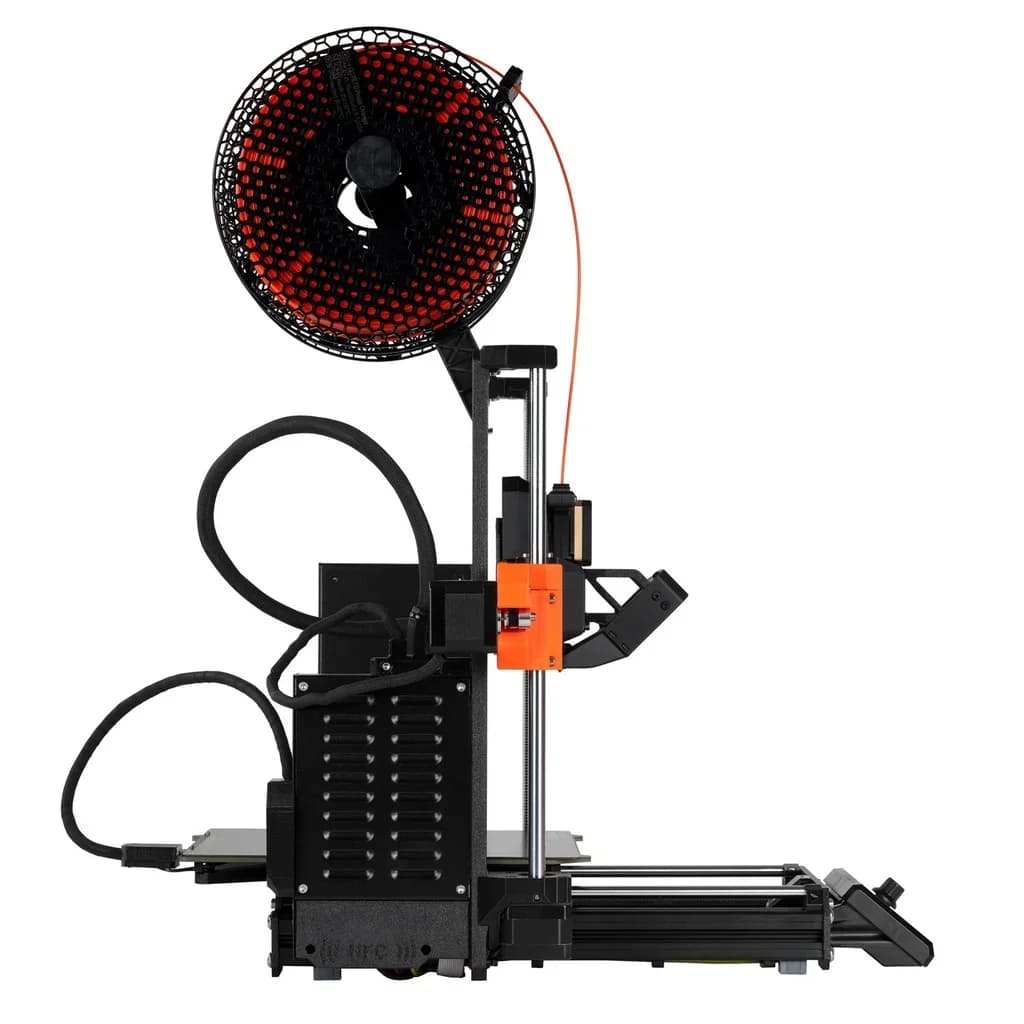
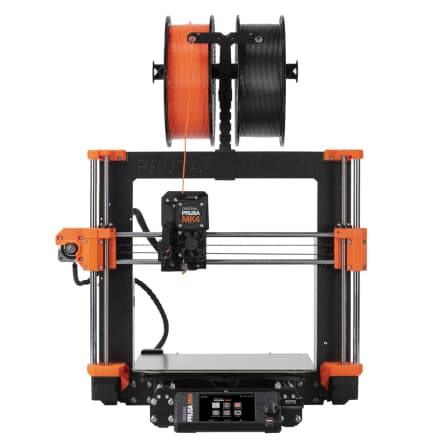
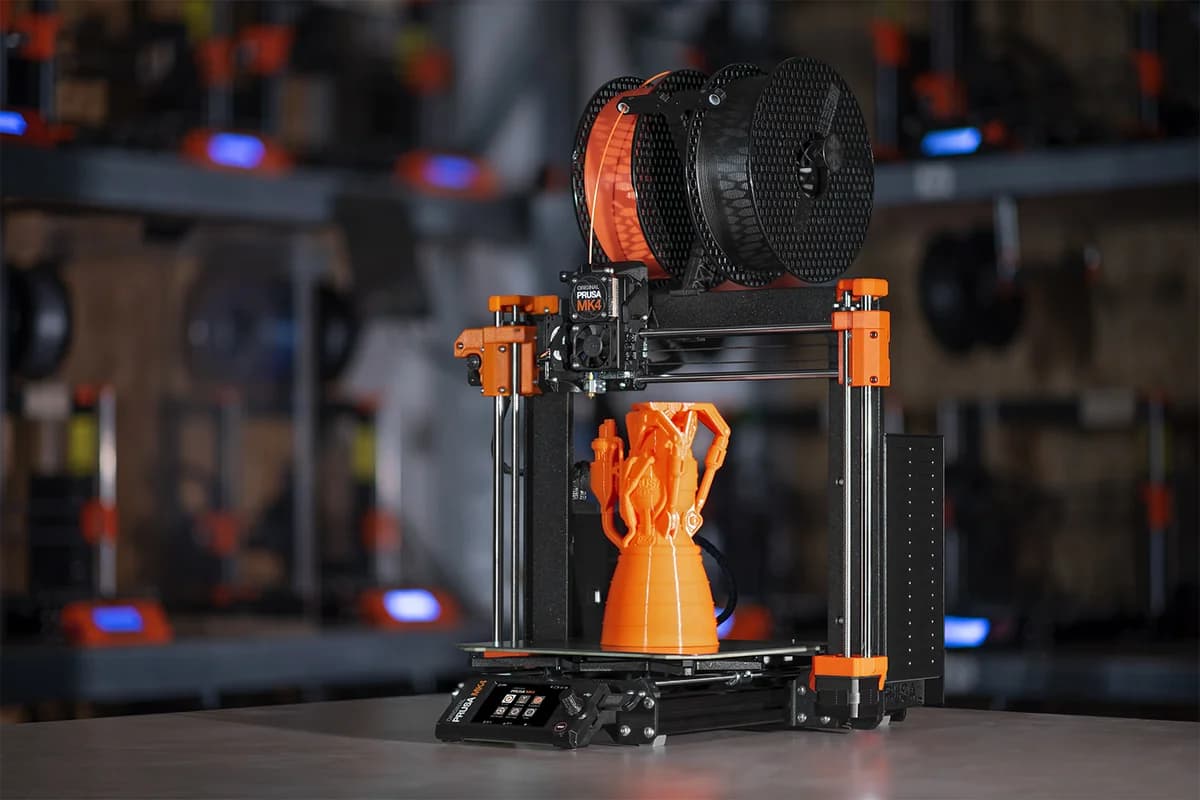
The Original Prusa MK4 is the trusty workhorse for makers craving reliable print quality and hassle-free precision. Designed to smooth out first-layer headaches with its clever load cell calibration, it shines in delivering sharp, consistent results thanks to the robust Nextruder extrusion system. Experts applaud its thoughtful upgrades but note a fiddly Wi-Fi setup and some firmware quirks that keep things interesting. Priced at a premium, it’s perfect for enthusiasts valuing durability over flashiness, backed by a loyal community and smart features like Power Panic recovery. It’s less about revolution, more about steady craftsmanship—making every layer count toward lasting value.



Find Yours
What is your primary use for a 3D printer?
Answer to find your best matches.

The Field
Browse top contenders, or compare all options ranked by score and key attributes.
5 Options



The Scoreboard
Does this improve your life? Considers, health, habits, and environmental impact.
Benefits
Flawless first layers thanks to load-cell leveling and all-metal hotend; favors reliability over speed.
Factory-tested setup, automatic filament loading and clear manuals reduce initial stress and babysitting.
Open hardware, modular parts and strong community enable repair, upgrades, and longer life.
Nextruder direct-drive and quick-swap nozzles make TPU and diverse filaments reliable, unlike many printers.
Extensive factory testing and active support reduce downtime and mental burden repairing.
Trade-Offs
Heated plastics release ultrafine particles and create filament scrap; eco-leaders use filters/recycled materials.
Traditional bed-slinger and moderate speeds mean longer prints, increasing energy and emissions.
Open-frame design and no integrated HEPA/active filtration can raise VOCs and particle exposure.
Rushed launch firmware bugs and fiddly Wi‑Fi can cause frustration and lost productive time.
 Alternatives


Join the Circle
Where real meets deal
Know what's worth buying-and when.
Tips, special offers, and rewards for buying and sharing.

Publications
8 LEADING PUBLICATION REVIEWS

All3DP highlights the Original Prusa MK4 as a solid, dependable 3D printer that builds on the strengths of its predecessor with thoughtful quality-of-life improvements and excellent print performance. While the MK4 delivers near-perfect first layers, a refined user interface, and innovative features like load-cell bed leveling and a versatile new extruder design, it feels more like an evolutionary update than a revolutionary leap. The review notes some rough edges, including a somewhat rushed launch, occasional UI bugs, and a lack of enabled touchscreen functionality despite hardware support. Input shaping firmware adds speed and reduces ringing but doesn’t fully close the gap with faster competitors. The MK4’s quieter operation claims are questioned, and setup for Wi-Fi connectivity is described as fiddly. Despite a higher price and increased competition from newer, faster models like the Bambu Lab X1 Carbon, the MK4 remains a top choice for enthusiasts valuing reliability, open-source heritage, and a mature ecosystem. The review awards it four out of five stars, praising its consistent quality but acknowledging it’s no longer the market’s most innovative option.
By Matthew Mensley; Shawn Frey
Tony Hoffman from PCMag highlights the Original Prusa MK4 as a refined evolution of Prusa’s flagship open-frame 3D printer, combining proven print quality with meaningful upgrades like a thicker frame, redesigned extruder, touch screen, and enhanced bed-leveling. Praising its ease of setup, extensive filament compatibility, and the intuitive PrusaSlicer software, Hoffman emphasizes the MK4’s consistent high-quality prints and improved speed. The review notes the printer’s premium price but frames it as justified for serious hobbyists seeking reliability and performance. Unique insights include the inclusion of a comprehensive printed manual and the playful tradition of Haribo Gummi Bears with the kit. Minor criticisms are limited to a rare misprint linked to software file issues and the high cost compared to budget alternatives. Overall, the MK4 earns PCMag’s Editors’ Choice for mid-priced consumer 3D printers, celebrated for its balance of innovation, quality, and user-friendly design.
By Tony Hoffman
Denise Bertacchi from Tom’s Hardware highlights the Prusa Original Prusa MK4 as a standout 3D printer that successfully builds on its predecessor with thoughtful, well-executed upgrades. Praising its flawless auto bed leveling, quiet operation, and the innovative “Nextruder” with quick-swap nozzles, the review conveys genuine enthusiasm for the MK4’s blend of reliability and advanced features. The new firmware, influenced by Klipper, notably boosts print speed without sacrificing quality, especially after the recent Input Shaper update. While the MK4 commands a premium price of $1099 assembled, it offers excellent value for beginners and experienced makers seeking a dependable, ready-to-use machine. The review also provides unique insights into Prusa’s commitment to quality, such as in-house 3D printed parts and extensive factory testing. However, the reviewer candidly notes the MK4’s higher cost compared to faster, less expensive Core XY competitors, suggesting it’s best suited for those prioritizing ease of use and brand trust over budget or raw speed.
By Denise Bertacchi
James Bricknell from CNET highlights the Prusa Original Prusa MK4 as a refined evolution of the highly regarded MK3, maintaining its hallmark print quality while significantly boosting print speeds. The review praises the MK4’s upgraded aluminum frame for added stability, the innovative Nextruder dual-gear system that excels with flexible filaments like TPU, and the easy-to-swap nozzle design. Print results are consistently excellent across multiple materials, with near-perfect bridging and tolerance tests, though some stringing issues persist despite slicer adjustments. Bricknell appreciates Prusa’s open-source ethos and the advanced PrusaSlicer software, especially its organic support structures that reduce scarring. However, he notes the MK4 arrives somewhat late amid faster, competitively priced alternatives, and criticizes the complicated network setup lacking user-friendly remote printing. While the MK4 is a solid, reliable machine, the reviewer suggests future models need more groundbreaking innovation to maintain Prusa’s market leadership. The kit option offers better value, but the full price feels steep given current competition.
By James Bricknell
Caleb Kraft from Make: highlights the Prusa Original Prusa MK4 as a highly reliable and user-friendly 3D printer, emphasizing its effortless setup and flawless first-layer printing thanks to a new load cell sensor. He praises the out-of-the-box experience, including a factory-tested print and intuitive touchscreen previews. Kraft values the printer’s consistent performance on challenging prints, such as specialized charity parts requiring perfect first layers, where the MK4 excels without babysitting. While he notes the MK4 is only moderately faster than its predecessor and retains a traditional bed-slinger design rather than adopting a CoreXY system, he acknowledges Prusa’s commitment to open-source upgrades and future firmware enhancements like input shaping that promise significant speed gains. At a $1,099 price point, Kraft appreciates Prusa’s strong customer support and open ecosystem, concluding that if the MK4 matches the MK3’s legendary reliability with improved first-layer consistency, it’s a worthwhile investment for serious makers.
By Caleb Kraft
Tom Sanladerer assesses the Prusa Original Prusa MK4 as a well-engineered and thoughtfully iterated successor to the MK3, maintaining the brand’s hallmark reliability and solid print quality. He highlights meaningful hardware upgrades like the new leak-proof hotend, load-cell bed leveling, and improved stepper motors, but notes that some expected improvements—such as the elimination of vibration artifacts—are only partially realized. The review expresses cautious optimism about the upcoming input shaping firmware, which currently remains in an alpha state and introduces trade-offs that diminish print detail. Sanladerer appreciates Prusa’s open-source slicer and robust diagnostics but critiques the MK4’s WiFi setup and lack of integrated webcam support. While the MK4 excels in refinement and durability, he questions whether its €1200 price tag is justified in a market where competitors offer compelling alternatives. Ultimately, he views the MK4 as a dependable workhorse rather than an exciting leap forward, recommending it mainly for users prioritizing reliability over innovation.
By Thomas Sanladerer
Graham Faulknor from GearLab / TechGearLab highlights the Prusa Original Prusa MK4 as a meticulously engineered 3D printer designed for experienced makers who enjoy hands-on customization. Praising its robust build quality, excellent print capabilities, and notably upgradable design, the review emphasizes the MK4’s potential to remain relevant through future technology improvements. However, Faulknor also points out significant drawbacks: a lengthy and complex initial assembly, a steep price, and a somewhat clunky user interface that may deter beginners. Print quality is generally strong, with precise layer control and reliable adhesion, though minor surface imperfections require user fine-tuning. Exceptional customer support and comprehensive documentation help mitigate the steep learning curve. Overall, the MK4 is recommended for patient, technically skilled users who value long-term adaptability and high-quality results, while those seeking out-of-the-box ease or budget options might consider alternatives.
By Graham Faulknor
3Printr.com (David) highlights the Prusa Original Prusa MK4 as a standout in the entry-level 3D printer market, praising its exceptional build quality, reliability, and harmonious integration of hardware, software, and materials. The review emphasizes Prusa’s influential role in the industry, noting its widespread adoption and the active, supportive ecosystem that enhances user experience. While the MK4 lacks some modern gadgets like a touchscreen or SD card slot, it excels in core functions such as automatic bed leveling, filament sensing, and power-loss recovery, delivering consistently excellent print quality and speed. Minor criticisms include a somewhat cumbersome Wi-Fi setup and a price premium compared to some competitors, though the reviewer considers the cost justified by the printer’s durability, modularity, and strong community support. Overall, the MK4 is described as a reliable, no-nonsense workhorse that stays true to Prusa’s legacy, making it a worthy successor to the MK3 and a top choice for serious makers.
By David

YouTube
5 LEADING EXPERT & INFLUENCER REVIEWS
 Made with Layers (Thomas Sanladerer)
Thomas Sanladerer offers a cautiously critical take on the Prusa MK4, praising its solid print quality, well-thought-out features like the load cell bed leveling and all-metal hotend, and reliable ecosystem. However, he expresses disappointment with the unfinished input shaping firmware, limited Wi-Fi setup, and lack of standout innovation at its price point, suggesting it feels more like an iterative update than a breakthrough.
CNC KitchenStefan from CNC Kitchen enthusiastically explores making a transparent cover for the Prusa MK4’s planetary gearbox using FDM printing, resin printing, and CNC machining. He offers detailed insights on print settings, machining challenges, and finishing techniques, ultimately favoring the CNC-machined cover for its clarity and aesthetic, while sharing practical tips for enthusiasts.
Aurora TechAurora Tech praises the Prusa MK4 for its solid build quality, improved 32-bit xBuddy board, and reliable load cell bed leveling, delivering excellent print quality and beginner-friendly setup. However, they note limitations with the slow ESP32 Wi-Fi, Marlin-based firmware lacking stable input shaping, and high cost including shipping, making it less competitive against faster CoreXY alternatives.
Uncle JessyUncle Jessy praises the Prusa Original MK4 for its outstanding print quality, reliable load cell auto bed leveling, and user-friendly features like automatic filament loading. Despite early hardware issues and a clunky Wi-Fi setup, he finds the printer’s performance impressive and support excellent, though he notes the limited build volume and high price as drawbacks.
ShaywayShayway praises the Prusa MK4’s excellent print quality—especially with Prusament filament—and reliable out-of-the-box performance, highlighting its solid build and seamless self-calibration. However, they note challenges with third-party filaments like Overture, firmware bugs, and the delayed Input Shaper feature, which they see as crucial for reducing ringing and improving speed. The built-in Wi-Fi and Prusa Connect receive mixed feedback for ease of setup but are appreciated overall. Despite some rough edges, Shayway remains enthusiastic and plans to continue using the MK4 as a main printer.

Social
2 INFLUENCER REVIEWS
 Fabberforge
Fabberforge shares their hands-on experience using the Prusa Original Prusa MK4 with mostly default settings, highlighting its straightforward setup and reliable out-of-the-box performance. They emphasize ease of use by sticking to base parameters, resulting in a successful print without extensive tweaking. Overall, Fabberforge’s review conveys a cautiously positive sentiment, appreciating the printer’s consistency and simplicity for standard prints. While not deeply enthusiastic, they recommend the MK4 as a dependable choice for users seeking hassle-free, quality 3D printing with minimal configuration.
Hugo Lopes 3D | ENHugo Lopes 3D shares their hands-on experience transforming the Original Prusa MK4 into a sleek black edition after it arrived damaged. Despite initial frustration and a complex disassembly puzzle, they persevered without tutorials, showcasing maker pride and resourcefulness. The final result looks impressive and satisfying. Overall, Hugo conveys a cautiously positive sentiment—while the process was challenging and nerve-wracking, the rewarding outcome makes the effort feel worthwhile. They implicitly recommend the printer’s modifiability and durability, though the review hints that such a project demands patience and skill.

Forum Reviews
CUSTOMER REVIEWS FROM 1 FORUM
Reddit users generally view the Original Prusa MK4 positively, praising its reliable performance, ease of use, and high-quality prints, especially compared to earlier models and other brands. Many appreciate the direct drive system, accurate motion, and thoughtful design improvements, noting that the kit build offers valuable hands-on experience and easier maintenance. However, some users report issues such as persistent axis homing problems, occasional hardware glitches, and firmware quirks that affect print consistency. While new buyers often highlight the printer’s user-friendly setup and strong community support, those upgrading note firmware bugs and mechanical annoyances that require workarounds or updates. Overall, the MK4 is seen as a substantial upgrade with a few areas needing refinement.
Many comments

In-Depth Review

Highlights
- •Automatic first-layer calibrationConsistent nozzle-to-bed setup
- •Print quality and accuracyHigh fidelity, ~0.1mm accuracy
- •High-speed motion controlHigher throughput with reduced ringing
- •Nextruder extrusion systemPrecise all-metal hotend and gears
- •Power-loss recovery & sensorsPrint recovery and thermal monitoring
- •Integrated software and connectivityPrusaSlicer, Prusa Connect, Wi‑Fi

Considerations
- •Homing and firmware instabilityAxis homing can be erratic
- •Occasional hardware failuresLCD or mainboard issues reported
- •Cost position versus alternativesMid-range price; cheaper options exist
- •Delayed or postponed featuresSome promised features arrived late
- •Kit assembly variabilityBuild outcome depends on assembler
- •Interface and UI quirksUSB fit and UI crashes noted
With a solid reputation for reliability and innovation, this desktop 3D printer stakes its claim in the mid-range prosumer market, aimed at hobbyists and small businesses craving precision without endless tinkering. It boasts an all-metal Nextruder extrusion system designed for high-temperature materials and smooth filament control, while the standout load cell sensor automates first-layer calibration, eliminating a common headache. Users also benefit from enhanced uptime thanks to Power Panic’s power-loss recovery that safeguards prints during outages. Speed enthusiasts will appreciate the integration of Input Shaper technology, which slashes vibrations to double print speeds compared to predecessors. Built on a sturdy die-cast aluminum frame, it balances durability with compactness for workshop use. Whether you’re upgrading or starting fresh, understanding these key features unlocks what sets this machine apart—read on if you want printing prowess married with thoughtful engineering that earns its keep every layer of the way.
First-layer Calibration (Load Cell)
Say goodbye to manual first-layer fuss with the innovative load cell sensor automating nozzle-to-bed distance setup flawlessly each time. This tech eliminates one of 3D printing’s most frustrating hurdles by measuring filament tension instead of relying on probes or guesswork, ensuring perfect adhesion from print one onward. Reviewers note how this feature dramatically reduces failed starts and streamlines workflow — making initial calibration almost effortless while boosting confidence across skill levels.
Motion Control & Speed (Input Shaper)
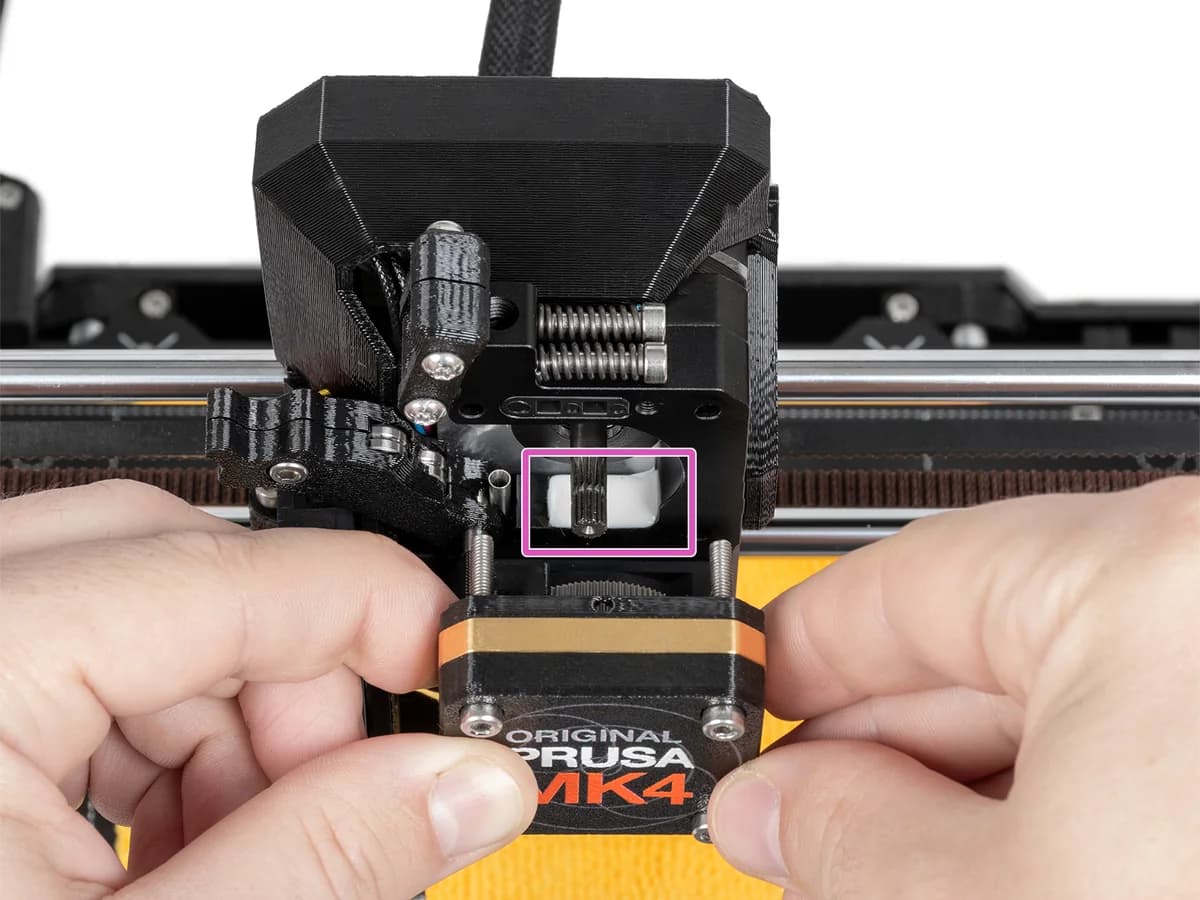
This printer moves fast—and smart—with integrated Input Shaper technology that dials down vibrations causing ringing artifacts during speedy travel moves, allowing double speeds over predecessors without sacrificing finish quality visibly appreciated by prosumers seeking efficiency gains daily on demanding prints.
Extrusion System (Nextruder)
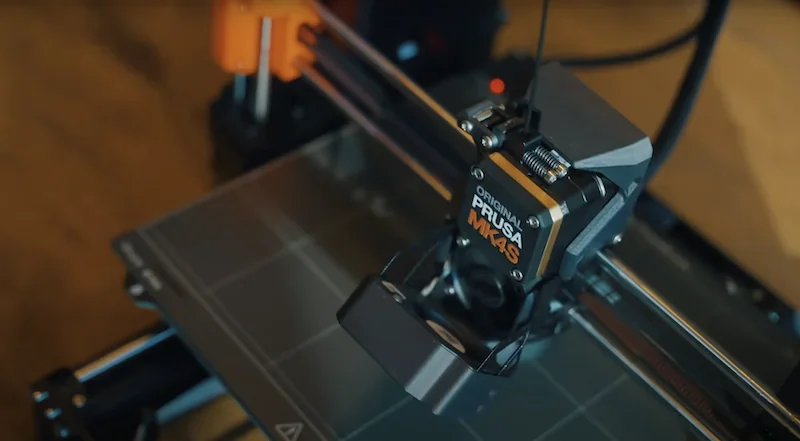
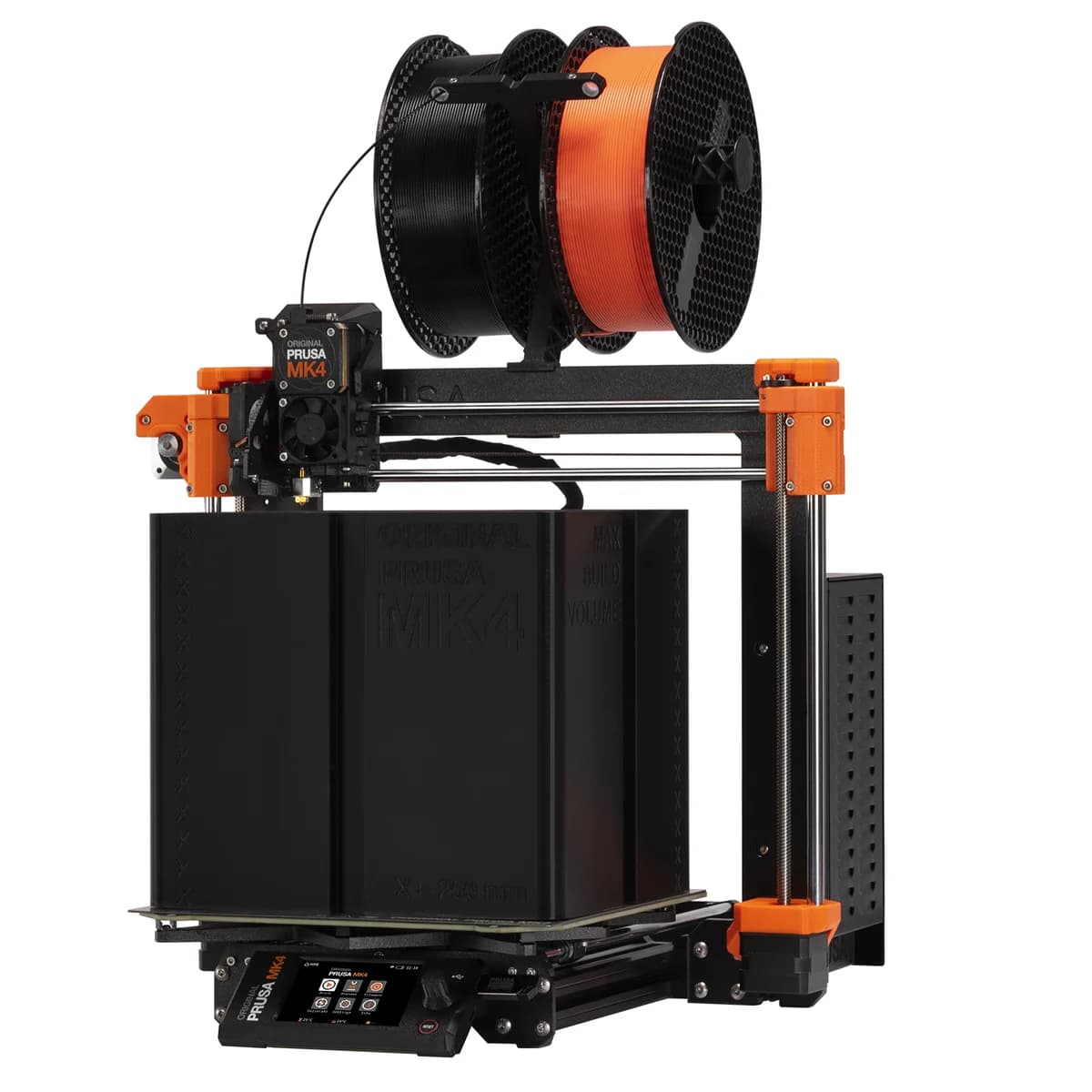
The heart of extrusion lies in the Nextruder’s planetary gearbox providing precise filament control alongside an all-metal hotend free from PTFE tubes that limit high-temp materials compatibility. Quick-swap nozzles simplify maintenance while supporting multi-material setups like MMU3 integration broadens creative horizons significantly beyond basic printers’ reach. Experts praise its balance between accessibility and capability—the Nextruder stands as both robust workhorse and enabler for experimentation alike.
Reliability & Uptime (Power Panic)
Downtime fears meet their match via the clever Power Panic feature, which detects power loss at the hardware level and enables seamless print recovery without user intervention or additional UPS gear. It minimizes costly wasted filament and frustration from sudden outages—crucial when tackling longer jobs or delicate projects requiring uninterrupted execution. Feedback points out strong uptime but occasional firmware quirks hint at room for polish in future updates; still, it sets a solid baseline for dependable performance.
Print Quality
When it comes to print quality, this printer shines with its Nextruder system delivering smooth layers and sharp details, reducing the usual fiddling. Users report consistent results thanks to tight dimensional control around 0.1mm accuracy, which means less sanding and more show-and-tell-worthy parts. The combination of advanced sensors ensures stable temperature regulation for cleaner prints, a boon for those chasing reliability in every layer. This model's print finesse is a testament to engineering that meets real-world expectations without needing constant babysitting.
Conclusion
The real magic of this printer lies in its print quality and the ingenious load cell first-layer calibration, which takes the guesswork out of adhesion woes. Its Nextruder extrusion system pairs precision with durability, while the savvy inclusion of Power Panic power-loss recovery keeps your prints safe when fate intervenes. Speed demons will applaud the subtle brilliance of Input Shaper technology, smoothing vibrations to unlock faster runs without sacrificing finish. Anchored by a robust die-cast aluminum frame, it feels built to last rather than just impress on paper. That said, some firmware quirks and homing hiccups remind us that perfection remains elusive. This machine suits those who value reliable craftsmanship balanced with smart automation—ideal for enthusiasts ready to invest in consistency over flashiness. In essence, it’s a dependable workhorse delivering thoughtful features where they count most: every layer down to every move made right.

Feature Scores
This reflects reviews and ratings from established critics, journalists, and users who have evaluated the item. Their opinions provide a comprehensive assessment.
Performance
Print Quality
5/5
Print Speed
4/5
Reliability
4/5
Build Volume
3/5
Dimensional Accuracy
4/5
Material Compatibility
5/5
Value
Price-to-Quality Ratio
4/5
Consumable Cost
4/5
Maintenance Cost
4/5
Total Cost of Ownership
4/5
Design
Physical Build Quality
5/5
Compactness
4/5
Ergonomics
4/5
Health
Emissions Control
3/5
Material Toxicity Transparency
3/5
Enclosure Availability
4/5
Safety
Thermal Safety Protections
4/5
Electrical Safety Certifications
TBD
Moving Parts Guards
4/5
Emergency Shutdown
4/5
Sustainability
Energy Efficiency
3/5
Recyclability
3/5
Recycled Materials Usage
3/5
Consumable Waste Management
3/5
Experience Style
Ease of Setup
4/5
Software Ecosystem
4/5
Customization
4/5
Community Support
5/5

Specifications
This section outlines the product's key facts, covering essential features, details, dimensions, materials, and any unique characteristics that define its functionality and usability.
Performance
Value
Design
Safety
Sustainability
Experience Style

Frequently Asked Questions
8 Questions
Find Yours
What is your primary use for a 3D printer?
Answer to find your best matches.