
reMarkable 2
Exceptional paper-like writing and distraction-free design offer focused productivity, despite high cost.
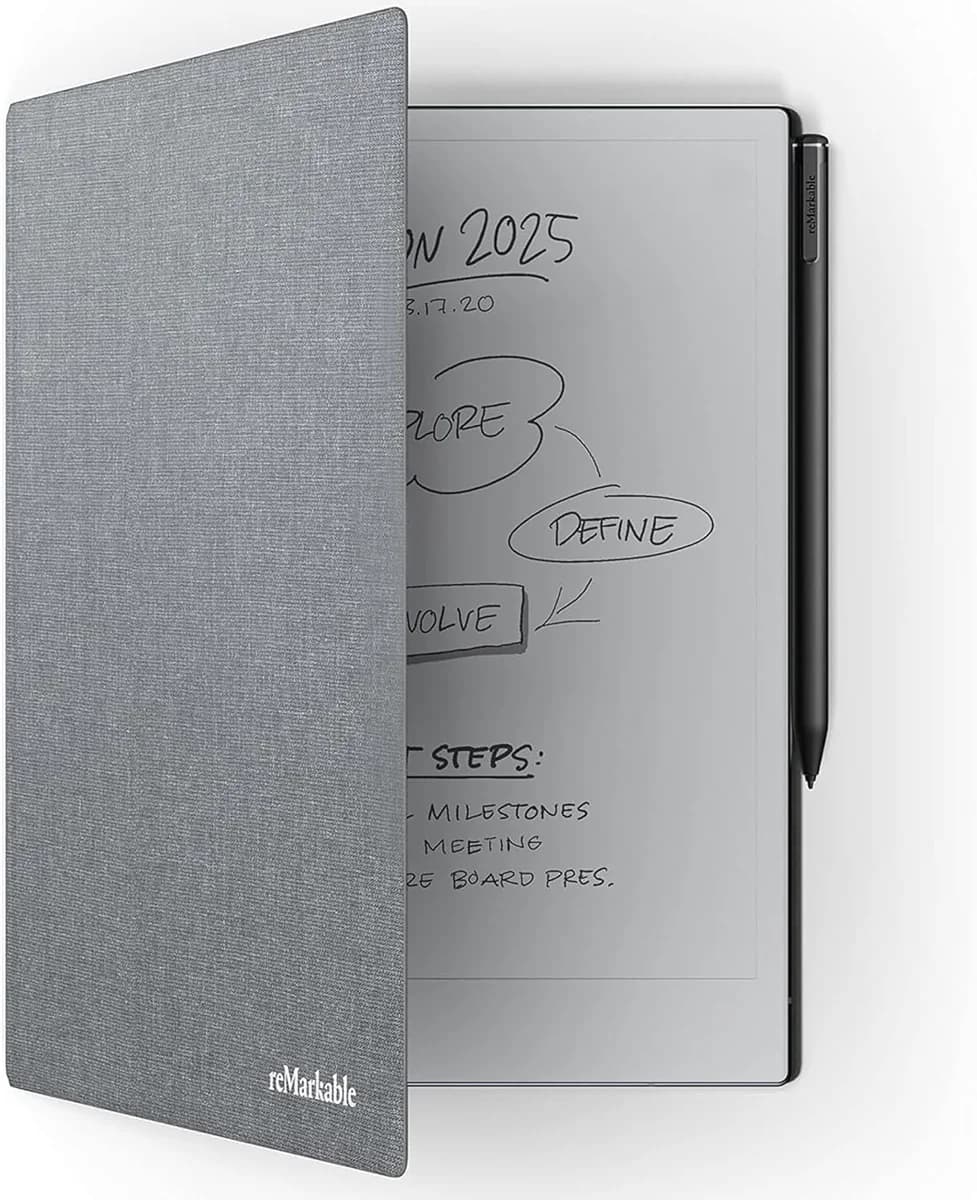
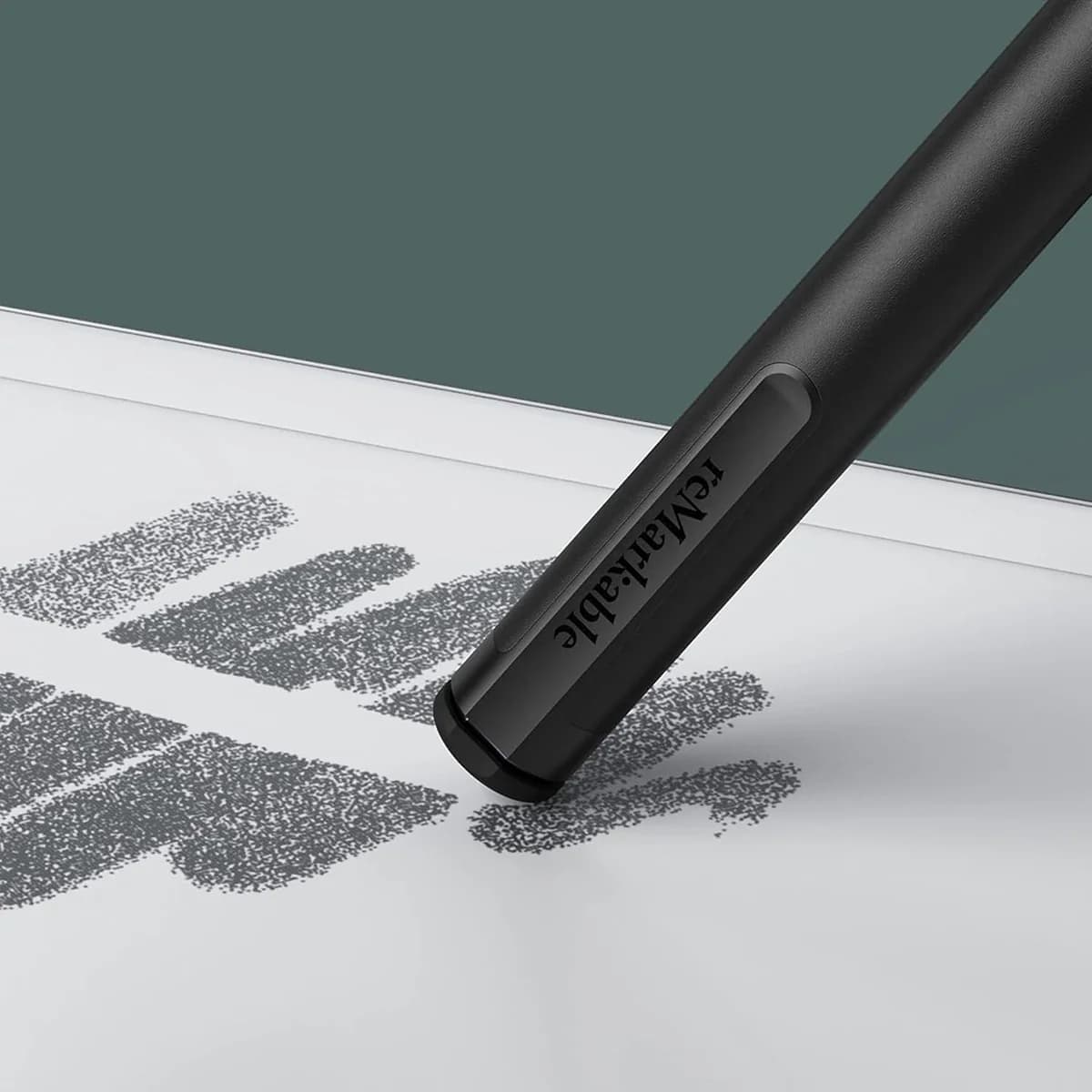
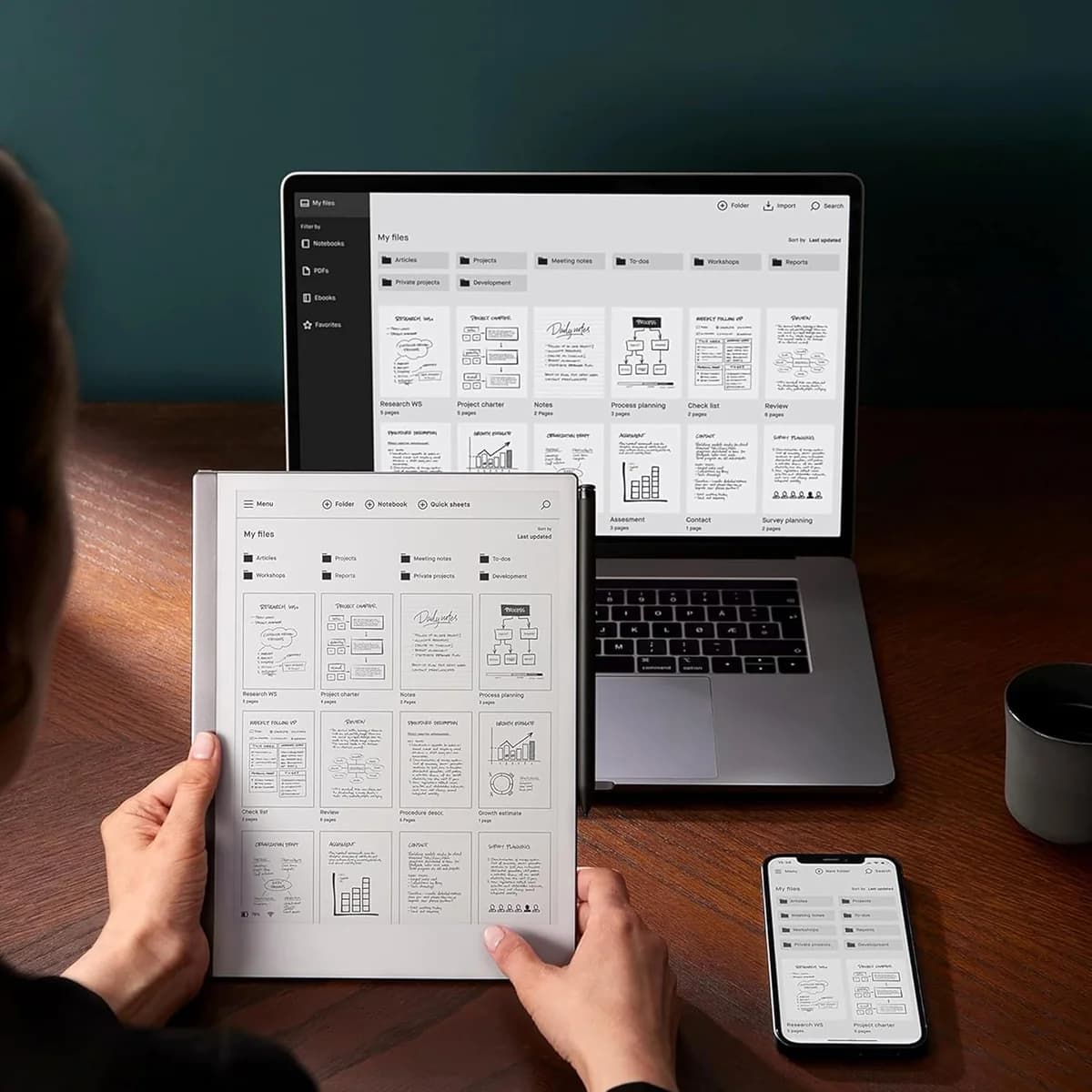
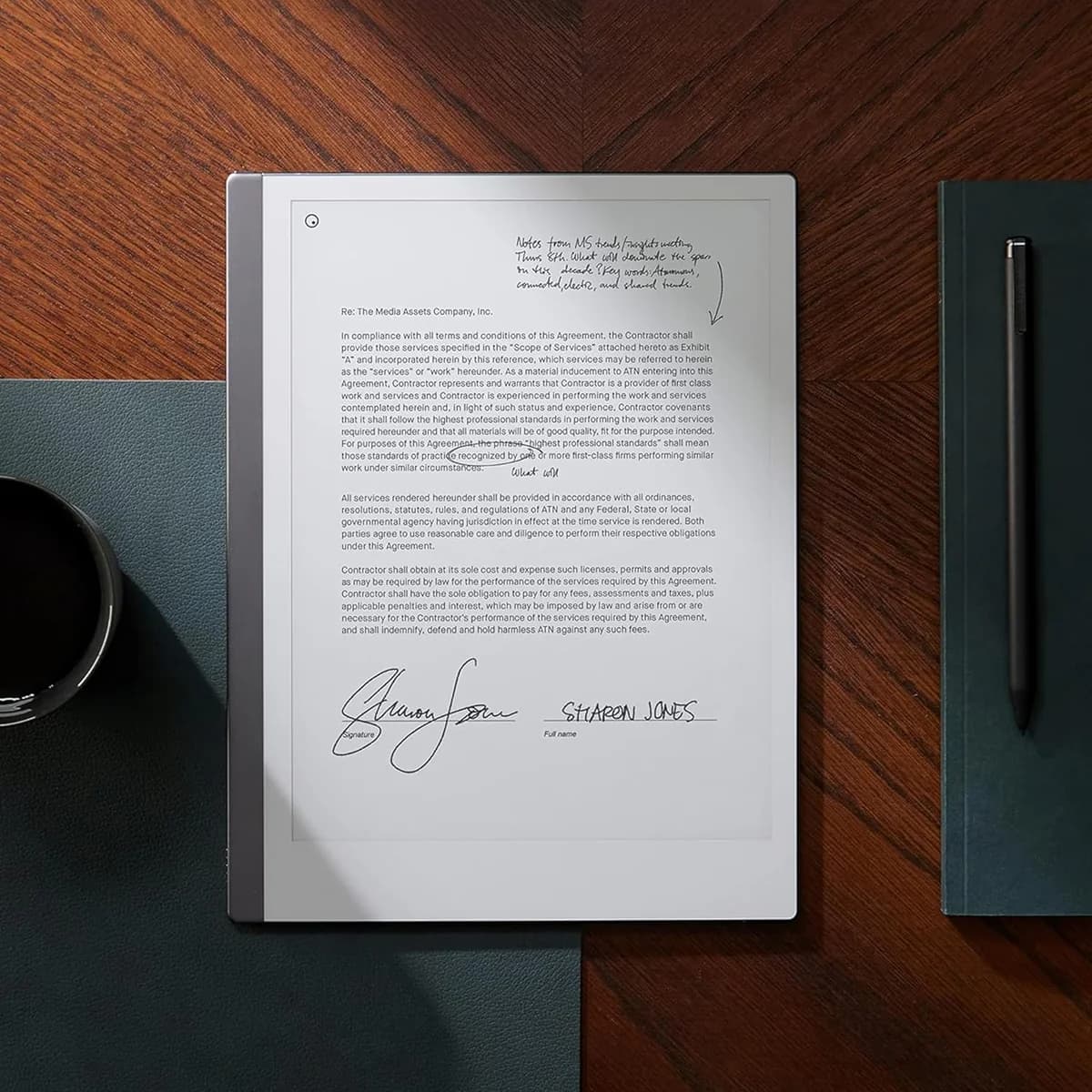
The reMarkable 2 is a sleek digital notepad that feels like pen on paper—perfect for creatives and professionals craving distraction-free focus. Its textured CANVAS E Ink display and Marker Plus stylus with 2048 pressure levels deliver an impressively authentic writing experience praised by users and experts alike. The device’s two-week battery life fuels marathon note-taking sessions, though the lack of a backlight limits night use. Cloud syncing via subscription keeps ideas flowing but adds to the premium price tag. With robust PDF annotation and neat handwriting-to-text conversion, this tablet rewards those valuing precision over flashy features—a worthy splurge for analog souls embracing digital clarity.
Find Yours
What is your primary use for a tablet?
Answer to find your best matches.

The Field
Browse top contenders, or compare all options ranked by score and key attributes.
4 Options

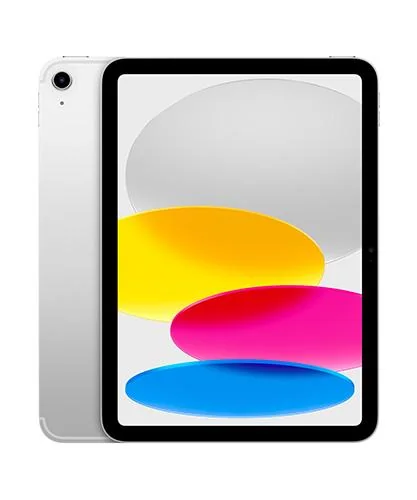
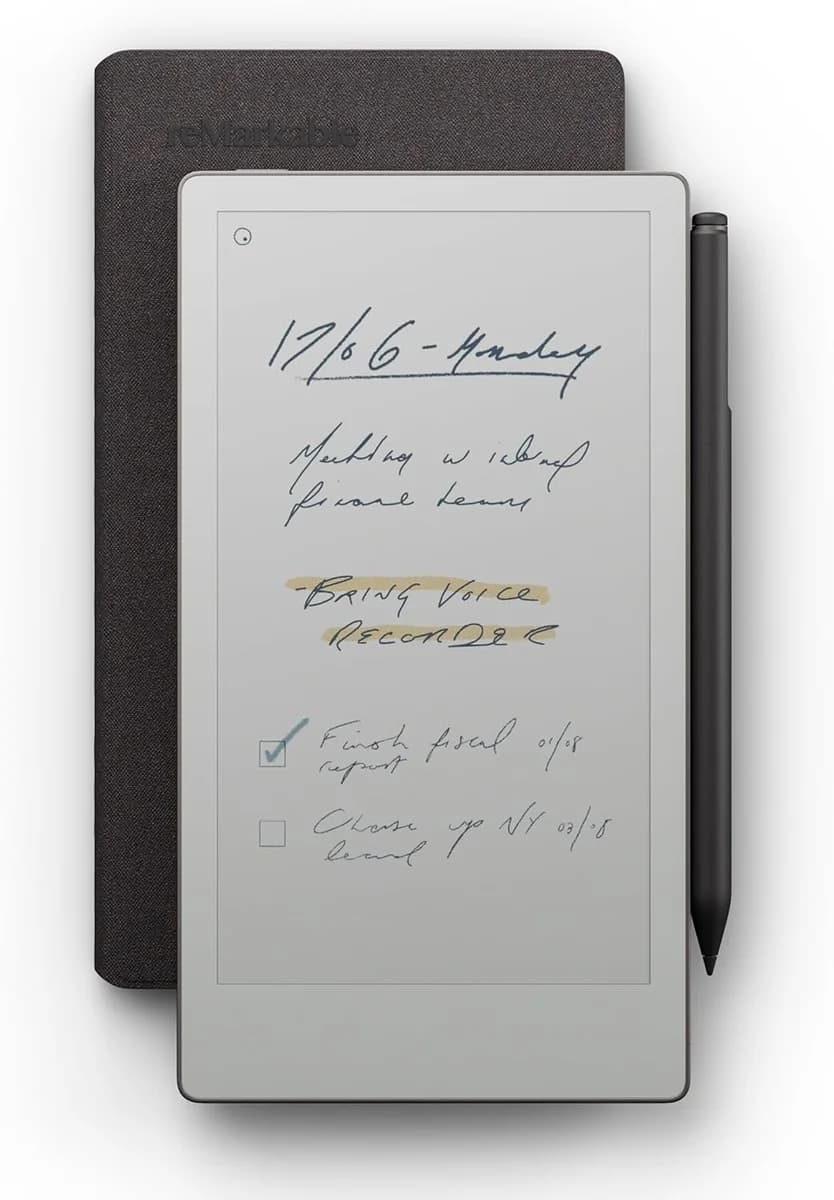

The Scoreboard
Does this improve your life? Considers, health, habits, and environmental impact.
Benefits
CANVAS E Ink and Marker recreate low-latency pen-on-paper feel, improving focus vs iPad.
E Ink display cuts blue-light and glare, easing eye strain compared with backlit LCDs.
Minimal OS with no apps or browser reduces notification interruptions, supporting prolonged focused work.
Low-power E Ink enables multi-week battery life, reducing charging frequency and attention interruptions.
Handwriting-to-text converts notes into editable files, often more accurate than iPad conversion.
Trade-Offs
Sealed aluminum body and non-replaceable battery increase e-waste; can be a drawback if prioritizing repairability.
Subscription cloud and closed syncing reduce user control; may worry those valuing open-data portability.
No frontlight limits low-light reading; can force harsher lighting, potentially disrupting evening routines.
Limited apps and file support often require another device, increasing context-switching and device overlap.
Weak Wi‑Fi and slow PDF sync interrupt workflows; can frustrate users needing instant access.
 Alternatives


Join the Circle
Where real meets deal
Know what's worth buying-and when.
Tips, special offers, and rewards for buying and sharing.

Publications
17 LEADING PUBLICATION REVIEWS

Sascha Segan from PCMag highlights the reMarkable 2 as the best E Ink tablet for note-taking, praising its exceptionally smooth, precise, and lag-free inking experience that closely mimics writing on paper. The tablet’s Wacom-based stylus support and responsive interface set it apart from competitors, making it ideal for users focused on handwriting and PDF annotation. However, Segan points out notable drawbacks, including the lack of a front light, limited document format support, and sluggish performance with complex PDFs. The device’s Wi-Fi connectivity is weak, and many cloud features require a costly monthly subscription, unlike competitors that offer these for free. While the reMarkable 2 excels as a dedicated note-taking tool, its restricted ebook capabilities and additional fees temper enthusiasm. Overall, Segan regards it as a specialized device with a unique inking advantage but recommends alternatives like the Onyx Boox Note Air 2 for more versatile E Ink tablet use.
By Sascha Segan
Henry T. Casey from Tom’s Guide highlights the reMarkable 2 as a uniquely focused tablet designed primarily for writers and those who cherish the feel of handwriting on digital paper. Praising its remarkably slim, metal design and natural writing experience, Casey emphasizes how the device excels at replicating the sensation of pen on paper, outperforming general-purpose tablets like the iPad in this niche. The review applauds the improved stylus latency, long battery life, and the handy handwriting-to-text conversion feature, though it notes the latter’s occasional accuracy issues. While the reMarkable 2 lacks apps, color display, and multimedia capabilities, these omissions are framed as intentional trade-offs to maintain its writing-first ethos. Casey also offers practical insights on accessories and real-world use, such as the preference for the pricier Book Folio case and the Marker Plus stylus. Overall, the review conveys genuine enthusiasm for the reMarkable 2’s specialized strengths, positioning it as an indispensable tool for focused note-taking and creative work despite its higher price and limited versatility.
By Henry T. Casey
Sharmishta Sarkar from TechRadar highlights the reMarkable 2 as the premier e-paper tablet for writing and sketching, praising its exceptional note-taking experience, sleek design, and continual firmware improvements that have added valuable features like cloud integration, handwriting-to-text conversion, and enhanced stylus precision. The reviewer admires the tablet’s paper-like feel, minimal input lag, and the innovative Type Folio accessory that transforms it into a capable E Ink laptop. However, Sarkar also points out significant limitations, notably the lack of frontlighting, which restricts use in low-light conditions and diminishes its appeal as an e-reader. The absence of a browser, limited file format support, and the high cost of the device and accessories further temper enthusiasm. Despite these drawbacks, the review conveys a measured but positive tone, emphasizing that while the reMarkable 2 is not a multimedia device, it excels at focused, distraction-free digital note-taking and creative work, making it a unique and worthwhile investment for dedicated users.
By Sharmishta Sarkar
Daniel Bader from Android Central highlights the reMarkable 2 as a transformative and focused writing tablet that excels at replicating the feel of pen on paper, offering a uniquely satisfying handwriting experience. Despite initial skepticism and its high price point—starting at $399 plus accessories—the reviewer found the device invaluable for organizing daily tasks and annotating documents by hand, praising its beautiful, slim aluminum design and impressive two-week battery life. The tablet’s e-ink display and stylus input create a tactile, paper-like interaction unmatched by traditional tablets, though input lag and the lack of a backlight are noted limitations. Bader also points out the clunky, unidirectional cloud apps as a significant drawback, reducing seamless workflow integration. While the reMarkable 2 is not a full-featured tablet and demands a deliberate purchase decision, its niche focus and well-executed core functionality make it highly recommended for those who prioritize handwritten note-taking and document annotation.
By Daniel Bader
Ally Thomas from Laptop Mag highlights the reMarkable 2 as a uniquely focused tablet designed to deliver a calm, distraction-free note-taking experience. Praising its incredibly low latency, crisp E Ink display, and remarkably thin design, Thomas emphasizes how the device closely simulates writing on paper, making it a joy for artists and note-takers alike. The review appreciates the long battery life and seamless PDF annotation capabilities, while also noting the thoughtful inclusion of multiple brush options and a smooth, pressure-sensitive marker experience. However, Thomas points out some drawbacks, including the marker being sold separately, the lack of a backlight which hampers use in low light, and limited search functionality within documents. Despite these issues and a relatively high price, the reviewer finds the reMarkable 2’s singular focus and elegant simplicity refreshing, ultimately calling it a pleasure to use for those seeking a dedicated digital notebook without distractions.
By Ally Thomas
Louryn Strampe from WIRED highlights the reMarkable 2 as a uniquely focused E Ink tablet that excels at replicating the feel of paper for handwritten notes, sketches, and PDF editing. Praising its thin, lightweight design and the satisfying, natural writing experience with the Marker stylus, Strampe conveys genuine appreciation for its niche appeal to dedicated note-takers. However, the review tempers enthusiasm with clear reservations: the device’s limited functionality—no internet browsing, no app ecosystem, and weak cloud integration—restricts its usefulness. Features like handwriting-to-text conversion and article reading are underwhelming, and hardware omissions such as lack of waterproofing or tracking capabilities are notable drawbacks. While the reMarkable 2 offers a charming, distraction-free alternative to tablets like the iPad, Strampe suggests it remains a specialized tool best suited for those prioritizing paper-like note-taking over versatility, recommending cautious consideration before investing in this imperfect but admirable device.
By Louryn Strampe
Chris Taylor from Mashable highlights the reMarkable 2 as a uniquely pleasurable and innovative e-ink tablet that significantly improves on its predecessor’s paperlike writing experience. Praising its near-instant ink response, sleek design, and extended battery life, Taylor conveys genuine enthusiasm for the device’s ability to mimic pen and paper while offering modern conveniences like magnetic stylus attachment and cloud syncing. He notes thoughtful software enhancements such as diverse page templates and impressive handwriting recognition, though he points out limitations like slow document sync, minimal pen stroke customization, and the inability to store converted text beyond emailing it. While the folio case’s stiffness and some jagged brush strokes may frustrate artists, Taylor frames these as minor trade-offs in an otherwise remarkable tool for distraction-free, handwritten note-taking. Overall, he regards the reMarkable 2 as a rare, futuristic device that stands apart from more expensive tablets, ideal for those seeking a focused, digital writing experience.
By Chris Taylor
Prakhar Khanna from Forbes highlights the reMarkable 2 as a uniquely focused digital notepad that excels at delivering a distraction-free writing experience. He praises its lightweight, solid build and the paper-like feel enabled by the fast, responsive e-ink display and the well-designed Marker 2 stylus, noting excellent palm rejection and pressure sensitivity. Khanna appreciates how the device enhances productivity by eliminating typical tablet distractions, making it ideal for brainstorming and note-taking. However, he points out notable limitations, such as the lack of a backlight, slower e-ink scrolling, absence of universal search, and limited e-reader functionality due to no image support or browser capabilities. The subscription model also feels pricey, with a desire for a more affordable cloud storage option. Ultimately, Khanna finds the reMarkable 2 to offer the best note-taking experience on an e-ink device but cautions that its high cost and single-purpose design mean it’s a worthwhile investment only for those who highly value focused writing.
By Prakhar Khanna
Daniel Bennett from BBC Science Focus highlights the reMarkable 2 as a uniquely focused digital notebook designed to replace traditional pen and paper. Praising its remarkably paper-like e-ink display, pressure-sensitive stylus, and customizable notebooks, he emphasizes how the device excels at decluttering workspaces and helping users organize thoughts without distractions common to multifunction tablets. Bennett appreciates the tactile writing experience, noting it surpasses other stylus devices in mimicking pen on paper. While the interface can feel slightly clunky due to e-ink limitations, and the stylus nibs require regular replacement, these are minor quibbles in an otherwise polished tool. The main drawback is its steep price, which may deter some potential users despite its exceptional performance. Overall, Bennett finds the reMarkable 2 a compelling choice for professionals and students seeking a dedicated, distraction-free writing device, valuing its simplicity and focus over feature overload.
By Daniel Bennett
Sanibel Lazar from The Quality Edit highlights the reMarkable 2 as a transformative tool for writers and note-takers who crave the tactile feel of pen on paper without the clutter of physical notebooks. Praising its remarkably realistic writing experience—thanks to the Marker stylus’s paper-like friction and diverse pen options—the review emphasizes how the tablet excels at organizing handwritten notes, annotating PDFs, and syncing seamlessly with desktop apps. Lazar appreciates the device’s distraction-free design, long battery life, and thoughtful features like Quick Sheets and customizable templates. While the grayscale screen limits color display to the companion app, this is framed as a purposeful trade-off to maintain focus. The review also acknowledges the optional Connect subscription and compares the reMarkable 2 favorably to its predecessor and the newer Paper Pro model, noting the 2’s portability and affordability. Overall, the tone is enthusiastic and confident, portraying the reMarkable 2 as an ideal digital notebook replacement for creative and academic users alike.
By Sanibel Lazar
Susan Dennard highlights a deeply personal and enthusiastic endorsement of the reMarkable 2, emphasizing how it uniquely bridges the gap between traditional paper and digital note-taking for creative professionals. She praises the device’s exceptional handwriting feel, near-perfect text conversion, and seamless cloud syncing, which have transformed her writing and editing workflow by eliminating paper clutter without sacrificing tactile satisfaction. Dennard candidly addresses the device’s limitations, including its high total cost (marker and keyboard sold separately), lack of apps, absence of a backlight, and battery life concerns, yet these drawbacks do not diminish her overall affection. Her detailed real-world use cases—brainstorming, scene outlining, and manuscript editing—offer valuable insights into how the reMarkable 2 excels in niche creative contexts. The review’s warm, genuine tone and practical examples make it clear that while the device is not for everyone, it is a game-changer for those who, like her, rely heavily on handwritten workflows.
By Susan Dennard
Anthony Sculimbrene from Everyday Commentary highlights the reMarkable 2 as a highly effective and thoughtfully designed “paper tablet” that excels in focused note-taking and document review, particularly for legal professionals. He praises its near-authentic writing experience, slim and substantial build, and distraction-free tech integration that fosters deep concentration. Unique insights include its role as a “funnel” for information, helping users avoid the overwhelm of typical multitasking devices. While he notes minor design nitpicks—such as the folio’s weak magnets causing the pen to occasionally detach—these do not detract from the overall positive impression. Sculimbrene emphasizes that the device is not a “hobbled iPad” but a distinct tool that encourages more frequent use than paper itself. His enthusiasm is clear, underscored by real-world use cases like reviewing thousands of legal documents outdoors and billing more hours on day one than the device’s cost. The review conveys genuine delight balanced with practical observations, culminating in a strong recommendation.
By Anthony Sculimbrene
Sebastian Gebski from No Kill Switch highlights the reMarkable 2 as a thoughtfully designed e-ink tablet that excels in hardware quality, offering solid build, precise and low-latency stylus input, and a satisfying note-taking experience reminiscent of paper’s flexibility. While the device impresses with its responsiveness and accuracy, the review conveys a cautiously positive tone due to significant software limitations. The minimalistic firmware lacks advanced features like dictionary support, robust OCR, and integration with popular note-taking platforms, which hampers its potential as a seamless digital note-taking front-end. The companion PC app and Chrome extension work adequately but reveal quirks, such as poor EPUB rendering and occasional bugs. Gebski appreciates the device’s core strengths but underscores that its true value depends on future software improvements, especially in expanding note space, better syncing, and richer ecosystem connectivity. Overall, the review balances enthusiasm for the hardware with measured critique of the software, reflecting both promise and current shortcomings.
By Sebastian Gebski
Jared Belcher highlights the reMarkable 2 as a uniquely joyful productivity tool that has deeply integrated into his daily workflow, despite its more limited feature set compared to devices like the iPad. Emphasizing the tablet’s e-ink display and focused design, he praises how its simplicity and tactile writing experience make note-taking and task management genuinely enjoyable, which ultimately drives consistent use. While acknowledging that the reMarkable 2 doesn’t offer the broad functionality of more powerful tablets, Belcher’s enthusiasm stems from how well it fits his personal productivity style—valuing ease and pleasure over feature overload. His long-term use and subsequent upgrade to the Paper Pro underscore the reMarkable 2’s role as a foundational writing device. The review offers a thoughtful perspective on how the device’s “limitations” are actually its strengths, making it a compelling choice for users seeking a distraction-free, satisfying digital writing experience.
By Jared Belcher
Dan from eWritable highlights the reMarkable 2 as a beautifully designed and durable e-ink tablet that excels in delivering a premium, minimalist note-taking and typing experience. He praises its slim form factor, solid build quality, and the tactile, natural feel of writing on its proprietary CANVAS screen, which remains one of the best implementations of pressure and tilt sensitivity. However, Dan also points out notable limitations: the device’s hardware is low-spec by modern standards, leading to occasional sluggishness with large PDFs and a basic, sometimes frustrating reading app. The lack of third-party app support and minimal hardware features (no frontlight, Bluetooth, or expandable storage) restrict its versatility. Accessories, while well-made, are considered overpriced. Despite these drawbacks, Dan appreciates the seamless integration with reMarkable’s companion apps and the exceptional typing experience with the keyboard folio. Overall, he views the reMarkable 2 as a niche, elegant tool best suited for focused note-taking and document work, but less competitive against newer, more feature-rich e-ink tablets.
By Dan
Filip Verloy assesses the reMarkable 2 as an excellent tool primarily for dedicated note-taking, praising its paper-like writing experience and highly accurate text conversion, which surpasses that of an iPad. He highlights the tablet’s Screen Share feature as a seamless way to draw and present in real time, expanding its utility beyond simple note-taking. However, Verloy expresses reservations about using the device as an e-reader, noting limitations such as lack of front lighting, lower contrast, and the need to zoom on complex PDFs, which detract from reading comfort compared to dedicated e-readers like the Kindle. He also appreciates the Chrome plugin for distraction-free article reading and annotation. Overall, Verloy’s tone is measured and thoughtful, recommending the reMarkable 2 strongly for users focused on note-taking who can integrate it consistently into their workflow, while advising caution for those seeking a versatile all-in-one device, especially for reading in varied lighting conditions.
By Filip Verloy
Michael Linn from Original Content Books offers a measured and candid assessment of the reMarkable 2 tablet after four weeks of use. While acknowledging the device’s unique position as a hybrid between analog paper and digital tablets, Linn expresses skepticism about its value given the high cost—especially when fully equipped with the marker and eraser, which push the price well above comparable tablets like the iPad. He highlights some positive aspects, such as the lightweight design, good performance in sunlight, and a variety of built-in templates that enhance the writing experience. However, limitations like pen lag, lack of support for popular DRM-protected eBooks (e.g., Kindle), and a handwriting-to-text feature that falls short compared to modern speech-to-text reduce its appeal. The cloud-based Connect service’s read-only access and ongoing subscription fee also detract from usability. Linn appreciates the straightforward 100-day return policy but ultimately finds the reMarkable 2 not worth the money for most users.
By Michael Linn

YouTube
18 LEADING EXPERT & INFLUENCER REVIEWS
 Brad Colbow
Brad Colbow praises the reMarkable 2 for its remarkably authentic paper-like writing and drawing experience, highlighting the low pen latency and well-designed stylus. While impressed by its note-taking and sketching feel, he notes limitations like the monochrome E Ink display, lack of apps, and interface lag, making it less ideal for artists seeking advanced features.
Tom at Paperless MovementTom at Paperless Movement highlights the reMarkable 2’s exceptional paper-like writing feel and distraction-free design but criticizes its limited organization features, poor cloud syncing, and costly subscription model. He values its tactile experience yet warns that its ecosystem and functionality lag behind alternatives like the iPad with Apple Pencil.
Switch and ClickSwitch and Click praises the reMarkable 2’s paper-like writing feel, eye-friendly E Ink display, and impressive two-week battery life, but notes its steep $400 price and occasional screen refresh lag. The reviewer highlights useful features like shape correction and text conversion but finds the interface clunky and limited, making it ideal only for focused, specific use cases.
6 Months LaterJosh Teder praises the reMarkable 2 for its exceptional, paper-like writing experience, distraction-free interface, and intuitive features like layers and scrolling canvas. He values its cloud sync via the Connect subscription but notes downsides such as lack of backlight, slower refresh, and limited resolution. While the newer Paper Pro offers improvements, the reMarkable 2 remains a strong choice for focused note-taking and ideation.
ShortCircuitShortCircuit enthusiastically highlights the reMarkable 2’s premium build, paper-like writing feel, and improved latency over its predecessor. While praising its productivity features like PDF markup and handwriting-to-text conversion, the review notes limited pen sensitivity for light strokes and high accessory costs, offering a balanced yet positive perspective.
Kit Betts-MastersKit Betts-Masters praises the reMarkable 2 as a sleek, premium e-ink tablet that excels as a digital notebook and drawing tool, offering a satisfying pen-on-paper feel and excellent battery life. He notes its limited digital features and subscription model but highlights its strength in focused note-taking, planning, and professional workflows.
Run The JoulesRun The Joules enthusiastically praises the reMarkable 2 for its life-changing impact after two years of daily use, highlighting its ultra-thin design, tactile paper-like feel, and distraction-free environment. Despite limited features and a high price, the tablet’s seamless integration with daily productivity practices makes it indispensable for focused writing and organization.
Jake Does StuffJake Does Stuff praises the reMarkable 2 for its distraction-free, paper-like writing experience and ultra-thin design, making it a perfect digital notebook replacement. He values its durability, cloud sync, and handwriting conversion but notes drawbacks like the paid subscription, lack of backlight, and limited search functionality. Overall, he finds it highly practical for focused note-taking despite its premium price.
Tech RankTech Rank praises the reMarkable 2 for its ultra-minimalist, distraction-free design and exceptional paper-like writing experience, highlighting its thinness, light weight, and advanced note organization tools. While noting its limitations as a reading device and lack of color or backlight, the review emphasizes its focus on pure writing and productivity, making it ideal for users seeking analog-like digital note-taking.
Mark VletterMark Vletter offers a cautiously critical yet nuanced take on the reMarkable 2, praising its sleek design and distraction-free reading and annotation experience. However, he highlights significant drawbacks like expensive accessories, poor OCR for note export, limited ebook support, and weak cloud integration. Despite daily use, he wouldn’t repurchase it, favoring competitors with better modern features.
Melody DobrininMelody Dobrinin praises the reMarkable 2’s paper-like writing experience, portability, and cloud syncing, making it great for focused note-taking. However, she highlights significant drawbacks: limited screen size without zoom, frustrating left-handed support, weak pen attachment, and underwhelming handwriting-to-text accuracy. She recommends it only for users prioritizing distraction-free writing over features like color or advanced text conversion.
Branden BodendorferBranden Bodendorfer praises the reMarkable 2 for its thin, lightweight design, smooth writing feel, and distraction-free note-taking, highlighting its excellent software and cloud syncing. He notes the Paper Pro’s advantages in color, backlit display, and faster responsiveness but emphasizes the reMarkable 2 remains a high-quality, focused device ideal for users valuing simplicity over extra features.
The Spark!Mark Kelly from The Spark! offers a balanced, thoughtful review of the reMarkable 2, praising its sleek design, superior handwriting-to-text conversion, and paper-like writing feel. However, he ultimately returns it due to lack of Kindle book support, high cost with accessories and subscription, and absence of a backlight—key factors for his daily use.
Writer's ImplementsWriter’s Implements praises the reMarkable 2 for its minimalist, distraction-free design and excellent writing experience that fosters sustained creativity and productivity. While noting its slow navigation, high stylus cost, and limited drawing capabilities, the reviewer values its durability, long battery life, and ongoing software support, recommending it especially for focused writers.
MonstyMonsty praises the reMarkable 2 for its thin, lightweight design, long battery life, and reliable Wi-Fi connectivity after a year of use. She appreciates the paper-like writing experience with the Marker and Marker Plus, durable build, and intuitive software updates. Minor issues include slow charging and occasional presentation glitches, but overall, she finds it a sturdy, focused productivity tool.
Matt FitzgeraldMatt Fitzgerald praises the reMarkable 2 for its paper-like feel, long battery life, and distraction-free design, highlighting its strength in handwriting, journaling, and PDF markup. He notes limitations in pen precision, slow text conversion, and niche use cases, emphasizing it’s best as a paper replacement rather than a productivity game-changer.
Brandon BoswellBrandon Boswell praises the reMarkable 2 as a world-class, distraction-free device focused solely on delivering an exceptional paper-like writing experience. He highlights its minimalist design choices, like no backlight, to optimize writing quality. While acknowledging its limited utility compared to the versatile iPad, he strongly recommends it for professionals and students seeking focus and clarity.
Matterhorn Business DevelopmentGreg Winteregg from Matterhorn Business Development praises the reMarkable 2 for its paper-like writing feel, lightweight design, and fast boot-up, highlighting improved battery life and durable black pen tips. He notes key drawbacks: the insecure magnetized pen holder, limited pen replacement options, and occasional jagged lines affecting artists. Overall, he values it as a focused, distraction-free note-taking tool.

Social
6 INFLUENCER REVIEWS
 DRAA
DRAADRAA shares her thoughts on the reMarkable 2, praising its paper-like drawing experience, lightweight design, and eye-friendly e-ink display. She appreciates its focused simplicity and satisfying stylus feel, though she notes limitations like limited brush options, stroke lag, and clunky zoom. Despite its niche appeal and high price, she finds it charming and promising. Overall, DRAA views the reMarkable 2 as a compelling digital scratchpad that complements rather than replaces traditional paper. While she hesitates to recommend it over more versatile tablets like the iPad Pro, she remains optimistic about the future of e-ink devices and encourages followers to request a full review.
Tejas Patil | Tech & AITejas Patil | Tech & AI highlights the reMarkable 2 as a transformative note-taking tablet that feels just like writing on paper. He praises its smooth, distraction-free experience, lightweight design, excellent PDF annotation, and impressive battery life lasting weeks. The review conveys genuine enthusiasm for its daily use in creative and professional tasks. Overall, Tejas highly recommends the reMarkable 2 for creators, students, and professionals seeking a minimalist, portable digital paper tool. While the tone is strongly positive, the review remains grounded in practical benefits, making it a confident endorsement for those wanting to enhance productivity through digital note-taking.
 Danie
DanieDanie highlights the reMarkable 2’s impressive battery life—lasting about 300 hours compared to their iPad’s six—and its sleek, thin design. They find the always-on screen message unusual but intriguing, noting it stays visible until powered off. While not deeply detailed, the review conveys genuine appreciation for the device’s unique features. Overall, Danie’s sentiment is cautiously positive, appreciating the reMarkable 2’s standout battery and form factor for university use. Though the screen message is a quirky surprise, they seem pleased and recommend it as a cool, practical digital paper alternative, especially for those needing long battery life.
Emilie Leyes • HypnosisEmilie Leyes highlights how the reMarkable 2 tablet has transformed her organization and productivity, especially managing ADHD and multiple roles. She praises its dual notebook and PDF markup features, seamless organization, and portability, emphasizing how it consolidates her scattered notes and ideas into one accessible place. Overall, Emilie enthusiastically recommends the reMarkable 2 to neurodivergent and multi-passionate users, calling it her favorite device that truly changed her workflow. Her glowing endorsement is heartfelt and personal, making it a strong, genuine recommendation.
Fiona Lucas | Author 📚🇬🇧Fiona Lucas | Author 📚🇬🇧 highlights the reMarkable 2’s seamless handwriting-to-text conversion, praising how it saves time by allowing quick transfer of notes directly into writing software like Scrivener. She appreciates the convenience over previous methods like dictation or manual typing, emphasizing its practical value for authors. Overall, Fiona’s sentiment is positive and appreciative, focusing on the tablet’s efficiency and ease of use for her writing process. While brief, her endorsement suggests the reMarkable 2 is a helpful tool for writers who prefer handwritten notes but want digital flexibility.
Ryan KennedyRyan Kennedy highlights the reMarkable 2’s impressive large, textured e-ink screen that mimics paper, its responsive touchscreen, and versatile templates for organizing and creative tasks like writing music. He notes convenient features like the pen’s eraser function and easy exporting options but points out the device’s high cost as a significant drawback. Overall, Ryan’s review is enthusiastic about the reMarkable 2’s unique writing experience and productivity potential, recommending it for those who value these features despite the steep price, suggesting it may not be the best fit for everyone.

Store Reviews
CUSTOMER REVIEWS FROM 1 STORE
Amazon reviewers praise the reMarkable 2 for its exceptional writing experience, highlighting how naturally it mimics paper and enhances productivity by allowing users to organize notes seamlessly into folders and notebooks. Many users emphasize its distraction-free design, which helps them focus on note-taking, document annotation, and managing work or personal projects without interruptions. Reviewers appreciate the device’s versatility, such as layering notes over PDFs for interactive studying or meetings, and the ability to convert handwriting to searchable text, which streamlines information retrieval. Several users commend the intuitive interface and the variety of customizable templates, noting how these features simplify organizing complex workflows and long-term projects. The reMarkable 2’s cloud syncing and cross-device accessibility also receive positive remarks, enabling users to access their notes anywhere. Unique insights include creative uses of layers to quiz oneself or reuse checklists multiple times, and the device’s minimalist appeal that encourages sustained focus compared to more multifunctional tablets. However, some reviewers on Amazon express concerns about the device’s high price point and occasional hardware issues, such as pen malfunctions after extended use. Others mention the lack of a backlit screen limits usability in low-light environments, and some find the handwriting-to-text conversion requires manual corrections. While connectivity generally works well, a few users report intermittent Wi-Fi challenges. Despite these drawbacks, many users consider the reMarkable 2 a worthwhile investment for those seeking a dedicated digital notebook that prioritizes simplicity and effective note management.
4.3 Stars / Many verified reviews

Forum Reviews
CUSTOMER REVIEWS FROM 1 FORUM
Reddit users generally appreciate the reMarkable 2 for its paper-like writing experience, minimalistic design, and distraction-free interface, praising its responsiveness and suitability for extensive note-taking and creative work. Many highlight its excellent latency and the satisfaction of handwriting digitally, with some considering it life-changing for productivity. However, critiques focus on its high price, lack of backlight, limited search functionality for handwritten notes, and occasional software limitations such as slow menus and gesture recognition issues. While new users often debate its value compared to more versatile tablets, upgraders note incremental improvements but sometimes express disappointment over missing features and software constraints.
Many comments

In-Depth Review

Highlights
- •Paper-like writing feelNatural pen-on-paper friction
- •Stylus functionalityMarker Plus with eraser and tips
- •Organization toolsFolders, tags, move/scale pages
- •Handwriting conversionConvert handwriting to text; 33 languages
- •Battery lifeUp to two weeks typical use
- •Distraction-free designMarketed as no apps or notifications

Considerations
- •Cost relative to featuresHigh upfront price for focused feature set
- •Subscription requirementConnect required for full cloud features
- •Pen tips wear issuesReplacement tips wear quickly and costly
- •Limited feature setNo backlight and no third‑party apps
- •Handwritten search limitationHandwriting not searchable until converted
- •Reliability and repair concernsReported pen/device failures and repair limits
With a solid reputation for pioneering digital paper tablets, this product positions itself as the go-to tool for professionals and creatives seeking a distraction-free writing experience. Its textured CANVAS E Ink display delivers an impressively authentic pen-on-paper feel that users often describe as transformative. The included Marker Plus stylus—with its built-in eraser and pressure sensitivity—ensures precision and fluidity in note-taking or sketching sessions. Noteworthy is the device’s long-lasting battery life, which supports extended use without frequent recharging, making it ideal for on-the-go productivity. Built with durability in mind, its sleek yet sturdy design balances portability with resilience. Additionally, support for PDF annotation combined with seamless handwriting-to-text conversion adds practical versatility beyond simple note-taking. Targeted at students, professionals, and anyone eager to replace cluttered notebooks with streamlined tech, this tablet invites careful exploration of its standout features that redefine digital handwriting—making sure your notes never lose their edge or charm.
Build quality & durability
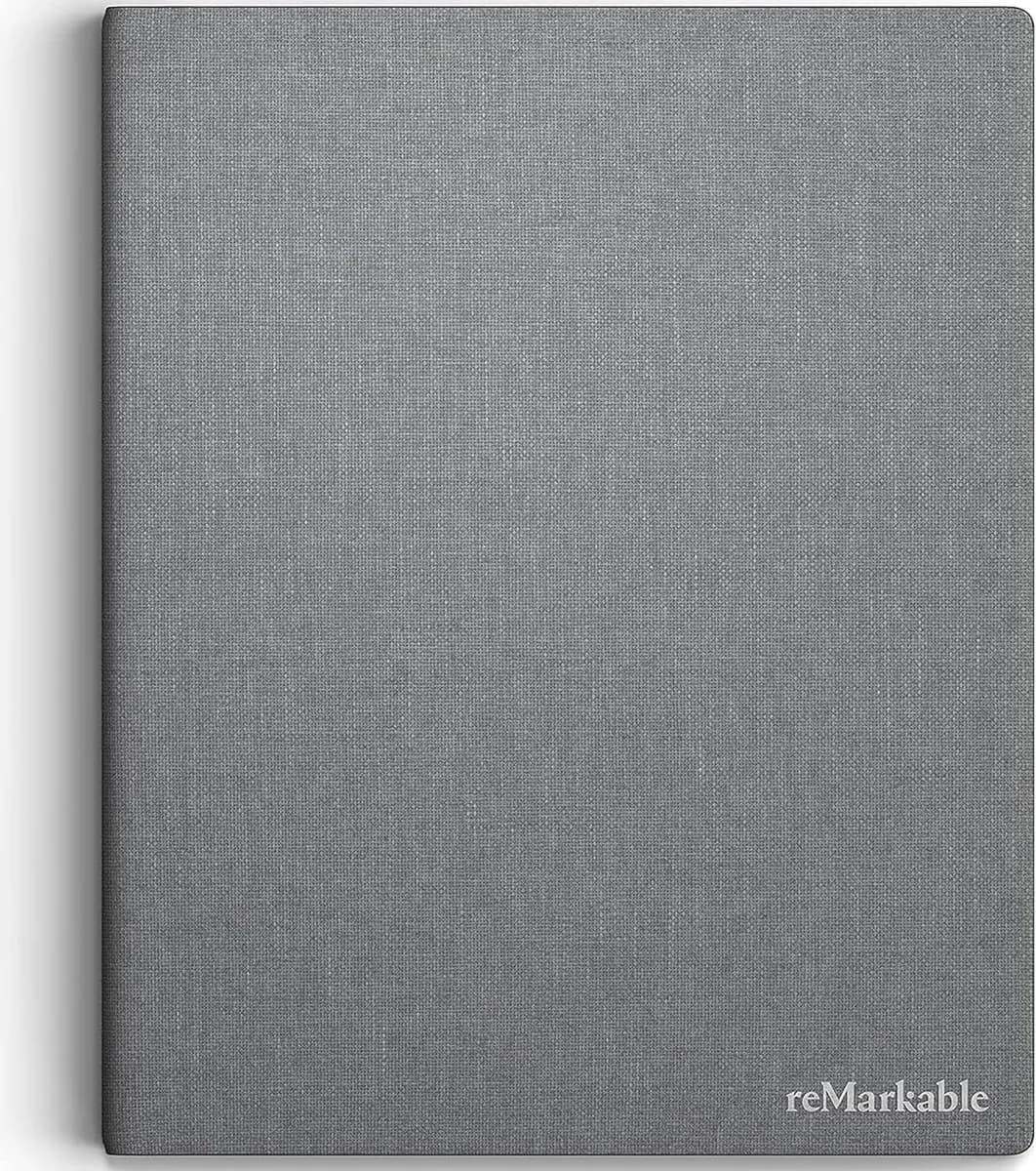
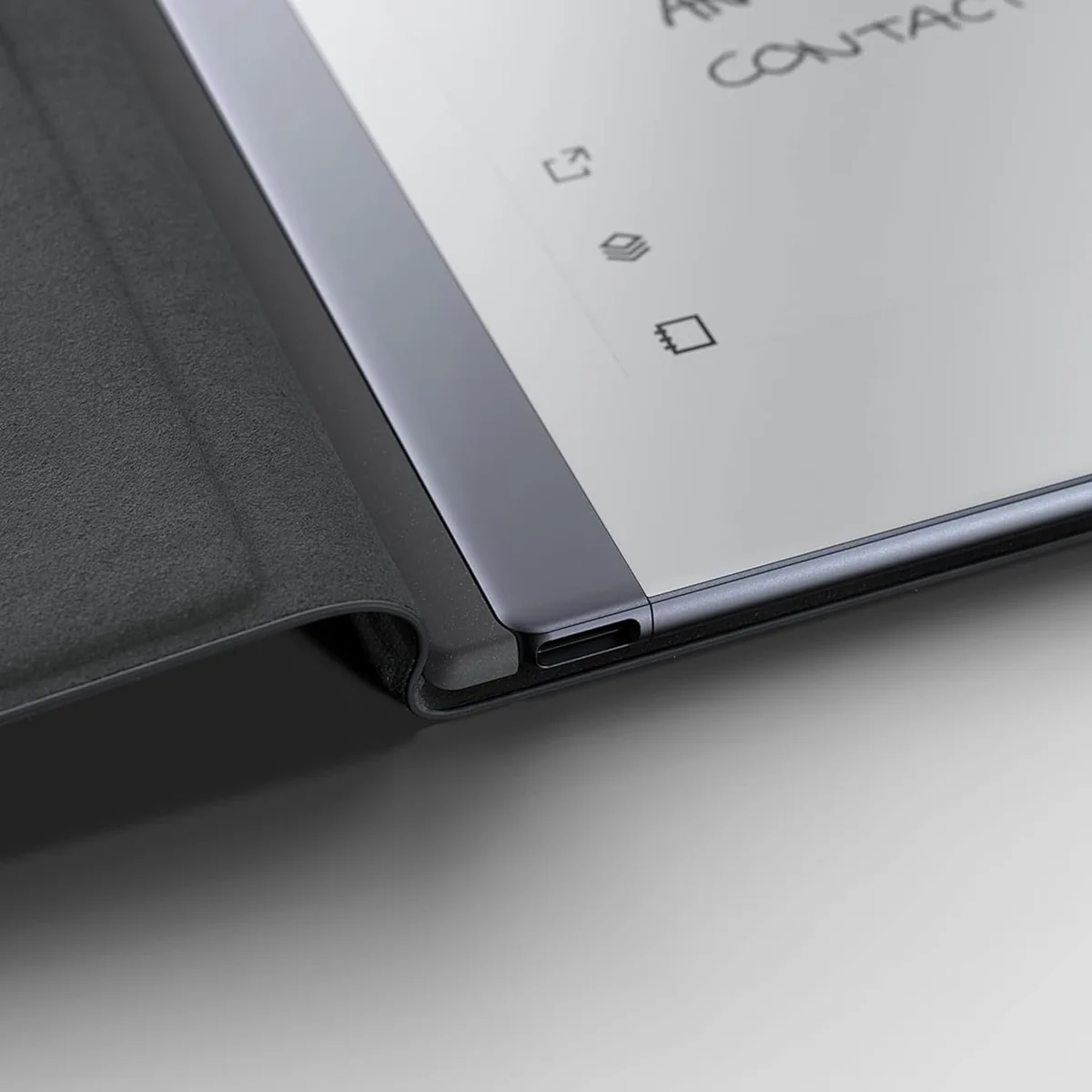
Crafted into an ultra-thin form factor weighing just over 14 ounces, build quality strikes a balance between lightweight portability and sturdy construction suitable for everyday carry without fragility fears noted among occasional user complaints about hardware malfunctions after months of use; materials selection aims at professional-grade aesthetics combined with robust endurance against routine handling stresses ensuring reliable performance over time.
Stylus functionality
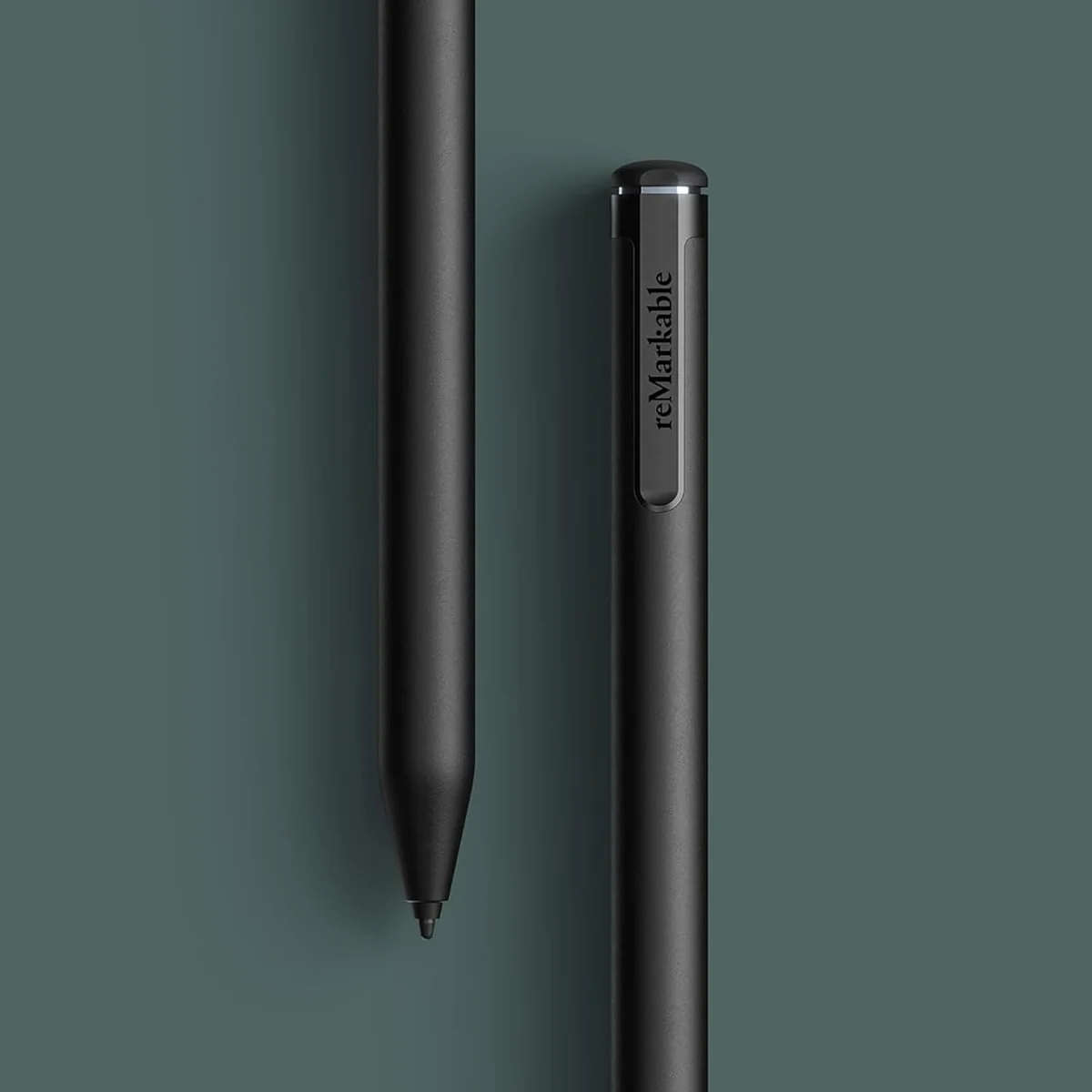
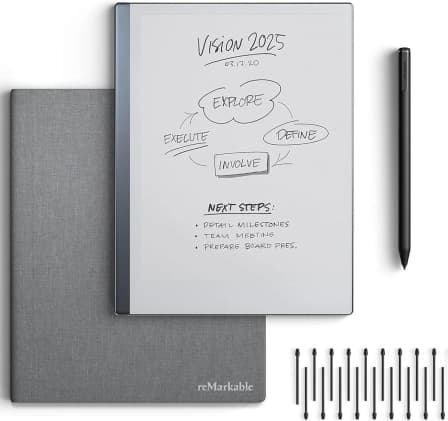
Included Marker Plus stylus features pressure sensitivity with 2048 levels and a built-in eraser, eliminating pairing or charging hassles for seamless use. Its magnetic attachment keeps it handy while nine spare tips ensure long-term reliability despite wear concerns raised in reviews. Experts applaud its responsiveness and balance but note user preference varies based on grip style or nib softness needs. Overall, the stylus stands out as essential to achieving fluid handwriting while underscoring reMarkable's dedication to refining digital ink technology.
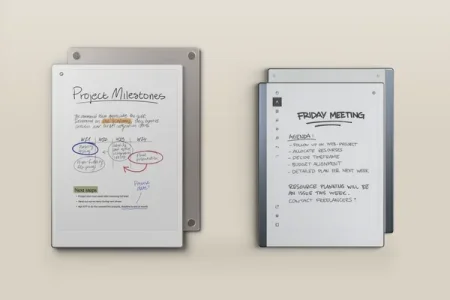
Paper-like writing feel
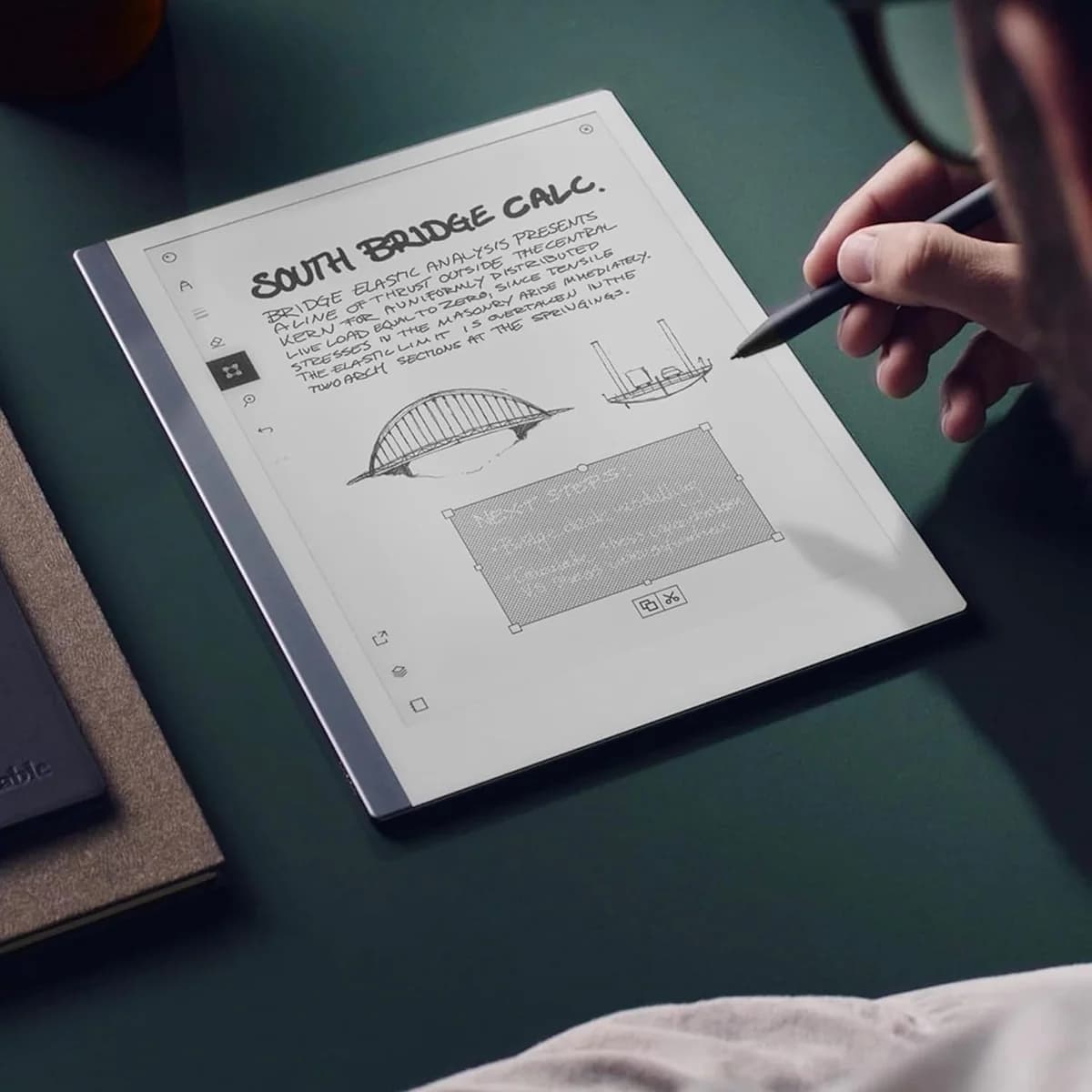
The hallmark of this device is its paper-like writing feel, crafted through a textured CANVAS E Ink display that delivers authentic pen-on-paper friction. This tactile feedback significantly enhances handwriting precision and comfort, setting it apart from slick glass screens. Users praise the natural sensation, often calling it a game-changer for note-taking and journaling. However, some find the lack of backlight limits low-light usability. The device’s ultra-thin design complements this experience by offering an immersive yet portable platform focused solely on replicating real-world writing.
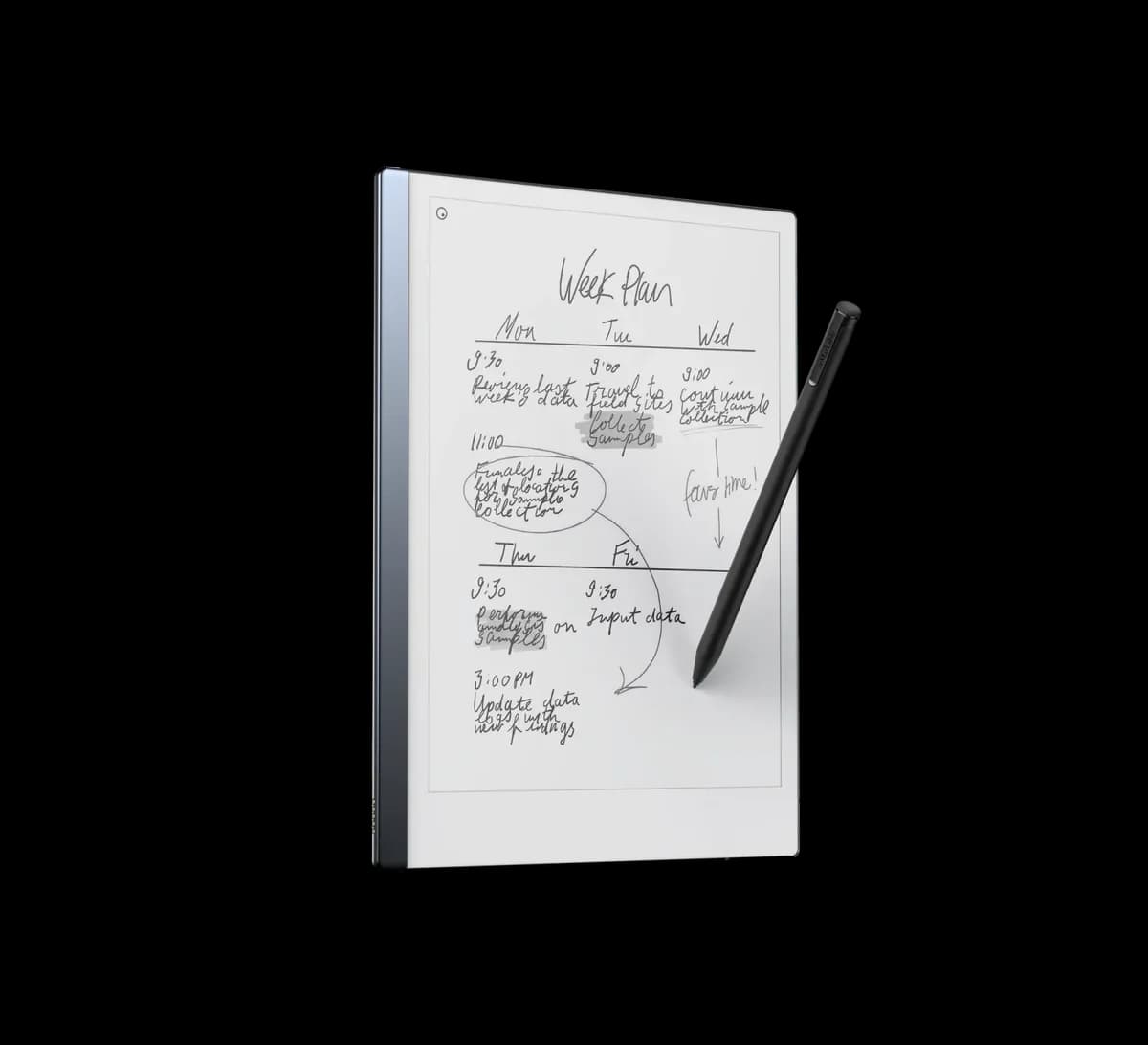
Battery life
Boasting up to two weeks of active use per charge thanks to efficient low-power components paired with E Ink technology, battery life dramatically reduces interruptions during heavy daily workloads involving extensive note-taking or document review sessions away from power sources. Some isolated reports cite charging inconsistencies but overall consensus lauds its longevity as vital for uninterrupted productivity both at home and on-the-go.
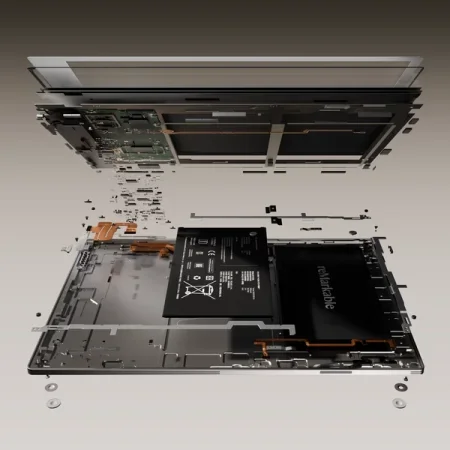
Display (E Ink) quality
At 10.3 inches with 1872x1404 resolution (226 DPI), the monochrome CANVAS E Ink display offers sharp text clarity coupled with excellent sunlight readability—ideal for extended reading sessions without eye strain caused by blue light emission typical in LCDs. The flicker-free matte screen enhances contrast but lacks backlighting which can challenge nighttime use scenarios; still, many users appreciate its minimalist focus free from distractions like notifications or apps.
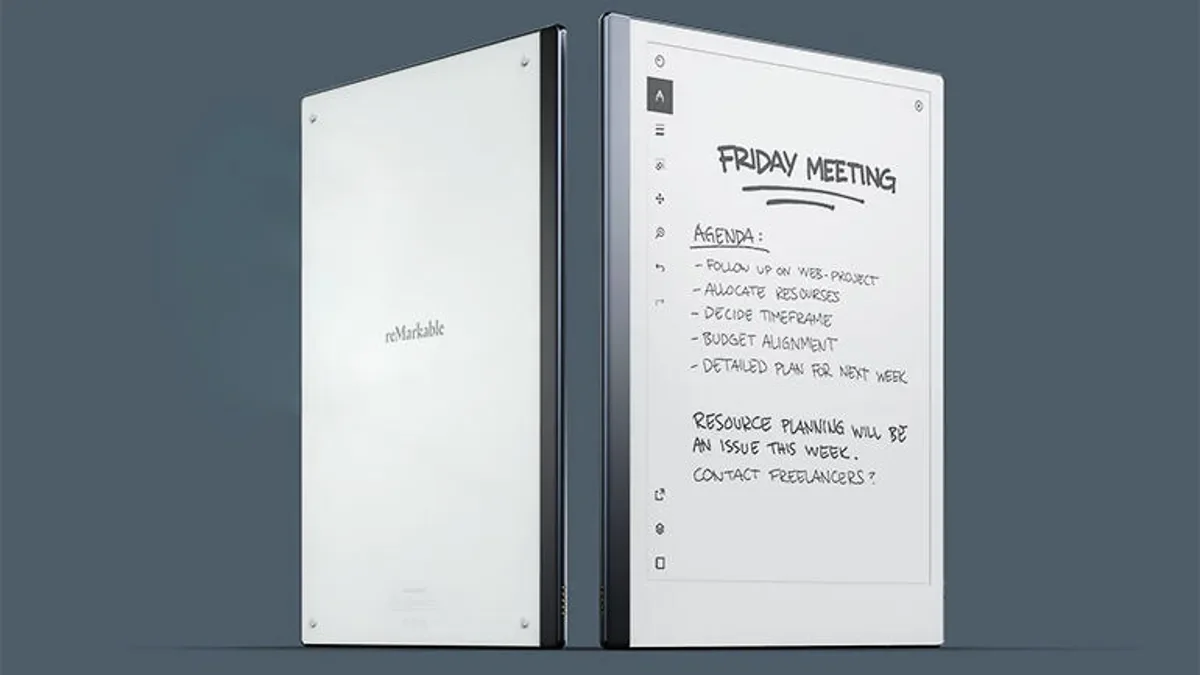
Conclusion
When pen meets screen, the reMarkable 2 crafts a paper-like writing feel that users and experts hail for its tactile authenticity. The Marker Plus stylus, with its effortless eraser and nuanced pressure sensitivity, complements this experience by turning every stroke into an intuitive dance. Its crisp E Ink display quality excels in sunlight but asks for patience when darkness falls—no backlight included. Battery life stretches comfortably across weeks, powering extended creativity without tethering you to outlets. Built tough yet sleek, its durability withstands daily hustle while staying featherlight in your hands. The seamless blend of PDF annotation and reliable handwriting conversion unlocks practical versatility beyond simple note-taking. This tablet isn’t for those craving multimedia flair or app variety; it’s designed as a focused companion for thinkers who prize precision over distractions—a digital canvas where ideas flow free and uninterrupted with polished grace throughout each feature-laden corner of the device’s design ethos.

Feature Scores
This reflects reviews and ratings from established critics, journalists, and users who have evaluated the item. Their opinions provide a comprehensive assessment.
Performance
Processing Performance
3/5
Battery Life
4/5
Thermal Management
4/5
Storage Capacity
3/5
Connectivity Reliability
4/5
Build Durability
4/5
Software Update Longevity
3/5
Value
Price Competitiveness
3/5
Total Cost of Ownership
3/5
Included Accessories
4/5
Design
Display Quality
4/5
Portability
4/5
Ergonomics
4/5
Aesthetics
4/5
Health
Blue Light Control
5/5
Material Chemical Safety
3/5
Battery Chemical Risk
4/5
Safety
Data Security
3/5
Physical Safety
4/5
Regulatory Compliance
3/5
Fail-safe Protections
3/5
Sustainability
Recyclability
3/5
Repairability
2/5
Energy Efficiency
4/5
Experience Style
UI Simplicity
4/5
Customizability
3/5
App Ecosystem
2/5
Multitasking Productivity
2/5

Specifications
This section outlines the product's key facts, covering essential features, details, dimensions, materials, and any unique characteristics that define its functionality and usability.
Performance
Value
Design
Safety
Sustainability
Experience Style

Frequently Asked Questions
9 Questions




Find Yours
What is your primary use for a tablet?
Answer to find your best matches.