reMarkable Paper Pro Move
Ultraportable with natural writing feel and color display, yet hampered by lag and subscription fees.
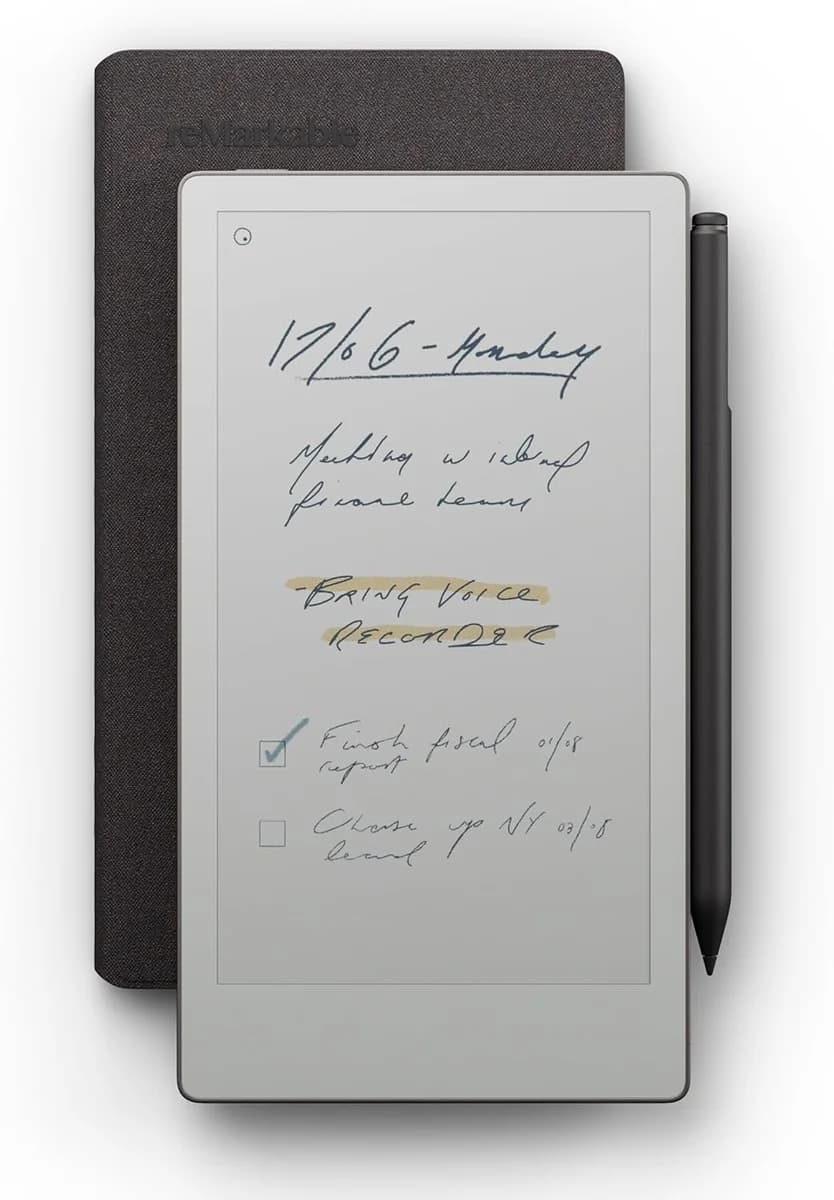
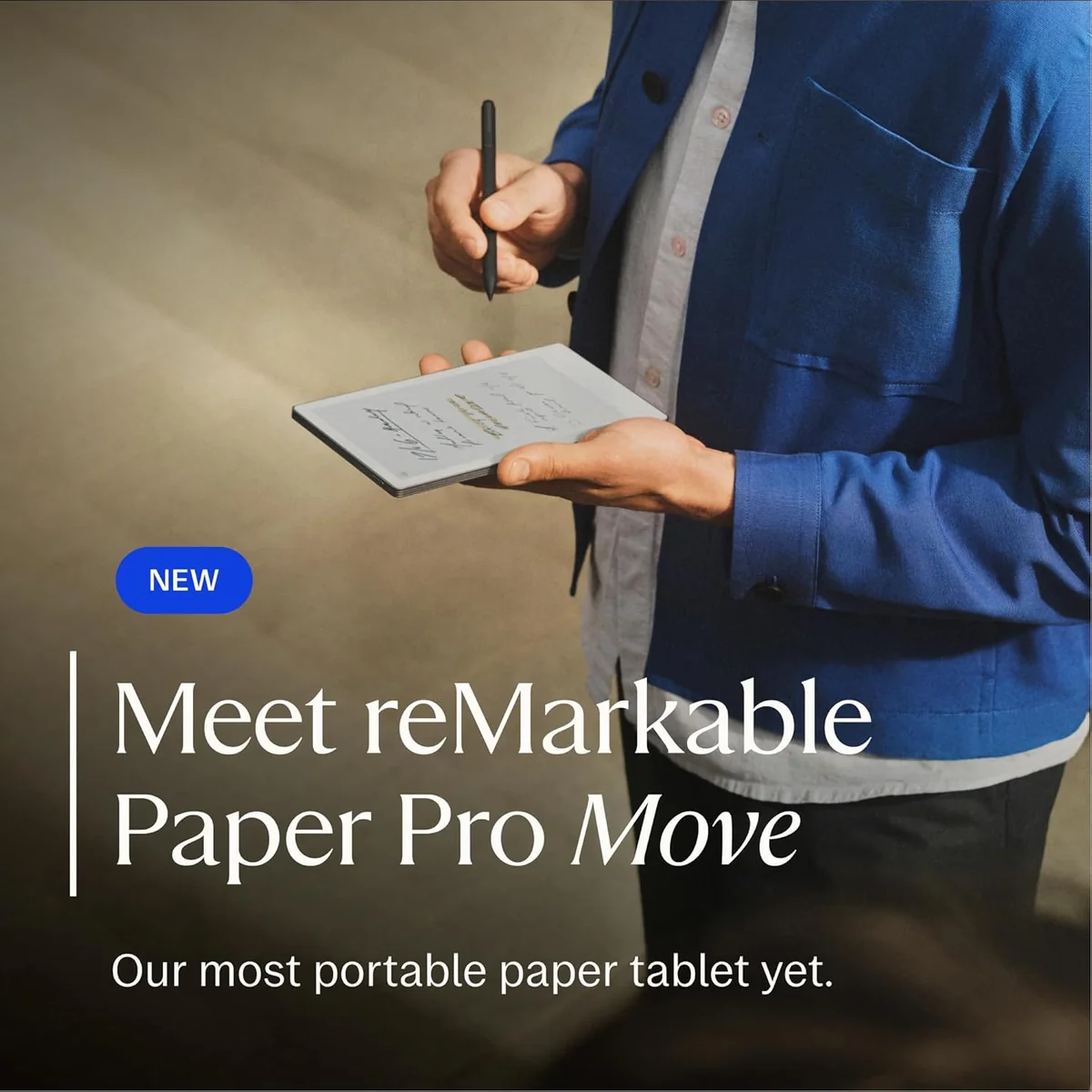
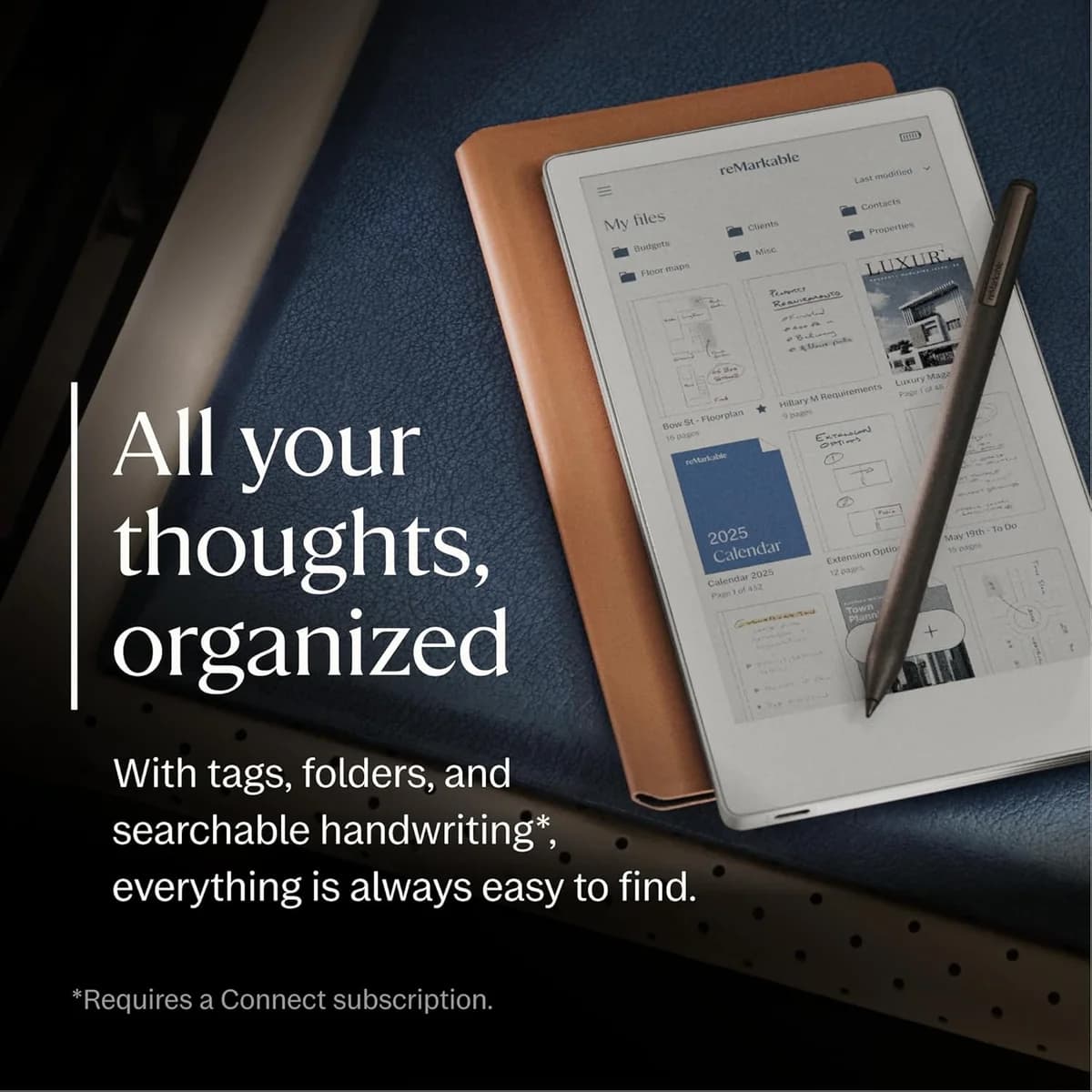
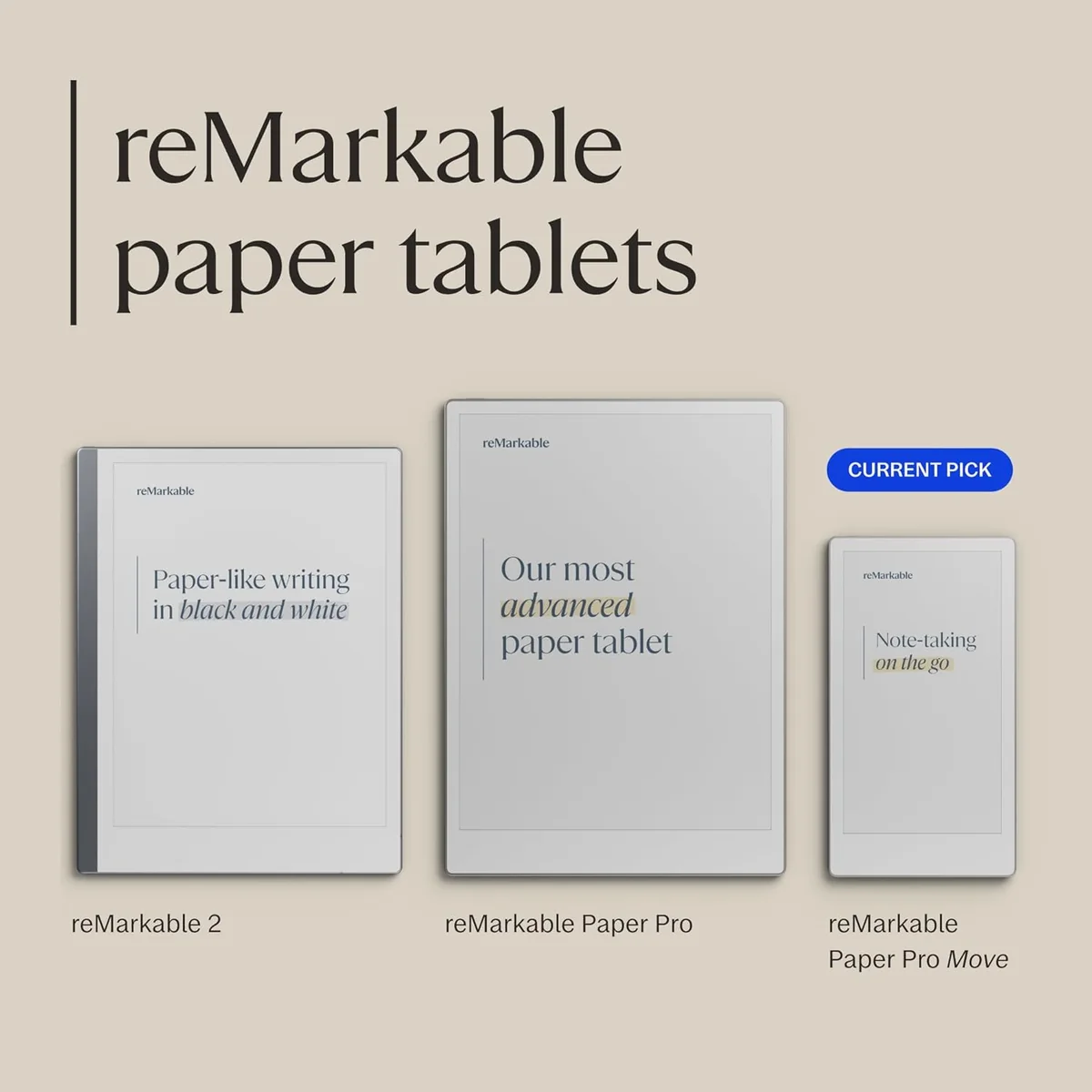
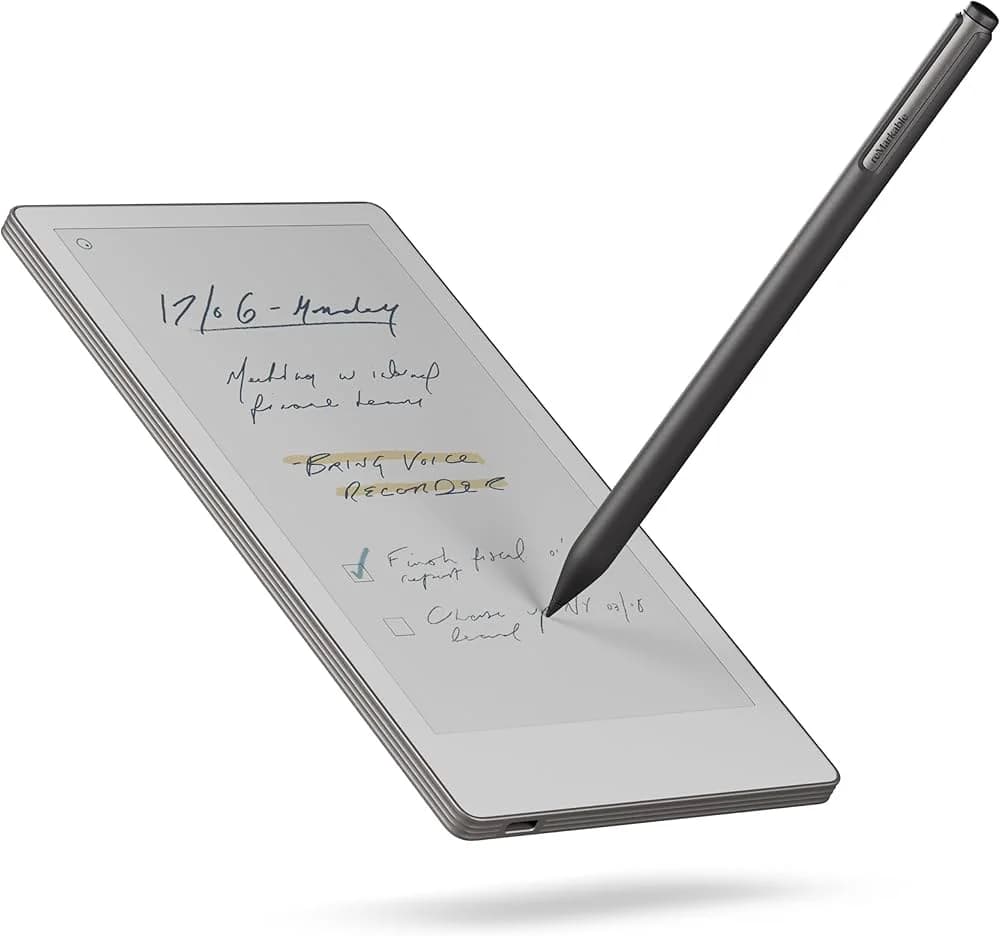
The reMarkable Paper Pro Move is a sleek digital notebook designed for on-the-go pros craving distraction-free note-taking with a 7.3-inch color E Ink display that adds subtle flair to sketches and annotations. Its ultraportable paperback size and premium aluminum build make it perfect for slipping into bags or pockets, delivering an impressively natural pen-on-paper feel thanks to its 12 ms latency stylus. Users praise the battery’s two-week life but call out occasional lag and the pricey subscription model unlocking key features like handwriting search. It’s a refined tool where portability meets precision—ideal if you value focus over flashy versatility in your tech arsenal.




Find Yours
What is your primary use for a tablet?
Answer to find your best matches.

The Field
Browse top contenders, or compare all options ranked by score and key attributes.
4 Options



The Scoreboard
Does this improve your life? Considers, health, habits, and environmental impact.
Benefits
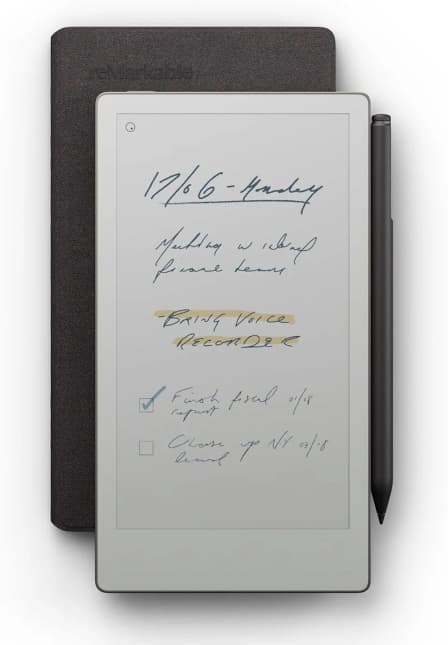
Fits in pockets or small bags, so you actually bring it everywhere you go.
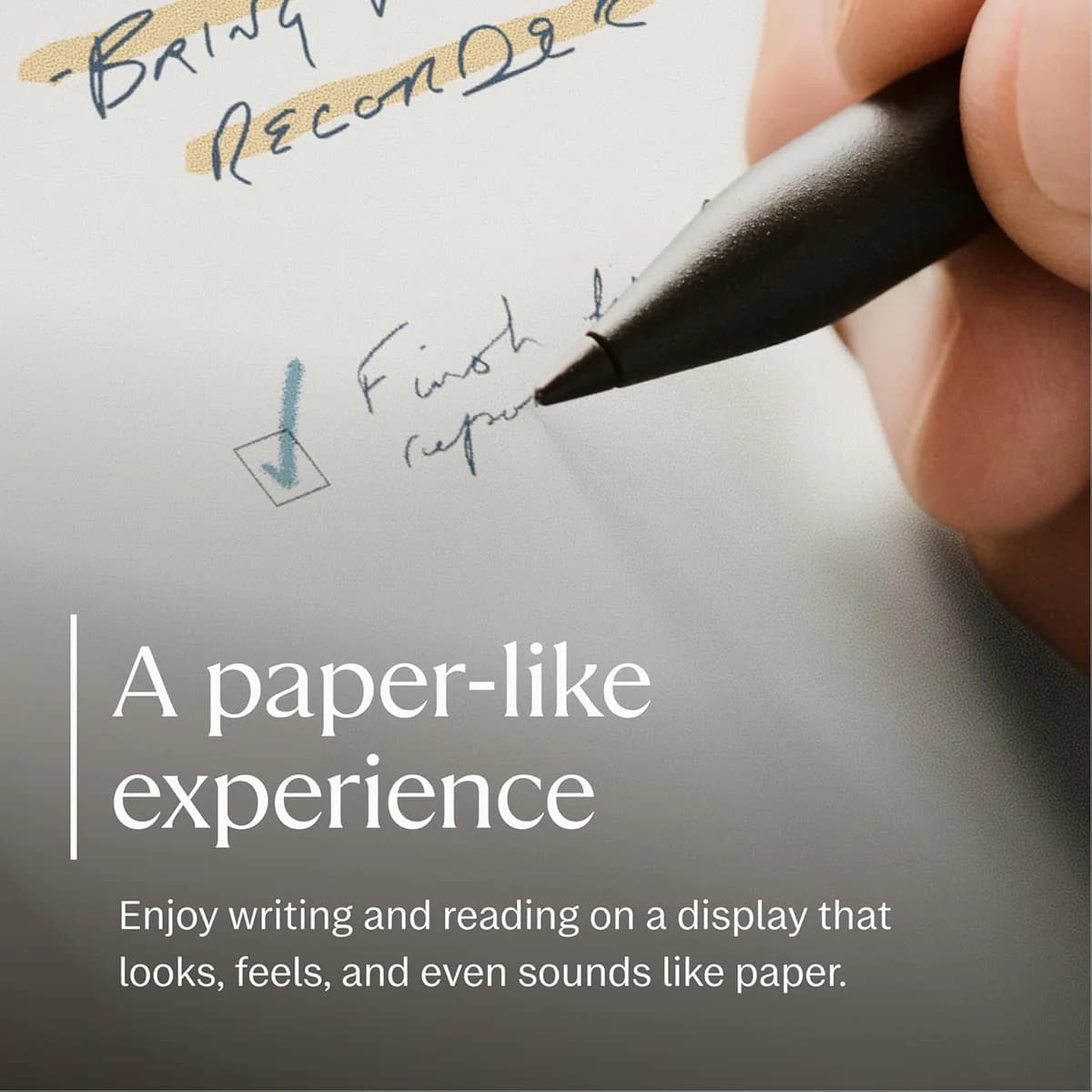
Natural pen-on-paper feel and tilt sensitivity improves handwriting speed and sketch comfort.
No apps or notifications—great for meetings and sustained, interruption-free note sessions.
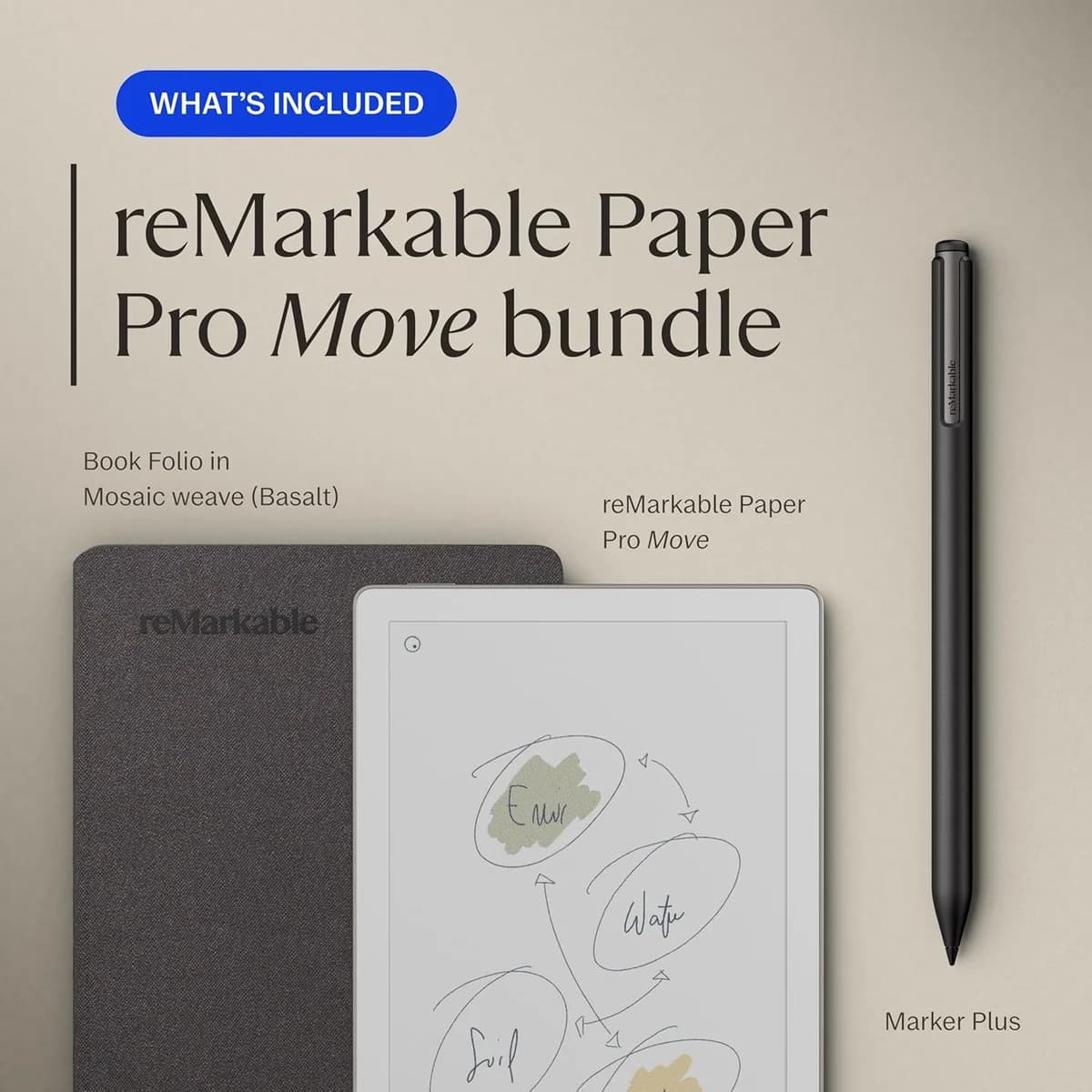
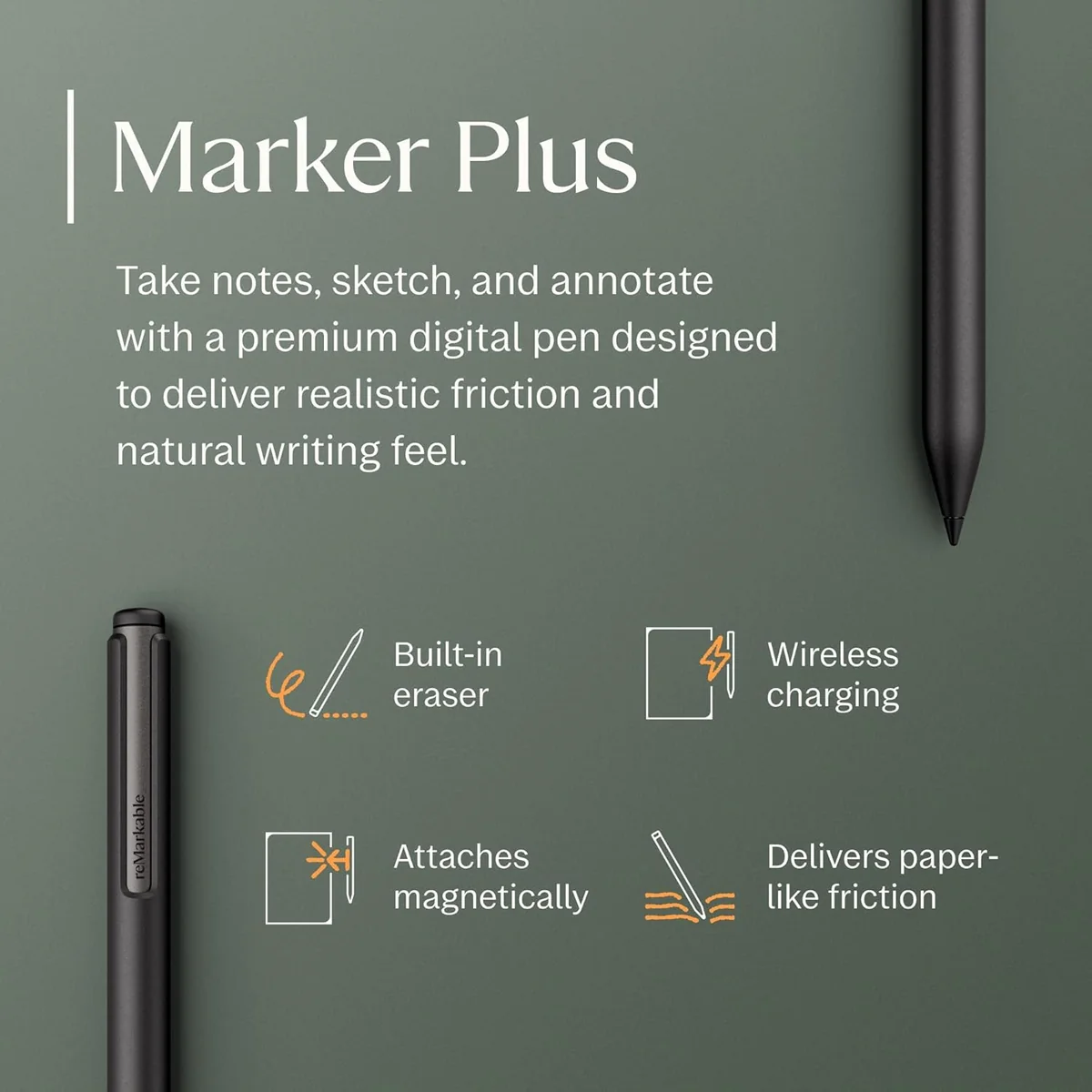
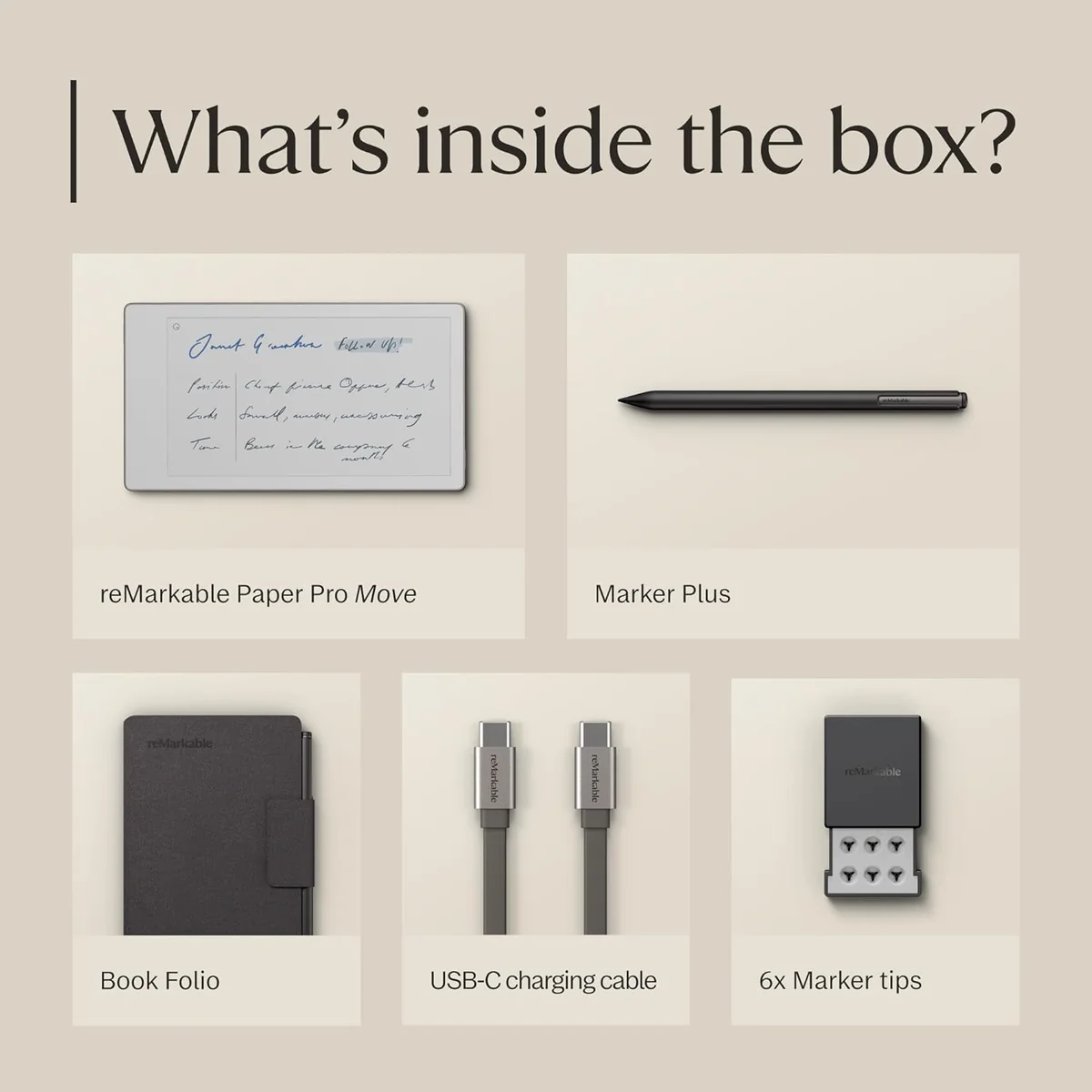
Magnetic Marker Plus with spare tips and folio keeps pen ready and protected.
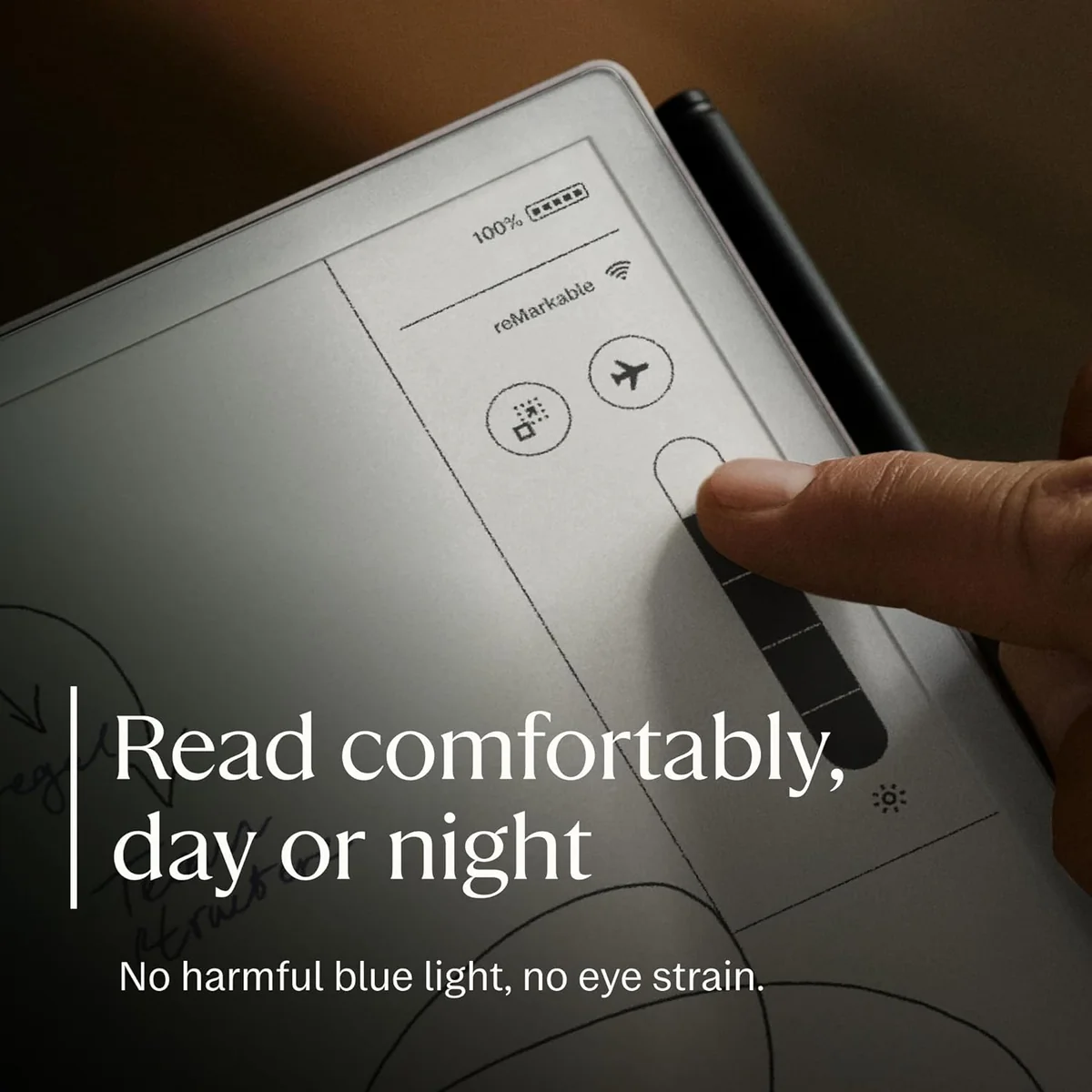
Muted color E Ink adds subtle highlights without glare, useful for quick annotations.
Trade-Offs
Occasional pen lag or slow refresh interrupts flow while jotting fast notes or sketches.
Small 7.3" screen feels tight for long handwriting or wide PDF annotations.
Using color or backlight drains it faster—expect to charge more often during busy weeks.
Thicker Marker Plus can feel ungainly in hand during extended writing sessions.
 Alternatives


Join the Circle
Where real meets deal
Know what's worth buying-and when.
Tips, special offers, and rewards for buying and sharing.

Publications
10 LEADING PUBLICATION REVIEWS

Philip Berne from TechRadar praises the reMarkable Paper Pro Move as a near-perfect, pocket-sized writing tablet that delivers a luxurious, distraction-free digital paper experience. He highlights its superb writing feel—comparable to pen on high-quality paper—and its portability, which allows users to carry it everywhere, unlike larger tablets. The review emphasizes the device’s focused simplicity, with no apps, notifications, or distractions, appealing to those who want a pure writing tool. Berne notes the color E Ink display’s unique charm despite its slower refresh and muted tones, and he appreciates the improved responsiveness and battery life. However, he critiques the reliance on cloud-based AI for handwriting recognition, which he found inaccurate and frustrating, and laments the subscription model for accessing some features. While the Paper Pro Move is expensive and limited to writing tasks, Berne considers it a luxury device that excels at what it does, making it ideal for dedicated note-takers who value form and function over versatility.
By Philip Berne
Nena Farrell from WIRED highlights the reMarkable Paper Pro Move as a compact, thoughtfully designed digital notepad that excels in portability and everyday note-taking. Praising its sharp 7.3-inch color E Ink display, long battery life, and smooth writing experience, she finds the Move ideal for quick lists, brainstorming, and on-the-go use—especially compared to the larger Paper Pro. The inclusion of color pen tools adds a playful, practical dimension to note organization, though the limited color palette and smaller screen size pose some constraints. Farrell notes the device’s seamless syncing with other reMarkable tablets but points out minor inconveniences when handling PDFs or typed documents on the smaller screen. She also emphasizes the value of software features like handwriting search, available via subscription, which enhance usability. While acknowledging the $449 price tag may feel steep for a digital notepad, Farrell ultimately calls the Paper Pro Move her new favorite for casual, colorful note-taking, recommending it for users prioritizing portability over extensive typing or long-form writing.
By Nena Farrell
Michael Burkhardt from 9to5Mac highlights the reMarkable Paper Pro Move as a compelling, smaller alternative to the original Paper Pro, delivering a flagship experience in a more portable form. Praising its excellent Marker Plus stylus, sharp glare-free display, and impressive two-week battery life, he emphasizes that the device retains nearly all the core features of its larger sibling while addressing key drawbacks like size and price. The review notes thoughtful trade-offs, such as the smaller 7.3-inch screen, slightly thicker body, and lack of an official keyboard folio, but finds these compromises reasonable given the enhanced portability and faster charging. Burkhardt appreciates the device’s distraction-free focus for note-taking, especially in educational settings, and commends the software’s adaptability to landscape mode. Unique insights include the practical benefits of a dedicated note-taking device over an iPad and the quality of the new Woven Book Folio accessory. Overall, the review conveys measured enthusiasm, portraying the Paper Pro Move as a well-executed, highly portable digital paper tablet.
By Michael Burkhardt
Jérémie Kaiser highlights the reMarkable Paper Pro Move as a premium, highly portable e-ink tablet that excels at delivering a near-paper writing and sketching experience. Praising its slim design, excellent build quality, and thoughtful accessories like the Book Folio, Kaiser emphasizes the tablet’s distraction-free focus and seamless cloud synchronization with other Remarkable devices. The review applauds the sharp, color-capable E-Ink Gallery 3 display with adjustable backlighting and responsive pen input, noting features like pressure sensitivity and intuitive undo gestures. While not suited for professional illustration, it serves well for drafts and annotations. Kaiser's enthusiasm is tempered by minor usability quirks, such as the backlight’s activation in complete darkness and imperfect speech recognition for mixed-language texts. Battery life impresses in short-term use, though long-term testing remains pending. Overall, Kaiser’s review conveys genuine excitement for the Paper Pro Move’s unique blend of portability, paper-like feel, and productivity features, balanced with honest acknowledgment of its niche focus and limitations.
By Jérémie Kaiser
Jake Peterson from Lifehacker highlights the reMarkable Paper Pro Move as a thoughtfully downsized version of the flagship Paper Pro, delivering nearly identical features and software in a more portable 7.3-inch form factor. Praising its tactile writing experience, color E-Ink display, and efficient battery life, Peterson emphasizes the device’s appeal for professionals valuing focused digital note-taking over multi-purpose functionality. However, he notes the high price point starting at $450, coupled with a $3 monthly subscription, which may deter budget-conscious users. Criticisms include a dim front light, sluggish color refreshes, limited file format support, and underwhelming e-reader capabilities. While the Move excels in seamless cloud syncing and software refinements, its organizational tools remain basic compared to competitors. Ultimately, Peterson recommends the Paper Pro Move for those who prioritize portability without sacrificing core features, but suggests that casual users or those seeking a versatile e-reader might be better off sticking with traditional paper or other devices.
By Jake Peterson
Jonathan Bray from Expert Reviews highlights the reMarkable Paper Pro Move as a beautifully designed, compact digital notepad that excels at delivering a distraction-free, paper-like writing experience. Praising its lightweight build, innovative colour E Ink display, and strong stylus magnet, Bray emphasizes how the device’s textured screen and responsive “ink” make note-taking and sketching feel remarkably natural. The Move’s extensive template options and seamless synchronization across devices further enhance its appeal for productivity and creativity. However, Bray notes some frustrations with touchscreen gesture sensitivity and the added cost of subscription-based cloud services, which may deter some buyers. The price, especially when factoring in accessories, positions the Move as a premium choice, slightly more expensive than competitors like the Kindle Scribe and the larger Paper 2. Despite these caveats, Bray concludes that for those willing to invest, the reMarkable Paper Pro Move offers an unmatched compact digital notepad experience with a focused, elegant design.
By Jonathan Bray
Gareth Beavis from Digital Trends expresses a deeply personal and conflicted enthusiasm for the reMarkable Paper Pro Move. While acknowledging the device’s high price and limited functionality compared to multifunctional tablets, he praises its unique simplicity and near-paper writing experience, which he values highly as a longtime user of the reMarkable ecosystem. Beavis highlights the Paper Pro Move’s portability and improved features like a backlit screen and color highlighting as compelling upgrades, despite frustrations such as the incompatibility of the Marker Plus stylus across models and the premium cost of accessories. His tone is warm and reflective, balancing practical reservations with genuine desire, capturing the emotional pull of a niche device that prioritizes focused digital note-taking over gadget convergence. Ultimately, he admires the Paper Pro Move’s blend of digital convenience and analog feel, even while questioning the necessity of owning multiple similar devices.
By Gareth Beavis
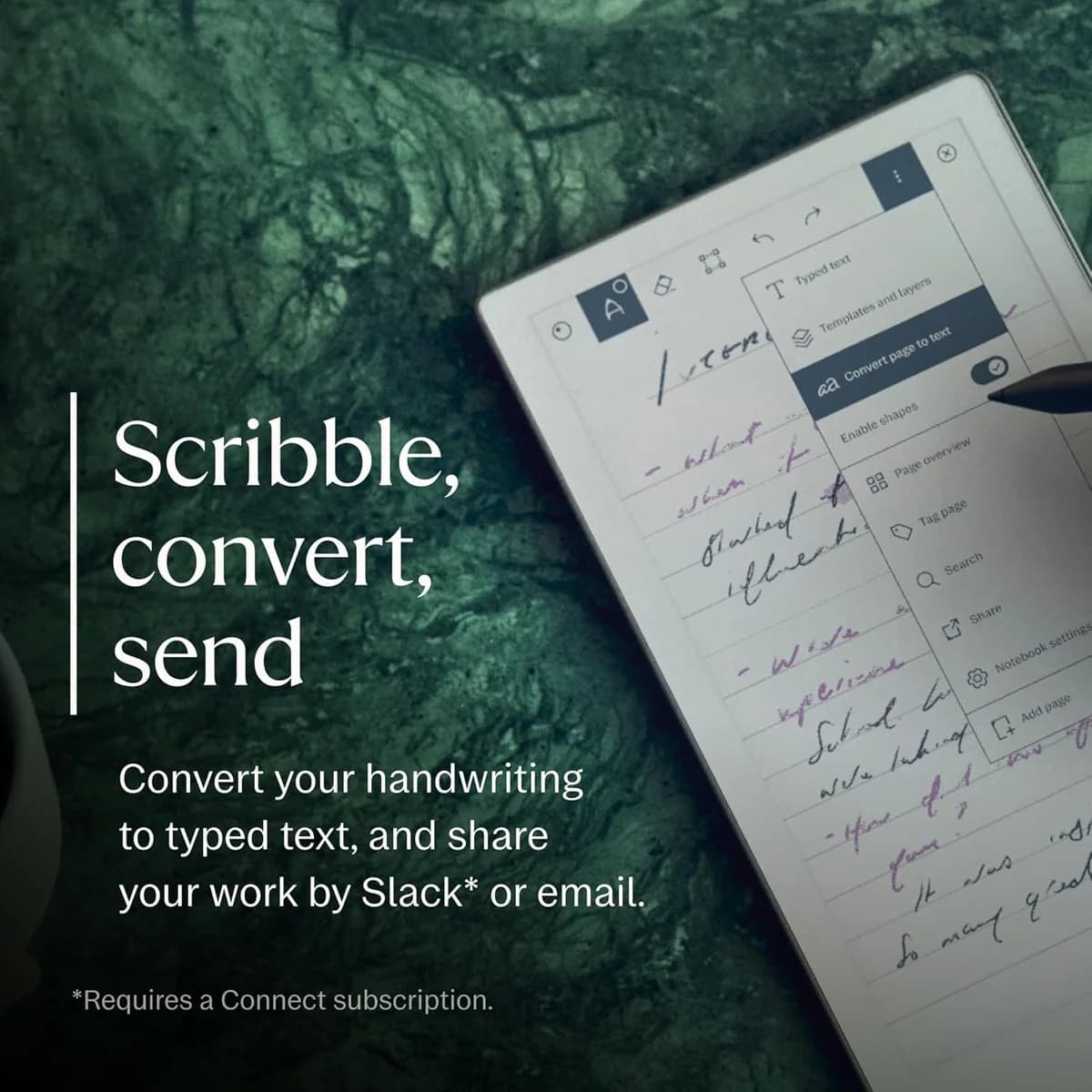
Raymond Wong from Gizmodo highlights the reMarkable Paper Pro Move as a highly convenient, pocketable E Ink tablet tailored for note-taking on the go. Praising its lightweight design, sharp 7.3-inch color display with 264 PPI, and paper-like writing experience, Wong finds it well-suited for journalists and anyone seeking a digital alternative to traditional notebooks like Moleskines or Field Notes. Unique features such as handwriting search, text conversion, and an AI-powered webpage reformatting tool add notable value, though some functions like handwriting-to-text recognition remain imperfect. The reviewer notes minor drawbacks, including the device’s asymmetrical, thick bottom bezel and the niche appeal compared to multipurpose tablets like iPads. Overall, Wong conveys measured enthusiasm, emphasizing the Paper Pro Move’s fit for users prioritizing focused, portable digital note-taking rather than all-in-one tablet capabilities.
By Raymond Wong
Henry T. Casey from CNN Underscored praises the reMarkable Paper Pro Move as a standout digital notebook that excels in portability without sacrificing the premium writing experience of its larger predecessor. He highlights its perfectly textured E Ink display, near-zero latency, and thoughtful features like color support and an internal reading light, which make it ideal for note-taking in varied environments, including dimly lit spaces. Casey appreciates the device’s compact size, which fits easily into everyday carry like a fanny pack, enabling more frequent use than the bulkier Paper Pro. While enthusiastic about its natural pen-on-paper feel and seamless cloud integrations, he notes some early software quirks—such as inconsistent handwriting search and minor template glitches—and wishes for enhancements like a fingerprint reader, longer unlock delay, and a travel case with a tracker. Priced at $449, it’s positioned as a premium but justifiable choice for those valuing portability and writing quality, with Casey expressing genuine excitement about its potential and future updates.
By Henry T. Casey
Jonathan Bell from Wallpaper* (Future plc) highlights the reMarkable Paper Pro Move as a thoughtfully designed, compact digital notebook that perfectly complements the larger Paper Pro. Praising its pocketable 7.3” size, tactile “paper-like” feel, and two-week battery life, Bell emphasizes the device’s seamless software integration, including enhanced file management, handwriting search, and AI-supported “Active Reviewing” features. The review underscores the Move’s sustainability credentials and durable build, noting its recycled materials and longevity focus. While acknowledging the device’s deliberately minimalist functionality, Bell celebrates how it cuts through digital clutter to enhance creative workflows. Unique insights include the extensive prototyping of the textured glass surface to replicate pencil-on-paper feel and the balanced trade-offs between size and usability. The review conveys genuine enthusiasm for the Move’s utility and design, positioning it as a top favorite for users seeking a distraction-free, elegant note-taking tool without unnecessary complexity.
By Jonathan Bell

YouTube
16 LEADING EXPERT & INFLUENCER REVIEWS
 Good e-Reader
Good e-Reader praises the reMarkable Paper Pro Move’s premium aluminum build, excellent pen tilt sensitivity, and strong note-taking features, especially for PDFs and color annotations. However, they criticize its sluggish performance, muted Gallery 3 color display, limited pen compatibility, and poor e-reading experience, concluding it’s a decent but not fully ready compact version of the Paper Pro.
ShortCircuitShortCircuit praises the reMarkable Paper Pro Move for its ultraportable size, premium aluminum build, and authentic paper-like writing experience with the Marker Plus stylus. The 7.3" Canvas Color display and distraction-free design appeal to focused note-takers. However, the reviewer notes limitations in software flexibility, a walled-garden ecosystem requiring a subscription for full cloud sync, and a learning curve with the custom OS. While the device suits creatives and professionals valuing minimalism, its price and restricted connectivity may deter some users.
Kingy AIKingy AI praises the reMarkable Paper Pro Move for its exceptional portability, natural paper-like writing feel, and seamless cloud syncing, making it ideal for quick notes and on-the-go use. While acknowledging the larger Paper Pro’s advantage for deep work and typing with TypeFolio, he highlights the Move’s sharper display and pocket-friendly design as perfect for mobile productivity.
Kit Betts-MastersKit Betts-Masters praises the reMarkable Paper Pro Move as an excellent, ultraportable digital planner ideal for users already invested in the reMarkable ecosystem. He highlights its thoughtful design, paper-like writing feel, and seamless syncing but notes occasional screen responsiveness issues and a high price. He recommends trying it risk-free with the 100-day trial.
My Deep GuideVoya from My Deep Guide praises the reMarkable Paper Pro Move as a uniquely inspiring digital notebook with excellent writing latency, true color E Ink, and seamless integration in the Remarkable ecosystem. However, he criticizes its high price, limited e-reader capabilities, fragile build, short battery life, and the oversized stylus, making it a niche device best suited for those who truly connect with its creative potential.
Chalid RaqamiChalid Raqami praises the reMarkable Paper Pro Move’s premium design, precise stylus with USI charging, and responsive color E Ink Gallery 3 display with improved front light uniformity. However, he criticizes its narrow 16:9 aspect ratio, awkward portrait handling, high price, and subscription paywall for handwriting search, calling it a niche device with notable trade-offs.
Spencer Scott PughSpencer Scott Pugh praises the reMarkable Paper Pro Move for its premium build quality, thoughtful design, and natural writing feel, highlighting the Marker Plus stylus and magnetic folio. While initially uncertain about its ideal user, he appreciates its portability and potential as a quick-note sidekick, though he notes the hefty price and niche appeal.
The Spark!Mark from The Spark praises the reMarkable Paper Pro Move for its compact, distraction-free design and excellent paper-like writing feel, which keeps him using it regularly after six months. He values its portability, battery life, and focused simplicity but notes the color e-ink’s slow refresh and high price as drawbacks. Compared to the Kindle Scribe, he prefers the Move’s writing surface for notes but finds it less suited for reading or ecosystem integration.
Hunter HartHunter Hart praises the reMarkable Paper Pro Move for its premium build, natural writing feel, and distraction-free design, highlighting the powerful AI text tools and seamless cloud integration. He notes its perfect notebook size and vibrant color drawing but criticizes the lack of weather sealing, Bluetooth, limited eraser functionality, and shorter-than-advertised battery life.
James ShinJames Shin praises the reMarkable Paper Pro Move for its premium build, superb portability, and natural, paper-like writing experience with the Marker Plus stylus. He highlights its practical size, color display for sketching, and excellent battery life. However, he criticizes the $500 price plus subscription model, limited e-reader support, and occasional cramped writing space, concluding it’s ideal for dedicated note-takers and sketchers but not a full iPad replacement.
Vladimir KostekVladimir Kostek praises the reMarkable Paper Pro Move’s unique 16:9 aspect ratio, lightweight design, and premium build with improved grip, highlighting its natural paper-like writing and vibrant Gallery 3 color display with adjustable front light. He notes practical stylus accessories and seamless Connect app syncing but critiques battery life, price, limited ePub support, and occasional screen flashing during color note-taking. The device suits quick notes and research but has trade-offs in handheld comfort and PDF handling.
AnorakerAnoraker praises the reMarkable Paper Pro Move for its superb portability, natural, zero-latency writing experience, and thoughtful Marker Plus stylus with tilt and eraser features. However, he finds the smaller screen limits calendar and template usability, making it a niche companion rather than a full replacement for larger reMarkable devices.
Imperfect PracticeImperfect Practice praises the reMarkable Paper Pro Move’s premium build and fast syncing but finds its awkward size, uncomfortable Marker stylus, and sluggish, inconsistent writing experience frustrating. The reviewer criticizes washed-out color display, limited templates, and poor reading performance, ultimately deciding the compromises outweigh the benefits.
Your Friend OwenYour Friend Owen praises the reMarkable Paper Pro Move for its distraction-free design, portability, and seamless cloud syncing, calling it a great standalone device and a “mini Remarkable.” He appreciates the included Marker and backlit color display but criticizes the subscription model and wishes for a keyboard accessory. Overall, he finds it worth the price for focused note-taking and journaling.
MYKILLSKIAkilsky praises the reMarkable Paper Pro Move for its true paper-like writing feel, excellent portability, and fast charging, making it ideal for on-the-go note-taking. He notes the compact 7.3" size suits limited desk space but may feel small for larger handwriting. Criticisms include limited template options, cumbersome highlighter access, and shorter-than-advertised battery life. Overall, he finds it a valuable digital notebook for focused work despite some usability trade-offs.
OrganisedByJoeOrganisedByJoe praises the reMarkable Paper Pro Move for its lightweight portability and distraction-free design, making it ideal for commuting, note-taking, and personal projects. He highlights its usefulness in meetings and planning but notes occasional lapses in daily use. Integrating it into his routine improves focus and productivity despite its premium price.

Social
4 INFLUENCER REVIEWS
 Ali Abdaal
Ali Abdaal highlights the reMarkable Paper Pro Move as a sleek, pocket-sized e-ink tablet that enhances productivity by making note-taking feel like writing on paper without digital distractions. He praises its seamless cloud syncing, impressive two-week battery life, and handy handwriting-to-text conversion, sharing practical use cases like planning content on the go. Overall, Ali finds the device a valuable tool for those who want a digital yet paper-like experience, especially for creative or organizational tasks. While it closely mimics a traditional notebook, its tech features justify the investment, making it a strong recommendation for productivity enthusiasts seeking convenience and focus.
Jaime RiveraJaime Rivera finds the reMarkable Paper Pro Move to be an intriguing take on ultraportable tablets, appreciating its focus as a digital pocket notebook rather than a full-featured color tablet. He highlights its productivity benefits and portability, showing genuine interest while maintaining a measured tone. Overall, Jaime’s review is cautiously positive, recognizing the device’s unique niche and usefulness for note-taking on the go, though he implies it may not suit users seeking a traditional tablet experience. He recommends it for those valuing simplicity and portability over extensive features.
Matthew MonizMatthew Moniz highlights the reMarkable Paper Pro Move as a compact, distraction-free tablet that truly mimics the feel of writing on real paper. He shares unique insights from his personal use—drawing hockey drills, signing contracts, and appreciating its lightweight, pocketable design and impressive two-week battery life. While not a phone replacement, its focused simplicity stands out. Overall, Matthew finds the device refreshing and highly useful for note-taking and sketching, recommending it especially for those seeking a clear, dedicated space to think without digital distractions. His enthusiasm is genuine but measured, positioning the Paper Pro Move as a smart tool for specific creative and organizational needs.
 Victor Abarca
Victor Abarca highlights the reMarkable Paper Pro Move as an exceptional digital notebook, praising its infinite writing space, cloud sync, handwriting recognition, and unique writing feel. He values its portability and templates, calling it his favorite gadget for brainstorming and idea capture, despite its limited operating system and lack of Kindle support. Overall, Victor enthusiastically recommends the reMarkable Paper Pro Move for those who prioritize a superior writing experience and creative thinking tool, while noting it’s less suited for multimedia or e-reader functions. His endorsement is heartfelt, emphasizing its unmatched tactile feel and practical use in daily life.

Store Reviews
CUSTOMER REVIEWS FROM 1 STORE
Amazon reviewers praise the reMarkable Paper Pro Move for its compact size and portability, often highlighting how easily it fits into a purse or pocket for daily use. Many users celebrate the tablet’s smooth, paper-like writing experience, with some noting it closely mimics the feel of traditional pen on paper. The device’s distraction-free design and the addition of color e-ink receive positive remarks, adding visual interest without compromising focus. Reviewers also appreciate the magnetic pen folio and the convenience of emailing documents directly from the tablet. However, some users express frustration with the handwriting-to-text conversion, describing it as unintuitive and difficult to master despite tutorials. A few customers criticize the lack of included cloud syncing without a subscription, feeling this feature should come standard given the device’s price. One notable complaint centers on the handwritten search function, which some find unreliable or nonfunctional, detracting from the overall utility. While most find the size ideal, a few wish for a slightly different aspect ratio closer to a 6"x9" notebook. Overall, Amazon users find the reMarkable Paper Pro Move a thoughtfully designed, highly portable digital notepad that excels in delivering a natural writing experience, though some software features and pricing choices invite mixed reactions.
4.4 Stars / Few verified reviews

Forum Reviews
CUSTOMER REVIEWS FROM 1 FORUM
Reddit users generally appreciate the reMarkable Paper Pro Move for its portability, paper-like writing experience, and color display, which enhances note-taking and planning on the go. Many praise its compact design and improved pen feel compared to previous models, making it ideal for quick notes and daily use. However, critiques focus on its high price, limited software features, and shorter battery life. Some find the narrow screen size restrictive for extensive reading or detailed work. Upgraders often express frustration with the lack of significant software improvements and syncing issues, while new shoppers are cautious about its value given these limitations.
Many comments

In-Depth Review

Highlights
- •Paper-like writing feelnatural, low-latency pen-on-paper
- •Ultraportable pocketable designlightweight, paperback-sized carry
- •Promoted as having color E Inkadds subtle color without glare
- •Premium aluminum buildsolid, refined chassis and finish
- •Marker Plus stylus systemmagnetic, tilt, spare tips included
- •Advertised to offer long battery lifefast USB-C charging, multi-day use

Considerations
- •Intermittent pen lagoccasional lag during rapid writing
- •Muted color and slow refreshdull tones; slow color updates
- •Small writing area7.3" screen feels cramped
- •Battery drains faster in practicecolor/backlight use shortens runtime
- •Subscription paywall for advanced featuressearch and templates behind subscription
- •Software reliability and updatesbugs, freezes, and update loops
With a reputation for crafting digital notebooks that blur the line between paper and pixels, this ultraportable marvel stakes its claim as a pocket-sized powerhouse designed for distraction-free note-taking. Targeted at professionals, creatives, and students who crave seamless on-the-go productivity, it boasts a 7.3-inch color E Ink display with over 20,000 colors—a subtle but stylish upgrade from monochrome predecessors. The device’s ultralight aluminum chassis pairs with an impressively responsive stylus featuring 12 ms pen latency, aiming to replicate the satisfying friction of pen on paper without the bulk of larger tablets. While its compact size makes it ideal for quick notes or sketches in tight spaces, users should weigh trade-offs like screen real estate against portability gains. Battery life promises up to two weeks with fast USB-C charging keeping you powered during busy spells. If precision writing and thoughtful design are your jam, prepare to explore how this device balances tactile delight with practical performance across key areas worth your attention.
Build quality, dimensions, and ergonomics
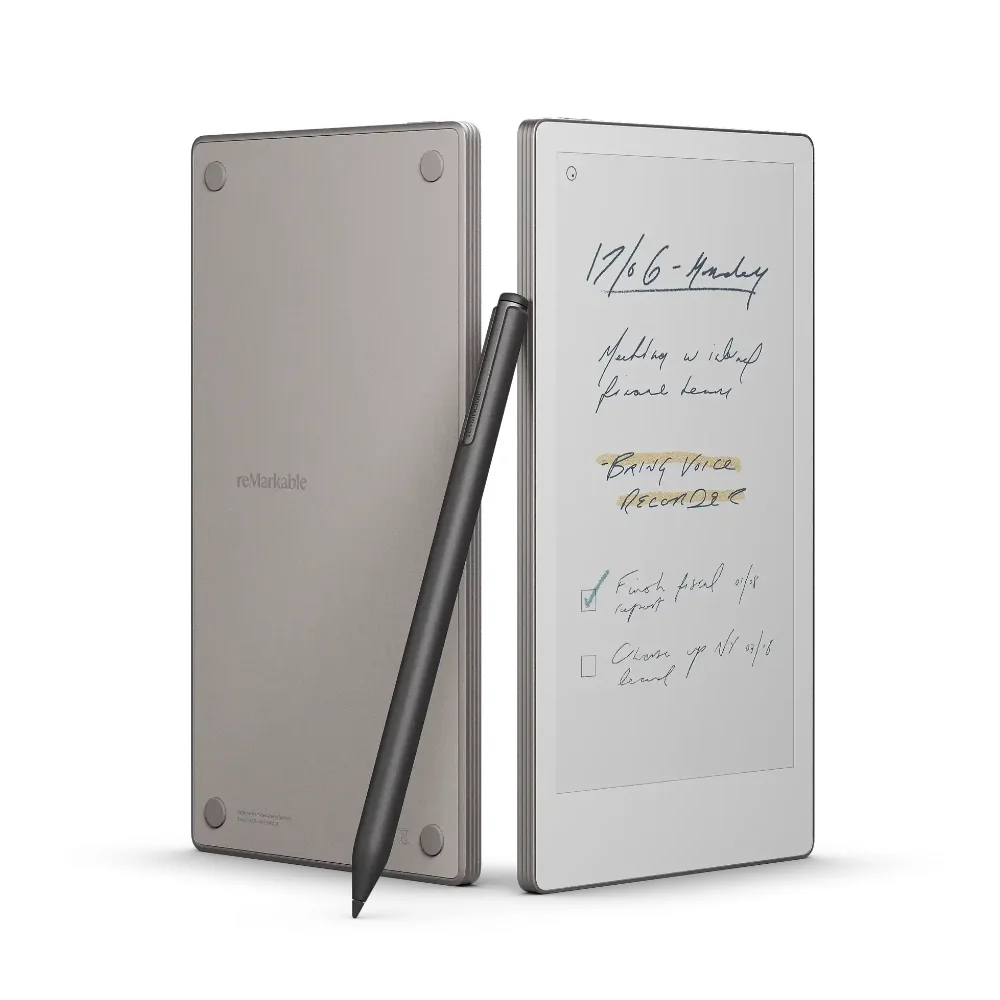
Crafted from sleek aluminum with a slim 6.5 mm profile weighing about 235 grams,the device strikes an enviable balance between durability and ultraportability—it slips effortlessly into pockets or bags like your favorite paperback novel. The thoughtful form factor supports one-handed use but may feel cramped for extended sessions due to its compact size; meanwhile,the thickened Marker Plus stylus invites mixed feelings on grip comfort amidst its magnetic charm.
Display quality — color E Ink, resolution, and refresh
The 7.3-inch Canvas Color E Ink display dazzles with over 20,000 colors at a crisp 264 PPI resolution, bringing notes to life without glare or eye strain. Its matte textured glass enriches tactile feedback while supporting an adjustable front light for varied lighting conditions. However, some find the color palette muted and refresh rates slow when flipping pages or drawing vibrant sketches—proof that even cutting-edge Gallery 3 tech can't fully escape e-ink's trade-offs on speed versus serenity.
Pen latency and writing responsiveness
When it comes to scribbling or sketching, the reMarkable Paper Pro Move aims for lightning-fast strokes with its 12 ms pen latency, delivering a near-instantaneous response that mimics real paper. While users laud the natural tilt sensitivity and smooth glide of the Marker Plus stylus, occasional lag sneaks in during rapid note-taking, slightly interrupting flow. Still, this tablet nails a premium paper-like feel that's both immersive and satisfying—though perfection remains just out of reach for those who demand absolute fluidity.
Battery life and charging performance
Promising up to two weeks per charge thanks to efficient low-power hardware design,the Paper Pro Move impresses by living up to most battery claims under typical use cases.With fast USB-C charging powering from zero to ninety percent in under forty-five minutes,you get quick top-ups—like ten minutes yielding three days’ worth of juice—but heavy color use can drain batteries faster than you’d hope during busy spells.
Conclusion
When pen meets screen, the promise of 12 ms latency delivers a near-instant dance that feels almost too good to be true—though occasional hiccups remind us e-ink still marches at its own pace. The 7.3-inch color E Ink display, while sharp and glare-free, paints in muted tones with a refresh rate that’s more zen than lightning-fast. Built like a miniature fortress from aluminum, this device slips into pockets but demands compromises on writing space and stylus comfort—its Marker Plus attachment system earns points for convenience but invites mixed feelings after hours of use. Battery life impresses under light use but surrenders quickly when colors or backlight come alive, balanced by swift USB-C top-ups. Storage and memory keep things smooth enough for focused note-taking without multitasking dreams. This is no all-rounder; it’s an elegant companion for those who value distraction-free precision over flashy versatility—a digital notebook refined to the art of subtlety rather than excess indulgence.

Feature Scores
This reflects reviews and ratings from established critics, journalists, and users who have evaluated the item. Their opinions provide a comprehensive assessment.
Performance
Processing Performance
3/5
Battery Life
3/5
Thermal Management
3/5
Storage Capacity
4/5
Connectivity Reliability
4/5
Build Durability
4/5
Software Update Longevity
4/5
Value
Price Competitiveness
3/5
Total Cost of Ownership
3/5
Included Accessories
4/5
Design
Display Quality
4/5
Portability
5/5
Ergonomics
4/5
Aesthetics
5/5
Health
Blue Light Control
5/5
Material Chemical Safety
3/5
Battery Chemical Risk
3/5
Safety
Data Security
4/5
Physical Safety
3/5
Regulatory Compliance
4/5
Fail-safe Protections
3/5
Sustainability
Recyclability
3/5
Repairability
2/5
Energy Efficiency
4/5
Experience Style
UI Simplicity
4/5
Customizability
3/5
App Ecosystem
3/5
Multitasking Productivity
2/5

Specifications
This section outlines the product's key facts, covering essential features, details, dimensions, materials, and any unique characteristics that define its functionality and usability.
Performance
Value
Design
Safety
Sustainability
Experience Style

Frequently Asked Questions
10 Questions





Find Yours
What is your primary use for a tablet?
Answer to find your best matches.