
Dell Tower Plus Desktop
Powerful 20-core CPU, quiet operation, and solid expandability deliver great value with minor quirks.
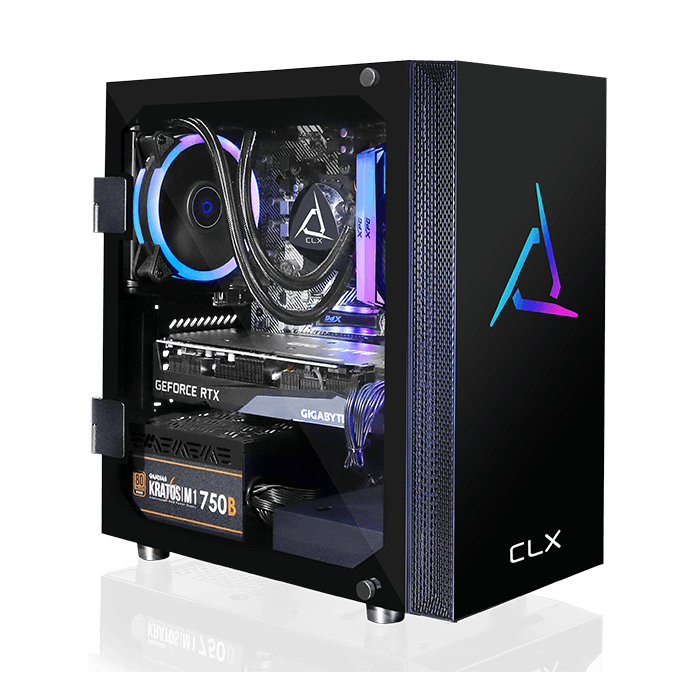
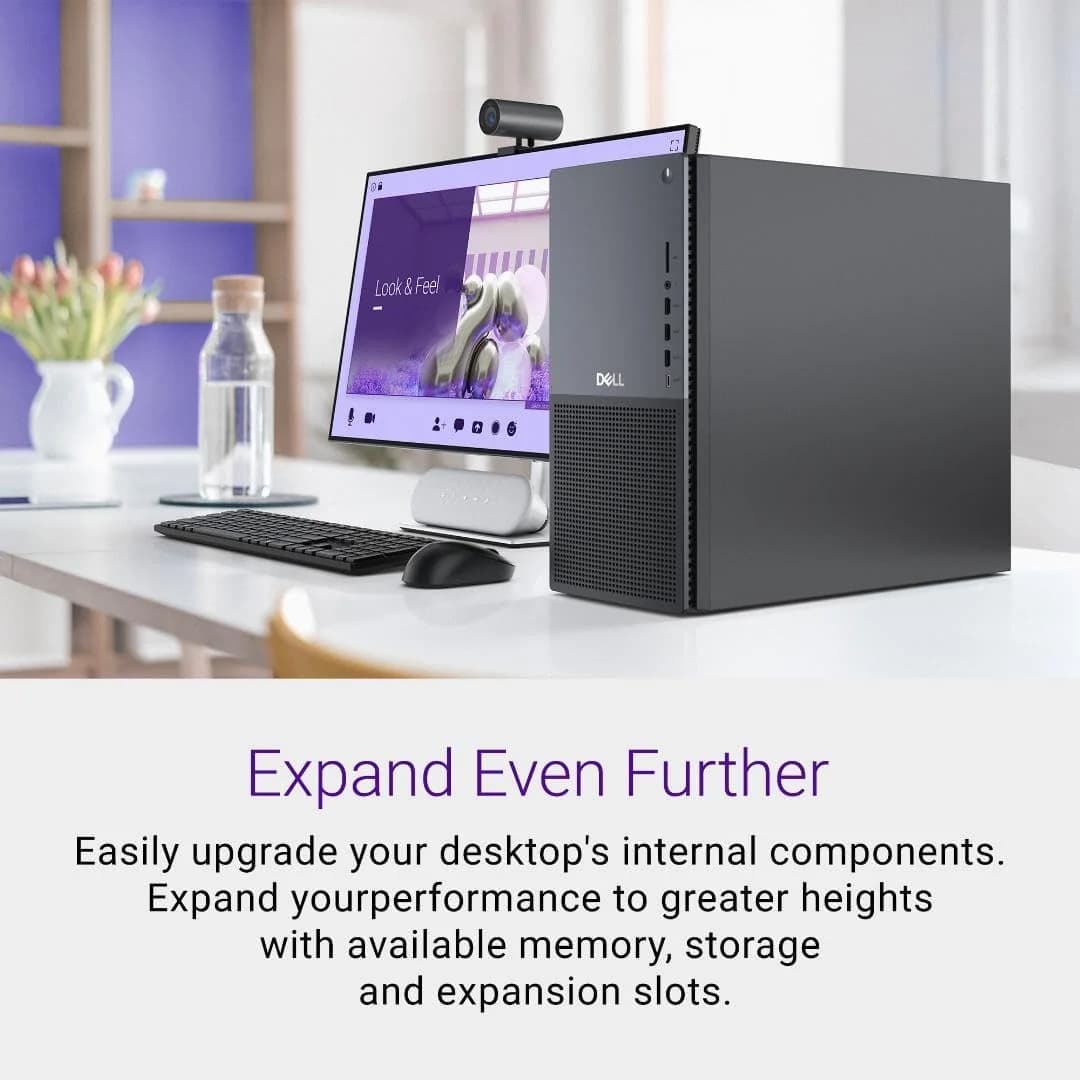
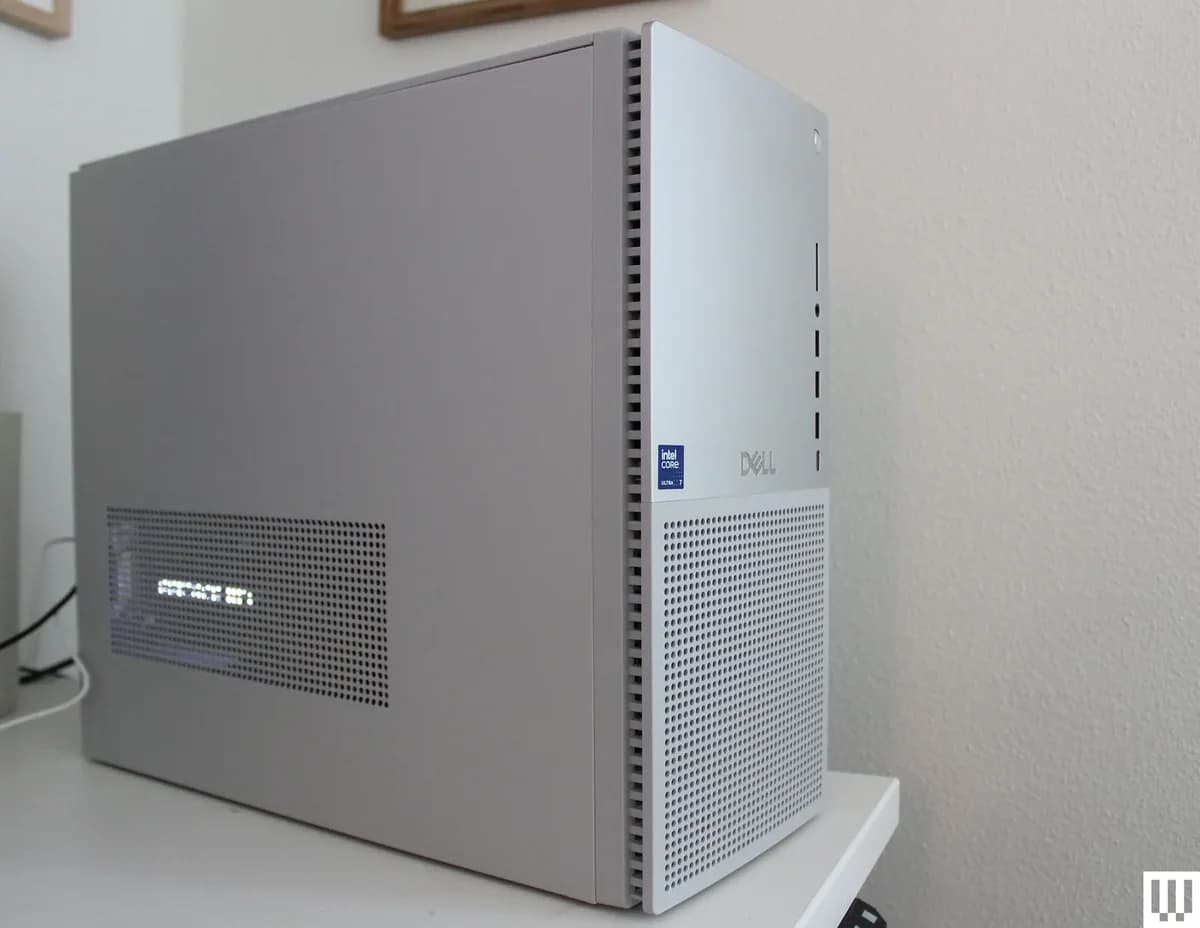
The Dell Tower Plus Desktop is the unflashy powerhouse for creatives and multitaskers craving 20-core Intel Ultra 7 performance without gaming-rig gaudiness. Experts applaud its quiet operation and versatile expandability, from PCIe slots to dual M.2 bays, though users flag occasional sleep-mode quirks and a proprietary internal layout that limits deep DIY upgrades. Its blend of NVIDIA RTX 50-series graphics and future-ready Thunderbolt 4 ports with Wi-Fi 7 offers solid bang for the buck, matching Dell’s value pitch head-on. This desktop earns respect as a reliable workhorse where serious horsepower meets subtlety—making it a smart pick for those prioritizing performance wrapped in practical design.




Find Yours
What will be the primary use for your computer tower?
Answer to find your best matches.

The Scoreboard
Does this improve your life? Considers, health, habits, and environmental impact.
Benefits
Low fan noise reduces stress and improves focus during long work or creative sessions.
Fast CPU/GPU combo speeds creative tasks, reducing cognitive fatigue and time spent waiting.
Tool-accessible RAM, storage, and GPU slots—more upgradeable than many compact pre-builts—extends lifespan.
Low-flash aesthetic reduces distraction, increasing comfort in shared or professional environments.
AI performance profiles and Wi‑Fi 7 optimize tasks and network latency, smoothing workflows.
Trade-Offs
Proprietary parts and tricky PSU swaps can make repairs harder, increasing potential electronic waste.
Cooling is more constrained than high-end gaming towers, causing thermal throttling under sustained loads.
Power-hungry CPU/GPU and manufacturing footprint may increase carbon intensity compared with low‑power eco models.
Reports of sleep-related errors and driver quirks can disrupt workflows and cause frustrating downtime.
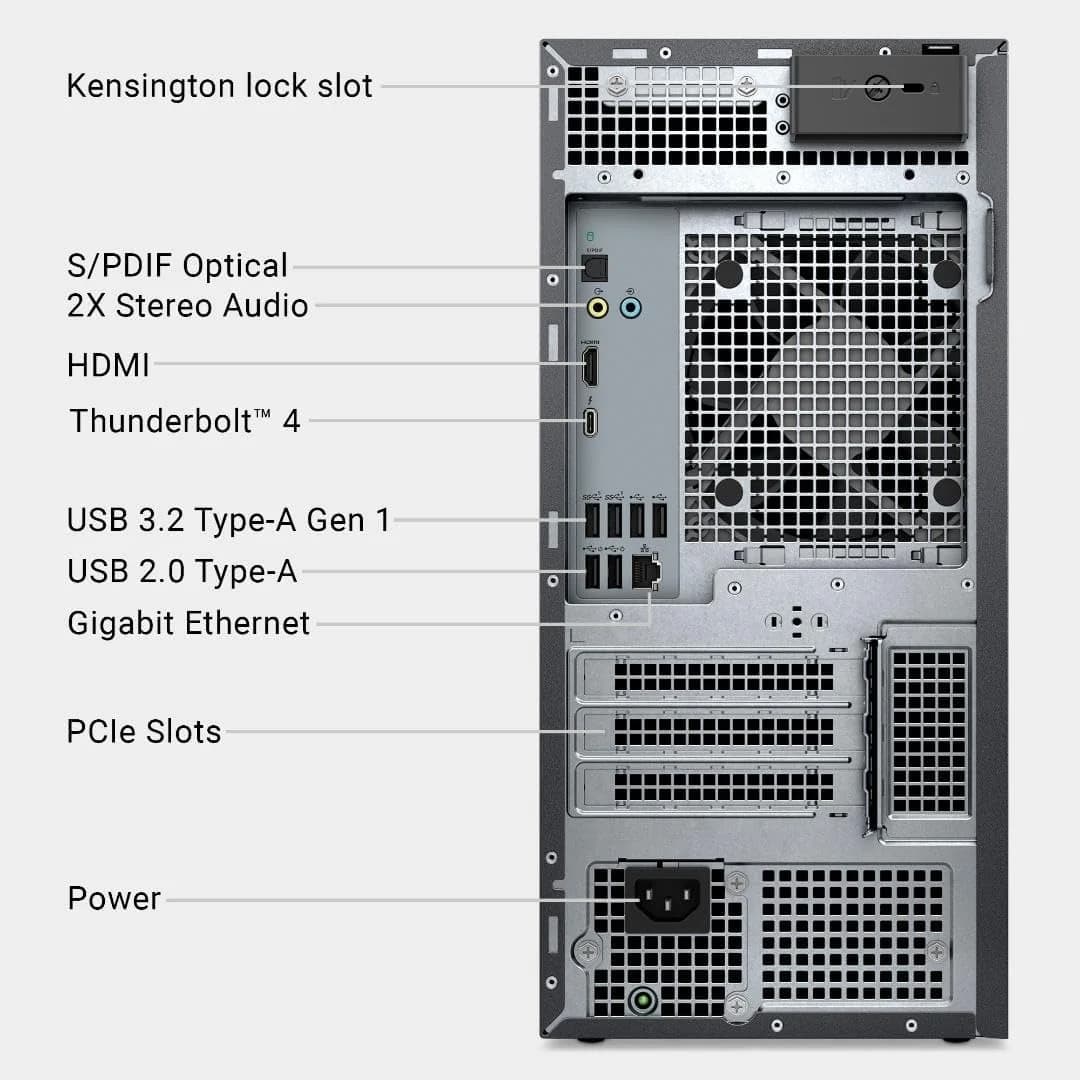
Reduced audio and legacy ports can inconvenience users relying on analog equipment or older accessories.
 Alternatives


Join the Circle
Where real meets deal
Know what's worth buying-and when.
Tips, special offers, and rewards for buying and sharing.

Publications
4 LEADING PUBLICATION REVIEWS

Alex Wawro from Tom’s Guide highlights the Dell Tower Plus Desktop as a surprisingly capable and customizable PC that stands out for its understated, office-friendly design—a refreshing change from typical flashy gaming rigs. Praising its strong performance in 1080p and 1440p gaming, quiet operation, and versatile port selection, Wawro emphasizes that the Tower Plus delivers solid value without breaking the bank. However, he notes some limitations, such as the need to lower settings for the most demanding 4K games and the compact case’s challenging accessibility for upgrades or repairs. While it doesn’t match the power of pricier gaming PCs, the Tower Plus excels as a well-rounded, no-nonsense machine suitable for gamers and creators alike. Wawro’s unique insight likens it to the “Millennium Falcon” of gaming PCs—modest in appearance but strong where it counts—making it an appealing choice for those seeking performance and subtlety over flashy aesthetics.
By Alex Wawro
James Holland from TechRadar highlights the Dell Tower Plus (EBT2250) as a versatile and quietly efficient desktop that can be tailored from a budget office machine to a powerful gaming rig. He praises its extensive customization options, solid internal expandability, and plentiful ports, especially the easily accessible front panel. The review emphasizes the desktop’s discreet, minimalist design, which suits office environments but lacks the flair of gaming aesthetics like RGB lighting or glass panels. Performance testing reveals strong gaming and productivity capabilities, with quiet operation even under load. While the included keyboard and mouse are basic, they are functional, and most users will likely upgrade them. Pricing varies widely depending on configuration, but Dell’s frequent discounts make it a compelling value. Holland notes some regional limitations in Australia for budget models but ultimately recommends the Tower Plus for users seeking a future-proof, upgradeable desktop with solid performance and understated style.
By James Holland
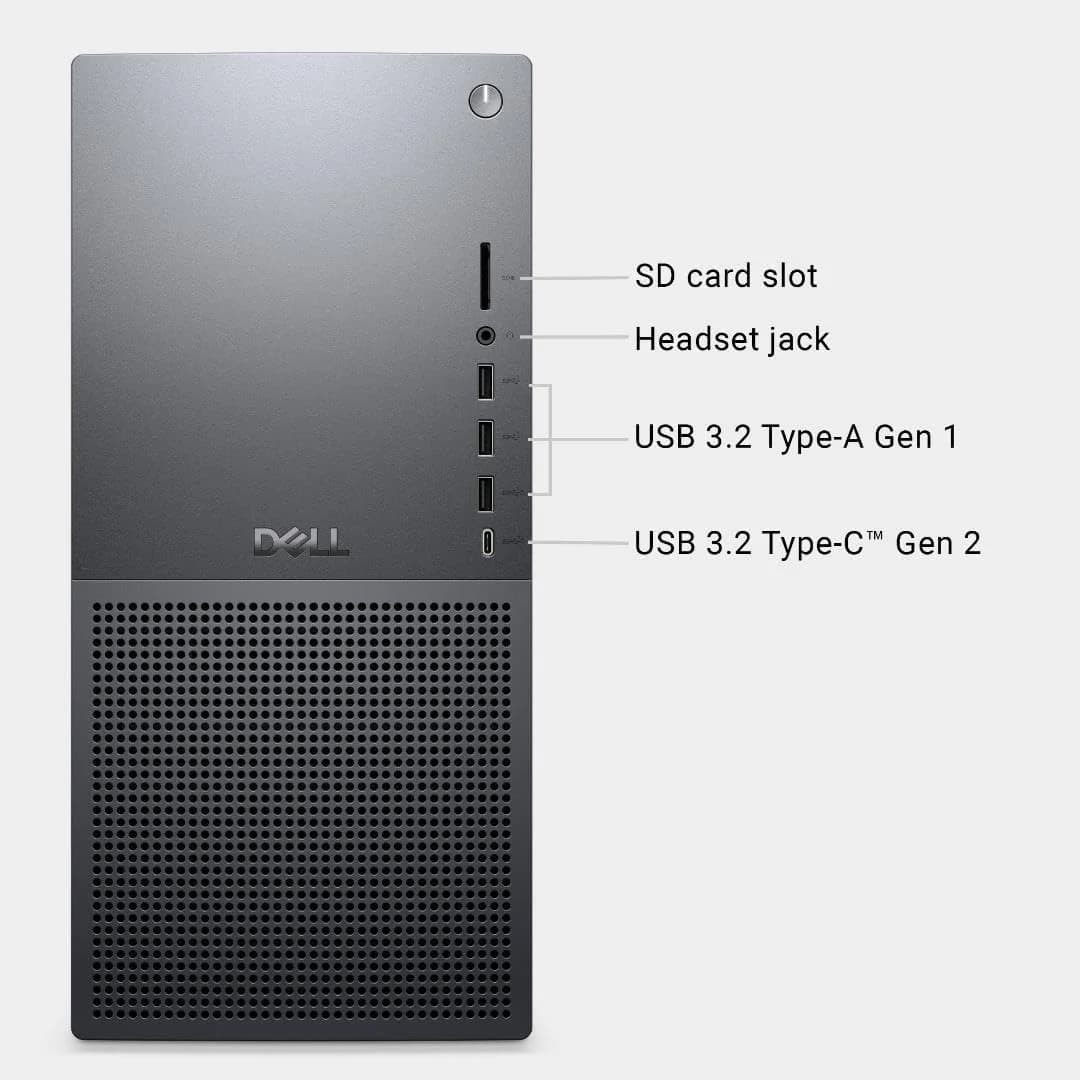
Luke Larsen from WIRED highlights the Dell Tower Plus Desktop as a well-balanced machine that blends solid performance, accessibility, and tasteful design, making it ideal for mixed-use scenarios like work-from-home productivity and casual gaming. He praises its classy off-white aesthetic, sturdy build, and thoughtful internal layout that facilitates easy upgrades for common components such as RAM, storage, and the GPU. The front and rear I/O options are noted as comprehensive and convenient. Performance-wise, the review unit’s Intel Core Ultra 7 265K paired with an RTX 5070 delivers strong results, especially for creative professionals, though gaming at 4K requires some compromises with upscaling or settings adjustments. While the system isn’t aimed at hardcore DIYers due to some proprietary parts limiting deeper upgrades, it offers a solid foundation for most users. Larsen appreciates the updated hardware and competitive pricing, especially when discounted, but notes the product is more evolutionary than revolutionary compared to previous Dell towers.
By Luke Larsen
Cale Hunt from Windows Central highlights the Dell Tower Plus Desktop as the best all-around pre-built PC for most users in 2025, praising its understated design, extensive port selection, and wide range of configurable performance options. He emphasizes its suitability for everyday productivity, streaming, and family use, noting that even entry-level models handle common tasks well. However, Hunt advises caution for gamers, pointing out the Tower Plus’s proprietary internal layout and limited cooling compared to dedicated gaming PCs, which may hinder future upgrades and high-performance gaming. He uniquely contextualizes the Tower Plus as a rebranded successor to the Dell XPS Desktop (8960), maintaining its strong performance legacy without flashy aesthetics. While not the top choice for enthusiasts seeking ultimate gaming power or modularity, the Dell Tower Plus stands out as a reliable, versatile desktop that balances price, performance, and practicality for a broad audience.
By Cale Hunt

YouTube
2 LEADING EXPERT & INFLUENCER REVIEWS
 Andrew Marc David
Andrew Marc David enthusiastically praises the Dell Tower Plus Desktop for its powerful Intel Core Ultra 7 265 CPU paired with the NVIDIA GeForce RTX 5070 GPU, whisper-quiet operation, and elegant platinum or graphite design. He highlights excellent expandability, Wi-Fi 7 connectivity, and easy servicing, calling it a premium, versatile desktop ideal for creative and professional workloads.
Scott The IT GuyScott The IT Guy praises the Dell Tower Plus Desktop EBT2250 as the best Dell XPS desktop yet, highlighting its quiet operation, powerful Intel Core Ultra 7 265K CPU, and upgrade-friendly design. He advises choosing the "K" CPU for better cooling and power supply, notes some thermal throttling under heavy load, and appreciates Dell’s reasonable pricing and business-class components. However, he points out limitations with power supply replacement, GPU slot accessibility, and audio port reductions, offering practical upgrade tips and promising further detailed videos.

Store Reviews
CUSTOMER REVIEWS FROM 1 STORE
Amazon reviewers praise the Dell Tower Plus Desktop for its strong performance and user-friendly setup, with many highlighting its speed and seamless file management under Windows 11. Users frequently mention the computer’s suitability for demanding tasks like music production, appreciating the powerful CPU and comprehensive peripherals. Several customers emphasize the value offered at an affordable price point, noting the system runs smoothly and integrates well with Microsoft 365 and OneDrive. Some reviewers suggest adding an extra headphone jack on the back panel to improve convenience. While most find the build quality reliable, a few longtime Dell users express concerns about a perceived decline in durability compared to earlier models. Overall, Amazon customers recognize the Dell Tower Plus as a solid, efficient desktop that meets both everyday and specialized computing needs.
4.2 Stars / Few verified reviews

Forum Reviews
CUSTOMER REVIEWS FROM 1 FORUM
Reddit users generally view the Dell Tower Plus Desktop as a solid, future-proof machine with advanced features and improved design compared to previous models like the XPS. Many appreciate its updated ports, power efficiency, and AI-optimized CPUs, noting stable performance and good build quality. However, some users report issues with blue screen errors related to sleep mode and express frustration with Windows 11 compatibility, leading a few to consider returns. Long-time Dell users upgrading from older models highlight the Tower Plus’s reliability and longevity, though some miss certain design elements and express concerns about limited RAM upgrade options. Overall, sentiment is cautiously positive but tempered by software and hardware quirks.
Many comments

In-Depth Review

Highlights
- •Processing performance20-core Ultra 7 responsiveness
- •Quiet operationLower noise under typical loads
- •ExpandabilityMultiple PCIe, M.2, HDD bays
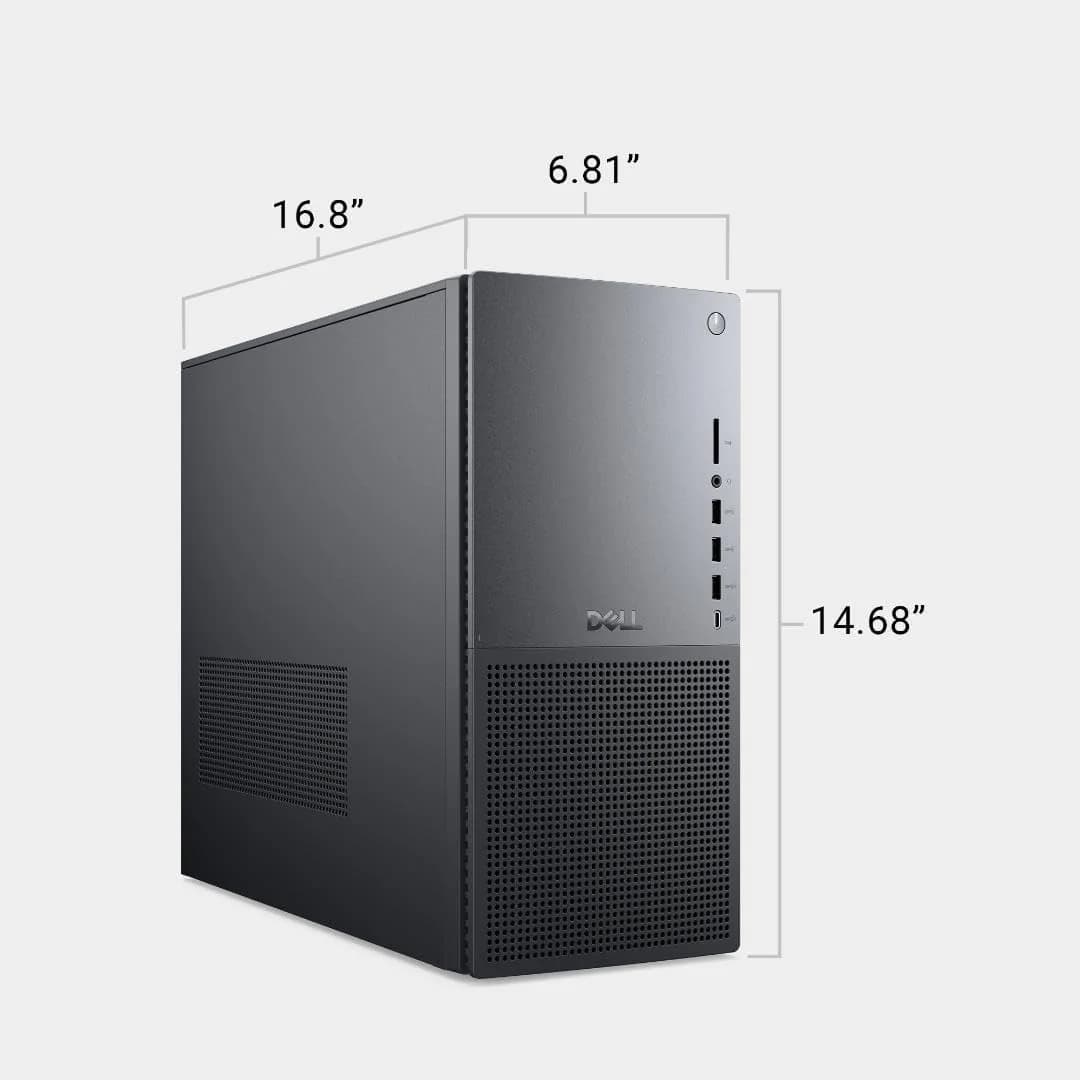
- •I/O & connectivityThunderbolt 4, Wi‑Fi 7, SD slot
- •Graphics optionsDiscrete RTX 50-series choices
- •Marketed as AI-capable NPU13 TOPS on‑chip neural engine

Considerations
- •Sleep/Windows instabilityReports of corrupt installs and BSODs
- •Thermal limits on K CPUsStock cooler can cause throttling
- •PCIe slot blockageGPU in x16 may block x4 slots
- •Power supply constraints460W stock limits high-end GPUs
- •Quality consistency issuesSome buyers note variable build quality
- •Proprietary connectorsCertain parts reduce deep DIY ease
Dell’s Tower Plus Desktop positions itself as a versatile workhorse designed for professionals and enthusiasts who crave 20-core Intel Core Ultra 7 processing power paired with flexible upgrade paths. This machine suits creatives, gamers, and multitaskers seeking a blend of performance and quiet operation without the usual flashy gamer aesthetic. With options like NVIDIA RTX 50-series graphics, multiple PCIe expansion slots, and up to 64GB DDR5 memory support, it offers room to grow alongside evolving needs. The thoughtfully engineered thermal design keeps things cool while maintaining low noise—a rarity in mid-sized towers. Connectivity doesn’t disappoint either, boasting Thunderbolt 4 ports and future-ready Wi-Fi 7 for fast data transfer. Build quality strikes a balance between business-grade reliability and serviceability, appealing to users valuing longevity over trendiness. If you want serious horsepower that won’t scream for attention or sound like an airplane taking off, this desktop deserves your close attention across these key facets ahead.
Cooling & Thermal Management
The tower’s thermal design balances airflow and noise remarkably well, earning kudos for being one of the quieter desktops even during gaming or video rendering marathons. Though standard air coolers might throttle when pushed hard on unlocked CPUs, options for larger tower coolers or liquid AIOs provide meaningful relief. This thoughtful approach ensures efficient heat dissipation while maintaining a whisper-quiet environment—a rare combo in mid-sized towers today.
Graphics Performance
Equipped with integrated Intel UHD graphics by default but boasting discrete NVIDIA RTX 50-series GPUs as options (notably the RTX 5070), this desktop comfortably handles everything from casual media work to serious gaming at 1080p or 1440p resolutions. Experts note frame rates dip under native 4K unless settings are adjusted or DLSS upscaling kicks in; still impressive considering price points where many competitors falter on graphical fidelity without premium tags attached.
Processing Performance
When it comes to processing muscle, this desktop flexes with the Intel Core Ultra 7 265, a 20-core powerhouse that keeps multitasking smooth and creative workloads humming. Experts highlight its ability to deliver robust multi-core performance without breaking a sweat. Users praise the AI-enhanced efficiency which aligns well with modern productivity needs. While some cooling limits appear under heavy load, the CPU’s overall responsiveness earns solid nods for both daily tasks and demanding applications.
Expandability & Upgradeability
Flexibility is king here: equipped with multiple PCIe slots, two M.2 SSD bays, and support for up to 64GB DDR5 RAM, this desktop invites upgrades like an open invitation party. Reviewers applaud how easy it is to swap components despite some proprietary quirks limiting extreme custom builds. The option to boost PSU wattage caters nicely to power users aiming higher later on—this system grows alongside your ambitions rather than boxing you in early.
Conclusion
Processing power meets practical design in this desktop, where the 20-core Intel Ultra 7 processor flexes with quiet confidence. The system’s expandability options, from PCIe slots to dual M.2 bays, offer room for ambition but demand attention due to a subtle PCIe slot blockage by larger GPUs. Cooling strikes a balance—efficient yet occasionally tested under heavy loads—while the inclusion of NVIDIA RTX 50-series graphics broadens its appeal beyond mere office work. Connectivity shines through with versatile Thunderbolt 4 ports and Wi-Fi 7, catering to future-proof setups. Reviewers appreciate the blend of sturdy construction and accessible internals, though some note minor quirks in build consistency and software stability. This machine suits those craving serious horsepower wrapped in an unassuming chassis, ready for creative tasks or moderate gaming without fuss or fanfare—a confident choice for users valuing performance paired with thoughtful serviceability and connectivity finesse.

Feature Scores
This reflects reviews and ratings from established critics, journalists, and users who have evaluated the item. Their opinions provide a comprehensive assessment.
Performance
Processing Performance
4/5
Graphics Capability
4/5
Cooling Efficiency
4/5
Expandability
4/5
Storage Flexibility
4/5
I/O Throughput
4/5
Power Supply Capacity
4/5
Build Reliability
4/5
Value
Price-to-Performance
4/5
Warranty and Support Value
4/5
Upgrade Value
4/5
Design
Aesthetic Design
4/5
Internal Layout and Cable Management
4/5
Form Factor and Footprint
4/5
Acoustic Design
4/5
Health
Noise Levels
4/5
Dust Filtration
TBD
Material Safety
TBD
Safety
Thermal Safety Systems
4/5
Electrical Safety Compliance
TBD
Fail-safe Protection
TBD
Sustainability
Energy Efficiency
TBD
Repairability and Recyclability
4/5
Sustainable Materials Use
3/5
Packaging Sustainability
TBD
Experience Style
Ease of Setup
4/5
Customizability
4/5
Software and Firmware Experience
4/5

Specifications
This section outlines the product's key facts, covering essential features, details, dimensions, materials, and any unique characteristics that define its functionality and usability.
Performance
Value
Design
Safety
Sustainability
Experience Style

Frequently Asked Questions
14 Questions

Also Consider
10 Options





Find Yours
What will be the primary use for your computer tower?
Answer to find your best matches.