Microsoft Surface Pro 11
Vibrant OLED display and strong performance impress, though ARM compatibility and accessory costs persist.
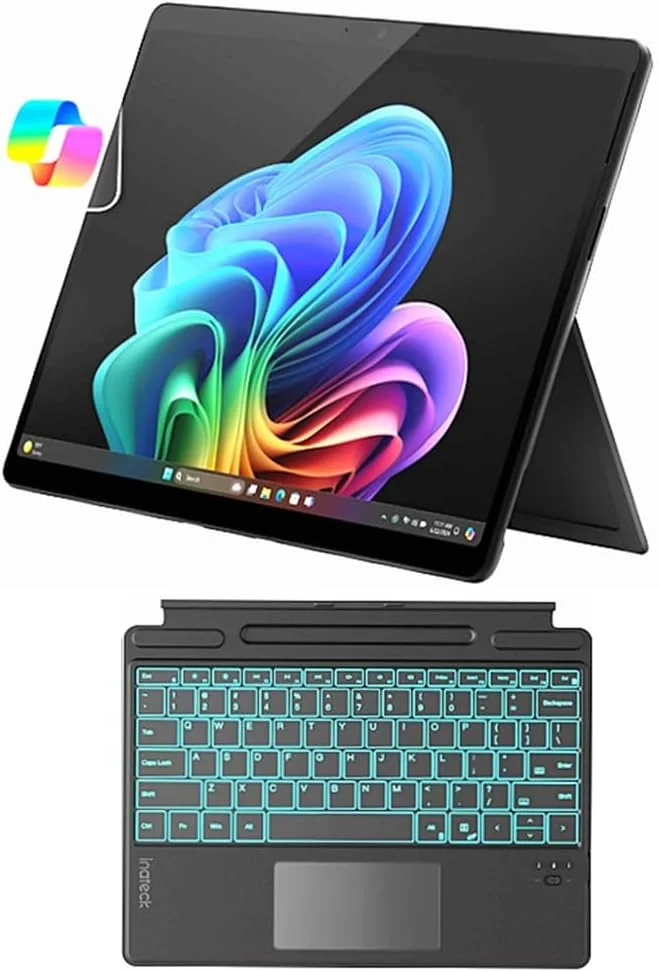
The Microsoft Surface Pro 11 is a sleek, versatile 2-in-1 powerhouse designed for multitaskers craving both portability and punch. Tailored to creatives and professionals juggling note-taking, streaming, and light editing, it dazzles with a 13-inch 120Hz OLED display that’s as vibrant as its battery life—lasting up to 14 hours on the Snapdragon model. Experts praise its snappy Snapdragon X Elite processor, though users flag persistent ARM app compatibility quirks and pricey keyboard accessories. Its standout features include a removable SSD slot and whisper-quiet thermals, but legacy software fans may hesitate. Ultimately, it strikes an impressive balance of power versus premium cost—a compelling choice if you can navigate the ecosystem nuances.
Find Yours
What is your primary use for a 2-in-1 laptop?
Answer to find your best matches.

The Field
Browse top contenders, or compare all options ranked by score and key attributes.
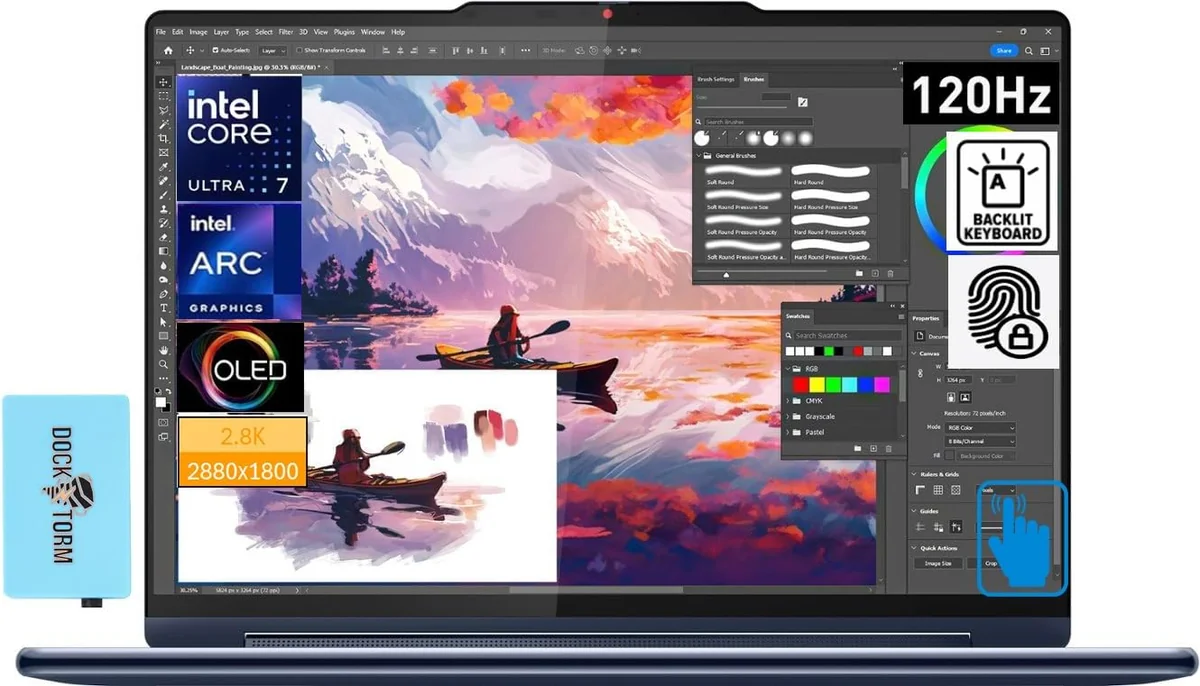
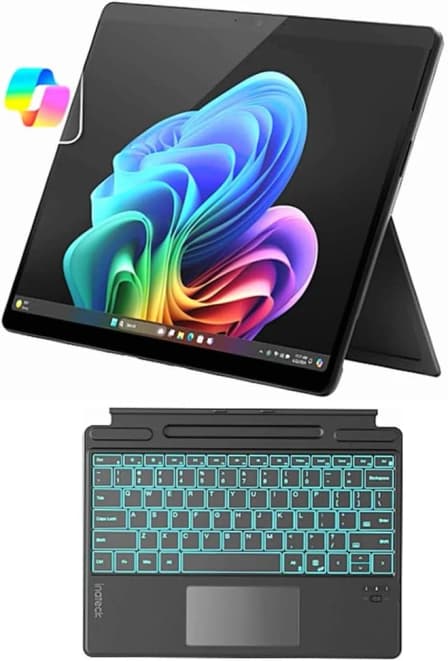
2 Options


The Scoreboard
Does this improve your life? Considers, health, habits, and environmental impact.
Benefits
Snapdragon X Elite efficiency reduces charging frequency, lowering screen-time interruptions and mental fatigue.
120Hz HDR OLED improves contrast and legibility, easing eye strain during creative work.
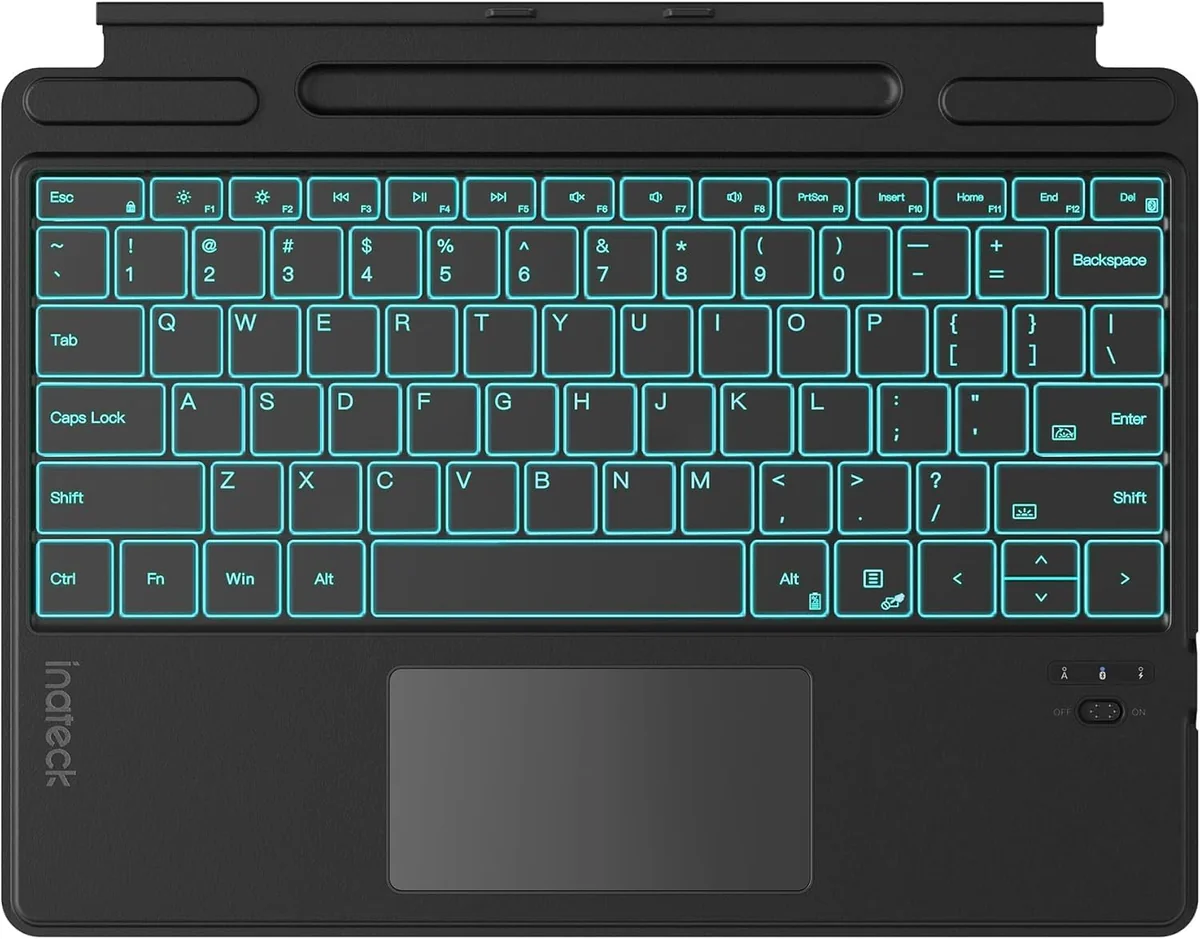
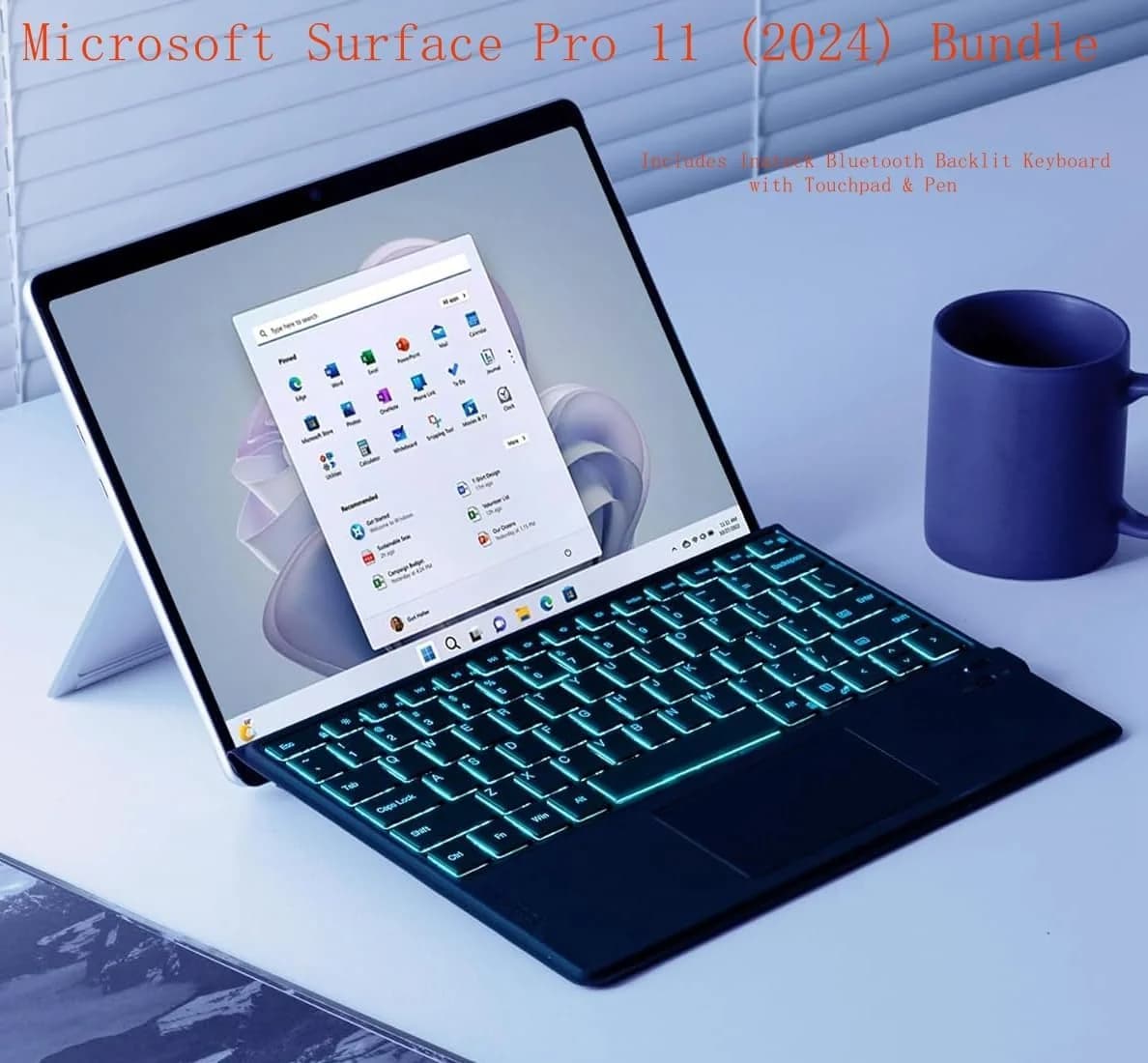
Flex keyboard and Slim Pen 2 enable natural note-taking, reducing neck strain and cognitive friction.
Removable SSD and quieter thermal design support longevity, lowering e-waste versus sealed competitors.
12MP front camera and good audio reduce video-call fatigue, improving connection and wellbeing.
Trade-Offs
Windows-on-ARM app gaps create workflow interruptions and frustration compared with x86 laptops.
OLED lacks anti-reflective coating, causing glare and visual strain in bright environments.
Essential keyboard and pen sold separately increase material use and packaging versus integrated designs.
Rapid platform evolution and limited app parity may push device replacement, raising lifecycle emissions.
Battery life noticeably falls under heavy video-call or multitasking loads, affecting all-day reliability.
 Alternatives


Join the Circle
Where real meets deal
Know what's worth buying-and when.
Tips, special offers, and rewards for buying and sharing.

Publications
8 LEADING PUBLICATION REVIEWS

Daniel Rubino from Windows Central praises the Microsoft Surface Pro 11 as a landmark achievement, calling it the best Surface Pro yet and one of the top Windows PCs of 2024. He highlights the device’s exceptional performance powered by Qualcomm’s new Snapdragon X Elite processor, impressive battery life exceeding 10 hours in real-world use, and a stunning 120Hz OLED HDR600 display that delivers vibrant colors and deep blacks. The new Flex Keyboard, with its wireless capability and refined haptic touchpad, is singled out as a game-changer enhancing the overall user experience. Rubino also applauds the excellent 12MP front-facing camera and solid audio quality. However, he notes some drawbacks, including the lack of an anti-reflective coating on the display, underdeveloped AI features, and missing human presence detection hardware. While casual gaming is supported well on Steam titles, the device is not suited for heavy gaming or professional 4K video editing. Overall, Rubino’s enthusiasm is clear, recommending the Surface Pro 11 especially for creators and Windows enthusiasts seeking a versatile, high-performance tablet-PC.
By Daniel Rubino
Andrew E. Freedman from Tom’s Hardware highlights the 2024 Microsoft Surface Pro 11 as a sleek, portable 2-in-1 that excels in hardware innovation, particularly with its Snapdragon X Elite processor and vibrant OLED display. He praises its impressive performance benchmarks, long battery life, and excellent front-facing camera, noting it as one of the best iterations of the Surface Pro line. However, Freedman tempers enthusiasm with measured criticism of Windows on Arm’s ongoing app compatibility issues, especially for gaming and niche professional software, which may limit its appeal for some users. The AI-driven Copilot+ features, while promising, are described as underwhelming and not yet transformative. The review also points out the high cost of essential accessories like the keyboard and stylus, which are sold separately. Overall, Freedman sees the Surface Pro 11 as a compelling flagship device that delivers on portability and display quality but falls short of being a true AI game changer at this stage.
By Andrew E. Freedman
Tony Polanco from Tom’s Guide highlights the Microsoft Surface Pro 11 as the best iteration in the Surface Pro lineup, praising its sleek design, excellent Snapdragon X Elite processor performance, and impressive 12-hour battery life. The addition of an OLED display option enhances visual quality, though color accuracy falls slightly short of expectations. Polanco appreciates the sturdy, versatile kickstand and the improved Surface Pro Flex keyboard with better key travel and haptic feedback, despite its high price. While AI features like Cocreate and Live Captions show promise, many Copilot+ functionalities remain underwhelming or nonfunctional, limiting their current value. Compatibility issues with ARM-based apps and games also pose challenges, though some improvements are anticipated later in 2024. Overall, the review conveys a cautiously enthusiastic tone, recognizing the Surface Pro 11 as a powerful, portable 2-in-1 device ideal for Windows users willing to invest in pricey peripherals, while noting that alternatives like the iPad Pro may appeal to others.
By Tony Polanco
Lori Grunin from CNET highlights the Microsoft Surface Pro 11 as a significant step forward for ARM-based Windows tablets, praising its Snapdragon X Elite processor for delivering surprisingly competitive performance and improved compatibility, especially for graphic design tasks. The long-awaited OLED screen upgrade with real HDR capability is noted as a standout feature, enhancing visual appeal. Battery life impresses with nearly 13 hours of video streaming and solid performance under mixed workloads. However, Grunin tempers enthusiasm with caveats: the device still requires costly accessories like the keyboard and stylus, and compatibility issues persist, including occasional crashes and Bluetooth glitches. Gaming performance is modest, suitable mainly for cloud gaming rather than AAA titles. The review also points out that upcoming Intel and AMD chips may soon eclipse the Surface Pro 11’s advantages. Overall, Grunin recommends the Surface Pro 11 primarily for upgraders willing to accept some risk on software compatibility and the premium price, while noting that waiting for newer models might be prudent.
By Lori Grunin
Nathan Edwards from The Verge highlights the Microsoft Surface Pro 11 as a compelling step forward in Microsoft’s long quest to blend laptop power with tablet flexibility. Praising the new Snapdragon X processor for delivering impressive speed and improved app compatibility, Edwards finds the device “fast as hell” and surprisingly repairable. The review applauds the optional OLED display’s vivid visuals despite some graininess and glare, and the innovative Flex Keyboard’s seamless Bluetooth connection and comfortable typing experience, though its high price and fabric palm rest’s yellowing are noted drawbacks. Battery life is solid but dips significantly during video calls, and the front ultrawide camera’s distortion detracts from video conferencing quality. While the Surface Pro 11 isn’t perfect—still limited by some app compatibility issues and a premium price—it offers unmatched versatility and feels close to fulfilling Microsoft’s vision. Edwards concludes that, despite some reservations, the Surface Pro 11 nearly replaces a traditional laptop for his daily work, making it a tantalizingly close realization of the 2-in-1 dream.
By Nathan Edwards
Claire Tabari from Laptop Mag highlights the Microsoft Surface Pro 11 as a device with impressive strengths but notable drawbacks, resulting in a cautiously positive overall sentiment. She praises its stunning 13-inch OLED display with vibrant colors and high brightness, excellent multi-core performance powered by the Snapdragon X Elite processor, and outstanding battery life that surpasses many competitors. The Surface Pro’s speakers and high-quality front and rear cameras also receive commendation for delivering rich sound and sharp images. However, Tabari questions the device’s value proposition, emphasizing its high price—nearly $2,000 with accessories—for what is essentially a tablet running Windows 11 rather than a full laptop. She critiques the limited port selection, the Flex keyboard’s subpar typing and trackpad experience, and middling AI and gaming performance. While the Surface Pro excels in premium build and key features, the review suggests it is a luxury choice best suited for users willing to pay a premium for portability and display quality despite some compromises.
By Claire Tabari
Samuel Gibbs from The Guardian highlights the Microsoft Surface Pro 11 as a significant leap forward for Arm-based Windows tablets, praising its sleek design, excellent 120Hz OLED screen, strong performance, and quiet operation. The device impresses with features like a solid build, removable SSD, and a versatile kickstand, making it a compelling choice for thin and light computing. However, Gibbs tempers enthusiasm with notable caveats: the high price—especially when factoring in the essential keyboard—and persistent app and accessory compatibility issues due to the Arm architecture. Battery life, while decent, fails to surpass Intel predecessors, and Microsoft’s AI features fall short of expectations. The review underscores that the Surface Pro 11’s appeal hinges heavily on whether users’ software and peripherals are fully compatible with the new Snapdragon X chip. Overall, it’s a powerful and refined device that sets a new standard for Arm Windows tablets but remains a cautious recommendation for those reliant on legacy apps or seeking better value.
By Samuel Gibbs
Andrew Cunningham from Ars Technica highlights the Microsoft Surface Pro 11 as a significant milestone for Windows on Arm, marking a notable improvement in hardware and software integration that finally makes Arm-based Windows devices genuinely recommendable for many users. He praises the solid build quality, good performance, and improved app compatibility, noting that many key Windows apps are now Arm-native and that emulation has become much smoother. The Surface Pro 11’s design remains familiar and functional, especially with its built-in kickstand, though Cunningham personally prefers the Surface Laptop for keyboard-centric use. He points out some drawbacks, including the grainy OLED screen option, expensive keyboard accessories, and lingering compatibility issues that require native Arm apps to fully resolve. While the bundled AI features feel unnecessary, the overall experience is surprisingly good, with decent battery life and unobtrusive fan noise. Cunningham frames the Surface Pro 11 as a promising start to a potential Windows Arm transition, akin to Apple’s Silicon shift, but acknowledges that some challenges remain.
By Andrew Cunningham

YouTube
9 LEADING EXPERT & INFLUENCER REVIEWS
 MobileTechReview
Lisa from MobileTechReview praises the Microsoft Surface Pro 11 OLED with Snapdragon X Elite for its snappy performance, excellent battery life, and quiet, cool operation—finally delivering the speed and efficiency expected from a Windows on ARM device. She highlights the vibrant OLED display and flexible new Surface Pro Flex keyboard but notes the high keyboard price and some limitations with x86 app emulation. Overall, she finds it the best iteration yet, ideal for productivity and creative work needing full Windows compatibility.
Andrew Marc DavidAndrew Marc David praises the Microsoft Surface Pro 11 for its long-awaited OLED display, excellent battery life, and cool, quiet performance powered by the Snapdragon X Elite. He highlights the productive Pro Flex Keyboard with Slim Pen 2 but notes the high accessory cost and occasional heat under heavy load. Overall, he calls it a standout 2-in-1 with strong AI features and user-upgradable storage.
Created by EllaCreated by Ella praises the Microsoft Surface Pro 11 as a versatile, student-friendly 2-in-1 with impressive performance from the new Snapdragon X Elite processor and excellent battery life that outlasts the M3 MacBook Air. She highlights the flexible kickstand, improved haptic trackpad, and strong speakers but notes drawbacks like a reflective OLED screen, visible pen digitizer dots, and occasional Windows-on-ARM quirks. Overall, she finds it a significant step forward in Windows ARM laptops, especially for note-taking and media, though some refinements are still needed.
My Next TabletMy Next Tablet praises the Microsoft Surface Pro 11 for its impressive battery life, high-quality 13-inch OLED display, and solid build, making it a top-tier Windows office tablet. However, they caution about significant software compatibility issues with many apps and games on the Snapdragon X Elite chip, limiting its versatility despite strong hardware and AI features.
Andru EdwardsAndru Edwards praises the Microsoft Surface Pro 11 for its sleek design, lightweight build, impressive Snapdragon X Elite performance, and vibrant 13-inch OLED display. He highlights innovative AI features like Windows Copilot and live captions but notes they feel early-stage and sometimes inconsistent. Compatibility issues, battery life under heavy use, and missing features like Recall temper enthusiasm, making it a premium but somewhat flawed choice.
GH Tech ReviewGH Tech Review praises the Microsoft Surface Pro 11’s robust ARM-based performance, OLED display with 900 nits brightness, and improved Flex keyboard’s wireless use, while noting drawbacks like app compatibility issues, keyboard charging bugs, and pen discomfort for detailed drawing. The device excels for schoolwork and photo editing but lags in video editing.
Ben G KaiserBen G Kaiser praises the Microsoft Surface Pro 11 for its refined design, durable aluminum hinge, and standout keyboard and pen integration. He highlights the device’s excellent thermal management, solid performance benchmarks, and responsive PixelSense display with Microsoft Slim Pen 2. While impressed overall, he notes the display’s limited color accuracy and concerns about the aluminum back scratching, suggesting protective skins as a trade-off.
WhatNow?WhatNow? praises the Microsoft Surface Pro 11 for its versatile Windows 11 ARM experience, excellent battery life, and strong multitasking capabilities, especially for productivity apps like VS Code. While noting some quirks—such as occasional sleep mode issues, keyboard flex, and a wide-angle front camera—the review highlights the Surface Pen’s quality and overall positions the Pro 11 as the best tablet for users needing laptop-level functionality.
OastharOasthar highlights the Microsoft Surface Pro 11 as a flagship 2-in-1 with a superior 13-inch OLED display, robust Snapdragon X Elite processors, and versatile port options including 5G. While heavier and less portable than the newer Pro 12, its premium build, haptic keyboard, and high-end performance make it ideal for power users and creatives.

Social
2 INFLUENCER REVIEWS
 Andrew Bond
Andrew Bond raves about the Microsoft Surface Pro 11, highlighting its powerful Snapdragon X Elite processor, stunning 13-inch 2K 120Hz OLED display, and impressive 14-hour battery life. He praises the versatile new Flex keyboard and immersive pen with haptic feedback, emphasizing its premium build and thoughtful design details. Overall, Andrew’s enthusiasm is clear as he positions the Surface Pro 11 as a top-tier, highly capable 2-in-1 device that outperforms even some laptops. His glowing recommendation focuses on its blend of power, portability, and innovative accessories, making it a standout choice for users seeking both tablet and laptop functionality.
 Spencer Ryan
Spencer Ryan shares his experience using the Microsoft Surface Pro 11 as a versatile daily device—laptop, desktop, light gaming machine, and tablet—over six months. While he praises its design and overall performance, he highlights a significant limitation: the 16GB memory often maxed out during demanding tasks like video editing in Resolve, prompting an upgrade to the 32GB model. Overall, Spencer’s sentiment is positive but measured, appreciating the device’s flexibility and aesthetics while candidly addressing memory constraints. He recommends the Surface Pro 11, especially the higher-memory variant, for users needing robust multitasking, signaling that the 32GB model better suits power users like himself.

Store Reviews
CUSTOMER REVIEWS FROM 1 STORE
Amazon users praise the Microsoft Surface Pro 11 for its powerful performance and seamless blend of laptop and tablet functionality. Reviewers highlight the sharp, vibrant 13-inch touchscreen and top-notch speakers, which enhance both work and entertainment experiences. Many appreciate the Snapdragon X Plus processor and ample RAM, noting smooth multitasking and fast responsiveness even with demanding applications. Users frequently mention the device’s outstanding battery life, allowing all-day use without frequent charging. The Surface Pen receives positive remarks for its versatility in note-taking and handwriting-to-text transcription, although a few users report occasional glitches when switching between pen and touch input. Several customers emphasize the convenience of pairing the tablet with the keyboard and mouse to unlock full laptop capabilities, despite the additional cost. While most find the device easy to navigate and reliable for daily tasks, some report software compatibility issues and occasional hardware quirks, such as non-illuminated keyboards or touch recognition problems. Overall, Amazon reviewers recommend the Surface Pro 11 as a versatile, high-quality device that excels in portability and productivity, especially for professionals balancing creative and analytical work.
4.5 Stars / Some verified reviews

Forum Reviews
CUSTOMER REVIEWS FROM 1 FORUM
Reddit users generally express mixed sentiments about the Microsoft Surface Pro 11, praising its sleek design, impressive OLED display, and solid performance—especially the Intel Lunar Lake version, which offers better software compatibility and battery life compared to the ARM Snapdragon model. Many appreciate its portability and versatility as a 2-in-1 device, though some find it awkward as a tablet due to size and limited tablet-optimized features. Criticisms focus on software compatibility issues with ARM versions, high pricing, and limited peripheral support, particularly for business use. Upgraders tend to favor the Intel model for improved performance, while new shoppers are cautious due to these limitations.
Many comments

In-Depth Review

Highlights
- •OLED Display Excellence13" 2880×1920 OLED, 120Hz
- •Processor PerformanceSnapdragon X Elite or Intel Core Ultra
- •Long battery lifeReal‑world ~10–13 hours typical use
- •Flex Keyboard (wireless)Detachable wireless keyboard with haptic touchpad
- •Removable SSD / RepairableUser‑accessible 2230 NVMe under kickstand
- •Marketed as Copilot+ PCOn‑device NPU for AI acceleration

Considerations
- •App and driver compatibilityARM emulation limits some apps/drivers
- •Accessory costs and omissionsKeyboard/pen sold separately; pricey extras
- •Gaming and GPU limitsIntegrated GPU struggles with AAA/anti‑cheat
- •OLED grain and reflectivityVisible digitizer grid; glossy surface glare
- •Peripherals requiring driversSome printers/scanners lack ARM drivers
- •Webcam framing quirksFront ultrawide framing can be unflattering
Microsoft continues to refine its Surface line with the 11th edition, a sleek and versatile device designed for professionals and creatives seeking a 13-inch OLED PixelSense Flow display that delivers vibrant colors and sharp details. Powered by either the Snapdragon X Elite or Intel Core Ultra processors, it balances impressive performance with energy-efficient AI processing thanks to its integrated NPU. Users can expect solid endurance, boasting up to 14 hours of video playback on select models, while enjoying enhanced productivity from a detachable keyboard paired with an adjustable kickstand and user-accessible SSD slot. However, the shift toward Windows on ARM introduces challenges in app compatibility—especially for legacy software—which remains a key consideration alongside notable improvements in thermal management keeping noise levels low under load. Tailored for multitaskers who value portability without compromising power, this model invites you to explore how these standout features measure up against real-world demands—and whether they truly elevate your workday experience.
Processor & NPU Performance
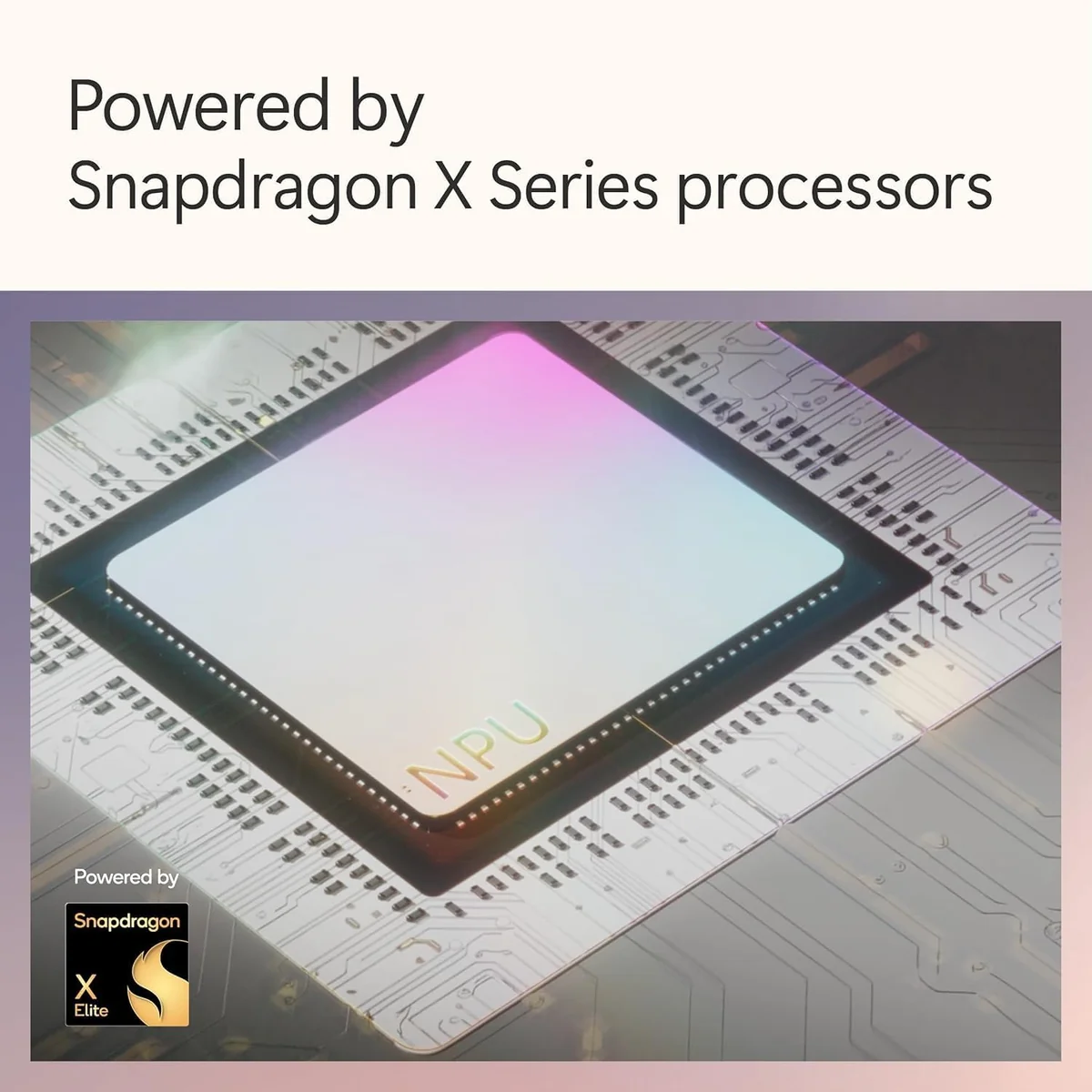
Powered by either the Snapdragon X Elite or Intel Core Ultra processors, this device balances raw power with efficiency. The integrated Neural Processing Unit (NPU) accelerates AI tasks like live captions and Studio Effects without breaking a sweat. While day-to-day responsiveness impresses reviewers across workflows, some ARM app compatibility issues persist but are offset by solid multi-core scores rivaling top laptops. It’s clear this chip combo powers productivity seamlessly while ushering in smarter computing.
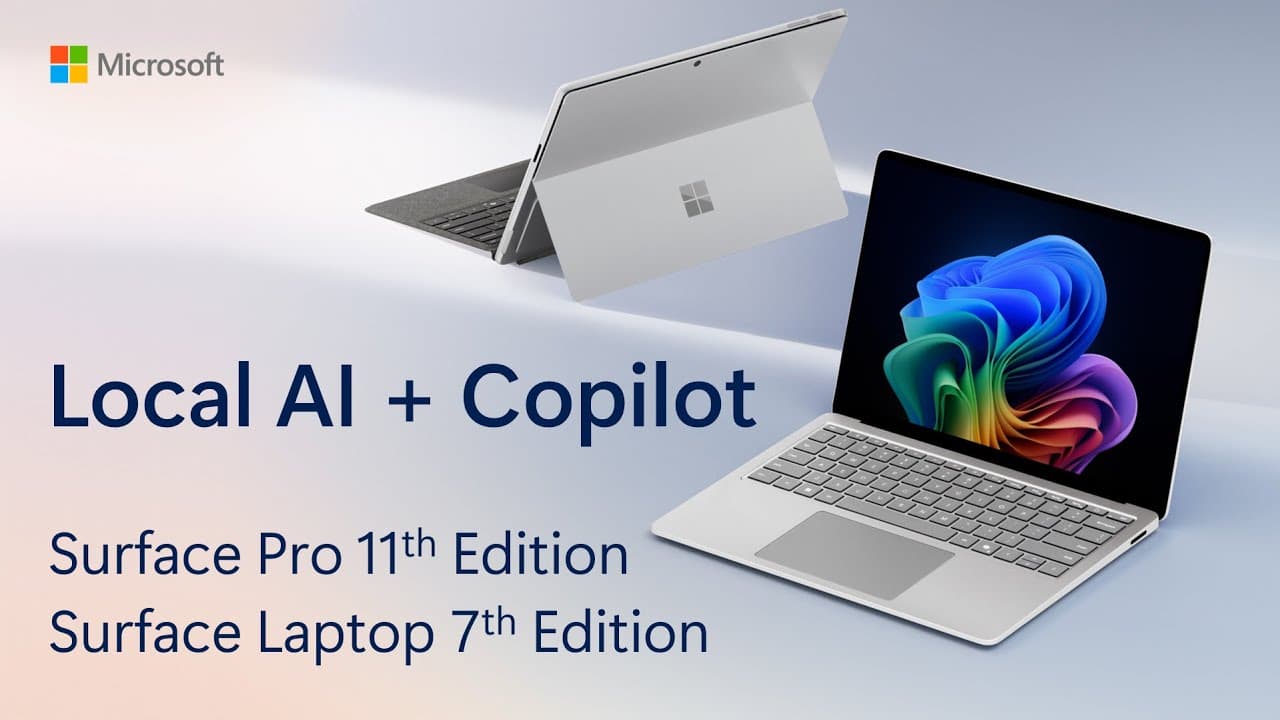
App/Platform Compatibility (Windows on ARM vs x86)
This Surface embraces Windows on ARM with native apps running smoothly; however, emulation can cause lag and higher battery draw for legacy x86 software—still evolving territory as developers catch up. Some popular programs lack full support yet peripherals requiring custom drivers may falter due to limited ARM-compatible options so buyers should verify critical software beforehand. This balancing act defines much of the real-world experience between innovation promise versus current ecosystem realities.
Display Quality
Dive into the 13-inch OLED PixelSense Flow display that dazzles with a 2880×1920 resolution and vibrant colors. Experts praise its 120Hz refresh rate for silky-smooth visuals, while users note the slightly visible digitizer grid on white backgrounds—an honest quirk rather than a dealbreaker. Its HDR600 brightness peaks at around 900 nits, offering impressive contrast and vivid media playback. Despite lacking an anti-reflective coating, this screen remains one of the standout features, delivering both creative precision and immersive entertainment.
Battery Life & Efficiency
Battery life is where magic happens: expect up to 14 hours of video playback thanks to efficient Snapdragon silicon and an optional larger battery in OLED models. Real-world use shows comfortable all-day endurance for typical workloads with minimal standby drain—a relief from traditional Windows laptop woes. Users appreciate fast charging via USB-C or Surface Connect ports, making it ideal for those who value longevity without sacrificing portability or performance during long days away from outlets.
Conclusion
Navigating the crossroads of innovation and practicality, this device delivers a vivid 13-inch OLED display paired with processors that blend Snapdragon agility and Intel muscle, backed by an NPU designed to lighten AI workloads. Users revel in its impressive battery life and quiet thermal profile, though the dance between Windows on ARM’s promise and real-world app compatibility remains intricate. The thoughtful design offers a sturdy kickstand alongside a removable SSD, hinting at repair-friendly intentions rarely seen in ultraportables. Yet, those tethered to legacy software or heavy gaming might find themselves at odds with its current ecosystem constraints. This is a tool crafted for multitaskers craving portability without surrendering power—a machine that earns its place not just through specs but by redefining what work-life balance looks like on the go, proving subtle yet profound strides toward tomorrow’s computing demands.

Feature Scores
This reflects reviews and ratings from established critics, journalists, and users who have evaluated the item. Their opinions provide a comprehensive assessment.
Performance
Processor Performance
4/5
Graphics Performance
4/5
Memory Capacity
4/5
Storage Speed
4/5
Battery Life
4/5
Thermal Management
4/5
Build Durability
4/5
Value
Price-to-Feature Ratio
4/5
Warranty and Support
3/5
Design
Portability
4/5
Display Quality
4/5
Keyboard Comfort
4/5
Stylus Integration
4/5
Aesthetic Design
5/5
Health
Display Blue Light
4/5
Materials Safety
4/5
Thermal Comfort
4/5
Safety
Battery Safety
4/5
Data Security Features
4/5
Regulatory Compliance
4/5
Sustainability
Energy Efficiency
4/5
Repairability
4/5
Recyclability
4/5
Sustainable Materials Use
4/5
Experience Style
Mode Switching Ease
4/5
Touch and Pen Responsiveness
4/5
Software Ecosystem
3/5
Customizability
3/5

Specifications
This section outlines the product's key facts, covering essential features, details, dimensions, materials, and any unique characteristics that define its functionality and usability.
Performance
Value
Design
Safety
Sustainability
Experience Style

Frequently Asked Questions
8 Questions





Find Yours
What is your primary use for a 2-in-1 laptop?
Answer to find your best matches.