
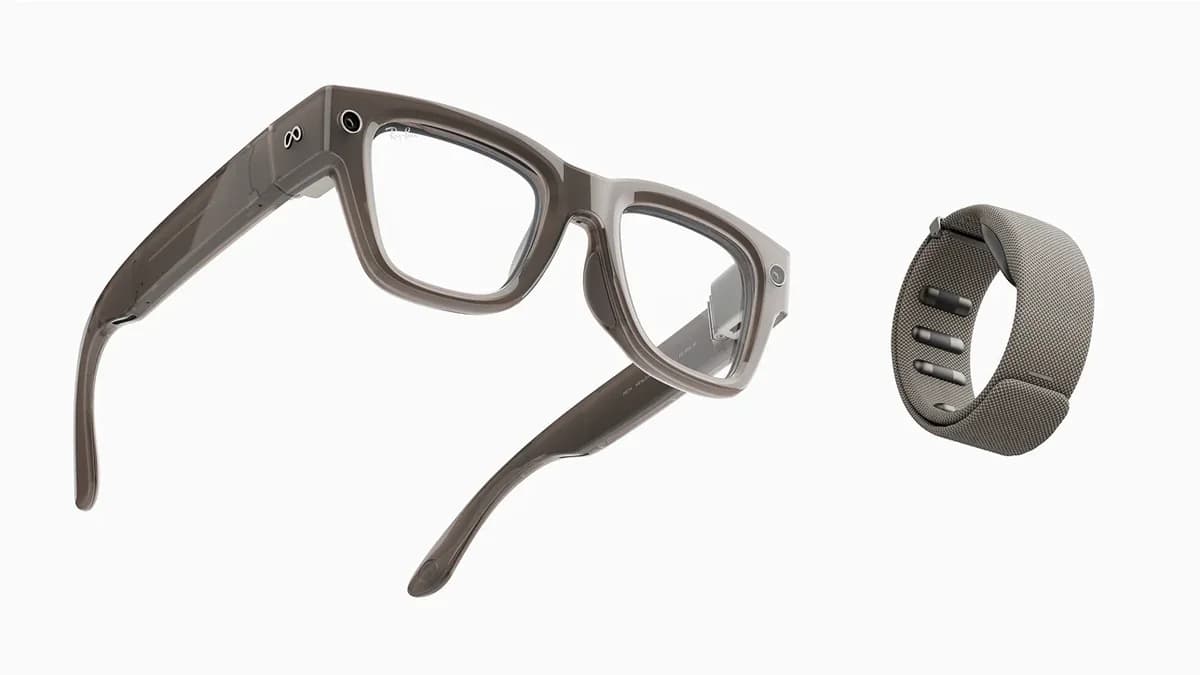
Meta Ray-Ban Display
Private, bright in-lens HUD with Neural Band gestures and Ray‑Ban style; first‑gen tradeoffs remain.
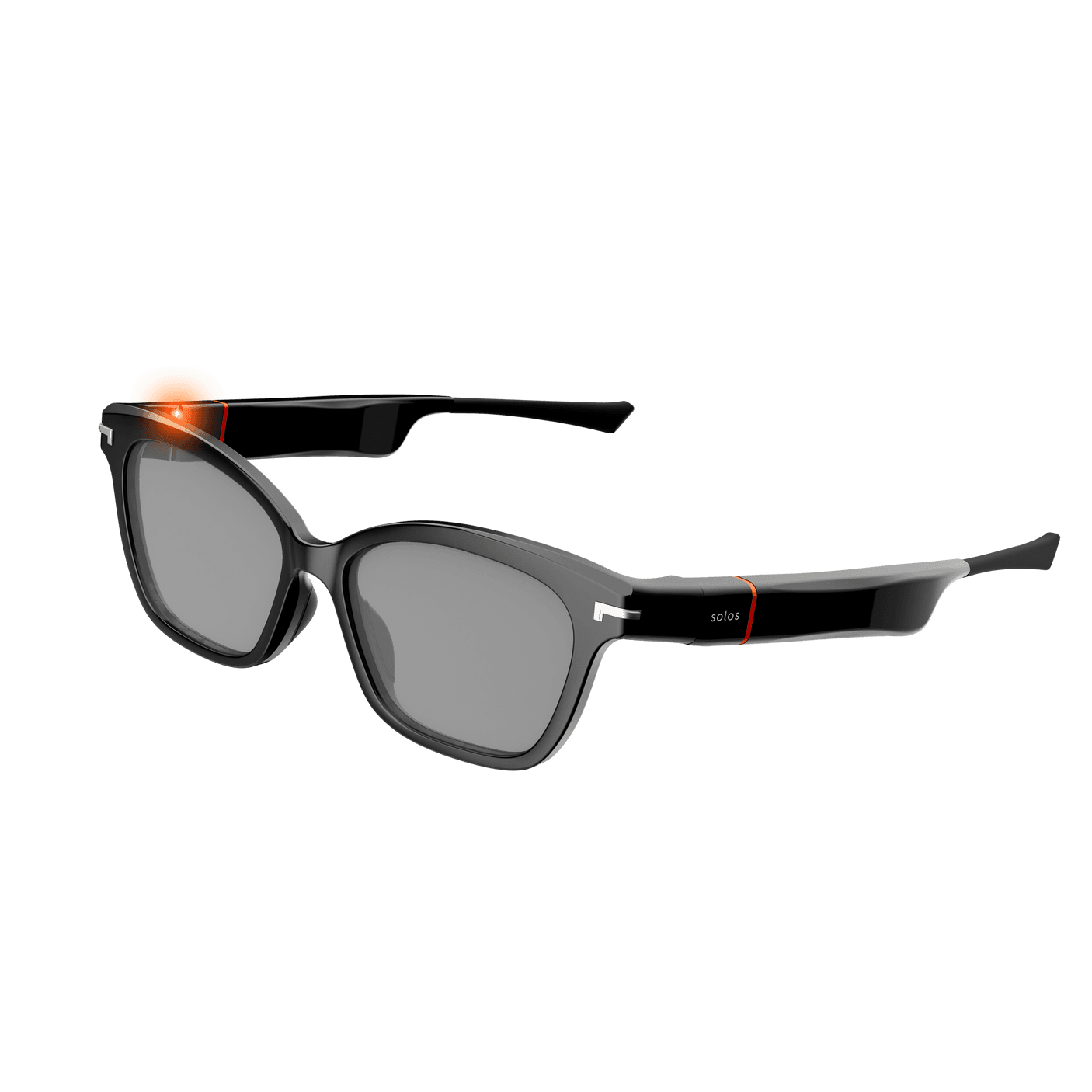
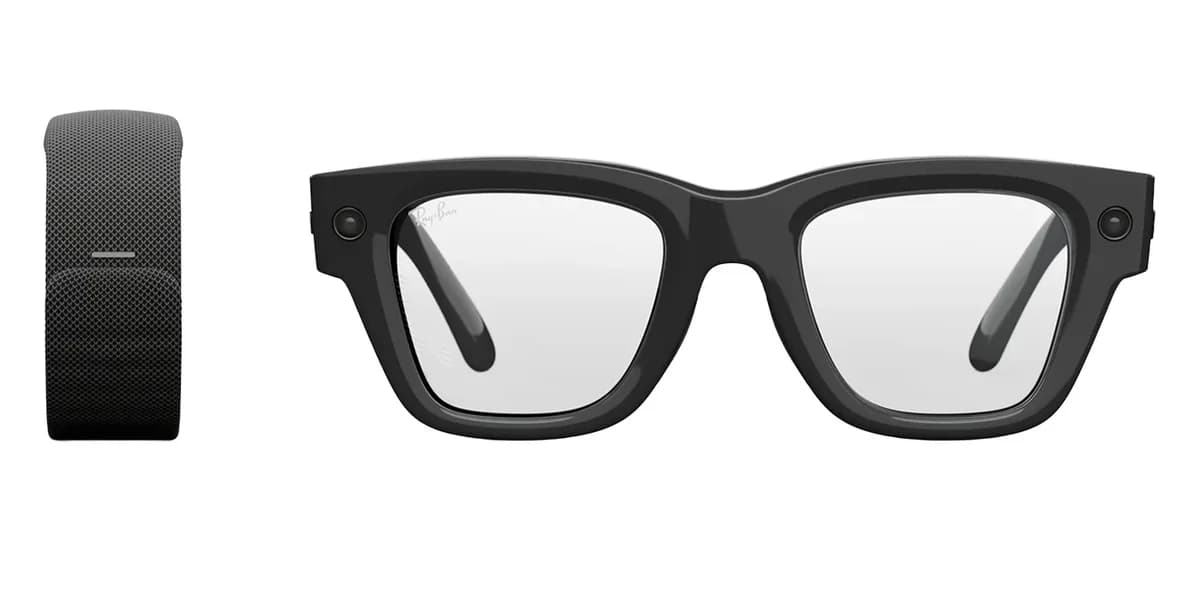
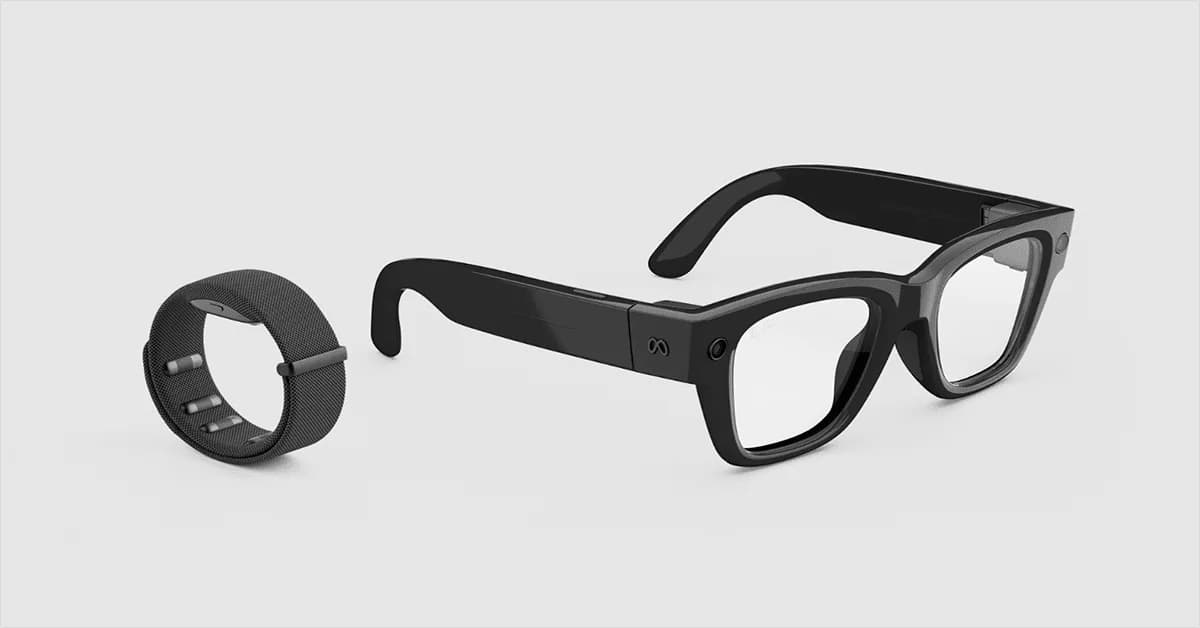
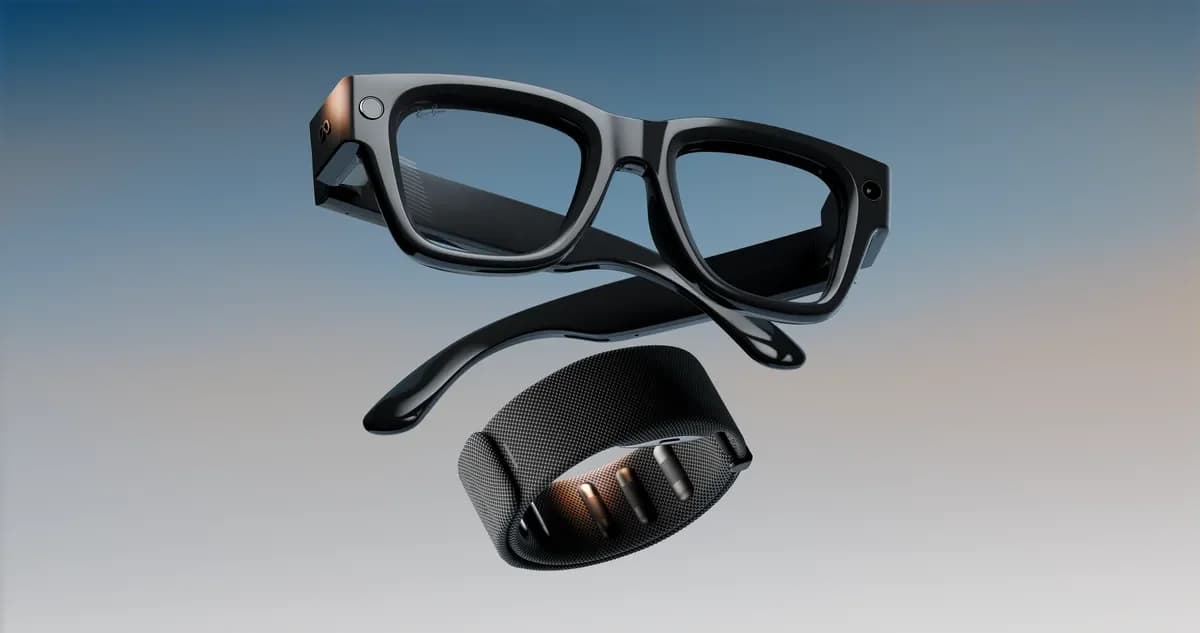
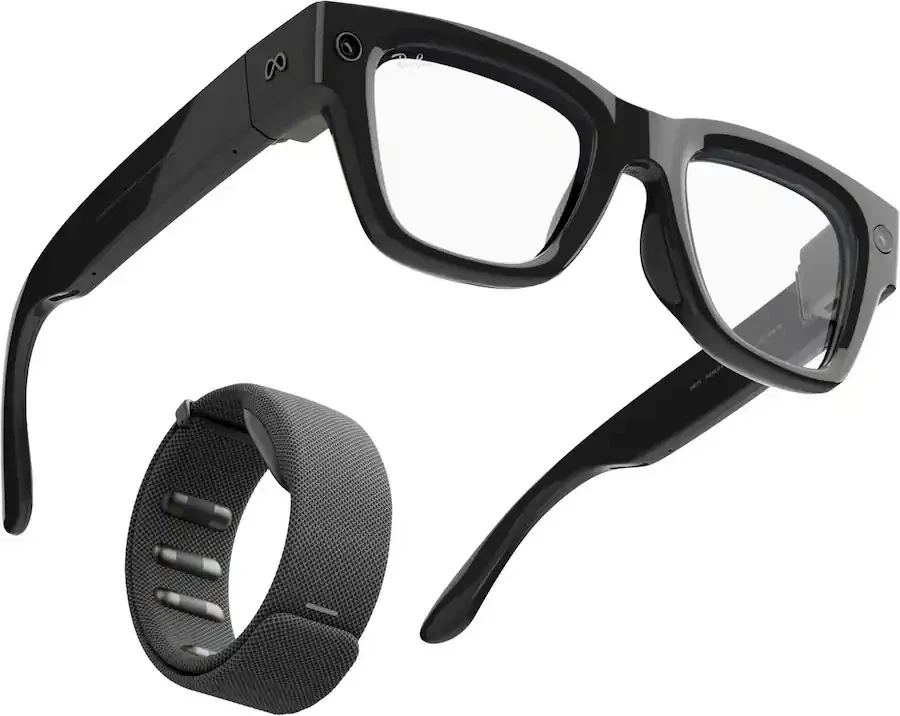
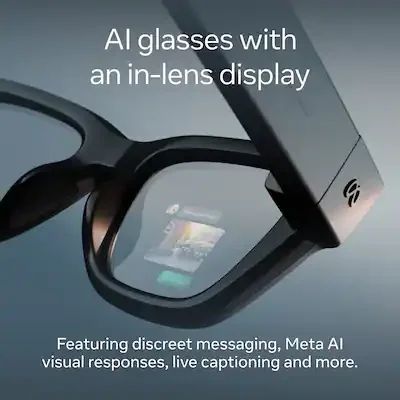
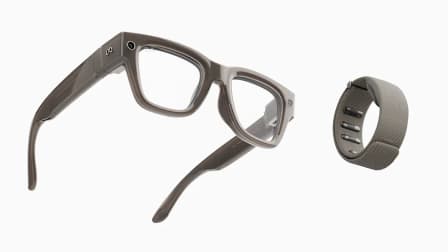
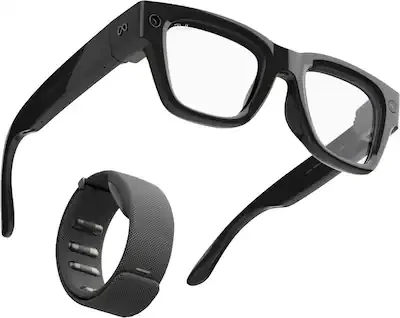
The Meta Ray‑Ban Display is the stylish, wrist‑guided smart glasses that aim to keep your phone in your pocket by pairing a private in‑lens HUD with a Neural Band sEMG controller, offering discreet replies, navigation cues, and an on‑eye viewfinder for quick photos. It targets commuters and social users who want hands‑free convenience and readable captions without loud voice commands, and experts and buyers alike praise the display brightness and inventive gesture control while flagging the narrow monocular view and chunky frames as real comfort tradeoffs. Brand claims about outdoor visibility and convenience find support in reviews, though real‑world battery life and app limits temper expectations versus the $799 price. In short, its value depends on how much you prize privacy, style, and subtle controls over all‑day comfort and broad app integration.
Find Yours
What is your primary intended use for smart glasses?
Answer to find your best matches.

The Field
Browse top contenders, or compare all options ranked by score and key attributes.
4 Options


The Scoreboard
Does this improve your life? Considers, health, habits, and environmental impact.
Benefits
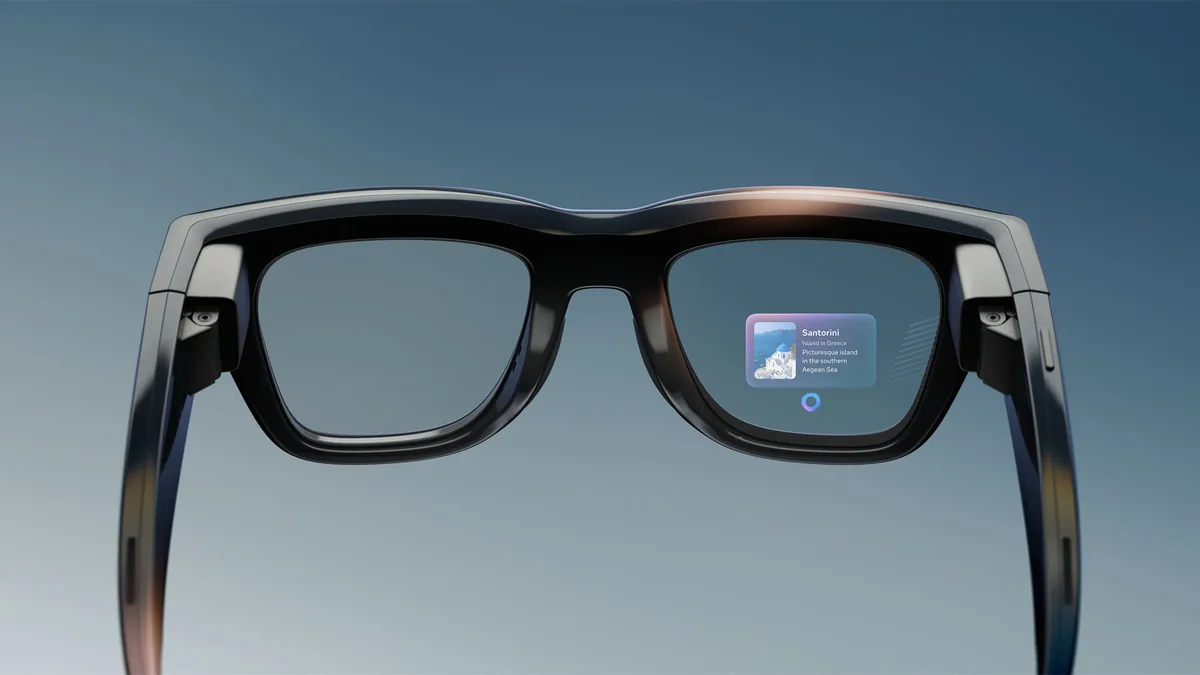
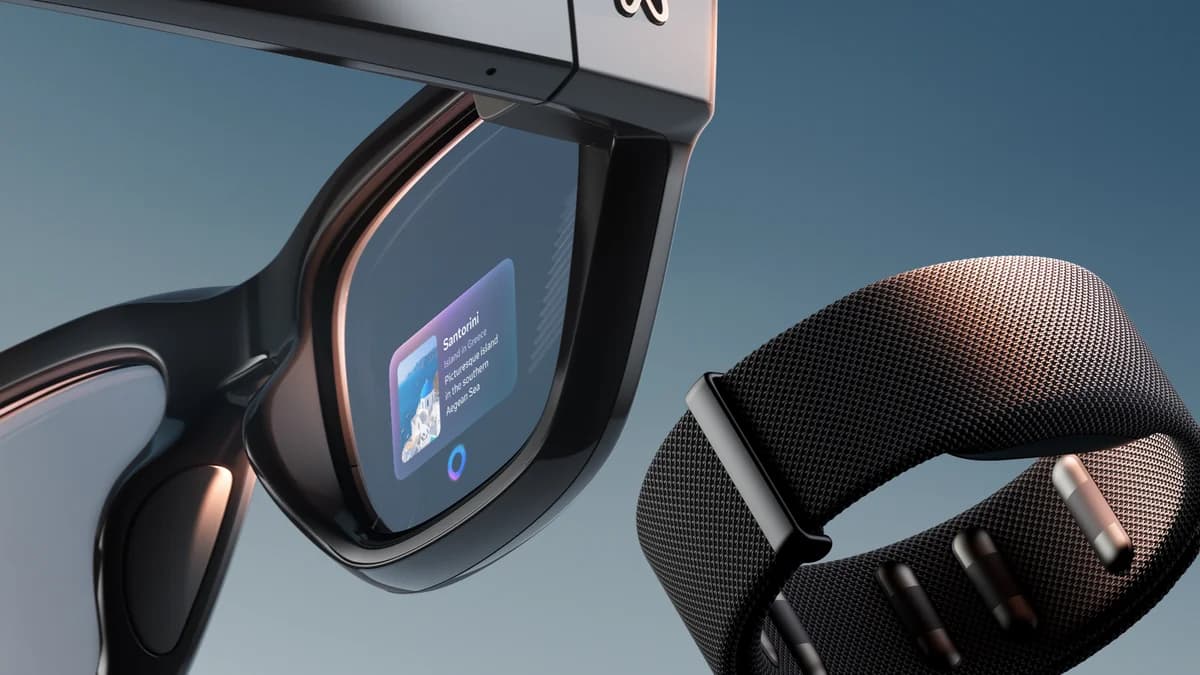
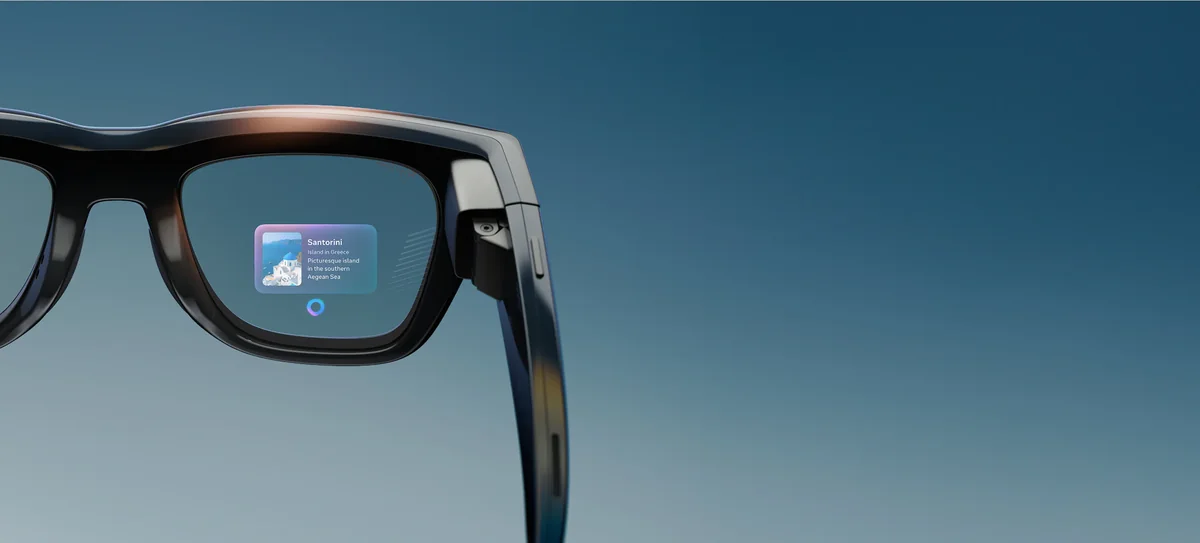
Private in-lens display shows notifications, maps, and captions only you can see.
Subtle Neural Band gestures let you navigate and reply without speaking or touching phone.
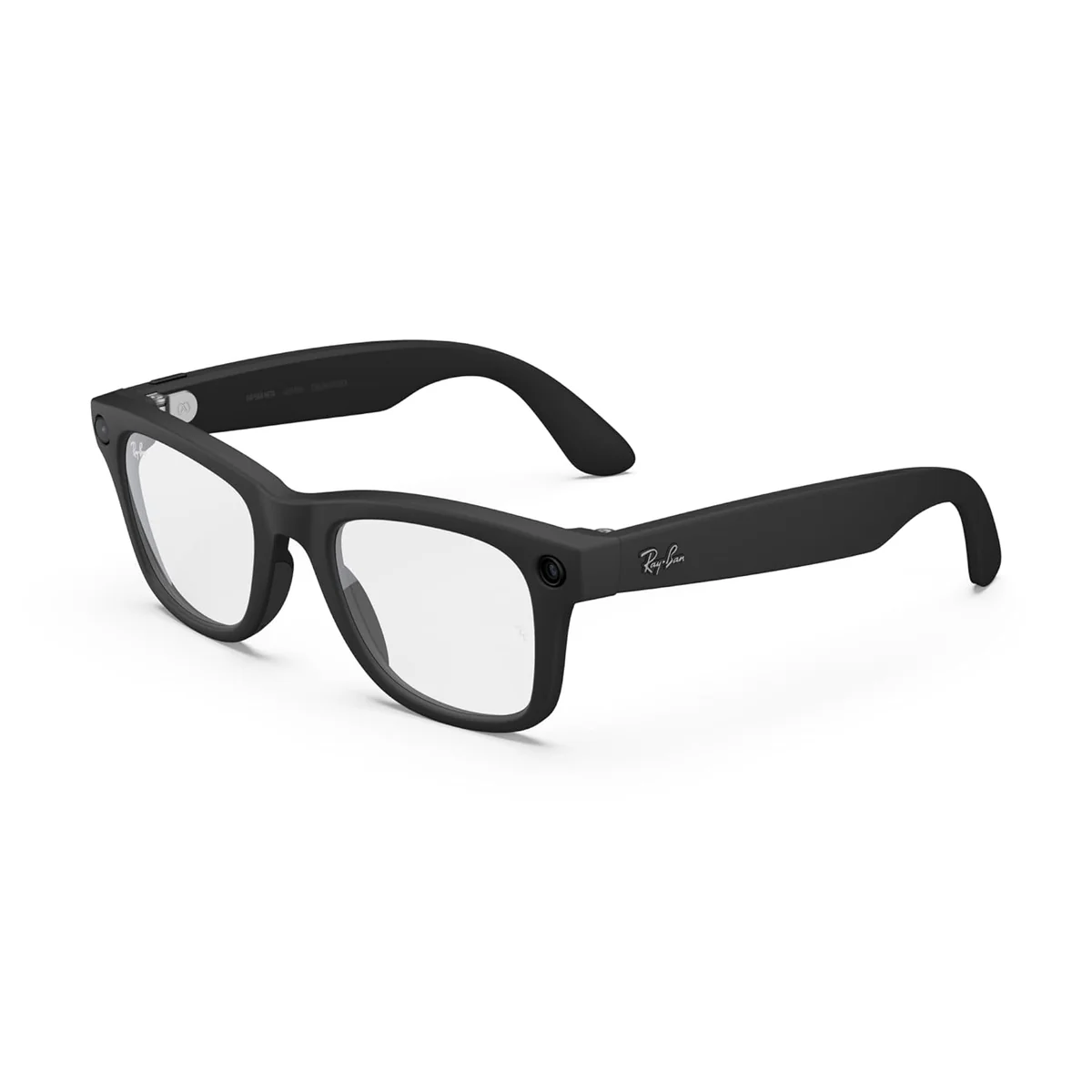
Familiar Ray‑Ban frames make smart glasses feel normal, smoother social acceptance and wearability.
Live captions and translation make conversations and signs readable when noise or language blocks you.
On-eye viewfinder helps frame quick photos and videos without guessing phone framing.
Trade-Offs
Frames and extra weight cause pressure and nose/temple soreness after extended wear.
Right-eye-only display feels awkward during long reading, causing eye discomfort and focus shifts.
Hit-or-miss band gestures mean repeating taps or pulling out your phone to complete tasks.
Heavier use runs battery down in hours, forcing midday charging or carrying the case.
 Alternatives


Join the Circle
Where real meets deal
Know what's worth buying-and when.
Tips, special offers, and rewards for buying and sharing.

Publications
10 LEADING PUBLICATION REVIEWS

Victoria Song of The Verge is genuinely impressed and cautiously optimistic about the Meta Ray‑Ban Display. After years of skepticism she calls these the closest thing yet to Google Glass: familiar Ray‑Ban styling hides a bright, discreet monocular display, solid battery life, comfortable fit, and the revealing Meta Neural Band gesture controls that make hands‑free interactions intuitive. She praises practical features—message previews, Reels, turn‑by‑turn directions, live captions that follow who you’re looking at, and useful Meta AI integrations—while noting limitations like monocular distraction, sunlight visibility limits, and the privacy and societal concerns these glasses amplify. Her tone mixes excitement about real-world usefulness and accessibility gains with sober unease about anonymity and misuse, ending cautiously enthusiastic: this feels like smart glasses that could finally stick, but important ethical and social questions remain.
By Victoria Song
Will Greenwald at PCMag Middle East is cautiously positive about the Meta Ray‑Ban Display. He praises the hardware—the comfortable Wayfarer styling, a bright full‑color waveguide, reliable audio, and the Neural Band gesture controls—as among the best in waveguide smart glasses, and found navigation, captions, and translations competent in real use. But his enthusiasm is tempered by clear frustrations: the chunky look, narrower 20° field of view, hit‑or‑miss gestures, limited language and notification support, and a tightly closed Meta‑centric software ecosystem that blocks many third‑party apps and push notifications. In short, it’s a well‑built, nicely controlled device that stumbles where software openness and practical integrations matter most, making the Even Realities G2 a better pick for broader functionality unless you’re deeply invested in Meta’s services.
By Will Greenwald
Brenda Stolyar of NYT Wirecutter is underwhelmed by the Meta Ray‑Ban Display glasses. After weeks of testing, she praises the clever in‑lens display, useful features like live captions and translations, decent audio, and a camera that’s fine for quick snaps—but finds the glasses heavy, uncomfortable for long wear, short on battery, awkward to buy (demo required), limited by few third‑party apps, and hampered by a finicky AI and hard‑to‑remember gestures. She also flags privacy worries and restrictive prescription options. Overall, the tech impresses in flashes and shows clear accessibility promise, but the tradeoffs and $800 price make them a premature, niche product rather than a convincing phone replacement.
By Brenda Stolyar
Scott Stein gives the Meta Ray‑Ban Display a cautiously optimistic thumbs-up. He’s impressed by the near‑invisible waveguide display, stylish build, and the novel neural band that makes gesture control feel genuinely futuristic, and he finds features like live captioning especially compelling. But his enthusiasm is tempered: the glasses are essentially a one‑eye, 2D dashboard rather than full AR, battery life is short, prescription support is limited, the gesture set is narrow and flaky, and privacy and safety concerns persist. Stein frames these as promising technical achievements that still feel like a beta test—interesting and sometimes magical, useful in bursts, but not yet a practical replacement for a phone, smartwatch, or everyday eyewear. His verdict: neat and influential tech worth watching, but most people should wait for a more mature generation.
By Scott Stein
Karissa Bell at Engadget comes away cautiously impressed but ultimately lukewarm about the Meta Ray‑Ban Display. She praises the bright, clear monocular display, accurate neural‑band gestures, and handy features like Instagram DMs, previewable camera framing, live captions and translation — all of which feel like meaningful steps for smart glasses — yet stresses this is clearly a first‑gen product: the frames are chunky and heavy, battery and app support are limited, messaging on iOS is awkward, and mapping hiccups and privacy unease persist. After ten days of real‑world use (commuting, office, walks, demos), Bell sees compelling use cases for early adopters and enthusiasts but concludes the $800 glasses aren’t sensible for most people until the hardware slims down, software expands, and some rough edges are smoothed.
By Karissa Bell
TechRadar’s Lance Ulanoff sounds genuinely impressed and mostly enthusiastic about the Meta Ray‑Ban Display Glasses. He praises the stylish, low‑profile design, comfortable fit, and especially the remarkable waveguide display that feels like a crisp virtual 13‑inch screen centered in your gaze, plus useful integrations like Meta AI, accurate real‑time captions, gestures, and a handy neural band. He recounts many “wow” moments—watching full Instagram Reels, taking photos with gesture zoom, and clear outdoor visibility—while acknowledging a few real drawbacks: slightly bulky frames, a learning curve for gestures, occasional band misalignment, and middling six‑hour battery life (mitigated by a 24‑hour charging case). Overall his tone is upbeat and convinced these glasses are the closest thing yet to replacing a phone, offering a measured but excited recommendation.
By Lance Ulanoff
Tom's Guide’s Michael A. Prospero is cautiously impressed. After a week with the Meta Ray‑Ban Display he calls the glasses a compelling first step—bright, crisp display, clever Neural Band gestures, useful camera tricks and increasingly capable Meta AI—but he’s frustrated by limited third‑party apps, half‑baked maps, flakier gesture reliability, and weaker-than‑advertised battery life. Prospero appreciates how the on‑eye screen makes translations, captions, framing and two‑way video calling genuinely practical, and praises the product’s polish and style, yet repeatedly notes that much of the value is trapped inside Meta’s ecosystem and that key experiences (maps, integrations, stamina) need refinement. His tone is admiring but measured: he recommends the Displays for early adopters who want the most complete smart‑glasses experience today, while warning that broader usefulness will depend on future software and competitor advances.
By Michael A. Prospero
UploadVR’s David Heaney is cautiously optimistic but ultimately reserved about the Meta Ray‑Ban Display. He praises its comfort, solid camera previewing, accurate sEMG wrist controls, useful live captions/translation, and clever folding charging case, and says it genuinely reduces how often he pulls out his phone in supported scenarios. However, he’s bothered by the chunky, attention‑drawing design and a monocular HUD that causes eyestrain for some people; dependency on a phone for connectivity (and painfully slow app loading) undermines video calls and messaging; and geofenced navigation plus missing major services (Google Maps/Translate, broad app support) limit real utility. Heaney recommends it only for early adopters who accept the social and technical tradeoffs, and advises most people to wait for a binocular, cellular, and more integrated next generation.
By David Heaney
James Pero of Gizmodo comes away cautiously impressed but unsettled. He loves the display’s brightness, the slick Neural Band controls, and practical wins like readable outdoor visibility, decent battery and useful features (messaging, navigation, live captions/translation), yet repeatedly flags big caveats: limited app support (no app store), an underwhelming camera, a sometimes awkward mirrored lens and fit, occasional Neural Band discomfort and accidental inputs, and thorny privacy and distraction concerns. The review feels excited about the tech’s “magic” while also measured and skeptical about real-world usefulness—pleasantly futuristic in moments but constrained by software and social trade-offs—so it’s recommended mainly for early adopters who value novelty and hands-free convenience more than a fully realized, everyday platform.
By James Pero
ZDNET's hands-on review comes away impressed and cautiously optimistic about the Meta Ray-Ban Display. The reviewer liked the in-lens color display and neural wristband—calling the visuals crisp and the subtle pinch and air-drawing gestures intuitive—and found the glasses capable of replacing many phone tasks during a demo. Practical AI features like visual cards, real-time captions, and quick object ID felt genuinely useful, and the design was deemed wearable and comfortable for short sessions despite being chunkier and heavier than prior Ray-Bans. Caveats are clear: the impressions are from a brief demo (comfort and battery over long days remain unproven), the $799 price targets early adopters, and some features (like on-the-spot image generation) are more novelty than necessity. Overall, the tone is enthusiastic but measured—excited about potential, yet realistic about limits.

YouTube
13 LEADING EXPERT & INFLUENCER REVIEWS
 Marques Brownlee
Marques Brownlee is impressed and optimistic. He calls the Meta Ray‑Ban Display a major, practical leap — a discreet, bright monocular HUD with a genuinely useful Neural Band for EMG gestures, reliable text input, solid camera viewfinder, maps, and live captions — while noting tradeoffs: limited FOV, monocular viewing, cosmetic thickness, Meta’s ecosystem lock‑in, and privacy questions. He emphasizes the rapid progress from prototype to polished product, praises the clever charging case and real-world usefulness, but warns Wi‑fi/demo hiccups and platform limitations may temper wider adoption despite it being the best screen glasses he’s tried.
Cas and Chary XRCass is cautiously optimistic about the Meta Ray‑Ban Display Glasses. She loves the sci‑fi feel—the bright monocular in‑lens HUD, the eerily accurate Meta Neural Band gestures, solid camera/audio, and handy live captions/translation—but flags real first‑gen limits: small FOV, US‑only navigation, vertical‑only video, limited third‑party support, middling battery, occasional haze/reflective artifacts, and uncomfortable band wear over long periods. After weeks of hands‑on use she calls them an exciting peek at the future best suited to early adopters inside Meta’s ecosystem, not a must‑buy for most people right now.
ShortCircuitLinus Sebastian is upbeat about the Meta Ray‑Ban Display overall. He calls it a stylish, convincing step toward practical smart glasses—praising the private in‑lens HUD, smooth live captions/translation, Meta Neural Band gestures, good speakers, and handy viewfinder—while flagging hiccups: gesture speed limits, occasional UI confusion, slightly lower camera resolution than non‑display Ray‑Bans, and privacy questions around Meta. His tone is excited and optimistic but measured, treating the glasses as a meaningful first‑gen leap that feels like “the future” even if some features and tradeoffs still need refinement.
NathieNathie is cautiously optimistic about the Meta Ray‑Ban Display. He praises the private in‑lens HUD, Meta AI features, neural band gesture controls, and useful camera preview for hands‑free shooting, but warns the glasses feel like early‑stage tech: chunky frames, right‑eye‑only display, spotty gestures, limited apps, short battery life, and occasional sluggishness. He frames them as compelling for developers, accessibility needs, and curious early adopters, while recommending mainstream users opt for the simpler, more reliable Ray‑Ban Meta Gen 2 until displays and software mature.
MrwhosethebossMrwhosetheboss is genuinely impressed and cautiously optimistic about Meta's Ray‑Ban Display glasses. He praises the private, impossibly bright monocular in‑lens HUD, comfy fit, useful camera, and surprisingly reliable Neural Band gestures and captions, calling many features genuinely practical. He flags limits: not true AR, small app ecosystem, phone dependence for about half its functions, middling camera quality, and an $800 price that keeps it niche for now. Overall he sees this as a convincing first‑gen step that will improve quickly, useful for early adopters but not a mass‑market replacement for phones today.
Tech FowlerSeth Fowler is cautiously intrigued. He praises the Meta Ray‑Ban Display’s private in‑lens HUD, convincing camera with a viewfinder, and the novel Neural Band controls, but flags steep scarcity, clunky first‑gen quirks (limited apps, monocular display causing eye strain, finicky gestures), short battery life under heavy use, and loudness/focus inconsistencies. After an 8‑hour hands‑on he calls it exciting tech that’s not yet worth $799 for most buyers and recommends waiting for app support and refinements, promising a fuller week‑long review to confirm whether those early annoyances fade with use.
HotshotTekHotshotTek is cautiously positive about the Meta Ray-Ban Display after 24 hours. He praises the stylish, lightweight Wayfarer design, reliable Meta Neural Band gesture control, bright private in‑lens HUD, solid camera/audio, and useful live captions, but criticizes missing keynote features (hand‑typing, video calls), shorter 60s video limit and lower camera res vs. Gen‑2/Oakley, monocular-only display, and some feature restrictions (limited Instagram browsing, five‑language translation). Overall he finds them promising and enjoyable for casual use but not fully realized yet—worth testing if you value privacy and fashion, with some important caveats.
VRelityVRelity is cautiously impressed. He praises the Meta Ray‑Ban Display for its in‑lens full‑color HUD, useful new features (previewing shots, live captions, on‑face translation) and the neat Neural Band for discreet EMG control, calling it a clear step up in capability. He balances that with concrete downsides: bulkier frames, shorter battery vs. Gen 2, lower camera video specs, limited prescription options, and a hefty $799 price plus expensive Meta optics. Overall his tone is favorable but measured—enthusiastic about the tech and future potential, yet realistic about tradeoffs and who should actually buy it.
RiceTech ReviewsRiceTech Reviews is cautiously optimistic about the Meta Ray‑Ban Display Glasses. He praises the private, sunlight‑legible monocular HUD, excellent mics and open‑ear audio, and the impressively futuristic Neural Band gestures, but calls out real-world tradeoffs—noticeable extra weight causing discomfort, occasional speaker issues, finicky band fit, limited apps (no screen mirroring), and basic messaging/maps features. After a week he finds them promising and genuinely useful for tasks like live captions and hands‑free control, yet not ready to replace your phone until comfort, app polish, and a few quirks are fixed.
Under 3 Minute ReviewsUnder3MinuteReviews is genuinely impressed and upbeat about the Meta Ray‑Ban Display glasses. They praise the unobtrusive Ray‑Ban styling, bright 600×600 in‑lens display, solid 12MP camera, clear audio, and the Neural Band’s sci‑fi gesture control—calling it a practical, everyday peek at AR rather than flashy holograms. They acknowledge limits: pricey at $799, still a monocular overlay (not full AR), dependent on your phone for heavier tasks, and the Neural Band must be charged. Overall the tone is excited but measured—enthusiastic about daily usefulness and novelty, while realistic about first‑gen tradeoffs.
Jasmine Uniza ☕️Jasmine Uniza is disappointed overall. After almost two months with the Meta Ray‑Ban Display glasses she praises their potential and unique use cases but finds them impractical day‑to‑day: the app ecosystem is painfully limited (Instagram is basically messaging only), battery life and a fragmented charging setup force her to carry the case and chargers, and the glasses feel noticeably heavy compared to Ray‑Ban Meta Gen 2. She’s fine with the monocular display but won’t recommend them as an everyday option until app support and battery/comfort are significantly improved.
Phones And DronesPhones And Drones is cautiously positive about the Meta Ray‑Ban Display after six months. He praises the private in‑lens viewfinder, solid brightness, reliable battery life, and the Neural Band’s seamless sEMG controls, but says daily wear is limited by bulky frames, intermittent connectivity prompts, and modest software expansion (translations/games). He recommends hunting discounts or used units rather than full price, remains excited for a binocular Gen‑2 and software improvements, and frames the glasses as a fun, useful first‑gen wearable with clear room to grow.
Life Hands FreeLife Hands Free is cautiously positive about the Meta Ray‑Ban Display. They like the hands‑free Instagram messaging and reel viewing and praise the case-fitting nose pads, but complain the glasses are heavy, bulky to carry, and lack features (YouTube/browser, some Neural Band/Gen‑2 parity, full 5‑minute recording, Instagram live). Practical annoyances — red nose marks, an easily pressed case button, and decreasing day‑to‑day use because of limited real use cases — temper their excitement, though they’re hopeful future generations will get lighter and add the missing software features.

Social
5 INFLUENCER REVIEWS
 Austin Evans
Austin Evans is clearly impressed and excited about the Meta Ray‑Ban Display. He emphasizes the wearable’s standout control bracelet that reads finger electrical signals for intuitive navigation, calls the AR display bright and vividly readable even with transition lenses, and says the glasses feel comfortable despite being slightly bigger and heavier. He notes it felt much improved from last year’s demo, reports an estimated ~six‑hour battery life, and cautions his hands‑on time was just a 45‑minute demo while acknowledging the $800 price. Overall his tone is enthusiastic with measured caveats.
Soumendra JenaSoumendra Jena is underwhelmed and skeptical about the Meta Ray‑Ban Display glasses. He calls them heavy, chunky, and overpriced, saying the display feels gimmicky and limited without the Neural Band, though the camera looks promising (maybe HDR/3K). After hunting a demo—driving nearly 100 miles and spending $200 on Ubers—he still labels the hardware as Gen‑1: interesting tech but not practical or wearable all day, and not enough of an upgrade over the 2023 model to justify ~$800; he’s hopeful for Gen‑2 but isn’t convinced this release was ready.
Gregory McFaddenGregory McFadden is underwhelmed by the Meta Ray‑Ban Display glasses. He acknowledges they record, take photos, play music, and show notifications, but the tiny right‑eye display feels like a blurry, postage‑stamp distraction, the gesture control (with a required wristband and finger‑scrolling) is fiddly and unsatisfying, and the single‑lens UI strains the eyes; he also calls them dorky and doubts the $800 value. His tone is clearly disappointed rather than angry, pointing out real use friction rather than outright technical failures.
Magesh Vadivelu - Certified Personal TrainerMagesh Vadivelu is cautiously underwhelmed. He likes the Meta Ray‑Ban Display’s viewable display and WhatsApp video calls, calling the ability to see and capture exactly what you see “awesome,” but the gestures are confusing, navigation is flaky, there’s no doom‑scrolling option, and he feels the $800 price yields limited returns. He emphasizes poor walking directions (the glasses didn’t detect arrival) and a frustrating “send to phone” fallback, concluding this is a niche buy only if you’re willing to sacrifice money for modest, specific benefits; full video coverage is available on his YouTube channel.
Jonathan JacobsJonathan Jacobs is upbeat about the Meta Ray‑Ban Displays' navigation and calls it the best feature. He sounds intrigued rather than gushing, praising how the controls feel intuitive and useful while teasing a fuller review because the glasses may not meet all expectations. His tone is curious and measured—clearly positive about navigation but withholding a final verdict pending more detail, implying there are tradeoffs worth exploring.

Forum Reviews
CUSTOMER REVIEWS FROM 1 FORUM
Redditors are cautiously optimistic about the Meta Ray‑Ban Display. Many praise its private HUD, surprisingly good display outdoors, and the Neural Band’s discreet gesture controls, calling them genuinely futuristic; others celebrate live captions and AI prompts. Criticisms focus on bulkier design, limited software (English-only AI, portrait‑only camera, navigation quirks), modest battery life, and first‑gen rough edges that make it feel like an early adopter toy. Most recommend it for enthusiasts who want a sneak peek at wearable UI, while advising mainstream buyers and those wanting a polished, all‑day device to wait for later iterations.
Many comments

In-Depth Review

Highlights
- •Private monocular HUDMarketed as a bright private display
- •Neural Band gesturesDesigned to enable subtle wrist controls
- •Charging case backupPromoted as extending battery to 24h
- •On-eye viewfinderDesigned for framing quick hands-free shots

Considerations
- •Narrow field viewRight-eye only, reads like postage-stamp
- •Hit-or-miss gesturesOccasional misreads and learning curve
- •Limited battery runtimeHeavy use drains within hours
- •Modest imaging performanceLower video specs; portrait-only capture
Early hands‑on impressions are still limited, but this Ray‑Ban partnership launches as a confident step toward practical, everyday smart glasses. Framed as a stylish, phone‑light alternative for walks, commutes, and quick social replies, it pairs a surprisingly bright 600×600 LCoS in‑lens display with the novel sEMG Meta Neural Band for discreet wrist gestures, promising private notifications and on‑eye framing without pulling out your phone. Reviewers liked the removable charging case that boosts runtime to ~24 hours total, even as the glasses themselves run roughly up to 6 hours under typical use, and they call out the useful 12MP on‑eye viewfinder for hands‑free photos and short videos. Expect familiar Wayfarer comfort with Transitions Gen8 photochromic lenses, open‑ear speakers and a multi‑mic setup that keep you aware of your surroundings. If you’re an early adopter who values privacy, style, and subtle controls over full AR, read on — these sections unpack the tradeoffs you’ll want to weigh before buying.
Neural Band Gesture
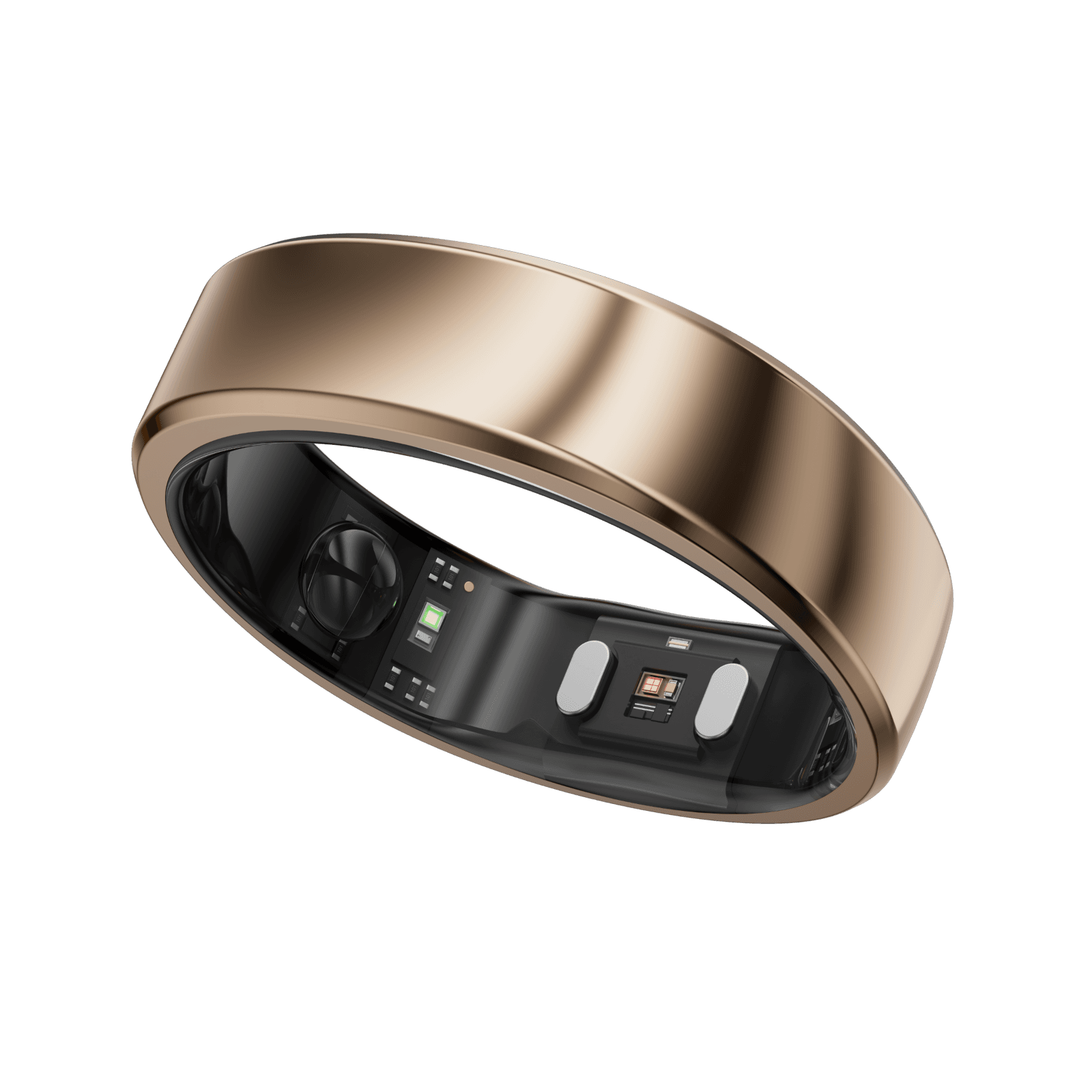
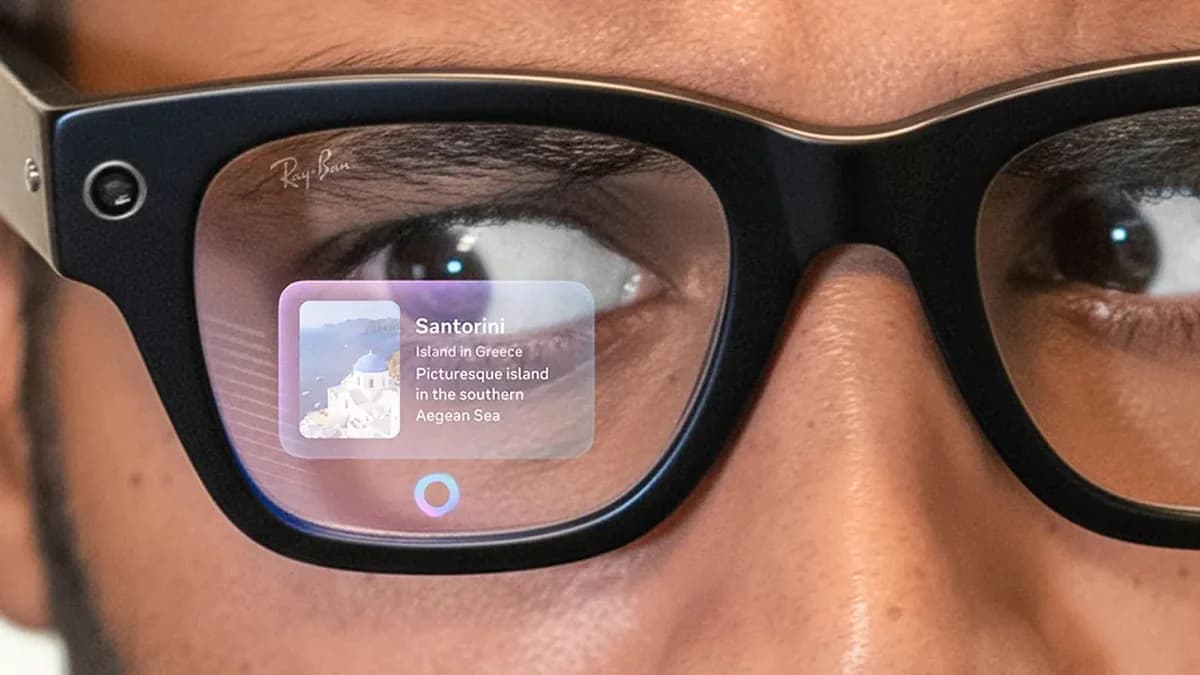
The Meta Neural Band uses surface electromyography to translate subtle wrist and finger movements into controls, and that makes hands‑free navigation genuinely usable once you learn the gestures. The band’s sEMG sensors enable reliable actions like open/dismiss and scrolling according to reviewers, though voices and expert tests note hit‑or‑miss gestures at times and the band must be charged, so it isn’t a flawless substitute for touch or voice.
Battery and Charging
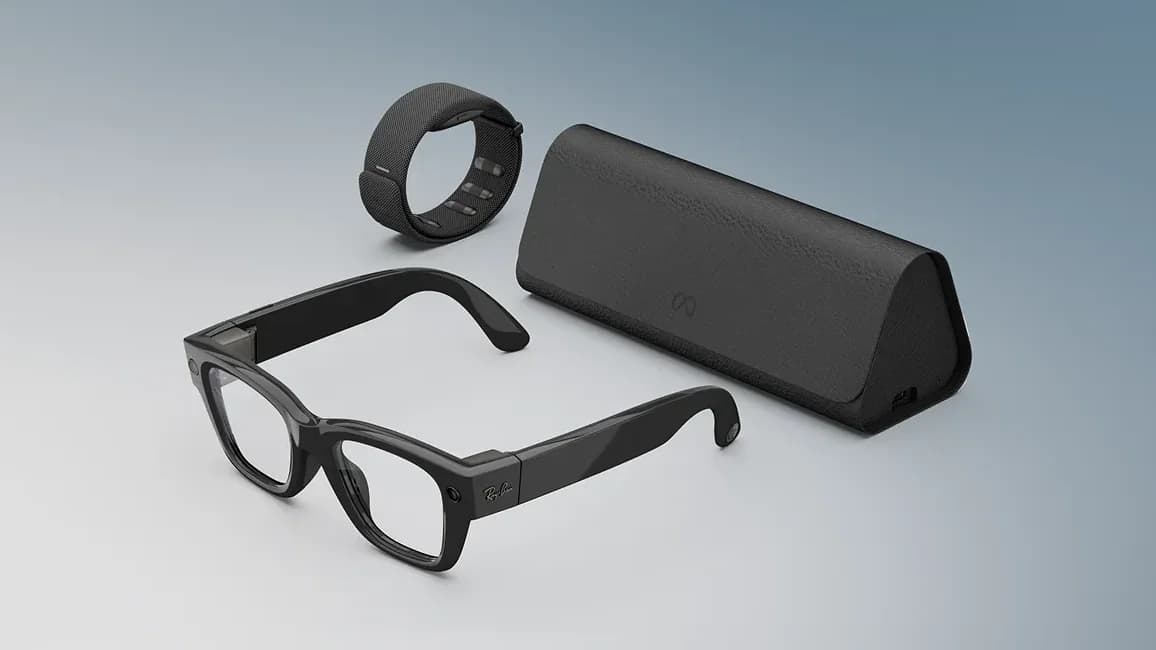
Battery life is fine for bursts of use but not all‑day heavy work, so expect to recharge mid‑day under frequent camera or AI usage. The glasses alone deliver about up to 6 hours in typical scenarios and the included charging case extends that to roughly 24 hours total, a combination reviewers call convenient yet still limiting for continuous, heavy video capture or long travel days.
Audio and Microphones
Open‑ear speakers and a multi‑mic array give clear captions, calls, and voice input without sealing you off from the world, which reviewers often cite as a practical win. The setup includes open‑ear speakers and a five‑microphone array that reliably captures speech for live captions and AI queries, though some tests mention occasional speaker or mic quirks under certain noisy conditions.
Display
The in‑lens screen is a surprisingly bright monocular HUD that feels like a private tiny display in your right eye. It uses a 600×600 LCoS waveguide tuned for up to 5000 nits peak brightness, which reviewers confirm helps outdoor visibility, but the 14°H×14°V (20° diagonal) field of view remains narrow and can feel like reading a postage‑stamp for long text or dense apps.
Camera and Imaging
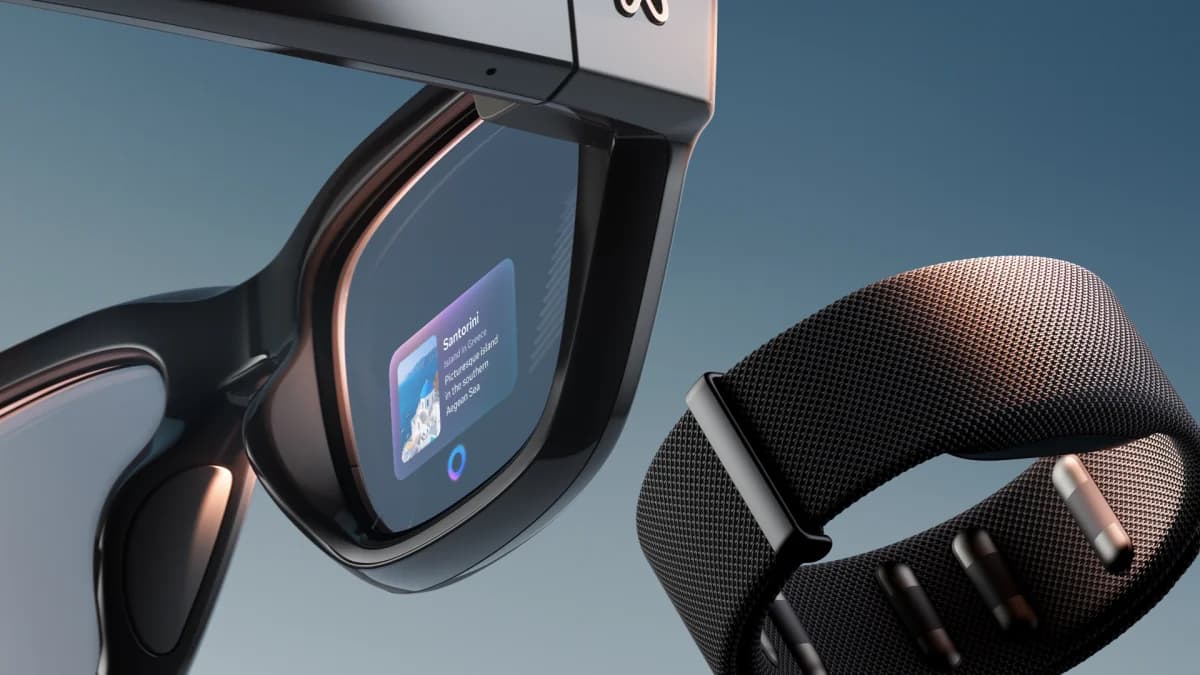
The single 12MP ultra‑wide camera gives a useful on‑eye viewfinder for framing quick shots, which users and reviewers consistently praise for everyday snaps and hands‑free framing. It supports 3024×4032 photos and 1440×1920@30fps video, but image and video specs feel modest compared with non‑display camera Ray‑Ban models, and the portrait‑only video and middling low‑light performance are notable practical limits.
Frame Build Lenses
The glasses keep classic Wayfarer styling but add noticeable thickness and weight that affect long‑wear comfort for some people. The injected frames house Transitions Gen8 photochromic lenses that auto‑tint while integrating the right‑lens display, however several reviewers point out the added bulk, occasional nose pressure, and limited prescription flexibility that make them less comfortable than regular Ray‑Ban everyday wear.
Conclusion
After surveying the evidence and closing the tabs, here's the short verdict that ties the threads together: the right‑eye display is a genuinely private, sunlight‑legible window that reviewers loved for quick glances but found too small for long reads; the Neural Band Gesture Control is a breakthrough for discreet navigation once you learn its quirks, yet users note occasional misreads that pull you back to touch or voice; Battery and Charging is convenient with a charging case that extends days of mixed use but still demands mid‑day top‑ups under heavy camera or AI use; the Camera and Imaging offers a handy on‑eye viewfinder and decent snaps but won’t replace a flagship phone shooter; and the Frame Build and Lenses plus Audio and Microphones deliver familiar Ray‑Ban comfort and clear open‑ear sound while adding enough bulk to limit all‑day wear for some. For tech‑curious people embedded in Meta services or accessibility seekers, this is a compelling first‑gen toolkit; for those wanting a seamless, all‑day phone replacement, patience for the next iteration is the smarter move.

Feature Scores
This reflects reviews and ratings from established critics, journalists, and users who have evaluated the item. Their opinions provide a comprehensive assessment.
Performance
Display Brightness and Visibility
5/5
Battery Life
3/5
Processing Power and Responsiveness
3/5
Connectivity Reliability
3/5
Value
Price Competitiveness
2/5
Feature-to-Price Ratio
3/5
Software Support Longevity
4/5
Upgradeability and Repairability
2/5
Design
Comfort and Fit
3/5
Aesthetics and Style
4/5
Weight and Balance
3/5
Prescription Compatibility
2/5
Health
Eye Strain and Visual Comfort
2/5
Blue Light Management
3/5
Materials and Skin Safety
3/5
Long-term Exposure Risk
3/5
Safety
Data Privacy and Security
2/5
Thermal and Electrical Safety
4/5
Impact and Physical Protection
3/5
Regulatory Compliance
4/5
Sustainability
Recyclability of Materials
2/5
Energy Efficiency
3/5
End-of-Life Programs
2/5
Sustainable Packaging
3/5
Experience Style
User Interface Simplicity
3/5
Customizability and Personalization
3/5
App Ecosystem and Integration
3/5
Hands-free Interaction Quality
4/5

Specifications
This section outlines the product's key facts, covering essential features, details, dimensions, materials, and any unique characteristics that define its functionality and usability.
Performance
Value
Design
Safety
Experience Style

Frequently Asked Questions
11 Questions




Find Yours
What is your primary intended use for smart glasses?
Answer to find your best matches.