
Elgato Stream Deck MK.2
15 customizable LCD keys, detachable USB-C, and versatile plugins streamline workflows with premium design and usability.
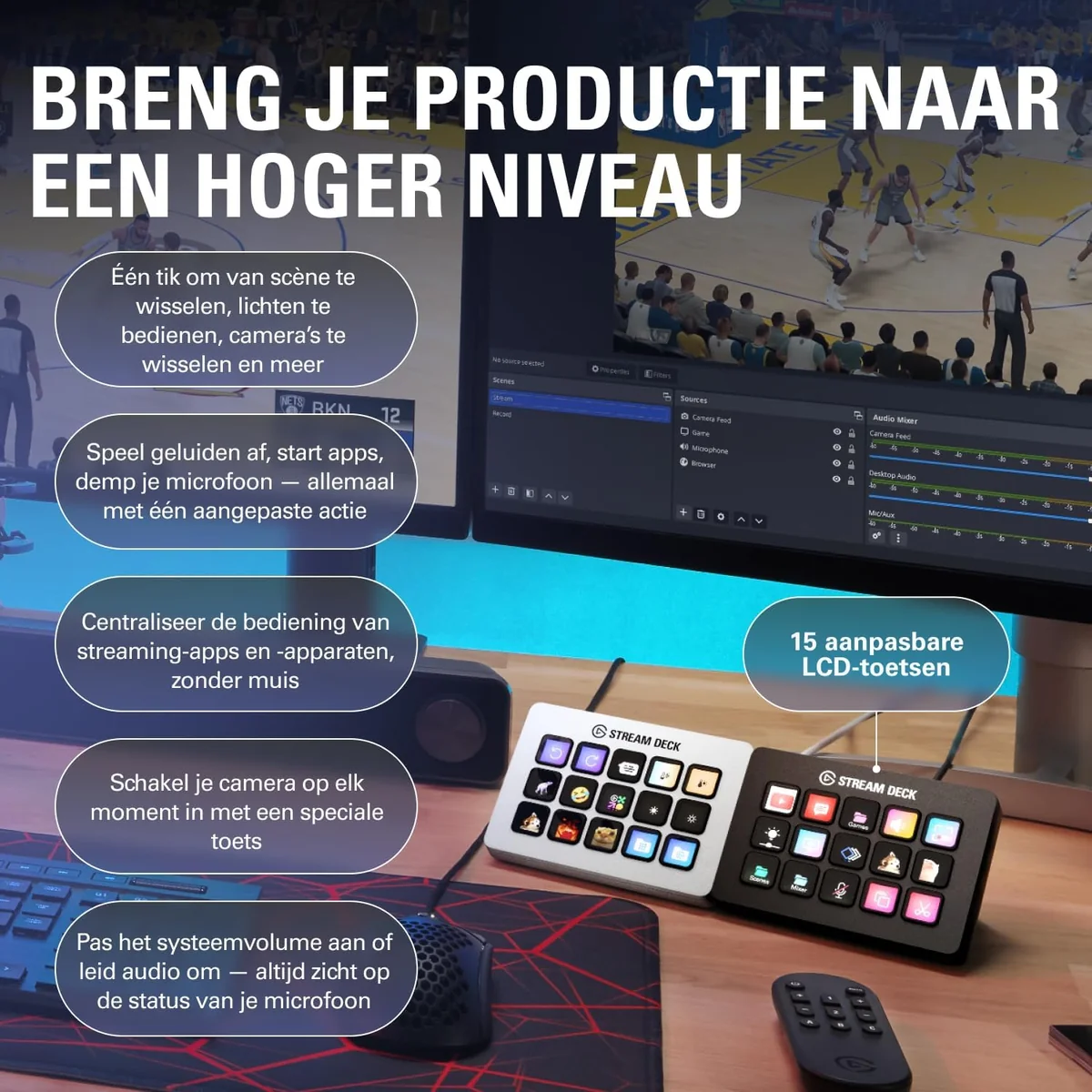
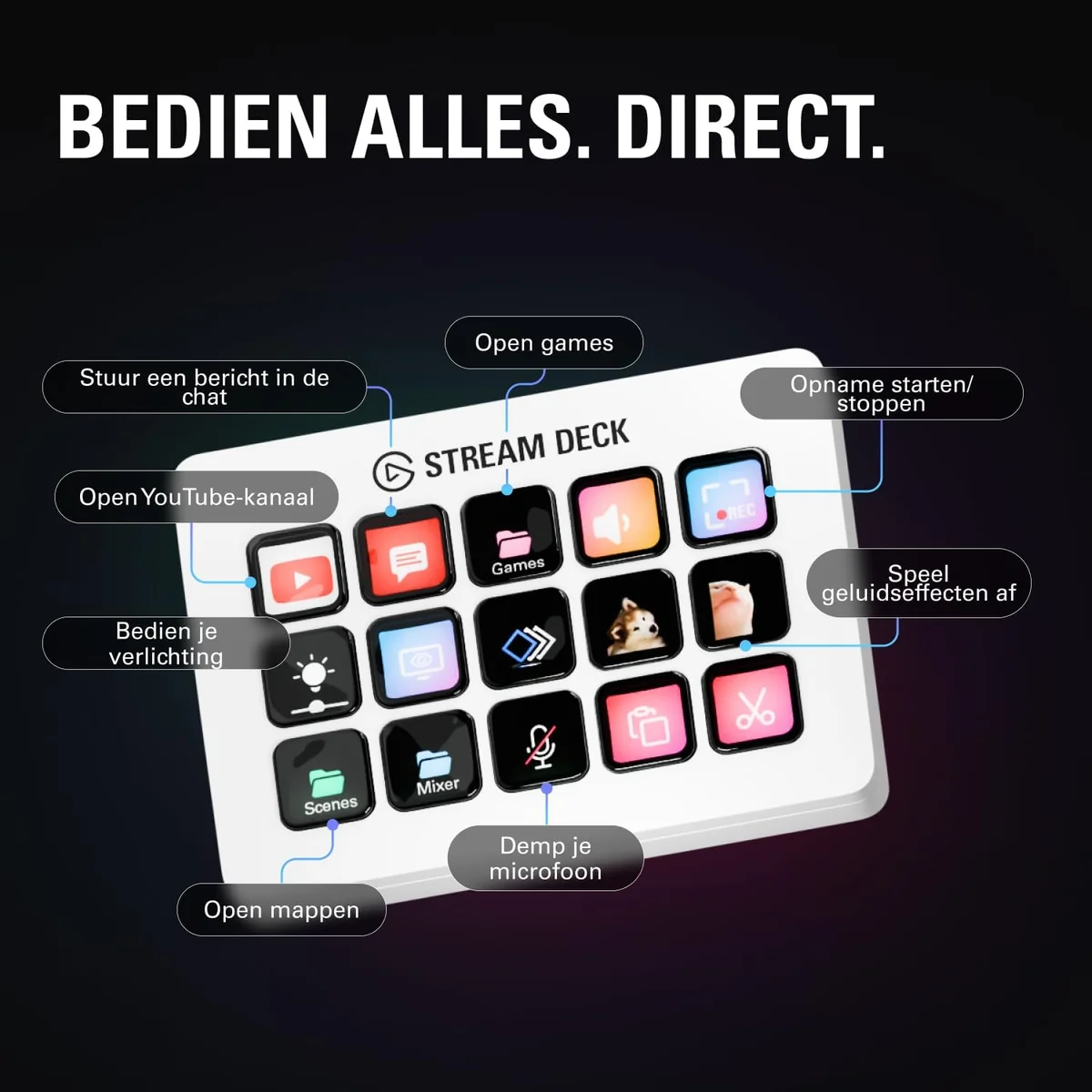
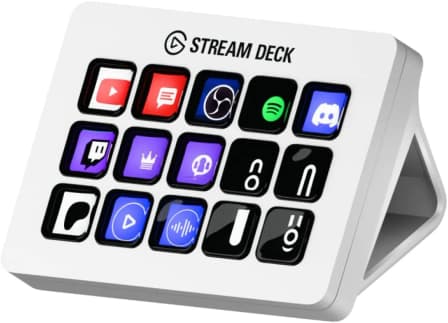
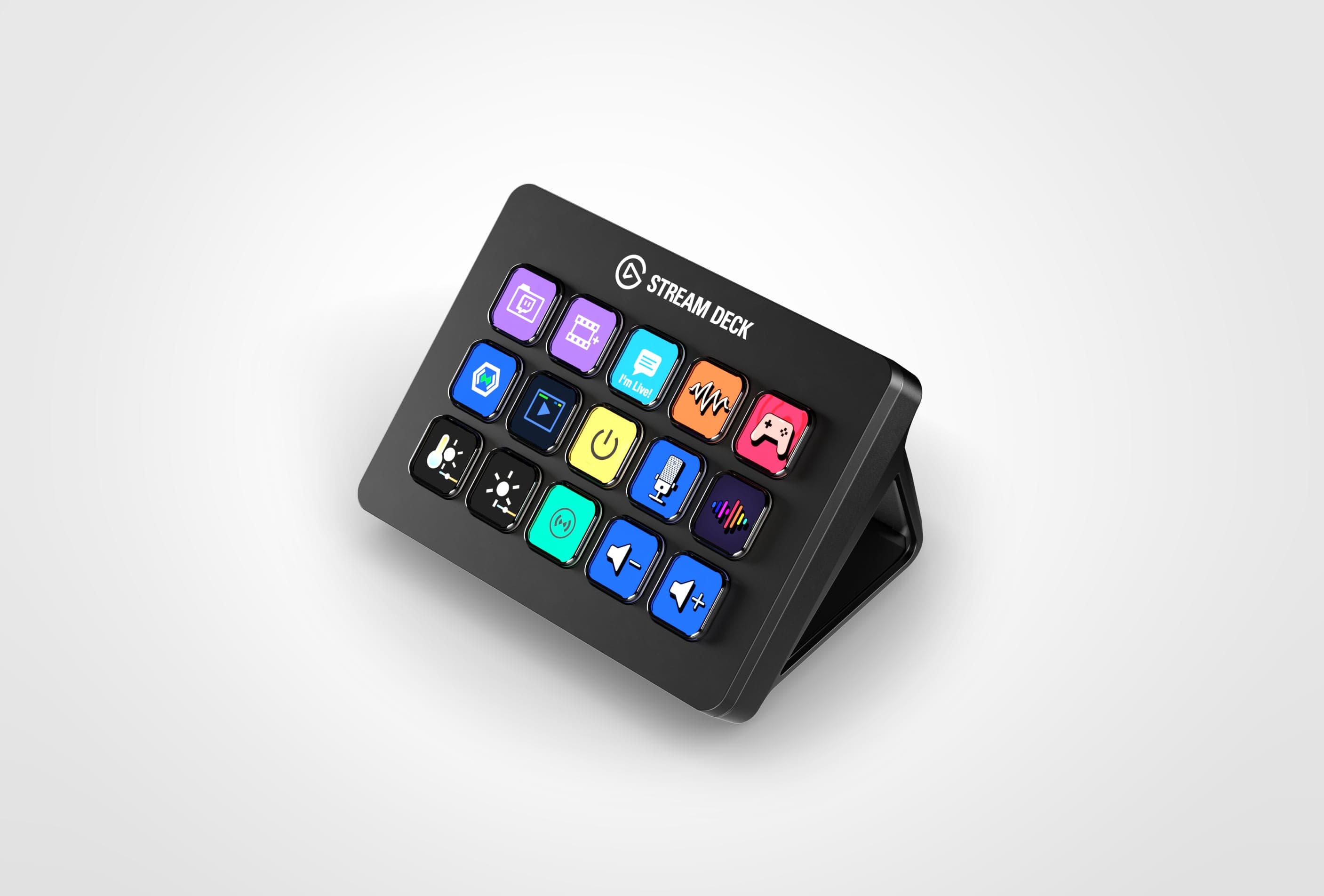
The Elgato Stream Deck MK.2 is the Swiss Army knife for streamers and multitaskers craving 15 customizable LCD keys that turn chaos into button-press bliss. Tailored for creators juggling scenes, shortcuts, and smart home tricks, it earns praise for its detachable USB-C cable and a weighted 45-degree stand that anchors your workflow with style. Experts applaud its vast plugin ecosystem, though some grumble about the steep price tag versus key count. Users love the tactile feedback but note occasional software quirks. This premium design balances form and function—delivering versatile control without overcomplication—and underscores why usability truly drives its glowing reputation.





Find Yours
What is your priority when choosing a graphics card?
Answer to find your best matches.

The Field
Browse top contenders, or compare all options ranked by score and key attributes.
1 Option


The Scoreboard
Does this improve your life? Considers, health, habits, and environmental impact.
Benefits
Programmable LCD keys and plugins reduce app switching, lowering mental fatigue during long sessions.
Multi-action buttons collapse complex sequences into single presses, reducing repetitive clicking and errors.
Fixed 45° stand and weighted base stabilize position, reducing wrist strain compared to limp stands.
Interchangeable faceplates and editable icons support identity and creative comfort at the workspace.
Detachable USB-C means easy cable replacement, reducing waste and extending practical device lifespan.
Trade-Offs
Mixed plastics, PCBs, and solder make recycling difficult, contributing to typical electronics e‑waste impact.
Only cable and faceplate easily user-replaceable; core electronics remain sealed, reducing fixability.
Non-adjustable 45° angle may force awkward monitor setups, increasing neck or shoulder strain.
Reported freezing and plugin bugs can interrupt flow, causing frustration and forced restarts.
Fifteen keys may prompt extra keyboard or mouse use, shifting repetitive strain elsewhere.
 Alternatives


Join the Circle
Where real meets deal
Know what's worth buying-and when.
Tips, special offers, and rewards for buying and sharing.

Publications
8 LEADING PUBLICATION REVIEWS

Junae Benne from Tom’s Hardware highlights the Elgato Stream Deck MK.2 as a versatile and user-friendly macro keypad that significantly streamlines streaming workflows. Praising its 15 customizable, illuminated keys with vivid icons and native support for Twitch, OBS, and Twitter, Benne emphasizes how the device simplifies complex tasks like scene switching, sound effects, and social media posting, making streaming more seamless and enjoyable. The MK.2’s improvements—such as the detachable USB-C cable, sturdier fixed-angle stand, and interchangeable faceplates—are noted as thoughtful refinements, though not compelling enough for existing Stream Deck owners to upgrade. While the review appreciates the device’s broad plugin ecosystem and everyday utility beyond streaming, it also points out limitations like the lack of an audio dial and native Adobe app support, suggesting that more advanced users might prefer alternatives like Loupedeck. Overall, Benne conveys a moderately positive, practical enthusiasm, recommending the MK.2 especially for mid-level streamers seeking efficiency and customization without unnecessary complexity.
By Junae Benne
Harish Jonnalagadda from Windows Central highlights the Elgato Stream Deck MK.2 as the definitive choice for game streamers, praising its excellent tactile LCD keys, detachable USB-C cable, and seamless integration with OBS and Twitch. The review conveys genuine enthusiasm for the device’s extensive customizability and versatile software, which extends its usefulness beyond streaming to general Windows workflows. While the MK.2 retains much of the original Stream Deck’s design and features, subtle improvements like a sleeker chassis and configurable faceplates add appeal. However, the reviewer notes that the upgrade may not justify replacing the first-gen model, given the minimal hardware changes. A key criticism is the lack of deeper integration with video editing software like Adobe’s suite, limiting its appeal for content creators outside of streaming. Overall, the Stream Deck MK.2 is celebrated as a powerful, user-friendly tool that makes streaming setup effortless, though its $150 price may be a barrier for some.
By Harish Jonnalagadda
Rami Tabari from Laptop Mag highlights the Elgato Stream Deck MK.2 as a sleek, highly configurable device that significantly enhances streaming setups, especially for professional users. Praising its clean, intuitive software and the extensive customization options—including multi-action buttons and a rich plugin store—Tabari emphasizes how the Stream Deck MK.2 streamlines complex tasks like scene switching and audio control with a simple button press. While the $150 price tag is noted as steep, the device’s build quality, detachable USB-C connection, and thoughtful design earn strong approval. Some minor criticisms include the limited space for text labels on the LCD keys and the relatively high cost compared to smaller or larger Stream Deck models. Unique insights come from the reviewer’s personal use during Twitch streaming and tabletop gaming, illustrating the device’s versatility beyond traditional streaming. Overall, the Stream Deck MK.2 is recommended as a valuable, if premium, tool for those seeking seamless control over their streaming or multimedia workflows.
By Rami Tabari
Bon Adamson from Pocket-lint highlights the Elgato Stream Deck MK.2 as a sleek, highly customizable device that excels primarily for streamers, offering a premium feel and versatile functionality through its 15 LCD buttons and extensive plugin library. While the Stream Deck simplifies streaming tasks like scene switching and muting, Adamson questions its value for non-streamers, noting that many of its features can be replicated with keyboard shortcuts or cheaper macro keyboards. The review praises the device’s tactile design, software flexibility, and useful widgets like a Pomodoro timer and Slack integration, but also points out occasional visual glitches and its tendency to attract dust. Ultimately, Adamson suggests the Stream Deck is a worthwhile investment if streaming is a core activity, but for casual users, it may feel more like a novelty than a necessity. The inclusion of the Stream Deck Mobile app as a trial option offers a practical way to gauge its usefulness before committing.
By Bon Adamson
Barry Collins from IT Pro highlights the Elgato Stream Deck MK.2 as a highly versatile and flexible tool that extends well beyond its original streaming focus. Praising its broad compatibility with numerous applications and customizable plugins, Collins emphasizes the device’s ease of programming and the innovative “multi-actions” feature that enables complex workflows with a single button press. The review appreciates the practical hardware improvements over the original model, notably the removable USB-C cable and sturdier stand, though it notes the fixed, non-adjustable stand as a minor drawback. While the MK.2 offers only modest upgrades and a near-identical user experience to its predecessor, it remains a compelling choice for new users seeking enhanced productivity and creative control. Collins’s detailed examples, such as custom Lightroom shortcuts and integration with apps like PowerPoint and Philips Hue, underscore the Stream Deck’s adaptability, making it a worthwhile investment despite its premium price.
By Barry Collins
Joseph Bradford from MMORPG.com highlights the Elgato Stream Deck Mk.2 as a subtle but meaningful upgrade over its predecessor, praising its improved ergonomics with a fixed 45-degree stand, detachable USB-C cable, and customizable faceplates that add personality to the setup. He emphasizes the device’s core strength lies in its versatile and intuitive software, which integrates seamlessly with popular streaming tools and third-party apps, enabling streamlined control over scenes, audio, lighting, and more. While acknowledging the 15-button layout may feel limited for some, the ability to create folders expands functionality significantly. Bradford notes the Mk.2 doesn’t add new features beyond hardware refinements, so upgrading from the original Stream Deck may not be essential, but it’s a worthwhile step up from the Mini. Despite its premium price, the Stream Deck Mk.2 is recommended for serious streamers seeking enhanced production quality and workflow efficiency, especially those already invested in the Elgato ecosystem.
By Joseph Bradford
Joe Findlay from CGMagazine highlights the Elgato Stream Deck MK.2 as a thoughtful evolution of a beloved streaming tool, enhancing key physical features like a sturdy magnetic stand and a detachable USB-C cable that improve usability and durability. The addition of customizable faceplates and a new white color option adds a fresh aesthetic appeal, catering to personal style preferences. Software updates, including the Stream Deck Store and expanded plugin ecosystem, significantly boost functionality, making the device more versatile and user-friendly. However, Findlay notes the MK.2 lacks groundbreaking innovation, suggesting that more advanced controls—such as dedicated dials for audio—could have elevated it beyond a refined iteration. While the MK.2 is a solid upgrade for newcomers or those dissatisfied with the original’s stand and cable, existing owners may find limited incentive to switch. Overall, the review conveys a moderately positive tone, appreciating the MK.2’s polish and expanded features while calling for more ambitious enhancements in future versions.
By Joe Findlay
EposVox from Stream Guides highlights the Elgato Stream Deck MK.2 as a thoughtful, quality-of-life refresh rather than a radical overhaul, maintaining the core strengths of the original while addressing key user feedback. He praises the detachable USB-C cable and improved fixed-angle stand, noting these practical upgrades enhance usability without complicating the design. The introduction of a removable faceplate for customization stands out as a unique and exciting feature, appealing to users who value personalization and creative expression. While the MK.2 remains fundamentally the same device, EposVox respects Elgato’s decision not to pressure existing owners into upgrading, emphasizing the original’s enduring solidity. His tone is appreciative and measured, reflecting enthusiasm for the product’s workflow improvements and software enhancements, while acknowledging that the MK.2 is best suited for new buyers or those seeking modest refinements rather than a complete reinvention.
By EposVox

YouTube
5 LEADING EXPERT & INFLUENCER REVIEWS
 How To Media
Chad from How To Media enthusiastically praises the Elgato Stream Deck MK.2, highlighting its superior physical buttons and especially its intuitive, plugin-rich software ecosystem. He details versatile real-world uses—from live streaming and gaming to lighting and Discord control—emphasizing ease of customization and workflow enhancement, while noting minor icon quality issues.
Cat MulvihillCat Mulvihill praises the Elgato Stream Deck MK.2 for its time-saving, customizable 15 programmable LCD keys that streamline workflows, from launching apps to automating multi-step tasks. She highlights its tactile feel and versatility for productivity and presentations, while noting it lacks the advanced dials and expandability of the Stream Deck Plus or XL, making it ideal for users seeking a balanced, efficient control panel without extra complexity.
Juniors TechJuniors Tech praises the Elgato Stream Deck MK.2 White for its tactile, responsive 15 customizable LCD keys and seamless app integration, highlighting its versatility beyond streaming. While impressed by its quick setup and multi-action capabilities, he notes minor gaps like the missing sleep/shutdown button, offering a balanced, practical view for both streamers and productivity users.
TagmondTechTagmondTech praises the Elgato Stream Deck MK.2 as a versatile, premium control pad ideal for streamers and non-streamers alike. Highlighting its bright customizable LCD keys, stable weighted stand, and intuitive software, the review emphasizes smart automation with devices like Govee lights. Minor drawbacks include price, setup time, 15-key limit, and fixed stand angle, but overall it’s a polished productivity tool that enhances workflow and desk aesthetics.
BuckwormBuckworm praises the Elgato Stream Deck MK.2 as an indispensable, versatile tool that has significantly streamlined his streaming and content creation workflow. Highlighting its 15 fully programmable LCD keys, intuitive Elgato Companion app, and broad app compatibility, he emphasizes its ease of use and multifunctionality—even ordering a sandwich with it. While acknowledging the $150 price, he highly recommends it for boosting production efficiency and hints at the smaller Stream Deck Neo as a budget-friendly alternative.

Social
1 INFLUENCER REVIEW
 Tamara
Tamara highlights how the Elgato Stream Deck MK.2 transformed her streaming setup by simplifying multitasking across apps and controls, praising its high customizability with up to 29 button functions. She notes the software’s learning curve but found tutorials helpful and creatively inspiring. Overall, Tamara enthusiastically recommends the Stream Deck for serious streamers willing to invest $150, while acknowledging more affordable alternatives exist for those hesitant about the price.

Store Reviews
CUSTOMER REVIEWS FROM 1 STORE
Amazon reviewers praise the Elgato Stream Deck MK.2 for its solid build quality, intuitive setup, and highly customizable 15 LCD keys that enhance both streaming and productivity workflows. Users highlight the device’s versatility, using it not only for live streaming controls but also for video editing shortcuts, app launching, and even creative multitasking like sim-racing commands. Many find the drag-and-drop software straightforward, enabling complex macros and personalized icons that turn the Stream Deck into a powerful command center on their desks. The removable faceplate and adjustable stand add to its ergonomic appeal, while the USB-C connection ensures reliable performance. Reviewers also share amusing anecdotes about how the device transforms everyday computer interaction—one user humorously notes their family Zoom calls have become a “soundboard menace” thanks to custom sound effects triggered by the Stream Deck. The extensive plugin library invites endless tinkering, which some users find delightfully addictive. Although a few mention occasional software glitches or compatibility issues, the majority emphasize the device’s seamless functionality and how it significantly streamlines tasks across various applications. Overall, Amazon customers consider the Stream Deck MK.2 a worthwhile investment that elevates both creative and professional setups with its responsive keys and broad customization options.
4.8 Stars / Many verified reviews

Forum Reviews
CUSTOMER REVIEWS FROM 1 FORUM
Reddit users generally view the Elgato Stream Deck MK.2 positively, praising its improved design features such as the detachable USB-C cable, fixed 45-degree stand, and customizable faceplates, which enhance usability and aesthetics. Performance is considered solid with minor hardware updates that do not significantly impact everyday use. Many appreciate the device’s functionality for productivity and streaming, though some express reservations about the limited number of buttons compared to newer models. While new shoppers often weigh the MK.2 against other versions, upgrade discussions highlight that unless priced similarly, the MK.2 offers modest improvements over the original, making it a worthwhile choice primarily for design enhancements rather than performance leaps.
Many comments

In-Depth Review

Highlights
- •Customizable LCD keys15 programmable visual buttons
- •Intuitive softwareDrag‑and‑drop configuration UI
- •Multi‑action macros & pagesSingle‑press multi‑step workflows
- •Plugin ecosystemCompany highlights 200+ plugins
- •Detachable USB‑C cableReplaceable modern connection
- •Stable weighted stand & faceplatesFixed 45° stand; swappable plates

Considerations
- •Freezing on multi‑monitor setupsOccasional freezes requiring reboot
- •Intermittent connection dropsReports of lag and disconnects
- •Value vs button count15 keys vs perceived price
- •Limited Linux supportNo official Linux drivers
- •Limited key label spaceShort text fits poorly
- •No dedicated audio dialsLacks hardware audio knobs
Elgato’s Stream Deck MK.2 builds on the brand’s reputation for empowering streamers and creatives with 15 fully customizable LCD keys that turn complex workflows into effortless button presses. Designed to streamline everything from live streaming to productivity tasks, this model enhances usability with a detachable USB-C cable and a sturdier, weighted stand fixed at an ergonomic 45-degree angle. Users appreciate its responsive tactile buttons, while the expansive plugin ecosystem opens doors to controlling popular apps like OBS, Twitch, Discord, and smart lighting systems—all without leaving your desk. Compact yet functional, it balances power with portability for content creators who demand seamless control in tight spaces. Whether you’re upgrading or just starting out in streaming or creative multitasking, these features set it apart from predecessors and competitors alike. Stick around as we unpack what makes this device tick—and why those glowing keys might just become your new best friend behind the scenes.
Build Quality & Stand
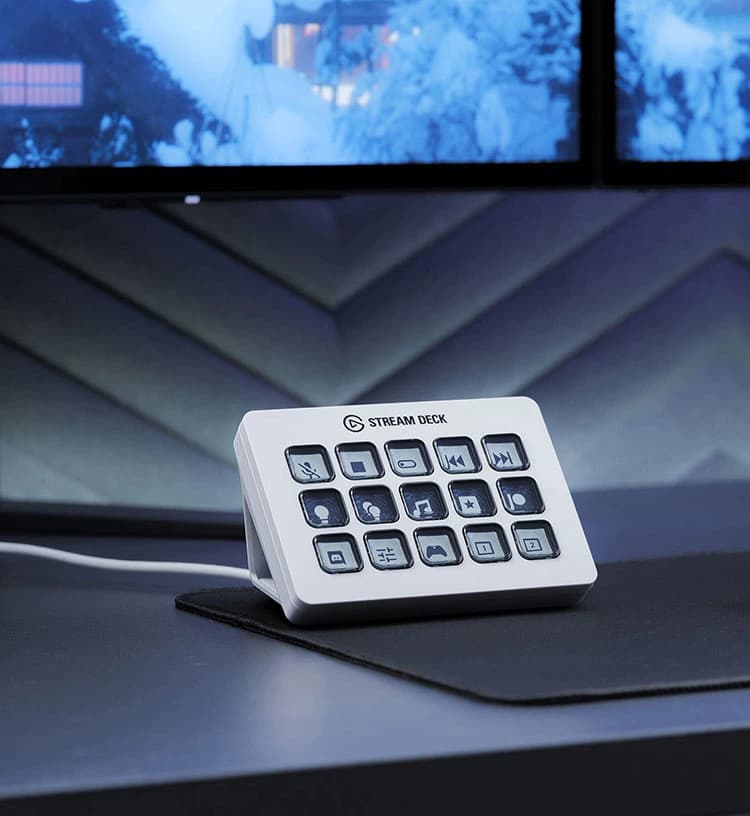
The sturdy design features a detachable weighted stand fixed at 45 degrees, replacing earlier flimsy adjustable versions for enhanced desk stability. Constructed from refined materials with a matte finish resisting fingerprints, it feels solid without being bulky. Experts note this as an improvement in both durability and user experience while maintaining portability on your workspace. The anti-slip base ensures no unwanted movement during fast-paced use—perfect for streamers or multitaskers who demand reliability in their gear.
Plugin & Integration Support
With native support for OBS Studio, Twitch, Discord, Spotify, Philips Hue lighting systems plus access to over 200 third-party plugins via its store ecosystem—the device offers seamless integration unmatched by many competitors in its class. This rich software environment empowers users beyond basic macro tasks toward holistic production management across audio-visual platforms making it indispensable whether managing scenes or smart home devices—a core strength highly praised by experts reviewing versatility alongside hardware excellence.
Button Responsiveness & Tactility
Each key delivers satisfying tactile feedback paired with soft-touch actuation that's quiet enough not to distract during live streams yet responsive enough for confident command execution. Reviewers highlight how the buttons’ smooth operation boosts accuracy under pressure without annoying clicks heard by viewers or coworkers alike—balancing function with comfort perfectly suited to professional environments where precision matters just as much as subtlety.
Customization (Keys & Software)
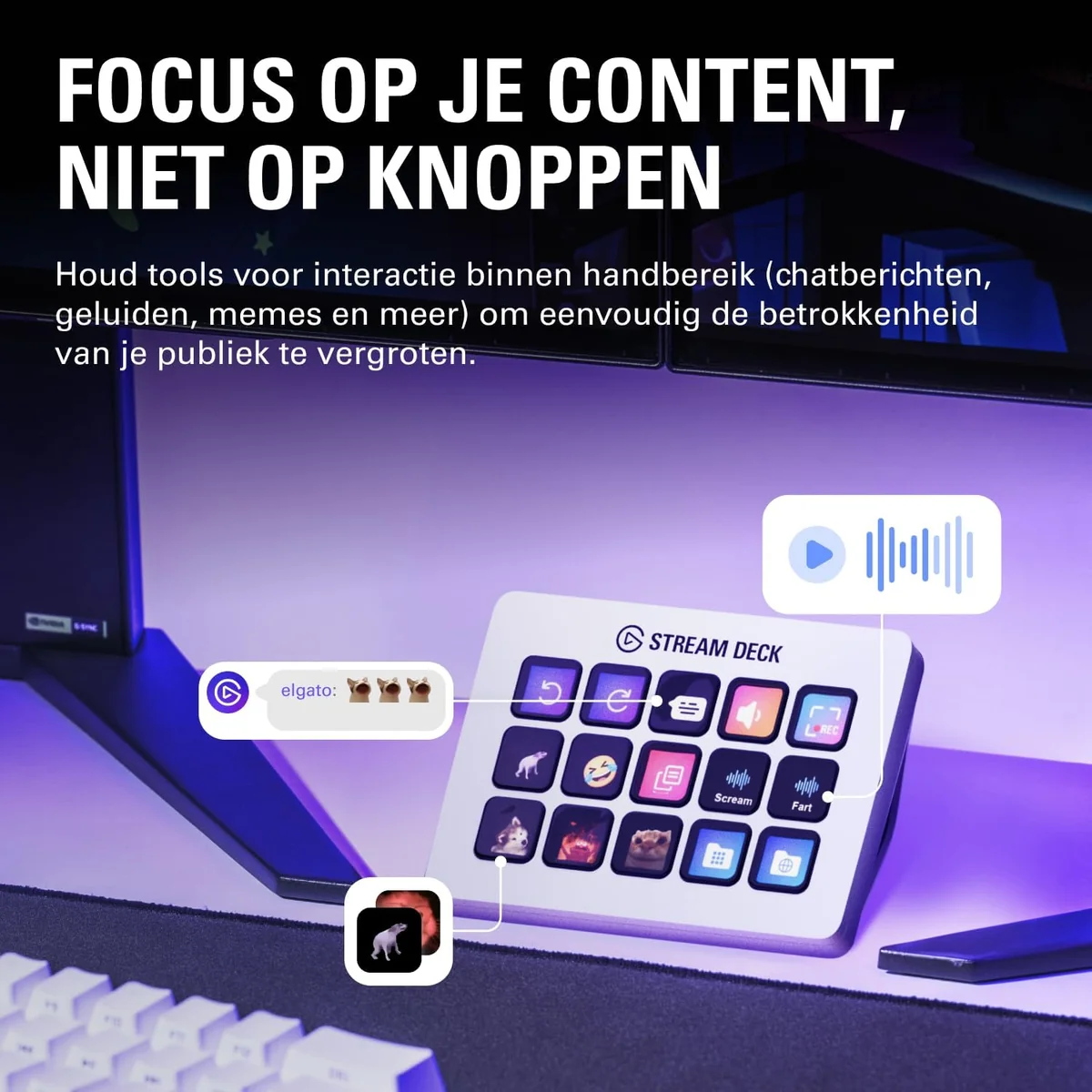
Dive into the world of 15 customizable LCD keys paired with an intuitive desktop app that lets you drag and drop actions effortlessly. This combo transforms complex commands into simple button presses, elevating workflow efficiency. Users praise the multi-action macros, profiles, and folders for infinite shortcut possibilities. The integrated Stream Deck Store fuels creativity with plugins, icon packs, and sound effects, expanding usability beyond streaming to general productivity. This level of personalization is a standout feature that consistently delights users seeking tailored control.
Connectivity (USB‑C & Cable)
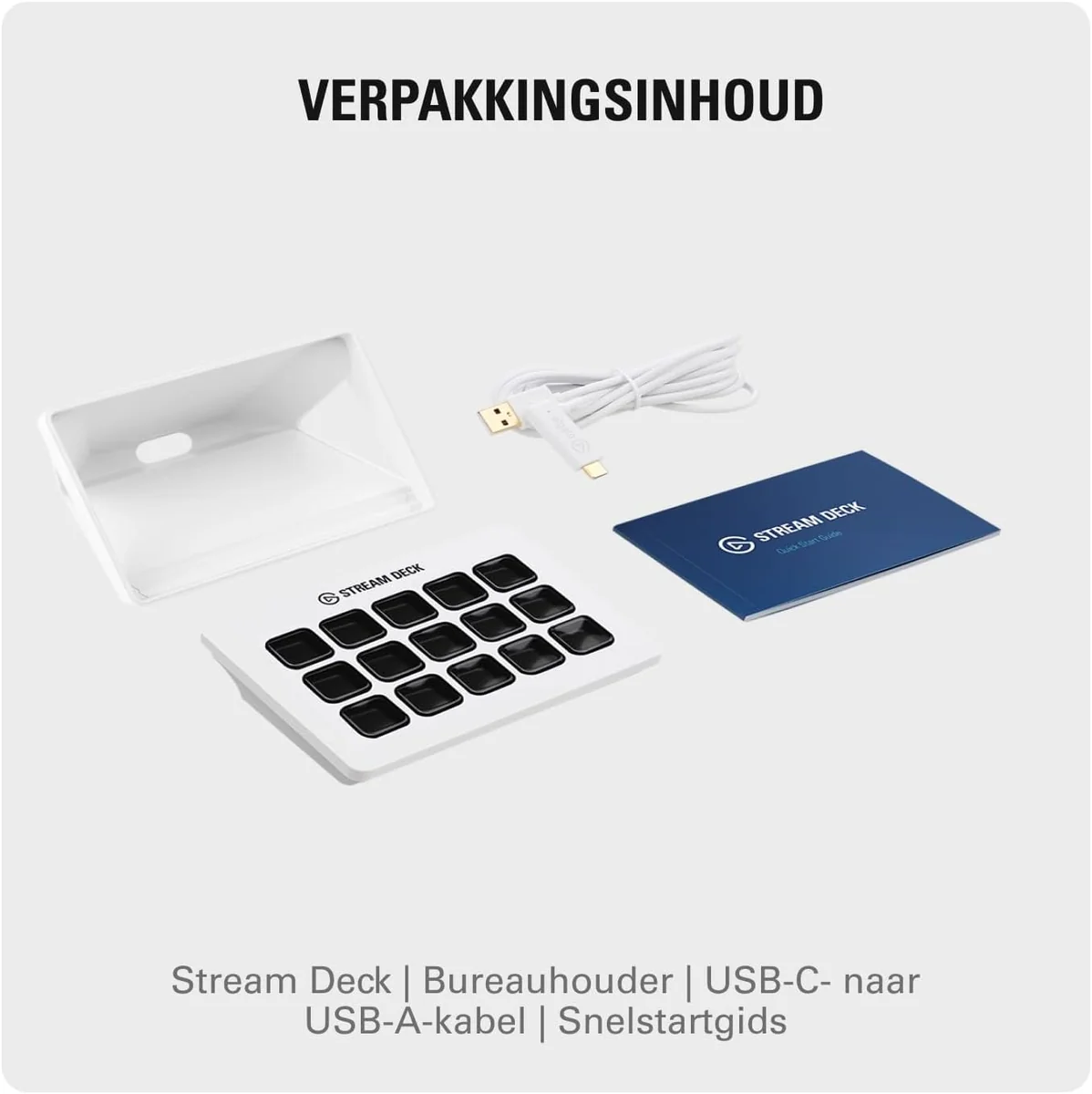
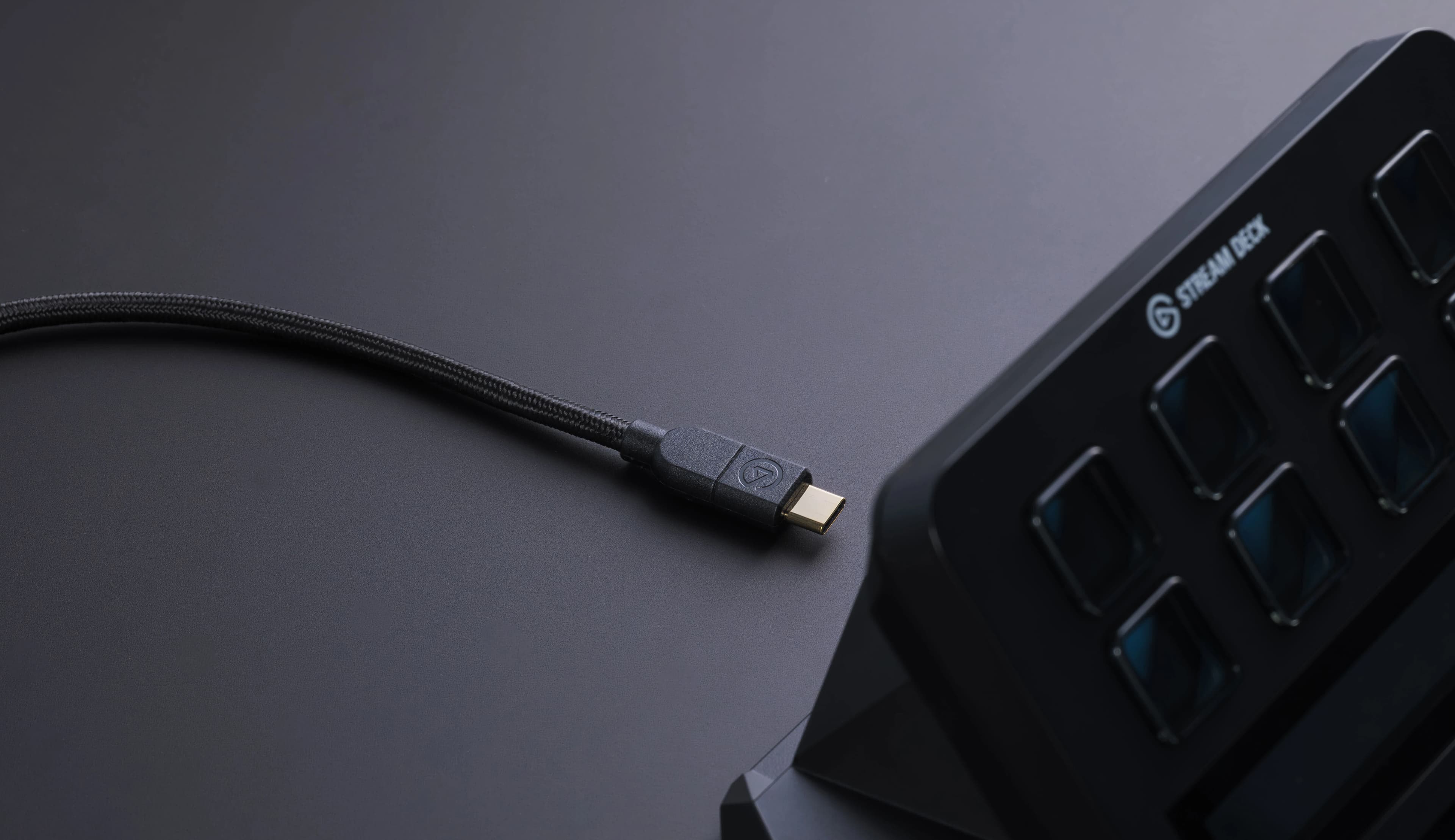
A key upgrade is the switch to a detachable USB-C cable, offering flexible routing options and easy replacement if damaged—a practical advantage over permanently attached cords seen before. Bundled with a one-meter USB-C to USB-C cable, it supports modern connection standards ensuring compatibility across devices while reducing clutter issues common in streaming setups. Users appreciate this thoughtful enhancement which enhances longevity and ease of setup—an essential convenience factor often overlooked but crucial for daily reliability.
Conclusion
The Stream Deck MK.2 turns customization into an art form with fully programmable keys and intuitive software, giving users a playground of possibilities. Its build quality and weighted stand provide steadfast stability, while the detachable USB-C cable speaks to practical design evolution. The tactile buttons offer a satisfying press that balances quiet operation with crisp responsiveness—perfect for high-stakes control rooms or cozy home studios alike. Experts praise its vast plugin ecosystem and seamless integrations, transforming it from mere hardware to a versatile command center. Though compact, its footprint invites portability without sacrificing function. While some may wish for more physical controls like dedicated dials, this device shines brightest when streamlined simplicity meets powerful versatility—a fitting choice for creators seeking precision without fuss. This balance between thoughtful design and robust performance justifies its place among top-tier productivity tools that know how to keep pace with creative demands.

Feature Scores
This reflects reviews and ratings from established critics, journalists, and users who have evaluated the item. Their opinions provide a comprehensive assessment.
Performance
Processing Power
TBD
Graphics Performance
TBD
Frame Rate Stability
TBD
Input Latency
4/5
Thermal Management
TBD
Reliability
4/5
Value
Price-to-Performance
4/5
Total Cost of Ownership
4/5
Upgradeability
4/5
Included Accessories
4/5
Design
Ergonomics
4/5
Aesthetics
4/5
Portability
4/5
Build Quality
4/5
Health
Material Safety
TBD
Acoustic Comfort
4/5
Display Blue Light Emission
TBD
Safety
Electrical Safety Compliance
TBD
Thermal Shutdown Protection
TBD
Fire Risk Mitigation
TBD
Sustainability
Energy Efficiency
TBD
Recyclability
TBD
Sustainable Materials Use
TBD
Packaging Waste
4/5
Experience Style
Customization Options
5/5
Software Ecosystem
5/5
Plug-and-Play Simplicity
4/5
Peripheral Compatibility
5/5

Specifications
This section outlines the product's key facts, covering essential features, details, dimensions, materials, and any unique characteristics that define its functionality and usability.
Performance
Value
Design
Safety
Sustainability
Experience Style

Frequently Asked Questions
18 Questions

Also Consider
2 Options


Find Yours
What is your priority when choosing a graphics card?
Answer to find your best matches.