
UGREEN Revodok Pro 312 12-in-1 Docking Station
Versatile 12-in-1 dock with triple display support and strong power delivery, yet occasional stability issues.
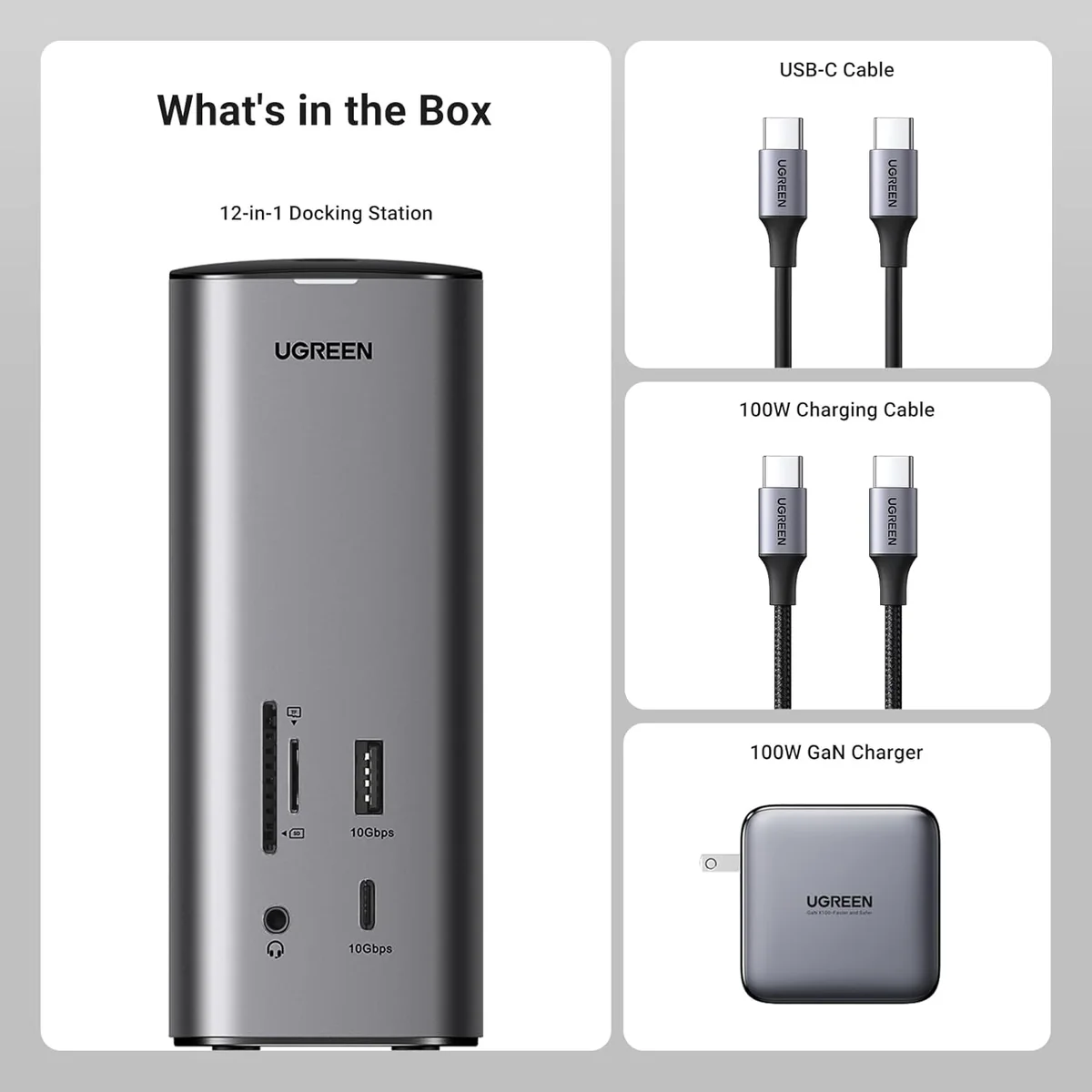
The UGREEN Revodok Pro 312 12-in-1 Docking Station is a connectivity powerhouse tailored for multitaskers juggling multiple screens and devices. Its triple display support via DisplayLink dazzles, especially for Mac users craving more real estate, while the 100W GaN charger delivers solid power without overheating your desk setup—mostly. Experts and users applaud its sleek metal build and thoughtful port layout, though some grumble over occasional flicker and driver headaches. The dock’s premium price matches its ambitious feature set but stumbles on limited downstream USB charging and sporadic reliability quirks. For those chasing expansive versatility with minor trade-offs, this hub earns points—but stability remains the final gatekeeper of smooth sailing.




Find Yours
What type of connectivity is most important to you?
Answer to find your best matches.

The Scoreboard
Does this improve your life? Considers, health, habits, and environmental impact.
Benefits
Supports three external monitors via DisplayLink-enabled outputs, reducing postural strain and improving focus.
DisplayLink-based compatibility enables multiple monitors on M1/M2 Macs, easing setup and workflow.
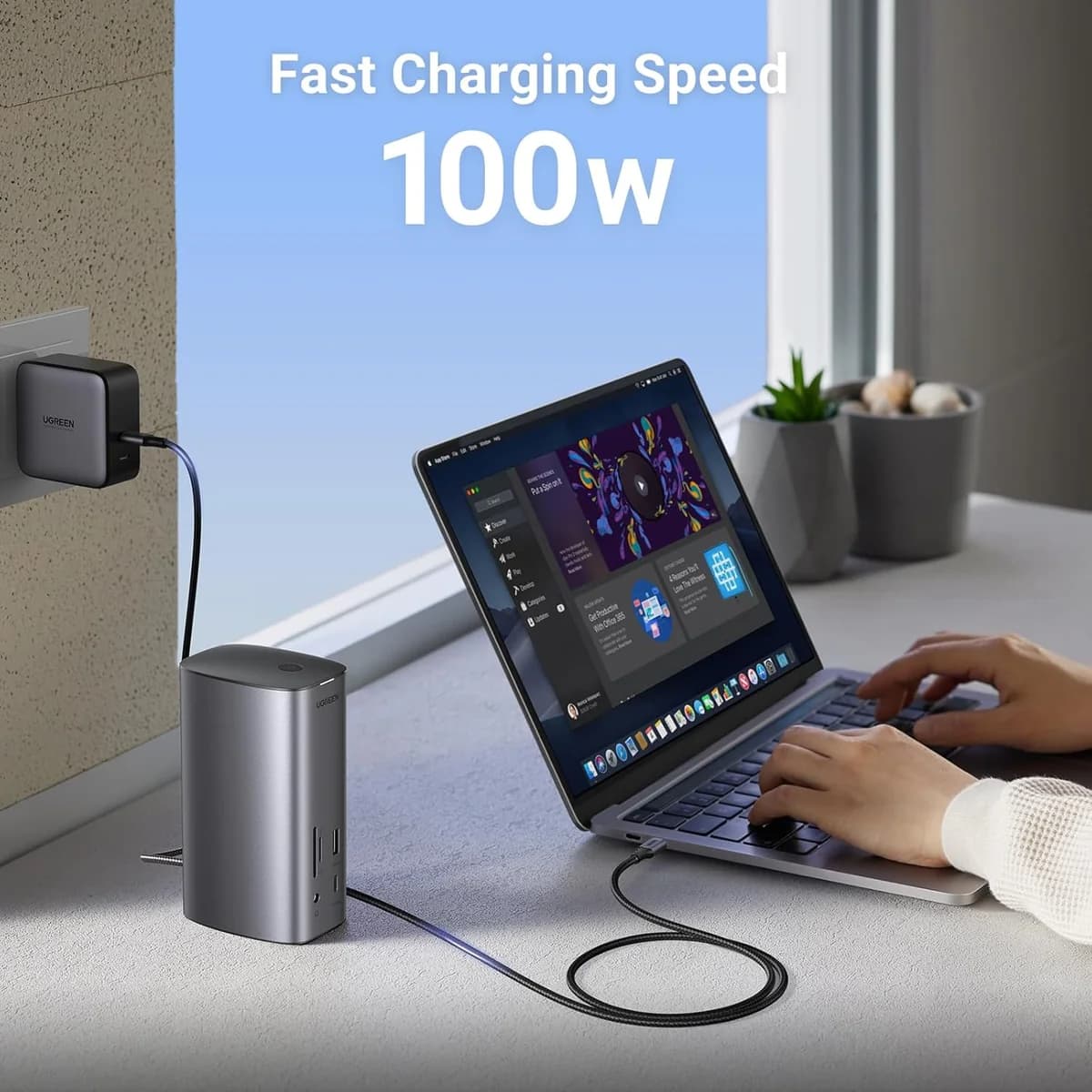
100W GaN charger (where included) delivers stable 85W laptop power, reducing battery anxiety and interruptions.
Vertical metal body with front/rear ports reduces desk clutter, improving posture and lowering stress.
Trade-Offs
Heavy workloads and multiple displays make the dock run hot, risking noise and throttling.
Requires manually installed DisplayLink drivers; can cause setup confusion, instability, and added maintenance burden.
USB-A ports prioritize data over charging; phones and peripherals may charge slowly or not.
Built-in SD readers capped at UHS‑I speeds, increasing transfer time for photo and video workflows.
Some SKUs omit power adapters and lack clear warranty details, increasing replacement and e-waste risk.
 Alternatives


Join the Circle
Where real meets deal
Know what's worth buying-and when.
Tips, special offers, and rewards for buying and sharing.

Publications
3 LEADING PUBLICATION REVIEWS

Mark Hachman from PCWorld highlights the UGREEN Revodok Pro 312 12-in-1 Docking Station as a compact and well-engineered USB-C dock that delivers strong multi-display support and versatile port options, making it a solid productivity tool. Despite its excellent performance across various laptops—including those with and without Thunderbolt ports—the dock has notable quirks, such as confusing and inconsistent naming, the need to manually source DisplayLink drivers, and the unusual omission of a power adapter, which users must provide separately. While it handles multiple 4K displays smoothly and supports a 1440p 144Hz monitor, it struggles under heavy video streaming and external drive loads. The dock’s build quality and thoughtful features like front and rear port placement earn praise, but its relatively high price and lack of warranty information temper enthusiasm. Overall, the review conveys a cautiously positive tone, appreciating the dock’s capabilities while candidly addressing its marketing and usability shortcomings.
By Mark Hachman
Simon Jary from Tech Advisor highlights the UGREEN Revodok Pro 312 12-in-1 Docking Station as a well-crafted, compact, and versatile hub that stands out with its rare triple-display support, including compatibility with M1 and M2 Macs via a DisplayLink software workaround. The dock impresses with a robust 12-port array, including three high-resolution video outputs, 85W laptop charging, and a bundled 100W charger—features that cater well to power users needing multiple monitors. However, the review tempers enthusiasm by noting some drawbacks: the USB ports do not support device charging beyond powering the laptop, the SD card readers are limited to slower UHS-I speeds, and the dock’s price is on the higher side compared to competitors. Thoughtful design touches like a power button and front-facing ports add user convenience. Overall, the review conveys a positive but measured tone, praising the dock’s performance and build quality while candidly addressing its limitations and premium cost.
By Simon Jary
Danielle from Gigarefurb highlights the UGREEN Revodok Pro 312 12-in-1 Docking Station as a premium, well-designed hub that excels in multi-display support, notably offering three video outputs compatible with both Windows and Mac laptops—including M1 and M2 models when paired with DisplayLink software. The dock impresses with its compact vertical design, sensible port layout, and inclusion of a 100W charger enabling 85W laptop power delivery. However, Danielle notes some drawbacks: the USB ports do not support device charging (only data transfer), the SD card readers are limited to slower UHS-I speeds, and the dock’s price is on the higher side, especially in the UK. The review appreciates the power button feature for battery health and praises the dock’s reliable performance in real-world testing with triple displays. Overall, the review conveys a balanced, moderately positive tone, emphasizing the dock’s strengths in display versatility and build quality while candidly addressing its limitations and cost.
By Danielle

Store Reviews
CUSTOMER REVIEWS FROM 1 STORE
Amazon users praise the UGREEN Revodok Pro 312 12-in-1 Docking Station for its versatile port layout and solid build quality. Many highlight the thoughtful design that separates frequently used ports from less-accessed ones, enhancing desk organization and accessibility. Reviewers enjoy seamless connectivity with multiple devices, including Dell, Lenovo, and MacBook laptops, and appreciate the hub’s ability to support dual monitors with crisp video output via HDMI and DisplayPort. Several users emphasize the docking station’s stable Ethernet connection and fast file transfers, noting its premium aluminum shell that remains cool during heavy use. While most find the docking station reliable and easy to use right out of the box, some report intermittent issues such as network port failures and inconsistent power delivery, with a few mentioning slower-than-expected laptop charging. A rare but serious concern arises from one user who experienced hardware damage after unplugging the dock while the laptop was powered on, prompting caution about hot-swapping. Opinions on value vary, with many considering it a worthwhile investment for its comprehensive features, though a minority view it as overpriced. Overall, Amazon reviewers recognize the UGREEN Revodok Pro 312 as a powerful all-in-one hub that excels in connectivity and port capacity, making it a favored choice for work-from-home setups, travel, and multi-device environments.
4.2 Stars / Many verified reviews

Forum Reviews
CUSTOMER REVIEWS FROM 1 FORUM
Reddit users discussing the UGREEN Revodok Pro 312 12-in-1 Docking Station express a neutral overall sentiment, highlighting mixed experiences with its performance. While some appreciate its functionality, others report issues such as certain ports only supporting a single output, which limits usability. The design and value aspects receive little direct commentary, indicating neither strong praise nor criticism. Users seeking solutions often inquire about proper driver installation to optimize performance. There is no clear distinction between new shoppers and upgraders in the discussions, with most feedback focusing on troubleshooting and practical use rather than outright endorsement or rejection.
Few comments

In-Depth Review

Highlights
- •Port varietyExtensive connectivity across 12 ports
- •Triple display supportThree external monitor support via DisplayLink
- •Power delivery100W GaN with ~85W host PD
- •High-speed USBHigh-speed 10Gbps USB-A/C ports
- •Gigabit EthernetWired Gigabit network port
- •SD/TF card readersBuilt-in SD and microSD readers

Considerations
- •Reliability concernsIntermittent disconnects and unit failures
- •Display instabilityFlicker, lag on secondary displays
- •Driver distribution frictionRequires DisplayLink; installer distribution problems
- •Limited downstream chargingUSB downstream ports lack charging
- •Thermal outputRuns warm under sustained load
- •Card reader speed limitUHS-I card reader; slower transfers
UGREEN, known for reliable tech accessories, offers a versatile 12-in-1 docking station designed to transform any workspace. Targeted at professionals and creatives juggling multiple devices, this dock promises extensive port variety including dual HDMI and DisplayPort outputs alongside high-speed USB ports. Its standout feature is the ability to support up to three external monitors simultaneously, appealing especially to Mac users who need multi-display setups beyond native limits. Power delivery isn’t left behind with an included 100W GaN charger delivering strong laptop charging capabilities. However, real-world feedback highlights mixed results on reliability and stability, with some users encountering intermittent disconnects or display flickering issues. The dock’s metal build provides a sleek look but also generates noticeable heat under load—an aspect worth noting in compact designs. Compatibility hinges on installing the latest DisplayLink drivers—a key step for unlocking full functionality across macOS and Windows platforms. For those craving comprehensive connectivity in one package, these facets are essential reading before committing your desk space or budget.
Reliability / Stability
While boasting impressive specs on paper, reliability emerges as a mixed bag: reports cite intermittent disconnects and monitor flicker issues after months of use suggesting stability may vary across units or setups. These quirks temper confidence despite generally smooth operation initially; prospective buyers should weigh these factors against their tolerance for troubleshooting over extended periods but can expect functional day-to-day use if drivers are kept current.
Video Output Performance
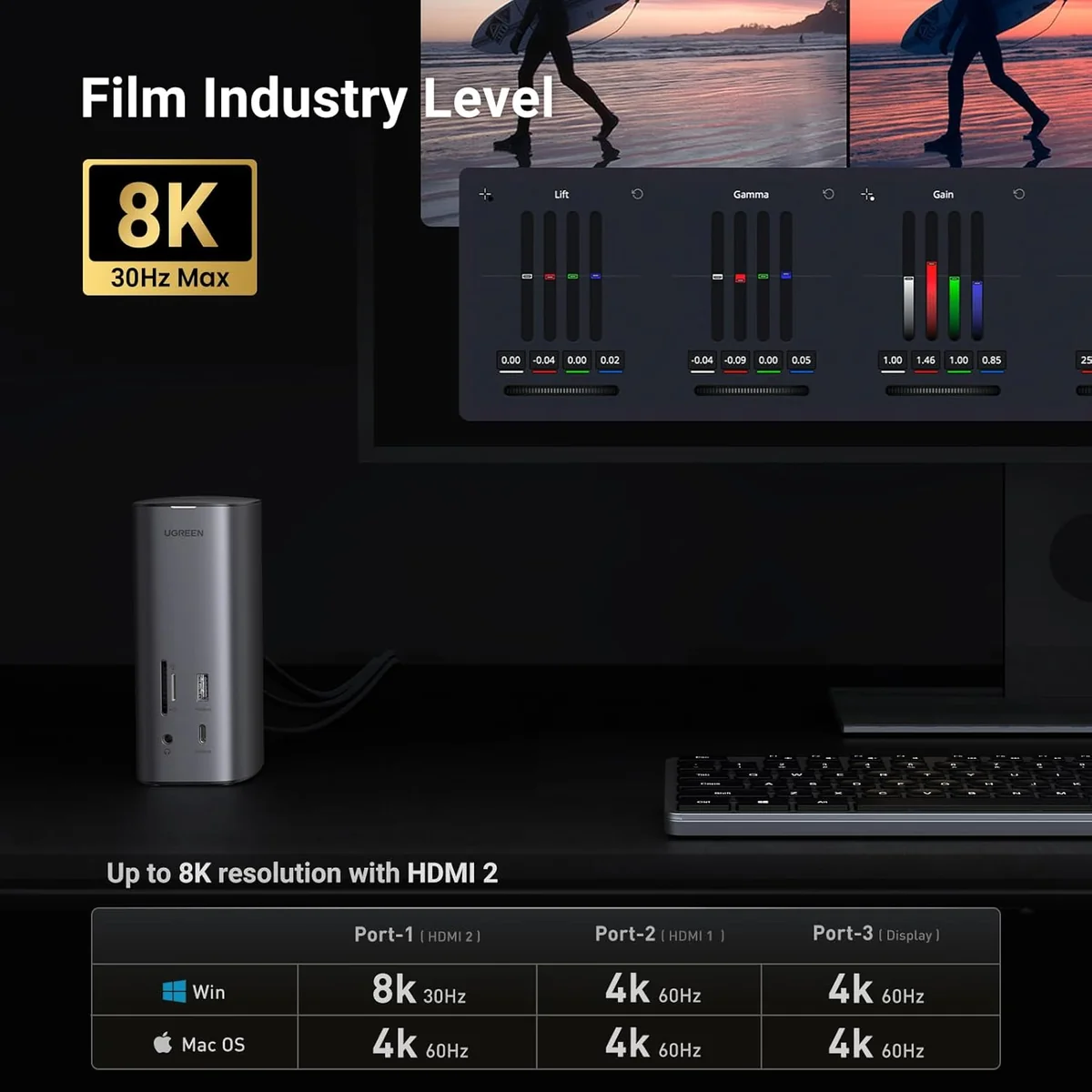
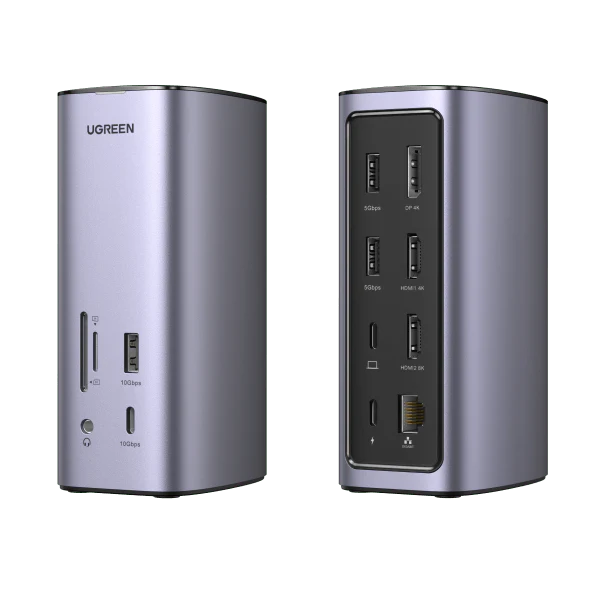
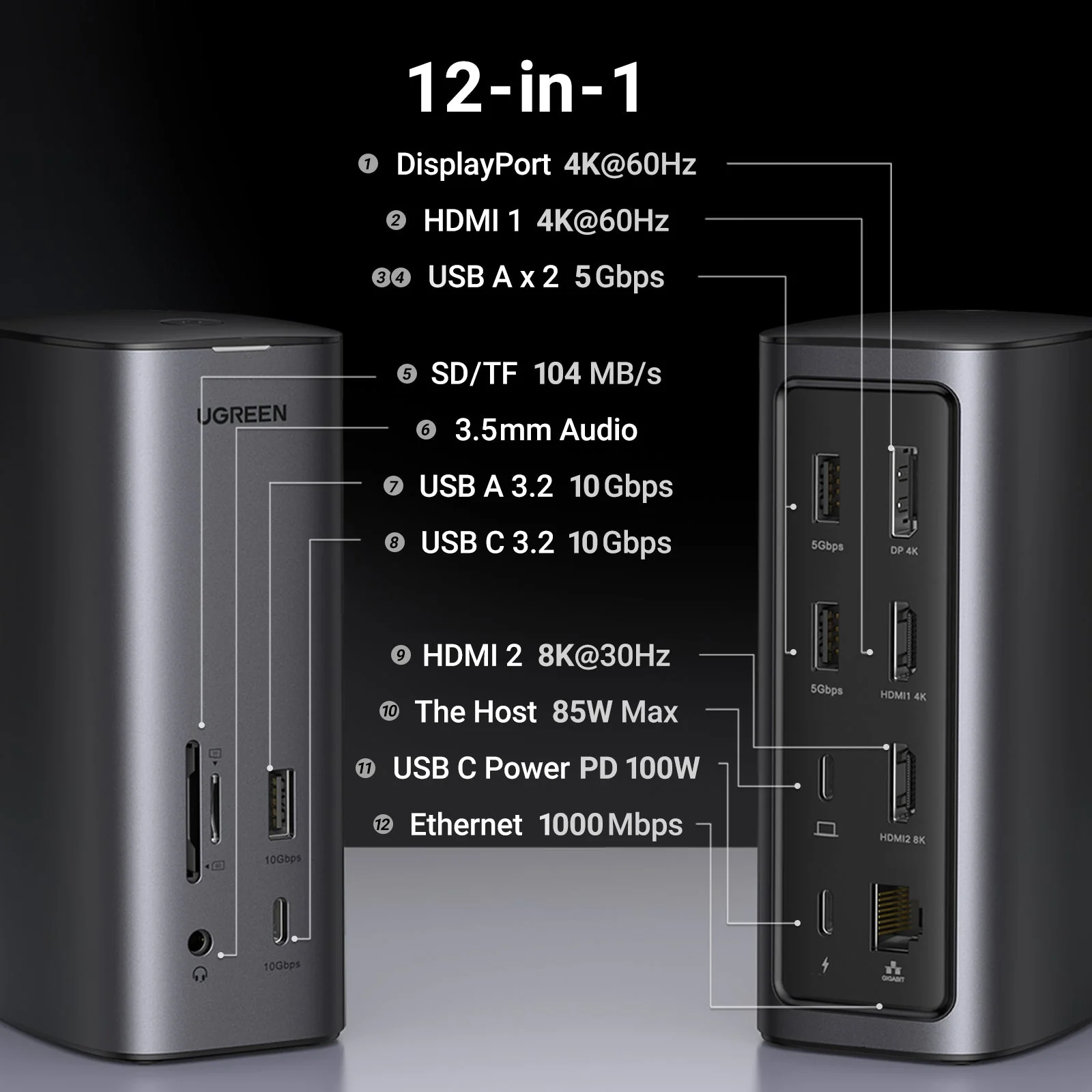
This dock flexes its muscles with triple display support featuring one HDMI 2.1 port capable of 8K@30Hz output alongside two other ports handling 4K@60Hz resolutions. Experts applaud its ability to juggle multiple high-res monitors simultaneously via DisplayLink technology—especially valuable for Mac users circumventing native hardware limits. However, some users report occasional flickering or lag under heavy loads, indicating performance might dip when pushed hard but overall it stays solid in multi-monitor productivity tasks.
Build Quality & Thermal Behavior
Constructed from metal and plastic with an elegant Space Gray finish matching modern laptops, this dock feels sturdy yet sleek on any desktop setup. Users note it runs warm under load—not dangerously hot but noticeably so—pointing to moderate thermal output common among compact docks packing dense electronics in tight spaces without active cooling fans; overall build quality is solid enough though long-term durability has varied based on user experiences shared online.
Port Variety
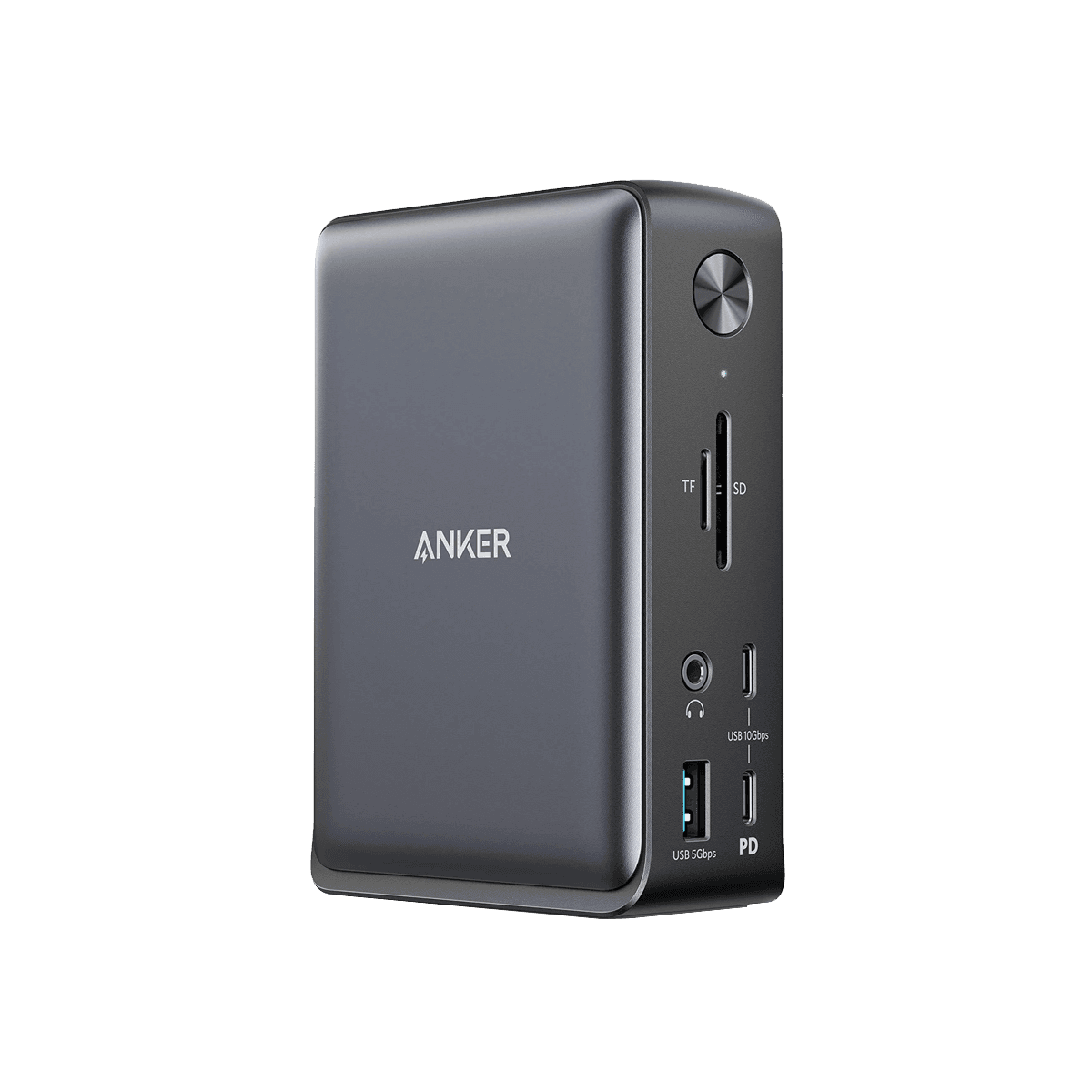
Dive into connectivity with the dock’s 12-in-1 port lineup, including dual HDMI, DisplayPort, multiple USB-A and USB-C ports, plus SD/TF card readers. This variety caters to creatives and professionals needing diverse device support. While the brand boasts comprehensive coverage, user feedback highlights this as a standout feature that truly delivers in real-world multitasking scenarios. The inclusion of Gigabit Ethernet and a 3.5mm audio jack rounds out an all-encompassing hub experience designed for seamless desk setups.
Power Delivery
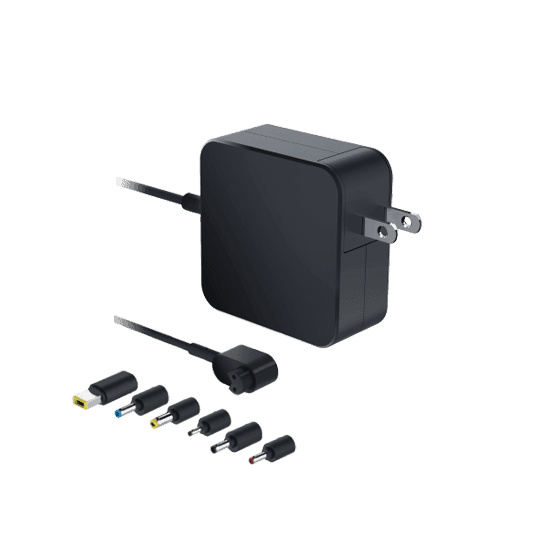
Packed with a 100W GaN charger supplying up to 85W PD to laptops while powering itself from about 15W, this dock offers robust charging efficiency for demanding devices on the go or at home desk stations alike. Reviewers appreciate how fast charging saves time during busy workflows though it's notable that none of the downstream USB ports provide additional device charging—a minor caveat amid otherwise strong power management capabilities highlighted by experts.

Conclusion
Drawing the final curtain, this dock dazzles with its impressive port variety and solid video output performance, enabling a trifecta of displays that stretches beyond typical Mac limitations. Its 100W power delivery fuels productivity but doesn’t extend charging to all USB ports, a nuance users should note. While its metal chassis exudes quality, the thermal behavior under load reminds us compact power can come with warmth. The real wildcard remains in reliability and stability, where intermittent disconnects shadow otherwise smooth sessions—an Achilles’ heel for mission-critical setups. Compatibility rides on timely DisplayLink driver updates, making driver support essential yet occasionally cumbersome. This station suits multitaskers craving expansive connectivity who tolerate occasional quirks but may frustrate those seeking plug-and-play perfection. It’s a robust tool with pockets of unpredictability—a choice best made by weighing needs against these measured trade-offs before embracing its full potential as your desk command center.

Feature Scores
This reflects reviews and ratings from established critics, journalists, and users who have evaluated the item. Their opinions provide a comprehensive assessment.
Performance
Connection Bandwidth
4/5
Port Variety
5/5
Power Delivery Capacity
5/5
Video Output Resolution Support
4/5
Reliability
3/5
Firmware and Driver Support
3/5
Compatibility
4/5
Value
Price Competitiveness
3/5
Feature-to-Price Ratio
4/5
Warranty and Support Value
3/5
Design
Physical Footprint
4/5
Cable Management
4/5
Build Quality
4/5
Aesthetics
4/5
Health
Heat Emission
3/5
Electromagnetic Emissions
TBD
Chemical Safety
TBD
Safety
Electrical Safety Compliance
TBD
Overcurrent Protection
TBD
Thermal Protection
TBD
Electrostatic Discharge Protection
TBD
Sustainability
Energy Efficiency
4/5
Recyclability
TBD
Repairability
TBD
Experience Style
Ease of Setup
4/5
Customizability
4/5
Multi-Device Switching
3/5
Port Replication Consistency
3/5

Specifications
This section outlines the product's key facts, covering essential features, details, dimensions, materials, and any unique characteristics that define its functionality and usability.
Performance
Value
Design
Safety
Sustainability
Experience Style

Frequently Asked Questions
9 Questions

Also Consider
2 Options

Find Yours
What type of connectivity is most important to you?
Answer to find your best matches.