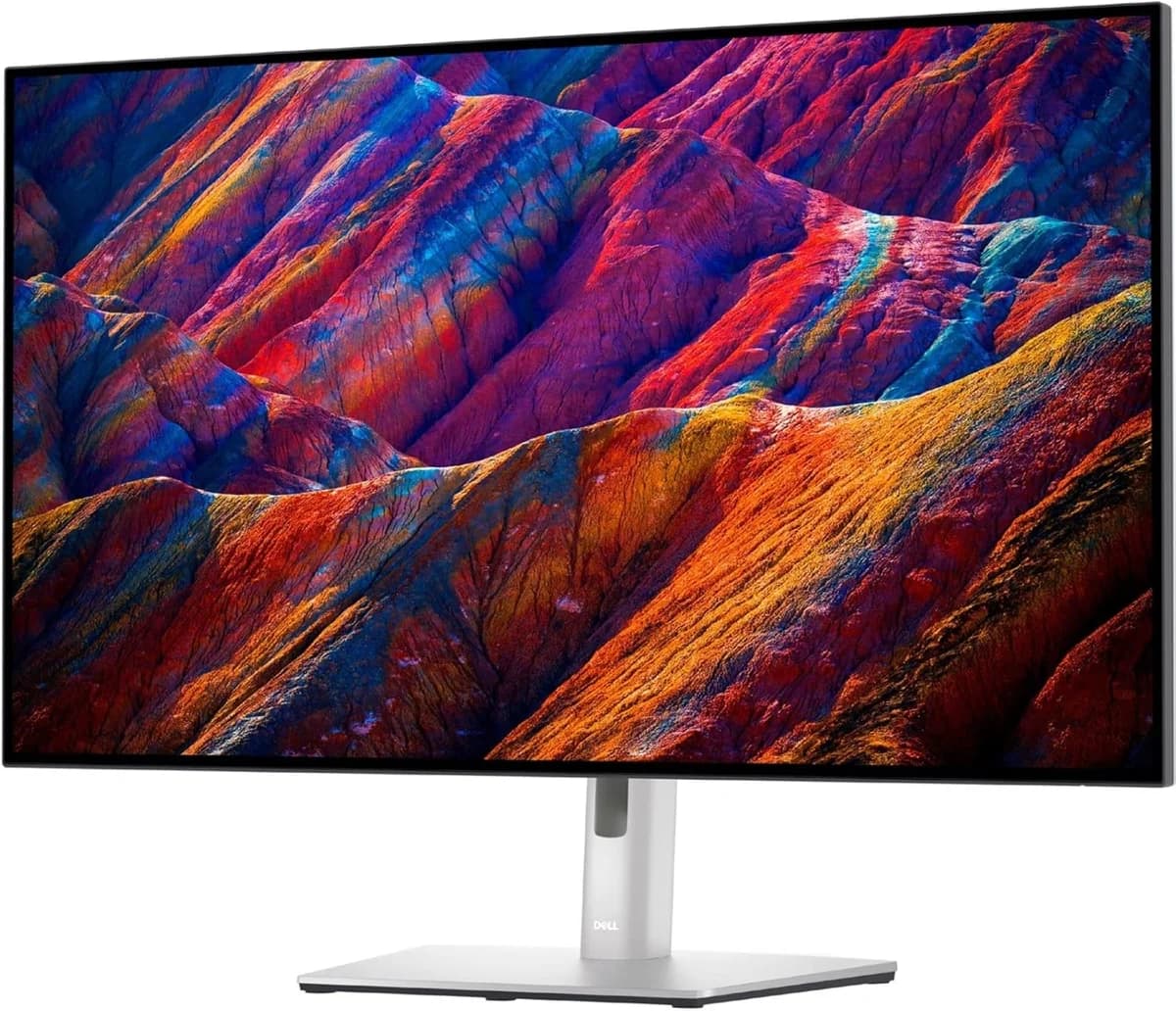
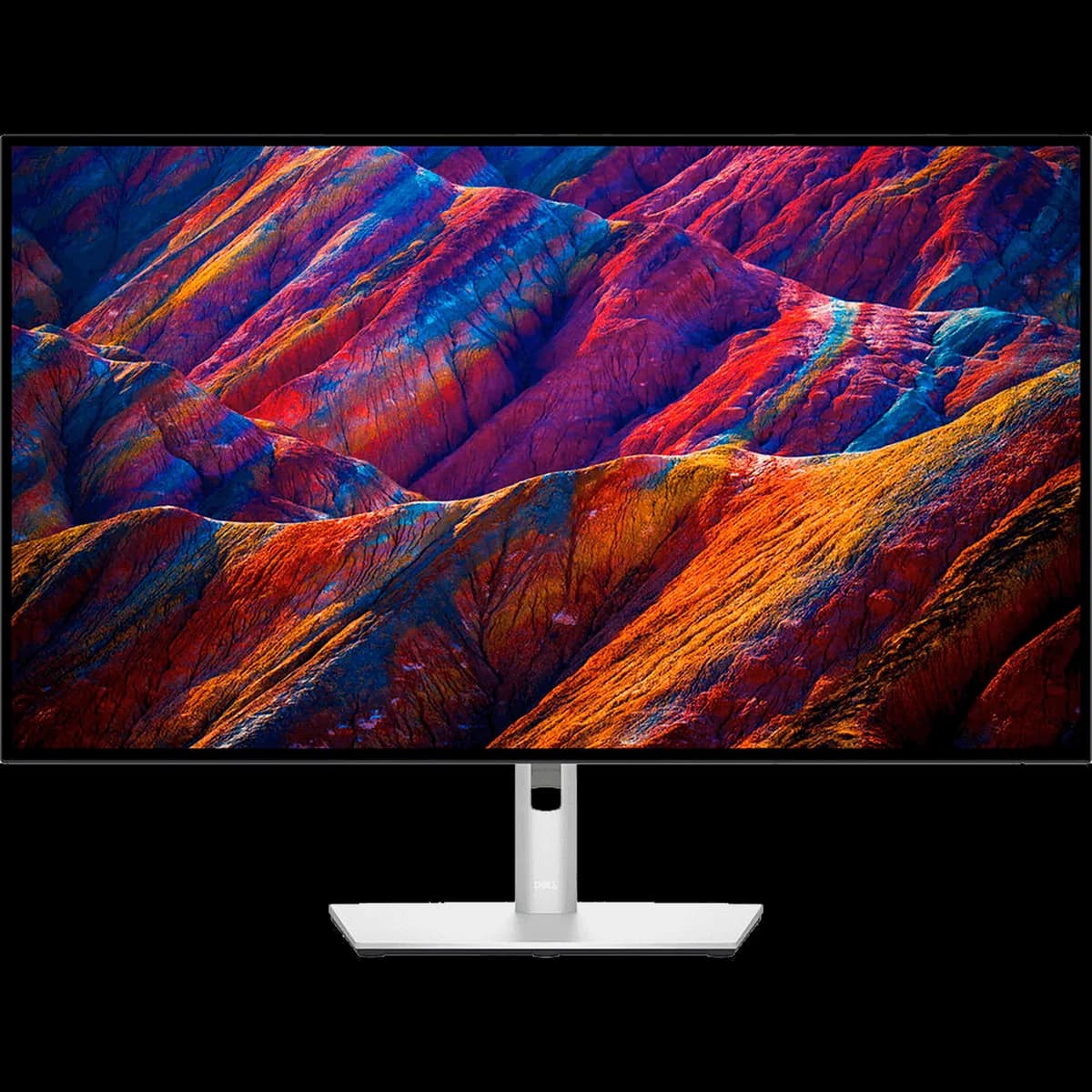
Dell UltraSharp U3223QE 32-inch 4K USB-C Hub Monitor
Exceptional color accuracy and connectivity boost productivity, though flicker and bulky stand may deter some.
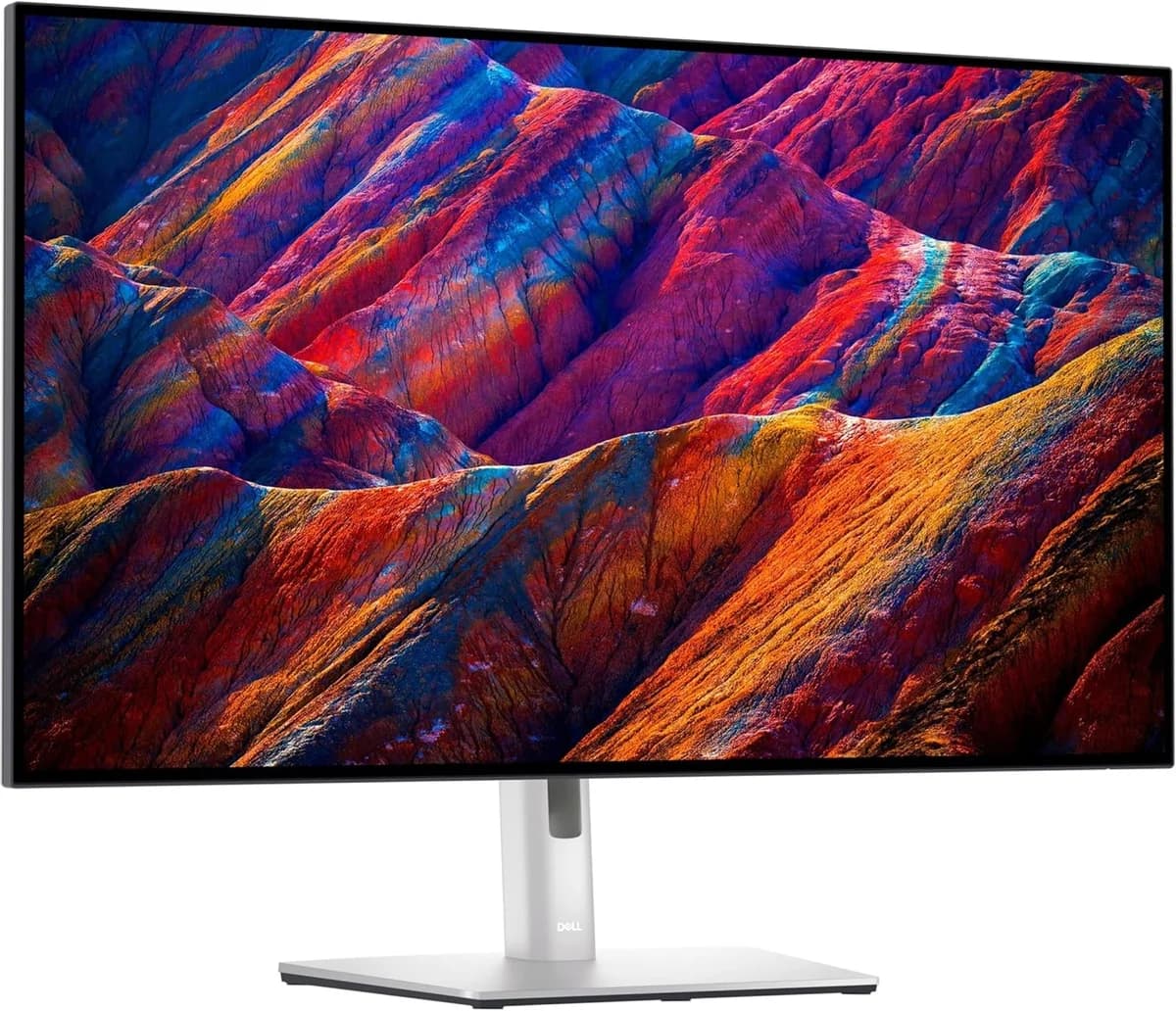
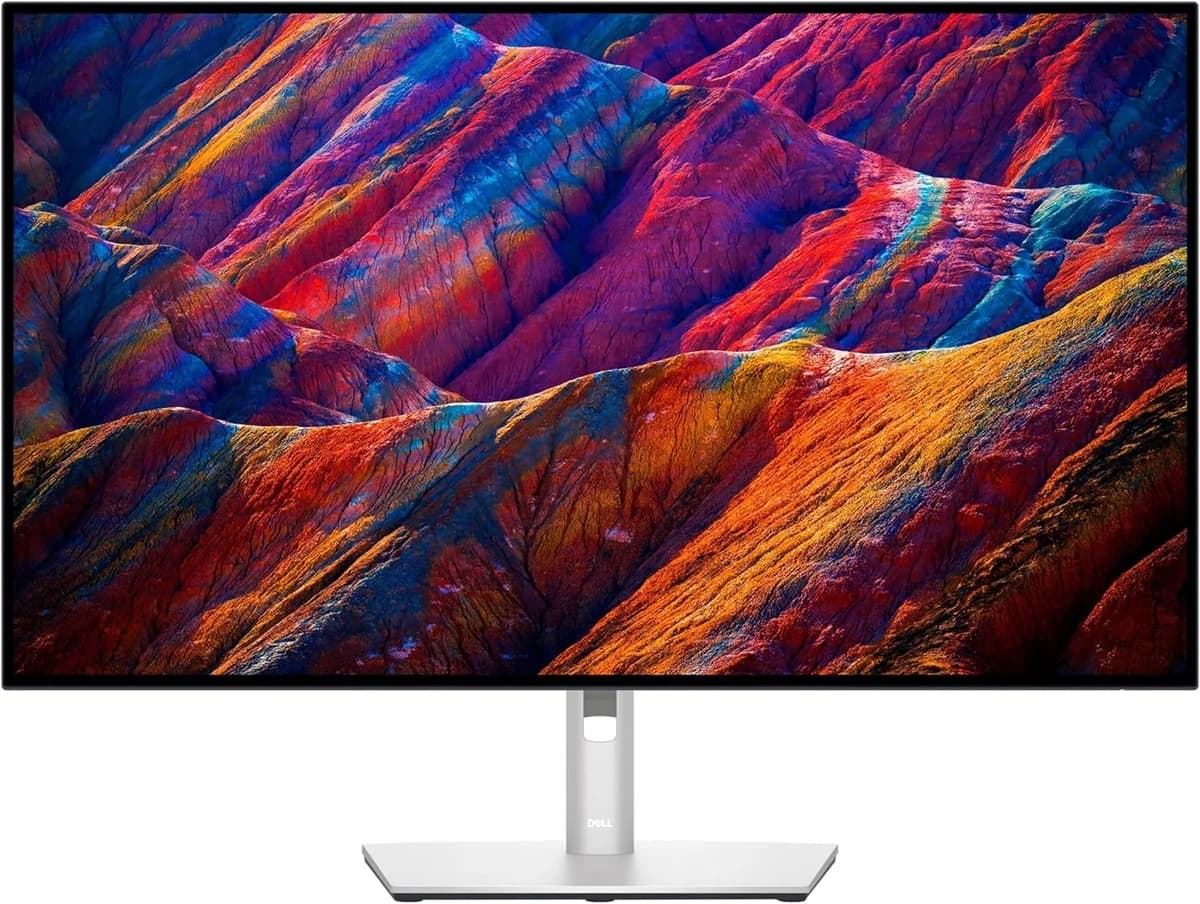
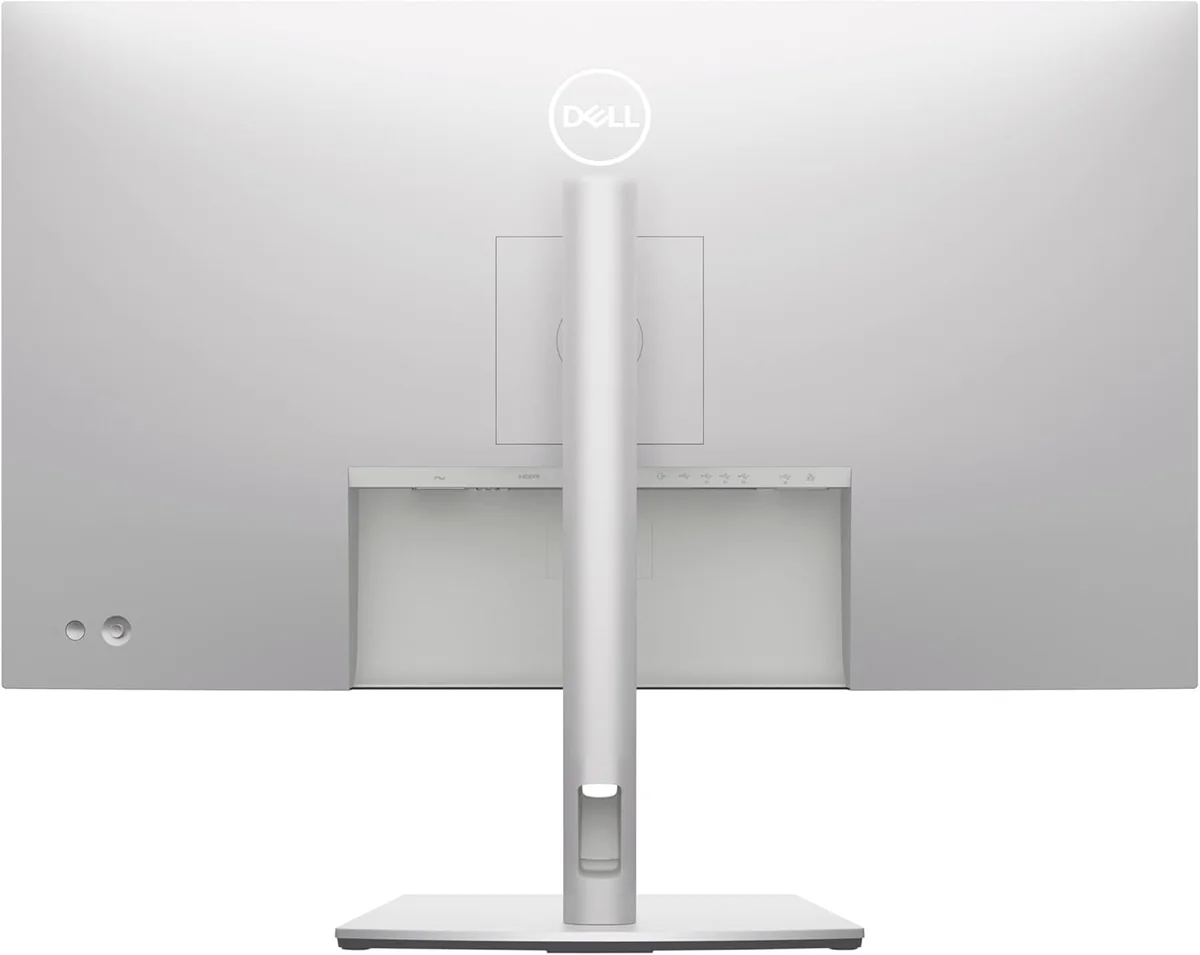
The Dell UltraSharp U3223QE 32-inch 4K USB-C Hub Monitor is a professional powerhouse designed for creatives and multitaskers craving vibrant precision and seamless workflows. Its standout IPS Black technology delivers deep 2000:1 contrast, backed by factory-calibrated color accuracy hitting Delta E <2 across 98% DCI-P3—a dream for color-critical work. Users love the versatile USB-C hub with 90W power delivery and built-in KVM switch, though some grumble about flickering and the bulky stand footprint. The monitor’s solid brightness and ergonomic prowess make it a strong contender in its price range, proving that thoughtful connectivity can trump flashy specs every time.

Find Yours
What's your primary use for a computer monitor?
Answer to find your best matches.

The Field
Browse top contenders, or compare all options ranked by score and key attributes.
5 Options


The Scoreboard
Does this improve your life? Considers, health, habits, and environmental impact.
Benefits
ComfortView Plus and IPS Black reduce blue light and improve perceived contrast, easing eye fatigue.
90W USB‑C, Ethernet, and KVM consolidate devices, cutting cable clutter and daily setup friction.
Factory calibration and 98% DCI‑P3 give reliable color versus generic IPS panels, reducing rework.
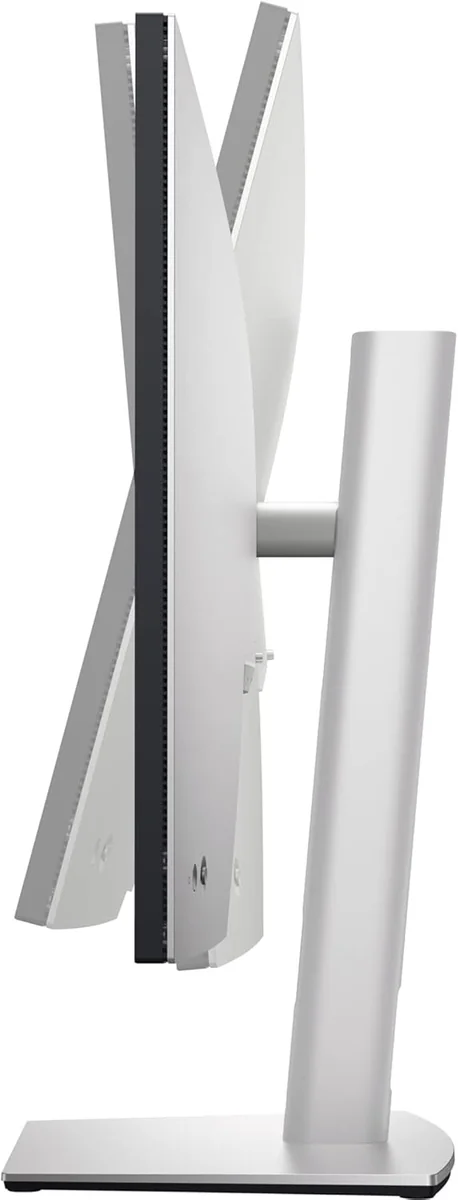
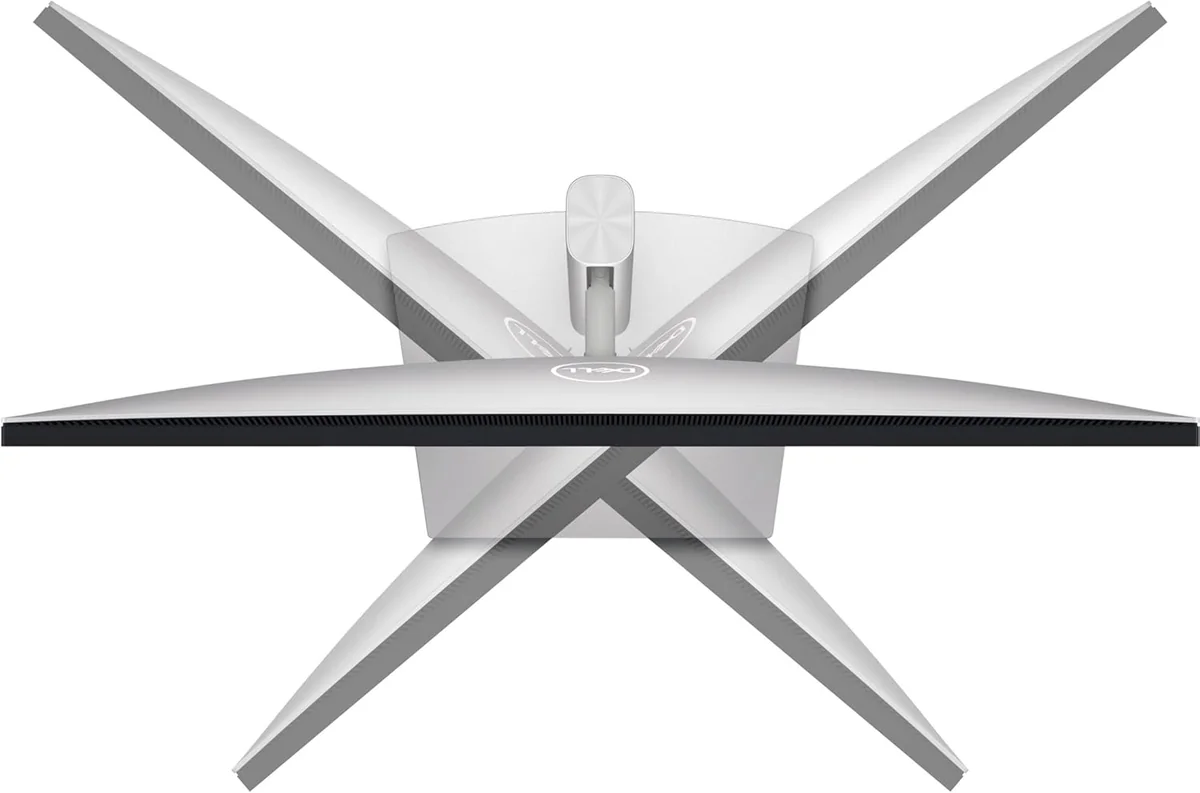
Height/pivot/swivel/tilt plus 90° rotation enable healthy posture, lowering neck and shoulder strain.
Auto KVM and daisy‑chain support let you switch machines fast, reducing cognitive context switching.
Trade-Offs
Edge‑lit IPS and QC reports show flicker/backlight bleed, which can trigger headaches or eye strain.
No built‑in camera, mic, or speakers increases peripheral needs, adding material and desk clutter.
Contains metals/plastics typical of monitors; despite recycled-content claims, e‑waste remains significant environmental impact.
Sturdy stand uses more desk area and can force awkward monitor placement, impacting posture.
 Alternatives


Join the Circle
Where real meets deal
Know what's worth buying-and when.
Tips, special offers, and rewards for buying and sharing.

Publications
8 LEADING PUBLICATION REVIEWS

Dan Seifert from RTINGS highlights the Dell UltraSharp U3223QE as a strong office and content creation monitor with a large 32-inch 4K screen, excellent ergonomics, and an extensive USB hub featuring a KVM switch that enhances productivity. The monitor delivers fantastic SDR brightness, color accuracy, and wide viewing angles, making it ideal for multitasking and professional editing. However, the review points out significant drawbacks for gaming and HDR use: the slow response time causes motion blur, there is no VRR or HDMI 2.1 support, and the local dimming feature is ineffective, resulting in muted HDR highlights and poor dark scene performance. Reflection handling is also disappointing, limiting its suitability in bright environments. While the U3223QE offers solid real-world office and creative use benefits, its gaming and HDR capabilities fall short, and it is positioned as a budget-friendly alternative to the pricier U3225QE, which improves on refresh rate and image quality.
By Matthew Lopes; Nicholas Di Giovanni; John Peroramas
Simon Baker from TFTCentral highlights the Dell UltraSharp U3223QE as a strong, productivity-focused 32-inch 4K monitor that introduces LG.Display’s innovative IPS Black technology, delivering notably deeper blacks and nearly double the contrast ratio of typical IPS panels. He praises its wide color gamut, excellent factory-calibrated sRGB mode, and extensive connectivity options—including USB-C with 90W power delivery and integrated Ethernet—that enhance office usability. The review emphasizes the monitor’s suitability for color-critical work and general productivity, while noting some limitations: the lack of full Adobe RGB support, imperfect DCI-P3 accuracy, and absence of blue light filter modes. Gaming performance is clearly not a priority, with a 60Hz refresh rate, modest response times, and no VRR support. Baker appreciates the flexible stand and well-implemented features but points out minor issues like slight IPS glow off-angle and some backlight oscillation. Overall, he regards the U3223QE as a solid, well-rounded UltraSharp model and a promising first step for IPS Black panels.
By Simon Baker
Matthew S. Smith from PCWorld highlights the Dell UltraSharp U3223QE as a strong debut for LG’s new IPS Black panel technology, delivering notably deeper blacks and roughly double the contrast of conventional IPS monitors. He praises its excellent color gamut coverage, accurate color reproduction, and bright 4K display, making it ideal for professional and productivity use. The monitor’s extensive USB-C hub connectivity, including multiple USB-A ports, DisplayPort-out, and Ethernet, further enhances its appeal for business users. Smith notes the well-designed stand with rare 90-degree pivot for a 32-inch screen and an intuitive joystick menu system. However, he points out some drawbacks: the lack of built-in speakers, uneven luminance uniformity typical of edge-lit LED panels, and disappointing HDR performance due to backlight limitations. Gaming features are minimal, with a standard 60Hz refresh rate and no Adaptive Sync, making it unsuitable for competitive gamers. Despite these caveats, Smith considers the U3223QE a good value at its price and an easy recommendation for professionals seeking superb SDR performance and connectivity.
By Matthew S. Smith
Digital Trends highlights the Dell UltraSharp U3223QE as a premium 32-inch 4K monitor that elevates conventional IPS panels with LG’s IPS Black technology, delivering deeper blacks and excellent contrast. Praised for its sharp, bright image quality and wide, accurate color coverage, the monitor impresses with out-of-the-box color accuracy and a thoughtfully designed USB-C hub featuring 90W power delivery and a built-in KVM switch, making it ideal for seamless laptop connectivity. The build quality is solid and professional, with a versatile stand and a conservative aesthetic suited for most work environments. While the HDR support is modest (DisplayHDR 400) and the price is steep—even on sale—the review emphasizes the value in its combination of image quality, connectivity, and an outstanding three-year advance exchange warranty. Minor ergonomic quirks and limited HDR impact are noted, but overall, the U3223QE is recommended as a worthwhile investment for professionals seeking a feature-rich, high-quality 4K display.
By Mark Coppock
Matt Smith and Christoph Hoffmann from PC-WELT highlight the Dell UltraSharp U3223QE as a standout 32-inch 4K monitor featuring LG’s innovative IPS Black technology, which delivers exceptional contrast and deeper blacks than traditional IPS panels. Praised for its robust build, flexible stand with rare 90-degree rotation, and an extensive USB-C hub including Ethernet, the monitor excels as a professional and productivity tool. Its color accuracy and wide color gamut coverage make it ideal for creative work, while the intuitive joystick menu enhances usability. However, the review notes some drawbacks: the HDR performance is underwhelming due to limited backlight capabilities, and the monitor lacks gaming features like high refresh rates and Adaptive Sync, making it less suitable for competitive gamers. Minor issues with brightness uniformity and the absence of built-in speakers are also mentioned. Overall, the U3223QE impresses as a high-end, versatile monitor that balances cutting-edge panel technology with practical connectivity, best suited for professionals and casual gamers rather than HDR enthusiasts or hardcore gamers.
By Christoph Hoffmann; Matthew S. Smith
Jeremy Laird from TechRadar highlights the Dell UltraSharp U3223QE as a well-engineered 32-inch 4K monitor that impresses with its sleek slim-bezel design, excellent adjustability, and robust productivity features like USB-C docking with 90W power delivery, ethernet, and a built-in KVM switch. The monitor debuts LG’s IPS Black panel technology, promising a significant jump in static contrast to 2,000:1, nearly doubling previous IPS standards. However, Laird’s enthusiasm is tempered by the subjective viewing experience, which falls short of expectations—contrast, black levels, and vibrancy show little perceptible improvement over older IPS panels. Factory calibration is also imperfect, with a slight green tint and some compression in bright tones. While the display offers excellent viewing angles and color coverage suitable for less demanding content creation, it is not a breakthrough in image quality. Overall, the U3223QE is a solid productivity monitor with standout connectivity but ultimately a modest upgrade rather than a game-changer in panel technology.
By Jeremy Laird
Jon Peddie highlights the Dell UltraSharp U3223QE as a versatile and innovative 31.5-inch 4K monitor that excels in image quality and professional features. Praising its excellent color reproduction, wide color gamut coverage, and the unique ability to daisy-chain an additional 4K monitor via USB-C with Display Stream Compression, Peddie emphasizes the monitor’s suitability for content creators and professionals. He also notes the practical benefits of Dell’s Display Manager software, which enables flexible screen segmentation and individual brightness/contrast controls, enhancing multi-device workflows. The monitor’s build quality and easy setup receive positive mention, as does the inclusion of ComfortView for eye comfort. While the 400-nit brightness might seem modest for HDR, the reviewer finds it sufficient and balanced by the IPS Black technology for deep blacks. Overall, Peddie regards the U3223QE as a compelling, studio-quality display at a competitive price, ideal for video editing, engineering, and multitasking professionals.
By Jon Peddie
Nirave Gondhia from CrackBerry highlights the Dell UltraSharp U3223QE as a standout 32-inch 4K monitor, particularly praising its extensive and modernized port selection that effectively combines a monitor and docking station into one device. He values the monitor’s flexibility in orientation and ergonomic adjustments, which suit multi-monitor setups and varied workspace needs. While not the most color-accurate option—making it less ideal for professional video or photo editing—its connectivity features, including USB 3.2 Gen 2 ports, USB-C with Picture-in-Picture, and an RJ45 Ethernet port, are emphasized as major strengths. Gondhia candidly notes minor drawbacks such as occasional input “sleep” issues with Macs, lack of built-in speakers, and challenges aligning multiple units perfectly. Despite these, his enthusiasm is clear, having purchased multiple units for different offices. He concludes that for users prioritizing connectivity and versatility over color precision, the Dell U3223QE is arguably the best 4K monitor currently available.
By Nirave Gondhia

YouTube
4 LEADING EXPERT & INFLUENCER REVIEWS
 Type-C Tech Reviews
Type-C Tech Reviews praises the Dell UltraSharp U3223QE for its perfect 32-inch 4K resolution, impressive 2000:1 IPS Black contrast, and excellent out-of-the-box color accuracy, making it ideal for professional productivity. While noting minor drawbacks like 60Hz refresh rate and port placement, the reviewer highlights its robust connectivity, daisy-chaining, and ergonomic design as standout features.
Drew GeraciDrew Geraci praises the Dell UltraSharp U3223QE for its exceptional 4K resolution, IPS Black technology delivering deep blacks and vibrant colors, and excellent factory calibration that enables precise color accuracy for creative professionals. He highlights the versatile connectivity, built-in KVM switch, and ergonomic design, while noting the 60Hz refresh rate as a minor limitation. Overall, he enthusiastically recommends it as a top choice for photo and video work.
Pedro KinPedro Kin praises the Dell UltraSharp U3223QE for its impressive 32-inch 4K IPS Black display, excellent color accuracy, and versatile USB-C hub with 90W power delivery and daisy-chaining. He appreciates the sturdy, ergonomic stand and sleek design but notes minor drawbacks like visible light bleed, a less intuitive joystick menu, and cable management quirks. Overall, he finds it a solid choice for creative professionals seeking large, color-accurate workspace.
Golf SkyGolf Sky praises the Dell UltraSharp U3223QE for its stunning 4K IPS Black panel, exceptional color accuracy, and robust USB-C hub with 90W charging, making it ideal for creative professionals and multitaskers. While noting its 60Hz refresh rate and lack of built-in speakers, the review highlights its balanced performance, ergonomic design, and lasting value in 2025.

Store Reviews
CUSTOMER REVIEWS FROM 1 STORE
Amazon reviewers consistently praise the Dell UltraSharp U3223QE for its vibrant 4K resolution, sharp text clarity, and excellent color accuracy, making it a strong choice for professionals in photography, software development, and data-intensive tasks. Users highlight the monitor’s large 32-inch screen as ideal for multitasking, especially with its picture-by-picture mode that seamlessly supports dual inputs like Windows and Mac simultaneously. Many appreciate the built-in USB-C hub and KVM switch, which simplify connecting multiple devices and enhance workflow efficiency. Reviewers also commend the Dell software for allowing easy on-screen adjustments from both Mac and Windows systems without physical buttons. Several users note the monitor’s brightness performs well even in bright environments, and the color calibration options enable close matching to other high-end displays. The sturdy stand receives mixed opinions—while it offers stability, some find its footprint bulky. A few reviewers wish for integrated speakers and a longer USB-C cable, reflecting thoughtful but uncommon feature requests. On the flip side, some customers report flickering and backlight bleed issues emerging after extended use, and a few encounter compatibility quirks with USB peripherals or USB-C power delivery. Despite these concerns, many find the monitor reliable and well-suited for professional and home office setups. One reviewer even emphasizes how the expansive screen real estate enhances productivity by allowing multiple applications to remain visible without strain. Overall, Amazon users value the Dell UltraSharp U3223QE for its professional-grade display quality, versatile connectivity, and robust performance, while acknowledging minor drawbacks related to hardware longevity and accessory integration.
4.4 Stars / Some verified reviews

Forum Reviews
CUSTOMER REVIEWS FROM 1 FORUM
Reddit users generally appreciate the Dell UltraSharp U3223QE for its excellent color accuracy, high contrast thanks to the IPS Black panel, and versatile USB-C hub features, making it a strong choice for professional and office use. Many praise its design, ergonomics, and sharp 4K display, especially for productivity tasks. However, some users report significant quality control issues, including backlight bleed, HDR performance problems, and premature hardware failures, coupled with frustrating customer support experiences. While some upgrading users find it a worthwhile improvement over older models, new shoppers express caution due to mixed reliability reports, balancing the monitor’s strong performance against concerns about durability and service.
Many comments

In-Depth Review

Highlights
- •Brand claims 98% DCI‑P3 and factory calibrationAccurate, vibrant color for pro work.
- •Promoted as using IPS Black technology (2000:1 contrast)Deeper blacks and reduced IPS glow.
- •Designed as a USB‑C productivity hub with 90W PDSingle-cable docking, Ethernet, and peripherals.
- •Company highlights Auto KVM and PiP/PbP multi‑PC controlControl two PCs with one keyboard.
- •Manufacturer tests claim daisy‑chain support for an extra 4K monitor (via DP/DSC)Allows chaining an additional 4K display.
- •Advertised to include full ergonomic adjustments and joystick menuTilt, swivel, height, pivot, easy navigation.

Considerations
- •Quality control and reliability concernsReports of flicker, bleed, premature failures.
- •Limited HDR and gaming performanceDisplayHDR 400 and 60Hz limit impact.
- •USB‑C power delivery inconsistenciesIntermittent charging or sleep issues reported.
- •Port placement and accessibilityPorts can be awkward to access.
- •Large stand footprintBulky base consumes desk space.
- •No built‑in speakers, camera, or micExternal peripherals required for AV.
While hands-on impressions of this 32-inch 4K monitor remain somewhat limited, early insights paint a promising picture from Dell’s UltraSharp line—known for balancing professional polish with practical power. Tailored for creatives and multitaskers craving precision, it stakes its claim with IPS Black technology boasting a striking 2000:1 contrast ratio, delivering deeper blacks than your typical IPS panel without OLED price tags or burn-in risks. Its factory-calibrated color accuracy hitting Delta E under 2 across 98% DCI-P3 ensures vibrant hues that won’t let designers down. Beyond the visuals, this model doubles as a connectivity hub featuring 90W USB-C power delivery paired with an integrated KVM switch, perfect for streamlining multi-PC setups in busy workspaces. Ergonomics don’t take a backseat either—expect full adjustability including rare-for-its-size pivot rotation to keep neck strain at bay. As we unpack brightness quirks and panel uniformity nuances next, consider how these strengths align with your workflow before committing—a savvy choice deserves savvy scrutiny.
Brightness and HDR Performance
While the screen hits a respectable peak brightness of around 400 nits (DisplayHDR 400 certified), HDR enthusiasts might feel underwhelmed—the local dimming is ineffective and highlights lack punchy impact or deep dark scene detail. Gaming fans may also lament the limited 60Hz refresh rate restricting smoothness during fast action sequences. So while great for SDR tasks requiring vivid imagery and comfortable viewing via ComfortView Plus low blue light tech, don’t expect blockbuster HDR thrills or esports-grade fluidity here.
Color Accuracy and Gamut
Dive into a splash of color brilliance with the UltraSharp U3223QE, boasting an impressive 98% DCI-P3 coverage and factory calibration ensuring Delta E < 2. This means professionals can expect vibrant hues that stay true to life—perfect for creatives craving precision. While Dell's claims shine bright here, some users note slight variances in real-world use, reminding us that perfection is aspirational. Still, this monitor confidently delivers pro-grade fidelity wrapped in a sleek package with accurate colors, making it a solid choice for visual pros.
Connectivity and USB-C Hub
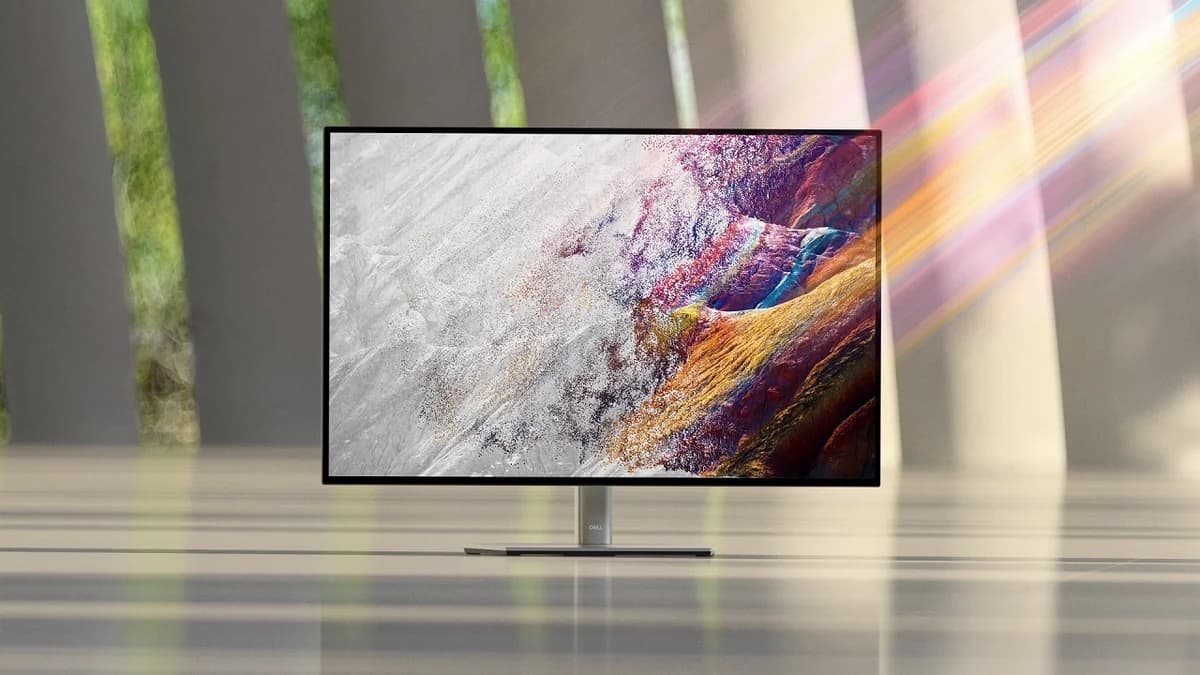
Say goodbye to cable chaos! The U3223QE dazzles as a productivity hub featuring robust connectivity: a USB-C port delivering up to 90W power, multiple USB-A ports, Ethernet RJ45 with MAC pass-through, plus DisplayPort daisy-chaining capabilities. Its built-in KVM switch lets you juggle two PCs effortlessly using one keyboard/mouse combo—a dream for multitaskers. Despite glowing praise from experts on these features enhancing workflows, occasional user grumbles about port placement hint at minor ergonomic trade-offs amid this versatile setup.
Contrast and Black-Level Performance
Thanks to LG’s innovative IPS Black panel technology pushing static contrast ratios to an eye-catching 2000:1, the monitor offers deeper blacks without OLED-level burn-in worries—ideal for those who want richer shadows without sacrificing IPS benefits like wide viewing angles. Experts applaud its ability to reduce glow common in standard IPS displays; however, some users report only subtle perceptible improvements versus older models. Still, it stands out as a bold step forward in LCD tech with notably enhanced black levels ready to elevate your visuals.
Ergonomics and Stand Adjustability
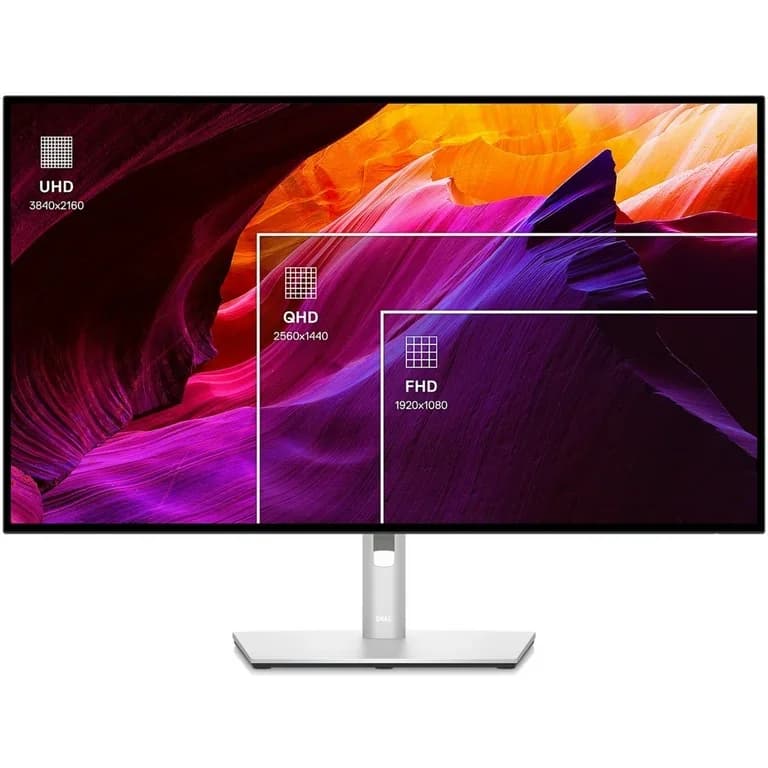
The UltraSharp impresses on comfort fronts too—with full ergonomic prowess including tilt, swivel, height adjustment plus rare-for-32-inch monitors 90-degree pivot rotation enabling portrait mode workflows ideal for coding or document review marathons. A sturdy yet bulky stand anchors this beauty firmly but demands ample desk space—a potential caveat if you favor minimalist setups. Users appreciate joystick menu controls easing navigation amidst extensive adjustability options; all told it's designed thoughtfully around extended professional use where posture matters just as much as pixels.
Conclusion
Real-world impressions remain tentative, but the Dell UltraSharp U3223QE stakes a compelling claim with color accuracy and gamut that suits creative pros craving faithful hues. Its connectivity and USB-C hub turn clutter into convenience, while the bold leap in contrast and black-level performance offers richer shadows without OLED fragility. That said, its brightness and HDR performance settle for modest impact—adequate for work but shy of cinematic drama. The monitor’s thoughtful ergonomics and stand adjustability, including rare pivot rotation on a 32-inch panel, earn serious points for comfort during long sessions. However, subtle challenges with panel uniformity and artifacts remind users to manage expectations around perfection. This is not a gaming or HDR showstopper; it’s a productivity powerhouse where form meets function neatly. For professionals seeking precision over pizzazz—and multitasking mastery rather than flashy specs—this display balances ambition with practicality in an elegant package worth considering carefully.

Feature Scores
This reflects reviews and ratings from established critics, journalists, and users who have evaluated the item. Their opinions provide a comprehensive assessment.
Performance
Resolution
5/5
Refresh Rate
3/5
Color Accuracy
5/5
Brightness
4/5
Contrast Ratio
4/5
Response Time
3/5
Connectivity Options
5/5
Value
Price-to-Feature Ratio
4/5
Warranty Coverage
4/5
Cost of Ownership
4/5
Design
Ergonomic Adjustability
5/5
Aesthetic Styling
4/5
Footprint and Bezel Size
4/5
Health
Blue Light Reduction
5/5
Flicker Free Performance
4/5
Safety
Electrical Safety Certification
4/5
Mounting and VESA Compatibility
5/5
Sustainability
Energy Efficiency
5/5
Recyclability and Materials
5/5
Experience Style
On-Screen Display Usability
4/5
Preset and Custom Profiles
5/5

Specifications
This section outlines the product's key facts, covering essential features, details, dimensions, materials, and any unique characteristics that define its functionality and usability.
Performance
Value
Design
Safety
Sustainability
Experience Style

Frequently Asked Questions
8 Questions

Also Consider
1 Option
Find Yours
What's your primary use for a computer monitor?
Answer to find your best matches.