BenQ ScreenBar Halo
Premium glare-free monitor light with wireless control and ambient backlight, praised for eye comfort but pricey.
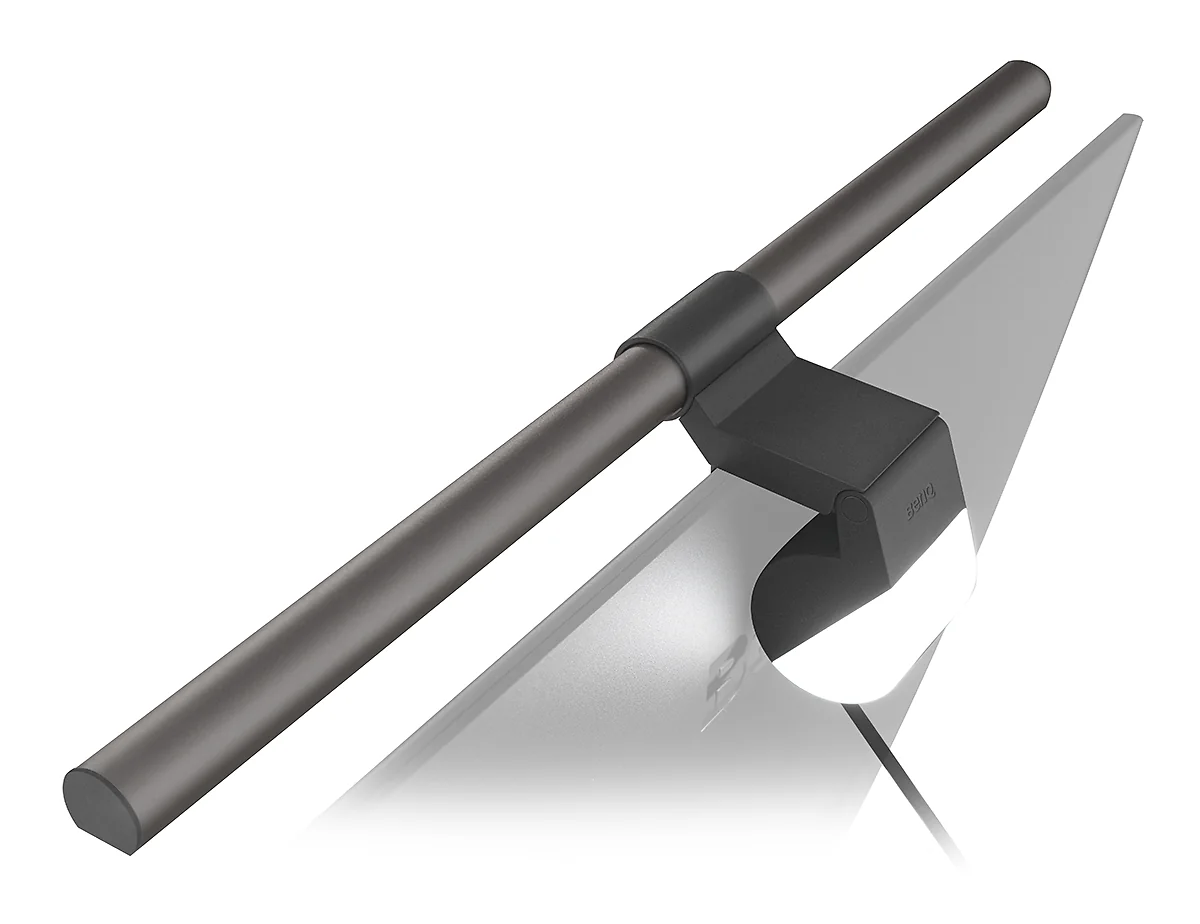
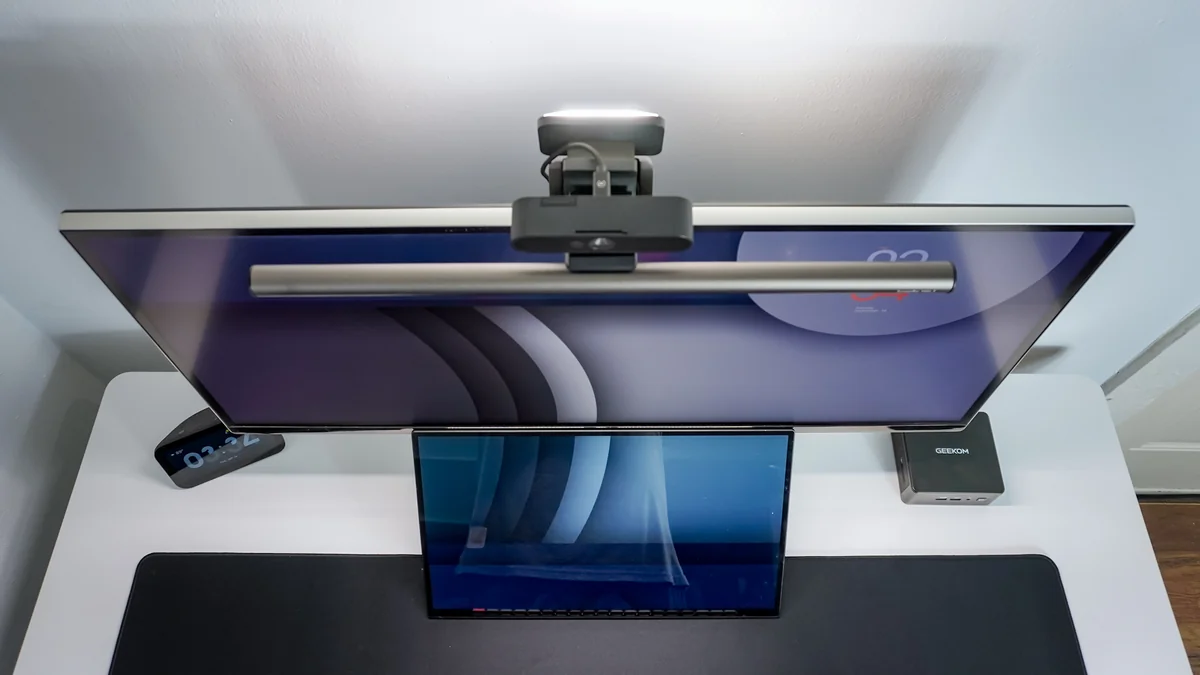
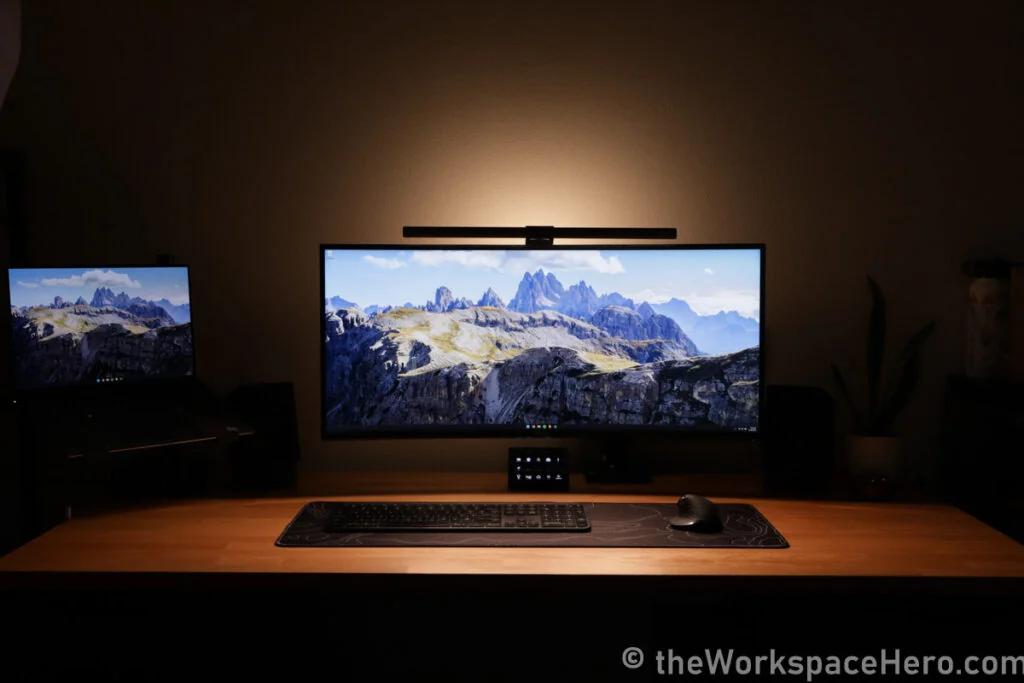
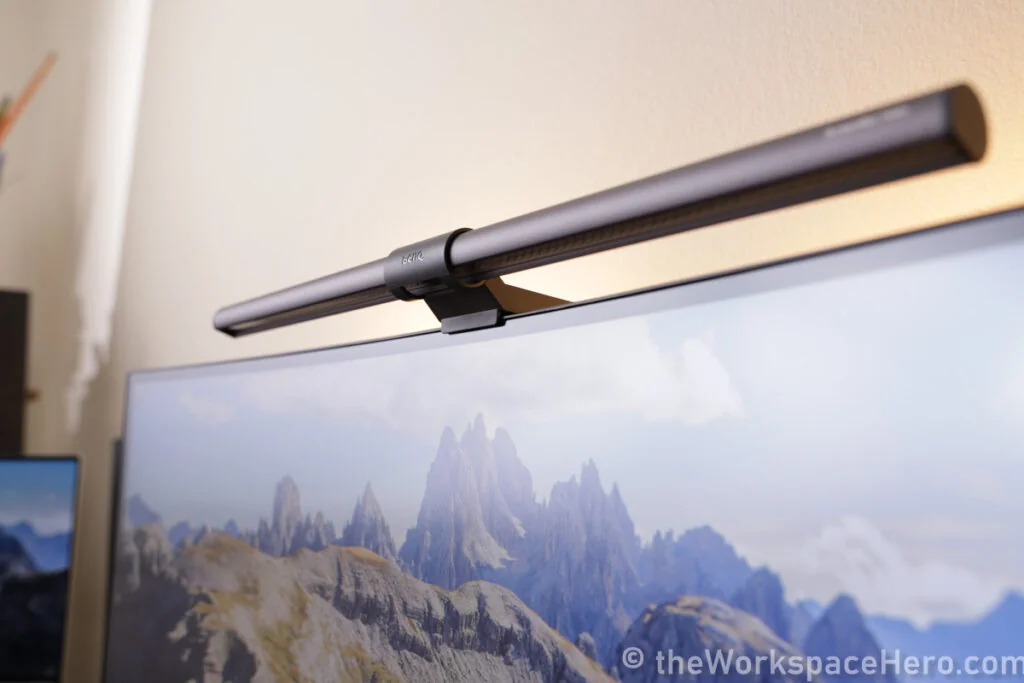
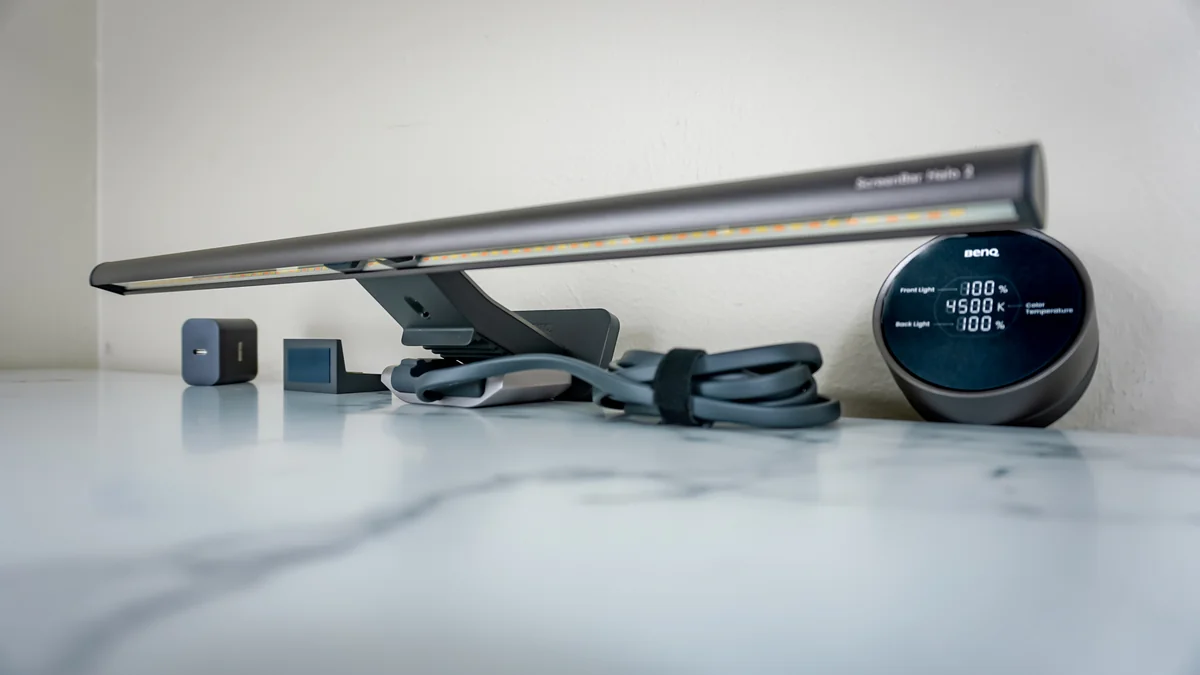
The BenQ ScreenBar Halo is a sleek, premium monitor light bar designed to rescue tired eyes from harsh screen glare and dull desk lighting. Tailored for professionals who clock long hours—photographers, coders, gamers—it dazzles with asymmetrical optics that banish reflections and a broad ambient backlight softening eye-straining contrasts. Experts laud its wireless touch dial controller, though some find it overly sensitive. Users applaud the rich Ra ≥ 95 CRI color accuracy, perfect for creative work, but debate whether its $179 price tag matches the perks. Its clever design fits curved monitors seamlessly; more reviews will sharpen this glow-up’s verdict on value versus cost.
Find Yours
What's your primary use for a monitor light bar?
Answer to find your best matches.

The Scoreboard
Does this improve your life? Considers, health, habits, and environmental impact.
Benefits
Asymmetrical optics (18°) direct light away from screen, reducing reflections and eye fatigue.
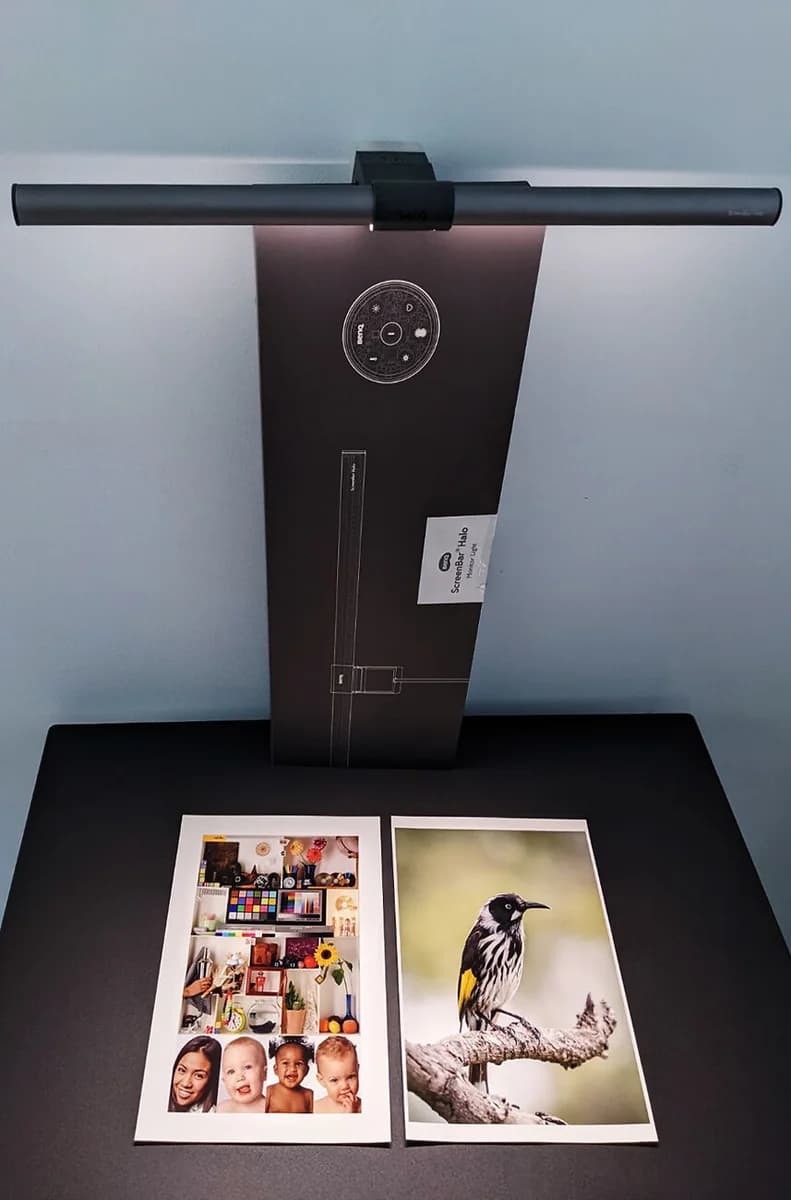
CRI >95 LEDs preserve accurate colors for photography and editing without altering monitor calibration.
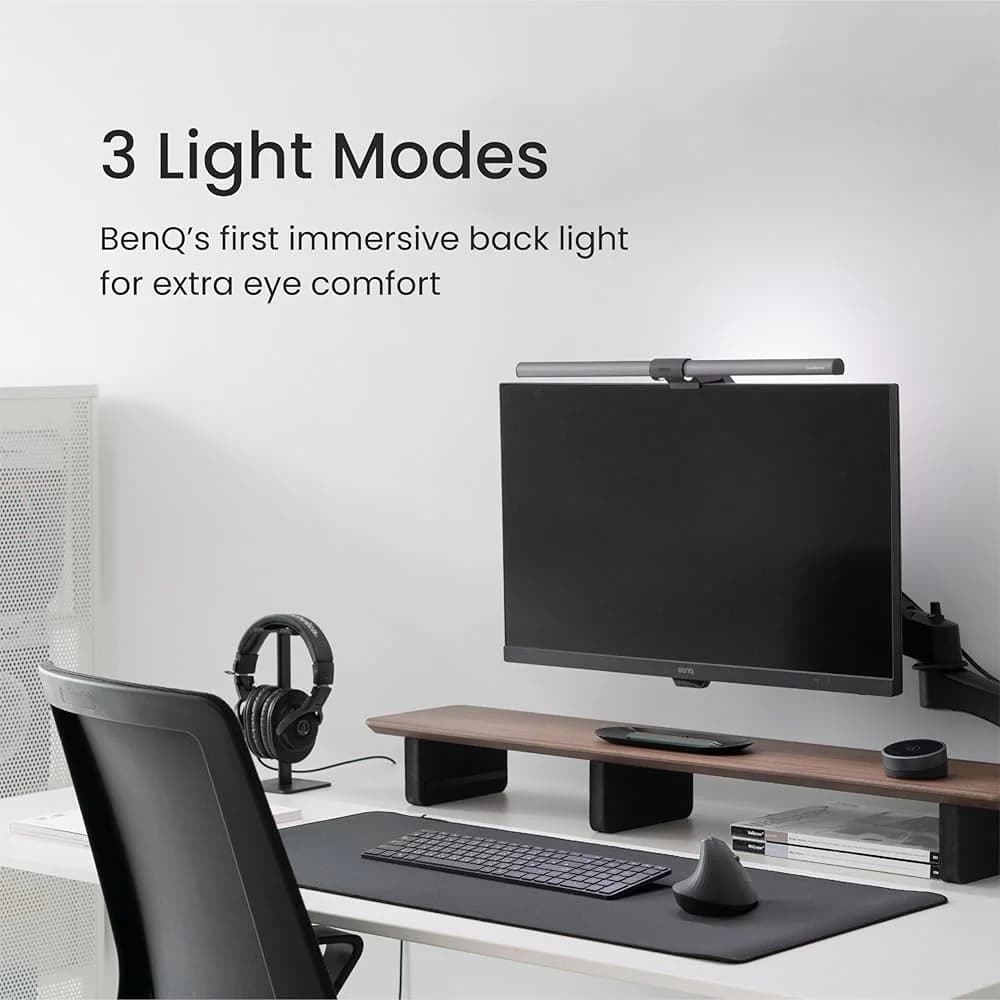
Wide adjustable backlight softens contrast between screen and room, reducing visual fatigue during sessions.
Ultrasonic presence sensor and wireless dial automate on/off and dimming, lowering interruptions and friction.
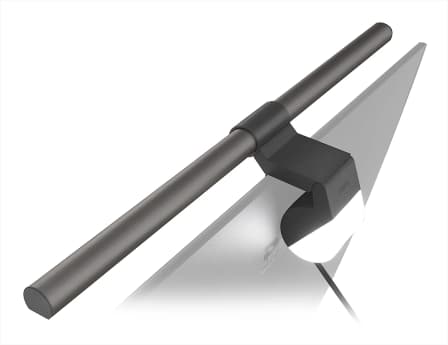
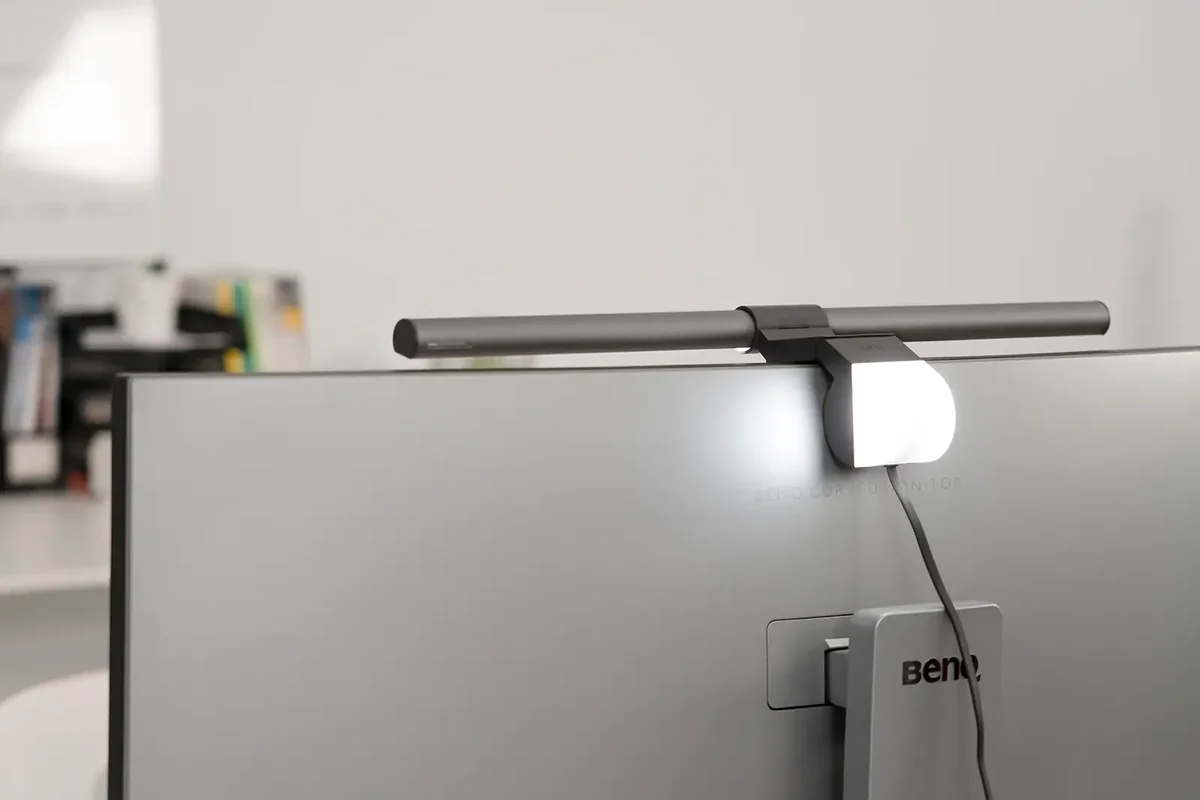
Clamp mount fits curved and thin monitors, freeing desk space compared with bulky desk lamps.
Trade-Offs
High brightness and cooler color temps at night can suppress melatonin, disturbing sleep for some.
Wireless controller needs disposable/nonstandard batteries, adding periodic waste compared with rechargeable designs.
Mixed aluminum and PC‑ABS construction plus non-removable cable complicate end‑of‑life recycling streams.
Touchy dial and sensor hiccups can cause micro‑frustrations, interrupting flow during focused work sessions.
Auto‑on presence and backlight consume standby energy over long periods versus manual lamps.
 Alternatives


Join the Circle
Where real meets deal
Know what's worth buying-and when.
Tips, special offers, and rewards for buying and sharing.

Publications
6 LEADING PUBLICATION REVIEWS

Brad Moon from Forbes highlights the BenQ ScreenBar Halo as a thoughtfully designed and highly effective workspace lighting solution that improves upon its predecessor, the ScreenBar Plus. He praises its easy installation, clever hinge mechanism, and the freedom from desk clutter thanks to the wireless ergonomic controller, which offers smooth, premium-feeling controls and customizable lighting settings. The review emphasizes the Halo’s wide, uniform illumination without screen glare, enhanced by a new integrated back light feature. While Moon appreciates the product’s versatility and eye-care benefits, he notes a minor usability quibble: the controller’s icons are not backlit until touched, which can make them initially hard to find. Overall, the review conveys a positive, measured enthusiasm, recommending the ScreenBar Halo for those seeking superior, customizable desk lighting, especially for home office setups, while also acknowledging the more affordable ScreenBar Plus as a viable alternative for users less concerned with wireless control or back lighting.
By Brad Moon
Rob Dwiar from GamesRadar+ highlights the BenQ ScreenBar Halo as a surprisingly valuable accessory, especially for gamers and ultrawide or curved monitor users. He praises its thoughtful design, including a unique rear light for balanced illumination and a wireless control unit that offers intuitive, cable-free adjustments. The review emphasizes the Halo’s excellent light dispersion, which effectively reduces eye strain without causing screen glare—a notable advantage over traditional desk lamps. While the need for an additional webcam accessory adds some complexity and cost, the overall build quality, ease of use, and compatibility with high-end setups like the Acer Predator X38 stand out. Dwiar’s tone is appreciative and mildly enthusiastic, recognizing the ScreenBar Halo as a “secret” upgrade that enhances gaming and work environments with style and practicality. The review balances detailed feature insights with real-world usage, making it a compelling endorsement for those seeking a premium monitor lighting solution.
By Rob Dwiar
Trevor Marshall from ExpertPhotography highlights the BenQ ScreenBar Halo as a surprisingly transformative workspace accessory that redefines lighting for computer users. Initially skeptical, he quickly appreciates the product’s thoughtful design, including its zero-desk-space mount, dual front and rear lighting, and intuitive remote control with smooth brightness and color temperature adjustments. Marshall praises the Halo’s ability to illuminate the desktop clearly without causing glare or obstructing the monitor’s camera, emphasizing its fine-tuned adjustability and ambient rear light that reduces eye strain. He notes practical details like the generous USB cable and clever magnetic battery compartment, underscoring the product’s high build quality. While acknowledging the premium price, he considers it a worthwhile investment for anyone spending long hours at a computer. Overall, Marshall’s tone is warm and enthusiastic, expressing genuine delight in a product that solved a problem he hadn’t realized he had, making the ScreenBar Halo a highly recommended, elegant solution for improved workspace lighting.
By Trevor Marshall
Illya Ovchar from Fstoppers highlights the BenQ ScreenBar Halo as a surprisingly indispensable addition to a desktop setup, praising its sleek, durable design and versatile functionality. Initially skeptical, Ovchar quickly grew enthusiastic about the light’s ability to evenly illuminate the desk without affecting monitor colors or taking up space, making it ideal for minimalistic workspaces. The review emphasizes the ScreenBar’s thoughtful features, including a wide brightness range, adjustable color temperature, and an intuitive wireless control puck that enhances usability and desk tidiness. Ovchar also appreciates the adaptable mounting system that fits various monitor types, including curved screens. While the reviewer lauds the Halo’s impact on productivity and ambiance, a notable criticism is the absence of a built-in webcam, which would be a valuable addition in today’s remote work environment. Overall, the review conveys genuine enthusiasm tempered with practical suggestions, presenting the ScreenBar Halo as a highly recommended, well-designed lighting solution with room for future enhancements.
By Illya Ovchar
Andy Ford from Photofocus highlights the BenQ ScreenBar Halo as a thoughtfully engineered and stylish monitor light bar that effectively reduces eyestrain during long hours of screen use. He praises its sleek design, easy clamp mechanism, and balanced, flicker-free illumination that avoids glare even on large monitors. The review emphasizes the versatile lighting modes—including front, back, and combined illumination—and the intuitive wireless control with smooth adjustments and an ambient light auto-dimming feature. While noting a minor flicker issue when powered through a USB hub, Ford found a simple workaround by connecting directly to the monitor’s USB port. He appreciates how the Halo’s light softly brightens the workspace, often replacing harsher desk lamps, and believes it positively impacts both comfort and productivity. Overall, Ford’s enthusiastic and detailed assessment conveys strong confidence in the ScreenBar Halo’s design and functionality, awarding it a full five-star rating despite limited long-term use.
By Andy Ford
Brady Snyder from XDA Developers highlights the BenQ ScreenBar Halo as an excellent solution for improving desk lighting, praising its thoughtful design and effective illumination. He emphasizes the product’s asymmetrical LED strip that minimizes screen reflections and eye strain, along with a unique rear light that balances ambient lighting. The wireless dial controller receives particular acclaim for its ease of use and convenience, avoiding clunky software or remotes. While Snyder acknowledges the premium $180 price, he considers it justified by the build quality and lighting performance. However, he notes compatibility issues with certain monitors, including the need for spacers or additional accessories for webcams, and mentions that the gray aluminum finish may clash aesthetically with some setups like the iMac. Despite these caveats, Snyder’s overall tone is enthusiastic and confident, recommending the ScreenBar Halo as one of the best monitor light bars for users seeking enhanced, clutter-free workspace lighting.
By Brady Snyder

YouTube
9 LEADING EXPERT & INFLUENCER REVIEWS
 Created Tech
Created Tech praises the BenQ ScreenBar Halo for its effective bias lighting that reduces eye strain and enhances color accuracy without screen glare. The wireless controller and premium build impress, though the touch-sensitive controls can be finicky and lack independent light adjustments. Despite its premium $179 price, it’s recommended for serious desk users valuing comfort and quality.
Tech with JonoTech with Jono praises the BenQ ScreenBar Halo for its luxurious feel, effective ambient backlighting that reduces eye strain during long night sessions, and a well-designed wireless controller. He prefers the Pro model’s hands-free proximity sensor but acknowledges the Halo’s premium design and balanced lighting make it ideal for users seeking enhanced eye comfort and style.
Elevated SystemsCJ from Elevated Systems praises the BenQ ScreenBar Halo as a premium, robust monitor light that significantly reduces eye strain with its glare-free front and rear illumination. He highlights its large, bright coverage and wireless control dial but notes the auto-dimming feature falls short of specs and the price is steep. Ideal for serious professionals with high-end setups.
Cheese TurbulenceCheese Turbulence praises the BenQ ScreenBar Halo’s premium build, effective asymmetrical optics, and versatile dual lighting for reducing glare and enhancing desk illumination. He values the wireless controller’s design but finds its activation fiddly and the light somewhat distracting. While the backlight excels, overall comfort and webcam placement issues temper his enthusiasm.
Tools. Electro. DIYTools. Electro. DIY praises the BenQ ScreenBar Halo for its impressive brightness and convenient wireless remote control, highlighting the touch-sensitive dial and adjustable angle that prevent screen glare. While enthusiastic about its superior illumination compared to previous models, the reviewer notes some initial setup quirks and plans a follow-up to explore all features in depth.
BTODtvBTODtv praises the BenQ ScreenBar Halo for its superior asymmetrical lighting that effectively prevents screen glare, outperforming competitors like Xiaomi. The wireless Puck controller is favored for easy adjustments, though monitor clamp fit and webcam placement can be tricky. Overall, it’s the reviewer’s preferred light bar despite some setup quirks.
Daniel - Tech Unboxing & ReviewsDaniel praises the BenQ ScreenBar Halo for its premium build, wireless controller, and unique rear ambient lighting that reduces eye strain and enhances workspace comfort. While he notes the lack of a proximity sensor and the use of USB-A as minor drawbacks, he enthusiastically recommends it as a luxurious upgrade for night owls and content creators seeking a stylish, eye-care-focused monitor light.
Nilson CreativeNilson Creative praises the BenQ ScreenBar Halo for its premium design, versatile three lighting modes (front, back halo, or both), and convenient wireless controller with customizable presets. He highlights its superior desk coverage and compatibility with curved monitors, noting the backlight’s positive impact on eye comfort. While the regular ScreenBar is bright and reliable, Nilson recommends the Halo for users seeking advanced features and better control, though he points out the Halo’s USB cable is non-removable and advises checking monitor compatibility before purchase.
My 2 Cents?My 2 Cents? enthusiastically praises the BenQ ScreenBar Halo 2 for its smooth touch controls, effective automatic lighting, and thoughtful features like presence detection with auto on/off. They highlight its flicker-free LEDs and eye-care benefits, noting a calming effect compared to traditional lamps. Minor critiques include lack of precise temperature readout on the Halo 1 and a slight delay in adjustments, but overall, they strongly recommend it as a worthwhile, premium investment for frequent computer users.

Social
1 INFLUENCER REVIEW
 Tanuj Mohindru
Tanuj Mohindru highlights the BenQ ScreenBar Halo as a stylish, effective monitor light that significantly reduces eye strain and creates a cozy workspace ambiance, especially at night. He appreciates the wireless controller and glare-free design but notes the high price compared to more affordable alternatives like Quintis and Xiaomi. Overall, Tanuj finds the ScreenBar Halo a valuable setup essential for nighttime work but suggests considering budget-friendly options if cost is a concern. He recommends it for those prioritizing quality and design but advises weighing price against similar products.

Forum Reviews
CUSTOMER REVIEWS FROM 1 FORUM
Reddit users generally appreciate the BenQ ScreenBar Halo for its effective desk illumination, adjustable brightness, and eye-care features, with many praising its wireless remote and ambient backlight that enhance the workspace atmosphere. The design is well-received for fitting various monitor types, though some users note challenges with curved or ultra-slim monitors. Performance is mostly positive, but concerns about battery life and inconsistent auto-brightness sensor responses are common. New shoppers often find it a valuable upgrade for desk lighting, while those upgrading from earlier models highlight improvements in brightness control and wider illumination, despite some questioning if the premium price is justified.
Many comments

In-Depth Review

Highlights
- •High brightness and coverage800 lux center; wide desk coverage
- •Glare-minimizing asymmetrical opticsDirects light to keyboard, avoids reflections
- •High color accuracy (CRI ≥ 95)True-to-life colors for color work
- •Wide adjustable halo backlightSoftens screen-to-room contrast
- •Wireless ergonomic controllerDial-based remote keeps desk clutter-free
- •Advertised auto-dimming and presence sensorAuto-on/off and ambient-based dimming

Considerations
- •Higher upfront costHigher cost may limit buyers
- •Controller sensitivity issuesDial can be too sensitive
- •Single color temperature for both lightsSingle color temp for both lights
- •Controller battery dependencyUses AAA batteries, replacement needed
- •Auto-dimming and sensor inconsistenciesAmbient/presence sensing can misbehave
- •Mounting and webcam caveatsSome curved/ultraslim monitors need adapters
Real-world impressions of this monitor light bar are still emerging, but early signals highlight its promise as a premium solution from a brand known for thoughtful eye-care innovation. Designed to ease long hours in front of screens, it aims to balance workspace brightness with visual comfort through an impressive 800 lux center illuminance and smart auto-dimming features that adapt to your environment. What sets it apart is the clever use of asymmetrical optics that banish screen glare, paired with high-precision LEDs boasting Ra ≥ 95 CRI for color-critical tasks—ideal for creatives and professionals alike. The expansive halo backlight softens harsh contrasts across an ample desk area while a sleek clamp system ensures compatibility with flat or curved monitors without fuss. Add in the wireless touch dial controller offering clutter-free control, and you’ve got a lighting upgrade designed not just to illuminate—but to elevate your entire workflow experience. Let’s unpack what makes this glow-up genuinely worth your attention.
Backlight (Halo) Coverage and Adjustability
The signature halo backlight wraps your desk in a gentle embrace of soft ambient light covering an ample 63×40 cm area at 500 lux, effectively reducing harsh contrasts between screen brightness and surroundings—a key factor in alleviating visual fatigue after dark hours. Stepless controls let you dial both front and rear lights simultaneously for tailored comfort; however, lacking independent temperature control might irk perfectionists seeking granular tweaks on each light source's mood-setting abilities.
Brightness and Illuminance Performance
Lighting up your workspace like a pro, the ScreenBar Halo boasts an impressive 800 lux center illuminance at 45 cm, delivering bright yet comfortable light. Its auto-dimming feature smartly adjusts to ambient conditions aiming for a cozy 500 lux target, though some users note slight sensor inconsistencies. This balance ensures you’re not squinting or blinded, supporting long hours with minimal eye fatigue. While brand promises hold well in practice, occasional hiccups keep it from being flawless—still, its glow-up game is undeniably strong.
Glare Control and Asymmetrical Optics
Say goodbye to screen reflections with the Halo’s clever asymmetrical optics, designed to direct all illumination straight onto your keyboard area while dodging monitor glare like a ninja. This innovation minimizes distracting reflections and reduces eye strain during marathon sessions. Users consistently praise this thoughtful design as one of its standout features that truly sets it apart from traditional desk lamps — proving once again that good lighting isn’t just about brightness but precision too.
Color Accuracy and Color-Temperature Range
For creatives craving true colors, the Halo shines with its stellar Ra ≥ 95 CRI LEDs, ensuring hues stay authentic under its glow—a must-have for photo editors and designers alike. The adjustable color temperature range spans warm 2700K to cool 6500K tones, accommodating everything from cozy evenings to focused daylight vibes. Though simultaneous adjustment limits separate control over front/back lights’ warmth, this trade-off hardly dims its appeal among professionals who value accurate representation above all else.
Conclusion
This light bar doesn’t just brighten your desk—it choreographs a delicate dance of brightness and illuminance performance that hits the sweet spot between glare-free focus and ambient ease. Its asymmetrical optics prove savvy at banishing screen reflections, while the color accuracy with Ra ≥ 95 CRI ensures creatives see every hue as intended. The expansive yet adjustable halo backlight softens contrast without stealing the show, wrapping your workspace in thoughtful illumination. Installation flexes across flat and curved monitors with an adaptable clamp that rarely demands compromises. The wireless controller strikes a balance between precision and occasional finickiness—sensor quirks keep it from perfect but never pointless. This setup suits professionals craving nuanced lighting over gimmicks but might stretch casual budgets or patience for flawless sensor response. For those who value clutter-free control paired with intelligent design, this is less an accessory than a refined upgrade to how you work—and see—the world around your screen.

Feature Scores
This reflects reviews and ratings from established critics, journalists, and users who have evaluated the item. Their opinions provide a comprehensive assessment.
Performance
Brightness Output
4/5
Color Temperature Range
5/5
Color Accuracy
5/5
Light Uniformity and Glare Control
5/5
Flicker and PWM Performance
5/5
Thermal Management and Reliability
4/5
Value
Price-to-Feature Ratio
4/5
Power Efficiency
4/5
Warranty and Support
3/5
Longevity Versus Cost
4/5
Design
Mounting Compatibility
5/5
Physical Aesthetics
5/5
Ergonomic Adjustability
4/5
Size and Profile
4/5
Cable Management
4/5
Health
Blue Light Filtering
4/5
Eye Comfort Features
5/5
Material Safety
3/5
Safety
Electrical Safety and Certification
3/5
Overheat and Short-circuit Protection
3/5
Secure Mounting and Fall Risk
4/5
Sustainability
Energy Consumption
4/5
Recyclability and Materials Transparency
3/5
Packaging and End-of-Life
3/5
Experience Style
Setup Simplicity
5/5
Control Customizability
4/5
Feature Richness
5/5
Integration with Monitor Software
1/5

Specifications
This section outlines the product's key facts, covering essential features, details, dimensions, materials, and any unique characteristics that define its functionality and usability.
Performance
Value
Design
Safety
Sustainability
Experience Style

Frequently Asked Questions
7 Questions

Also Consider
10 Options
Find Yours
What's your primary use for a monitor light bar?
Answer to find your best matches.