

ASUS ProArt Display
Professional-grade color accuracy and versatile connectivity deliver great value with minor quirks.
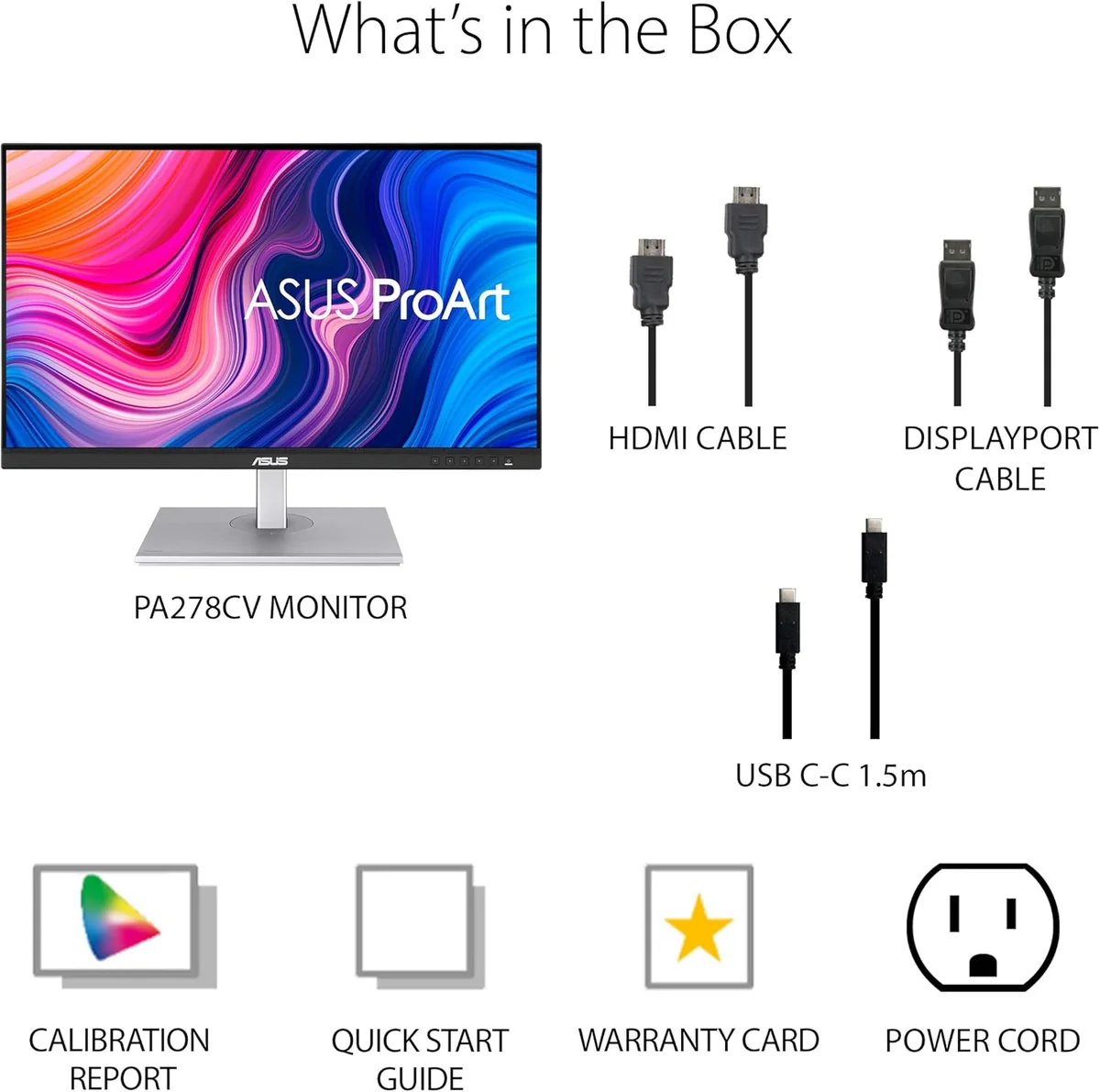
The ASUS ProArt Display PA278CV is a savvy 27-inch workhorse tailored for creatives craving professional-grade color accuracy without draining the budget. Designed to solve the puzzle of precise, consistent hues, it boasts factory calibration with ΔE < 2 and covers 100% sRGB and Rec.709, making it a favorite among photographers and video editors alike. Users applaud its sharp WQHD panel and versatile USB-C connectivity with 65W power delivery, though some note quirks like modest HDR brightness and occasional dead pixels. Its sturdy yet practical design supports marathon editing sessions comfortably—offering serious value where fidelity meets function in one sleek package.









Find Yours
What's your primary use for a computer monitor?
Answer to find your best matches.

The Field
Browse top contenders, or compare all options ranked by score and key attributes.
5 Options



The Scoreboard
Does this improve your life? Considers, health, habits, and environmental impact.
Benefits
Factory Calman-verified ΔE<2 ensures consistent, reliable color for long editing sessions.
ASUS Eye Care (flicker-free, low blue light) reduces digital eye fatigue during long workdays.
USB-C with 65W PD and hub cuts clutter, improving posture and desk mental load.
Height, tilt, swivel and pivot adjustments support healthier posture, reducing neck and back strain.
TCO and EPEAT Silver signal safer chemicals and better energy efficiency versus unlabeled models.
Trade-Offs
Complex electronics and mixed plastics increase recycling difficulty and resource footprints after end-of-life.
Reports of dead pixels, backlight bleed and early failures point to inconsistent manufacturing QC.
IPS backlight design limits HDR peak brightness and contrast compared with mini‑LED or OLED alternatives.
Weak built-in speakers and no webcam create extra accessory needs, adding clutter and hardware.

 Alternatives


Join the Circle
Where real meets deal
Know what's worth buying-and when.
Tips, special offers, and rewards for buying and sharing.

Publications
9 LEADING PUBLICATION REVIEWS

Jake Thauvette, Nicholas Di Giovanni, and John Peroramas from rtings.com highlight the ASUS ProArt Display PA279CRV as a solid mid-range 27-inch 4K monitor tailored for productivity and content creation, with remarkable factory-calibrated color accuracy and excellent ergonomics. The review praises its sharp text clarity, wide viewing angles, and useful USB-C features, making it well-suited for office environments and video editing workflows. However, the monitor’s HDR performance is underwhelming due to a low contrast ratio, ineffective local dimming, and muted highlights, which limit its appeal for HDR video work. Additionally, its 60Hz refresh rate and slow response times cause noticeable motion blur, making it mediocre for gaming or fast-paced console use. The review offers a balanced perspective, emphasizing the monitor’s strengths in color fidelity and productivity features while candidly addressing its limitations in contrast, HDR, and motion handling, ultimately positioning it as a great value for users prioritizing accuracy and ergonomics over gaming or HDR excellence.
By Jake Thauvette; Nicholas Di Giovanni; John Peroramas
Christian Eberle from Tom’s Hardware highlights the ASUS ProArt PA32KCX as a top-tier professional monitor that excels in color accuracy, pixel density, and brightness. Praising its stunning 8K resolution, extensive calibration options—including a built-in auto-calibrating colorimeter—and broad support for industry color standards, Eberle emphasizes the display’s exceptional image fidelity and flexibility for creative professionals. The review conveys genuine enthusiasm for the PA32KCX’s premium build quality, comprehensive connectivity, and advanced local dimming with 4,032 zones, which delivers impressive contrast without halo artifacts. While acknowledging the steep $8,799 price tag and noting its limited suitability for fast-paced gaming due to a 60 Hz refresh rate, the reviewer frames these as minor trade-offs given the monitor’s professional focus. Unique insights include the integration with third-party calibration software and the practical inclusion of screen markers for video production. Overall, the review conveys a confident, highly positive sentiment, positioning the PA32KCX as one of the best and most flexible pro displays available.
By Christian Eberle
Tony Hoffman from PCMag highlights the Asus ProArt Display OLED PA32UCDM as a powerful, creator-focused monitor that excels with its 32-inch 4K UHD QD-OLED panel, delivering vivid colors, exceptional contrast, and strong HDR performance. Praised for its suitability to photographers, videographers, and game designers alike, the monitor’s unusually high 240Hz refresh rate and VRR support broaden its appeal beyond typical professional use. While the PA32UCDM impresses with ergonomic flexibility, solid build quality, and ease of use, it falls short in port variety compared to competitors and shows slightly less accurate out-of-the-box color calibration, requiring external tools for fine-tuning. The review offers detailed real-world testing, noting the monitor’s ability to reveal subtle image details and smooth video playback. Though it doesn’t surpass the BenQ PD3225U Editors’ Choice, the Asus ProArt stands out as a superb display for creatives willing to invest time in calibration, combining professional-grade visuals with gaming-friendly features.
By Tony Hoffman
Matthew S. Smith assesses the ASUS ProArt PA278CFRV as a solid, budget-friendly monitor tailored for productivity and content creation, delivering strong color performance and extensive connectivity at an accessible price point. He highlights its standout 100Hz refresh rate and VESA MediaSync support, features uncommon in this category, which add versatility for occasional gaming. The monitor’s USB-C port with 96W power delivery and multiple downstream USB ports further enhance its appeal for professional workflows. While the PA278CFRV offers good color gamut coverage and accurate gamma and color temperature out of the box, its contrast ratio and HDR performance are modest, limiting appeal for HDR content or dark-scene editing. The dynamic backlight dimming feature, enabled by default, can cause distracting brightness variances, but turning it off improves image consistency. Smith notes the monitor’s ergonomic stand and subtle design as practical touches. Overall, the review conveys a balanced, moderately positive tone, recommending the PA278CFRV as a capable, affordable option with some trade-offs compared to pricier competitors like the Dell U2724DE.
By Matthew S. Smith
Dominic Moass from KitGuru highlights the ASUS ProArt PA27JCV as a highly capable professional monitor, especially excelling in color accuracy and feature richness. The review praises its exceptionally well-configured color modes—particularly the DCI-P3 preset, which delivers near-perfect calibration out of the box—alongside impressive contrast levels for an IPS panel and a sharp 5K resolution on a 27-inch screen. The extensive and thoughtfully designed OSD, including built-in KVM support and robust USB-C connectivity with 96W power delivery, further enhances its appeal for creative professionals. However, Moass expresses clear reservations about the build quality, noting the predominantly plastic stand feels underwhelming for an $800 monitor, where a metal stand would be expected. Additionally, the matte “LuxPixel AGLR” coating, while effective at reducing reflections, introduces visible grain that may not suit all users. The lack of true HDR support (only DisplayHDR 500 certified) is also mentioned but framed as understandable given the price. Overall, the PA27JCV is recommended as a strong, color-accurate pro-grade display with minor but notable trade-offs.
By Dominic Moass
Mike Jennings from Trusted Reviews highlights the ASUS ProArt PA279CV as a strong contender for mainstream creative professionals seeking excellent sRGB color accuracy and a crisp 4K resolution at a relatively affordable price. The display impresses with Calman certification, superb color fidelity, and versatile ergonomic and connectivity features, making it well-suited for photo, video, and general creative workflows. However, Jennings notes important limitations: the monitor lacks sufficient brightness and gamut coverage for HDR and Adobe RGB tasks, and uniformity issues may affect highly color-critical work. While the 60Hz refresh rate and 5ms response time are adequate for most creative uses, they fall short of higher-end alternatives, limiting future-proofing and certain specialized applications. Overall, the review conveys a balanced, moderately positive tone, praising the PA279CV’s value and mainstream suitability while cautioning professionals who require advanced HDR or Adobe RGB capabilities to consider pricier options.
By Mike Jennings
Rebecca Spear from Windows Central praises the ASUS ProArt PA27JCV as a stunning 27-inch 5K monitor tailored for creative professionals, highlighting its exceptional color accuracy, wide color gamut, and impressive 218 PPI resolution. She emphasizes the monitor’s versatility with a highly adjustable stand, flicker-free and low blue light features, and the unique convenience of an auto-KVM switch paired with a USB hub, which streamlines multitasking between multiple devices. The review conveys genuine enthusiasm for the display’s crisp image quality and thoughtful design, including tool-less assembly and a compact base. However, Spear notes two notable drawbacks: the built-in speakers are muffled and quiet, and the 60Hz refresh rate may feel limiting for video-focused workflows, suggesting that creatives needing higher refresh rates might look elsewhere. Overall, the review is warmly positive, portraying the ProArt PA27JCV as an excellent, efficient choice for most creative work, with minor caveats that don’t overshadow its standout features.
By Rebecca Spear
Jeremy Laird from TechRadar highlights the ASUS ProArt PA279CRV as a compelling mid-range professional monitor that delivers impressive 4K image quality and color accuracy at a relatively affordable price. He praises its factory calibration, broad color space support, and excellent USB-C connectivity with 96W power delivery, making it a versatile choice for creatives and productivity users alike. The monitor’s compatibility with both Windows and macOS, including smooth scaling and crisp font rendering on Apple devices, is noted as a strong point. While the build quality leans toward plastic rather than metal, and HDR support is limited to entry-level DisplayHDR 400 without local dimming, these drawbacks are framed as typical for this class of IPS panel. Overall, Laird regards the ASUS ProArt PA279CRV as a “pretty magnificent” 27-inch 4K productivity display that offers near professional-level performance and features without the premium price tag, making it an excellent value for serious users.
By Jeremy Laird
Jeff Benjamin from 9to5Mac highlights the Asus ProArt Display 6K PA32QCV as an exceptional value proposition for Mac users seeking a high-resolution monitor beyond 4K or 5K. Priced at $1,300, it delivers a native 6016 x 3384 resolution with color accuracy and gamut coverage that closely matches Asus’s claims, verified through professional calibration tools. The review praises the extensive I/O options, including dual Thunderbolt 4 ports with daisy-chaining support, which surpass Apple’s first-party displays in connectivity flexibility. While the mostly plastic build and slightly less stable stand are noted as drawbacks compared to premium Apple designs, the ergonomic adjustability and included stand are appreciated. The matte LuxPixel coating is a minor compromise for anti-glare performance, and the 60Hz refresh rate limits some use cases. Overall, Benjamin’s tone is enthusiastic and confident, emphasizing the monitor’s strong feature set and affordability, making it a compelling alternative to pricier competitors, though he hints at upcoming comparisons with LG’s UltraFine 6K display.
By Jeff Benjamin

YouTube
13 LEADING EXPERT & INFLUENCER REVIEWS
 ShortCircuit
Nicholas Plof praises the ASUS ProArt PA32UCDM for its stunning 32" 4K QD-OLED display, excellent color accuracy, and versatile professional modes, highlighting its unique blend of high refresh rate and HDR support. He notes minor drawbacks like limited stand swivel, modest speaker quality, and high price, recommending it mainly for colorists and pros rather than gamers.
CineDJohnny from CineD praises the ASUS ProArt Display PA32QCV for its excellent color accuracy, 6K resolution, and versatile workspace, highlighting 100% sRGB and P3 coverage with a low average Delta E of 0.7. While he notes a slight gamma deviation and lower HDR brightness compared to the pricier 4K OLED PA32UCDM, he recommends it as a well-balanced, flexible monitor ideal for color grading and office use.
Jerry SchulzeJerry Schulze praises the ASUS ProArt PA27JCV for delivering sharp 5K resolution and strong color accuracy at an affordable $799 price, making it a solid choice for Mac users needing native scaling. However, he notes drawbacks like noticeable backlight bleed, uneven panel uniformity, lack of Mac integration, poor speakers, and no built-in camera, framing these as common compromises for the price. His detailed calibration tests and practical insights highlight its value as a budget-friendly 5K option despite some trade-offs.
MacRumorsDan Barbera from MacRumors praises the ASUS ProArt Display 6K PA32QCV for its exceptional 6K Retina-grade IPS panel, factory-calibrated color accuracy, and extensive connectivity options like dual Thunderbolt 4 and HDMI 2.1. While he notes the monitor’s design lacks the premium aesthetic of Apple’s Studio Display or Pro Display XDR, he highlights its competitive price and pro-friendly features, making it a top choice for creators who prioritize performance over looks. HDR performance and built-in speakers are modest, but overall, it’s a powerful, value-packed alternative for creative professionals.
PIXEL VIILAGERadha Krishnan from Pixel Viilage praises the ASUS ProArt PA278QV as a cost-effective, entry-level professional monitor ideal for photographers and video editors starting their color management journey. He highlights its factory-calibrated 100% sRGB and Rec.709 coverage, Calman certification, versatile ergonomic design, and anti-reflective IPS panel. While noting it’s an 8-bit, standard gamut display—not suited for wider color spaces—he emphasizes its value for disciplined users seeking accurate color reproduction in controlled lighting, making it a strong foundation for photo and video editing workflows.
Danny GanDanny Gan praises the ASUS PA32UCDM for its exceptional color accuracy, 4K QD-OLED panel, and 240Hz refresh rate, making it a strong choice for color grading and gaming. He notes excellent factory calibration potential but highlights MacOS desaturation issues, finicky buttons, heat, fan noise, and lack of DisplayPort as drawbacks. Overall, he finds it a compelling, affordable alternative to pricier professional monitors.
Created TechCreated Tech praises the ASUS ProArt 5K PA27JCV as a strong, cost-effective alternative to the Apple Studio Display, highlighting its excellent 5K matte screen, factory calibration with Calman verification, and versatile USB-C and DisplayPort connectivity. While build quality, speakers, and lack of a webcam lag behind Apple’s premium offering, the ASUS excels in color accuracy (notably Adobe RGB), dual-computer KVM support, and Windows compatibility, making it ideal for users prioritizing value and flexibility over integrated extras.
Best Choice ReviewBest Choice Review praises the ASUS ProArt PA27JCV for its exceptional 5K resolution, superior 95% Adobe RGB coverage, and HDR 500 certification, making it ideal for print and HDR video work on Windows PCs. While connectivity lacks Thunderbolt 4’s convenience, its color accuracy and price offer outstanding value compared to the pricier BenQ alternative.
Adam Talks TechAdam Talks Tech praises the ASUS ProArt PA32QCV as an outstanding 32-inch 6K monitor offering true Retina sharpness, excellent color accuracy (98% DCI-P3, 100% sRGB), and full ergonomic adjustability at a fraction of Apple’s price. He highlights its matte anti-glare display and robust Thunderbolt 4 connectivity but notes drawbacks like a plastic build, lack of webcam, clunky volume/brightness controls, and mediocre speakers. Overall, he calls it the best value for Mac users needing professional-grade color and workspace flexibility.
James ShinJames Shin praises the ASUS ProArt Display PA278QV as an excellent budget monitor for Mac users and creatives, highlighting its factory-calibrated 1440p IPS panel with 100% sRGB and Rec. 709 coverage. He values its color accuracy, versatile ergonomic stand, and rich connectivity, while noting minor drawbacks like basic built-in speakers and a 75Hz refresh rate. Unique insights include using the Better Display app to achieve ideal Mac scaling, making this monitor a standout value for video editing and photo work under $200.
Watts Watts praises the ASUS ProArt Display PA278QV for its excellent color accuracy, Calman-verified factory calibration, and rich connectivity options, making it well-suited for photographers, video editors, and designers. While noting typical IPS panel limitations like black uniformity and backlight bleed, he finds these minor for everyday creative work and values its versatile mounting and ergonomic features.
Technology PaulTechnology Paul praises the ASUS ProArt Display PA279CV for its excellent 4K UHD resolution, vibrant and accurate color reproduction with Delta E < 2 factory calibration, and versatile USB-C connectivity. He highlights its value as a budget-friendly professional monitor ideal for graphic design and video work, while noting it’s less suited for average users.
Ruslan TulupovRuslan Tulupov praises the ASUS ProArt 6K Display for its excellent 6K resolution, extensive connectivity (Thunderbolt 4, USB-C), and matte “Lux Pixel” coating that reduces glare and eye strain. However, he critiques its slower power-on time, brightness uniformity issues, and muted colors compared to Apple’s Pro Display XDR. While not a direct competitor to the XDR, the ProArt offers strong value for creative professionals seeking color accuracy and versatile ports at a more affordable price.

Social
2 INFLUENCER REVIEWS
 Mishaal AK | Dubai Videographer
Mishaal AK | Dubai Videographer finds the ASUS ProArt Display PA32QCV impressively sharp and color-accurate, especially praising its 6K resolution and factory-calibrated color presets that match MacBook displays. He highlights the convenience of USB-C and Thunderbolt ports, noting the monitor’s out-of-the-box excellence for color grading. While acknowledging it’s not for everyone, Mishaal confidently recommends this monitor for professionals whose work demands precise color and detail, emphasizing how it significantly enhances his editing experience compared to his previous 55-inch screen.
Daniil • UX/UI Design & AIDaniil • UX/UI Design & AI highlights the ASUS ProArt Display as an excellent choice for creatives, praising its sharp 27-inch QHD screen, factory-calibrated color accuracy, and thoughtful features like LuxPixel anti-glare and EyeCare for long work sessions. He appreciates the versatile connectivity and ergonomic adjustments, plus the bonus Adobe Creative Cloud subscription. Overall, Daniil finds the ProArt Display a reliable, well-rounded monitor that balances professional-grade color precision with user-friendly design, making it a strong recommendation for designers and content creators seeking quality without overspending.

Store Reviews
CUSTOMER REVIEWS FROM 1 STORE
Amazon reviewers praise the ASUS ProArt Display for its sharp, vibrant picture quality and excellent color accuracy, especially when paired with MacBooks. Many highlight the convenience of USB-C connectivity, which allows powering and data transfer through a single cable, enhancing workflow efficiency. Users appreciate the sturdy, well-designed stand that offers full adjustability, including height and rotation, making it suitable for various professional and office setups. Several customers note the monitor’s suitability for photography, video editing, and medical imaging due to its precise color rendering and crisp 27-inch display. Reviewers also value features like daisy-chaining multiple monitors via DisplayPort and the inclusion of necessary cables, which simplify setup. However, some users report intermittent issues such as the screen randomly going black, dead pixels, and occasional flickering. A few mention that the 65W USB-C power delivery falls short for charging more power-hungry laptops during use. Additionally, users caution that switching input sources manually is necessary when not using HDMI, and that daisy-chaining requires compatible DisplayPort inputs or active adapters. Overall, Amazon customers find the ASUS ProArt Display a compelling choice for creatives and professionals seeking a budget-friendly, color-accurate monitor with solid build quality, while noting occasional connectivity and hardware quirks that may affect reliability.
4.4 Stars / Many verified reviews

Forum Reviews
CUSTOMER REVIEWS FROM 1 FORUM
Reddit users generally view the ASUS ProArt Display as a solid, professional-grade monitor offering good color accuracy, factory calibration, and high resolution suitable for creative work and casual gaming. Many appreciate its sharp image quality, wide viewing angles, and ergonomic design, though some note issues like backlight bleed, matte coating haze, and occasional stuck pixels. Performance is praised for balancing color precision and refresh rate, but some users express concerns about contrast levels and HDR capabilities. While experienced users upgrading from older models find it a reliable choice, new shoppers weigh its value against price and minor design compromises, with overall sentiment leaning positive but cautious.
Many comments

In-Depth Review

Highlights
- •Factory-calibrated color accuracyDelta E < 2, Calman verified
- •Wide standard-gamut coverage100% sRGB and Rec.709 support
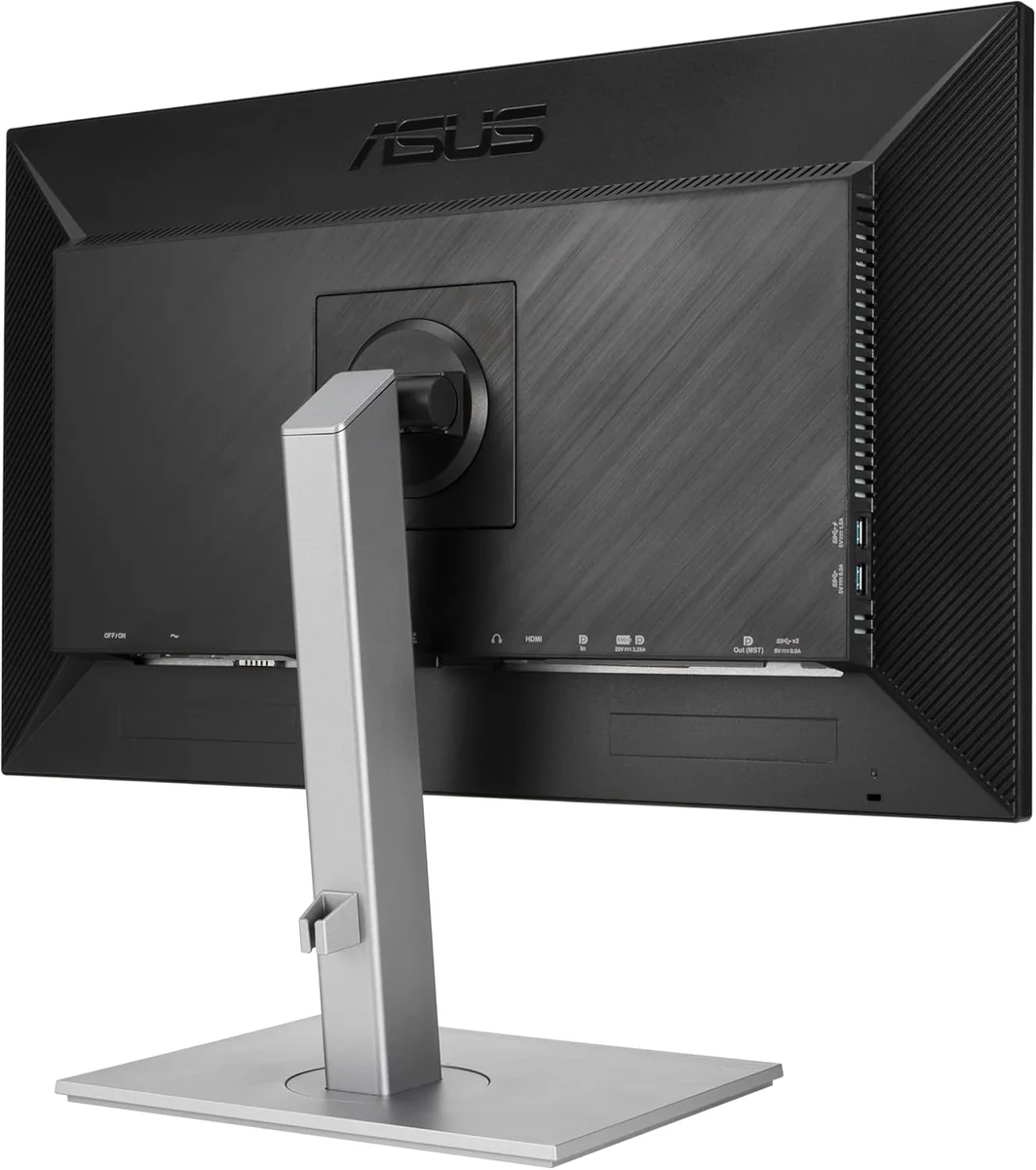
- •USB‑C and flexible I/OSingle‑cable USB‑C with power delivery
- •High-resolution model optionsFrom 27" WQHD to 6K/8K
- •Ergonomic and workflow featuresHeight/tilt/swivel/pivot and KVM support
- •Strong value propositionPro-level features at accessible price

Considerations
- •Limited HDR and contrastModest brightness and muted HDR highlights
- •Panel uniformity variabilityOccasional backlight bleed and unevenness
- •Quality-control inconsistenciesReports of dead pixels and early failures
- •USB‑C/power delivery quirksCable and charging reliability issues reported
- •Weak built‑in audioSpeakers are low quality; use external
- •Non‑premium build and coating tradeoffsPlastic stand and matte grain visible
ASUS has long been a trusted name for creatives craving precision without the premium price tag, and this ProArt Display continues that tradition with flair. Designed to serve photographers, designers, and video editors who demand fidelity in every pixel, it boasts factory calibration with ΔE under 2, ensuring colors hit the mark right out of the box. Its 100% sRGB and Rec.709 coverage keeps hues consistent across devices—a must for color-critical workflows. The crisp 27-inch WQHD panel balances sharp detail with ample workspace, while its adjustable stand offers ergonomic comfort for marathon editing sessions. Though not flashy HDR territory, its solid brightness and contrast deliver dependable visuals day in and day out. Connectivity is equally thoughtful: a USB-C port pumps 65W power alongside data transfer, streamlining cluttered desks effortlessly. For those serious about professional-grade accuracy wrapped in practical design, this monitor sets a high bar—read on to see how it stacks up where it counts most.
Vibrant Gamut Coverage for True-to-Life Colors
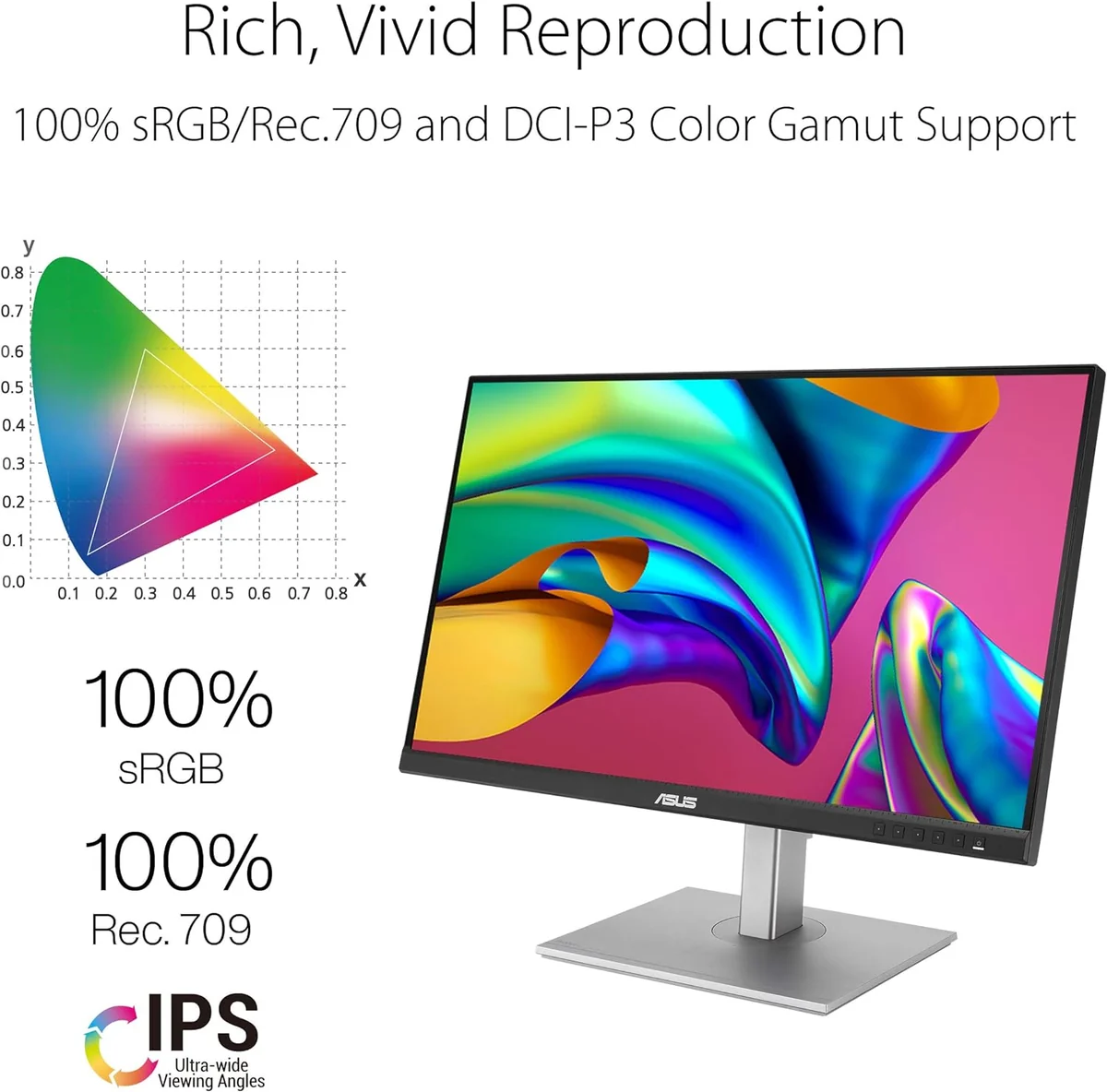
Covering 100% sRGB and Rec.709 gamuts means this display captures all the essential colors creatives rely on daily, from web design to video production. While not pushing into wider Adobe RGB territory, its faithful adherence to these standards guarantees consistency across devices and platforms—a boon for workflows requiring exact replication rather than fanciful saturation bursts. This balanced gamut coverage aligns well with professional needs, underscoring why accurate reproduction beats flashy oversaturation any day when real-world work is on the line.
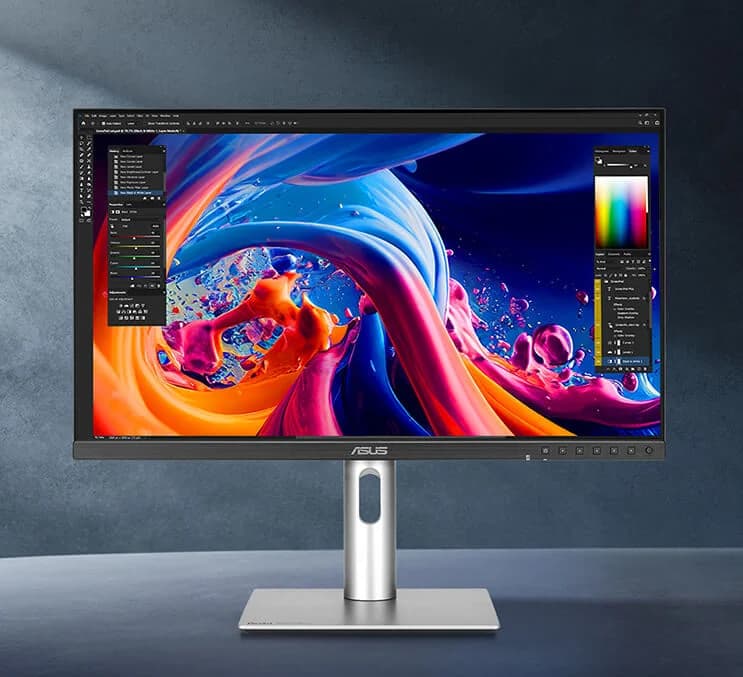
Color Accuracy That Wins Hearts
If you crave color precision, this monitor delivers with factory calibration boasting a ΔE < 2, ensuring hues are true to life right out of the box. This meticulous calibration minimizes tedious adjustments and boosts confidence for creatives who demand fidelity in every pixel. Users and experts alike laud its Calman Verified accuracy, making it a standout choice for professionals needing consistent, vibrant results without second-guessing their edits—proving that ASUS takes color seriously and backs it up where it counts.

Brightness Battles: Solid But Not Showstopping
With typical brightness hovering around 350 cd/㎡ coupled with a native contrast ratio near 1000:1, expect vivid visuals suitable for most standard environments but don’t bank on dazzling HDR brilliance or deep cinematic blacks here. Some users note slight backlight bleed or uneven uniformity which can mildly distract during dark scenes—but these quirks remain manageable given price class constraints; after all balance often trumps blinding extremes in professional contexts focused more on accuracy than eye candy effects.
Sharp Resolution Meets Professional Detail
The crispness offered by the 27-inch WQHD (2560×1440) IPS panel strikes an ideal middle ground between screen real estate and sharp detail rendering. The high pixel density ensures text clarity is razor-sharp while images pop vibrantly thanks to wide viewing angles inherent in IPS technology. Though some might dream of 4K or beyond, this resolution suits productivity-focused pros seeking less strain during extended editing sessions—making image sharpness both functional and delightful at just the right scale.

Ergonomics & Build: Comfort Without Compromise
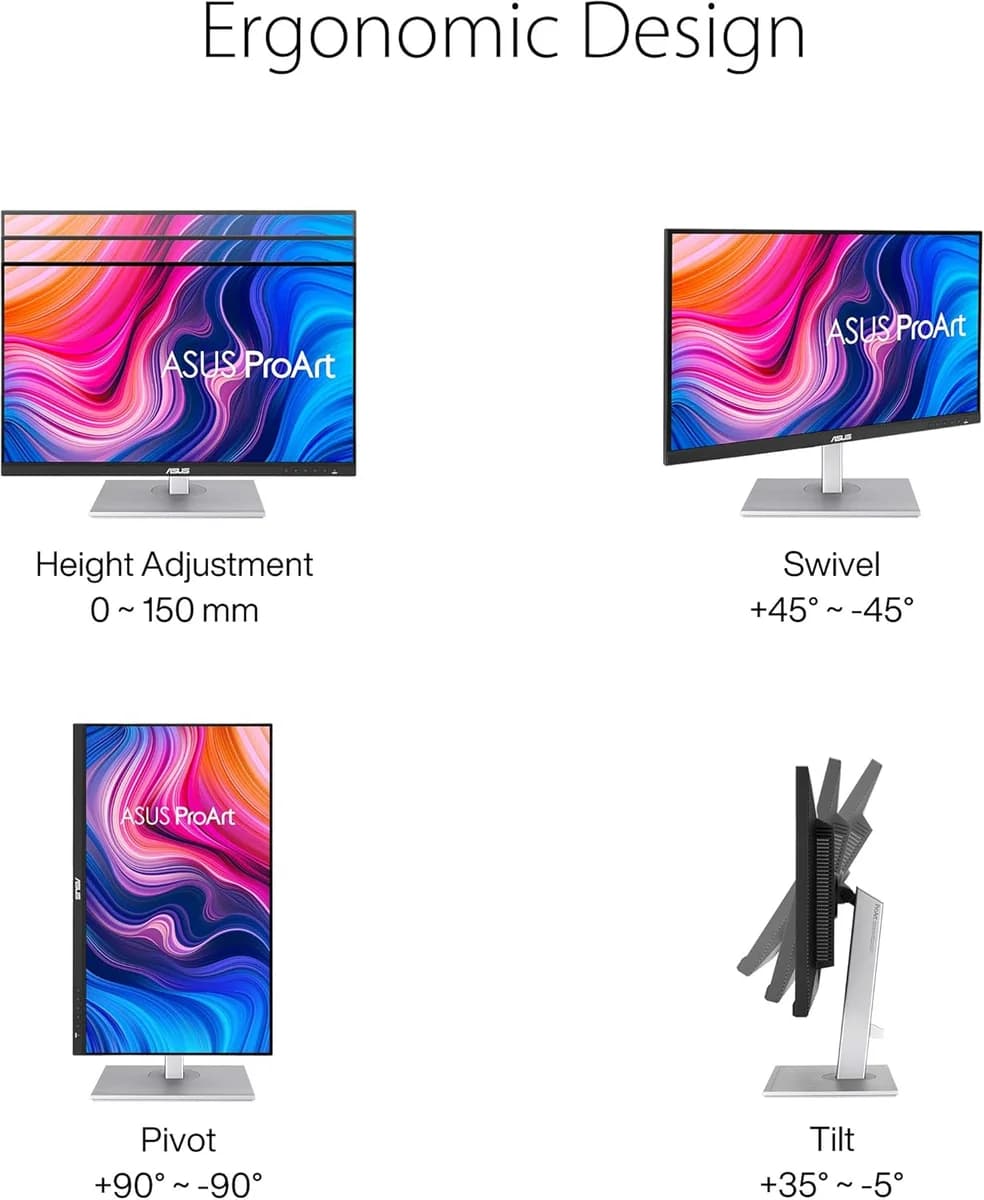
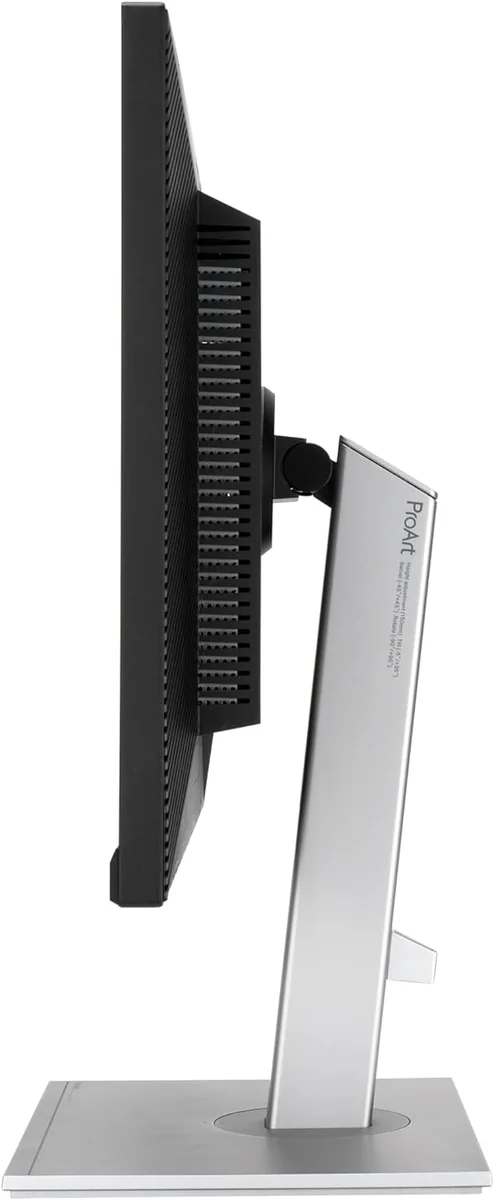
This monitor’s fully adjustable stand—with height, tilt, swivel, and pivot options—caters brilliantly to those marathon creative sessions demanding comfort alongside performance. While build quality leans more practical than premium luxury due to plastic components noted by reviewers, its sturdiness under shelves proves thoughtful design wins over flashiness here. Quality control hiccups like occasional dead pixels surface but don't overshadow an overall ergonomic setup that supports healthier posture—and happier necks—for serious users committed to long hours.

Conclusion
When precision is non-negotiable, this monitor’s factory calibration with ΔE < 2 and steadfast 100% sRGB and Rec.709 coverage put it firmly in the pro colorist’s corner. The crisp 27-inch WQHD panel strikes a savvy balance between sharpness and workspace, making detail work both clear and comfortable. While its ergonomic stand earns nods for thoughtful adjustability, the practical plastic build reminds you that luxury has limits here. Brightness sits comfortably in the middle—not dazzling HDR, but reliable enough for true-to-life visuals—though occasional uniformity quirks temper expectations. Connectivity shines through with a versatile USB-C port delivering 65W power alongside DisplayPort daisy-chaining and a handy USB hub, streamlining any creative desk clutter without fuss. This display speaks directly to creators who value consistent color fidelity over flashy extras—a smart choice where accuracy meets accessibility without compromise on essentials or ease of use.

Feature Scores
This reflects reviews and ratings from established critics, journalists, and users who have evaluated the item. Their opinions provide a comprehensive assessment.
Performance
Resolution
4/5
Refresh Rate
3/5
Color Accuracy
5/5
Brightness
4/5
Contrast Ratio
3/5
Response Time
4/5
Connectivity Options
5/5
Value
Price-to-Feature Ratio
5/5
Warranty Coverage
4/5
Cost of Ownership
4/5
Design
Ergonomic Adjustability
5/5
Aesthetic Styling
4/5
Footprint and Bezel Size
4/5
Health
Blue Light Reduction
5/5
Flicker Free Performance
5/5
Safety
Electrical Safety Certification
4/5
Mounting and VESA Compatibility
4/5
Sustainability
Energy Efficiency
4/5
Recyclability and Materials
4/5
Experience Style
On-Screen Display Usability
4/5
Preset and Custom Profiles
5/5

Specifications
This section outlines the product's key facts, covering essential features, details, dimensions, materials, and any unique characteristics that define its functionality and usability.
Performance
Value
Design
Safety
Sustainability
Experience Style

Frequently Asked Questions
8 Questions

Also Consider
1 Option
Find Yours
What's your primary use for a computer monitor?
Answer to find your best matches.