Bambu Lab P1S
Fast, enclosed CoreXY prints with multi-material expandability and mostly dependable results.
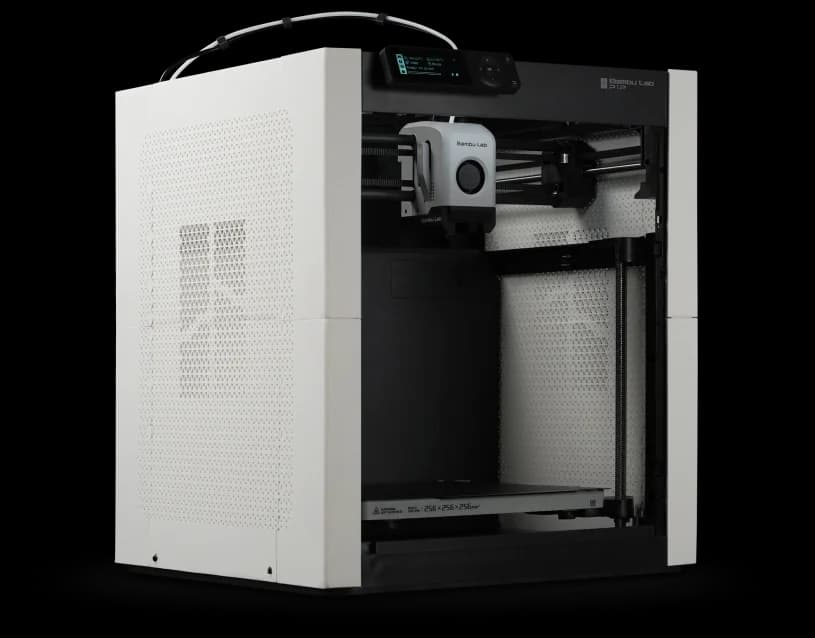
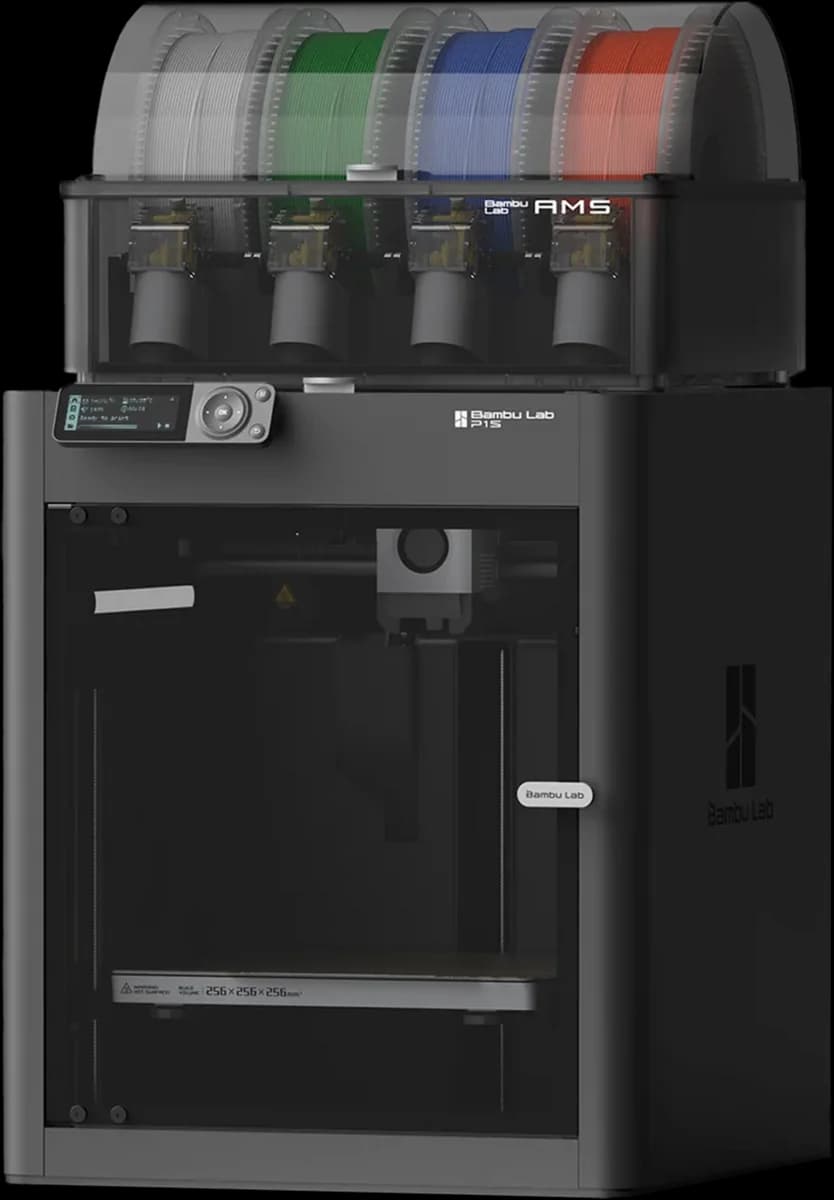
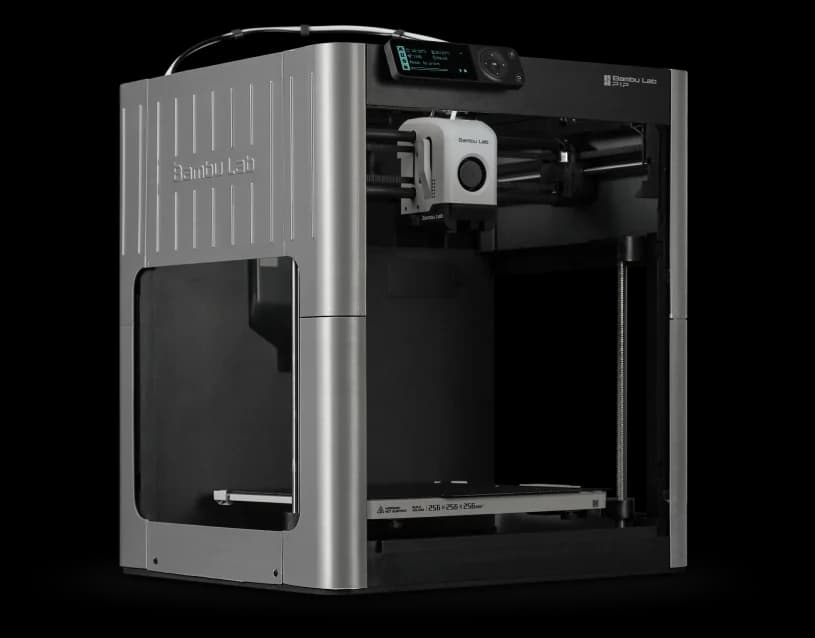
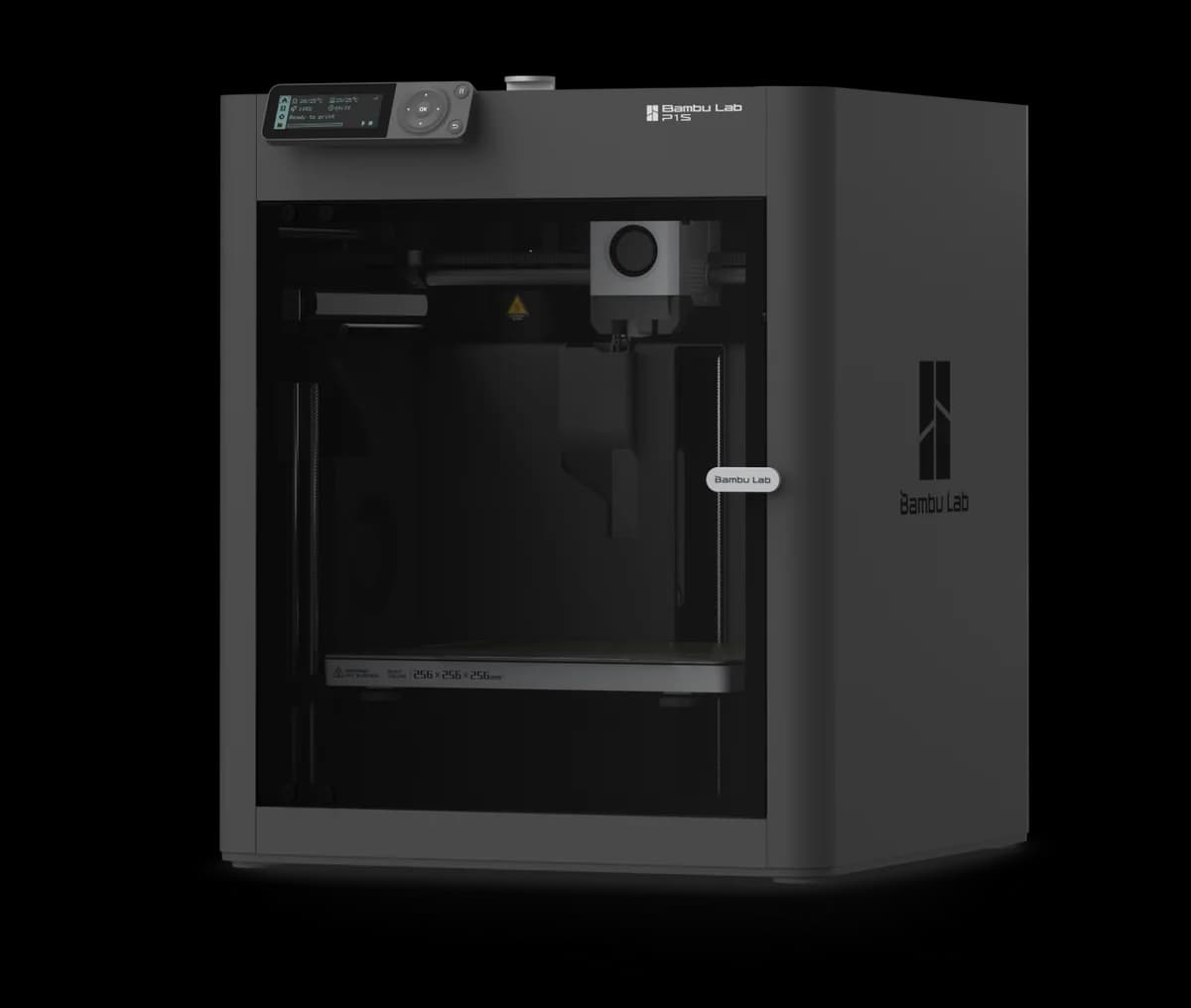
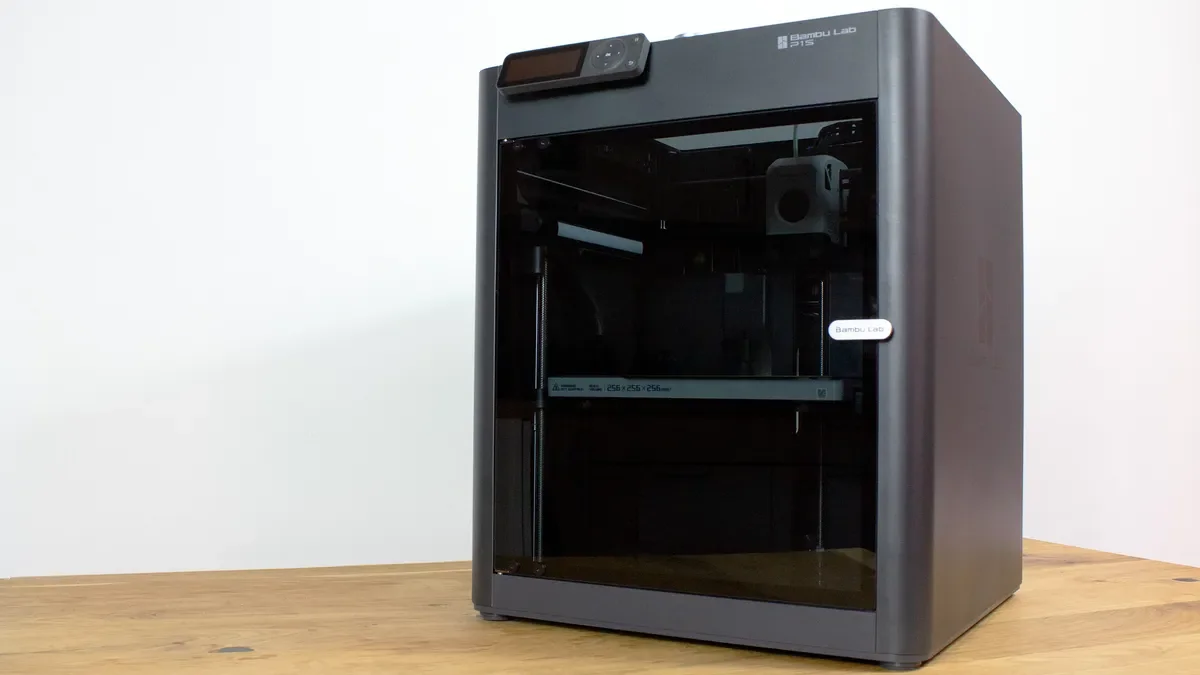
The Bambu Lab P1S is the speedy, enclosed CoreXY printer that aims to make reliable, higher‑temperature desktop printing feel effortless for hobbyists and small teams who want faster prototyping and easy multi‑color options. Reviewers and hands‑on users agree the machine delivers out‑of‑the‑box print quality, and the brand’s claims about 500 mm/s motion and a 300°C capable hotend are supported in practical testing though extreme speeds can trade surface finish for time savings. The optional AMS genuinely opens multi‑material workflows but introduces purge waste and extra maintenance, and the enclosure with carbon filtration improves ABS and ASA success while not eliminating the need for filament drying or tuning. Weigh the P1S’s real convenience and ecosystem against its extra consumable costs and modest UX quirks to judge value for your workflow, these tradeoffs help explain why reviewers generally recommend it for speed and dependability.
Find Yours
What is your primary use for a 3D printer?
Answer to find your best matches.

The Field
Browse top contenders, or compare all options ranked by score and key attributes.
5 Options



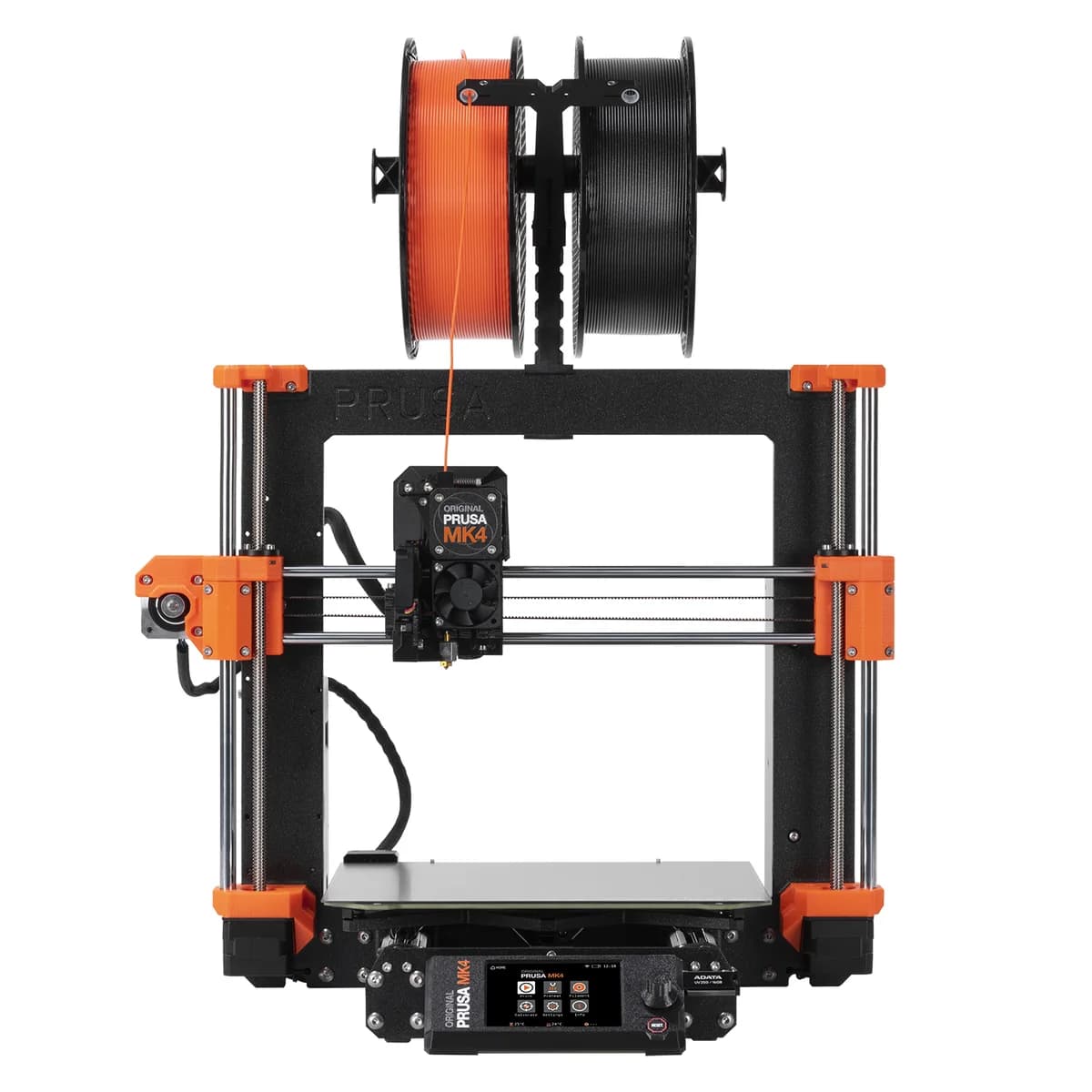

The Scoreboard
Does this improve your life? Considers, health, habits, and environmental impact.
Benefits
Prints finish much faster—get reliable parts in hours instead of days.
Consistent, high-quality prints with minimal tuning—less trial-and-error for everyday projects.
Enclosure and carbon filter reduce odors and stabilize temperature for better material success.
AMS support lets you create true multi-color/multi-material parts without complex manual swaps.
App and camera let you check prints remotely—less walking to the printer.
Trade-Offs
Multi-color prints purge between colors, wasting filament and adding minutes to print time.
High-speed runs produce noticeable noise and vibration that can disturb nearby work or conversations.
Without AMS, swapping or loading filaments can be tricky, causing pauses and failed loads.
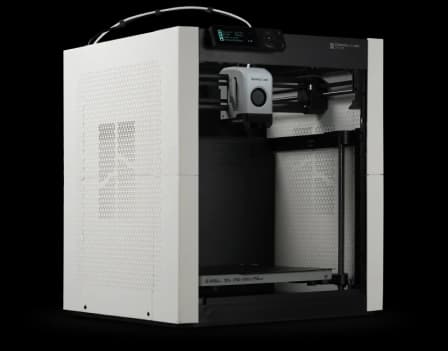
 Alternatives


Join the Circle
Where real meets deal
Know what's worth buying-and when.
Tips, special offers, and rewards for buying and sharing.

Publications
9 LEADING PUBLICATION REVIEWS

3DPrint.com's Jake Hertz is clearly impressed and enthusiastic about the Bambu Lab P1S. After weeks of hands-on testing he praises its blistering Ludicrous-mode speeds, reliable print quality (even with third‑party PLA), and the convenient four‑material AMS for multicolor work, calling the combination of speed, quality, ease‑of‑use, and price a strong win. He tempers that enthusiasm with practical complaints: the awkward unboxing/setup, a low‑res, dated printer UI, filament waste and occasional material‑change hiccups, plus testing limited to PLA. Overall the tone is excited but measured — Hertz recommends the P1S as a high‑performance, affordable consumer printer while honestly flagging the setup friction and multicolor inefficiencies you’ll need to accept.
By Jake Hertz
Tom's Hardware’s Denise Bertacchi is clearly impressed and generally enthusiastic about the P1S. She frames it as a nearly flawless, fast Core XY printer that packs the X1 Carbon’s core strengths into a much more affordable $699 package, praising its blistering speeds, reliable auto bed leveling, strong multi-material support via the AMS, and out-of-the-box convenience. She tempers that enthusiasm with practical caveats: proprietary parts, a non-replaceable nozzle without swapping the hotend, finicky filament loading without the AMS, occasional surface-quality loss at top speeds, and wasted purge when using multicolor prints. Real-world tests—from speed Benchy runs to engineering nylon and TPU parts—underscore both its capabilities and limits. Overall the review positions the P1S as a smart, high-performance choice for makers who value speed and multicolor convenience and can live with some trade-offs and vendor lock-in.
By Denise Bertacchi
Tech Advisor’s Jim Martin is clearly impressed and mostly enthusiastic about the Bambu P1S. He praises its outstanding print quality, fast CoreXY speeds, reliable AMS multi‑filament handling and the convenience of Bambu Studio, saying the Combo is especially handy for multicolour work; overall the tone is strongly positive. He balances that with measured criticisms: the small monochrome control screen feels outdated, the bed maxes at 100°C, TPU work and external-filament handling are fiddly, and multicolour purging wastes filament and time. He also wishes for AI print‑failure detection and a larger build option in Bambu’s lineup. In short, Martin recommends the P1S as an easy-to-use, premium performer that’s worth the price for most users, while flagging several practical tradeoffs that might push power users toward the pricier X1 Carbon or different machines.
By Jim Martin
Brad Bourque of WIRED is clearly impressed and mostly positive about the Bambu P1S Combo. He calls it the easiest 3D printer he’s used, praising fast, reliable prints, automated bed-leveling and nozzle-cleaning ritual, and how the AMS simplifies filament changes and keeps projects moving. He still flags practical annoyances—the falling “poop” waste, occasional stringing at very high speeds, some fiddliness and wasted filament with multi-color purges, and minor software mismatches between the AMS and slicer—but treats them as solvable or minor trade-offs for the convenience. Overall Bourque frames the P1S as a game-changer for hobbyists who want fewer setup headaches and more printing done, recommending the combo especially if you value speed, automation, and smoother day-to-day use despite a little extra cleanup and tweaking.
By Brad Bourque
James Bricknell at CNET is clearly impressed and mostly enthusiastic about the P1S. He frames it as the P1P corrected: same excellent speed and accuracy but now properly finished with full enclosure, a stronger part fan, built-in LED lighting and a camera—features that should have been standard from the start. The review praises how those additions improve reliability and aesthetics, calling the P1S his top pick for 2023, while reserving a single pointed critique for the unchanged control LED and wishing for a sturdier controller like the X1 Carbon’s. Overall the tone is favorable and confident: Bricknell treats the P1S as the model the P1P should have been, celebrating its out‑of‑the‑box polish and performance while offering one clear area for improvement.
By James Bricknell
Jonathan Levi at The Next Layer is clearly impressed and generally enthusiastic about the P1S. He frames it as a smart mid-range addition to Bambu Lab’s lineup — an unexpectedly full-featured, enclosed P1P that brings useful upgrades (carbon VOC filter, auxiliary fan, camera/LED, gold PEI plate) and broadens material capability to ABS without the X1 Carbon price. He tempers praise with measured critiques: the clunky non-touch display, plastic rather than aluminum enclosure, and the lack of LiDAR/print-head camera features that some users may miss. Compared with rivals like the Creality K1, Levi emphasizes superior software, reliability, and user experience. Bottom line: he recommends the P1S for most hobbyists who want versatility and convenience without spending flagship money, while reserving the X1 Carbon for those who demand the absolute premium features or frequent exotic-material printing.
By Jonathan Levi
Hackster’s Cameron Coward is clearly enthusiastic and impressed. He calls the P1S an easy-to-use workhorse that outperforms many rivals out of the box, praising stellar print quality, high speed, thoughtful fail-safes, and a reliable AMS—while noting a brief filament-stuck hiccup and that PVA support wasn’t great (typical of PVA). He values the regulated enclosure, RFID-aware ecosystem, and excellent Bambu Studio software, but emphasizes you aren’t locked into proprietary spools. Setup was simple though a bit longer than the advertised 15 minutes. Overall the tone is a glowing, experienced-user endorsement: Coward switched the P1S into primary use, recommends it over the cheaper P1P for most buyers, and calls it a near no-brainer for those who want high performance without constant fiddling.
By Cameron Coward
3DWithUs’s Will Zoobkoff is clearly impressed with the P1S overall. He praises its excellent print quality, speed, enclosure, integrated camera and lights, and robust multi-material capabilities (with AMS), calling it one of the market’s top choices despite noting louder operation and extra filament waste from the AMS. The review is enthusiastic about real-world printing—several long, multicolor sculptures are used as stress tests and consistently produce clean, detailed results—while remaining measured about trade-offs like longer color-change times and higher noise; setup and the Bambu Slicer get favorable mention for usability. In short, Zoobkoff’s tone is strongly positive and recommending: the P1S is positioned as a fast, capable, and user-friendly printer for enthusiasts who accept some AMS waste and a bit more noise in exchange for superb multicolor prints.
By Will Zoobkoff
AppleInsider’s Wesley Hilliard comes away genuinely impressed and upbeat about the Bambu Lab P1S. He calls it a near plug‑and‑play upgrade over entry-level kit—easy to set up, quiet, and well built—with an enclosed design, carbon filter, and optional AMS that make multicolor printing approachable (if wasteful). He praises the app-first workflow and consistent print quality, and appreciates the camera timelapse and practical touches like auto‑filament detection, while flagging slower live view, no Ethernet, and inherent filament waste for multi‑color jobs. Pricey at MSRP but discounted in his experience, Hilliard positions the P1S as a sweet spot for beginners who want advanced features without a steep learning curve, offering a clear, mostly positive recommendation tempered by a few practical caveats.
By Wesley Hilliard

YouTube
17 LEADING EXPERT & INFLUENCER REVIEWS
 Frankly Built
Frank (Frankly Built) is clearly a fan—he calls the P1S his top recommendation and praises its out-of-box reliability, enclosure for ABS/ASA, AMS compatibility, and high-speed CoreXY performance. He ran multiple P1S units nonstop for a large cosplay project and found print quality equal to the pricier X1 Carbon for most use cases. He flags minor UX quibbles (screen preference), occasional AI camera hiccups on the X1, and that exotic filaments or enterprise features justify the X1. Overall enthusiastic, practical endorsement: the P1S hits the sweet spot for hobbyists who want speed, ease, and real-world dependability.
Mads TechMads Tech is clearly impressed and enthusiastic about the P1S. He praises its out-of-the-box reliability, high-speed CoreXY performance, enclosure-enabled ABS/TPU capability, smooth prints (often matching his X1), AMS multi-material workflow, and seamless Bamboo Studio/app integration. His main gripes are cloud-dependent wireless routing (and loss of some features in LAN mode), slightly lower onboard convenience versus the X1 (no touchscreen, limited onboard storage/time‑lapse access), and minor filament/feature trade-offs for hardened-gear workflows. Overall he calls it a turnkey, great-value printer that mostly rivals the pricier X1 for typical users.
FauxHammerRoss (FauxHammer) is clearly positive about the P1S. He calls it the sweet spot in Bambu’s lineup—fast, tidy, and user-friendly—praising the enclosed chassis, AMS multi‑color workflow, and near plug‑and‑play setup, while acknowledging modest speed gains over the A1/P1 and some filament‑waste quirks with color changes. He values the AMS for convenience and moisture control, and likes the safety/appearance of the enclosure, but warns ABS/ASA remain tricky and some included hinge designs are poor. Overall his tone is enthusiastic and practical: a strong recommendation for users who want easy, high‑quality prints with room to expand.
Gray Scalp MiniaturesGray Scalp Miniatures says the P1S is still a solid, workhorse buy in 2026. He praises its fast, high-quality prints, long-term reliability, and ease of use, noting his two P1Ss have run heavily with only routine nozzle and gear maintenance. He warns AMS multi-material needs babysitting (prefer the newer AMS) and wastes filament, and newer Bambu models add conveniences like better cameras, faster nozzle swaps, and AI print-failure detection. Overall he recommends the P1S for hobbyists who want dependable speed and value, while power users might prefer the latest quality-of-life upgrades.
LayerLabLayerLab is genuinely enthusiastic about the P1S. He praises its fast, reliable out-of-the-box performance—especially nozzle cleaning, high-speed PETG prints, rock-solid bed leveling, built-in webcam and filtration, and the hands-off enclosure—calling it low-tinker and high-output. He gushes over AMS convenience (though hasn’t bought one yet) and finds the machine sexy. There’s almost no criticism beyond minor webcam resolution and a nod to occasional belt tensioning; overall the tone is strongly positive and excited, presenting the P1S as a nearly effortless upgrade from Ender-style printers.
Hamill's House of 3D PrintsJen is broadly positive about the P1S. After 60 days and ~900 hours she praises its speed, out‑of‑the‑box print quality versus her A‑series, lower maintenance, and reliability, calling it beginner‑friendly and a workhorse for small business use; she also likes the enclosure and aesthetics. Her key criticisms are a noisy, finicky AMS and a problematic "poop shoot" waste path that can clog, plus minor usability gripes like door removal. Overall Jen recommends the P1S for serious hobbyists or small businesses seeking speed and consistency, while hobby users on a budget might stick with the A‑series.
3D Print Dood3D Print Dood is cautiously positive about the P1S. He says it’s a capable, high‑quality enclosed CoreXY printer but argues many buyers—especially beginners who print mostly PLA—are better off with the cheaper A1 Mini, which he’s owned and finds nearly as good, quieter, and easier for multicolor without buying an AMS. He praises the P1S for larger build volume, exotic filament support, and solid prints, but stresses the higher cost, extra AMS expense for multicolor, and marginal speed/space gains may not justify upgrading for casual users.
Create. Consume. Repeat.Create. Consume. Repeat. is clearly enthusiastic about the P1S. He calls it the first “consumer‑friendly” 3D printer he’d buy, praising fast setup, excellent out‑of‑the‑box print quality, the mobile app and AMS multi‑filament upgrade, and shares hands‑on examples like cosplay helmets and custom adapters. He does flag real downsides—it's not entirely foolproof for complete novices, it's somewhat loud, poor enclosure lighting, and clunky access to timelapse files—but overall his tone is rapturous and strongly recommends the P1S for creators seeking speed, convenience, and multi‑material capability.
Not Another Printing ChannelNot Another Printing Channel is broadly positive about the P1S. He praises its out‑of‑the‑box print quality, speed, low maintenance (when behaving), and Bambu’s slicer/ecosystem, calling it great value—he owns four and would buy more. He’s sharply critical of the AMS reliability (worn feed funnels and a fragile secondary feed motor) and frustrated by purge‑shoe issues, closed firmware/ecosystem limits, noisy vibration, and fiddly repairs. Overall he recommends the P1S for ease, speed, and value but warns buyers to plan for AMS spare parts and expect some maintenance headaches.
SavageLauSavageLau is impressed overall and leans positive. He praises the P1S’s out‑of‑box print quality, true high‑speed CoreXY performance, easy initial setup, enclosure/filtration, and the AMS multi‑color capability, calling prints “amazing” and reliably detailed. He balances that with clear caveats: loud noise and vibration, occasional adhesion/cooling quirks, AMS clogs and filament waste during color swaps, closed‑source hardware, cloud/privacy concerns, and some fiddly slicer learning. Bottom line: SavageLau recommends the P1S+AMS for users who want fast, high‑quality prints and multi‑material workflows and who can tolerate noise, occasional troubleshooting, and extra cost.
Rad Dad's Print LabRad Dad’s Print Lab thinks the P1S is still a very good, reliable value in 2026. He’s logged 1,500+ hours, praises its out‑of‑the‑box print quality, ecosystem, and upgradeability (hardened nozzle, Panda Lux/Breath), and says the standalone sale price is a steal. He’s critical but measured about aging bits—the small monochrome screen, basic camera, and lack of newer “AI” features—and warns AMS 2 pricing nudges buyers toward newer models. Overall his tone is fond and practical: great if you want proven reliability and value, less appealing if you crave the latest smart features.
AkiAki is clearly positive about the Bambu Lab P1S. After six months he praises its out-of-the-box print quality, ease of use, and how it accelerated his learning—from basic prints to designing a multi-part desktop wind tunnel—while admitting occasional failures, space and time costs, and some buyer’s-remorse moments. He emphasizes practical lessons (bed prep, supports, sane speeds), the satisfying reliability for a hobbyist, and that the P1S felt worth the investment. Overall Aki recommends it as a user-friendly, high-quality entry-to-mid‑range printer that rewards experimentation despite the occasional frustrating prints.
3DPrinterMike3DPrinterMike remains positive about the P1S. He says it’s still one of the best beginner-friendly CoreXY printers thanks to fast, consistent printing, enclosure benefits, and solid Bamboo Studio integration, though he admits it lacks niceties like a touchscreen, flow calibration, quick‑swap nozzles, and built‑in spaghetti/tangle sensors on the base unit. Mike bought the combo, rarely uses the basic on‑device screen, and values AMS tangle detection; overall he recommends buying now rather than waiting for a minor refresh, while acknowledging a few small feature gaps and ecosystem/price caveats.
Karl Gosling's Tech ReviewsKarl Gosling is clearly impressed and enthusiastic. He praises the P1S + AMS as a plug‑and‑play, fast, and reliable entry to 3D printing that let a total beginner design and print functional parts with excellent surface quality; setup and Bamboo Studio workflows impressed him. Criticisms are minor and practical: the rear spool holder is awkward, some silk PLA gave poor results (likely filament or settings), and moisture management requires attention. Overall he recommends the P1S for newcomers who want dependable, high‑speed prints and easy multi‑filament expansion via the AMS.
The Dice TowerJoey Evans is clearly impressed and upbeat about the Bambu Lab P1S. He praises its near‑instant setup, app-driven workflow, reliable first-layer adhesion, AMS convenience for spool management, and very good print quality straight from the box, calling it a printer that “just prints.” He flags multicolor purging waste and the controversy over a more closed ecosystem and firmware/slicer restrictions—concerns mainly for tinkerers or large print farms—but says those tradeoffs are acceptable for users who want a low‑effort, Apple‑like printing experience. Overall, enthusiastic and practically convinced.
LZ VlogsLawrence is clearly impressed and enthusiastic about the Bambu Lab P1S after three months. He praises its out‑of‑the‑box ease, speed, reliable print quality, and the AMS multi‑spool convenience, calling it a “game‑changer” for beginners; his few critiques are limited to an outdated LCD and occasional belt squeaks (which he demonstrates how to fix). Overall his tone is upbeat and personal—hands‑on prints, workflows, and fixes are described confidently—making this a strongly positive, user‑friendly endorsement with modest, practical caveats.
Richard LauRichard Lau is positively impressed with the Bambu Lab P1S. He praises its beginner-friendly, fast, enclosed CoreXY setup, seamless software/AMS integration, and strong day-to-day reliability after a month of daily prints, while fairly warning about typical FDM limits—visible layer lines, long print times, filament/moisture sensitivity, and ongoing material and maintenance costs. He shares practical insights (filament drying, power draw, AMS multi-filament convenience) and frames the P1S as a great value for makers willing to accept post-processing and upkeep. Overall his tone is enthusiastic but measured and realistic.

Social
4 INFLUENCER REVIEWS
 3dprintzzz
3dprintzzz is upbeat about the Bambu Lab P1S. They’ve owned it since Sept 2023 and call it “very good,” praising excellent prints (they showed a finished helmet) and successful runs even on cheap $26 Amazon filament. Their main gripe is routine maintenance—PTFE/tubing wear that needed trimming because it scraped at the top—but they frame that as a minor, solvable annoyance rather than a dealbreaker. Overall the tone is positive and confident: reliable print quality with occasional upkeep needed.
NackHabitatNackHabitat is upbeat about the P1S and buys them for speed and convenience. He explains he upgraded from an A1 Mini to P1S units to handle customer orders faster, keep dedicated machines (like TPU-only A1 Mini), and use enclosures when needed. He says P1Ss print faster at default presets, first-layer quality is similar to the A1 Mini, and the A1 has a newer UI and larger touchscreen. Overall his tone is positive and pragmatic—he favors the P1S for throughput and cost while acknowledging the A1’s UI refinements.
Cynthia ✨Cynthia ✨ sounds positive and comfortable recommending the P1S for beginners. She likes that the P1S is beginner-friendly, lists the 256×256×256 build volume, built-in camera, and fast 500 mm/s capability, and emphasizes you can add the AMS bundle later for multicolor printing. Her main caveat is that the standalone P1S prints single color unless paired with the AMS, and she suggests waiting for the bundle or swapping spools manually for multicolor projects. Overall her tone is upbeat and practical—encouraging but realistic about the single-color limitation.
Yosh StudiosYosh Studios is upbeat about the P1S and recommends it as his personal pick for a starter 3D printer. He frames the P1S as an affordable, reliable "X/Y core" machine whose bed moves vertically — a preference he favors over the A1’s bed motion — and stresses it’s a simple, practical choice to learn printing without overspending. He downplays flashy multicolor or industrial models, urging newcomers to try a workhorse like the P1S first; the tone is encouraging, confident, and pragmatic rather than hyped.

Forum Reviews
CUSTOMER REVIEWS FROM 1 FORUM
Redditors generally like the P1S and find it hard to beat for out‑of‑the‑box print quality and convenience. Users praise its reliability, speed, and the AMS convenience (many say you'll regret skipping it), and several long‑time owners report hundreds–thousands of trouble‑free hours. Criticisms focus on ecosystem lock‑in, occasional hardware quirks (camera, AMS fiddliness, fan/nozzle issues), higher complexity when things go wrong, and struggles with high‑temperature engineering filaments without mods. New buyers tend to recommend it as a near‑plug‑and‑play winner; a minority, especially tinkerers, prefer more open alternatives.
Many comments

In-Depth Review

Highlights
- •Reliable out-of-box qualityConsistently produces crisp prints.
- •High-speed CoreXY motionAdvertised to 500 mm/s top speed.
- •Expandable multi-color workflowPromoted as having AMS multi-color support.
- •Enclosed chamber stabilityIncludes activated carbon filter.

Considerations
- •Multi-color purge wastePurging consumes filament and time.
- •Hardware durability concernsOccasional broken parts and failures.
- •Clunky software experienceSome find UI and wireless confusing.
- •ABS tuning requiredEnclosure helps but tuning required.
User reports are still limited, so treat early impressions as promising but not definitive. From a well-regarded maker brand known for turning flagship motion systems into accessible machines, this midrange enclosed CoreXY is aimed at hobbyists, educators, and small teams who want fast, reliable results without endless tuning. Its purpose is straightforward: deliver high-speed CoreXY motion and consistent first-layer performance for prototyping, cosplay, classroom projects, and light production runs, while letting you expand into multi-color workflows. Compared with Bambu’s P1P and pricier X1 Carbon, it trades some premium automation for a sealed chamber, improved cooling, and a stronger value proposition. The sections ahead unpack what users and reviewers flagged most—print fidelity, motion dynamics at 500 mm/s, the practical costs of the AMS multi-material system, enclosure and odor control, the direct-drive hotend reaching 300°C, and the auto-leveling/PEI plate combo—so you can judge which trade-offs matter for your build volume and workflow. Read on if you care about speed without sacrificing reliability—yes, you can have both, but expect a few pragmatic caveats.
Enclosure and thermal management
The enclosed shell noticeably improves material versatility and environmental stability for heated prints. The P1S adds chamber control with an activated carbon filter and auxiliary fans to reduce odors and keep temperatures steadier, which reviewers say helps ABS/ASA work better than open-frame siblings. That said, users still caution that ABS remains sensitive and prints can need tuning, so the enclosure is a meaningful advantage but not a complete substitute for drying filaments or advanced thermal mods.
Multi-material AMS performance
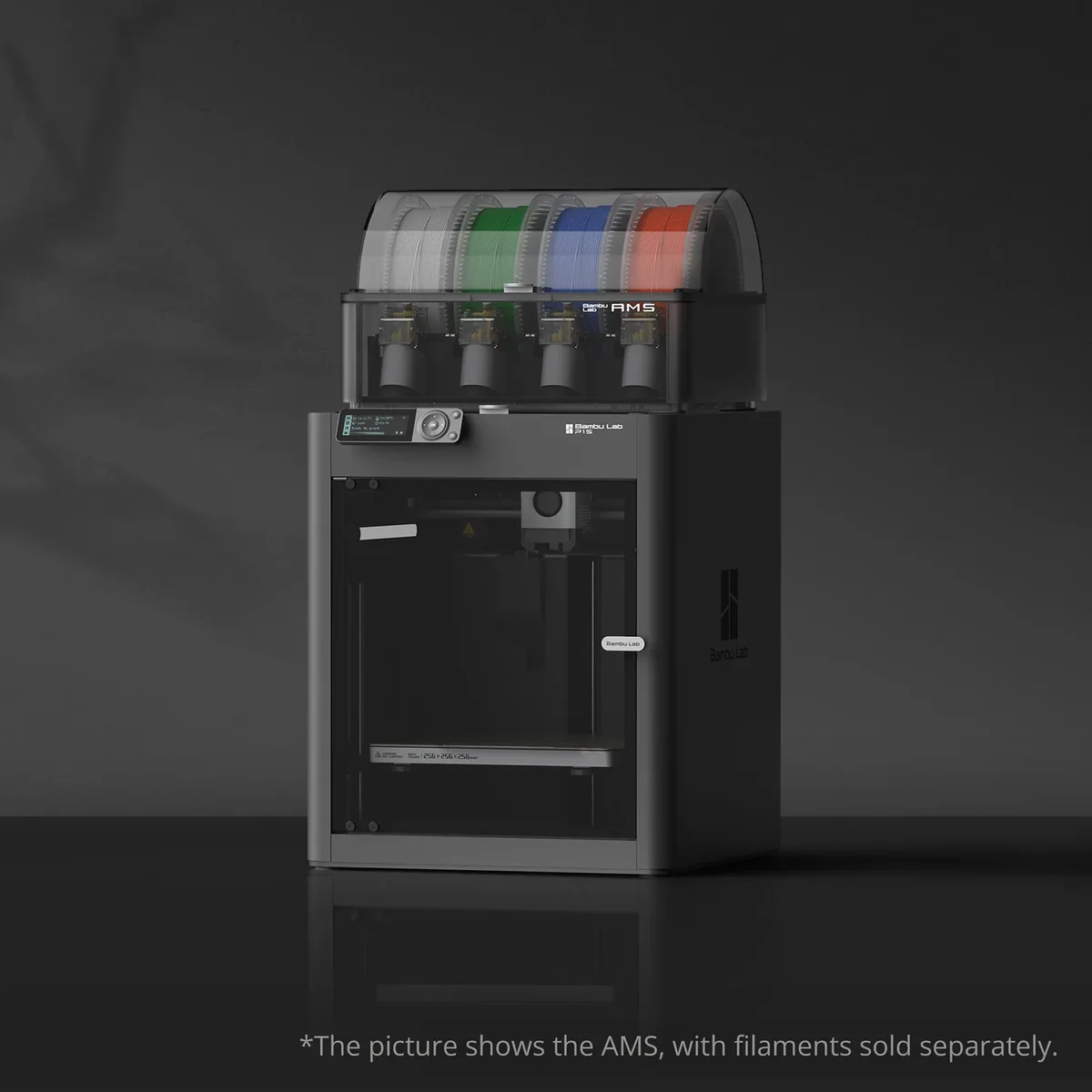
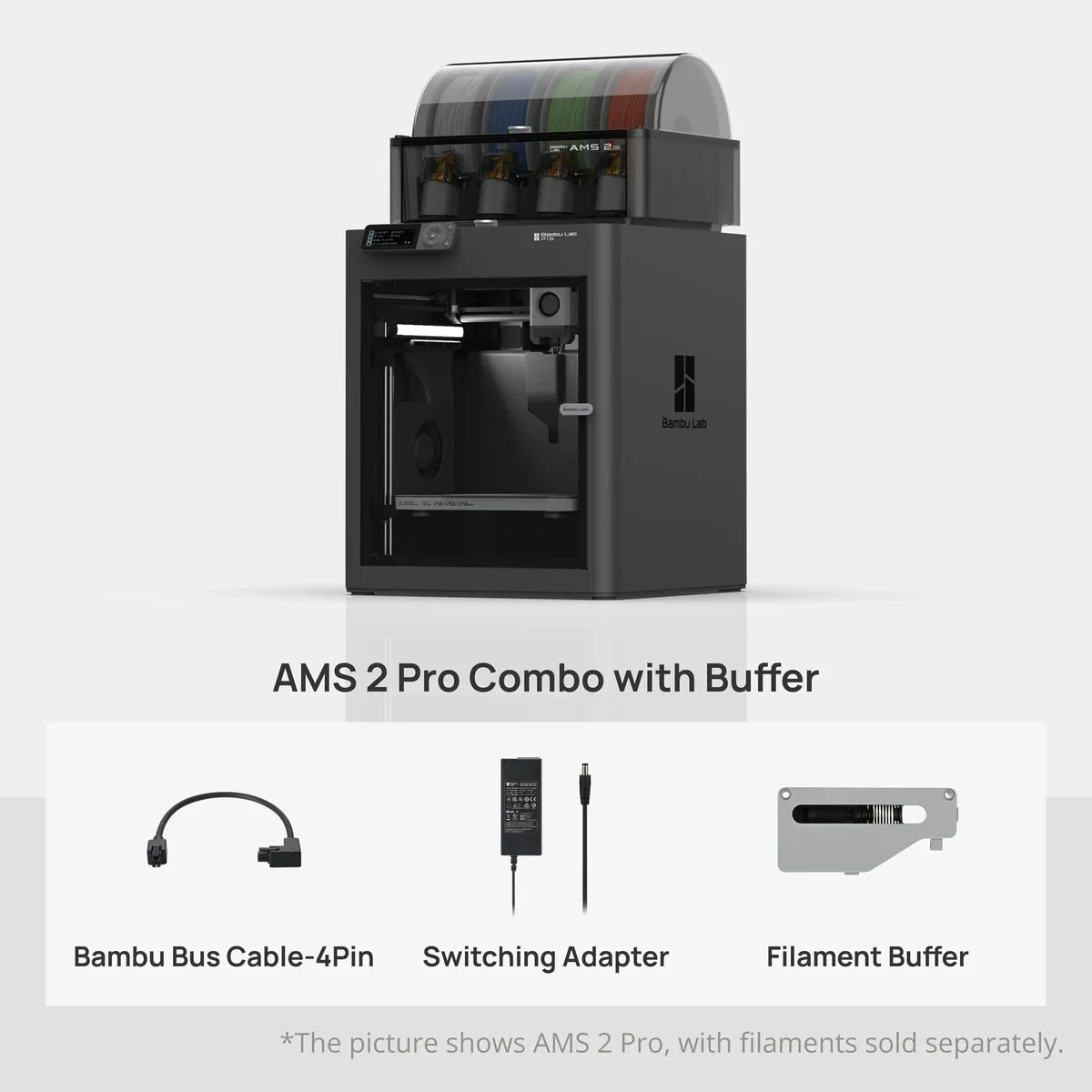
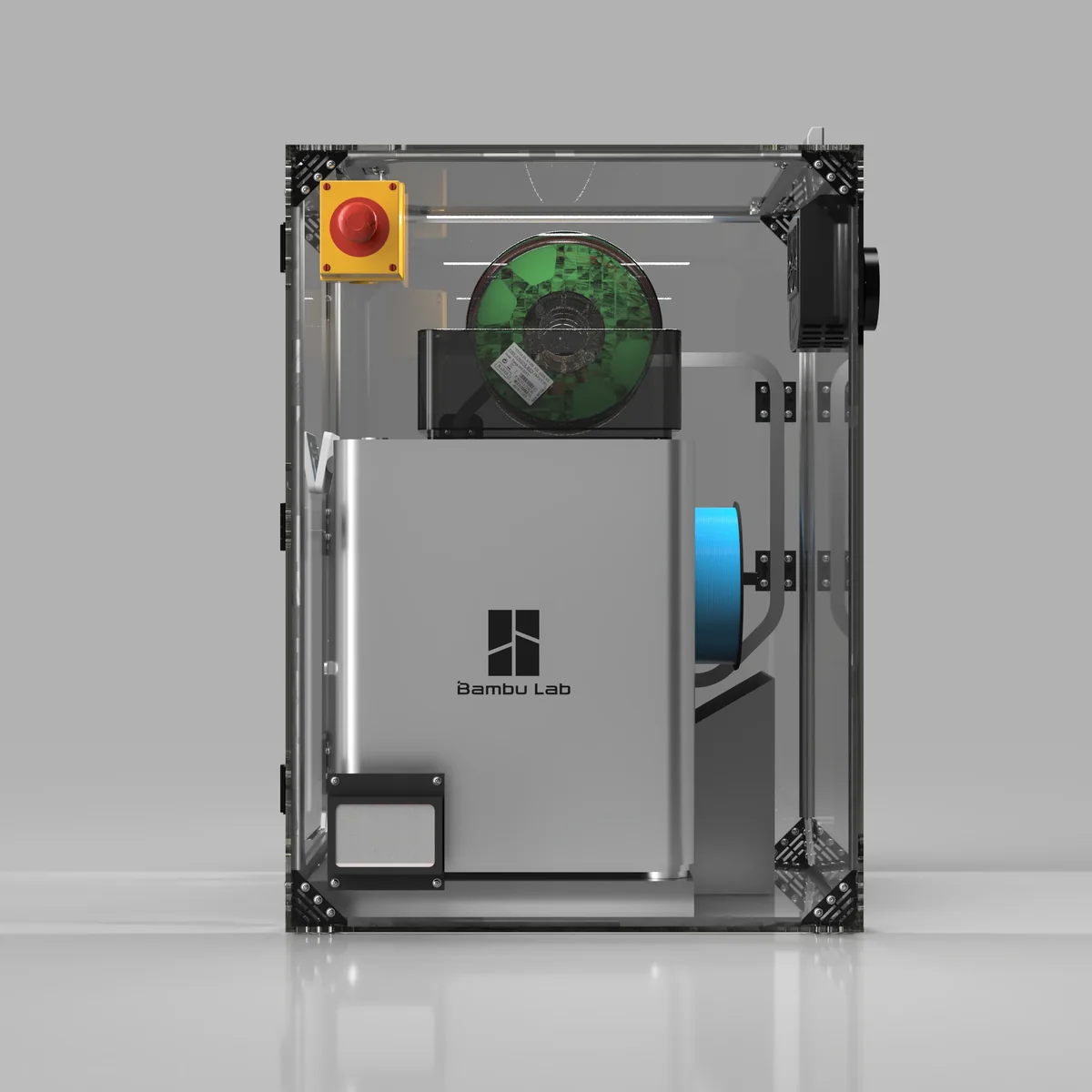
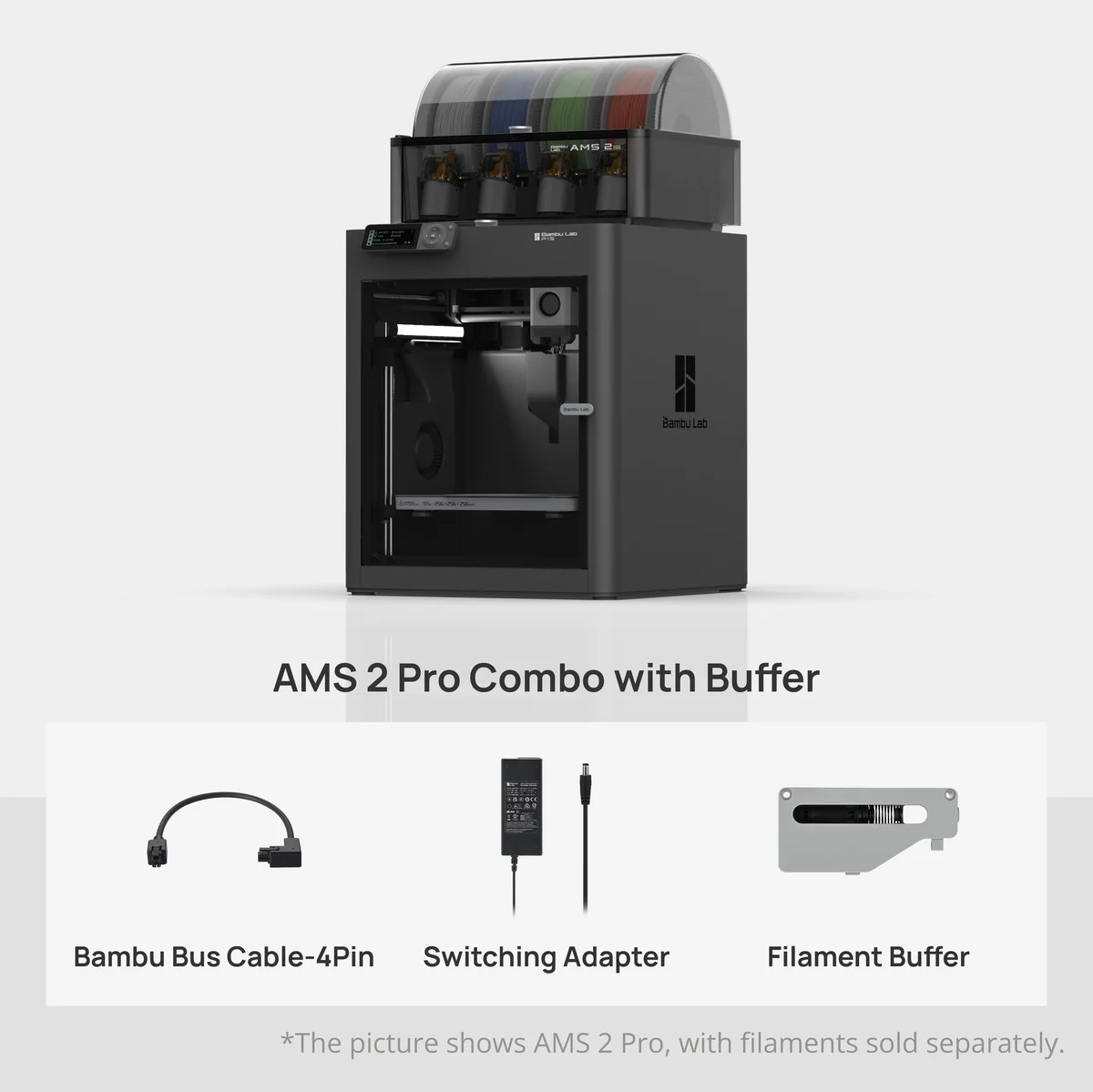
The AMS ecosystem unlocks multi-color and multi-material workflows but brings practical costs and quirks. The system’s automated material system (AMS) makes filament swaps convenient and supports multi-AMS scaling up to 16 colors, yet real-world use reveals purge‑shoe filament waste and occasional AMS fiddliness that experts and users flag. If you value seamless color swaps, the AMS delivers, but expect extra filament consumption, longer print times for many color changes, and some periodic maintenance of feed funnels and motors.
Build plate bed heating and leveling
The P1S makes life easier with automatic routines that reduce fiddly setup steps. The auto bed leveling workflow paired with the 100°C heated bed accelerates first-layer success for common materials, and the textured PEI plate often gives reliable adhesion without glues or sprays; some users still prefer manual tweaks for very large or exotic parts. The result is a smoother day-to-day experience, though perfection on challenging materials may take a touch more attention.
Extrusion system and filament compatibility
A direct-drive extruder combined with an all-metal hotend gives the P1S real breadth across materials. The direct-drive extruder handles TPU and PVA more reliably than bowden setups, and the 300°C max hotend opens nylon and PC use in principle, though carbon/glass-filled composites aren’t recommended. Community feedback and expert testing show flexible filaments print well with proper settings, but hardened-gear upgrades and good filament handling are advisable for heavy engineering use.
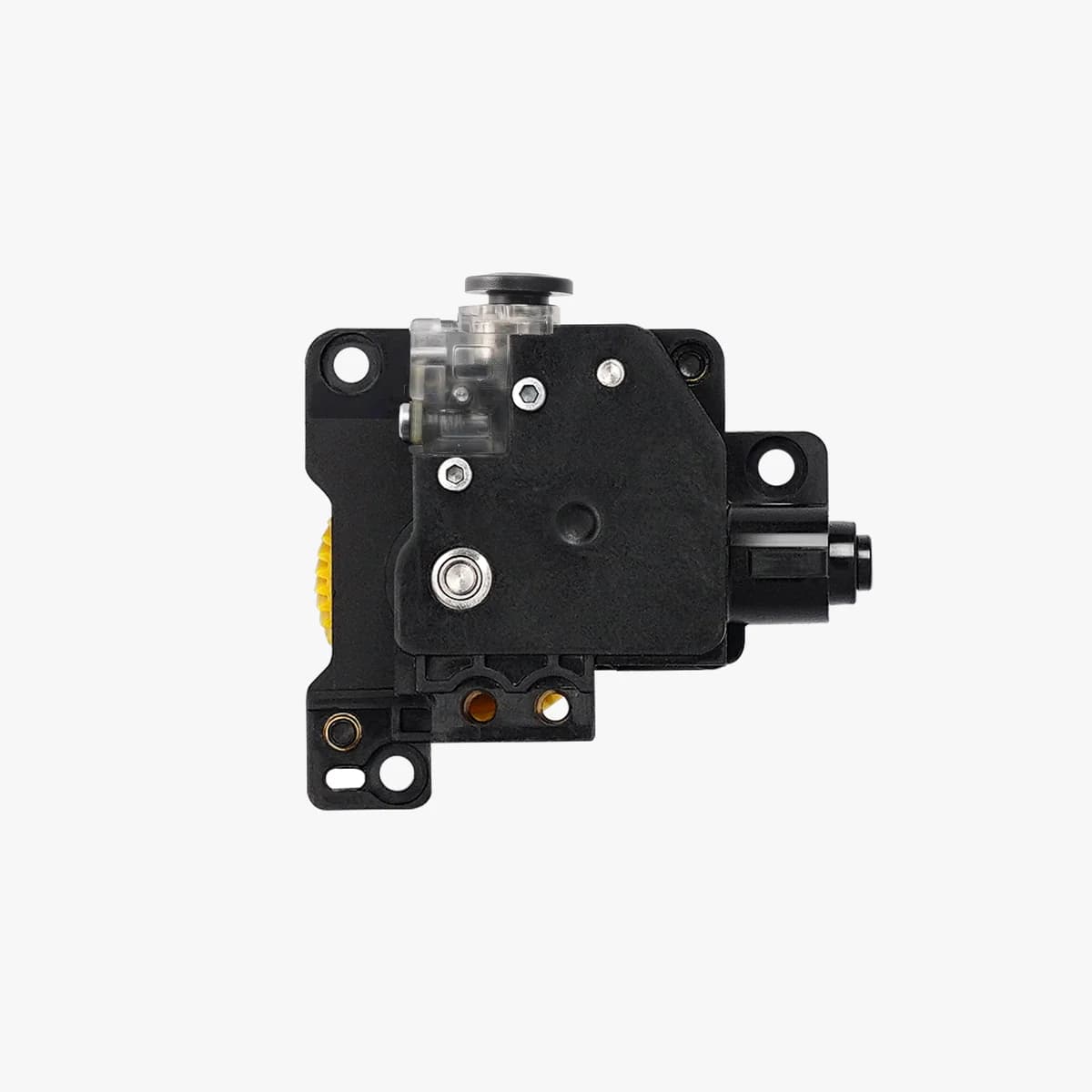
Print quality and dimensional accuracy
Out of the box the P1S usually delivers crisp, usable prints with minimal dialing-in required. Reviewers and tests back up Bambu’s claims about consistent first-layer adhesion, and users note the included dual-sided textured PEI plate helps surface finish and part release; at very high "Ludicrous" speeds you can see occasional surface artefacts, so tuning speed versus quality is still practical. Overall this is a machine that favors reliable dimensional results for prototyping and hobby parts, though occasional calibration or slower profiles improve the very finest features.
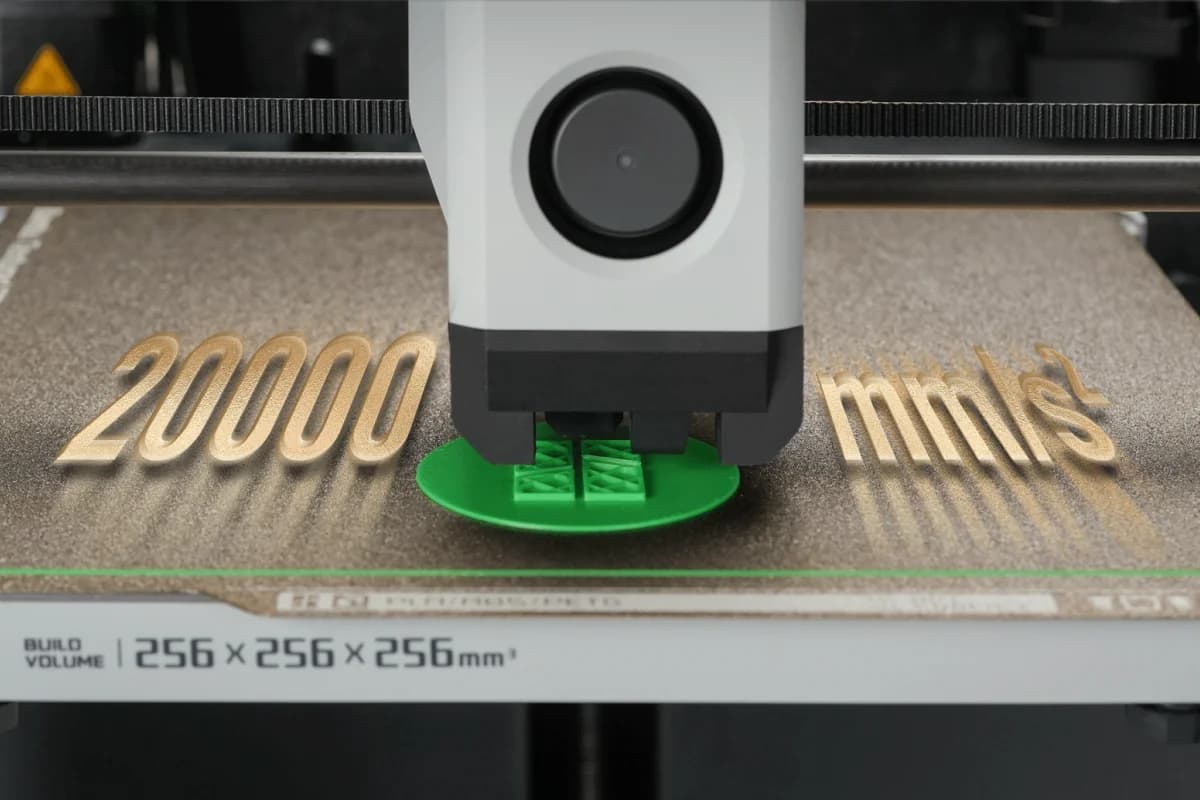
Motion performance
The P1S’s CoreXY platform is built for velocity and smooth motion under typical prints. Its advertised 500 mm/s top speed and 20,000 mm/s² acceleration translate to real time savings on medium-sized parts, and expert bench tests show it maintains accuracy at elevated speeds better than many budget printers; however, pushing to extremes can introduce ringing and minor surface loss, so you’ll balance Ludicrous-mode settings against finish. In short, motion hardware is a standout for throughput, but peak settings need selective use for best results.
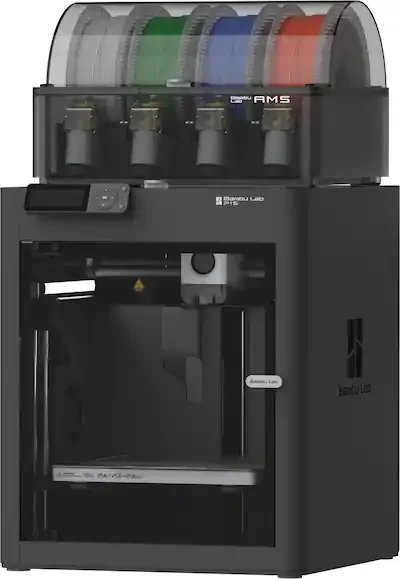
Conclusion
Treating early reports with cautious confidence, the P1S ties together standout strengths across the review topics into a clear recommendation: its out‑of‑the‑box print quality and dimensional accuracy is a real time‑saver for prototyping, the CoreXY hardware delivers impressive motion performance when you balance speed with finish, and the optional AMS opens creative doors—at the cost of predictable purge waste and occasional fiddly maintenance. The fully enclosed chamber with filtration meaningfully improves ABS/ASA success but doesn’t eliminate the need for drying and tuning, while the direct‑drive hotend and heated PEI bed plus automatic leveling make flexible and higher‑temp filaments practical for hobbyists and small shops. If you want fast, reliable throughput with upgradeable multicolor capability and can accept some ecosystem quirks, this is a pragmatic buy; if you demand the absolute latest convenience features or zero purge overhead, look elsewhere.

Feature Scores
This reflects reviews and ratings from established critics, journalists, and users who have evaluated the item. Their opinions provide a comprehensive assessment.
Performance
Print Quality
5/5
Print Speed
5/5
Reliability
5/5
Build Volume
4/5
Dimensional Accuracy
5/5
Material Compatibility
4/5
Value
Price-to-Quality Ratio
5/5
Consumable Cost
3/5
Maintenance Cost
4/5
Total Cost of Ownership
4/5
Design
Physical Build Quality
4/5
Compactness
4/5
Ergonomics
3/5
Health
Emissions Control
4/5
Material Toxicity Transparency
TBD
Enclosure Availability
5/5
Safety
Thermal Safety Protections
4/5
Electrical Safety Certifications
TBD
Moving Parts Guards
4/5
Emergency Shutdown
TBD
Sustainability
Energy Efficiency
3/5
Recyclability
3/5
Recycled Materials Usage
TBD
Consumable Waste Management
2/5
Experience Style
Ease of Setup
5/5
Software Ecosystem
4/5
Customization
3/5
Community Support
4/5

Specifications
This section outlines the product's key facts, covering essential features, details, dimensions, materials, and any unique characteristics that define its functionality and usability.
Performance
Value
Design
Safety
Sustainability
Experience Style

Frequently Asked Questions
10 Questions
Find Yours
What is your primary use for a 3D printer?
Answer to find your best matches.