
Apple Magic Keyboard with Touch ID (USB–C)
Sleek design and fast Touch ID enhance Mac use, but lacks backlighting and multi-device support.
The Apple Magic Keyboard with Touch ID (USB–C) is a sleek, minimalist companion designed for Mac users craving fast biometric security and a familiar low-profile typing feel. Perfect for those who prioritize seamless macOS integration and effortless logins, it earns praise for its long battery life and reliable Bluetooth plus wired USB-C connectivity. Critics note the absence of key backlighting, lack of multi-device switching, and premium price tag as sticking points. With solid build quality but some key wobble reports, this keyboard balances style with function—making it a refined choice where convenience beats customization every time.



Find Yours
What type of keyboard mechanism do you prefer?
Answer to find your best matches.

The Field
Browse top contenders, or compare all options ranked by score and key attributes.
2 Options


The Scoreboard
Does this improve your life? Considers, health, habits, and environmental impact.
Benefits
Touch ID sensor built into keyboard reduces password friction and cognitive load for Mac users.
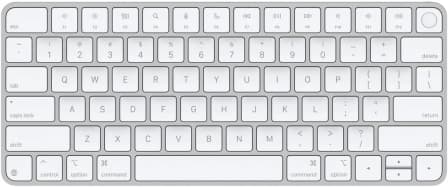
Low-profile scissor switches mimic MacBook feel, reducing finger fatigue during long typing sessions.
Scissor-switch mechanism produces muted clicks, lowering office noise and social stress in shared environments.
Aluminum-and-plastic slim construction is durable and easy to carry, supporting long-term device use.
Bluetooth pairing with USB-C charging provides untethered use and faster, universal cable compatibility.
Trade-Offs
Touch ID’s secure pairing works mainly with Apple Silicon Macs, causing cross-device friction and stress.
Integrated rechargeable battery and glued assembly limit repairability, increasing potential electronic-waste over lifetime.
Aluminum chassis machining and component sourcing have higher manufacturing emissions than recycled-plastic alternatives.
Low-profile fixed angle design lacks height/tilt adjustment, which may increase wrist discomfort over long use.
No key backlighting reduces visibility in dim environments, increasing eye strain and typing errors.
Design prioritizes comfort over low-latency switches, leading to input lag and inconsistent multi-key responses.
 Alternatives


Join the Circle
Where real meets deal
Know what's worth buying-and when.
Tips, special offers, and rewards for buying and sharing.

Publications
3 LEADING PUBLICATION REVIEWS

RTINGS highlights the Apple Magic Keyboard with Touch ID as a well-built, low-profile keyboard that excels in typing comfort and quiet operation, making it ideal for office and everyday use. The reviewer appreciates the improved tactile feedback over the previous model and the convenience of Touch ID for M1 Mac users, though this feature’s limited compatibility with other Apple devices and operating systems is a notable drawback. Despite solid Bluetooth connectivity, the keyboard lacks multi-device pairing, backlighting, and key reprogramming options, which may disappoint power users. Performance-wise, it is unsuitable for competitive gaming due to high latency and inconsistent multi-key input, though casual gaming and general productivity are well supported. The keyboard’s design is sturdy but exhibits some key wobble and rattling on larger keys. Overall, RTINGS presents a balanced view, praising the keyboard’s typing experience and build quality while candidly addressing its limitations in gaming, customization, and cross-platform functionality.
By Samuel Breton; Nicholas Di Giovanni; Yannick Khong
Zackery Cuevas from PCMag highlights that the Apple Magic Keyboard with Touch ID (USB-C) remains largely unchanged from its predecessor, with the key update being the switch from Lightning to USB-C charging. While the keyboard retains its sleek, lightweight design and quiet scissor-switch keys, it lacks modern features like backlighting, improved ergonomics, and multi-device Bluetooth connectivity, which competitors offer at lower prices. Cuevas praises the reliable and easy-to-set-up Touch ID functionality, especially for Apple Silicon Macs, but expresses frustration that Apple has not significantly innovated this flagship keyboard in years. The review acknowledges the keyboard’s charm and solid performance for existing fans but suggests that users seeking meaningful upgrades or enhanced versatility might find better value in third-party alternatives. Overall, the sentiment is cautiously positive but tempered by disappointment over the minimal changes and high cost.
By Zackery Cuevas
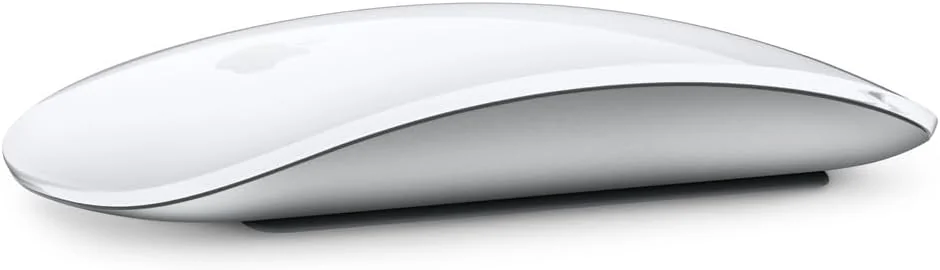
Tim Brookes from How-To Geek highlights that Apple’s Magic Keyboard with Touch ID (USB–C) is primarily a straightforward update focused on replacing the Lightning charging port with USB-C, without any significant design or feature changes. While the keyboard retains Apple’s familiar low-profile typing experience that many users appreciate—especially those transitioning from MacBook keyboards—the review is measured and somewhat cautious about recommending an upgrade. The Magic Keyboard remains a solid choice for fans of Apple’s style, but the lack of innovation means there’s little incentive to replace perfectly functional older models. Brookes also points out that the Magic Mouse, despite the USB-C update, continues to suffer from ergonomic and usability issues, making it less appealing. Overall, the review conveys a balanced, mildly positive tone, praising the keyboard’s typing feel but advising users to hold off on upgrading unless necessary, emphasizing practicality over hype.
By Tim Brookes

YouTube
2 LEADING EXPERT & INFLUENCER REVIEWS
 zollotech
Aaron from Zollotech praises the Apple Magic Keyboard with Touch ID (USB–C) for its seamless Touch ID integration, reliable wireless pairing, and familiar, comfortable typing experience. He notes the USB-C charging upgrade but expresses disappointment over the lack of backlighting and design changes, highlighting Touch ID as its standout convenience for Mac users.
Adam Talks TechAdam Talks Tech praises the Apple Magic Keyboard with Touch ID (USB–C) for its seamless biometric security, reliable Bluetooth connection, and premium Apple build quality. He highlights the identical MacBook typing experience and convenient USB–C charging. However, he notes drawbacks like the lack of multi-device switching, no backlighting, limited color options, and a high price, making it ideal mainly for Apple Silicon Mac users valuing Touch ID integration.

Store Reviews
CUSTOMER REVIEWS FROM 1 STORE
Customers on Best Buy provide positive feedback and generally express satisfaction with the Apple Magic Keyboard with Touch ID (USB–C).
4.7 Stars / Few reviews

Forum Reviews
CUSTOMER REVIEWS FROM 1 FORUM
Reddit users generally appreciate the Apple Magic Keyboard with Touch ID (USB-C) for its sleek design, reliable performance, and seamless integration with macOS, particularly praising the convenience of Touch ID and the switch to USB-C connectivity. However, some express frustration over compatibility issues with older macOS versions, requiring updates for full functionality, and the lack of backlighting is a common drawback, especially for those who work in low-light environments. Design changes like the repositioned function key receive mixed reactions. Overall, new shoppers are excited about the features and modern connectivity, while upgraders note some software limitations and question the value given the price.
Many comments

In-Depth Review

Highlights
- •Touch ID convenienceFast, secure fingerprint login
- •Long battery lifeApproximately one month per charge
- •Typing feelLow‑profile scissor switches, quiet
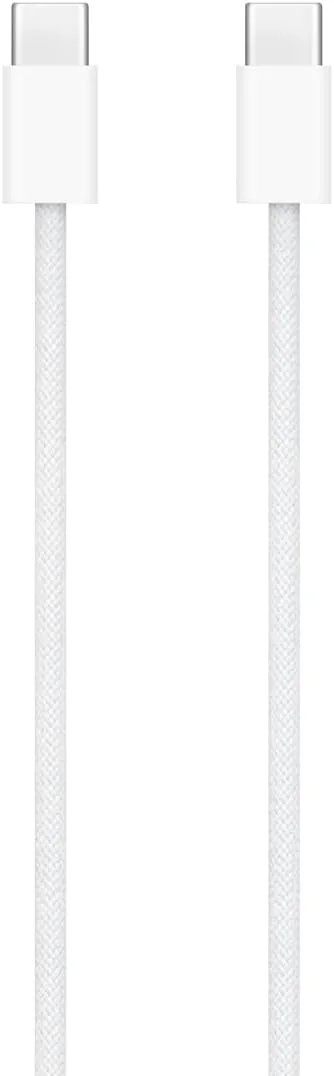
- •USB‑C charging and cableUSB‑C port with woven cable included
- •macOS integrationInstant pairing with Apple Silicon Macs
- •PortabilityCompact, lightweight tenkeyless form

Considerations
- •No key backlightingNo illuminated keys for low light
- •Touch ID limitationsOnly works on Apple Silicon; OS‑dependent
- •Intermittent hardware issuesReports of function‑key failures or key loss
- •No multi‑device switchingRequires re‑pairing or cable to switch
- •Higher cost versus featuresPremium price, missing some expected features
- •Fixed ergonomicsNo adjustable angle or integrated wrist rest
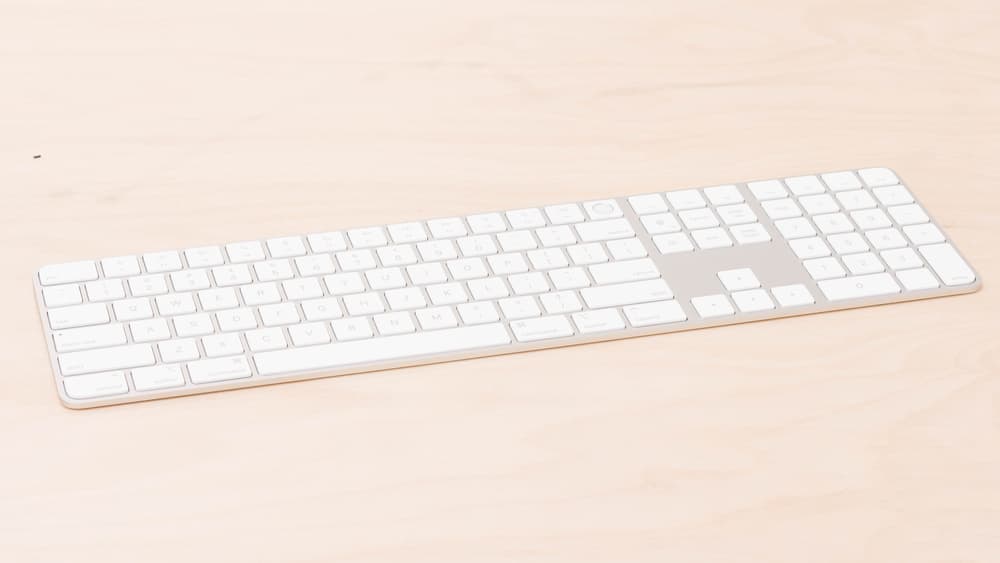
Apple’s Magic Keyboard with Touch ID (USB–C) steps into the spotlight as a sleek, minimalist wireless keyboard tailored for Mac users craving seamless security and smooth typing. Marketed to offer fast biometric authentication through its integrated Touch ID sensor, it promises effortless logins and Apple Pay convenience on Apple Silicon Macs. This model embraces modernity with a long-lasting rechargeable battery, powered via the newly adopted USB-C port paired with a durable woven cable—an upgrade from Lightning predecessors. Typing enthusiasts will appreciate the familiar low-profile scissor switches that echo MacBook comfort, while connectivity is versatile thanks to reliable Bluetooth alongside wired options. Though build quality reflects Apple's signature aluminum finish, it notably lacks backlighting—a point of contention among some users expecting illuminated keys at this price tier. Whether you’re a productivity pro or casual typist seeking ergonomic consistency and enhanced security, these features shape your experience—so buckle up for an exploration of what truly sets this keyboard apart in Apple's lineup.
Typing Feel / Key Mechanism
With low-profile scissor switches mirroring those found on MacBooks, typing feels remarkably familiar yet precise, offering satisfying tactile feedback that keeps fingers happy during long sessions. Experts note minimal key travel combined with quiet operation creates a balance between speed and comfort; however, some typists miss deeper mechanical feedback or backlighting cues under dim conditions. Overall, it's tailored well for productivity but may not satisfy heavy gaming demands.
Touch ID Performance
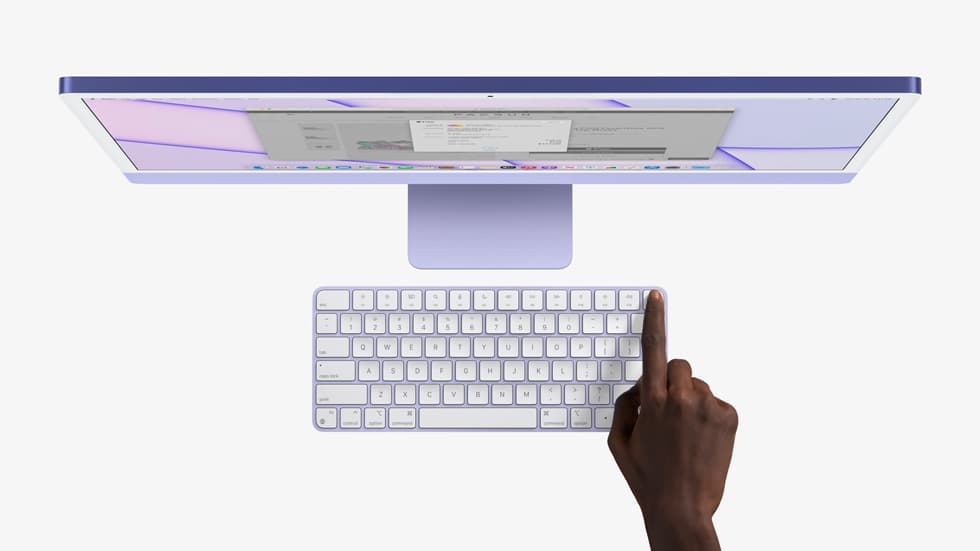
Unlocking your Mac has never been so slick with the integrated Touch ID sensor on this keyboard, delivering fast and secure authentication that experts hail as a genuine game-changer. Users praise its near-instant fingerprint recognition, enabling seamless logins and Apple Pay transactions. However, it requires an Apple Silicon Mac running macOS 15.1 or later to function fully—no love for Intel models here. This biometric security adds serious convenience without compromising privacy, making the Touch ID feature one of the keyboard’s standout strengths.
Connectivity & Pairing (Bluetooth / USB‑C)
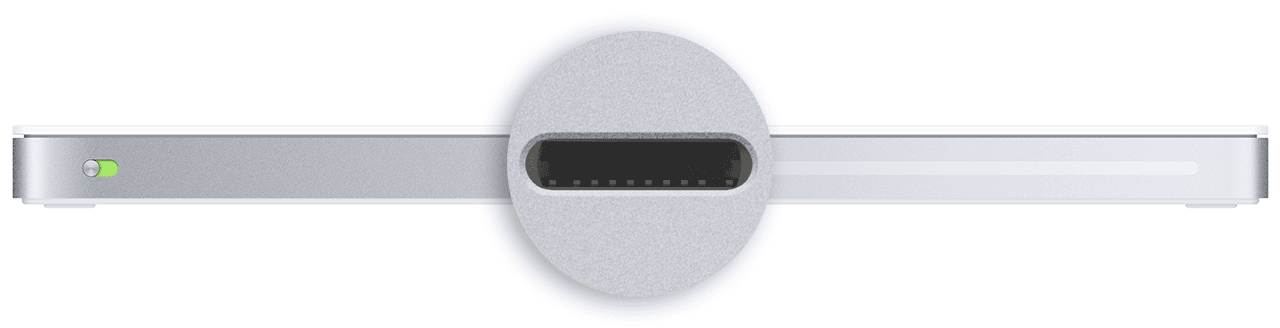
Seamless connectivity comes standard: Bluetooth ensures reliable wireless pairing while the newly added USB-C port allows quick wired connection plus simultaneous charging—much applauded by reviewers who value versatility in workspace setups. The automatic pairing when plugged in is especially handy but lacks multi-device switching buttons seen elsewhere; device hopping involves unplugging or re-pairing steps which can frustrate power users craving effortless toggling across devices.
Battery Life
Boasting an impressive one-month battery life per charge, this keyboard shines in longevity compared to competitors often needing weekly top-ups. The built-in rechargeable lithium-ion battery supports both wireless use and USB-C wired charging via the included woven cable—a detail users appreciate for durability and convenience. While real-world results vary slightly by usage patterns, consistent reports highlight its ability to keep pace with busy workdays without frequent recharging hassles.
Build Quality & Materials
Crafted from aluminum housing paired with ABS keycaps, build quality earns kudos for solid feel and durability expected at this price point though isolated user reports mention minor key wobble or wear over time on heavily used keys like A and S. The sleek finish aligns perfectly with Apple's minimalist aesthetic philosophy while maintaining sturdiness suitable for daily office grind—the construction strikes a confident middle ground between style and substance.
Conclusion
Touch ID performance steals the spotlight with its swift, secure authentication, delivering a tangible boost to daily workflow. The keyboard’s battery life impresses by lasting roughly a month per charge, easing charging anxiety. Typing feel leans into familiarity with low-profile scissor switches, satisfying users who crave MacBook-like precision without noise distractions. Connectivity shines through dual options: rock-solid Bluetooth and convenient USB-C wired pairing, though lacking multi-device toggling may irk some multitaskers. Build quality stays true to Apple’s hallmark aluminum finish but falters slightly in key stability for heavy typists. The glaring omission of backlighting leaves night owls wanting more from this otherwise sleek package. This keyboard fits best in hands valuing seamless macOS integration and biometric security over flashy extras—where convenience trumps customization and style meets substance in measured doses worth considering carefully before purchase decisions are made.

Feature Scores
This reflects reviews and ratings from established critics, journalists, and users who have evaluated the item. Their opinions provide a comprehensive assessment.
Performance
Key Switch Responsiveness
4/5
Typing Accuracy
4/5
Build Durability
4/5
Connectivity Reliability
4/5
Battery Life
5/5
NKRO Support
1/5
Firmware Reliability
3/5
Value
Price-to-Features Ratio
3/5
Warranty and Support
4/5
Resale Value
4/5
Design
Ergonomics
3/5
Layout Variety
3/5
Keycap Quality
4/5
Aesthetics and Finish
4/5
Backlighting and Visuals
5/5
Portability
4/5
Health
Wrist Support Availability
1/5
Noise Level
4/5
Materials Safety
TBD
Safety
Electrical and Battery Safety
4/5
Wireless Security and Privacy
4/5
Sustainability
Recyclability and End-of-Life
TBD
Repairability and Modularity
TBD
Sustainable Materials Use
TBD
Energy Efficiency
TBD
Experience Style
Customization and Programmability
1/5
Ease of Setup and Use
5/5
Hot-Swap and Typing Feel Customization
1/5

Specifications
This section outlines the product's key facts, covering essential features, details, dimensions, materials, and any unique characteristics that define its functionality and usability.
Performance
Value
Design
Safety
Sustainability
Experience Style

Frequently Asked Questions
10 Questions


Find Yours
What type of keyboard mechanism do you prefer?
Answer to find your best matches.