

Logitech MX Master 3S Wireless Mouse
Ergonomic, quiet, and highly customizable with excellent battery life, yet some durability concerns remain.
The Logitech MX Master 3S Wireless Mouse is a productivity maestro designed for desk-bound pros craving comfort and precision. Its ergonomic right-hand design cradles your hand like a bespoke glove, while the MagSpeed electromagnetic scroll wheel zips through documents with silky smoothness. Users love the quiet clicks and extensive customization, though some flag durability issues with switches and coating wear. The impressive 8,000 DPI Darkfield sensor tracks on glass, boosting versatility beyond typical mice. Dual connectivity via Bluetooth and Logi Bolt keeps multitasking seamless, backed by a battery that lasts up to 70 days with quick USB-C charging. A premium pick that balances flair against minor quirks in build longevity.








Find Yours
How do you prefer to connect your mouse?
Answer to find your best matches.

The Field
Browse top contenders, or compare all options ranked by score and key attributes.
3 Options



The Scoreboard
Does this improve your life? Considers, health, habits, and environmental impact.
Benefits
Sculpted right‑hand shape reduces wrist and forearm strain, unlike flat minimalist mice.
Quieter switches lower ambient noise and stress in shared or recording spaces.
Fast MagSpeed vertical and thumb horizontal scrolling reduces repetitive motions, unlike single‑wheel mice.
8000‑DPI Darkfield tracks on glass, removing need for a mousepad and awkward positioning.
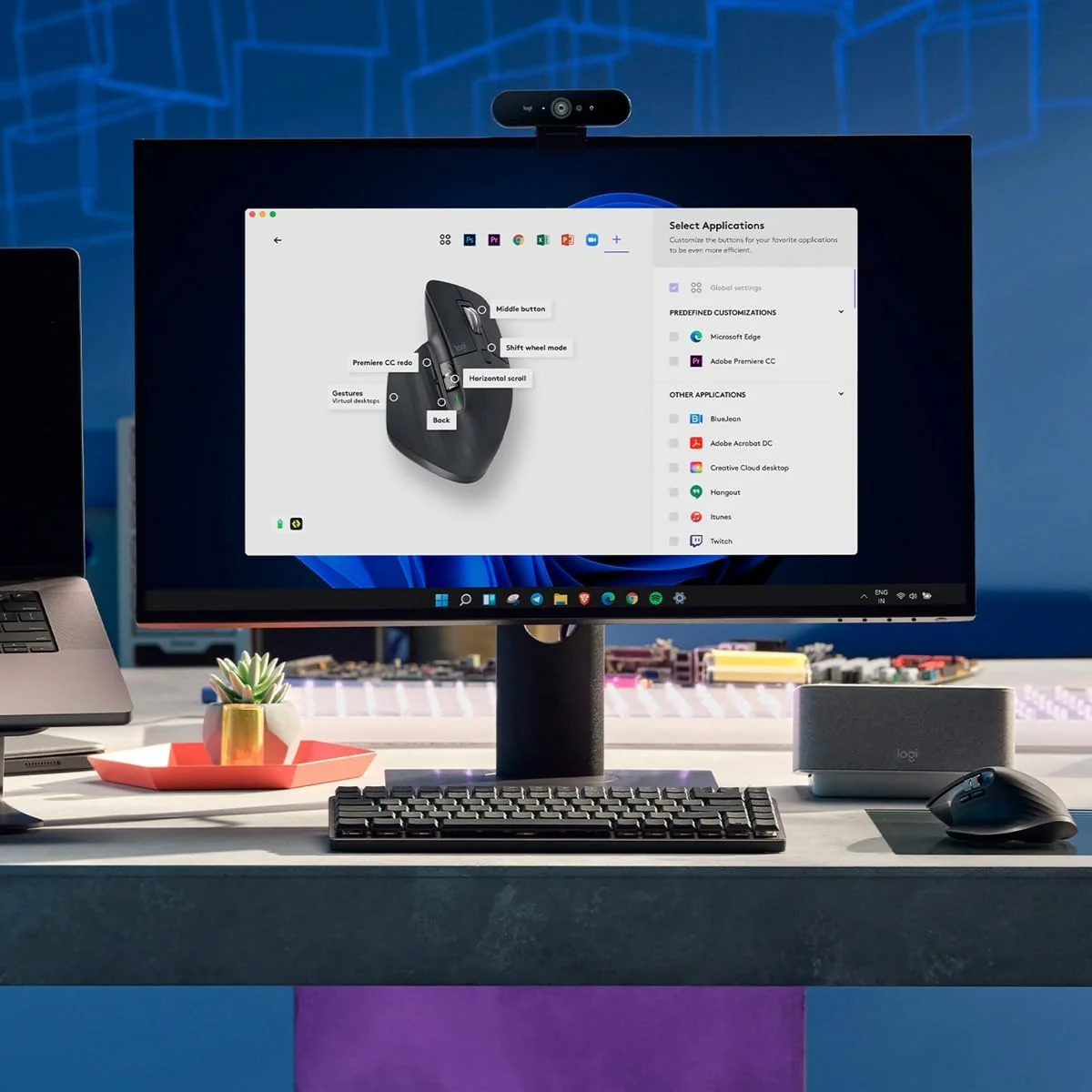
Flow and Options+ let you switch devices and map shortcuts, lowering multitask friction.
Uses recycled materials and reduced packaging, diverging positively from many competitors' practices.
Trade-Offs
Built‑in battery limits lifespan and increases e‑waste compared with user‑replaceable designs.
Heavy sculpted shape can strain smaller hands and reduces comfort, unlike compact ergonomic alternatives.
125Hz polling and sensor tuning can cause lag and reduced responsiveness for competitive gamers.
Intermittent smart‑shift behavior and rapid‑scroll glitches disrupt flow and increase corrective motions.
Soft‑touch finish can degrade, exposing plastic and prompting earlier replacement than metal alternatives.

 Alternatives


Join the Circle
Where real meets deal
Know what's worth buying-and when.
Tips, special offers, and rewards for buying and sharing.

Publications
10 LEADING PUBLICATION REVIEWS

RTINGS highlights the Logitech MX Master 3S as a refined evolution of Logitech’s acclaimed MX Master productivity line, emphasizing its exceptional build quality, ergonomic right-handed design, and notably quieter click buttons. The mouse excels in office and productivity settings, offering versatile wireless connectivity via Bluetooth or the new BOLT receiver, extensive customization options, and dual scroll wheels with adaptive scrolling modes. However, the review points out several drawbacks: its bulky size and weight may not suit smaller hands or portability needs, and it lacks a USB receiver storage compartment. While adequate for casual MMO and FPS gaming, the MX Master 3S’s sensor and polling rate limit its appeal for competitive gaming. A notable concern is the inconsistent vertical scroll wheel behavior during rapid scrolling, an issue replicated in testing and reported by users, though not officially addressed by Logitech. Overall, the MX Master 3S is praised as a top-tier productivity mouse with thoughtful improvements but with some ergonomic and performance trade-offs that potential buyers should consider.
By Kelsey Linhares; Gregory Vodden; John Peroramas
Avram Piltch from Tom’s Hardware highlights the Logitech MX Master 3S as the premier wireless productivity mouse, praising its comfortable ergonomic design, highly customizable buttons, and the innovative MagSpeed scroll wheel that effortlessly switches between smooth and ratcheted scrolling. The upgraded 8,000 DPI sensor and quieter click switches are notable improvements, though the softer button feel divides opinion. The reviewer appreciates Logitech’s Flow software for seamless multi-device control, especially in multi-monitor setups, but notes some usability quirks like the awkwardly placed device-switching button on the mouse’s underside and limited button remapping options. While the MX Master 3S closely resembles its predecessor, its refined features and excellent build quality make it a top choice for professionals, creatives, and multitaskers. However, those already using the MX Master 3 may find the incremental upgrades insufficient to justify an immediate upgrade. Overall, the review conveys a strongly positive but measured enthusiasm, emphasizing productivity gains balanced with minor ergonomic and software limitations.
By Avram Piltch
Eric Grevstad from PCMag highlights the Logitech MX Master 3S Wireless Mouse as a top-tier productivity tool that builds on the success of its predecessor with subtle but meaningful improvements. Praising its exceptional comfort, versatile customization through Logi Options+, and the upgraded 8,000 dpi Darkfield sensor, Grevstad emphasizes the mouse’s suitability for multitasking across multiple monitors and operating systems. The nearly silent clicks and refined scroll wheel add to its appeal, though the softer button feel may not suit those who prefer firmer feedback. While the lack of a left-handed version and absence of a receiver storage compartment are noted drawbacks, the mouse’s long battery life, seamless device switching, and environmentally conscious design stand out. Grevstad’s review conveys genuine enthusiasm for the MX Master 3S’s blend of ergonomic design and advanced features, positioning it as the best mainstream wireless mouse for users prioritizing productivity and precision.
By Eric Grevstad
Jon Porter from The Verge highlights the Logitech MX Master 3S as a thoughtful, productivity-focused update to an already excellent mouse. He praises its sculpted ergonomic design, satisfying dual scroll wheels, and notably quieter clicks, which make it ideal for shared workspaces and recording calls. However, Porter tempers enthusiasm with practical caveats: the higher 8,000 DPI sensor offers little real benefit for most users and can even reduce accuracy, while the mouse’s 125Hz polling rate limits responsiveness compared to gaming mice. Connectivity issues with the included Bolt USB receiver—especially interference from metal docks—require a workaround, though Bluetooth remains a reliable alternative with some trade-offs. Overall, Porter sees the MX Master 3S as a solid choice for office and creative professionals prioritizing comfort and quiet operation, but not a must-have upgrade for existing MX Master 3 owners or gamers. The review balances detailed feature insights with real-world testing, offering a nuanced, measured endorsement.
By Jon Porter
Myles Goldman from Digital Trends highlights the Logitech MX Master 3S as an exceptionally comfortable and productivity-focused wireless mouse, praising its ergonomic design, especially the thoughtfully crafted thumb rest and the innovative side scroll wheel that greatly enhances navigation through large spreadsheets. He appreciates the quiet yet tactile Quick Click switches and the impressive 70-day battery life with rapid charging, which outperforms many competitors. While the mouse’s weight and the rubber-coated white finish attracting dirt are noted drawbacks, these are minor compared to its overall strengths. Goldman also acknowledges that the MX Master 3S is not a significant upgrade over its predecessor, the MX Master 3, making the older model a viable alternative if found at a discount. Unique insights include the reviewer’s personal experience with hand injury recovery and how the mouse’s ergonomics alleviated discomfort, as well as a candid test of the mouse’s limited gaming suitability. Overall, the review conveys a warm, enthusiastic endorsement for productivity users seeking comfort and efficiency.
By Myles Goldman
Peter Wolinski from Tom’s Guide highlights the Logitech MX Master 3S as a premium productivity mouse that builds thoughtfully on its acclaimed predecessor. Praising its refined design, quiet clicks, and highly customizable controls—especially the dual scroll wheels and gesture support—the review emphasizes how these features enhance complex workflows and multitasking. The mouse’s ergonomic shape offers moderate wrist support, though it may not fully satisfy users with chronic wrist pain seeking vertical designs. Battery life is solid but unremarkable, and while the 8,000 DPI sensitivity suits casual gaming, it’s not aimed at competitive players. Wolinski notes Logitech’s software is functional but less flexible than some competitors. The review also points out the lack of a left-handed version as a notable downside. Overall, the MX Master 3S is recommended as a well-built, feature-rich tool for professionals willing to invest in a premium, right-handed office mouse that excels in customization and comfort.
By Peter Wolinski
ZDNet highlights the Logitech MX Master 3S as a thoughtful, iterative upgrade to the highly regarded MX Master 3, retaining its acclaimed ergonomic design while introducing quieter “Quiet Click” switches and an enhanced 8,000 DPI sensor. The review praises the mouse’s comfort, precise tracking—especially beneficial for high-resolution or ultra-wide monitors—and extensive customization options via Logi Options+, including programmable buttons and the innovative Flow multi-device control. Unique insights include the trade-off between quieter but less tactile clicks, which may divide user preference, and the awkward placement of the gesture button. The review also notes Logitech’s sustainability efforts in materials and packaging. Criticisms focus on the lack of a left-handed model, the USB-A Logi Bolt receiver without a USB-C adapter, and the somewhat inconvenient Easy-Switch button placement. Overall, the MX Master 3S is recommended as the best productivity mouse at its price point, with the original MX Master 3 remaining a viable alternative for those preferring more tactile feedback.
By Kerry Wan
Phillip Tracy from Gizmodo highlights the Logitech MX Master 3S as a refined evolution of an already excellent productivity mouse, praising its quieter clicks, higher maximum DPI, and exceptional comfort. He appreciates the silent left and right buttons, which reduce noise significantly without sacrificing tactile feedback, making it ideal for shared or quiet workspaces. The review emphasizes the mouse’s ergonomic design, customizable buttons via Logitech’s intuitive software, and the standout MagSpeed scroll wheel with smart adaptive scrolling modes. Tracy also values the seamless multi-device profile switching and reliable connectivity options. While he notes some drawbacks—such as the mouse’s large size being unsuitable for smaller hands, the absence of a USB receiver garage, and a desire for wireless charging compatibility—these are framed as minor quibbles. Overall, he regards the MX Master 3S as a top-tier choice for productivity users, especially those new to the Master series, offering meaningful improvements at the same price point.
By Phillip Tracy
Dave McQuilling from How-To Geek highlights the Logitech MX Master 3S Wireless Mouse as an exceptionally practical and reliable companion for everyday use. He praises its outstanding tracking performance on virtually any surface—including glass, mirrors, and even curved sofa arms—making it highly versatile. The mouse’s quiet clicks, long battery life, and seamless multi-device switching add to its appeal. McQuilling appreciates the ergonomic design and the dual-scroll wheel system, which enhances productivity, especially in creative tasks like photo editing. While noting the limited number of buttons and occasional minor scroll wheel imprecision, he finds these drawbacks negligible given the extensive remapping options and overall comfort. The mouse’s durability also impressed him, surviving multiple accidental drops without damage. Overall, McQuilling conveys genuine enthusiasm, emphasizing the MX Master 3S’s blend of functionality, build quality, and thoughtful features, recommending it as a worthwhile investment for Bluetooth mouse users seeking a premium experience.
By Dave McQuilling
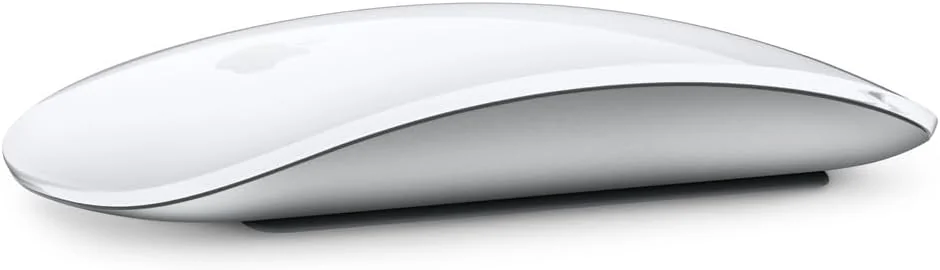
Brad Moon from Forbes highlights the Logitech MX Master 3S Wireless Mouse as an outstanding choice for Mac users seeking comfort and productivity beyond what Apple’s Magic Mouse offers. He praises its ergonomic, right-handed design, superior scrolling experience with the machined steel MagSpeed wheel, and long battery life with convenient USB-C charging that allows use while plugged in—addressing key frustrations with Apple’s mouse. The review emphasizes the mouse’s multi-device support, customizable buttons via Logitech’s Options+ software, and the innovative Flow feature for seamless cross-device control. While noting the MX Master 3S’s larger, less minimalist form factor and right-hand-only limitation, Moon finds these trade-offs worthwhile for extended use. He also provides practical maintenance tips and acknowledges that upgrades from previous models are incremental. Overall, Moon’s tone is enthusiastic yet measured, recommending the MX Master 3S as arguably the best mouse for Mac users focused on comfort and productivity.
By Brad Moon

YouTube
10 LEADING EXPERT & INFLUENCER REVIEWS
 Decoding Labs
Decoding Labs praises the Logitech MX Master 3S for its refined ergonomic design, upgraded 8,000 DPI Darkfield sensor, and significantly quieter clicks, enhancing precision and comfort for professionals. While appreciating the MagSpeed scroll wheel and multi-device switching, they note minor drawbacks like the bulky USB-A Logi Bolt receiver and lack of left-handed or smaller versions.
Rafael LudwigRafael Ludwig praises the Logitech MX Master 3S for its near-silent clicks, extensive customization via Logitech Options+, and seamless multi-device switching—ideal for creative workflows. He highlights the thumb wheel’s utility and excellent battery life, while noting minor drawbacks like the awkward thumb rest button and non-replaceable battery. Overall, a reliable, ergonomic tool for professionals.
Cameron Dougherty TechCameron Dougherty Tech praises the Logitech MX Master 3S for its ergonomic design, premium build, and standout MagSpeed electromagnetic scroll wheel, highlighting its productivity benefits and quiet clicks. However, he notes concerns about its large size, weight, soft-touch coating durability, occasional button failures, lack of wired mode, and intermittent connectivity issues, offering a balanced, insightful perspective.
Adam Talks TechAdam Talks Tech praises the Logitech MX Master 3S for its superior ergonomic comfort, larger size, and unique features like the horizontal scroll wheel and thumb gesture button, which enhance productivity—especially for Mac users. He notes quieter clicks and seamless multi-device Bluetooth switching. However, he mentions the MX Anywhere 3S is better for portability and simpler use, with some trade-offs in customization ease.
UpgradeitisUpgradeitis praises the Logitech MX Master 3S Wireless Mouse for its ergonomic design, ultra-quiet clicks, and customizable MagSpeed scroll wheels, calling it a productivity game-changer and a comfortable extension of the body. While noting its higher price and heavier weight may not suit gamers, the reviewer highly recommends it for professionals seeking comfort and precision.
Dem Crumblies TechDem Crumblies Tech praises the Logitech MX Master 3S for its ergonomic comfort, precise tracking (including on glass), and quiet clicks, highlighting its strong multi-device support and customization via Logitech Options+. However, he notes drawbacks like the soft-touch coating’s wear, lack of onboard memory, no wired mode, and a low 125 Hz polling rate, suggesting the MX Master 3S remains a solid choice without needing an immediate upgrade.
Mario DuchMario Duch praises the Logitech MX Master 3S for its ergonomic design, ultra-quiet clicks, and versatile MagSpeed scroll wheel with smart shift. He highlights excellent customization options and impressive 8,000 DPI Darkfield sensor that tracks on glass. Minor Bluetooth lag and right-hand-only design are noted, but overall he finds it a worthy $100 investment for productivity.
TechPod ZATechPod ZA praises the Logitech MX Master 3S Wireless Mouse for its ergonomic comfort, extensive customization, and impressive productivity features like the adaptive MagSpeed scroll wheel and multi-device switching. While appreciating its long battery life and sleek design, they note the mouse feels busy with many buttons and find the middle scroll wheel’s build somewhat cheap. Overall, they recommend it as a brilliant, economical choice for professionals seeking a versatile, comfortable productivity mouse.
romyromy praises the Logitech MX Master 3S Wireless Mouse as an exceptional productivity tool, emphasizing the power of the Logi Options+ software for extensive customization and workflow efficiency. He highlights features like customizable buttons, smart zoom, horizontal scrolling, and multi-device switching, while noting the ergonomic design and quiet clicks. Minor criticism includes the awkward thumb button placement. Overall, romy finds the mouse’s software-driven capabilities transformative for multitasking and creative work.
James ShinJames Shin praises the Logitech MX Master 3S Wireless Mouse for its premium build, ergonomic sculpted shape, and feature-rich design, including the metal MagSpeed scroll wheel and customizable buttons via Logi Options+. However, he finds it too large for his small hands, preferring the more compact and ergonomic Logitech Lift for daily use.

Social
7 INFLUENCER REVIEWS
 Switch and Click
Switch and Click highlights the Logitech MX Master 3S as a beloved, heavily used mouse praised for its exceptional productivity and ergonomic design. They emphasize the dual scroll wheels—vertical and horizontal—and the infinite scroll feature, which make navigation seamless, along with impressive battery life and a shape that reduces wrist strain. Overall, Switch and Click enthusiastically recommends the MX Master 3S as an ideal upgrade for users seeking comfort and efficiency, though they hint at having found a newer favorite after extensive testing. The review conveys genuine affection and respect for the mouse’s capabilities, making it a strong choice for productivity-focused users.
Jay BuderiyaJay Buderiya highlights the Logitech MX Master 3S as a highly customizable, ergonomic mouse ideal for video editors, praising its seamless multi-device connectivity, deep button customization, and impressive three-month battery life. He shares personal insights on comfort for larger hands and workflow efficiency with Premiere Pro shortcuts. Overall, Jay finds the MX Master 3S totally worth it for professional users but advises beginners to consider more affordable alternatives, as the price may not justify the investment at an early editing stage. His recommendation is thoughtful and balanced, emphasizing value for serious editors.
NaaackersNaaackers highlights the Logitech MX Master 3S’s unique horizontal scroll wheel but expresses clear frustration with its recessed design and noticeable wireless input lag, which makes horizontal scrolling feel sluggish and imprecise. They appreciate the smart shift mode and creative remapping options, offering practical workarounds despite the wheel’s shortcomings. Overall, Naaackers finds the mouse solid for productivity but hesitates to fully endorse the horizontal scroll feature due to its poor responsiveness. They recommend using keyboard shortcuts or remapping the wheel for other functions, suggesting the MX Master 3S is a good choice with some caveats rather than a flawless upgrade.
 Liberty TGP
Liberty TGP raves about the Logitech MX Master 3S as the best mouse they've ever used for work, praising its silent clicks, versatile sensor, and innovative gesture button. They highlight the smart scroll and seamless multi-PC control, calling the file transfer feature “like magic” and expressing genuine enthusiasm without any promotional tone. Overall, Liberty TGP strongly recommends the MX Master 3S for productivity, emphasizing how it transformed their workflow and made switching to another mouse hard to imagine. Their firsthand excitement and detailed examples make this a compelling endorsement for anyone seeking a high-performance wireless mouse.
khmrchkkhmrchk highlights their strong enthusiasm for the Logitech MX Master 3S Wireless Mouse, praising its reliability and seamless performance over two years with a Windows setup. They share a unique insight about compatibility issues when switching to Mac, noting the need to buy the Mac-specific version despite the original working partially, reflecting real-world user challenges. Overall, khmrchk recommends the MX Master 3S highly for its quality and smooth experience but advises Mac users to consider the dedicated Mac model to avoid known scrolling glitches. Their review balances genuine excitement with practical caveats, making it a thoughtful endorsement.
Project ZProject Z highlights the Logitech MX Master 3S Wireless Mouse as a top-tier device with exceptional ergonomic comfort and standout MagSpeed scrolling, which delivers remarkable speed, precision, and near silence. They emphasize the game-changing customization via Logitech Options+ software and note that using the Lightspeed receiver ensures smooth, consistent scrolling without the common Bluetooth lag issues others report. Overall, Project Z is genuinely impressed and highly recommends the MX Master 3S, praising its blend of advanced features and comfort that significantly enhance workflow. Their endorsement feels confident and enthusiastic, grounded in detailed personal experience with the mouse’s performance and software integration.
Winny TapajósWinny Tapajós highlights the Logitech MX Master 3S Wireless Mouse as a near-perfect upgrade from her previous Apple mouse, praising its convenient charging port placement, customizable buttons, multi-device connectivity, long battery life, and ergonomic design. She notes a minor adaptation challenge due to its bulkier shape interfering with her digital pen use. Overall, Winny strongly recommends the MX Master 3S for its superior functionality and value compared to Apple’s mouse, emphasizing its popularity and affordability. Despite a small personal adjustment issue, she enthusiastically endorses it as an excellent choice for users seeking a versatile, high-quality wireless mouse.

Store Reviews
CUSTOMER REVIEWS FROM 1 STORE
Amazon users consistently praise the Logitech MX Master 3S Wireless Mouse for its ergonomic design and premium build quality, highlighting how comfortably it fits the hand and reduces wrist fatigue during extended use. Reviewers emphasize the mouse’s smooth, quiet clicks and the satisfying tactile feedback, especially appreciating the textured thumb rest and the metal scroll wheel that enables both fast and precise scrolling. Many applaud the extensive customization options available through the Logi Options app, which allows effortless programming of multiple buttons and gesture controls tailored to different applications, boosting productivity significantly. Users also value the dual connectivity feature, seamlessly switching between up to three devices via Bluetooth or the Logi Bolt USB receiver. The rechargeable battery impresses with its longevity, often lasting weeks on a single charge, and users enjoy the convenience of using the mouse while it charges. Several reviewers note the soft rubberized coating that resists fingerprints and oils, maintaining a clean, premium feel over time. While most find the mouse’s weight adds to its solid, premium experience and suits those needing stability, some mention it may feel heavy for fast-paced gaming. A few users wish for additional side buttons or a locking mechanism for the side scroll wheel to enhance comfort further. Opinions on value vary, with many considering the price justified by the features and quality, though some find it expensive. A minority report functional issues after prolonged use, such as unresponsiveness or hardware failures, but these experiences appear less common. Overall, Amazon reviewers celebrate the MX Master 3S as a versatile, high-performance mouse that excels in comfort, customization, and battery life, making it a top choice for professionals and power users alike.
4.4 Stars / Many verified reviews

Forum Reviews
CUSTOMER REVIEWS FROM 1 FORUM
The Logitech MX Master 3S Wireless Mouse receives mixed reviews from users, with praise for its ergonomic design, comfortable grip, and productivity-enhancing features like the infinite scroll wheel and multi-device switching. Many appreciate its battery life and customization options, especially for coding and office work. However, significant criticism centers on durability issues, particularly with the left-click button failing after moderate use, and the rubberized coating degrading over time. Performance concerns include a low polling rate causing cursor lag and inconsistent sensor behavior, which frustrates users seeking precision. While some longtime users remain loyal, others express disappointment in quality and reliability, especially those upgrading from earlier models.
Many comments

In-Depth Review

Highlights
- •Ergonomic right‑hand designContoured thumb rest and palm support
- •Promoted as MagSpeed scrollingElectromagnetic wheel: free‑spin and ratchet
- •Quiet click mechanismAdvertised to reduce click noise substantially
- •Marketed as 8K Darkfield sensorTrack-on-glass capability (up to 8,000 DPI)
- •Long battery + fast chargeUp to ~70 days; 1 min = hours
- •Multi‑device & Flow controlPair three devices; clipboard/file transfer

Considerations
- •Primary switch durabilityIntermittent left‑click failures reported
- •Coating wear and discolorationSoft‑touch finish can degrade over time
- •Scroll wheel inconsistenciesOccasional erratic or missed scroll inputs
- •Low polling for gaming125 Hz behavior affects fast response
- •Software stability/feature quirksLogi Options+ required; mixed reliability
- •Dongle placement & switchingBottom Easy‑Switch and receiver issues noted
Logitech’s MX Master 3S Wireless Mouse continues the brand's legacy of delivering ergonomic comfort tailored for right-handed users who spend hours at their desks. Designed as a productivity powerhouse, it features an upgraded MagSpeed electromagnetic scroll wheel, enabling both ultra-fast and precise scrolling across documents and timelines. The mouse boasts an enhanced 8K DPI Darkfield sensor that tracks smoothly on virtually any surface, including glass—a rare capability in its class. Built with soft-touch materials and durable switches, this model balances feel with longevity while supporting seamless connectivity via Bluetooth or the secure Logi Bolt receiver to manage multiple devices effortlessly. Its impressive battery life paired with rapid USB-C charging rounds out a package aimed squarely at professionals craving efficiency without compromise. Whether you’re crunching spreadsheets or designing graphics, these highlights set the stage for understanding how this mouse blends form and function into one sleek tool worth exploring thoroughly.
Scroll Wheel System (MagSpeed)
Experience scrolling like never before with the MagSpeed electromagnetic scroll wheel delivering ultra-fast precision—up to 1,000 lines per second—and whisper-quiet operation. Toggle between ratchet mode’s tactile bumps and free-spin smoothness manually or via SmartShift auto-switching based on scroll speed. A secondary horizontal thumb wheel adds another dimension of control perfect for spreadsheets or timelines. Users applaud its reliability and versatility as a standout feature that redefines how you navigate documents with seamless finesse.

Build Materials & Durability (coating, switches)
Crafted from durable plastics paired with soft-touch rubber grips, this mouse offers solid construction but reveals durability concerns over extended use; the rubberized coating can discolor or degrade faster than expected according to user feedback. Switches benefit from quiet actuation yet have been flagged by some reviewers due to intermittent clicking failures after prolonged usage cycles—a caveat worth considering if longevity is paramount alongside performance in your purchase decision.
Sensor Performance & Track‑on‑Glass
Equipped with an advanced Darkfield high-precision sensor boasting up to 8,000 DPI, this mouse tracks flawlessly across virtually any surface—even glass thicker than 4 mm—making desk mats optional rather than required. Experts highlight its pixel-level accuracy suitable for high-resolution setups while noting occasional minor jitter under rapid input conditions. This blend of sensitivity and adaptability supports both creative professionals’ detailed work and everyday office tasks alike.
Ergonomics & Comfort
Get ready to cradle your hand in a right-handed ergonomic masterpiece designed for all-day use. The contoured shape with an integrated thumb rest minimizes wrist strain, offering natural positioning that reviewers consistently praise for reducing fatigue. While the soft-touch rubberized coating enhances grip, some users note it may wear over time. This mouse balances form and function to provide comfort without compromise, making it a top pick for those seeking sustained productivity and wrist relief during long sessions.

Conclusion
Balancing precision and comfort, this mouse stakes its claim with ergonomic design that cradles the hand for extended use, while the MagSpeed scroll wheel system offers a rare blend of speed and tactile control. Its 8K DPI sensor with track-on-glass capability extends usability beyond typical surfaces, meeting demands from office to creative workspaces. Though users praise the soft-touch materials, concerns linger about durability of coatings and switches, reminding buyers to weigh longevity in their choice. The dual connectivity options—Bluetooth plus Logi Bolt receiver—deliver seamless multi-device management but require mindful setup. Battery life impresses with long stretches between charges complemented by swift USB-C fast charging—a convenience not lost on power users. This combination crafts an experience designed less for gamers and more for professionals who prioritize refined functionality over flashy frills; a tool built to last through countless workflows without missing a beat or draining your energy reserves prematurely.

Feature Scores
This reflects reviews and ratings from established critics, journalists, and users who have evaluated the item. Their opinions provide a comprehensive assessment.
Performance
Sensor Accuracy
4/5
DPI Range
5/5
Tracking Reliability
4/5
Response Time
3/5
Value
Affordability
4/5
Feature Set Relative To Price
4/5
Warranty Coverage
3/5
Long Term Value Retention
4/5
Design
Ergonomics
5/5
Size Variety
2/5
Aesthetic Styling
4/5
Button Layout
5/5
Health
Repetitive Strain Risk
4/5
Surface Material Safety
4/5
Long Term Comfort
4/5
Safety
Battery Safety
4/5
Wireless Interference Controls
4/5
Sustainability
Recyclability
4/5
Repairability
3/5
Packaging Sustainability
4/5
Energy Consumption
4/5
Experience Style
Plug and Play Simplicity
4/5
Software Customization
4/5
Macro Programming
4/5
Profile Management
4/5

Specifications
This section outlines the product's key facts, covering essential features, details, dimensions, materials, and any unique characteristics that define its functionality and usability.
Performance
Value
Design
Sustainability
Experience Style

Frequently Asked Questions
14 Questions


Find Yours
How do you prefer to connect your mouse?
Answer to find your best matches.