
Logitech MX Keys S Wireless Keyboard
Comfortable, quiet typing with smart backlighting and multi-device support, ideal for productivity-focused users.
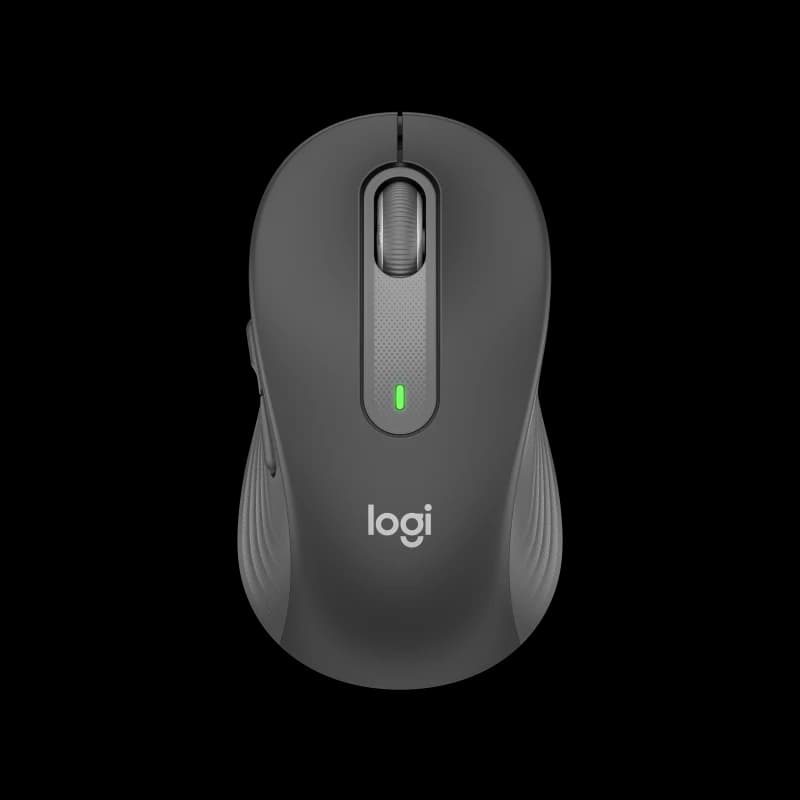
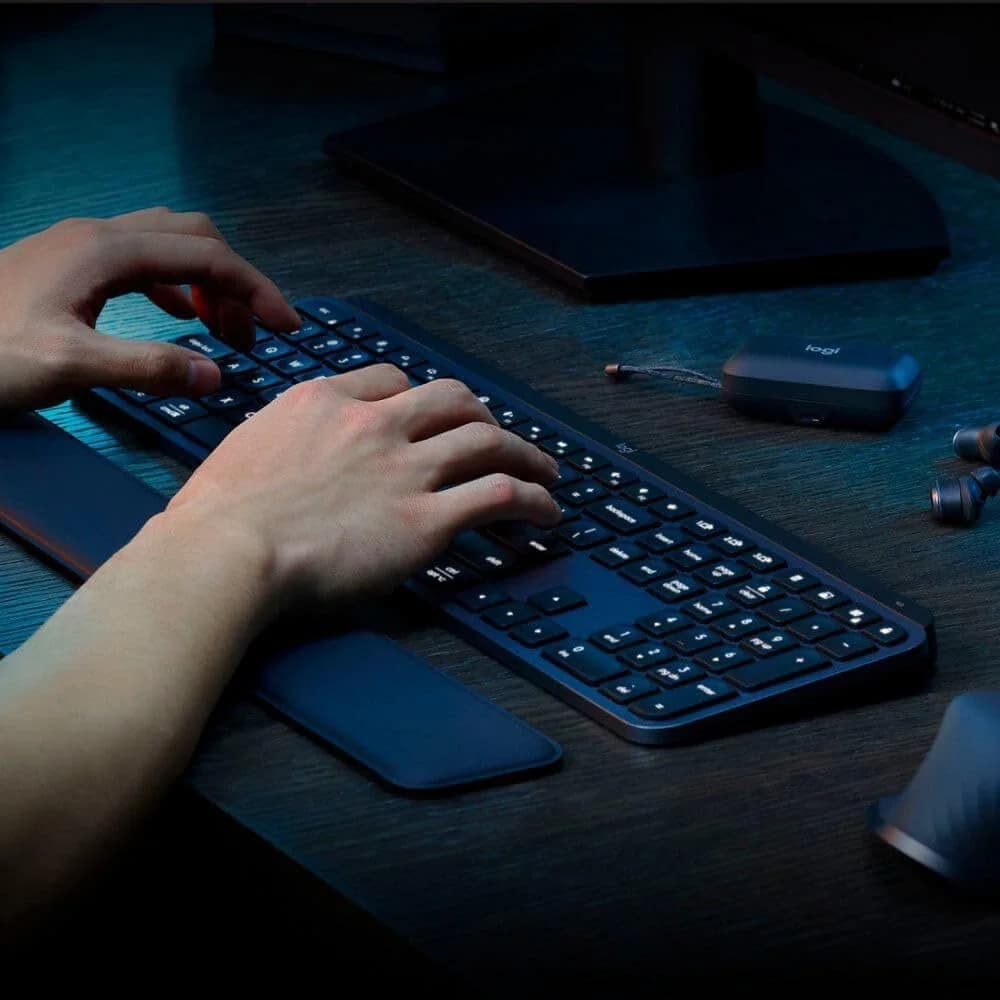
The Logitech MX Keys S Wireless Keyboard is a sleek productivity powerhouse designed for multitaskers craving quiet, tactile scissor switches and spherically-dished keycaps that cradle your fingertips. Perfect for office warriors juggling up to three devices simultaneously, its standout feature is the clever adaptive backlighting that brightens on approach without draining battery—though some users note mixed endurance reports. Experts praise its solid aluminum frame and seamless Logi Bolt receiver connectivity, while software buffs love the customizable Smart Actions macros boosting workflow magic. At this price point, it’s an elegant blend of comfort and smarts, rewarding those who value thoughtful design over gaming frills.


Find Yours
What type of keyboard mechanism do you prefer?
Answer to find your best matches.

The Field
Browse top contenders, or compare all options ranked by score and key attributes.
2 Options


The Scoreboard
Does this improve your life? Considers, health, habits, and environmental impact.
Benefits
Dish-shaped scissor keys reduce finger fatigue and noise, unlike many taller mechanical alternatives.
Low-profile scissor switches produce quiet keystrokes, lowering ambient noise and workplace stress.
App-integrated Smart Actions automates repetitive steps, reducing cognitive load and repetitive strain risk.
Easy switching keeps you using a single ergonomic setup, reducing awkward repositioning and interruptions.
Inclusion of recycled plastics lowers new-material demand compared with typical all-new-plastic keyboards.
Logi Bolt receiver offers stronger wireless security than basic Bluetooth, reducing privacy concerns.
Trade-Offs
No adjustable feet forces fixed wrist angle, which may increase strain for some users.
Adaptive backlight shortens active battery life, meaning more frequent charging and battery wear.
Dense, integrated design and mixed materials reduce repairability, potentially increasing electronic waste over time.
Powerful macros require Options+ software instead of dedicated keys, adding privacy and cross‑OS friction.
Relatively large, heavy construction reduces portability, which may entrench sedentary single‑desk habits.
 Alternatives


Join the Circle
Where real meets deal
Know what's worth buying-and when.
Tips, special offers, and rewards for buying and sharing.

Publications
6 LEADING PUBLICATION REVIEWS

RTINGS highlights the Logitech MX Keys S Wireless Keyboard as a refined evolution of Logitech’s MX Keys lineup, emphasizing its impressive build quality, comfortable low-profile design, and quiet, tactile typing experience. The keyboard’s new adaptive backlighting and updated function row shortcuts, including an emoji key, add useful modern touches, while the Logi BOLT receiver offers improved wireless security and stability. RTINGS praises its versatility for office work, programming, and casual gaming, noting solid multi-device Bluetooth connectivity and extensive software customization via Logitech Options+. However, the review tempers enthusiasm with practical caveats: the keyboard’s latency is too high for competitive gaming, macros require software use without dedicated keys, and some function row shortcuts lack full compatibility across operating systems. Its relatively large size and weight also limit portability. Overall, RTINGS presents the MX Keys S as a high-quality, productivity-focused keyboard with thoughtful enhancements but acknowledges limitations that may affect specialized users.
By Kelsey Linhares; Gregory Vodden; Yannick Khong
Zackery Cuevas from PCMag highlights the Logitech MX Keys S as a refined update to the well-regarded 2019 MX Keys, with subtle hardware tweaks and a standout software enhancement—Smart Actions—that automates workflows and boosts productivity. The keyboard retains its sleek, low-profile design, comfortable typing experience, and improved adaptive backlighting, appealing to users seeking a premium non-mechanical option. However, the review’s tone is measured rather than enthusiastic, noting that the MX Keys S offers only incremental improvements over its predecessor, making it a less compelling upgrade for existing MX Keys owners. The included wrist rest is criticized for lacking comfort, and the keyboard’s price is positioned as somewhat high compared to alternatives. Overall, Cuevas presents the MX Keys S as a solid, stylish choice for new buyers wanting a versatile productivity keyboard, especially if paired with Logitech’s software ecosystem, but stops short of calling it a must-have or a significant leap forward.
By Zackery Cuevas
Jonathan Sayers from GearLab highlights the Logitech MX Keys S Wireless Keyboard as a standout choice for users prioritizing comfort, quiet operation, and a refined typing experience. Praised for its unique dish-shaped keys that cradle fingers and provide satisfying tactile feedback, the keyboard excels in long typing sessions without causing fatigue. Its low-profile design and quiet keystrokes make it ideal for office environments, with testers appreciating the consistent key feel and minimal typing noise. However, the review notes some trade-offs: the keyboard’s relatively short 10-day battery life with backlighting on, lack of adjustable angle, and its longer length and heavier weight may limit portability and desk space suitability. Performance-wise, it slightly trails the fastest typing tools due to the key shape requiring finger repositioning, which might affect speed for some users. Overall, the MX Keys S earns high marks for comfort and usability, making it a top wireless keyboard choice, especially for professionals valuing ergonomic design over raw speed.
By Jonathan Sayers
Reece Bithrey from Trusted Reviews praises the Logitech MX Keys S Wireless Keyboard as an excellent office keyboard that builds on the strengths of its predecessor with thoughtful, incremental upgrades. While the design and typing experience remain largely unchanged—retaining a sleek, sturdy frame and comfortable scissor-switch keys—the addition of new function keys like dedicated emoji, mic mute, and speech-to-text reflects a keen awareness of modern work needs. The standout improvement lies in the enhanced Options+ software, especially the innovative Smart Actions macros, which offer powerful customization for productivity enthusiasts. Connectivity is also improved with the new Bolt receiver supporting more platforms and a stable connection. Battery life remains similar to the previous model, which is a minor disappointment. Though the MX Keys S is still a membrane keyboard and priced higher than some mechanical alternatives, its combination of build quality, thoughtful features, and advanced software make it arguably the best overall office keyboard available.
By Reece Bithrey
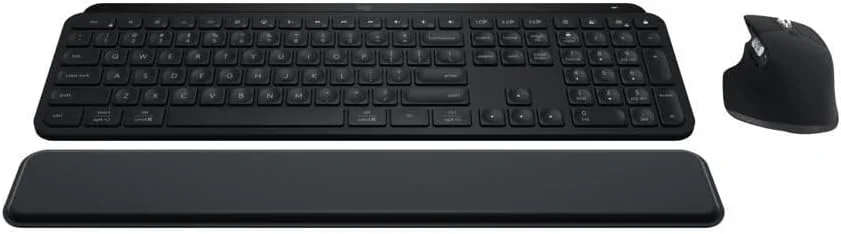
Arif Bacchus from XDA Developers highlights the Logitech MX Keys S Combo as an exceptional wireless keyboard and mouse bundle that delivers strong value and thoughtful design. He praises the MX Keys S keyboard for its comfortable, low-profile keys with smart backlighting and innovative Smart Actions macros, which enhance productivity by automating repetitive tasks. The keyboard’s sturdy build, multi-device connectivity, and sustainable materials also stand out. The MX Master 3S mouse impresses with its quiet clicks, ergonomic shape, precise 8,000 DPI sensor, and the versatile MagSpeed scroll wheel, making it ideal for extended use across multiple devices. The included MX Palm Rest adds ergonomic comfort with its foam cushioning and stain-resistant surface. While the $30 bundle savings are modest, Bacchus emphasizes the overall synergy and quality of the combo, recommending it as the best option for users seeking a premium, multi-device wireless setup. The review balances enthusiasm with practical details, offering unique insights into software customization and real-world usability.
By Arif Bacchus
Matt Keith assesses the Logitech MX Keys S Combo for Mac as a highly capable productivity duo, combining a thoughtfully designed keyboard and mouse with robust customization through the Logi Options+ software. He highlights the keyboard’s hybrid membrane-scissor keys, which deliver a soft yet tactile typing experience, complemented by smart illumination and a comfortable wrist rest. The MX Keys S’s slim profile and seamless multi-device Bluetooth switching add to its appeal, though the lack of adjustable feet and the absence of a USB dongle at its $200 price point are noted drawbacks. The MX Master 3S mouse impresses with its raised palm rest, precise Darkfield sensor, and extensive programmable buttons, offering comfort and efficiency for extended use. Keith emphasizes the combo’s standout feature: deep, app-specific customization and automation that streamline workflows. While minor issues exist, the review conveys genuine enthusiasm for the combo’s blend of premium build, comfort, and productivity-enhancing features, positioning it as a strong choice for Mac users seeking a versatile, high-quality input solution.
By Matt Keith

YouTube
7 LEADING EXPERT & INFLUENCER REVIEWS
 Kova Tech
Kova Tech praises the Logitech MX Keys S Wireless Keyboard for its premium build, ergonomic low-profile design, and quiet, precise scissor-switch keys with spherically-dished keycaps that enhance typing accuracy. The reviewer highlights smart illumination that detects hand proximity, seamless multi-device switching, and extensive key customization via Logitech Options+. Battery life and fast USB-C charging impress, though the keyboard lacks adjustable legs. Overall, it’s recommended as a top-tier, professional keyboard with minimal flaws.
Dave Tries ThisDave Tries This praises the Logitech MX Keys S as a truly Mac-focused keyboard with an excellent typing experience, comfortable tilted design, and smart illumination that adapts to hand proximity and ambient light. He notes the lack of a Touch ID sensor as a downside but highlights its programmability via Logitech Options+ and reliable Bluetooth connectivity, making it a top choice for Mac users seeking comfort and functionality.
Adam Talks TechAdam Talks Tech praises the Logitech MX Keys S Wireless Keyboard for its sleek design, comfortable typing experience, and versatile multi-device pairing. He highlights the smart backlighting, USB-C fast charging, and customizable function keys via Logitech Options+. Minor critiques include the learning curve for Mac users due to key layout differences and shorter battery life with backlighting on. Overall, he finds it a premium, productive keyboard well-suited for Apple and cross-platform users.
Box.co.ukBox.co.uk praises the Logitech MX Keys S for its sleek, sturdy design, ultra-fluid, quiet typing experience, and smart, customizable backlighting. The new Smart Actions software enhances productivity by allowing multiple tasks per key. While the reviewer notes subtle improvements over the original MX Keys, they find it a practical, comfortable upgrade ideal for professional use.
The Value SpaceBrian Khavi praises the Logitech MX Keys S Wireless Keyboard for its exceptional customization, smart illumination, and seamless multi-device switching, especially when paired with the MX Master 3S mouse. He highlights its premium build, quiet yet tactile scissor switches, and reliable Logi Bolt connectivity. While noting the 10-day battery life with backlighting as a downside, he appreciates the extended 5-month life without it and values the Logi Options+ software for productivity enhancements.
Anthony OlivieriAnthony Olivieri praises the Logitech MX Keys S for its solid build, quiet scissor-switch keys, and smart backlighting that adapts to hand proximity and ambient light. He highlights the Mac-specific function row and extensive customization via Logitech Options+, especially AI-powered Smart Actions and prompt integration. Minor reliability issues with complex workflows are noted, but overall, he finds it unmatched for Mac productivity.
Sohail AbdullaSohail Abdulla praises the Logitech MX Keys S Wireless Keyboard for its premium build, comfortable low-profile scissor keys, and smart illumination that adapts to hand proximity and ambient light. He highlights seamless multi-device and multi-OS support, long battery life, and fast USB-C charging. Paired with the MX Master 3S mouse and customizable Logi Options+ software, the combo significantly enhances productivity, though the keyboard’s weight and price may be considerations.

Social
1 INFLUENCER REVIEW
 Hipyo
HipyoHipyo critiques the Logitech MX Keys S Wireless Keyboard as overrated despite its popularity, calling out its flat design, slippery scooped keycaps, and a poorly designed escape key. While it looks sleek and has basic LEDs, the typing experience falls short compared to competitors, especially given its $130 price. Overall, Hipyo finds the keyboard underwhelming and not worth the cost, recommending users consider other options. The review is candid and somewhat frustrated, offering a clear warning against the hype surrounding this model.

Store Reviews
CUSTOMER REVIEWS FROM 1 STORE
Amazon users praise the Logitech MX Keys S Wireless Keyboard and its accompanying mouse for their high quality and comfortable design. Many highlight the keyboard’s smooth, quiet key presses and the mouse’s excellent sensitivity and multiple buttons, which enhance productivity, especially for office tasks like extensive Excel work. Reviewers appreciate the combo’s ability to streamline daily workflows and note the wrist rest’s limited impact. However, opinions on battery life vary significantly; some users report it lasting several days on a single charge, while others experience issues with the keyboard failing to hold a charge or the mouse malfunctioning after a few months. Overall, Amazon customers find this setup hard to beat for professional use, though it may not suit gaming needs.
4.4 Stars / Few verified reviews

Forum Reviews
CUSTOMER REVIEWS FROM 1 FORUM
Reddit users generally appreciate the Logitech MX Keys S Wireless Keyboard for its solid typing experience, quiet keys, and good battery life, with many praising its design and software customization options. However, there are notable concerns about inconsistent key performance, particularly with certain keys malfunctioning or lighting issues, and some users report durability problems such as fragile plastic and key wobbling. While experienced users upgrading from older models express mixed feelings about the lack of significant improvements, new shoppers often find it a worthwhile investment despite some flaws. Overall, the keyboard receives a balanced mix of positive feedback for comfort and functionality alongside critiques of reliability and build quality.
Many comments

In-Depth Review

Highlights
- •Typing feelSpherically‑dished keycaps center fingers
- •Multi‑device connectivityPairs with up to 3 devices
- •Smart illuminationAdaptive backlighting activates on approach
- •Build materialsSolid frame with aluminum plate
- •Battery & chargingRechargeable 1500 mAh; USB‑C quick charge
- •Smart Actions (software)Promoted as having Smart Actions macros

Considerations
- •Intermittent connectivityBluetooth or receiver dropouts reported
- •Intermittent key/firmware faultsSome users report keys failing
- •Backlight visibility limitsLegibility poor in very bright light
- •No wired typing optionUSB‑C is charge only
- •Repairability constraintsLimited spare parts; membrane repairs hard
- •Limited NKRODoes not support full N‑Key rollover
Logitech’s MX Keys S Wireless Keyboard builds on a well-regarded legacy, targeting professionals who crave efficiency and comfort in their daily typing. Marketed as a full-size keyboard with spherically-dished keycaps for precise finger placement and scissor-switch keys that balance tactility with quiet operation, it promises to elevate productivity across multiple devices. Designed for seamless workflow, it supports Bluetooth Low Energy and Logi Bolt receiver connectivity, enabling quick switching between three paired devices—a boon for multitaskers juggling Windows, macOS, or Linux systems. Its standout feature is the adaptive smart illumination, which brightens keys based on hand proximity and ambient light conditions while optimizing battery life through USB-C fast charging of its robust 1500 mAh battery. Complementing hardware prowess is the customizable Smart Actions software suite designed to automate repetitive tasks effortlessly. Whether you’re a power user or casual typist seeking precision wrapped in sleek design, these features set this keyboard apart—read on to see how they shape your everyday experience.
Battery & Charging Performance
Powered by a rechargeable 1500 mAh Li-Po battery offering up to ten days' runtime with active backlighting—and stretching out five months if lights are off—the MX Keys S balances endurance with convenience beautifully. USB-C quick charging means rapid top-ups keep you going without downtime interruptions typical of lesser peripherals; although heavy backlight users may notice shorter intervals between charges compared to claims, overall power management is well-received as part of daily productivity essentials.
Connectivity & Multi‑Device Switching
Seamless transitions are the name of the game with dual connectivity via Bluetooth Low Energy and Logi Bolt receiver, supporting up to three devices simultaneously. This allows professionals to toggle between computers effortlessly using dedicated Easy-Switch buttons. Despite reports of occasional interference or pairing quirks in certain environments, overall reviews highlight reliable performance bolstered by enhanced security through encrypted signals—making it ideal for multitaskers craving efficient workflows across platforms.
Typing Feel & Keycap Design
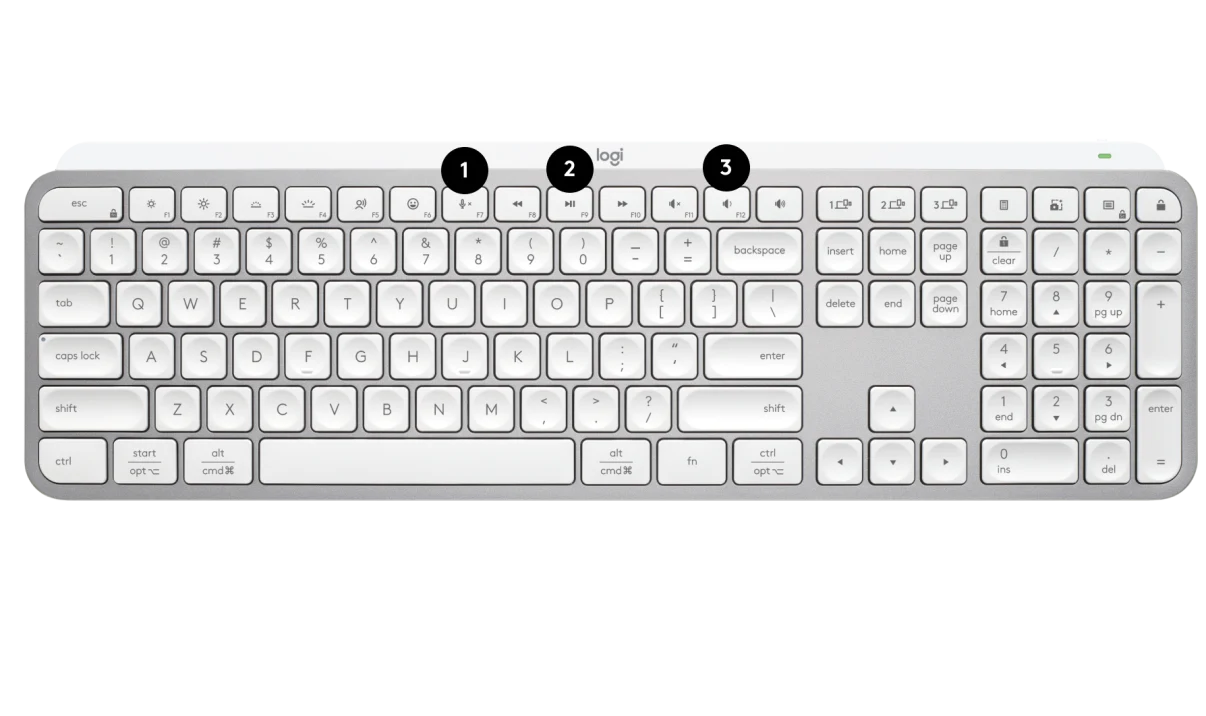
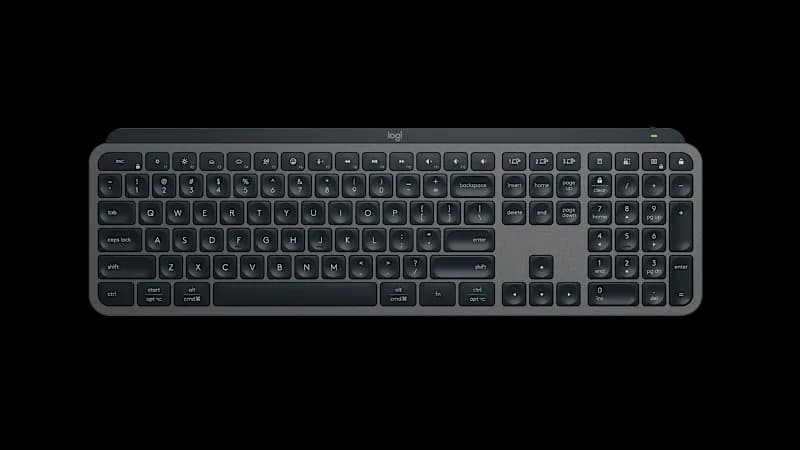
Dive into the scissor switch mechanism that offers a low-profile, tactile typing experience. The keyboard's spherically-dished keycaps cradle your fingertips, enhancing accuracy and reducing fatigue during marathon sessions. While some users note an adjustment period to this design, it largely delivers on Logitech’s promise of quiet yet responsive keys. Expert tests confirm consistent actuation with a satisfying bump at around 0.65mm travel distance, ensuring both speed and precision without harsh feedback—a true win for productivity enthusiasts.
Backlighting & Smart Illumination
The keyboard shines bright—literally—with its adaptive smart illumination system that activates when hands approach and adjusts brightness based on ambient light conditions. Users appreciate the energy-saving benefits combined with customizable backlight duration via software controls. Though some find visibility less effective under intense lighting or specific keycap colors, this feature adds both flair and function for night owls needing clear visuals without sacrificing battery life.
Build Quality & Materials
Constructed with a blend of durable plastic reinforced by a low-carbon aluminum plate, this keyboard strikes balance between sturdiness and lightweight feel at about 810 grams. Reviews praise its solid frame that resists flexing under pressure; however, sporadic reports mention membrane issues affecting longevity in rare cases. The refined finish complements professional setups while recycled materials reflect subtle sustainability efforts—not just another pretty face but built to last through heavy use.
Conclusion
Navigating the landscape of productivity keyboards, this one stakes its claim with quiet scissor switches and spherically-dished keycaps that coax precision from every fingertip. Its multi-device Bluetooth and Logi Bolt connectivity keep workflows fluid, though occasional connection quirks remind users it’s not flawless. The adaptive smart illumination, paired with thoughtful battery management via USB-C quick charging, lights the way for late-night sessions without frequent recharges. While the robust aluminum-reinforced chassis offers reassuring durability, some report membrane vulnerabilities under heavy use. Power users will find value in the versatile Smart Actions software, unlocking shortcuts that shave seconds off daily routines. This keyboard favors steady office warriors over gamers craving full NKRO or wired options but excels where comfort meets convenience. It’s a tool crafted to empower—combining solid build quality with intuitive features—to reward those who prioritize seamless multitasking and ergonomic grace in equal measure.

Feature Scores
This reflects reviews and ratings from established critics, journalists, and users who have evaluated the item. Their opinions provide a comprehensive assessment.
Performance
Key Switch Responsiveness
4/5
Typing Accuracy
4/5
Build Durability
4/5
Connectivity Reliability
4/5
Battery Life
4/5
NKRO Support
1/5
Firmware Reliability
4/5
Value
Price-to-Features Ratio
4/5
Warranty and Support
4/5
Design
Ergonomics
4/5
Layout Variety
4/5
Keycap Quality
4/5
Aesthetics and Finish
4/5
Backlighting and Visuals
4/5
Portability
3/5
Health
Wrist Support Availability
2/5
Noise Level
5/5
Safety
Electrical and Battery Safety
4/5
Wireless Security and Privacy
4/5
Sustainability
Recyclability and End-of-Life
3/5
Repairability and Modularity
2/5
Sustainable Materials Use
3/5
Energy Efficiency
4/5
Experience Style
Customization and Programmability
4/5
Ease of Setup and Use
4/5
Hot-Swap and Typing Feel Customization
1/5

Specifications
This section outlines the product's key facts, covering essential features, details, dimensions, materials, and any unique characteristics that define its functionality and usability.
Performance
Value
Design
Safety
Sustainability
Experience Style

Frequently Asked Questions
13 Questions


Find Yours
What type of keyboard mechanism do you prefer?
Answer to find your best matches.