Apple Magic Mouse (USB‑C)
Sleek design and intuitive gestures impress, but ergonomics and charging port placement limit comfort.
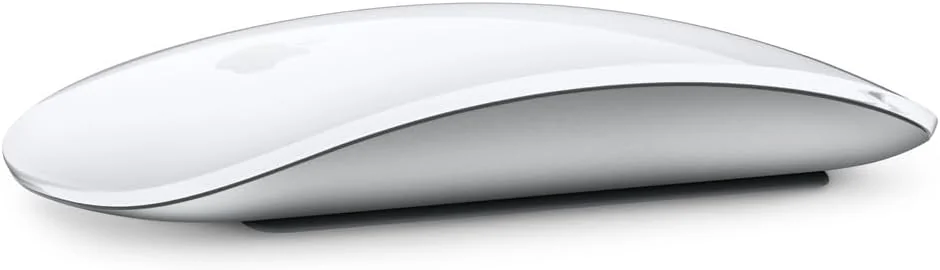
The Apple Magic Mouse (USB-C) is a sleek, minimalist marvel designed for Mac aficionados craving intuitive multi-touch gestures and seamless ecosystem harmony. It dazzles with its long-lasting rechargeable battery and the modern convenience of USB-C charging, though that awkward port underbelly demands downtime during juicing. Experts and users alike praise its precise tracking but lament the slim, low-profile shell’s impact on comfort during marathon use. Its charm lies in elegant design over ergonomic prowess or customization flair, making it a stylish companion best suited to casual workflows. The final verdict hinges on balancing beauty with practical quirks like limited physical controls.
Find Yours
How do you prefer to connect your mouse?
Answer to find your best matches.

The Field
Browse top contenders, or compare all options ranked by score and key attributes.
3 Options


The Scoreboard
Does this improve your life? Considers, health, habits, and environmental impact.
Benefits
Natural swipes/gestures reduce mental friction and speed navigation within macOS workflows.
Pairing and native gesture support work on macOS, lowering setup stress and interruptions.
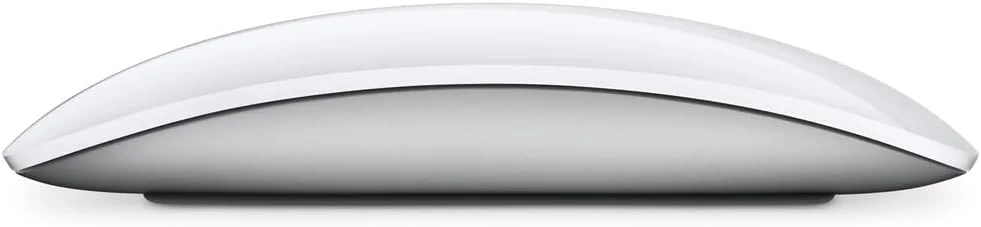
Slim design eases carrying, prioritizing minimalism over ergonomic bulk common in comfort-focused alternatives.
Built-in rechargeable battery avoids disposable cells, reducing frequent replacements and single-use battery waste.
Trade-Offs
Shallow, low-profile shape increases wrist and hand strain during extended use, unlike ergonomic mice.
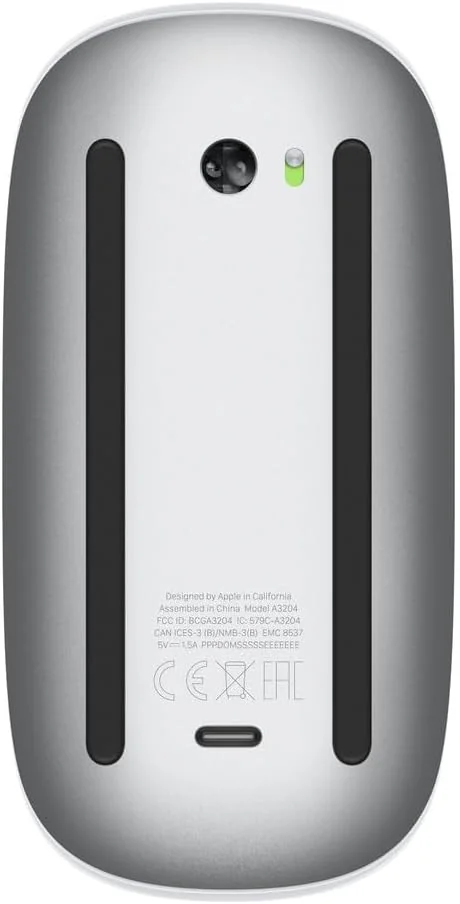
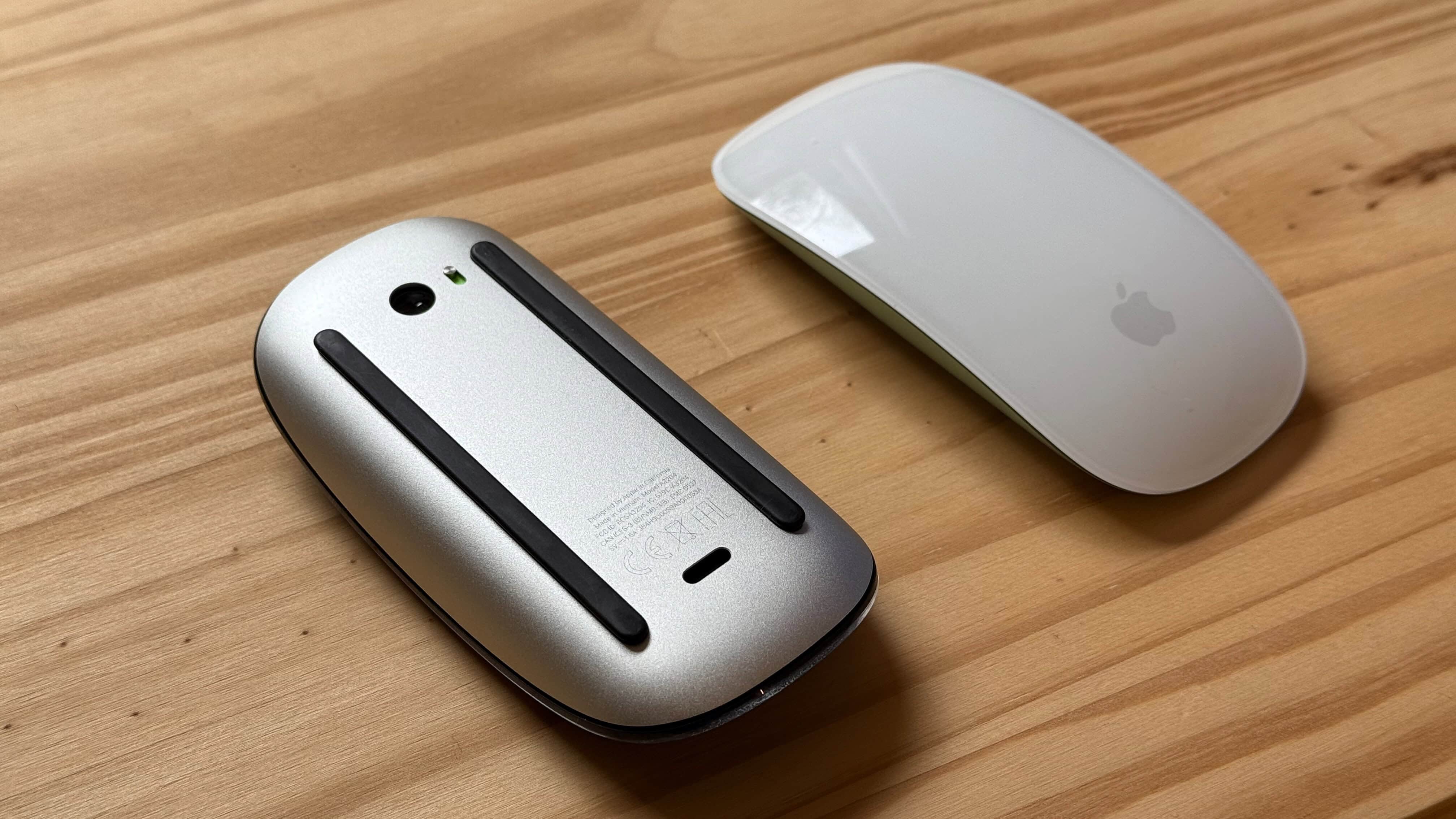
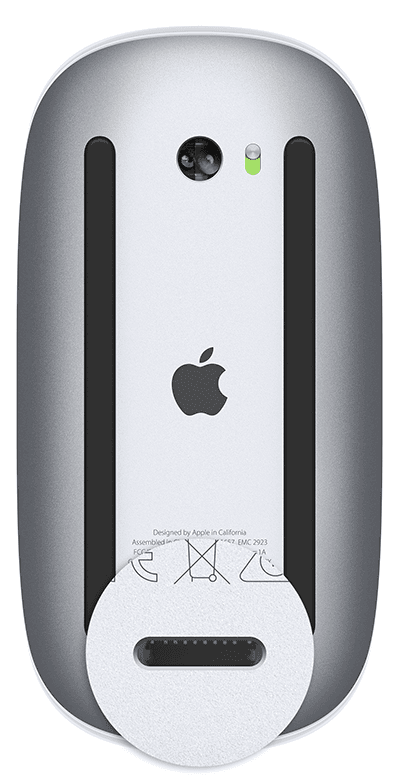
USB-C port on the underside forces downtime while charging; can't be used during recharge, unlike modular designs.
Full multi-touch features require the latest macOS; functionality is reduced on Windows and iPad.
Built-in battery and mixed materials complicate repair and recycling, raising e-waste impact versus eco-leaders.
 Alternatives


Join the Circle
Where real meets deal
Know what's worth buying-and when.
Tips, special offers, and rewards for buying and sharing.

Publications
1 LEADING PUBLICATION REVIEWS

Zackery Cuevas from PCMag highlights that the 2024 Apple Magic Mouse (USB-C) update is largely a minimal refresh, swapping the Lightning port for USB-C while leaving the design and its longstanding flaws unchanged. He appreciates the mouse’s sleek, ambidextrous design, lightweight build, and multi-touch gesture support, which remain solid for everyday Mac use. However, Cuevas criticizes the awkward charging method requiring the mouse to be flipped upside down, the glossy surface’s tendency to smudge, and the shallow shape that doesn’t comfortably fit larger hands. He also notes the mouse’s reliance on the latest macOS for full functionality and the lack of innovation compared to competitors like the Logitech MX Master 3S, which offers superior ergonomics and features. Overall, while the Magic Mouse remains a competent and stylish option for Apple enthusiasts, it feels outdated and less practical than better alternatives available today.
By Zackery Cuevas

YouTube
3 LEADING EXPERT & INFLUENCER REVIEWS
 Adam Talks Tech
Adam Talks Tech praises the Apple Magic Mouse (USB-C) for its sleek design, smooth multi-touch surface, and excellent Bluetooth connectivity, highlighting its intuitive gestures and long battery life. However, he criticizes its poor ergonomics, lack of customizable buttons, and inconvenient USB-C charging port placement. He recommends it mainly for light, everyday use but suggests more ergonomic alternatives for intensive tasks.
LoFi AlpacaLoFi Alpaca provides a clear, approachable guide to using the Apple Magic Mouse (USB-C), highlighting its sleek multi-touch surface and customizable left/right clicks. While enthusiastic about the USB-C charging port upgrade, the review remains practical and straightforward, focusing on basic functionality without overstating features.
Simple AlpacaSimple Alpaca finds the Apple Magic Mouse (USB-C) offers solid performance and a stylish design with useful multi-touch capabilities, especially at a lower price than the Magic Trackpad. However, he criticizes the inconvenient USB-C charging port placement on the bottom, which limits usability during charging, and prefers trackpads overall.

Social
1 INFLUENCER REVIEW
 TechRadar
TechRadar highlights the widespread buzz around the Apple Magic Mouse (USB-C), noting its strong brand presence despite mixed feelings. They find the design visually appealing but criticize its awkward USB-C port placement and poor ergonomics, preferring Microsoft mice for comfort and usability. Overall, TechRadar’s sentiment is cautiously negative; while acknowledging the Magic Mouse’s iconic status and aesthetic appeal, they do not recommend it due to practical drawbacks, especially the inconvenient charging port and lack of ergonomic support.

Store Reviews
CUSTOMER REVIEWS FROM 1 STORE
Amazon users praise the Apple Magic Mouse (USB-C) for its sleek, minimalist design and seamless integration within the Apple ecosystem. Reviewers highlight the smooth, precise tracking and the intuitive multi-touch surface that enables natural gestures like swiping between desktops and scrolling through long pages. Many appreciate the convenience of the rechargeable battery, which eliminates the need for disposable batteries and offers long-lasting charge, though they note the charging port’s placement on the bottom requires planning downtime to recharge. Users also value the easy setup and reliable connectivity with Mac devices, although some report occasional connection drops or delays. Several reviewers emphasize that the mouse requires macOS 15 or later to fully support scrolling and gesture functions, cautioning that older operating systems may limit usability. While the Magic Mouse excels in style and everyday productivity, some users find its low-profile shape less comfortable for extended use, suggesting wrist support accessories for better ergonomics. Battery life generally impresses, but a few customers experience issues with charging or device failure after many charge cycles. Opinions on value vary, with some considering it worth the premium price for its design and features, while others feel it is overpriced. Overall, Amazon reviewers find the Apple Magic Mouse (USB-C) a stylish, functional accessory that fits well into Apple setups, especially for users who prioritize gesture controls and aesthetics over all-day ergonomic comfort.
4.3 Stars / Many verified reviews

Forum Reviews
CUSTOMER REVIEWS FROM 1 FORUM
Reddit users express mixed feelings about the Apple Magic Mouse (USB-C), praising its sleek design and gesture support but criticizing its limited functionality tied to macOS 15.1 or later, which frustrates those hesitant to upgrade their systems. While some appreciate the mouse’s slim form factor and ease of portability, many highlight ergonomic issues and the inconvenient charging port placement. Performance is generally seen as average, with complaints about compatibility and usability restrictions dampening enthusiasm. Overall, the sentiment leans slightly negative, reflecting a divide between admiration for its aesthetics and dissatisfaction with practical limitations and system requirements.
Many comments

In-Depth Review

Highlights
- •Multi‑Touch gesturesIntuitive swipe and scroll gestures
- •Long battery lifeAbout one month per charge
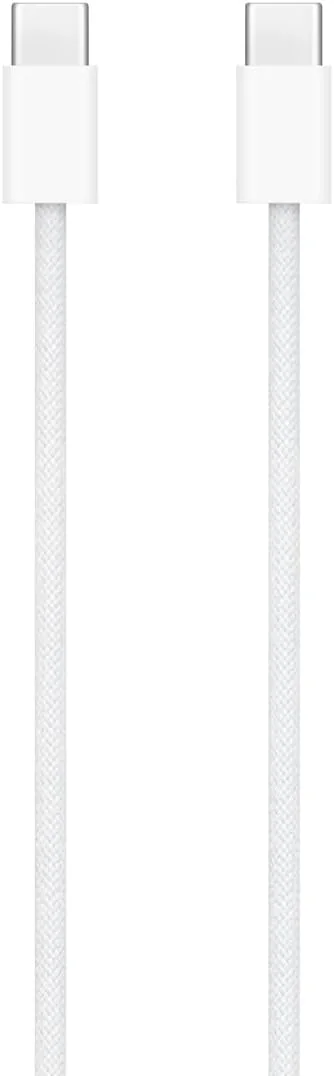
- •USB‑C chargingIncludes woven USB‑C cable
- •Bluetooth pairing reliabilitySeamless Mac pairing and wake
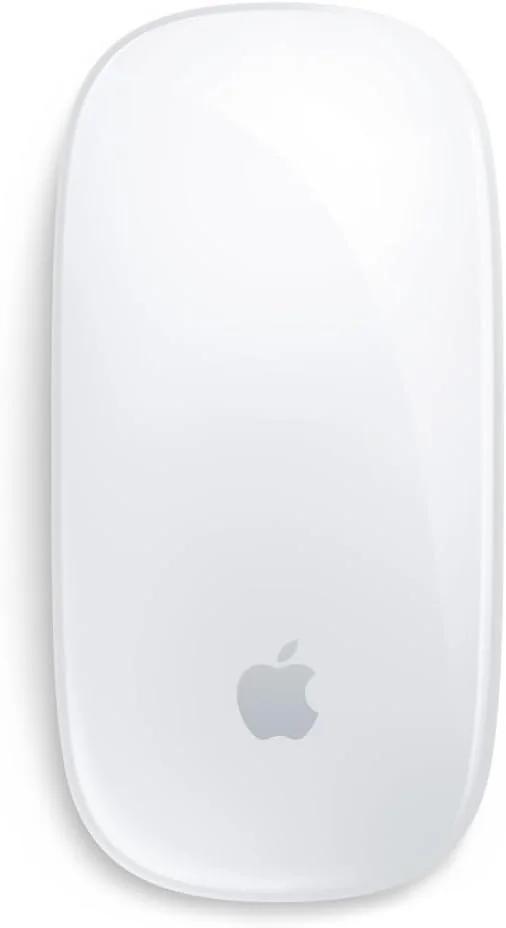
- •Sleek minimalist designLow‑profile, glossy finish aesthetic
- •Compact portabilityLightweight and easy to carry

Considerations
- •Charging‑port placementCannot use while charging
- •Ergonomic shortcomingsLow profile causes hand discomfort
- •OS dependency for gesturesFull gestures require macOS 15.1+
- •Limited physical controlsNo programmable side buttons
- •Intermittent reliability reportsSome users report malfunctions
- •Cost versus feature setHigh cost relative to features
Apple’s Magic Mouse with USB-C charging continues the brand’s tradition of sleek, minimalist peripherals designed for seamless integration within its ecosystem. Marketed to enhance productivity through a multi-touch surface enabling intuitive gestures like swiping and scrolling, it caters primarily to Mac users seeking a stylish yet functional accessory. The switch from Lightning to USB-C charging cable marks an important update aligning with modern standards, though the port placement remains unconventional. This mouse appeals especially to those valuing portability and elegant design but who can tolerate some ergonomic compromises due to its low profile. Its Bluetooth connectivity promises smooth pairing, while battery longevity supports extended use without frequent interruptions. Users keen on precise cursor control will appreciate the reliable tracking performance paired with premium materials that reflect Apple’s build quality ethos. Whether you’re focused on gesture fluidity or comfort trade-offs, these aspects are essential before committing—because in this case, beauty may demand a bit of endurance too.
Tracking Accuracy and Reliability
Users find tracking accuracy reliable across various surfaces thanks to optical sensor technology optimized by Apple’s foot design ensuring smooth gliding action without skips or jitters common among cheaper mice. Bluetooth connectivity generally pairs effortlessly with Macs providing stable wireless operation; however occasional reports mention minor glitches possibly linked to device compatibility or outdated software versions requiring updates beyond macOS 15+. In sum, tracking is dependable enough for professional workflows yet may require attention if used outside ideal environments—a key consideration for precision-dependent tasks.
Ergonomics and Comfort
Despite its sleek design, the Magic Mouse struggles ergonomically due to its low-profile shape which can cause discomfort during extended use. Users often report wrist fatigue as the mouse lacks substantial palm support or contouring found in more ergonomic models. Its ambidextrous form suits left- and right-handed users but sacrifices comfort for compactness. While perfect for casual browsing or light tasks, experts highlight this as a significant downside impacting long-term usability—a reminder that looks don’t always equal feel when it comes to daily comfort.
Build Quality & Materials
The Magic Mouse boasts premium materials including a curved glass top paired with an aluminum base creating an elegant tactile experience admired widely among users who appreciate durability combined with aesthetics. Fingerprint smudging occurs especially on darker finishes but easily remedied by regular cleaning routines suggested by reviewers familiar with maintaining pristine devices at home or office settings. Although minimalist construction limits physical buttons reducing complexity—and potential failure points—the overall build quality aligns well with expectations from high-end peripherals designed specifically around refined Mac ecosystems.
Multi‑Touch Gesture Performance
The Magic Mouse shines with its multi-touch surface, allowing intuitive swipes and scrolls that redefine navigation. This feature eliminates the traditional scroll wheel, replacing it with smooth gestures like two-finger swiping between apps and smart zoom functions. While Apple's claims of seamless gesture control hold true for macOS 15.1+, some users note limitations on older OS versions, slightly dimming the experience. Overall, this innovative touch interface remains a standout aspect that blends style with function, making it a signature selling point praised in both expert reviews and user feedback.
Battery Life and Charging
With an internal rechargeable lithium-ion battery lasting about a month per charge, the Magic Mouse impresses on longevity without frequent interruptions. The shift from Lightning to USB-C charging simplifies cable management by using one universal cord included in-box—great news for clutter-conscious setups! However, Apple’s infamous choice to place the charging port underneath means you must flip the mouse over while plugging in—rendering usage impossible during recharge time. Despite this quirky design flaw, battery performance remains solid enough to keep most workflows humming smoothly.
Conclusion
The dance of multi-touch gesture performance dazzles, delivering fluid swipes and scrolls that redefine mouse interaction—an undeniable highlight. Yet, the tale twists with its ergonomics and comfort, where a slim profile tests endurance during marathon sessions. The shift to USB-C charging offers modern convenience but stumbles with an awkward port placement that bars use while juicing up. Tracking remains sharp and steady, backed by solid connectivity and pairing behavior that rarely falters in typical Apple setups. Crafted from premium materials, the build quality reflects Apple's signature polish but leans toward style over ergonomic substance. This mouse suits those who prize elegant design paired with intuitive navigation yet may leave power users longing for more comfort and customizable controls. It’s a sleek companion best embraced by casual or creative workflows rather than all-day heavy lifting—a refined tool whose charm invites admiration alongside pragmatic scrutiny.

Feature Scores
This reflects reviews and ratings from established critics, journalists, and users who have evaluated the item. Their opinions provide a comprehensive assessment.
Performance
Sensor Accuracy
4/5
DPI Range
TBD
Tracking Reliability
4/5
Response Time
4/5
Value
Affordability
3/5
Feature Set Relative To Price
4/5
Warranty Coverage
4/5
Long Term Value Retention
4/5
Design
Ergonomics
2/5
Size Variety
2/5
Aesthetic Styling
5/5
Button Layout
3/5
Health
Repetitive Strain Risk
2/5
Surface Material Safety
4/5
Allergen Potential
TBD
Long Term Comfort
2/5
Safety
Electrical Safety Compliance
TBD
Battery Safety
4/5
Small Parts Risk
4/5
Wireless Interference Controls
4/5
Sustainability
Recyclability
TBD
Repairability
TBD
Packaging Sustainability
TBD
Energy Consumption
4/5
Experience Style
Plug and Play Simplicity
5/5
Software Customization
3/5
Macro Programming
TBD
Profile Management
2/5

Specifications
This section outlines the product's key facts, covering essential features, details, dimensions, materials, and any unique characteristics that define its functionality and usability.
Performance
Value
Design
Safety
Sustainability
Experience Style

Frequently Asked Questions
8 Questions


Find Yours
How do you prefer to connect your mouse?
Answer to find your best matches.