
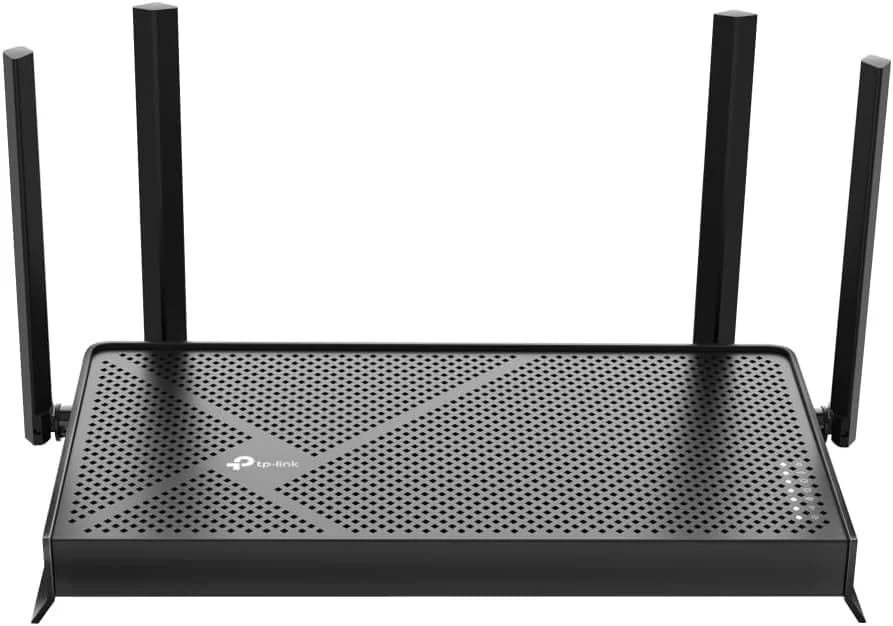
TP-Link Archer BE230
Affordable Wi-Fi 7 router with strong multi-gig Ethernet and easy setup, ideal for typical homes.
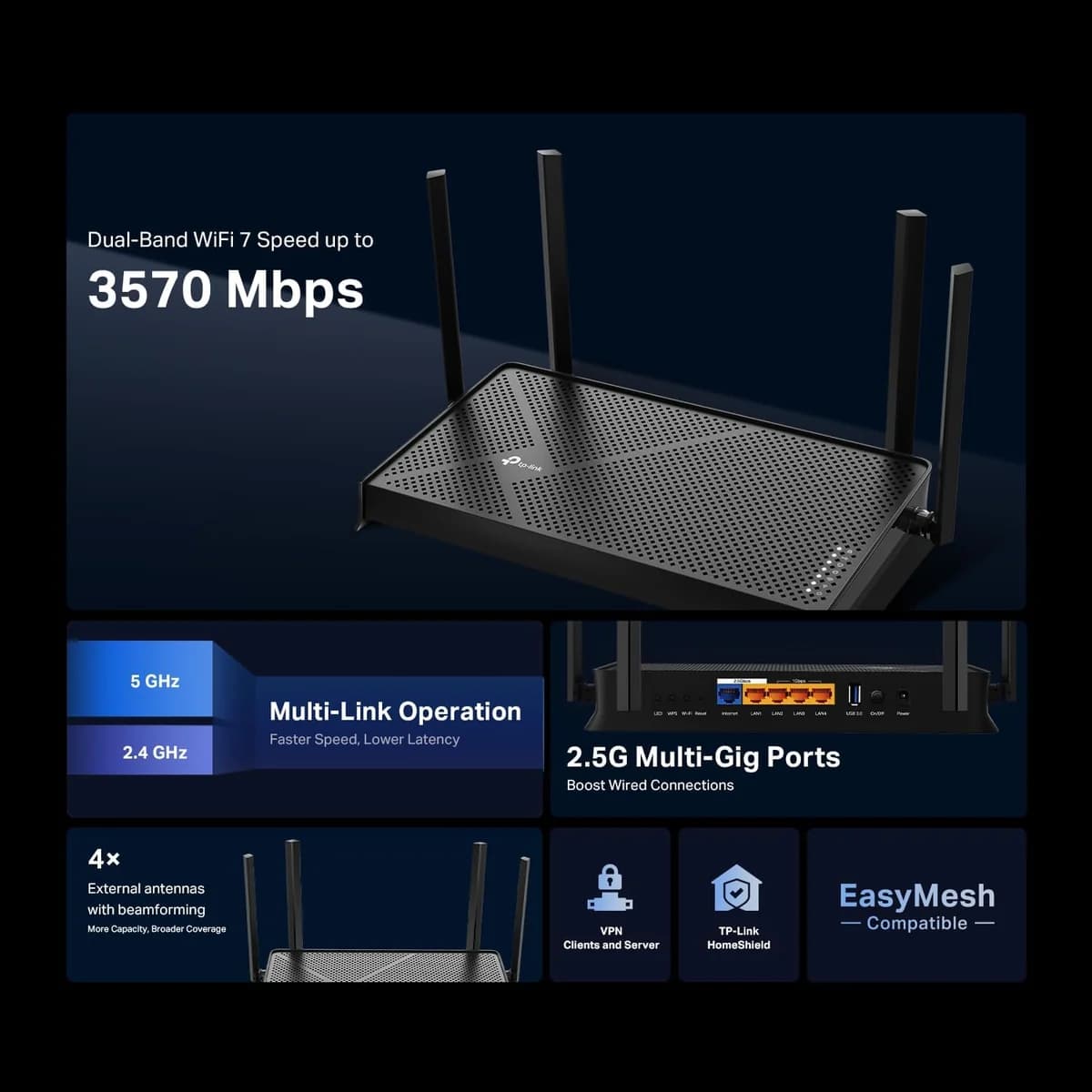
The TP-Link Archer BE230 is a budget-friendly Wi-Fi 7 gateway that punches above its weight for everyday homes craving multi-gig Ethernet speeds and hassle-free setup via the Tether app. Perfect for streaming buffs and casual gamers, it delivers solid 5 GHz throughput with smart features like Multi-Link Operation (MLO) but skips the flashy 6 GHz band, keeping things practical rather than premium. Users applaud its reliable signal and straightforward management, though some note quirks with older devices. With standout wired performance balanced by modest coverage, this router nails value—proving next-gen tech doesn’t have to break the bank or complicate your life.





Find Yours
What level of internet speed is most important to you?
Answer to find your best matches.

The Field
Browse top contenders, or compare all options ranked by score and key attributes.
5 Options



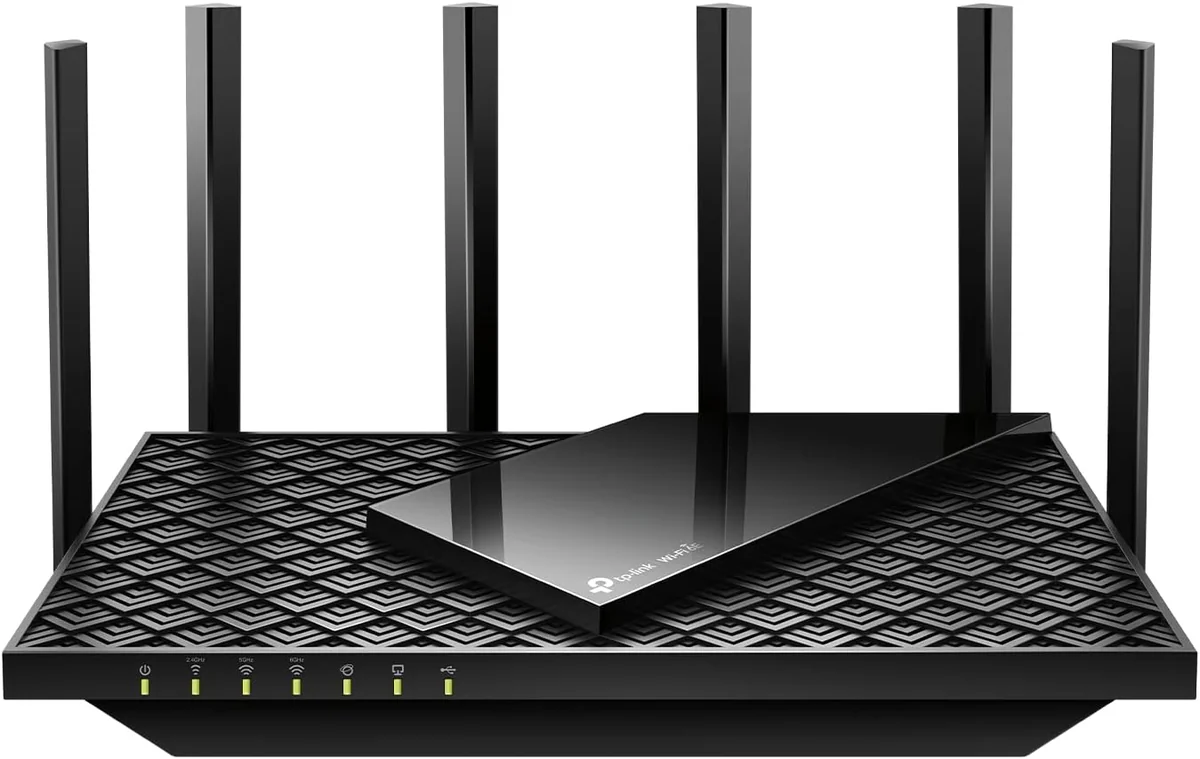

The Scoreboard
Does this improve your life? Considers, health, habits, and environmental impact.
Benefits
Wi‑Fi 7 MLO, dual 2.5Gbps ports, and dual‑band throughput reduce buffering stress.
WireGuard VPN and router-level protections make local data control and privacy easier.
USB 3.0 port supports portable SSDs for local backups, reducing cloud exposure.
EasyMesh compatibility lets you expand coverage without complex setups, lowering connectivity anxiety.
Low-noise design reduces background distraction, helping concentration and better sleep environments.
Trade-Offs
Omitting 6GHz (dual‑band design) limits future high‑device throughput and peak performance.
Basic plastic construction and typical electronics lifecycle increase long‑term e‑waste burden.
Core security and parental controls require subscription, adding privacy trade‑offs and dependency.
Sustained high throughput causes device heating and continuous power draw, affecting home energy use.
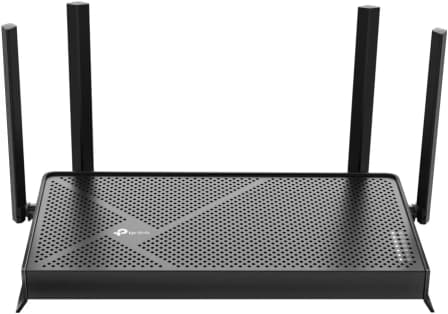
 Alternatives


Join the Circle
Where real meets deal
Know what's worth buying-and when.
Tips, special offers, and rewards for buying and sharing.

Publications
8 LEADING PUBLICATION REVIEWS

John R. Delaney from PCMag highlights the TP-Link Archer BE230 BE3600 as an affordable entry point into Wi-Fi 7 technology, offering solid throughput and multi-gig connectivity at a budget-friendly price. While it lacks a 6GHz band and 320MHz channel support—key features found in higher-end Wi-Fi 7 routers—the BE3600 still delivers reliable dual-band performance suitable for users without the latest client devices. Delaney emphasizes the router’s ease of setup, comprehensive parental controls, and network security features, making it a practical choice for small households with basic internet needs. However, the review notes middling signal coverage and slower file transfer speeds compared to pricier models, underscoring that the BE3600 is a compromise between cost and cutting-edge performance. Overall, the router is praised for bringing Wi-Fi 7 capabilities to a wider audience, though it falls short of matching the power and features of premium alternatives.
By John R. Delaney
Dong Ngo from Dong Knows Tech highlights the TP-Link Archer BE230 (also known as Archer BE3600) as a highly affordable entry point into Wi-Fi 7, offering solid Gig+ speeds suitable for typical home use despite its modest specs. While it lacks the 6GHz band and top-tier Wi-Fi 7 performance found in pricier models, its dual 2.5Gbps ports and practical design deliver excellent value for the $99 launch price. Dong praises its robust web interface, EasyMesh support, and silent operation, noting it performs reliably as a mini NAS server with portable SSDs. However, he points out limitations such as no 10Gbps ports, absence of Dual-WAN, and the need for paid subscriptions to access advanced parental controls and online protection. Overall, Dong presents the Archer BE230 as a frill-free, budget-friendly Wi-Fi 7 router that meets the needs of many users without breaking the bank, making it a compelling choice for those prioritizing cost and basic multi-gigabit connectivity.
By Dong Ngo
RTINGS highlights the TP-Link Archer BE230 as a solid budget-friendly dual-band Wi-Fi 7 router, well-suited for apartments and smaller homes. The review emphasizes its fast top speeds, Dynamic Frequency Selection (DFS) support for improved performance in crowded wireless environments, and the inclusion of two 2.5Gbps network ports, which are notable features at this price point. EasyMesh compatibility is praised for enabling mesh network setups to extend coverage, addressing the router’s limited range. However, the review is measured in tone, pointing out the significant drawback of lacking the 6GHz band, which restricts the router from fully leveraging Wi-Fi 6E and Wi-Fi 7 device capabilities. Additionally, the 5GHz band’s speed drops noticeably over longer distances, making it less ideal for large or multi-level homes without mesh expansion. Overall, RTINGS presents the Archer BE230 as a competent, affordable option with some trade-offs, especially for users seeking the latest tri-band Wi-Fi 7 performance.
By Olivier Martin; Ryan Lim; John Peroramas
Mark Pickavance from TechRadar highlights the TP-Link Archer BE230 (also known as BE3600) as a budget-friendly Wi-Fi 7 router that delivers key features without the typical high price tag. While it lacks the 6GHz band and offers only dual-band 2x2 connectivity—limiting maximum wireless bandwidth and mesh capabilities—the inclusion of two 2.5GbE LAN ports stands out as a significant advantage for users with faster-than-gigabit broadband. The router’s build is basic and plastic, reflecting cost-saving measures, and some advanced features like parental controls require paid subscriptions. Performance in typical home or small office environments is solid, with stable connections and good speeds at short range, though it may struggle with many simultaneous devices or complex mesh setups. Overall, Pickavance presents the Archer BE230 as a practical, value-oriented choice for those prioritizing wired speed and affordability over cutting-edge wireless features, making it a compelling option for specific broadband needs.
By Mark Pickavance
Kevin Parrish from HighSpeedInternet.com highlights the TP-Link Archer BE230 as an outstanding budget Wi-Fi 7 router that delivers impressive speeds and features for under $100. He praises its built-in VPN tools, EasyMesh support, and the ability to run up to seven simultaneous Wi-Fi networks, emphasizing the router’s excellent value and improved interference handling on 5 GHz and 2.4 GHz bands. However, Parrish notes key limitations, such as the lack of a third 6 GHz band, no 10Gbps wired connections, and subscription-locked security and parental controls, which temper its appeal for users with ultra-high-speed internet or advanced needs. His real-world speed tests with popular smartphones demonstrate solid performance within the router’s 2.3Gbps wired cap. The review balances enthusiasm for the Archer BE230’s affordability and practical features with measured critiques about its compromises, making it a compelling choice for budget-conscious users who don’t require top-tier specs or full Wi-Fi 7 capabilities.
By Kevin Parrish
Mattias Inghe from PC för Alla highlights the TP-Link Archer BE230 as a practical, budget-friendly entry into WiFi 7 technology, offering several benefits despite lacking the full 6 GHz band and maximum channel width typical of high-end WiFi 7 routers. He appreciates its stable performance, notably the unusually fast 2.4 GHz speeds and smart multi-link operation that improve real-world usability for smaller homes. The router’s discreet, traditional design and ease of installation via the TP-Link Tether app add to its appeal. Inghe notes useful extras like a USB 3 port for file sharing and decent port selection, though the 2.5 Gbit ports are modest for WiFi 7 standards. Criticisms include the absence of top-tier WiFi 7 speeds, the somewhat intrusive push for paid security features, and the weak default WiFi password. Overall, he views the Archer BE230 as a solid, sensible choice for users upgrading from older routers without needing cutting-edge performance, while suggesting that those seeking full WiFi 7 benefits might wait for future models.
By Mattias Inghe
Ciprian Adrian Rusen from Digital Citizen highlights the TP-Link Archer BE230 as an impressive budget-friendly Wi-Fi 7 router, delivering strong wireless performance across both 2.4 GHz and 5 GHz bands. The review emphasizes excellent signal strength throughout a typical apartment setup and notably high download speeds on the 5 GHz band, surpassing 1 Gbps, which is remarkable for a sub-$100 device. Wired Ethernet performance is solid, and the inclusion of a fast USB 3.0 port adds versatility for NAS or storage use. However, Rusen points out some inconsistencies, such as slower upload speeds on the 2.4 GHz band and occasional underperformance compared to competitors in certain rooms. Despite these minor drawbacks, the review conveys a generally positive and measured tone, appreciating the router’s value and capabilities while transparently discussing its limitations. The detailed real-world testing and comparative analysis provide useful insights for prospective buyers seeking affordable next-gen Wi-Fi technology.
By Ciprian Adrian Rusen
Duey Guison from UNBOX PH highlights the TP-Link Archer BE230 as an affordable and compact WiFi 7-ready router that delivers impressive upload speeds, making it especially suitable for content creators, live streamers, and users who frequently upload large files. Despite the limited availability of WiFi 7-compatible devices, the Archer BE230 still provides noticeable performance improvements over WiFi 6 routers, particularly in upload bandwidth and range within a typical home setup. The review praises its straightforward setup process, versatile TP-Link Tether app for network management, and practical design features like adjustable antennas and multiple high-speed Ethernet ports. While the review acknowledges the current scarcity of WiFi 7 devices as a limitation, it emphasizes the router’s future-proofing value and solid real-world performance, positioning it as a smart investment for users looking to upgrade their home network. The router’s price point of Php 5,990 is noted as reasonable given its capabilities.
By Duey Guison

YouTube
6 LEADING EXPERT & INFLUENCER REVIEWS
 DrogaDigital
Benjamín Robado from DrogaDigital praises the TP-Link Archer BE230 as an excellent, cost-effective entry-level Wi-Fi 7 router with strong dual-band speeds, Multi-Link Operation (MLO), and future-proof multi-gigabit ports. He highlights its robust VPN support (WireGuard) and EasyMesh compatibility but notes a desire for more 2.5 Gbps LAN ports to better handle growing device demands. Overall, he finds it a highly worthwhile option for those upgrading to Wi-Fi 7.
Mike's unboxing, reviews and how toMike from Mike’s Unboxing Reviews and HowTo enthusiastically recommends the TP-Link Archer BE230 (also known as BE3600) as an affordable, future-proof Wi-Fi 7 router with dual 2.5 Gbps Ethernet ports and EasyMesh support. He highlights its strong performance, easy setup, and robust features like WPA3 security and MLO, while noting the lack of 6 GHz band as a reasonable trade-off for price and regional compliance.
Simon's ReviewsSimon’s Reviews praises the TP-Link Archer BE230 as a fantastic budget-friendly Wi-Fi 7 router with strong dual-band performance, multi-gigabit 2.5 Gbps ports, and useful features like Multi-Link Operation (MLO), VPN client/server support, and dedicated IoT and guest networks. He notes the absence of 6 GHz band but finds it a reasonable trade-off for value and real-world use.
SignalGuruSignalGuru recommends the TP-Link Archer BE230 for its straightforward setup via smartphone or web interface, highlighting features like Smart Connect and automatic updates. The guide offers practical tips for stable connections and managing settings, delivering a confident, user-friendly experience despite minor app glitches during Wi-Fi connection.
ТЕХНОСМАКТЕХНОСМАК enthusiastically recommends the TP-Link Archer BE230, praising its robust Wi-Fi 7 performance, dual 2.5 Gbps ports, and comprehensive features like Multi-Link Operation and HomeShield security. The reviewer highlights impressive real-world speed and range tests, minor heat generation, and versatile VPN support, noting some variability in specs but overall strong value.
The Inspect AspectThe Inspect Aspect praises the TP-Link Archer BE230 for its blazing-fast 3.6 Gbps dual-band Wi-Fi 7 speeds, robust dual 2.5 Gbps ports, and reliable Multi-Link Operation that reduces lag. The reviewer highlights its user-friendly setup via the Tether app but notes limited USB ports and fewer advanced features, making it ideal for high-speed needs but possibly overkill for smaller homes.

Store Reviews
CUSTOMER REVIEWS FROM 1 STORE
Amazon users praise the TP-Link Archer BE230 for its straightforward setup and reliable performance, even for those with limited technical skills. Many highlight the router’s strong signal strength and impressive range, noting it effectively covers entire homes and eliminates dead zones. Reviewers appreciate the clear instructions and user-friendly mobile app, which simplify installation and management. Several users report noticeable speed improvements over older routers, with stable connections supporting multiple devices simultaneously. Unique insights include a helpful tip to use only letters and numbers in Wi-Fi passwords to avoid compatibility issues with devices like Roku and Ring doorbells. While most find the router delivers solid Wi-Fi 7 speeds suitable for typical household needs, some mention it lacks tri-band capability and may not fully unlock the highest Wi-Fi 7 performance. A few users encounter occasional connectivity glitches, particularly with certain external devices or older adapters, but TP-Link’s community support often resolves these challenges. Overall, Amazon reviewers consider the Archer BE230 a great value, offering a durable, fast, and easy-to-use solution that meets the needs of most non-enthusiast users.
4.4 Stars / Many verified reviews

Forum Reviews
CUSTOMER REVIEWS FROM 1 FORUM
Reddit users have mixed feelings about the TP-Link Archer BE230. While some appreciate its affordability, decent range, and speed improvements over older routers, many express frustration with its dual-band WiFi 7 implementation lacking the 6GHz band, which limits performance expectations. The Tether app receives both praise for ease of use and criticism for instability. Several users report setup difficulties, connectivity issues, and buggy firmware, leading some to return the product or consider alternatives. Overall, the router is seen as a budget option with compromises, suitable for basic needs but falling short for those seeking advanced features or reliable performance.
Many comments

In-Depth Review

Highlights
- •Multi‑Gig EthernetCompany highlights its 2×2.5GbE ports.
- •Wi‑Fi 7 feature setMarketed as Wi‑Fi 7 with MLO/4K‑QAM.
- •Price / value positioningAdvertised to bring Wi‑Fi 7 at budget prices.
- •Easy setup & managementDesigned to simplify onboarding via Tether app.
- •EasyMesh compatibilityPromoted as EasyMesh‑compatible for whole‑home mesh.
- •USB 3.0 storage supportDesigned to share external drives via USB 3.0.

Considerations
- •No 6 GHz bandDual‑band only; lacks 6 GHz radio.
- •Intermittent Wi‑Fi dropsReported occasional disconnections, esp. 2.4 GHz.
- •Subscription‑locked featuresAdvanced security/parental controls require paid plan.
- •Limited IoT isolationIoT SSID provides bandwidth control but not isolation.
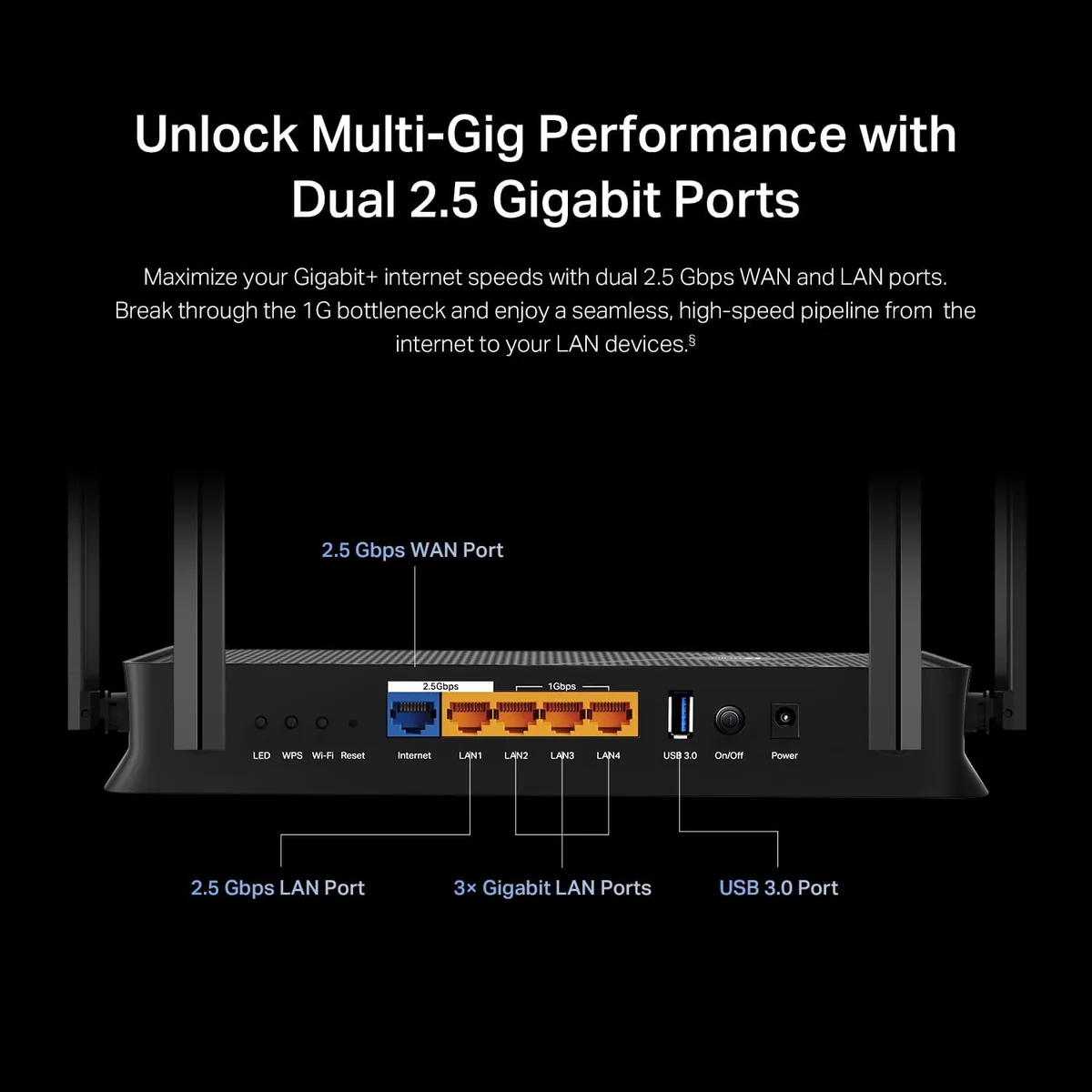
- •Single multi‑gig LANOnly one 2.5GbE LAN (plus 2.5GbE WAN); no 10GbE.
- •Firmware/support variabilitySome users report firmware issues and support gaps.
Known for reliable networking gear, TP-Link steps into Wi-Fi 7 territory with the Archer BE230, a budget-friendly router designed to bring next-gen speeds without breaking the bank. It’s tailored for homes craving multi-gigabit Ethernet connectivity via its dual 2.5Gbps ports and robust wireless performance across the popular 5 GHz band, making it ideal for streaming, gaming, and smart home setups. Setup is simplified through an intuitive Tether app alongside a full-featured web interface, catering both to novices and power users alike. While it skips the flashy 6 GHz band found in pricier rivals, it still packs cutting-edge Wi-Fi 7 tech like Multi-Link Operation (MLO) to boost speed and reduce latency on compatible devices. Coverage extends comfortably throughout medium-sized homes thanks to beamforming antennas but expect some thermal modesty under load due to its fanless design. Whether you’re upgrading or setting up fresh, these features merit close attention — because faster doesn’t always mean fancier, but it can be smarter.
5 GHz Wireless Throughput
The Archer BE230 flexes solid muscle on its 5 GHz band, delivering near-gigabit real-world throughput thanks to Wi-Fi 7 features like Multi-Link Operation (MLO) and 4K-QAM modulation. Users report blazing-fast downloads suitable for gaming or high-def streaming at close range, though some note signal drop-offs over longer distances—a trade-off given its dual-band design lacking a dedicated 6GHz channel but still impressive within its price class.
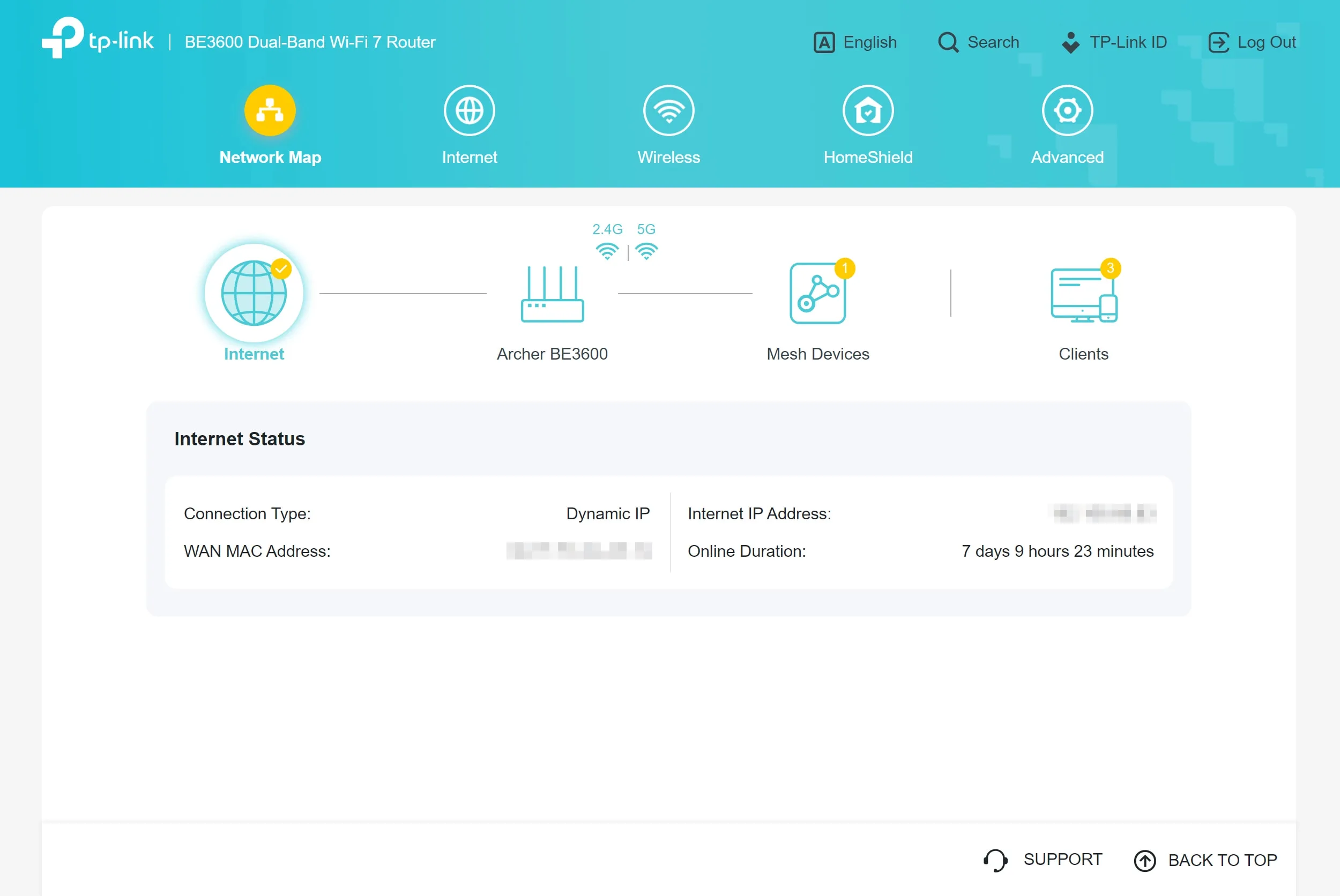
Setup & Management (Tether + Web UI)
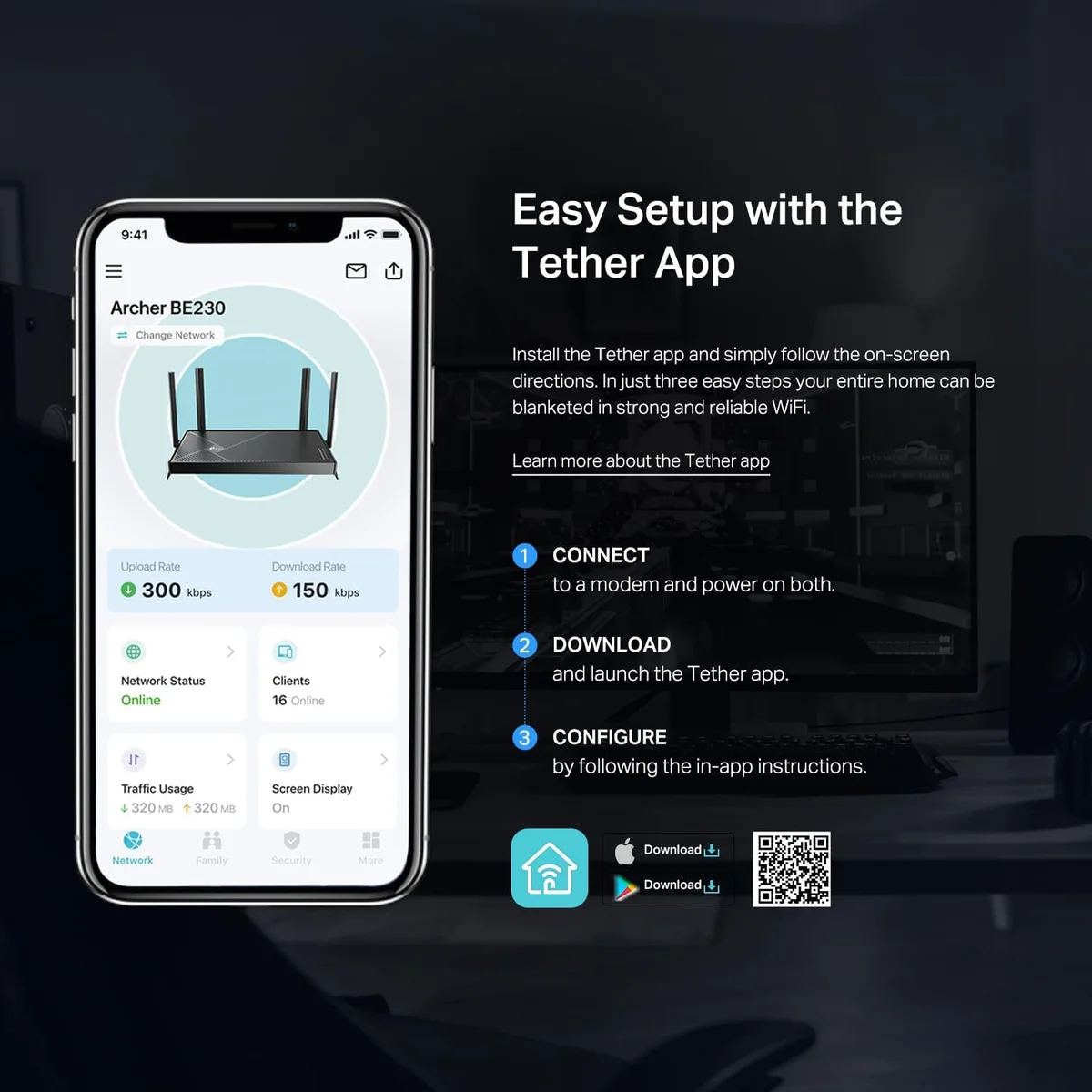
Simplicity meets control in the Archer BE230’s setup experience via the intuitive TP-Link Tether app combined with a clean web interface. Novices enjoy plug-and-play ease while power users can dive into advanced options like VPN configuration and EasyMesh management. Reviewers highlight quick onboarding alongside occasional quirks requiring firmware updates; nonetheless, remote monitoring capabilities keep network oversight effortless whether you're home or away—an accessible yet robust management package.
Coverage & Range (2.4/5 GHz)
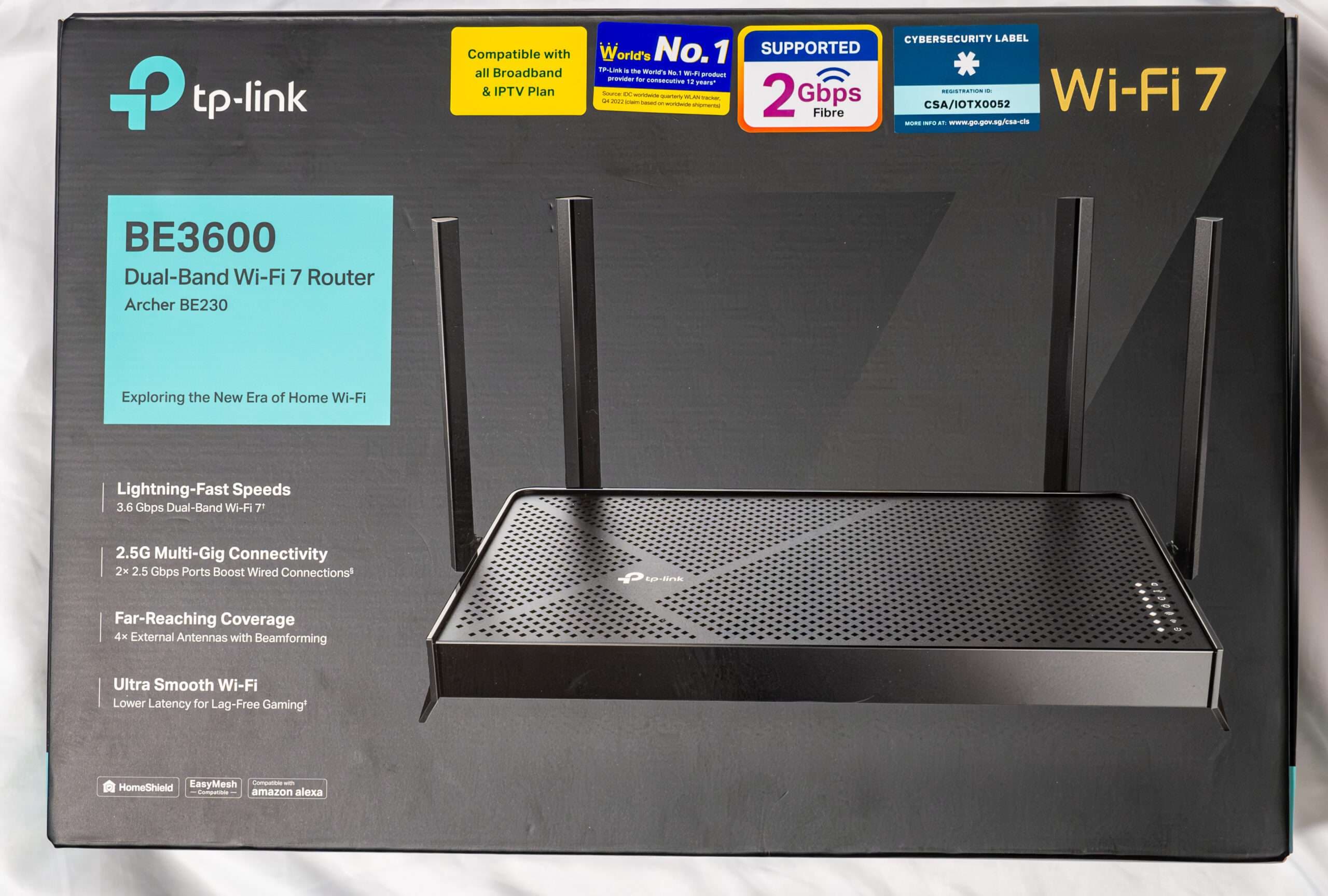
With four external antennas leveraging beamforming technology, this router covers medium-sized homes effectively across both bands but leans on its stronghold in denser environments by supporting Dynamic Frequency Selection (DFS) channels to reduce interference issues common in apartments. Although coverage wanes through multiple walls compared to tri-band rivals with dedicated backhaul radios, user feedback praises stable signals throughout typical household layouts without significant dead zones—making it reliable where it counts most.
Wired Multi‑Gig Ethernet Performance
Step up your wired game with the Archer BE230's 2.5GbE WAN and LAN ports, which leap beyond typical gigabit speeds for smoother streaming and faster file transfers. This feature is a standout, enabling seamless multi-gig internet connectivity that reviewers consistently praise for reliability and speed, making it ideal for heavy data users or NAS setups. While three additional 1GbE LAN ports cover standard needs, it's the dual 2.5G ports that truly elevate this router’s wired performance to premium territory.
Conclusion
Wired performance steals the spotlight with dual 2.5Gbps Ethernet ports delivering serious speed for multi-gig users, while the 5 GHz wireless throughput holds its own in real-world tests thanks to Wi-Fi 7 essentials like Multi-Link Operation (MLO) and 4K-QAM modulation. Setup shines via the streamlined Tether app and web interface, making network management accessible without sacrificing depth. Coverage is solid across both bands, though not expansive enough for sprawling estates—a nod to its focus on typical home environments. The router’s modest yet effective build pairs well with quiet, passive cooling that keeps things temperate under pressure. While it skips tri-band flair and a dedicated 6GHz channel, this device offers a savvy balance of innovation and practicality that suits users prioritizing future-ready speeds without extravagance—proof that high-tech needn’t come at an extravagant cost or complexity.

Feature Scores
This reflects reviews and ratings from established critics, journalists, and users who have evaluated the item. Their opinions provide a comprehensive assessment.
Performance
Wireless Throughput
4/5
Coverage Range
4/5
Multi-Device Handling
4/5
Low Latency Performance
4/5
Reliability
4/5
Firmware Update Cadence
3/5
Wired Port Speed
5/5
QoS Effectiveness
4/5
Advanced Wi-Fi Technology Support
4/5
Value
Price to Performance Ratio
5/5
Warranty and Support Value
4/5
Energy Running Cost
4/5
Design
Aesthetic Design
4/5
Form Factor Flexibility
4/5
Thermal Management
4/5
Health
RF Exposure
4/5
Materials Safety
4/5
Safety
Network Security Features
4/5
Secure Update Mechanisms
3/5
Default Credential Practices
3/5
Sustainability
Energy Efficiency
4/5
Repairability
TBD
Recyclability
TBD
Longevity of Software Support
3/5
Experience Style
Setup Simplicity
5/5
Management Interface Quality
4/5
Customization Depth
4/5

Specifications
This section outlines the product's key facts, covering essential features, details, dimensions, materials, and any unique characteristics that define its functionality and usability.
Performance
Design
Safety
Experience Style

Frequently Asked Questions
8 Questions




Find Yours
What level of internet speed is most important to you?
Answer to find your best matches.