
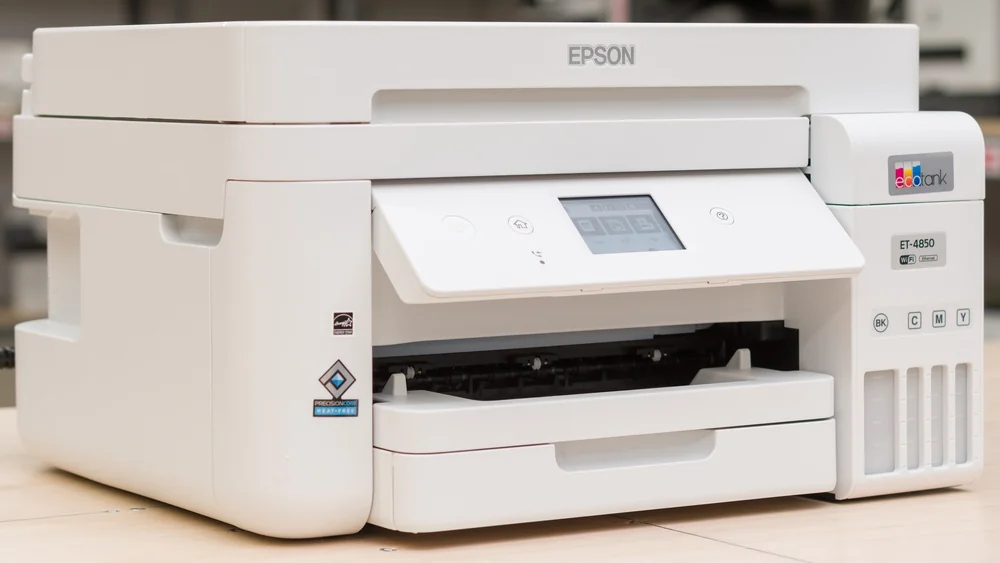
Epson EcoTank ET-4850 All-in-One Printer
Cartridge-free ink tanks and sharp document printing offer great value despite Wi-Fi and scanning quirks.
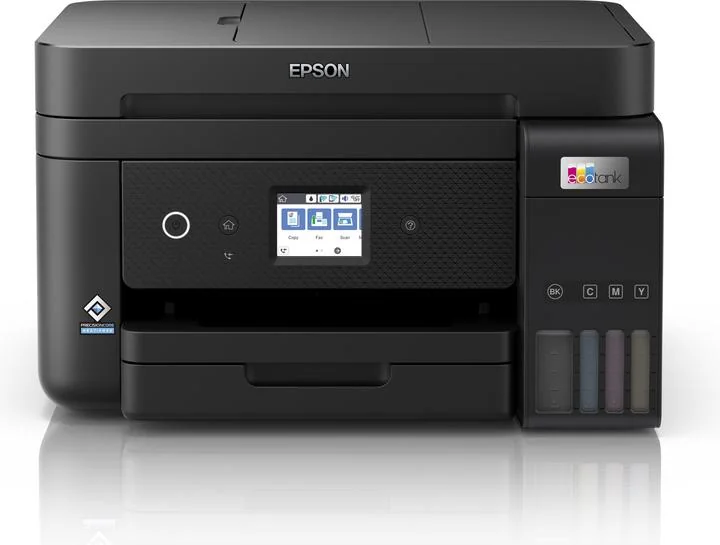
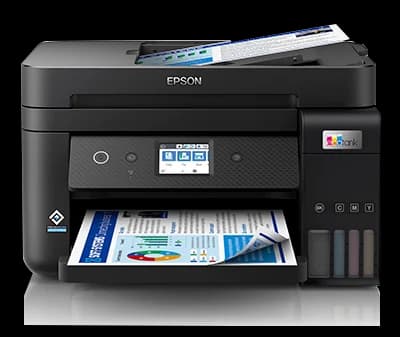
The Epson EcoTank ET-4850 is a savvy all-in-one workhorse designed for home offices craving cartridge-free ink tanks that stretch to an impressive 7,500 pages per bottle. It charms with crisp document print quality and a multifunction setup that juggles printing, scanning, copying, and faxing with ease. Experts applaud its long-term savings but flag the quirky Wi-Fi dropouts and a stubbornly slow automatic document feeder as workflow speed bumps. Users praise the slick mobile app setup yet note occasional paper jams and nozzle clogs. This printer delivers strong value by slashing running costs—just expect some patience around connectivity quirks for smooth sailing ahead.


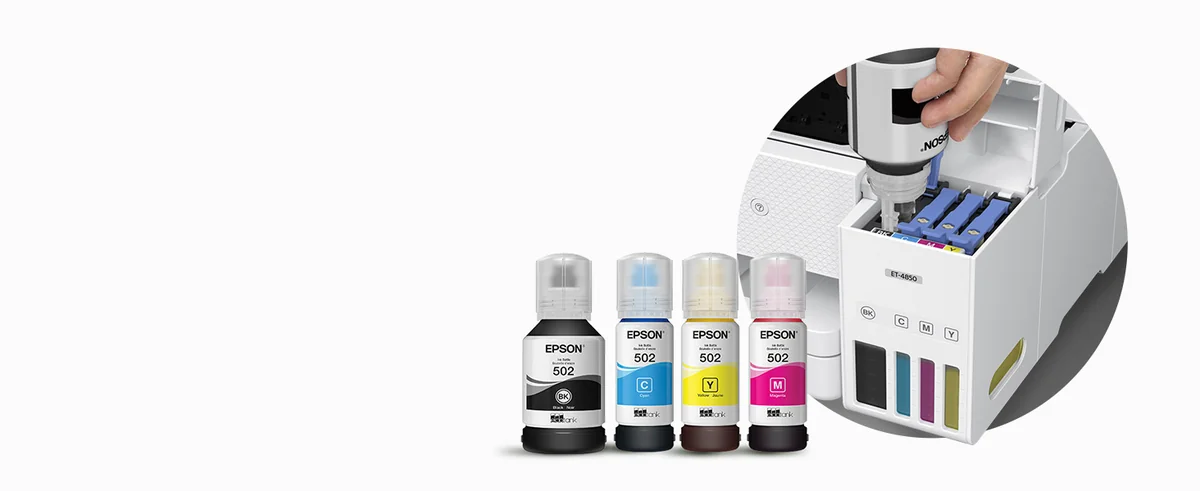

Find Yours
What will be your primary use for the printer?
Answer to find your best matches.

The Field
Browse top contenders, or compare all options ranked by score and key attributes.
3 Options

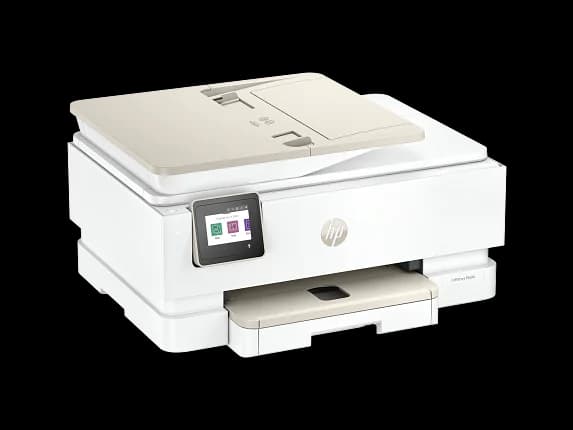


The Scoreboard
Does this improve your life? Considers, health, habits, and environmental impact.
Benefits
Refillable ink tanks reduce single-use cartridge waste compared with cartridge-based printers, lowering landfill plastic.
PrecisionCore heat-free printing and low-sleep consumption cut electricity demand during regular use.
Large ink reservoirs mean fewer cartridge swaps, reducing interruptions and messy ink handling.
Bulk bottles and refill system reduce packaging volume versus cartridge reliance, lowering material throughput.
Integrated, mess-free refill ports minimize direct contact with ink, improving household hygiene routines.
Trade-Offs
Refill bottles reduce cartridges but increase user contact risk from spills and skin staining.
Large plastic chassis and integrated parts limit repairability, increasing eventual e-waste compared with modular designs.
Intermittent Wi‑Fi and sleep-mode dropouts cause time loss, stress, and repeated print attempts.
ADF lacks duplex scanning, requiring manual page flips and extra physical handling for two-sided documents.
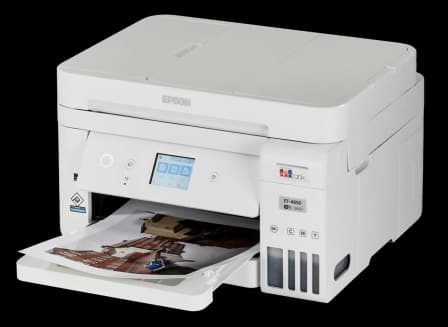
 Alternatives


Join the Circle
Where real meets deal
Know what's worth buying-and when.
Tips, special offers, and rewards for buying and sharing.

Publications
10 LEADING PUBLICATION REVIEWS

M. David Stone from PCMag highlights the Epson EcoTank ET-4850 as a compelling choice for home and micro offices that require heavy printing with all-in-one functionality. He praises its very low ink cost per page thanks to refillable tanks, making it a bargain over time compared to cartridge-based competitors like the Brother MFC-J4335DW. The ET-4850 offers solid print quality, especially for business documents, and reliable smudge resistance, though photo quality is modest. While its print speeds are adequate, they lag behind some faster cartridge models, and paper handling has limitations—most notably the lack of a single-sheet bypass tray and no duplex scanning in the ADF, which may deter users needing two-sided document scanning. Compact and easy to install, it supports multiple connectivity options and mobile printing. Stone’s balanced review positions the ET-4850 as an Editors’ Choice for users who print frequently and value low running costs despite a higher upfront price.
By M. David Stone
Jim Hill from TechRadar highlights the Epson EcoTank ET-4850 as a well-rounded, feature-rich all-in-one inkjet printer tailored for small businesses and home offices. Praising its compact design, large ink capacity, and very low running costs, he emphasizes the strong print quality for monochrome and mixed color documents, supported by Epson’s advanced PrecisionCore print head technology. The included touchscreen and automatic document feeder add to its office-friendly appeal. However, Hill notes some drawbacks, such as the lack of USB Host and NFC connectivity, no duplex scanning capability, and slower scanning speeds. Photographers may find the color accuracy lacking, with photos appearing somewhat flat compared to dedicated photo printers. Despite a relatively high purchase price, the ET-4850 excels at everyday office printing tasks, making it a compelling choice for users prioritizing efficiency and cost savings over photo printing excellence.
By Jim Hill
Stephen Fenech from Tech Guide highlights the Epson EcoTank ET-4850 as an excellent investment for heavy printing needs, emphasizing its exceptional value and performance. The standout feature is its cartridge-free design with ink tanks that come pre-filled to last up to two years—equivalent to about 145 cartridges—eliminating frequent ink replacement hassles and costs. The printer delivers professional-quality prints using PrecisionCore heat-free technology and supports versatile functions including scanning, copying, faxing, and wireless printing from multiple devices. Setup is straightforward with the Epson Smart Panel app, and the compact footprint suits home offices or small businesses. While the upfront price of around $649 is higher than typical printers, the long-term savings on ink make it competitive. The review praises the large paper capacity, touchscreen interface, and broad media compatibility, concluding that the ET-4850 offers a compelling blend of convenience, quality, and cost efficiency for users with substantial printing demands.
By Stephen Fenech
RTINGS highlights the Epson EcoTank ET-4850 as a versatile all-in-one inkjet printer well-suited for home, student, and small office use. It excels with exceptionally high page yields and low running costs, producing sharp black-and-white documents and detailed, colorful photos despite some oversaturation and graininess in color accuracy. The printer offers wide connectivity options, including USB, Wi-Fi, Ethernet, and mobile app support, making it accessible for multiple users. Its sturdy build and user-friendly design facilitate maintenance, though the scanner’s automatic feeder is slow and lacks duplex scanning. While printing speed is reasonable for black-and-white documents, it is slower for color prints and waking from idle. Unique insights include detailed comparisons with previous Epson models, highlighting improvements in build quality and features like fax capability and a touch-sensitive display. The review also notes minor design drawbacks, such as limited input tray removal and occasional paper misalignment on certain photo prints, balanced by a thorough exploration of real-world usability and maintenance considerations.
By Sophie Arsenault, Evan Jakab, Yannick Khong
Simon Handby from IT Pro highlights the Epson EcoTank ET-4850 as a versatile all-in-one printer that excels in long-term value due to its refillable ink tanks and extremely low running costs. While the initial purchase price is notably high—almost three times that of comparable mid-range MFPs—the included ink supply and cost per page make it economical over time, especially for moderate to heavy users. Handby praises the printer’s multifunction capabilities and solid print quality, particularly for photos with vibrant, glossy finishes, though he notes that text and graphics on plain paper appear less bold. Performance-wise, the ET-4850 is adequate but not outstanding, with slower duplex printing, scanning, and copying speeds compared to competitors. The lack of duplex support in the automatic document feeder is a drawback. Ink level monitoring is imperfect, requiring manual resets to avoid running dry. Overall, the review conveys a cautiously positive tone, emphasizing the printer’s cost efficiency and quality while acknowledging its speed and usability limitations.
By Simon Handby
Stephen Withers assesses the Epson EcoTank ET-4850 as a well-designed, cost-effective all-in-one printer ideal for home and small office use. He highlights the improved EcoTank ink refill system, which is now mess-free and integrated neatly into the printer’s design, offering significant savings on running costs with high page yields per ink bottle. The review praises the printer’s solid print quality, efficient scanning features with useful software options, and low power consumption in sleep mode. However, some usability drawbacks are noted, such as a small touchscreen prone to input errors, a single paper tray that complicates switching media types, and a single-sided automatic document feeder limiting duplex copying. The absence of macOS Monterey-specific software at the time is mentioned but workarounds exist. While fax functionality is included, it feels somewhat outdated. Overall, the ET-4850 is described as a compact, stylish, and economical choice, with minor trade-offs that may affect users with specific needs like frequent envelope printing or two-sided scanning.
By Stephen Withers
Fergus Halliday from Reviews.org Australia highlights the Epson EcoTank ET-4850 as a capable all-in-one printer that delivers a mostly smooth and modern printing experience, especially excelling in everyday tasks like photocopying with its versatile 30-page auto document feeder and scanner options. While the setup process via the Epson Smart Panel app is unconventional and somewhat awkward, it ultimately proves effective. The printer’s design is functional but uninspired, and its footprint may feel bulky in smaller spaces. Halliday appreciates the long-term cost savings from bulk ink refills, though the upfront price is steep. Print speed and reliability are solid, with minimal paper jams and acceptable noise levels. However, the color print quality, particularly for detailed images, falls short of expectations given the price. Overall, the ET-4850 is a dependable workhorse that meets daily needs without exciting, held back by a few design and performance compromises that prevent it from being truly outstanding.
By Fergus Halliday
Michael Sheehan from HighTechDad highlights the Epson EcoTank ET-4850 as a versatile, cost-effective all-in-one printer ideal for home offices and families. He enthusiastically praises the EcoTank system’s bulk ink tanks, which drastically reduce printing costs and waste compared to traditional cartridges, making it both economical and eco-friendly. The review emphasizes the printer’s multiple connectivity options—including WiFi, Ethernet, and direct device printing—and the convenience of features like the automatic document feeder and mobile app control. Sheehan notes solid print speeds and high-quality output suitable for documents and photos alike. While setup takes about 30 minutes and the touchscreen is somewhat small, these minor drawbacks don’t overshadow the overall value. The review conveys genuine appreciation for the ET-4850’s blend of functionality, efficiency, and family-friendly design, recommending it as a reliable, long-term solution for diverse printing needs.
By Michael Sheehan
Scott Plowman from EFTM highlights the Epson EcoTank ET-4850 as a solid all-in-one printer well-suited for home offices with high printing demands. He appreciates Epson’s eco-friendly ink tank system, which reduces consumable waste and lowers per-page ink costs, though he questions the manufacturer’s claim of included ink volume. Setup is described as somewhat complex due to multiple apps and verification steps, but once configured, the printer performs reliably, especially when using the SmartPrint app for duplex printing and scanning. Print quality is good for documents and casual photos but not on par with dedicated photo printers. Plowman emphasizes the value proposition for heavy users who can offset the relatively high upfront cost through ink savings and environmental benefits. While the review is measured and notes some usability quirks, the overall tone is positive and recommends the ET-4850 as a practical, eco-conscious choice for home office users.
By Scott Plowman
Alex Chapman from 7NEWS highlights the Epson EcoTank ET-4850 as a versatile all-in-one printer well-suited for home offices and families who print frequently. Praising its fast cloud printing capabilities and multifunction features—including scanning, copying, faxing, and double-sided printing—the review emphasizes the innovative ink tank system that reduces costs and environmental impact by replacing cartridges with refillable bottles. While initial ink refilling and remote setup via multiple apps can be somewhat tedious, the process becomes straightforward with experience. The review balances enthusiasm for the printer’s reliability and efficiency with a clear caveat about its relatively high price point, suggesting it is a worthwhile investment primarily for heavy users. Overall, the ET-4850 is portrayed as a dependable, feature-rich machine that justifies its cost for those needing a durable, multi-function device but may be excessive for casual or infrequent printing needs.
By Alex Chapman

YouTube
5 LEADING EXPERT & INFLUENCER REVIEWS
 Greg Toope
Greg Toope praises the Epson EcoTank ET-4850 for its faster print speeds, larger paper capacity, and convenient front-loading tray with an auto document feeder—ideal for home offices and small businesses. He highlights its easy ink refill system and robust app setup, while noting its larger size and higher price compared to the ET-2850.
The Printer GuyThe Printer Guy provides a balanced, informative comparison of the Epson EcoTank ET-4850 and ET-5180, highlighting the 4850’s strong print quality and higher scanner resolution but slower speeds and lack of card stock support. He favors the 5180 for faster printing and office-ready design, offering clear, practical insights without heavy promotion.
VectoriaDesignsVectoriaDesigns praises the Epson EcoTank ET-4850 for its easy setup, clean and simple ink tank refilling, fast printing, and excellent color quality—especially for crafting. She highlights its ability to handle heavy paper and borderless prints, noting it as a cost-effective, health-conscious choice with promising productivity gains.
Kooky CraftablesDavid Landis praises the Epson EcoTank ET-4850 for its cost-effective, cartridge-free ink system and reliable performance after a year of heavy use, especially on cardstock and color prints. He highlights crisp, vibrant output and easy ink refills, while noting occasional paper feed limits and addressing concerns about ink reservoir maintenance and clogging.
Tech Battle ZoneTech Battle Zone highlights the Epson EcoTank ET-4850 as a high-productivity, office-ready printer with faster print speeds, a larger 250-sheet tray, and a user-friendly 2.4" color touchscreen. While praising its efficiency and multifunction features, the review notes the ET-4850’s advantages over the ET-4800 for heavier workloads, emphasizing cost savings and eco-friendly cartridge-free printing.

Social
1 INFLUENCER REVIEW
 SMart
SMartSMart shares their experience using the Epson EcoTank ET-4850, highlighting its adaptability by converting it with Hippo sublimation inks to achieve impressive printing results. While the review is brief, it conveys a positive tone about the printer’s versatility and output quality. Overall, SMart recommends the EcoTank 4850 as a reliable choice for sublimation projects, emphasizing its practical customization potential.

Store Reviews
CUSTOMER REVIEWS FROM 1 STORE
Users on Micro Center praise the Epson EcoTank ET-4850 for its excellent print quality, impressive ink efficiency, and compact design. Many highlight the significant cost savings from the cartridge-free ink tank system, with some sharing long-term experiences of not needing to replace ink for over a year. Reviewers appreciate the straightforward setup process, especially when using the mobile app, and find the wireless connectivity generally reliable, though a few report occasional Wi-Fi drops. The printer’s duplex printing earns positive remarks, while the touchscreen size draws mixed opinions due to its small dimensions. However, several users express frustration with the automatic document feeder (ADF), describing frequent paper jams and unreliable scanning performance that often forces them to scan pages manually. Some customers also mention slow startup times and occasional software quirks, but they still value the overall functionality for home or small office use. A few reviewers criticize the support and documentation quality, noting difficulties with registration and warranty claims. Despite these drawbacks, many Micro Center customers recommend the ET-4850 for its balance of cost savings, print quality, and ease of use, especially for those prioritizing ink economy over heavy-duty scanning needs.
3.9 Stars / Some reviews

Forum Reviews
CUSTOMER REVIEWS FROM 1 FORUM
Reddit users express mixed experiences with the Epson EcoTank ET-4850 All-in-One Printer, highlighting significant issues with WiFi connectivity, slow printing and scanning speeds, and frequent paper jams. Many report frustration with Epson’s lack of effective customer support and unresolved software bugs, particularly related to the printer’s sleep mode causing network dropouts. While some appreciate the printer’s touchscreen design and economical ink usage, the overall sentiment leans negative due to reliability concerns. Users upgrading from other brands often find the ET-4850 less dependable, with some considering a return to previous models, whereas new shoppers are cautioned about potential connectivity and performance drawbacks.
Many comments

In-Depth Review

Highlights
- •Refillable ink systemMarketed as cartridge-free, user-fillable tanks
- •Low operating costDesigned to reduce per-page expenses
- •High-yield ink bottlesBlack ~7,500 pages per bottle
- •Multifunction capabilitiesPrint, scan, copy, fax in one
- •High-resolution pigment printing4800×1200 dpi with pigment inks
- •Mobile and wired connectivityPromoted as having Wi‑Fi, Ethernet, USB

Considerations
- •Wi‑Fi instabilityPrinter forgets Wi‑Fi; sleep bug
- •Nozzle clogging riskHeads clog after infrequent use
- •Paper jams and scan delaysMore jams; slower duplex scanning
- •Third-party ink risksNon-OEM ink can cause issues
- •Customer support responsivenessSupport escalation often unresolved
- •Photo color limitationsFaded or inaccurate photo colors
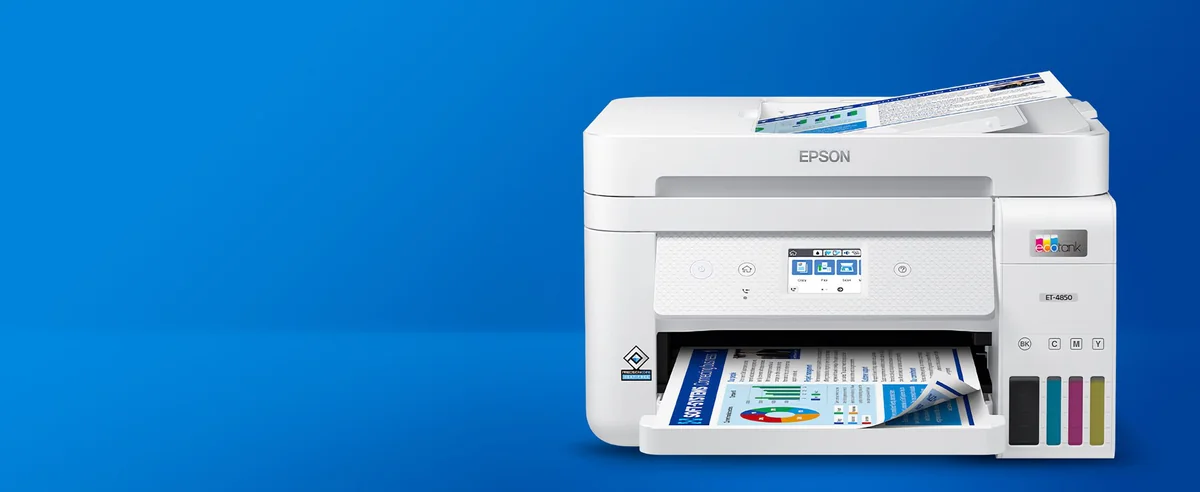
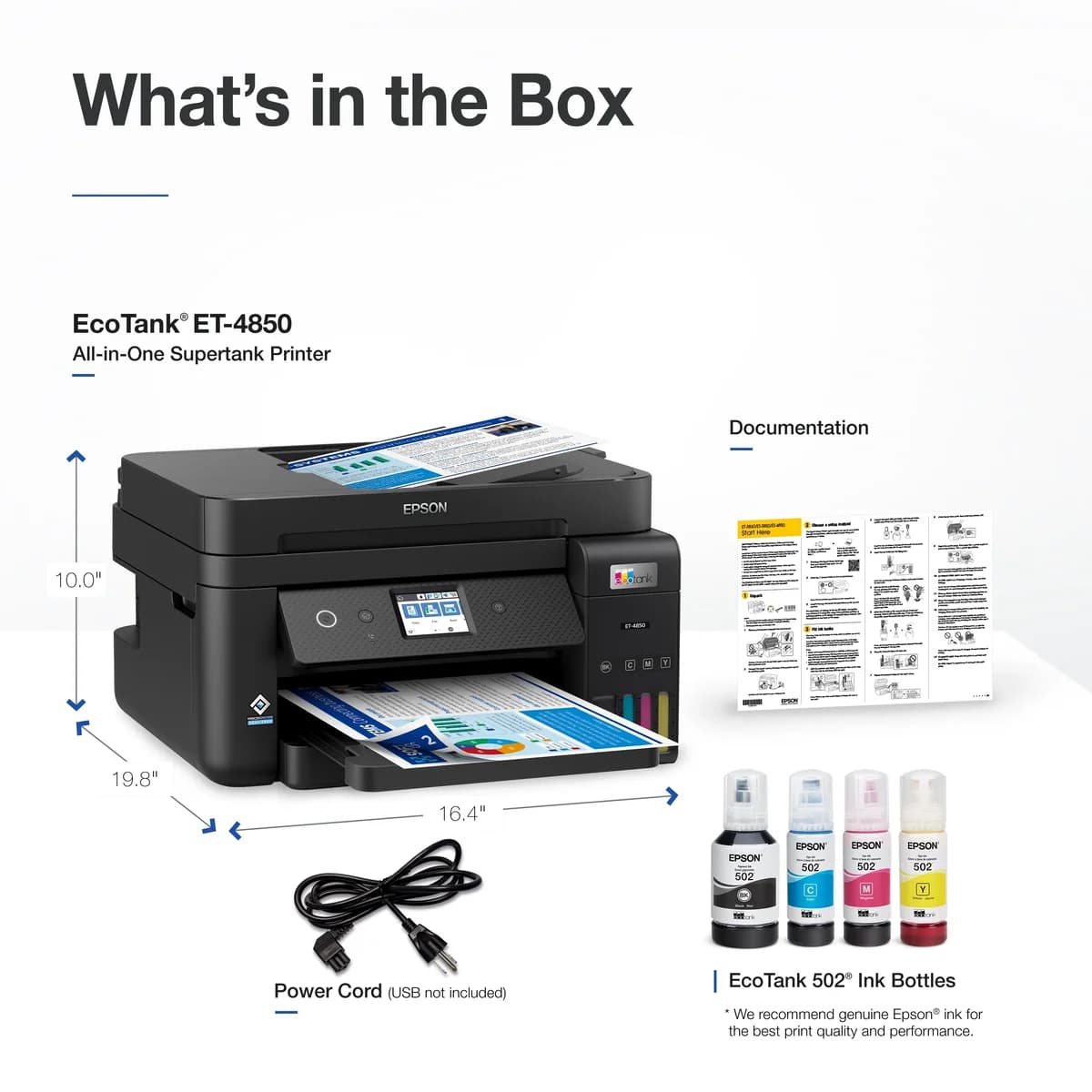
Epson’s EcoTank ET-4850 positions itself as a savvy all-in-one solution for home offices and small businesses, promising cartridge-free printing with refillable ink tanks that dramatically cut running costs. It aims to deliver solid print quality at 4800 x 1200 dpi, backed by a multifunction design that includes scanning, copying, and faxing—all wrapped in a compact form factor measuring just under 15 inches wide. While the brand is known for innovative ink technology, this model faces scrutiny over its Wi-Fi connectivity quirks, which can disrupt workflows if left unchecked. The generous ink yield per bottle appeals to heavy users seeking budget relief without sacrificing convenience. Potential buyers should also consider how the automatic document feeder handles batch jobs alongside typical maintenance challenges like nozzle clogging. Whether you’re balancing productivity or cost-efficiency, understanding these nuances will help decide if it fits your daily grind—and why some patience might be part of the package.
ADF and Scanning Performance
The automatic document feeder (ADF) adds serious multitasking muscle by handling up to 30 sheets at once with flatbed scanning up to legal size (8.5"x14"). While scan resolution hits an impressive hardware max of 2400 dpi plus interpolation capabilities reaching higher detail levels digitally enhanced post-scan, some users note slower speeds during duplex scans due to single-sided ADF design—slowing batch workflows unexpectedly but offering solid image clarity when patience prevails.
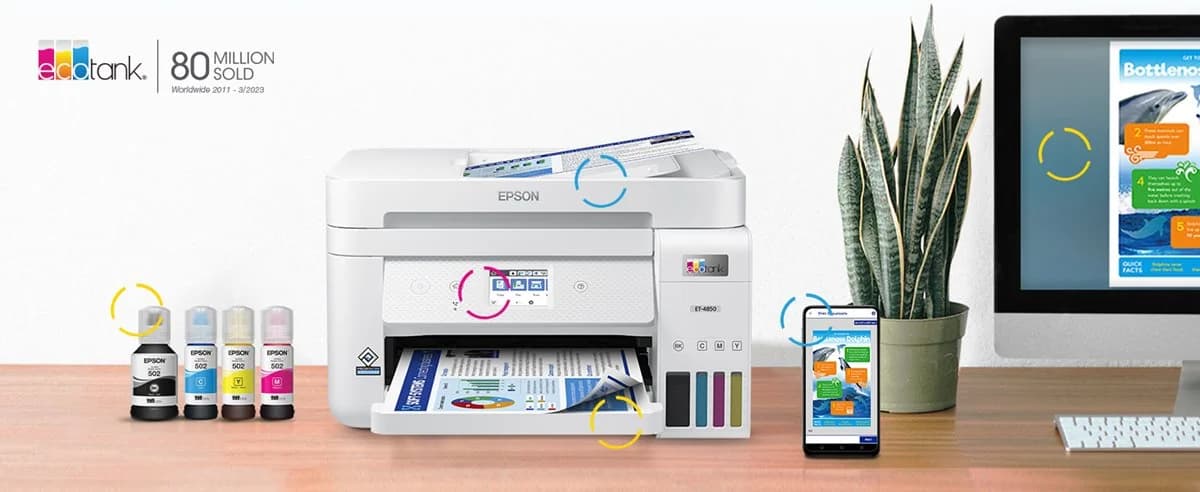
Print Quality (Documents)
For document printing, this model offers crisp text and vibrant colors thanks to its pigment-based CMYK inks capable of 4800 x 1200 dpi resolution. Users generally praise sharpness on office documents though photo prints don’t match dedicated photo printers’ vibrancy or detail levels—typical trade-offs in all-in-one models prioritizing versatility over specialist output quality. The three droplet sizes enhance subtle gradients but occasional fading issues may arise depending on ink choice.
Ink System and Yield
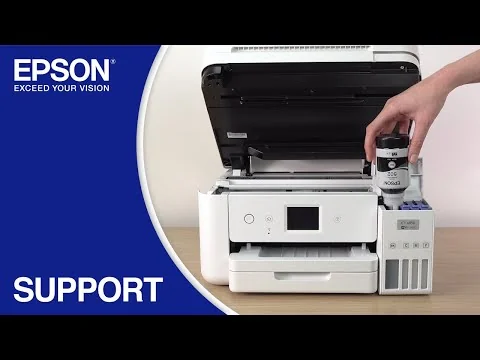
The EcoTank system shines with its refillable ink tanks designed to replace cartridges entirely, boasting yields like 7,500 pages from a single black bottle. This drastically cuts running costs compared to traditional cartridge printers while reducing plastic waste—a boon for budget-conscious users seeking longevity without frequent replacements. Experts advise sticking with genuine Epson inks for optimal performance as third-party alternatives risk clogging or color shifts, balancing economy against print quality risks inherent in refill systems.
Connectivity and Wi‑Fi Stability
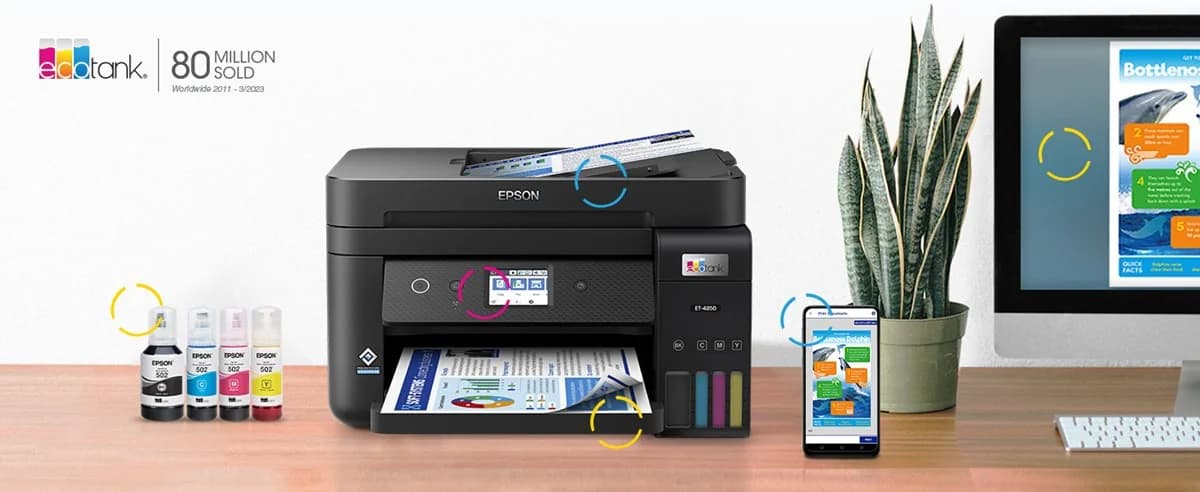
Connectivity is the lifeblood of any modern printer, and here the ET-4850 delivers a mixed bag. It supports Wi-Fi, Ethernet, and USB connections with added mobile app convenience. However, user reports highlight persistent Wi-Fi dropouts linked to a hidden sleep timer setting that can frustrate workflow. While Ethernet provides a rock-solid fallback, wireless hiccups undercut its promise of seamless integration in busy home offices or small businesses. This instability remains one of the more significant pain points despite Epson’s firmware updates.
Reliability and Maintenance (Nozzle/Clogging)
Long-term reliability hinges on consistent nozzle function; however intermittent clogging complaints emerge from infrequent use scenarios common among home users who let heads dry out between jobs. Routine maintenance cycles can clear blockages but require patience since multiple cleanings might be necessary before restoring full functionality—testing brand claims around low upkeep needs versus real-world experience where drying affects output consistency notably if usage lapses are long enough.
Conclusion
Navigating the world of home-office printers, this model stakes its claim with a refillable ink system that slashes supply costs but stumbles on Wi-Fi stability, where sleep mode-induced disconnects test patience. Its print quality delivers crisp documents, though photo aficionados might find it wanting. The automatic document feeder handles batch scans well, yet duplex speed lags behind peers. Users should brace for occasional maintenance as nozzle clogging looms if printing is sporadic. Compact dimensions fit tight spaces without fuss, making it an appealing choice for budget-conscious professionals who prioritize ink savings over seamless wireless reliability. While not flawless, its strengths in cost efficiency and multifunction utility make it worthy of consideration—especially when paired with wired connections to sidestep network woes and keep productivity humming along smoothly under the surface.

Feature Scores
This reflects reviews and ratings from established critics, journalists, and users who have evaluated the item. Their opinions provide a comprehensive assessment.
Performance
Print Quality
4/5
Print Speed
4/5
Reliability
3/5
Duty Cycle
4/5
Value
Purchase Price
3/5
Operating Cost
5/5
Consumables Availability
4/5
Design
Form Factor
4/5
Build Quality
3/5
User Interface Design
4/5
Health
Ink Toxicity
3/5
Emissions During Printing
3/5
Allergen Risk
3/5
Safety
Electrical Safety Compliance
3/5
Hot Surface Risk
2/5
Mechanical Safety
3/5
Sustainability
Cartridge Waste
4/5
Energy Efficiency
3/5
Recyclability Programs
3/5
Experience Style
Ease of Setup
3/5
Connectivity Options
4/5
Feature Richness
4/5

Specifications
This section outlines the product's key facts, covering essential features, details, dimensions, materials, and any unique characteristics that define its functionality and usability.
Performance
Value
Design
Safety
Sustainability
Experience Style

Frequently Asked Questions
9 Questions

Also Consider
2 Options


Find Yours
What will be your primary use for the printer?
Answer to find your best matches.