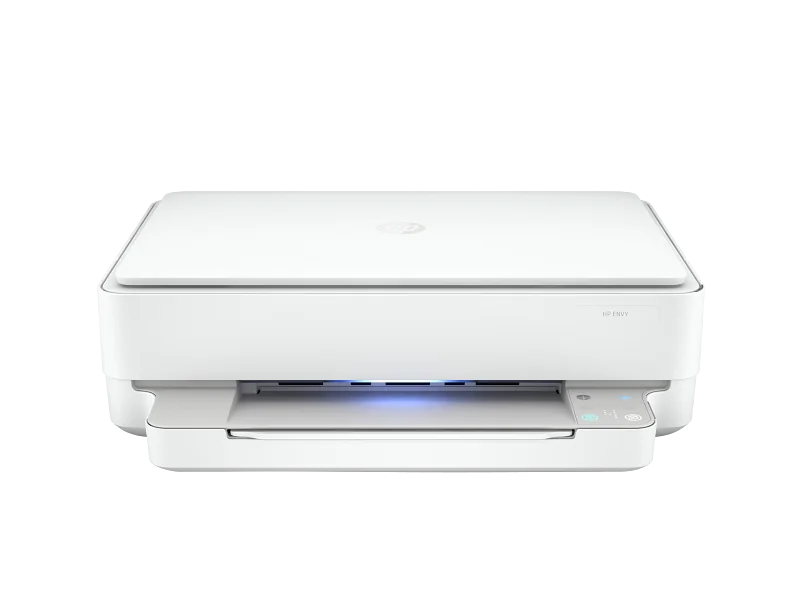
HP Envy 6055e All-in-One Printer
Compact, app-driven printer with vibrant photo quality and wireless ease, but costly ink and slow speed.
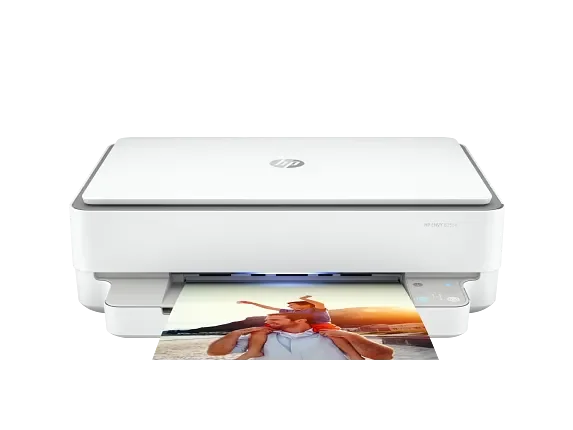
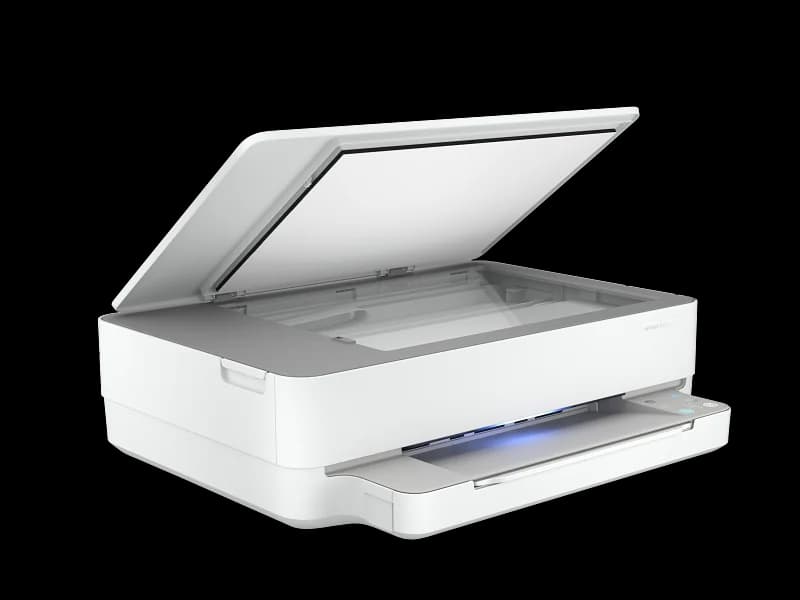
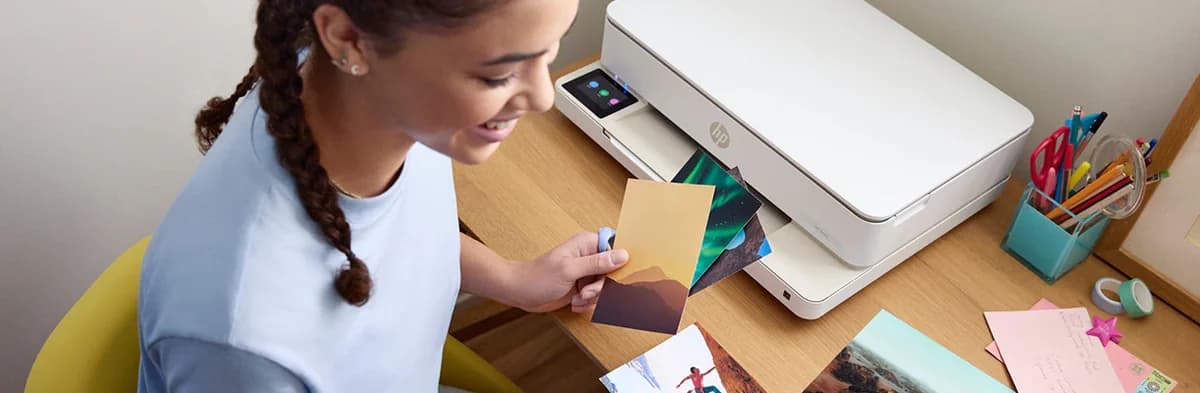
The HP Envy 6055e All-in-One Printer is a compact, app-driven marvel designed for home users craving vibrant photo quality and seamless mobile printing via the HP Smart app. Perfect for light workloads, it delivers respectable prints but stumbles with a slow print speed and an ink system that’s both pricey and locked down by strict cartridge rules. Experts applaud its wireless ease; users enjoy its quiet operation despite occasional Wi-Fi quirks. Its sleek design fits snugly on small desks, making it ideal for space-conscious setups. The trade-off? Ink costs and connectivity hiccups shape this device’s practical charm in everyday use.
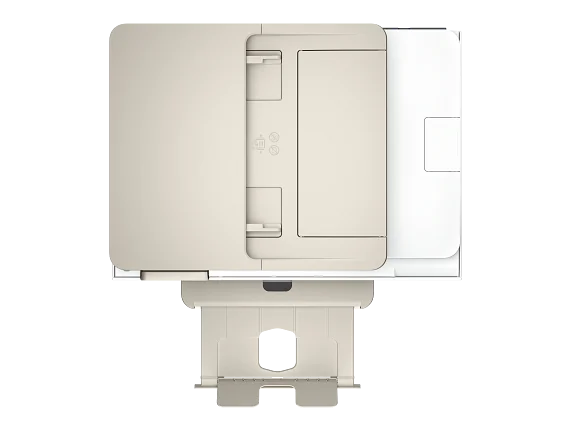

Find Yours
What will be your primary use for the printer?
Answer to find your best matches.

The Field
Browse top contenders, or compare all options ranked by score and key attributes.
3 Options


The Scoreboard
Does this improve your life? Considers, health, habits, and environmental impact.
Benefits
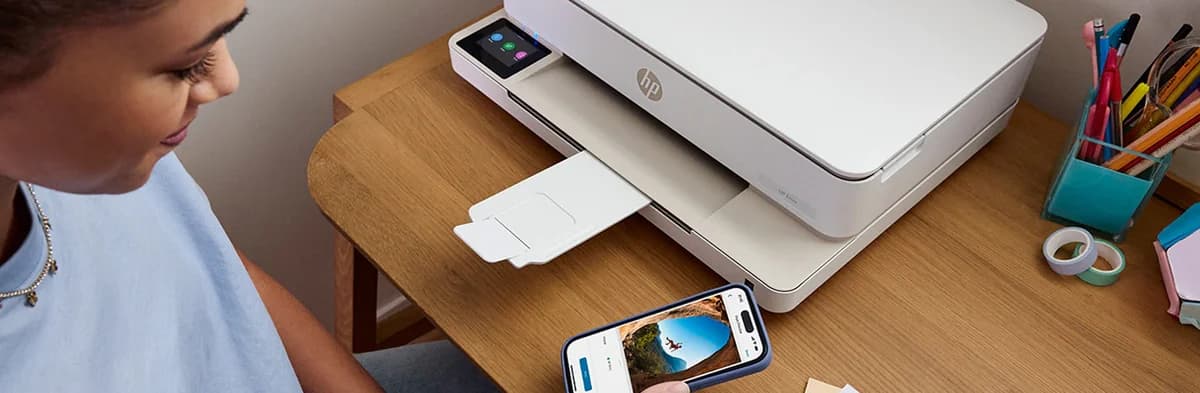
HP Smart app/cloud printing lets you print from phones, reducing friction and task-related stress.
Compact two-in-one chassis fits small spaces, reducing clutter and easing home-office stress.
High-resolution inkjet photo engine produces vibrant prints, supporting creativity and emotional satisfaction.
Self-healing Wi‑Fi and guided HP Smart setup lower technical frustration, improving daily productivity and calm.
Trade-Offs
Small, low-yield cartridge design creates frequent plastic and chemical waste compared with refillables.
Thermal inkjet printhead design requires cleaning cycles, wasting ink and causing workflow interruptions.
HP Instant Ink and cartridge controls limit third-party refills, reducing reuse and repairability options.
App-only interface and automatic updates shift control off-device, potentially eroding user agency and privacy.
 Alternatives


Join the Circle
Where real meets deal
Know what's worth buying-and when.
Tips, special offers, and rewards for buying and sharing.

Publications
3 LEADING PUBLICATION REVIEWS

M. David Stone from PCMag highlights the HP Envy 6055e All-in-One as a printer that offers notable flexibility, especially with its standout feature allowing printing from virtually anywhere via the HP Smart app. While setup proved more complicated and less intuitive than HP’s promises, once configured, the printer delivers acceptable print quality suitable for light home or home-office use. Stone points out several limitations, including minimal paper capacity, lack of an automatic document feeder, slower print speeds compared to competitors, and only basic duplex printing. The print output is adequate but not professional-grade, with some smudging and color vibrancy issues. Despite these drawbacks, the Envy 6055e’s remote printing capabilities make it a compelling choice for users needing mobile access, though those prioritizing speed, paper handling, or local printing might prefer alternatives like the Brother MFC-J491DW or Epson WorkForce Pro. Overall, the review balances criticism with appreciation for the printer’s unique strengths.
By M. David Stone
Lesley Robinson and Benjamin Hickok from GearLab / TechGearLab highlight the HP Envy 6055e as a compact, budget-friendly all-in-one printer that excels in producing vibrant, high-quality photos and sharp business graphics, outperforming some pricier competitors in print resolution and color accuracy. However, the review conveys a cautiously positive tone, noting significant drawbacks such as confusing user interface due to the lack of a display screen, slow print speeds for mixed media and photos, and notably high long-term operating costs driven by expensive ink cartridges. While the low initial purchase price makes it attractive for occasional home use, the printer’s value diminishes with frequent printing, making it less affordable over time. The authors also critique HP’s “Instant Ink Plan” as a somewhat unsatisfactory workaround for the ink cost issue. Overall, the review balances praise for print quality and compact design with clear reservations about usability and cost, recommending the Envy 6055e primarily for light users who prioritize upfront affordability over ongoing expenses.
By Lesley Robinson
RTINGS highlights the HP ENVY 6055e as a mediocre all-in-one inkjet printer primarily suited for basic home use but with notable drawbacks. While it offers decent connectivity options, including Wi-Fi, USB, and a feature-rich mobile app, its print quality—especially for black-and-white documents and photos—is underwhelming due to narrow color range, poor accuracy, and visible graininess. The scanner is basic, lacking an automatic document feeder and producing only passable scan quality with limited fine detail capture. The printer’s slow speed and very low ink cartridge yields lead to high running costs, making it expensive to maintain. Although it supports borderless printing and various paper sizes, frequent cartridge replacements and the inability to use third-party ink without subscription limit its appeal. RTINGS also notes sturdiness in design but points out maintenance challenges like printhead clogging. Overall, the HP ENVY 6055e is outperformed by alternatives like the HP ENVY 6155e and Canon PIXMA MG3620, which offer better print quality and cost efficiency.
By John Panoryios; Ryan Lim; Yannick Khong

YouTube
1 LEADING EXPERT & INFLUENCER REVIEW
 The Printer Guy
The Printer Guy praises the HP ENVY 6055e for its compact design, easy smartphone setup via the HP Smart App, and surprisingly high photo print quality for a budget inkjet. He notes the lack of a front display, limited monthly print volume (50–100 pages), and suitability mainly for students or light home use, emphasizing cost-effective ink cartridges and recommending it for those who prioritize mobile printing over heavy-duty or business needs.

Social
1 INFLUENCER REVIEW
 Tiffany Juddine
Tiffany Juddine highlights the HP Envy 6055e as a "great little printer," expressing genuine appreciation despite a minor issue with paper curling that caused printing errors. She offers a practical tip to keep paper flat, showing hands-on experience and a balanced view of the product’s performance. Overall, Tiffany’s sentiment is cautiously positive—she values the printer’s quality and usability but notes a specific limitation that users should watch for. Her recommendation feels genuine and measured, suggesting the HP Envy 6055e is a solid choice if users manage paper handling carefully.

Store Reviews
CUSTOMER REVIEWS FROM 1 STORE
Users on HP’s platform praise the HP Envy 6055e All-in-One Printer for its easy setup, compact design, and reliable print quality, especially appreciating the convenience of the Instant Ink subscription service. Many highlight the printer’s efficient wireless connectivity and the helpful LED status indicators that simplify monitoring its functions. Reviewers also value the printer’s quiet operation and versatility in handling various paper sizes, making it suitable for home and small office use. Several users note that the printer’s reliance on the smartphone app for all settings, including copying and scanning options, limits direct control on the device itself, which some find inconvenient compared to traditional printers with onboard screens. A few mention challenges with Wi-Fi connectivity and the complexity of resetting network settings, which can require troubleshooting. Some customers report occasional issues such as double-feeding paper, error messages without clear explanations, and difficulties with scanning functionality. While many customers commend HP’s tech support for being knowledgeable and patient, others express frustration with inconsistent customer service experiences, particularly regarding warranty claims and returns. A unique insight from the reviews reveals that HP has discontinued the email-to-print feature, which disappoints users who prefer printing directly from computers rather than smartphones. Overall, HP users find the Envy 6055e a solid, user-friendly printer with a sleek design and good value, though they advise prospective buyers to be prepared for app-dependent operation and occasional connectivity hiccups.
4.4 Stars / Many reviews

Forum Reviews
CUSTOMER REVIEWS FROM 1 FORUM
Reddit users generally find the HP Envy 6055e All-in-One Printer suitable for basic home use, praising its easy setup, compact design, wireless printing capabilities, and decent print quality for everyday documents and photos. The HP+ system and automatic updates are appreciated for convenience, though some express frustration with the printer’s slower print speed and small paper tray. A significant critique centers on the ink subscription model and cartridge restrictions, which many view as costly and restrictive, leading some to avoid HP products altogether. While new users often highlight ease of use and features, those upgrading tend to focus more on ink costs and limitations, reflecting a mixed but cautiously positive overall sentiment.
Some comments

In-Depth Review

Highlights
- •Mobile printing and appPrint/scan via HP Smart app
- •Compact designSmall desktop footprint, fits tight spaces
- •Automatic duplexingTwo-sided printing built-in
- •Marketed as Instant Ink included3‑month Instant Ink trial included
- •Marketed as self-healing Wi‑FiAuto-detects and attempts network recovery
- •High-resolution photo printingUp to 4800 × 1200 optimized dpi

Considerations
- •High ink consumptionCartridges run out quickly
- •Cartridge authenticity enforcementPrinter blocks non‑HP/modified cartridges
- •Connectivity reliability issuesFrequent Wi‑Fi drops reported
- •Limited paper capacitySingle 100‑sheet input tray
- •No automatic document feederFlatbed only; manual multipage scans
- •App-dependent controls and no displayMinimal on-device UI; app required
With its reputation for reliable home office gear, HP offers the Envy 6055e as a compact all-in-one solution tailored for light users juggling printing, scanning, and copying tasks. Marketed with wireless connectivity supporting Wi-Fi 802.11ac and seamless integration via the HP Smart app, it promises easy mobile printing from smartphones or tablets. The printer’s two-cartridge ink system includes an Instant Ink trial, appealing to those mindful of convenience but wary of recurring costs. While delivering respectable print quality up to 4800 x 1200 dpi on photos and documents, its moderate speed suits casual rather than heavy workloads. Physically modest in size yet functional, it fits snugly into smaller spaces without fuss. Users should weigh reliability nuances like occasional connection drops against these perks when considering their needs—especially if cartridge restrictions matter. For anyone balancing ease-of-use with everyday print demands, this model is worth scrutinizing across key performance and design features that define its niche charm.
Ink System & Consumables
This model runs on a straightforward two-cartridge system: one black and one tri-color cartridge featuring HP's electronic circuitry for authenticity checks. While high-yield cartridges are available, ink consumption is notably high—experts caution about elevated cost-per-page unless leveraging HP’s Instant Ink subscription trial included in purchase. Cartridge enforcement policies limit third-party options, meaning replacement costs can pinch budgets over time despite ease of installation.
Physical Design & Form Factor
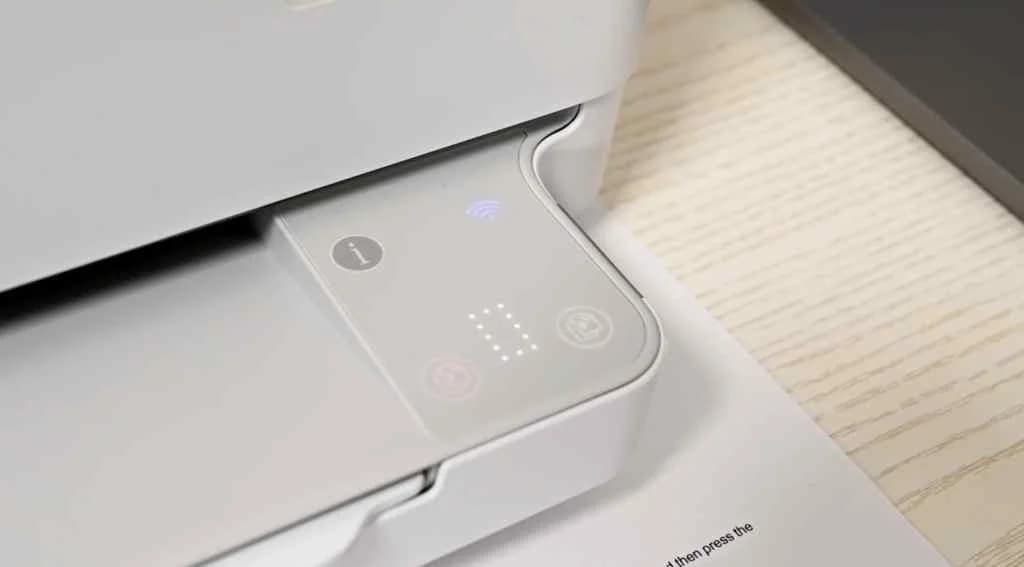
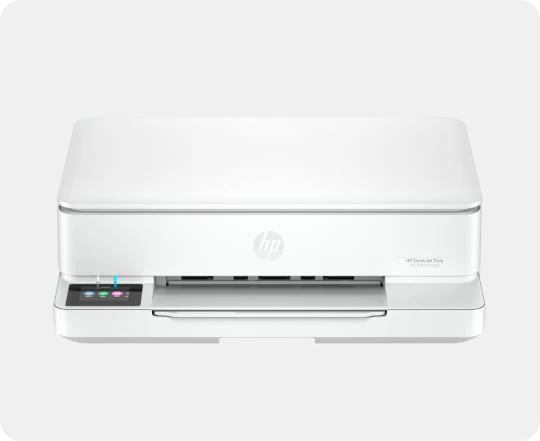
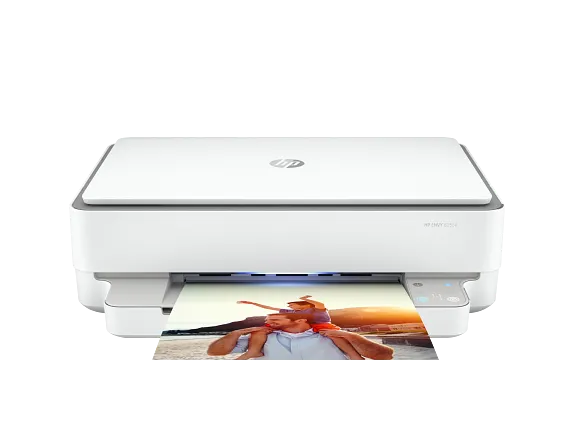
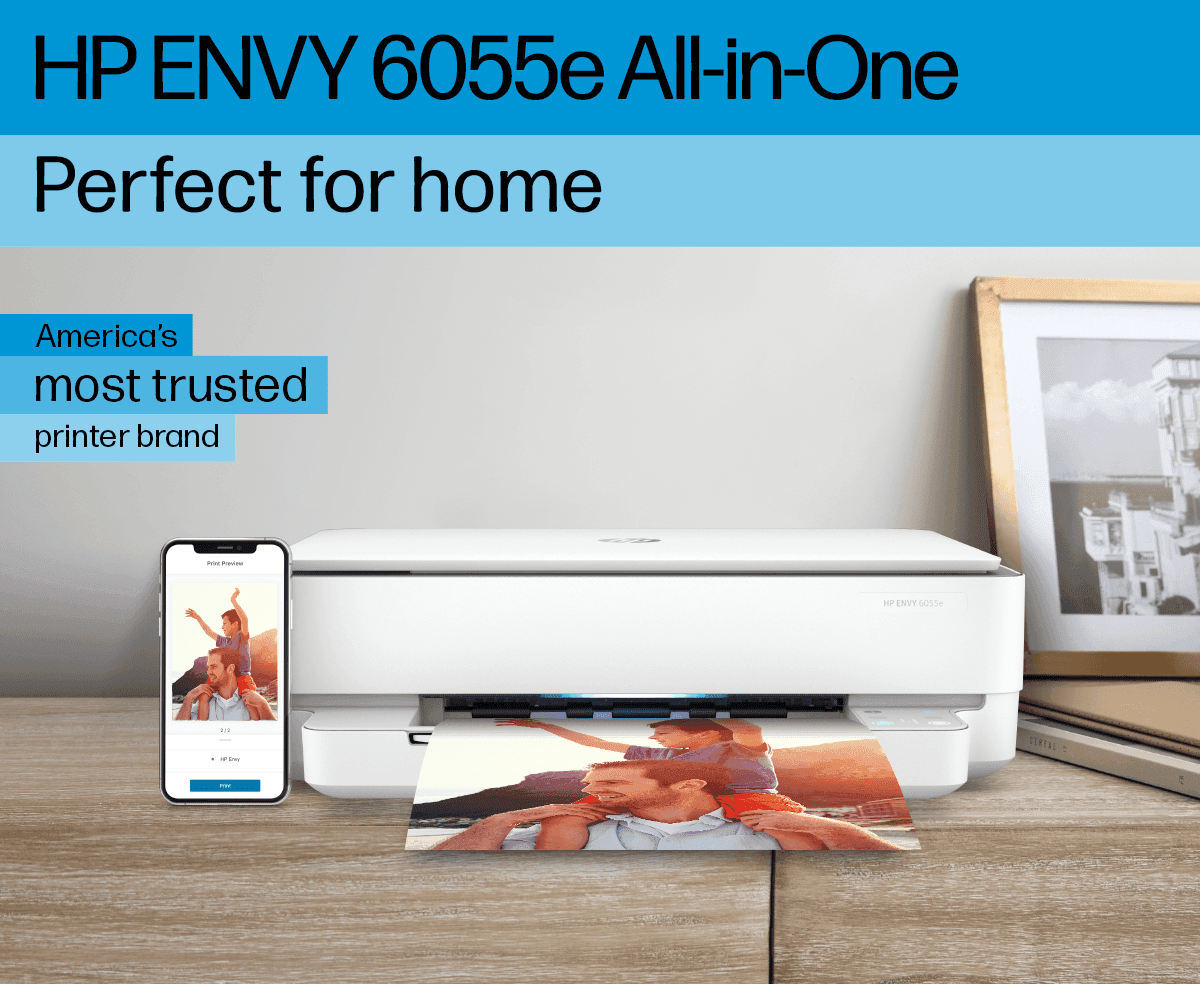
With compact dimensions roughly matching desktop footprints around 17 by 14 inches and weighing just over five kilograms, this all-in-one fits snugly into small spaces without fuss. Its clean white plastic exterior sports minimalistic LED indicators instead of an LCD screen while placing the power button uniquely at the rear—a quirky design choice that surprises some but maintains sleekness overall.
Print Quality (Documents & Photos)
Delivering crisp text suitable for everyday documents alongside vibrant photos that pop thanks to up to 4800 x 1200 dpi resolution on photo paper, this printer shines within its class but stumbles under scrutiny—users report slight banding and muted color accuracy compared to premium peers. Photo prints may appear flat due to limited gamut; still, it meets home-use expectations well enough without promising professional-grade perfection.
Connectivity & App Integration
Dive into wireless wizardry with the printer’s Wi-Fi 802.11ac, USB 2.0 port, and seamless support for HP Smart app, Apple AirPrint, and Mopria Print Service. Setup often dazzles users with its guided flow, though some wrestle with occasional Wi-Fi drops or connection quirks. The lack of a physical display nudges you to embrace mobile control fully, making your phone the command center. This blend of tech convenience and occasional hiccups keeps connectivity both impressive yet imperfect.
Print Speed & Throughput
While rated at respectable speeds like 10 ppm black-and-white printing, real-world tests reveal slower output especially when mixing photos or duplex jobs—the printer sometimes lags behind rivals during mixed-media tasks. Its modest monthly duty cycle aligns with light-to-moderate use rather than heavy workloads; this makes it better suited as an efficient home companion than a bustling office workhorse where speed truly matters.
Conclusion
Navigating the landscape of home printing, this model stakes its claim with seamless wireless connectivity and an intuitive app interface that puts control at your fingertips. Its two-cartridge ink system, paired with a limited but convenient Instant Ink trial, invites users to balance convenience against recurring costs. The printer delivers respectable print quality for documents and photos, though experts note it lacks finesse in color accuracy under scrutiny. Speed-wise, it favors patience over haste—its throughput suits light workloads better than busy offices. Compact yet sturdy, the design fits neatly on cramped desks without fuss. Reliability wavers slightly amid reports of connection drops and cartridge recognition hiccups, nudging cautious buyers to consider their tolerance for occasional glitches. For those who prize straightforward mobile printing and modest daily demands over speed or bulk capacity, this device offers a tidy package with clear trade-offs—a blend worthy of attention if these strengths align with your needs.

Feature Scores
This reflects reviews and ratings from established critics, journalists, and users who have evaluated the item. Their opinions provide a comprehensive assessment.
Performance
Print Quality
4/5
Print Speed
3/5
Reliability
3/5
Duty Cycle
3/5
Value
Purchase Price
4/5
Operating Cost
2/5
Consumables Availability
4/5
Design
Form Factor
4/5
Build Quality
4/5
User Interface Design
3/5
Health
Ink Toxicity
TBD
Emissions During Printing
TBD
Allergen Risk
TBD
Safety
Electrical Safety Compliance
TBD
Hot Surface Risk
TBD
Mechanical Safety
TBD
Sustainability
Cartridge Waste
2/5
Energy Efficiency
4/5
Recyclability Programs
4/5
Experience Style
Ease of Setup
4/5
Connectivity Options
4/5
Feature Richness
3/5

Specifications
This section outlines the product's key facts, covering essential features, details, dimensions, materials, and any unique characteristics that define its functionality and usability.
Performance
Value
Design
Sustainability
Experience Style

Frequently Asked Questions
14 Questions

Also Consider
2 Options


Find Yours
What will be your primary use for the printer?
Answer to find your best matches.