
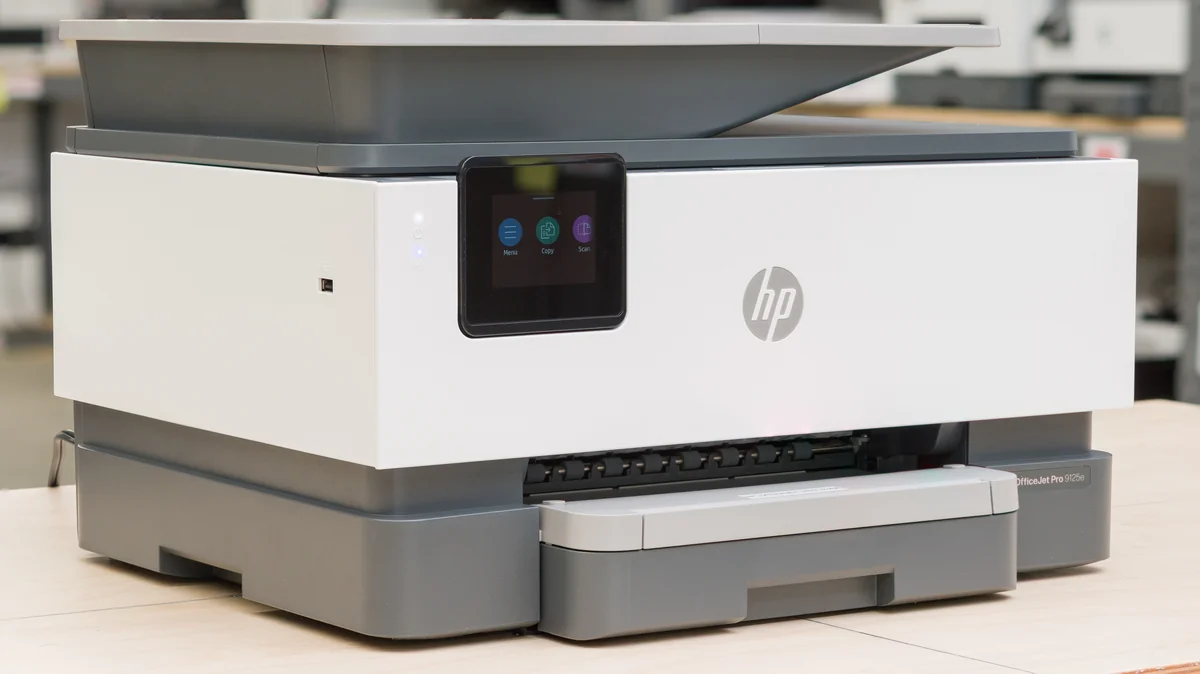
HP OfficeJet Pro 9125e All‑in‑One Printer
Fast, versatile printing with strong connectivity and efficient paper handling, though ink costs and setup may challenge.
The HP OfficeJet Pro 9125e is a savvy all-in-one for small offices craving fast print speeds and crisp, sharp text without the corporate price tag. Tailored to boost workflow with its automatic duplexing, generous 250-sheet tray, and seamless dual-band Wi-Fi connectivity, it earns praise for blending speed with versatile media handling. Users applaud its compact design but wrestle with setup quirks and an often-maligned ink subscription model that nudges ongoing costs upward. Experts confirm crisp output yet note muted photo quality. Its blend of efficiency, security features, and occasional firmware headaches shape a reliable choice—if you can stomach the ink economics.
Find Yours
What will be your primary use for the printer?
Answer to find your best matches.

The Field
Browse top contenders, or compare all options ranked by score and key attributes.
3 Options



The Scoreboard
Does this improve your life? Considers, health, habits, and environmental impact.
Benefits
High-speed inkjet and duplexing cut waiting time, lowering daily stress and workflow friction.
Sharp printheads and high-resolution output improve readability, reducing eyestrain and reprint frustration.
Automatic document feeder and duplex scanning reduce page handling, easing repetitive strain and time.
EvoMore cartridges cut packaging and waste compared with typical cartridges, improving lifecycle conscience.
HP Wolf Pro and app protections reduce worry about sensitive documents and unintended data exposure.
Trade-Offs
Cartridge-based design creates recurring plastic and chemical waste, unlike refillable tank alternatives.
Ink solvents and pigments can be hazardous if spilled or improperly disposed, requiring caution.
HP+ and Instant Ink require persistent internet and OEM restrictions, which may limit autonomy.
Narrow color gamut and muted photo output may cause dissatisfaction and extra test prints.
 Alternatives


Join the Circle
Where real meets deal
Know what's worth buying-and when.
Tips, special offers, and rewards for buying and sharing.

Publications
4 LEADING PUBLICATION REVIEWS

Wirecutter praises the HP OfficeJet Pro 9125e All-in-One Printer as an excellent choice for busy home offices and small businesses needing reliable, high-quality printing and scanning. The review highlights its remarkably easy setup, sharp print and scan quality, and affordable running costs, especially with high-yield cartridges. Its sleek design and user-friendly software add to its appeal, making it stand out among competitors. However, the review advises caution regarding HP’s Instant Ink subscription and HP+ membership, which lock users into official cartridges and require constant internet connectivity, potentially frustrating some users. While the printer delivers fast, crisp output and nearly flawless paper handling, minor drawbacks include a small touchscreen, a single paper tray, and slightly inaccurate photo colors. Overall, the 9125e strikes a strong balance of speed, quality, and cost-effectiveness, though users with very specific scanning or printing needs might consider alternatives.
By Kaitlyn Wells; Ben Keough
Alan Truly from Digital Trends highlights the HP OfficeJet Pro 9125e as a fast, versatile all-in-one inkjet printer well-suited for home offices and small businesses. Praised for its compact design, reliable duplex printing, and vibrant, accurate color output, the printer delivers excellent speed—up to 22 ppm for monochrome—and solid scan and copy functionality. Setup is straightforward, aided by HP’s Smart app and dual-band Wi-Fi, while the inclusion of fax capabilities rounds out its business features. Unique insights include the eco-friendly EvoMore cartridges that reduce waste and the tradeoff between ink cartridge costs and performance compared to tank printers. Criticisms focus on the somewhat dim touchscreen angle, lack of borderless photo printing, and potentially high ink costs after the free Instant Ink trial ends. Overall, the review conveys a balanced, moderately enthusiastic tone, emphasizing the printer’s strong all-around performance and suitability for users prioritizing speed and quality over ink cost savings.
By Alan Truly
RTINGS highlights the HP OfficeJet Pro 9125e as a solid all-in-one inkjet printer well-suited for home and small office use, particularly excelling in document printing with sharp text and high page yields that keep running costs low. The printer offers versatile connectivity options, including Wi-Fi, USB, and Ethernet, and features an automatic document feeder with duplex scanning, though the ADF occasionally produces crooked scans. While the scanner quality is strong, photo printing is a notable weak point due to a narrow color range, grainy images, and muted details, making it less ideal for users prioritizing photo quality. The device’s printing speed is modest, especially over wireless connections, with faster output only achievable via USB. Maintenance is manageable, with user-replaceable printheads mitigating clogging risks typical of inkjets. Overall, the review balances praise for its efficiency, document quality, and features with candid critiques on photo output, speed, and some mechanical quirks, providing a thorough and nuanced assessment.
By Olivier Martin
James Bricknell from CNET highlights the HP OfficeJet Pro 9125e as the best overall printer for home offices with one or two users, praising its excellent print speed and crisp text quality. While not designed for high-end photo printing, it performs well enough for everyday image tasks like brochures and webpages. The review emphasizes the printer’s versatility, noting its ease of scanning, copying, and printing, along with a generous three-month free ink supply via HP Plus, though the subscription limits ink choices. The OfficeJet Pro 9125e impresses with sharp graphics and fast output, making it ideal for small-scale business or family use, but it’s not suited for heavy-duty or high-volume printing. The reviewer balances enthusiasm for its generalist strengths with candid acknowledgment of its limitations in photo quality and ink subscription constraints, providing a thoughtful, practical recommendation for typical home office needs.
By James Bricknell

YouTube
4 LEADING EXPERT & INFLUENCER REVIEWS
 Printer Insider
Printer Insider provides a clear, patient walkthrough of setting up the HP OfficeJet Pro 9125e with a Windows PC, highlighting its user-friendly Wi-Fi connection, versatile scanning options (flatbed and ADF), and HP Smart app integration. The reviewer is practical and mildly critical of persistent HP+ subscription prompts but overall conveys a helpful, straightforward experience.
Just A Dad TipsJust A Dad Tips offers a practical, hands-on unboxing and setup walkthrough of the HP OfficeJet Pro 9125e, highlighting its wireless connectivity, touchscreen interface, and multifunction features. While setup involves multiple steps and some fiddly ink installation, the reviewer conveys a generally positive, straightforward experience with clear guidance for new users.
Critical ReviewsCritical Reviews highlights the HP OfficeJet Pro 9125e’s fast printing speeds, automatic duplexing, and strong HP Wolf Pro security as major strengths, along with the convenience of the HP Smart app and bundled Instant Ink. However, setup difficulties, occasional app unreliability, and potential ink subscription costs temper enthusiasm, resulting in a balanced, cautiously positive view.
AudioviserAudioviser praises the HP OfficeJet Pro 9125e as a versatile, high-performing all-in-one printer with fast 22 ppm black-and-white printing and excellent text clarity. While impressed by its multifunction capabilities and print quality, they note the touchscreen’s limited tilt and the costly, cartridge-based ink system, describing it as a “long-term toxic relationship.”

Store Reviews
CUSTOMER REVIEWS FROM 1 STORE
Users on HP’s official site praise the OfficeJet Pro 9125e for its fast printing speed, clear print quality, and useful features like double-sided printing and a convenient document feeder. Many highlight its ability to handle both legal and letter-sized documents efficiently, making it suitable for business or home office use. Reviewers appreciate the compact design and the printer’s capability to print from multiple devices around the house. However, several users express frustration with setup difficulties, especially connecting to Wi-Fi and managing the software app on tablets or computers. The printer’s single paper tray and the cumbersome process for printing envelopes draw criticism, as users must manually adjust settings on the small front panel, which lacks customization options. Some find the paper tray flimsy and worry about its durability compared to older HP models. Noise levels during idle and printing phases stand out as a common complaint, with users describing loud mechanical sounds that disrupt quiet environments. Scanning functionality also receives mixed feedback, particularly regarding limited integration with Mac systems and incompatibility with certain software like Adobe Acrobat Pro. A notable concern involves the ink replenishment program, which some find intrusive due to early automatic cartridge shipments. Additionally, intermittent connectivity issues and occasional error messages frustrate users, with some reporting prolonged and unhelpful customer support experiences. Overall, HP customers on the platform recognize the OfficeJet Pro 9125e as a capable and feature-rich printer but advise potential buyers to be prepared for setup challenges, noise, and some design compromises.
3.9 Stars / Many reviews

Forum Reviews
CUSTOMER REVIEWS FROM 1 FORUM
Reddit users generally view the HP OfficeJet Pro 9125e All-in-One Printer as a reliable and versatile option for small to mid-sized offices, praising its fast printing speeds, wireless connectivity, and user-friendly 2.7-inch touchscreen interface. The printer’s all-in-one functionality, including scanning, copying, and faxing, along with features like auto-duplex printing and HP Instant Ink, are appreciated for convenience and efficiency. Security features and eco-friendly design also receive positive remarks. However, some users note drawbacks such as bulky size, occasional setup difficulties, potential reliability issues over time, and ink costs. A few experienced users discuss challenges with cartridge refilling and firmware updates, indicating a need for careful maintenance. Overall, the sentiment leans positive, especially among those upgrading from older models, while new shoppers are advised to consider space and ongoing ink expenses.
Some comments

In-Depth Review

Highlights
- •Fast print speedsHigh ppm for office tasks
- •Reliable wireless & appDual‑band Wi‑Fi plus mobile app
- •All‑in‑one workflow35‑sheet ADF and auto duplex
- •Wide‑format supportPrints up to 11×17 media
- •Built‑in securityNetwork and firmware protections included
- •Promoted Instant Ink trial3‑month subscription lowers startup ink cost

Considerations
- •Cartridge/firmware lockoutsFirmware updates disabling cartridges reported
- •Subscription dependency riskSubscription cancellation can stop printing
- •Setup and scanner issuesDrivers and scanning required troubleshooting
- •Inconsistent long‑term reliabilitySome units reported failures or replacements
- •Ongoing ink expenseOperating costs may rise without plan
- •Large physical sizeRequires substantial desk or floor space
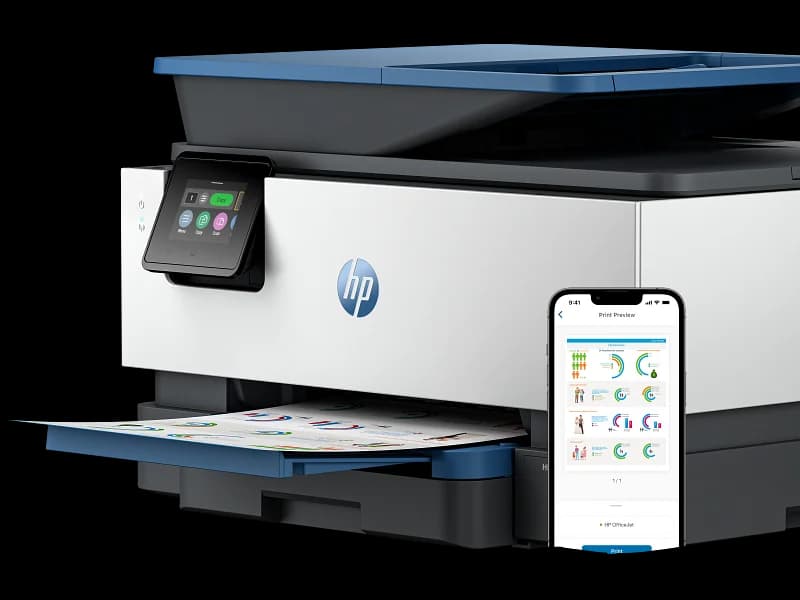
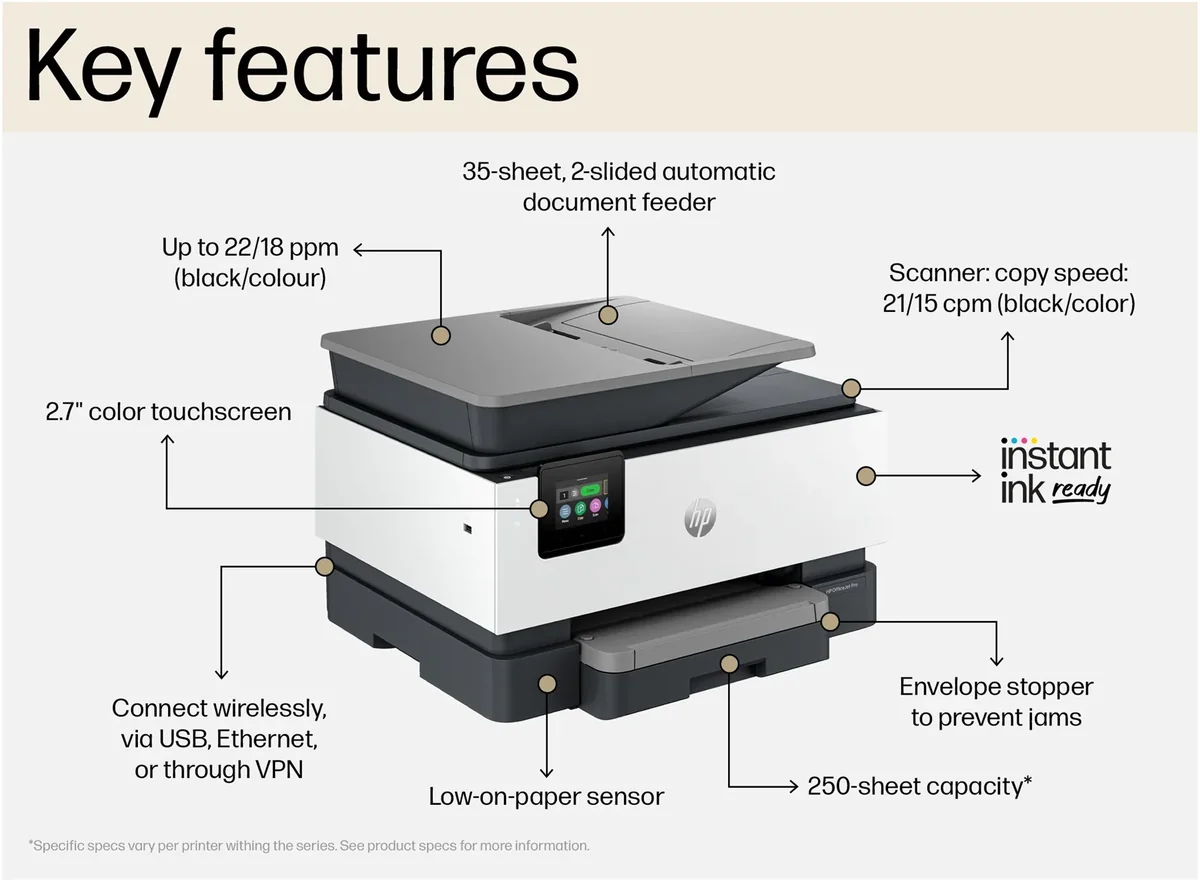
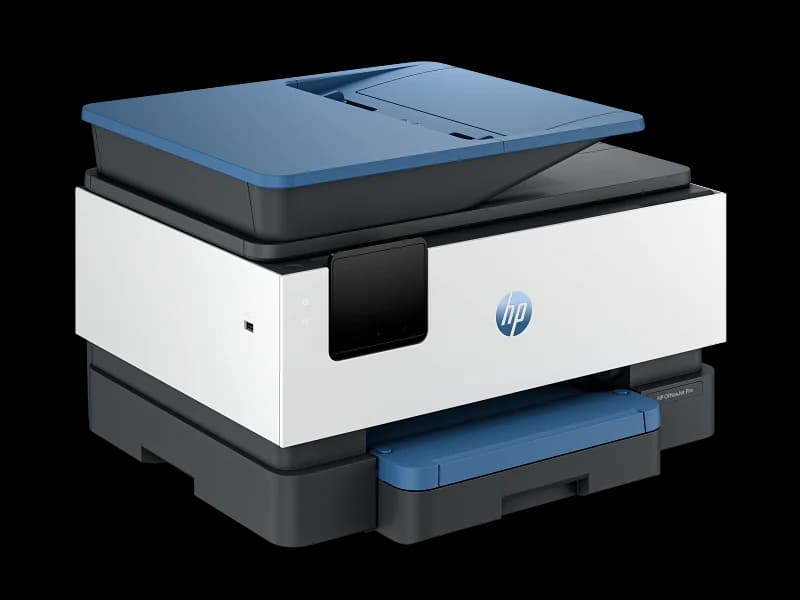
HP’s OfficeJet Pro 9125e positions itself as a versatile workhorse for small businesses and home offices seeking fast print speeds with up to 22 ppm black and 18 ppm color output. Its standout capability includes crisp text at a resolution of 1200 x 1200 dpi, paired with vibrant color optimized up to 4800 x 1200 dpi on photo paper—ideal for polished documents without breaking the bank. Connectivity options are robust, featuring dual-band Wi-Fi, Ethernet, USB ports, and Bluetooth LE, making wireless printing from mobile devices seamless via HP Smart app. The printer handles media efficiently through its generous 250-sheet tray, automatic duplexing, and a handy 35-sheet ADF that supports wide-format prints up to 11”x17”. While firmware behavior has raised some concerns about cartridge compatibility over time, the intuitive 2.7-inch touchscreen interface helps ease daily tasks. For users craving efficiency balanced by flexibility, this model warrants close attention across these key areas before deciding if it fits your workflow rhythm perfectly.
Connectivity Options
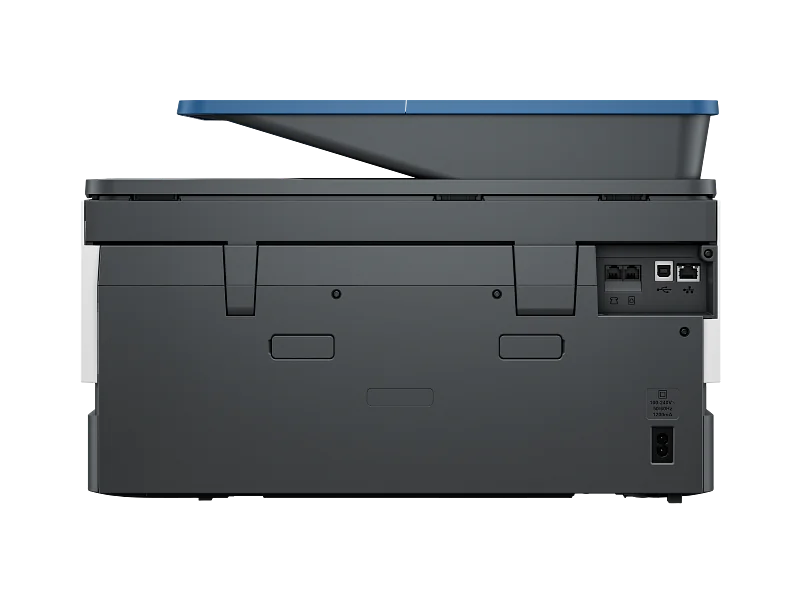
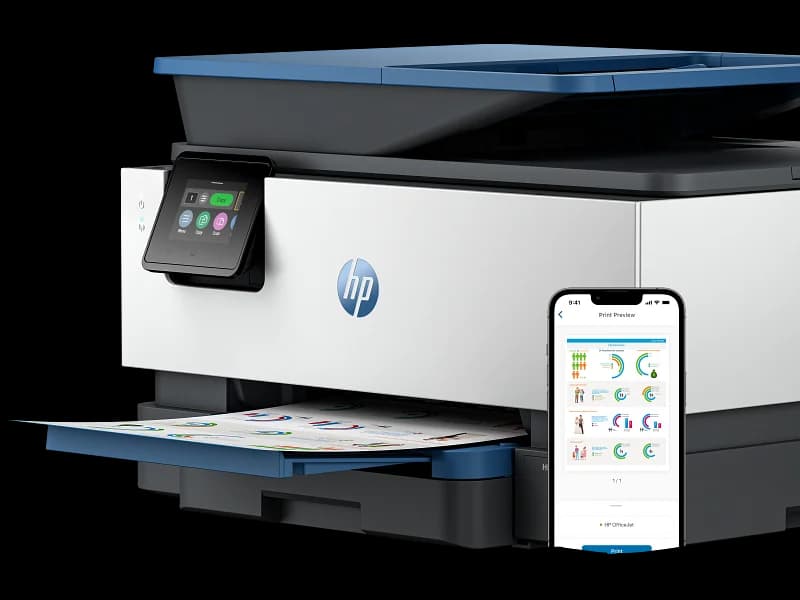
Seamless connection keeps your workflow friction-free: equipped with dual-band Wi-Fi (2.4/5 GHz) plus Ethernet, USB host/device ports, and Bluetooth LE compatibility for versatile device pairing options. The included HP Smart app enables effortless mobile printing directly from smartphones or tablets—a highlight praised in user reports as intuitive and robust. These connectivity features help bridge traditional wired setups with modern wireless convenience effectively.
Paper Handling (ADF/Tray/Wide‑format)
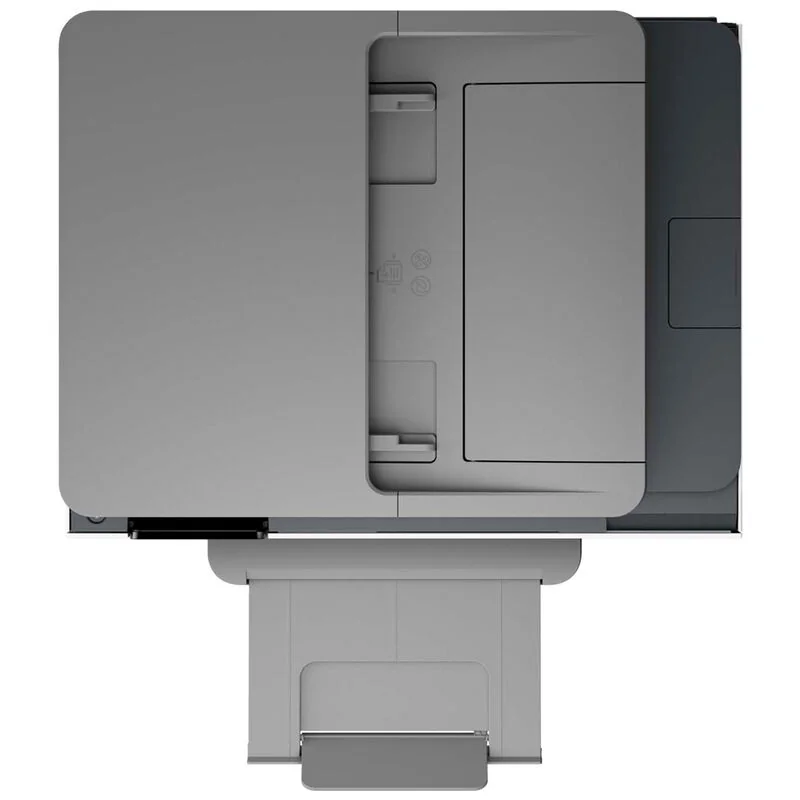
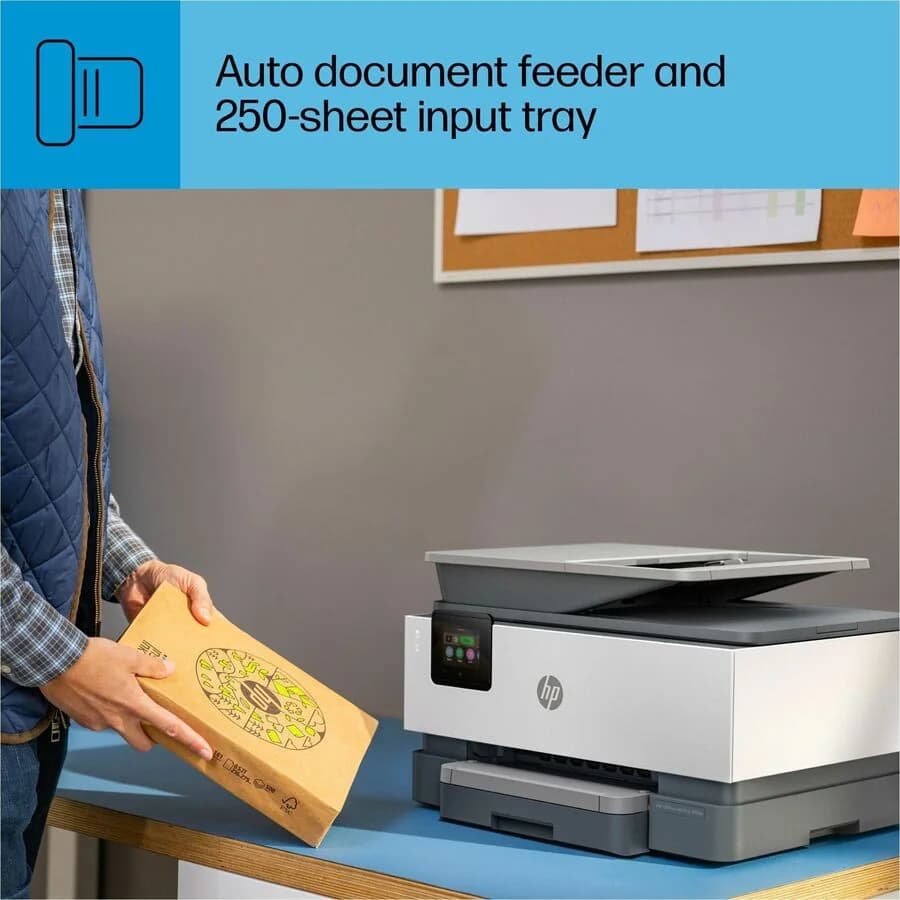
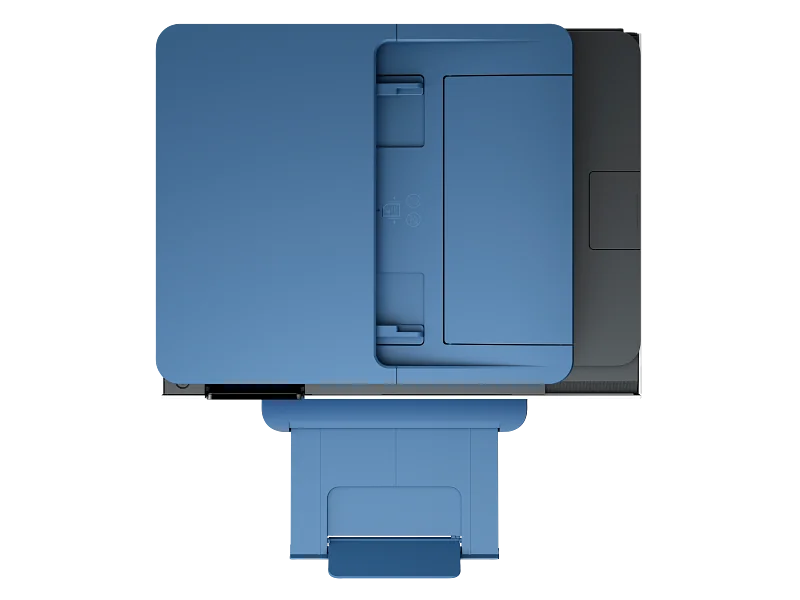
Handling various document sizes without fuss is key here: a generous 250-sheet input tray, a 60-sheet output tray, plus support for envelopes up to thirty units make refills infrequent even in busy offices. The automatic duplexing pairs perfectly with the efficient 35-sheet ADF that scans both sides automatically—time savers applauded by users who manage multi-page tasks regularly. Plus wide-format capabilities up to an impressive 11"x17" add versatility uncommon at this price point.
Print Quality
The crispness of printed pages matters when professionalism is on the line; this model delivers sharp text at a 1200 x 1200 dpi resolution and vibrant colors up to an optimized 4800 x 1200 dpi on photo paper. While standard documents come out clear and clean, photo printing quality can be somewhat muted compared to specialized devices. Nonetheless, users find the output consistently reliable for everyday office needs with well-defined details and solid color fidelity.
Reliability / Firmware Behavior
Reliability extends beyond hardware — firmware plays a starring role here but has drawn mixed reviews due mainly to updates impacting cartridge compatibility which some users found frustratingly disruptive over time; expect occasional hiccups requiring troubleshooting or manual overrides like cartridge rotation workarounds noted among power users aiming for extended ink use longevity though overall build durability aligns well within typical small-office expectations.
Print Speed
When it comes to keeping pace with office demands, this printer boasts up to 22 ppm black and 18 ppm color speeds, delivering documents swiftly. This brisk throughput reduces downtime during bulk jobs, backed by a first-page-out time of about 11 seconds. User feedback generally supports these claims, praising its ability to handle volume without bottlenecks. The fast duplexing further enhances efficiency for double-sided prints. Overall, the print speed helps keep workflows humming smoothly under pressure.
Conclusion
Wrapping up, the OfficeJet Pro 9125e delivers impressive print speeds and sharp print quality that keeps pace with demanding office tasks. Its versatile connectivity options, including dual-band Wi-Fi and mobile app support, smooth out modern workflows. The thoughtful paper handling system, boasting a spacious tray and automatic duplexing plus an ADF for wide-format prints, enhances efficiency. However, some users flag firmware quirks impacting cartridge use—making reliability a mixed bag over time. Navigating its intuitive touchscreen interface feels like second nature once set up but requires patience initially. This printer suits those craving speed paired with flexible media options but may challenge buyers wary of potential ink subscription pitfalls or setup hurdles. In essence, it’s a robust performer offering plenty to love if you value workflow fluidity balanced against occasional maintenance demands—a machine that knows how to keep the pages turning without skipping a beat.

Feature Scores
This reflects reviews and ratings from established critics, journalists, and users who have evaluated the item. Their opinions provide a comprehensive assessment.
Performance
Print Quality
4/5
Print Speed
4/5
Reliability
4/5
Duty Cycle
4/5
Value
Purchase Price
4/5
Operating Cost
3/5
Consumables Availability
4/5
Design
Form Factor
4/5
Build Quality
4/5
User Interface Design
4/5
Health
Ink Toxicity
TBD
Emissions During Printing
TBD
Allergen Risk
TBD
Safety
Electrical Safety Compliance
4/5
Hot Surface Risk
4/5
Mechanical Safety
4/5
Sustainability
Cartridge Waste
4/5
Energy Efficiency
4/5
Recyclability Programs
4/5
Experience Style
Ease of Setup
4/5
Connectivity Options
5/5
Feature Richness
4/5

Specifications
This section outlines the product's key facts, covering essential features, details, dimensions, materials, and any unique characteristics that define its functionality and usability.
Performance
Value
Design
Sustainability
Experience Style

Frequently Asked Questions
9 Questions

Also Consider
2 Options


Find Yours
What will be your primary use for the printer?
Answer to find your best matches.